Eric Gustavo Coronel Castillo
gcoronelc.blogspot.com
gcoronelc@gmail.com
JAVA SERVER FACES
COMPONENTES HTML
Temas
 Listado de componentes
 Menú de selección
 Paneles
 Tablas
 Demo
LISTADO DE COMPONENTES
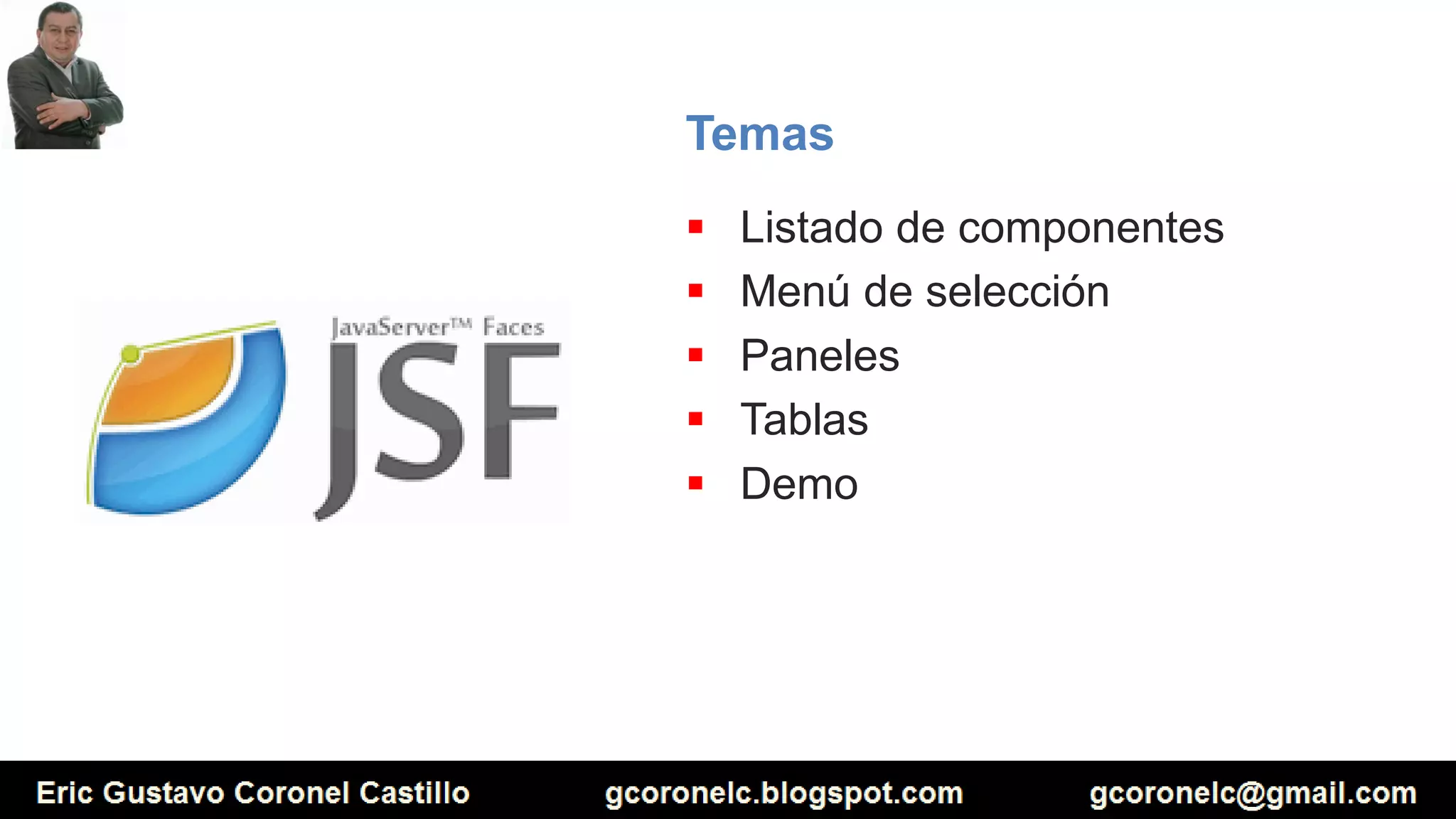
 Librería
xmlns:h=http://java.sun.com/jsf/html
 Componentes
<h:column> <h:commandButton> <h:commandLink>
<h:dataTable> <h:form> <h:graphicImage>
<h:inputHidden> <h:inputSecret> <h:inputText>
<h:inputTextarea> <h:message> <h:messages>
<h:outputFormat> <h:outputLabel> <h:outputLink>
<h:outputText> <h:panelGrid> <h:panelGroup>
<h:selectBooleanCheckbox> <h:selectManyCheckbox> <h:selectManyListbox>
<h:selectManyMenu> <h:selectOneListbox> <h:selectOneMenu>
<h:selectOneRadio>
MENU DE SELECCIÓN
Caso 01
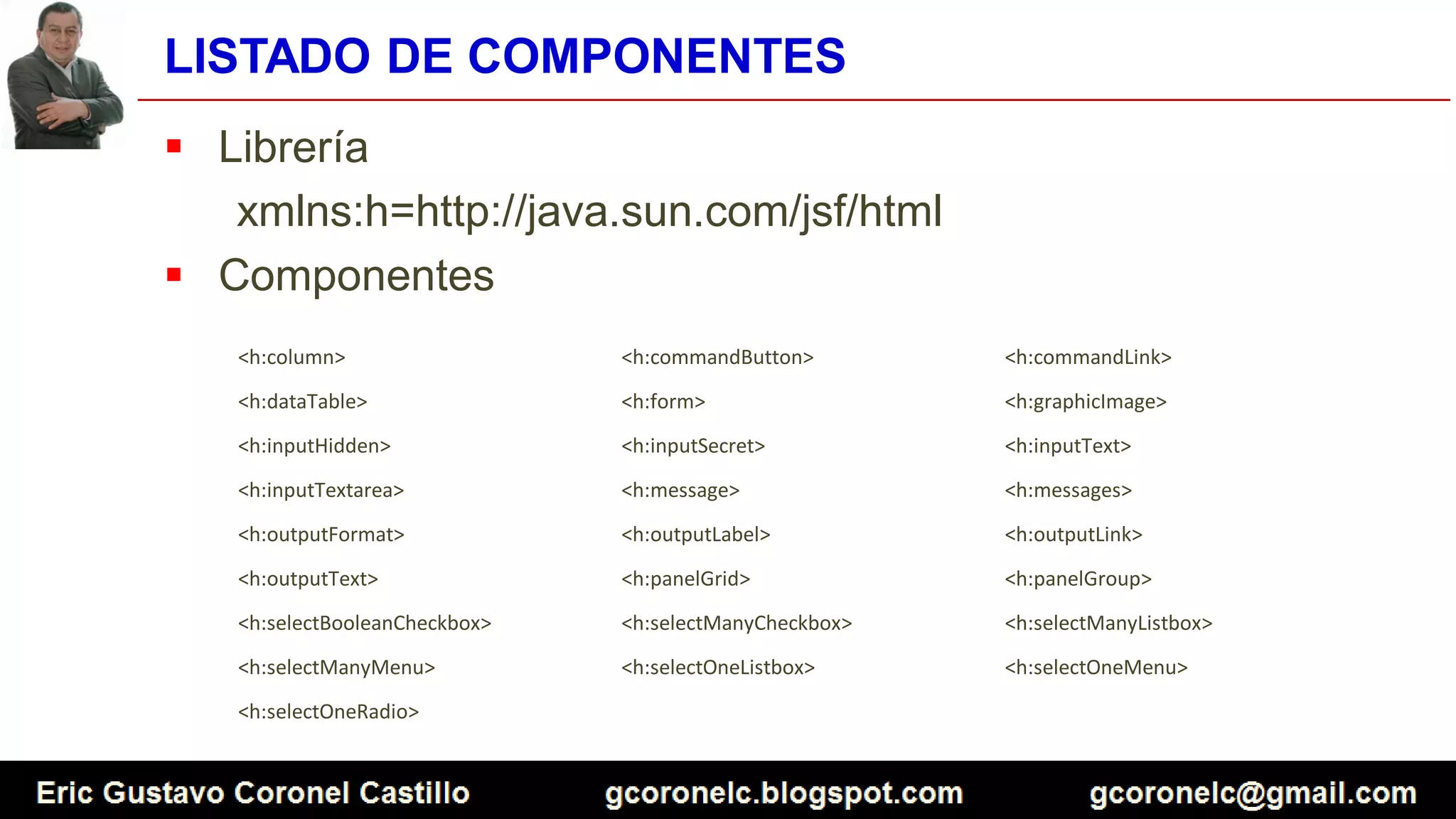
<h:outputLabel value="Producto:"/>
<h:selectOneMenu value="#{venta.codigo}">
<f:selectItem itemValue="A000" itemLabel="Seleccione un producto" />
<f:selectItem itemValue="A001" itemLabel="Computadora" />
<f:selectItem itemValue="A002" itemLabel="Impresora" />
<f:selectItem itemValue="A003" itemLabel="Laptop" />
<f:selectItem itemValue="A004" itemLabel="Disco duro" />
</h:selectOneMenu>
MENU DE SELECCIÓN
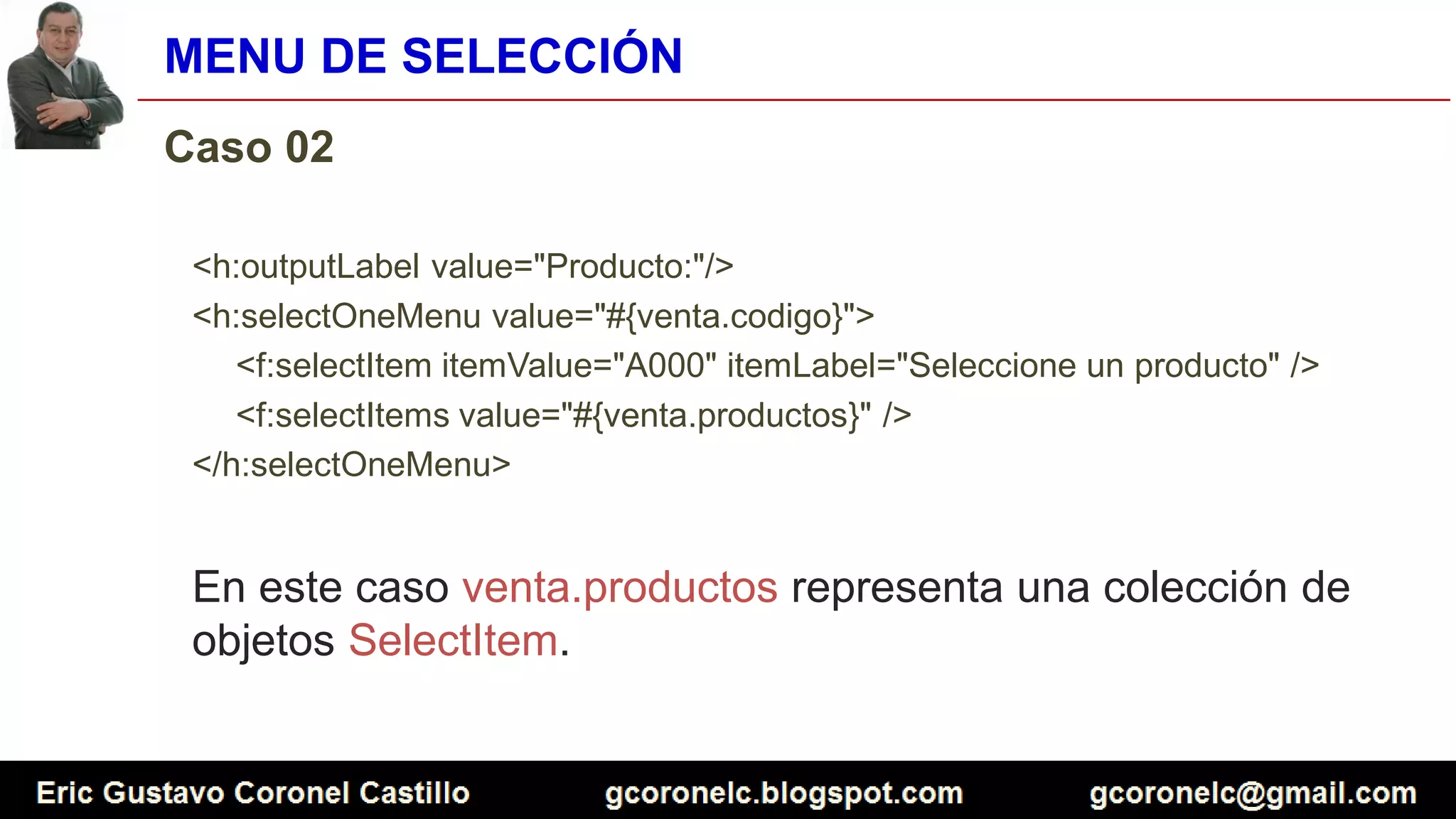
Caso 02
<h:outputLabel value="Producto:"/>
<h:selectOneMenu value="#{venta.codigo}">
<f:selectItem itemValue="A000" itemLabel="Seleccione un producto" />
<f:selectItems value="#{venta.productos}" />
</h:selectOneMenu>
En este caso venta.productos representa una colección de
objetos SelectItem.
MENU DE SELECCIÓN
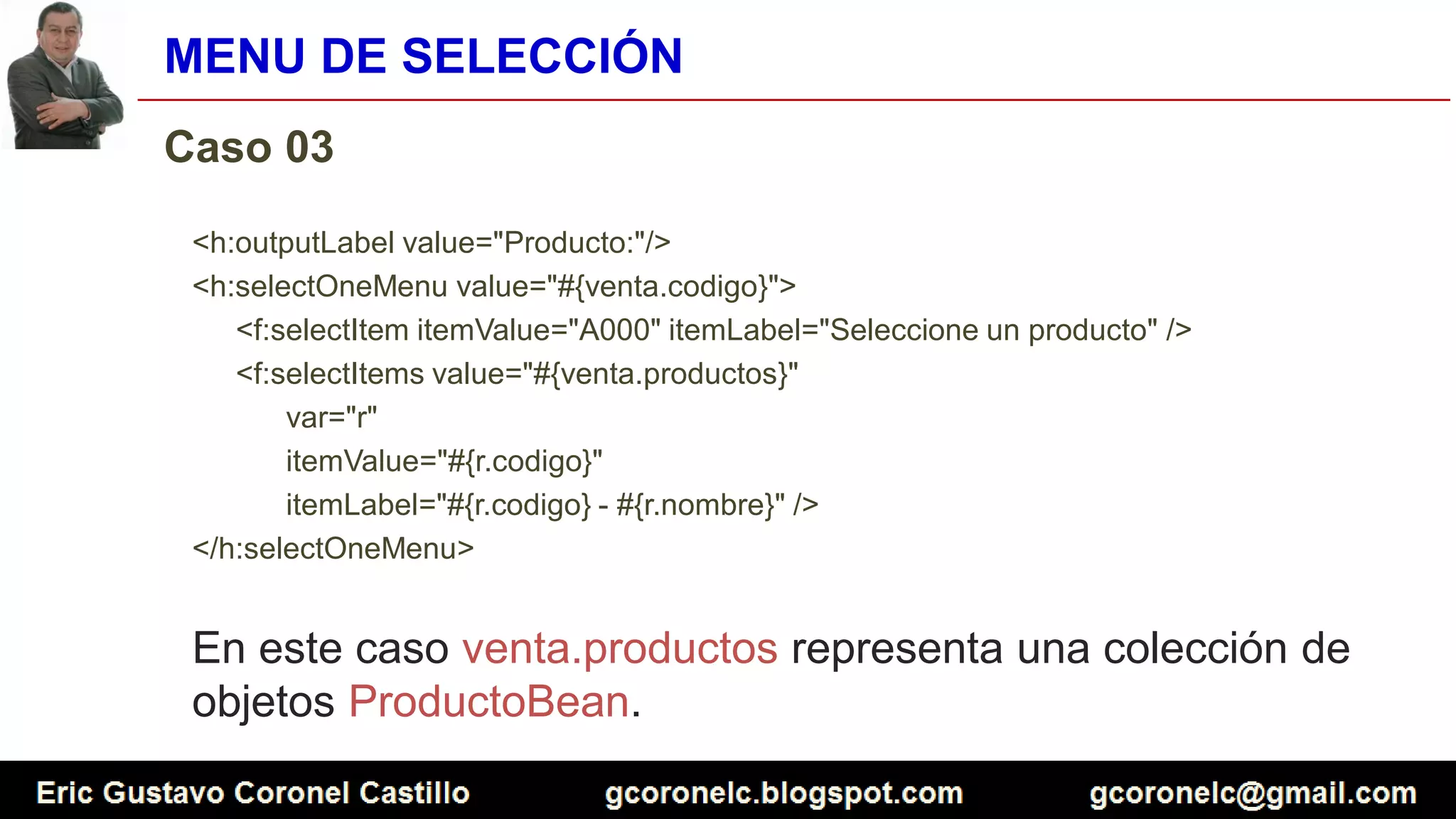
Caso 03
<h:outputLabel value="Producto:"/>
<h:selectOneMenu value="#{venta.codigo}">
<f:selectItem itemValue="A000" itemLabel="Seleccione un producto" />
<f:selectItems value="#{venta.productos}"
var="r"
itemValue="#{r.codigo}"
itemLabel="#{r.codigo} - #{r.nombre}" />
</h:selectOneMenu>
En este caso venta.productos representa una colección de
objetos ProductoBean.
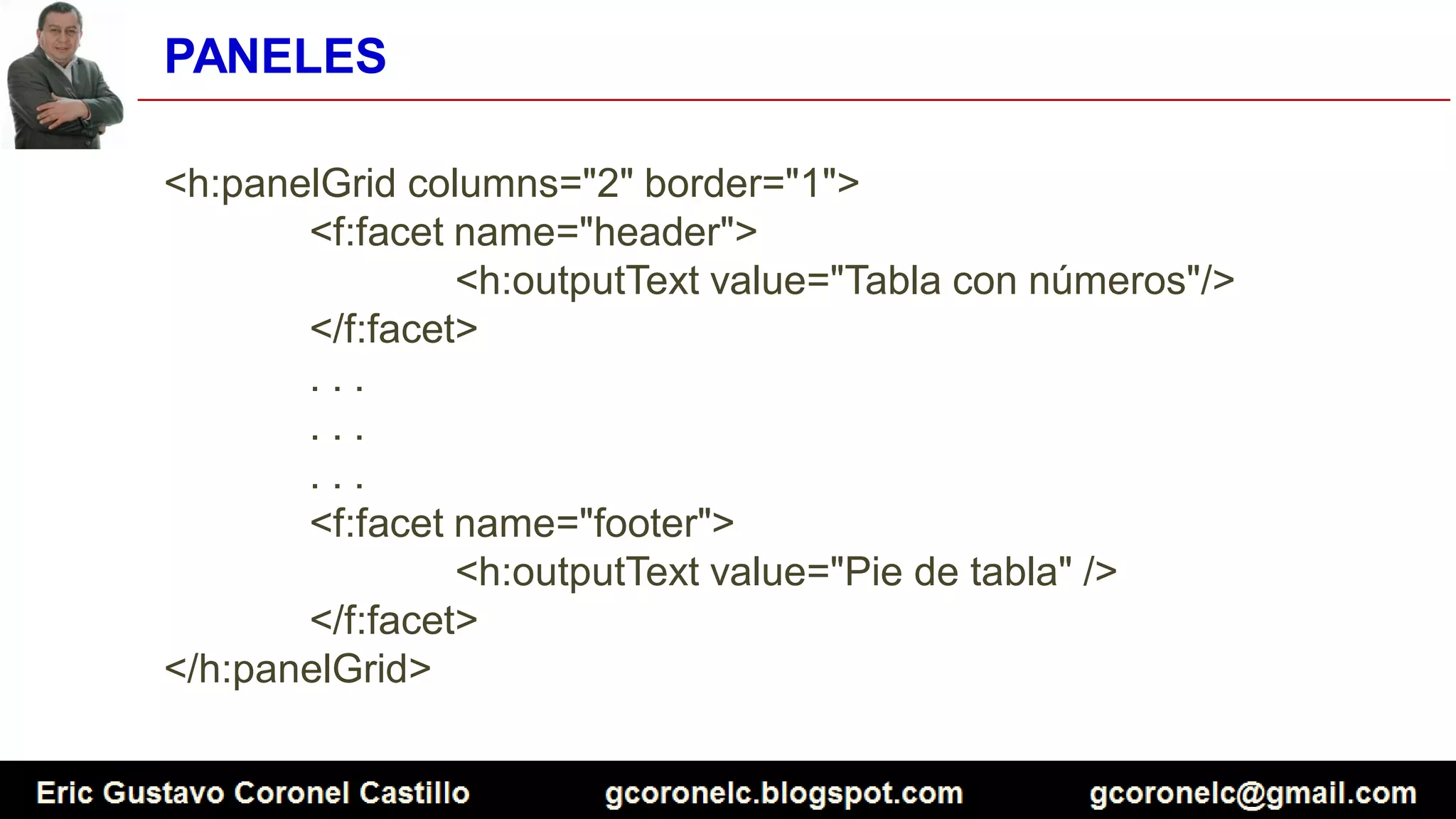
PANELES
<h:panelGrid columns="2" border="1">
<f:facet name="header">
<h:outputText value="Tabla con números"/>
</f:facet>
. . .
. . .
. . .
<f:facet name="footer">
<h:outputText value="Pie de tabla" />
</f:facet>
</h:panelGrid>
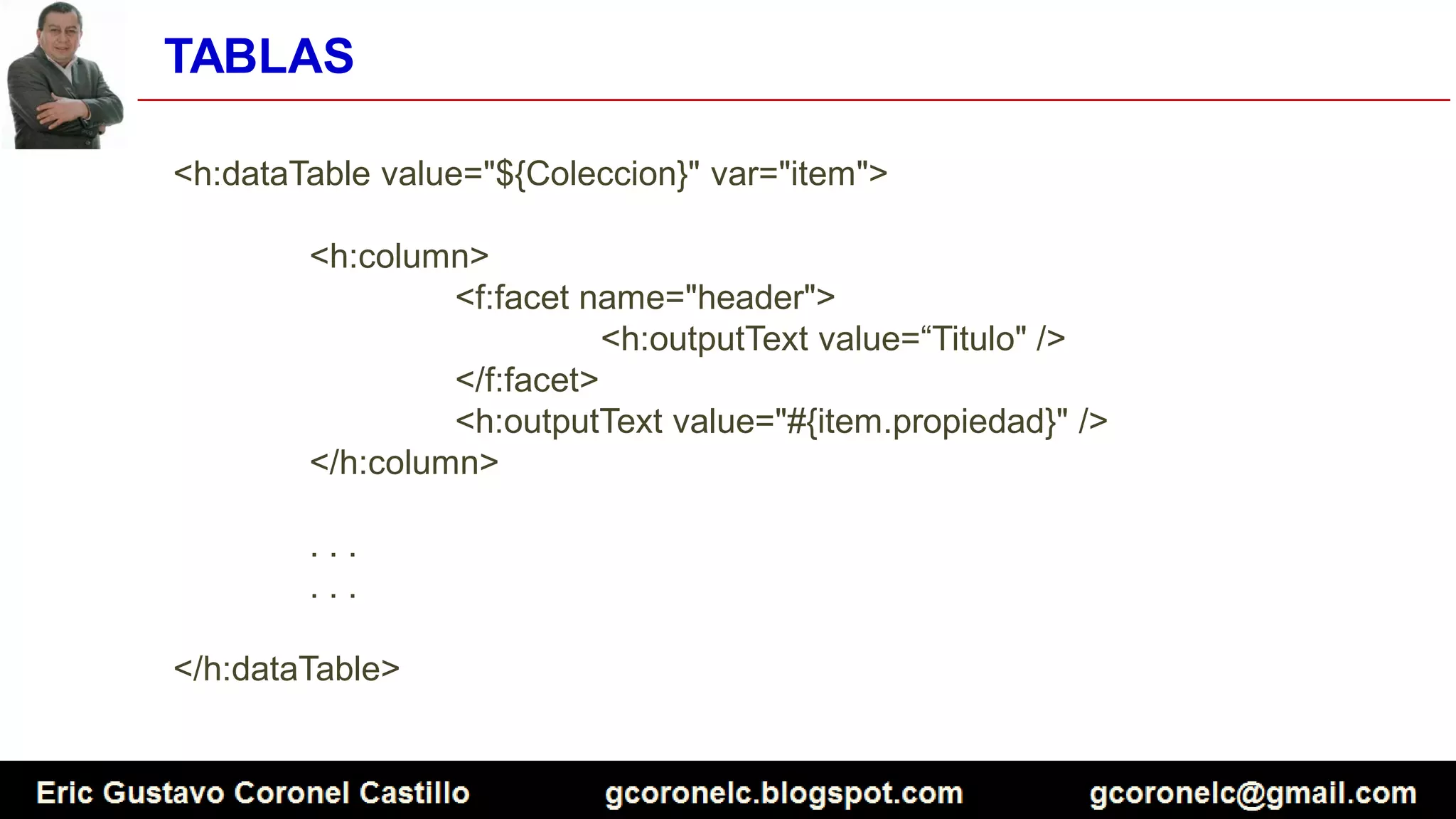
TABLAS
<h:dataTable value="${Coleccion}" var="item">
<h:column>
<f:facet name="header">
<h:outputText value=“Titulo" />
</f:facet>
<h:outputText value="#{item.propiedad}" />
</h:column>
. . .
. . .
</h:dataTable>
DEMO
https://goo.gl/v53pSS
Eric Gustavo Coronel Castillo
gcoronelc.blogspot.com
gcoronelc@gmail.com
JAVA SERVER FACES
Gracias

JAVA SERVER FACES - LECCION 03 - COMPONENTES HTML

  • 1.
    Eric Gustavo CoronelCastillo gcoronelc.blogspot.com gcoronelc@gmail.com JAVA SERVER FACES COMPONENTES HTML
  • 2.
    Temas  Listado decomponentes  Menú de selección  Paneles  Tablas  Demo
  • 3.
    LISTADO DE COMPONENTES Librería xmlns:h=http://java.sun.com/jsf/html  Componentes <h:column> <h:commandButton> <h:commandLink> <h:dataTable> <h:form> <h:graphicImage> <h:inputHidden> <h:inputSecret> <h:inputText> <h:inputTextarea> <h:message> <h:messages> <h:outputFormat> <h:outputLabel> <h:outputLink> <h:outputText> <h:panelGrid> <h:panelGroup> <h:selectBooleanCheckbox> <h:selectManyCheckbox> <h:selectManyListbox> <h:selectManyMenu> <h:selectOneListbox> <h:selectOneMenu> <h:selectOneRadio>
  • 4.
    MENU DE SELECCIÓN Caso01 <h:outputLabel value="Producto:"/> <h:selectOneMenu value="#{venta.codigo}"> <f:selectItem itemValue="A000" itemLabel="Seleccione un producto" /> <f:selectItem itemValue="A001" itemLabel="Computadora" /> <f:selectItem itemValue="A002" itemLabel="Impresora" /> <f:selectItem itemValue="A003" itemLabel="Laptop" /> <f:selectItem itemValue="A004" itemLabel="Disco duro" /> </h:selectOneMenu>
  • 5.
    MENU DE SELECCIÓN Caso02 <h:outputLabel value="Producto:"/> <h:selectOneMenu value="#{venta.codigo}"> <f:selectItem itemValue="A000" itemLabel="Seleccione un producto" /> <f:selectItems value="#{venta.productos}" /> </h:selectOneMenu> En este caso venta.productos representa una colección de objetos SelectItem.
  • 6.
    MENU DE SELECCIÓN Caso03 <h:outputLabel value="Producto:"/> <h:selectOneMenu value="#{venta.codigo}"> <f:selectItem itemValue="A000" itemLabel="Seleccione un producto" /> <f:selectItems value="#{venta.productos}" var="r" itemValue="#{r.codigo}" itemLabel="#{r.codigo} - #{r.nombre}" /> </h:selectOneMenu> En este caso venta.productos representa una colección de objetos ProductoBean.
  • 7.
    PANELES <h:panelGrid columns="2" border="1"> <f:facetname="header"> <h:outputText value="Tabla con números"/> </f:facet> . . . . . . . . . <f:facet name="footer"> <h:outputText value="Pie de tabla" /> </f:facet> </h:panelGrid>
  • 8.
    TABLAS <h:dataTable value="${Coleccion}" var="item"> <h:column> <f:facetname="header"> <h:outputText value=“Titulo" /> </f:facet> <h:outputText value="#{item.propiedad}" /> </h:column> . . . . . . </h:dataTable>
  • 9.
  • 10.
  • 11.
    Eric Gustavo CoronelCastillo gcoronelc.blogspot.com gcoronelc@gmail.com JAVA SERVER FACES Gracias