Desarrollo de
aplicaciones para
dispositivos móviles
René Alejandro Lobo Quintero
2018
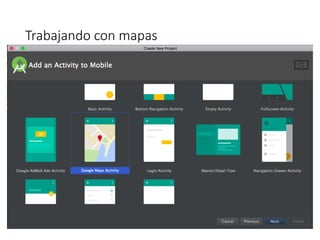
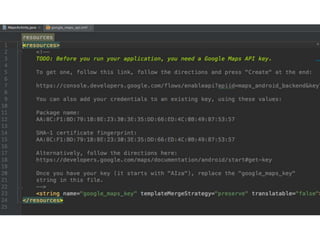
Trabajando con mapas
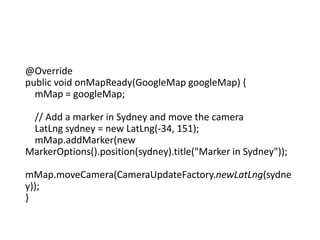
@Override
public void onMapReady(GoogleMap googleMap) {
mMap = googleMap;
// Add a marker in Sydney and move the camera
LatLng sydney = new LatLng(-34, 151);
mMap.addMarker(new
MarkerOptions().position(sydney).title("Marker in Sydney"));
mMap.moveCamera(CameraUpdateFactory.newLatLng(sydne
y));
}
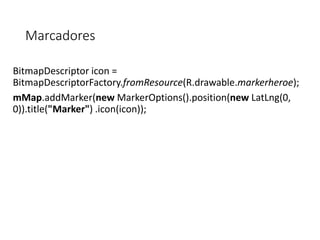
Marcadores
BitmapDescriptor icon =
BitmapDescriptorFactory.fromResource(R.drawable.markerheroe);
mMap.addMarker(new MarkerOptions().position(new LatLng(0,
0)).title("Marker") .icon(icon));
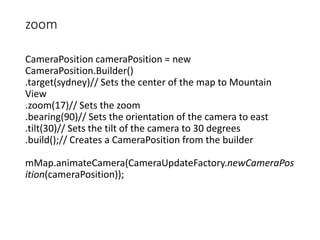
zoom
CameraPosition cameraPosition = new
CameraPosition.Builder()
.target(sydney)// Sets the center of the map to Mountain
View
.zoom(17)// Sets the zoom
.bearing(90)// Sets the orientation of the camera to east
.tilt(30)// Sets the tilt of the camera to 30 degrees
.build();// Creates a CameraPosition from the builder
mMap.animateCamera(CameraUpdateFactory.newCameraPos
ition(cameraPosition));
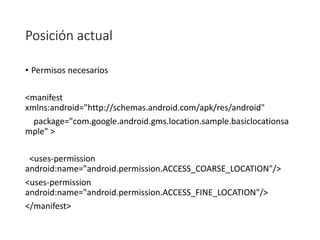
Posición actual
• Permisos necesarios
<manifest
xmlns:android="http://schemas.android.com/apk/res/android"
package="com.google.android.gms.location.sample.basiclocationsa
mple" >
<uses-permission
android:name="android.permission.ACCESS_COARSE_LOCATION"/>
<uses-permission
android:name="android.permission.ACCESS_FINE_LOCATION"/>
</manifest>
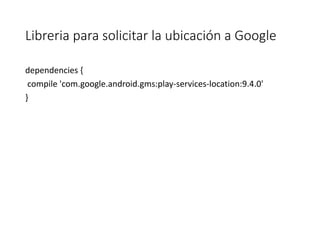
Libreria para solicitar la ubicación a Google
dependencies {
compile 'com.google.android.gms:play-services-location:9.4.0'
}
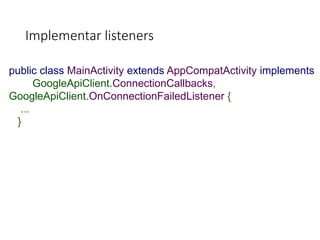
Implementar listeners
public class MainActivity extends AppCompatActivity implements
GoogleApiClient.ConnectionCallbacks,
GoogleApiClient.OnConnectionFailedListener {
...
}
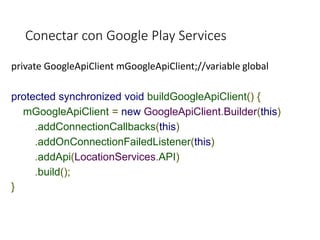
Conectar con Google Play Services
private GoogleApiClient mGoogleApiClient;//variable global
protected synchronized void buildGoogleApiClient() {
mGoogleApiClient = new GoogleApiClient.Builder(this)
.addConnectionCallbacks(this)
.addOnConnectionFailedListener(this)
.addApi(LocationServices.API)
.build();
}
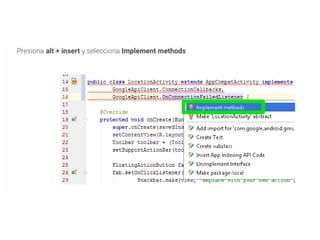
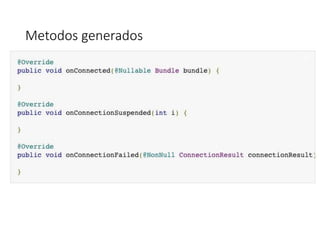
Metodos generados
Ciclo de conexión
@Override
protected void onStart() {
super.onStart();
mGoogleApiClient.connect();
}
@Override
protected void onStop() {
super.onStop();
mGoogleApiClient.disconnect();
}
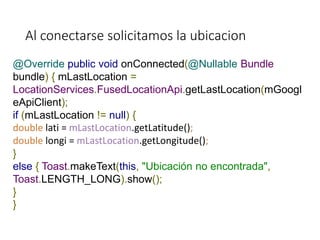
Al conectarse solicitamos la ubicacion
@Override public void onConnected(@Nullable Bundle
bundle) { mLastLocation =
LocationServices.FusedLocationApi.getLastLocation(mGoogl
eApiClient);
if (mLastLocation != null) {
double lati = mLastLocation.getLatitude();
double longi = mLastLocation.getLongitude();
}
else { Toast.makeText(this, "Ubicación no encontrada",
Toast.LENGTH_LONG).show();
}
}
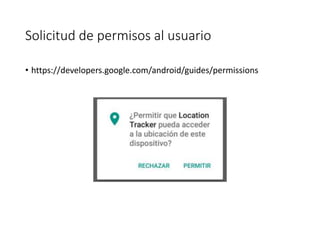
Solicitud de permisos al usuario
• https://developers.google.com/android/guides/permissions
@Override
public void onConnected(@Nullable Bundle bundle) {
if (ActivityCompat.checkSelfPermission(this, Manifest.permission.ACCESS_FINE_LOCATION)
!= PackageManager.PERMISSION_GRANTED) {
if (ActivityCompat.shouldShowRequestPermissionRationale(this,
Manifest.permission.ACCESS_FINE_LOCATION)) {
// Aquí muestras confirmación explicativa al usuario
// por si rechazó los permisos anteriormente
} else {
ActivityCompat.requestPermissions(
this, new String[]{Manifest.permission.ACCESS_FINE_LOCATION},
REQUEST_LOCATION);
}
} else {
mLastLocation = LocationServices.FusedLocationApi.getLastLocation(mGoogleApiClient);
if (mLastLocation != null) {
double lati = mLastLocation.getLatitude();
double longi = mLastLocation.getLongitude();
} else {
Toast.makeText(this, "Ubicación no encontrada", Toast.LENGTH_LONG).show();
}
}
}
@Override
public void onRequestPermissionsResult(int requestCode, String[] permissions, int[]
grantResults) {
if (requestCode == REQUEST_LOCATION) {
if (grantResults.length == 1
&& grantResults[0] == PackageManager.PERMISSION_GRANTED) {
if (ActivityCompat.checkSelfPermission(this,
Manifest.permission.ACCESS_FINE_LOCATION) !=
PackageManager.PERMISSION_GRANTED && ActivityCompat.checkSelfPermission(this,
Manifest.permission.ACCESS_COARSE_LOCATION) !=
PackageManager.PERMISSION_GRANTED) {
return;
}
mLastLocation =
LocationServices.FusedLocationApi.getLastLocation(mGoogleApiClient);
if (mLastLocation != null) {
double lati = mLastLocation.getLatitude();
double longi = mLastLocation.getLongitude();
} else {
Toast.makeText(this, "Ubicación no encontrada",
Toast.LENGTH_LONG).show();
}
} else {
Toast.makeText(this, "Permisos no otorgados", Toast.LENGTH_LONG).show();
}
Aprovechar los distintos intents
• Las aplicaciónes en Android pueden interactuar con otras
aplicaciones utilizando intents pre diseñados
• Aumentando la funcionalidad de las aplicaciones
Enviar un correo
public void composeEmail(String[] addresses, String subject, Uri
attachment) {
Intent intent = new Intent(Intent.ACTION_SEND);
intent.setType("*/*");
intent.putExtra(Intent.EXTRA_EMAIL, addresses);
intent.putExtra(Intent.EXTRA_SUBJECT, subject);
intent.putExtra(Intent.EXTRA_STREAM, attachment);
if (intent.resolveActivity(getPackageManager()) != null) {
startActivity(intent);
}
}
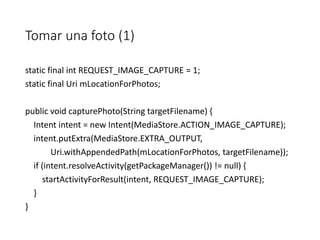
Tomar una foto (1)
static final int REQUEST_IMAGE_CAPTURE = 1;
static final Uri mLocationForPhotos;
public void capturePhoto(String targetFilename) {
Intent intent = new Intent(MediaStore.ACTION_IMAGE_CAPTURE);
intent.putExtra(MediaStore.EXTRA_OUTPUT,
Uri.withAppendedPath(mLocationForPhotos, targetFilename));
if (intent.resolveActivity(getPackageManager()) != null) {
startActivityForResult(intent, REQUEST_IMAGE_CAPTURE);
}
}
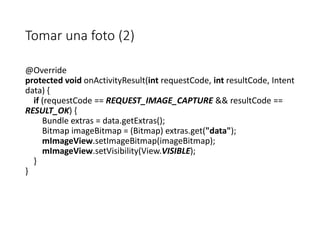
Tomar una foto (2)
@Override
protected void onActivityResult(int requestCode, int resultCode, Intent
data) {
if (requestCode == REQUEST_IMAGE_CAPTURE && resultCode ==
RESULT_OK) {
Bundle extras = data.getExtras();
Bitmap imageBitmap = (Bitmap) extras.get("data");
mImageView.setImageBitmap(imageBitmap);
mImageView.setVisibility(View.VISIBLE);
}
}
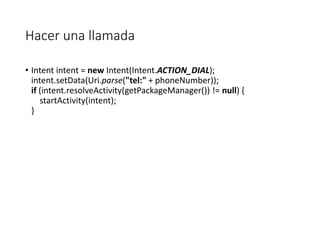
Hacer una llamada
• Intent intent = new Intent(Intent.ACTION_DIAL);
intent.setData(Uri.parse("tel:" + phoneNumber));
if (intent.resolveActivity(getPackageManager()) != null) {
startActivity(intent);
}
Abrir una pagina web
public void openWebPage(String url) {
Uri webpage = Uri.parse(url);
Intent intent = new Intent(Intent.ACTION_VIEW, webpage);
if (intent.resolveActivity(getPackageManager()) != null) {
startActivity(intent);
}
}
Crear una alarma
public void createAlarm(String message, int hour, int minutes) {
Intent intent = new Intent(AlarmClock.ACTION_SET_ALARM)
.putExtra(AlarmClock.EXTRA_MESSAGE, message)
.putExtra(AlarmClock.EXTRA_HOUR, hour)
.putExtra(AlarmClock.EXTRA_MINUTES, minutes);
if (intent.resolveActivity(getPackageManager()) != null) {
startActivity(intent);
}
}
API REST
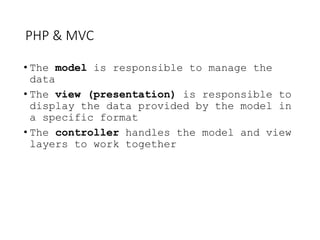
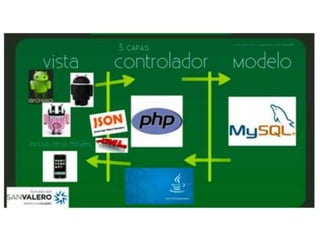
PHP & MVC
The model view controller pattern is the most used
pattern for today’s world web applications
It has been used for the first time in Smalltalk and
then adopted and popularized by Java
At present there are more than a dozen PHP web
frameworks based on MVC pattern
PHP & MVC
• The model is responsible to manage the
data
• The view (presentation) is responsible to
display the data provided by the model in
a specific format
• The controller handles the model and view
layers to work together
• Creación y conexión de un API
• En muchas ocaciones se necesita conectar nuestras aplicaciones con
servidores externos para acceder a bases de datos o para
interconectarlas con servicios externos.
• En esta sesión vamos a crear un servidor web php y conectar una
aplicación movil para acceder a una base de datos mysql alojada en
ese servidor
• Se debe instalar XAMPP de la siguiente dirección
• https://www.apachefriends.org/es/index.html
• E instalar Phpmyadmin para manejar facilmente la base de datos
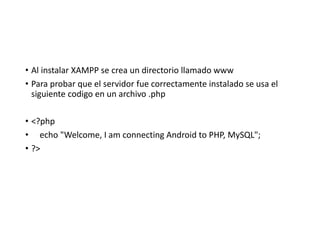
• Al instalar XAMPP se crea un directorio llamado www
• Para probar que el servidor fue correctamente instalado se usa el
siguiente codigo en un archivo .php
• <?php
• echo "Welcome, I am connecting Android to PHP, MySQL";
• ?>
• Usando phpmyadmin se creara una nueva base de datos
• CREATE DATABASE unab;
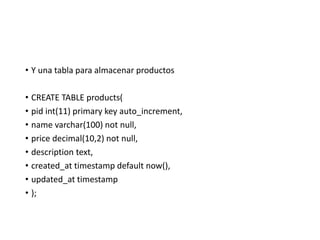
• Y una tabla para almacenar productos
• CREATE TABLE products(
• pid int(11) primary key auto_increment,
• name varchar(100) not null,
• price decimal(10,2) not null,
• description text,
• created_at timestamp default now(),
• updated_at timestamp
• );
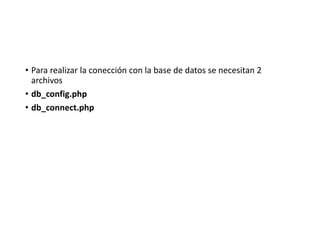
• Para realizar la conección con la base de datos se necesitan 2
archivos
• db_config.php
• db_connect.php
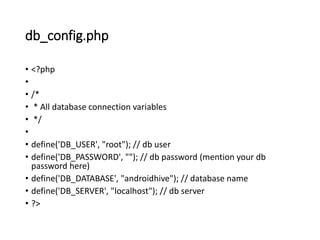
db_config.php
• <?php
•
• /*
• * All database connection variables
• */
•
• define('DB_USER', "root"); // db user
• define('DB_PASSWORD', ""); // db password (mention your db
password here)
• define('DB_DATABASE', "androidhive"); // database name
• define('DB_SERVER', "localhost"); // db server
• ?>
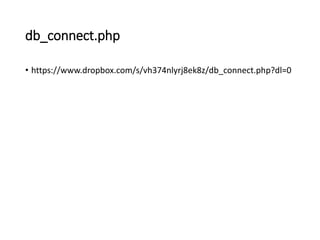
db_connect.php
• https://www.dropbox.com/s/vh374nlyrj8ek8z/db_connect.php?dl=0
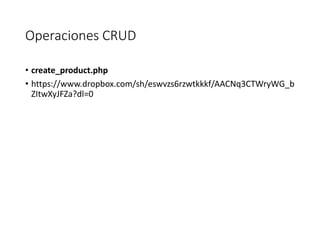
Operaciones CRUD
• create_product.php
• https://www.dropbox.com/sh/eswvzs6rzwtkkkf/AACNq3CTWryWG_b
ZItwXyJFZa?dl=0
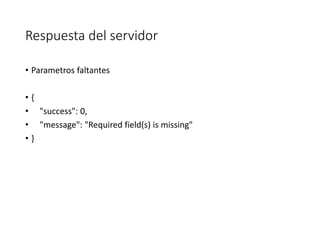
Respuesta del servidor
• Parametros faltantes
• {
• "success": 0,
• "message": "Required field(s) is missing"
• }
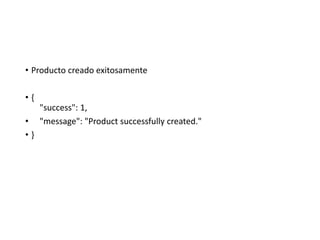
• Producto creado exitosamente
• {
"success": 1,
• "message": "Product successfully created."
• }
• Error al insertar datos
• }
"success": 0,
• "message": "Oops! An error occurred."
• }
Leer detalles de producto
• Infocompleta.php
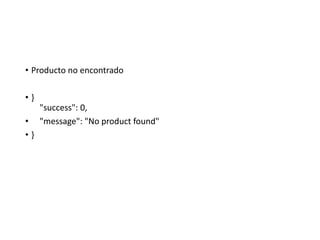
• Producto no encontrado
• }
"success": 0,
• "message": "No product found"
• }
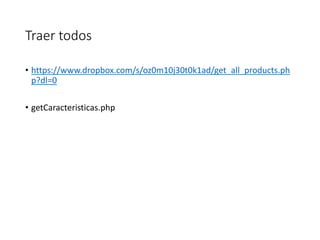
Traer todos
• https://www.dropbox.com/s/oz0m10j30t0k1ad/get_all_products.ph
p?dl=0
• getCaracteristicas.php
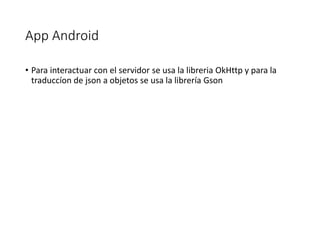
App Android
• Para interactuar con el servidor se usa la libreria OkHttp y para la
traduccíon de json a objetos se usa la librería Gson
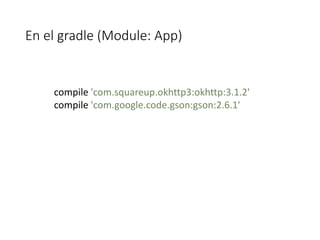
En el gradle (Module: App)
compile 'com.squareup.okhttp3:okhttp:3.1.2'
compile 'com.google.code.gson:gson:2.6.1'
Creacion de POJOs
• Se utiliza la pagina http://www.jsonschema2pojo.org para generar
los objetos que usaremos en la aplicación facilmente a partir de las
respuestas en json que ya tenemos
• Los objetos generados los colocamos en la aplicación Android en
clases aparte
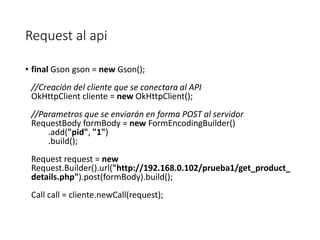
Request al api
• final Gson gson = new Gson();
//Creación del cliente que se conectara al API
OkHttpClient cliente = new OkHttpClient();
//Parametros que se enviarán en forma POST al servidor
RequestBody formBody = new FormEncodingBuilder()
.add("pid", "1")
.build();
Request request = new
Request.Builder().url("http://192.168.0.102/prueba1/get_product_
details.php").post(formBody).build();
Call call = cliente.newCall(request);
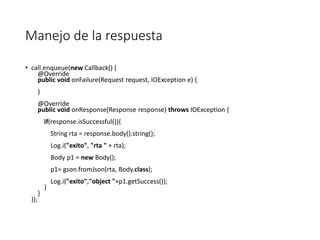
Manejo de la respuesta
• call.enqueue(new Callback() {
@Override
public void onFailure(Request request, IOException e) {
}
@Override
public void onResponse(Response response) throws IOException {
if(response.isSuccessful()){
String rta = response.body().string();
Log.i("exito", "rta " + rta);
Body p1 = new Body();
p1= gson.fromJson(rta, Body.class);
Log.i("exito","object "+p1.getSuccess());
}
}
});
GRACIAS

Segunda sesion

  • 2.
    Desarrollo de aplicaciones para dispositivosmóviles René Alejandro Lobo Quintero 2018
  • 3.
  • 8.
    @Override public void onMapReady(GoogleMapgoogleMap) { mMap = googleMap; // Add a marker in Sydney and move the camera LatLng sydney = new LatLng(-34, 151); mMap.addMarker(new MarkerOptions().position(sydney).title("Marker in Sydney")); mMap.moveCamera(CameraUpdateFactory.newLatLng(sydne y)); }
  • 9.
  • 10.
    zoom CameraPosition cameraPosition =new CameraPosition.Builder() .target(sydney)// Sets the center of the map to Mountain View .zoom(17)// Sets the zoom .bearing(90)// Sets the orientation of the camera to east .tilt(30)// Sets the tilt of the camera to 30 degrees .build();// Creates a CameraPosition from the builder mMap.animateCamera(CameraUpdateFactory.newCameraPos ition(cameraPosition));
  • 11.
    Posición actual • Permisosnecesarios <manifest xmlns:android="http://schemas.android.com/apk/res/android" package="com.google.android.gms.location.sample.basiclocationsa mple" > <uses-permission android:name="android.permission.ACCESS_COARSE_LOCATION"/> <uses-permission android:name="android.permission.ACCESS_FINE_LOCATION"/> </manifest>
  • 12.
    Libreria para solicitarla ubicación a Google dependencies { compile 'com.google.android.gms:play-services-location:9.4.0' }
  • 13.
    Implementar listeners public classMainActivity extends AppCompatActivity implements GoogleApiClient.ConnectionCallbacks, GoogleApiClient.OnConnectionFailedListener { ... }
  • 16.
    Conectar con GooglePlay Services private GoogleApiClient mGoogleApiClient;//variable global protected synchronized void buildGoogleApiClient() { mGoogleApiClient = new GoogleApiClient.Builder(this) .addConnectionCallbacks(this) .addOnConnectionFailedListener(this) .addApi(LocationServices.API) .build(); }
  • 17.
  • 18.
    Ciclo de conexión @Override protectedvoid onStart() { super.onStart(); mGoogleApiClient.connect(); } @Override protected void onStop() { super.onStop(); mGoogleApiClient.disconnect(); }
  • 19.
    Al conectarse solicitamosla ubicacion @Override public void onConnected(@Nullable Bundle bundle) { mLastLocation = LocationServices.FusedLocationApi.getLastLocation(mGoogl eApiClient); if (mLastLocation != null) { double lati = mLastLocation.getLatitude(); double longi = mLastLocation.getLongitude(); } else { Toast.makeText(this, "Ubicación no encontrada", Toast.LENGTH_LONG).show(); } }
  • 20.
    Solicitud de permisosal usuario • https://developers.google.com/android/guides/permissions
  • 21.
    @Override public void onConnected(@NullableBundle bundle) { if (ActivityCompat.checkSelfPermission(this, Manifest.permission.ACCESS_FINE_LOCATION) != PackageManager.PERMISSION_GRANTED) { if (ActivityCompat.shouldShowRequestPermissionRationale(this, Manifest.permission.ACCESS_FINE_LOCATION)) { // Aquí muestras confirmación explicativa al usuario // por si rechazó los permisos anteriormente } else { ActivityCompat.requestPermissions( this, new String[]{Manifest.permission.ACCESS_FINE_LOCATION}, REQUEST_LOCATION); } } else { mLastLocation = LocationServices.FusedLocationApi.getLastLocation(mGoogleApiClient); if (mLastLocation != null) { double lati = mLastLocation.getLatitude(); double longi = mLastLocation.getLongitude(); } else { Toast.makeText(this, "Ubicación no encontrada", Toast.LENGTH_LONG).show(); } } }
  • 22.
    @Override public void onRequestPermissionsResult(intrequestCode, String[] permissions, int[] grantResults) { if (requestCode == REQUEST_LOCATION) { if (grantResults.length == 1 && grantResults[0] == PackageManager.PERMISSION_GRANTED) { if (ActivityCompat.checkSelfPermission(this, Manifest.permission.ACCESS_FINE_LOCATION) != PackageManager.PERMISSION_GRANTED && ActivityCompat.checkSelfPermission(this, Manifest.permission.ACCESS_COARSE_LOCATION) != PackageManager.PERMISSION_GRANTED) { return; } mLastLocation = LocationServices.FusedLocationApi.getLastLocation(mGoogleApiClient); if (mLastLocation != null) { double lati = mLastLocation.getLatitude(); double longi = mLastLocation.getLongitude(); } else { Toast.makeText(this, "Ubicación no encontrada", Toast.LENGTH_LONG).show(); } } else { Toast.makeText(this, "Permisos no otorgados", Toast.LENGTH_LONG).show(); }
  • 23.
    Aprovechar los distintosintents • Las aplicaciónes en Android pueden interactuar con otras aplicaciones utilizando intents pre diseñados • Aumentando la funcionalidad de las aplicaciones
  • 24.
    Enviar un correo publicvoid composeEmail(String[] addresses, String subject, Uri attachment) { Intent intent = new Intent(Intent.ACTION_SEND); intent.setType("*/*"); intent.putExtra(Intent.EXTRA_EMAIL, addresses); intent.putExtra(Intent.EXTRA_SUBJECT, subject); intent.putExtra(Intent.EXTRA_STREAM, attachment); if (intent.resolveActivity(getPackageManager()) != null) { startActivity(intent); } }
  • 25.
    Tomar una foto(1) static final int REQUEST_IMAGE_CAPTURE = 1; static final Uri mLocationForPhotos; public void capturePhoto(String targetFilename) { Intent intent = new Intent(MediaStore.ACTION_IMAGE_CAPTURE); intent.putExtra(MediaStore.EXTRA_OUTPUT, Uri.withAppendedPath(mLocationForPhotos, targetFilename)); if (intent.resolveActivity(getPackageManager()) != null) { startActivityForResult(intent, REQUEST_IMAGE_CAPTURE); } }
  • 26.
    Tomar una foto(2) @Override protected void onActivityResult(int requestCode, int resultCode, Intent data) { if (requestCode == REQUEST_IMAGE_CAPTURE && resultCode == RESULT_OK) { Bundle extras = data.getExtras(); Bitmap imageBitmap = (Bitmap) extras.get("data"); mImageView.setImageBitmap(imageBitmap); mImageView.setVisibility(View.VISIBLE); } }
  • 27.
    Hacer una llamada •Intent intent = new Intent(Intent.ACTION_DIAL); intent.setData(Uri.parse("tel:" + phoneNumber)); if (intent.resolveActivity(getPackageManager()) != null) { startActivity(intent); }
  • 28.
    Abrir una paginaweb public void openWebPage(String url) { Uri webpage = Uri.parse(url); Intent intent = new Intent(Intent.ACTION_VIEW, webpage); if (intent.resolveActivity(getPackageManager()) != null) { startActivity(intent); } }
  • 29.
    Crear una alarma publicvoid createAlarm(String message, int hour, int minutes) { Intent intent = new Intent(AlarmClock.ACTION_SET_ALARM) .putExtra(AlarmClock.EXTRA_MESSAGE, message) .putExtra(AlarmClock.EXTRA_HOUR, hour) .putExtra(AlarmClock.EXTRA_MINUTES, minutes); if (intent.resolveActivity(getPackageManager()) != null) { startActivity(intent); } }
  • 30.
  • 31.
    PHP & MVC Themodel view controller pattern is the most used pattern for today’s world web applications It has been used for the first time in Smalltalk and then adopted and popularized by Java At present there are more than a dozen PHP web frameworks based on MVC pattern
  • 32.
    PHP & MVC •The model is responsible to manage the data • The view (presentation) is responsible to display the data provided by the model in a specific format • The controller handles the model and view layers to work together
  • 34.
    • Creación yconexión de un API
  • 35.
    • En muchasocaciones se necesita conectar nuestras aplicaciones con servidores externos para acceder a bases de datos o para interconectarlas con servicios externos. • En esta sesión vamos a crear un servidor web php y conectar una aplicación movil para acceder a una base de datos mysql alojada en ese servidor
  • 36.
    • Se debeinstalar XAMPP de la siguiente dirección • https://www.apachefriends.org/es/index.html
  • 37.
    • E instalarPhpmyadmin para manejar facilmente la base de datos
  • 38.
    • Al instalarXAMPP se crea un directorio llamado www • Para probar que el servidor fue correctamente instalado se usa el siguiente codigo en un archivo .php • <?php • echo "Welcome, I am connecting Android to PHP, MySQL"; • ?>
  • 39.
    • Usando phpmyadminse creara una nueva base de datos • CREATE DATABASE unab;
  • 40.
    • Y unatabla para almacenar productos • CREATE TABLE products( • pid int(11) primary key auto_increment, • name varchar(100) not null, • price decimal(10,2) not null, • description text, • created_at timestamp default now(), • updated_at timestamp • );
  • 41.
    • Para realizarla conección con la base de datos se necesitan 2 archivos • db_config.php • db_connect.php
  • 42.
    db_config.php • <?php • • /* •* All database connection variables • */ • • define('DB_USER', "root"); // db user • define('DB_PASSWORD', ""); // db password (mention your db password here) • define('DB_DATABASE', "androidhive"); // database name • define('DB_SERVER', "localhost"); // db server • ?>
  • 43.
  • 44.
    Operaciones CRUD • create_product.php •https://www.dropbox.com/sh/eswvzs6rzwtkkkf/AACNq3CTWryWG_b ZItwXyJFZa?dl=0
  • 45.
    Respuesta del servidor •Parametros faltantes • { • "success": 0, • "message": "Required field(s) is missing" • }
  • 46.
    • Producto creadoexitosamente • { "success": 1, • "message": "Product successfully created." • }
  • 47.
    • Error alinsertar datos • } "success": 0, • "message": "Oops! An error occurred." • }
  • 48.
    Leer detalles deproducto • Infocompleta.php
  • 49.
    • Producto noencontrado • } "success": 0, • "message": "No product found" • }
  • 50.
  • 51.
    App Android • Parainteractuar con el servidor se usa la libreria OkHttp y para la traduccíon de json a objetos se usa la librería Gson
  • 52.
    En el gradle(Module: App) compile 'com.squareup.okhttp3:okhttp:3.1.2' compile 'com.google.code.gson:gson:2.6.1'
  • 53.
    Creacion de POJOs •Se utiliza la pagina http://www.jsonschema2pojo.org para generar los objetos que usaremos en la aplicación facilmente a partir de las respuestas en json que ya tenemos
  • 54.
    • Los objetosgenerados los colocamos en la aplicación Android en clases aparte
  • 55.
    Request al api •final Gson gson = new Gson(); //Creación del cliente que se conectara al API OkHttpClient cliente = new OkHttpClient(); //Parametros que se enviarán en forma POST al servidor RequestBody formBody = new FormEncodingBuilder() .add("pid", "1") .build(); Request request = new Request.Builder().url("http://192.168.0.102/prueba1/get_product_ details.php").post(formBody).build(); Call call = cliente.newCall(request);
  • 56.
    Manejo de larespuesta • call.enqueue(new Callback() { @Override public void onFailure(Request request, IOException e) { } @Override public void onResponse(Response response) throws IOException { if(response.isSuccessful()){ String rta = response.body().string(); Log.i("exito", "rta " + rta); Body p1 = new Body(); p1= gson.fromJson(rta, Body.class); Log.i("exito","object "+p1.getSuccess()); } } });
  • 57.