PATRICIO SUQUINAGUA 2 C


                 Pregunta#1
                       :Crear
   unapresentacióninicialconlossiguientespas
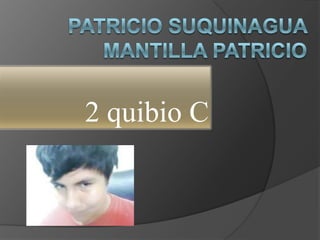
     os1.Nombrecompleto,cursoconparaleloy
     fototipocarnet.2.ImagendeChisteInformá
      ticorespetandolafuente3.Dosenlaces,ad
      ossitioswebdiferentesquecontenganpen
      samientosacercadelobuenodeserpositiv
         o.4.SubirlapresentaciónaSlideShare
2 quibio C
Chiste Informático
Fuente
   *http://www.taringa.net/posts/imagenes/
    2655918/imagenes-chistosa-segunda-
    parte-_para-reirse-un-rato_.html
Pensamientos Positivos
 Links:
 http://www.euroresidentes.com/salud/ser
  _positivo/como_pensar_en_positivo.htm
 http://www.pensamientopositivo.org/
   Pregunta#2

Explicar el
  procesodesubirunapresentaciónaSlideS
  hare,mediantecapturasdepantallaconun
  alíneadetexto
Primero entramos al
explorador y ponemos en
la barra esta direccion :
www.slideshare.com
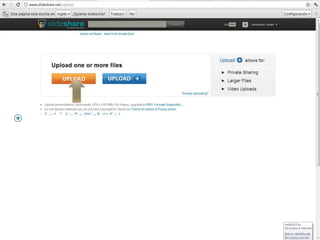
   ACEMOS CLICK EN UPLOAD
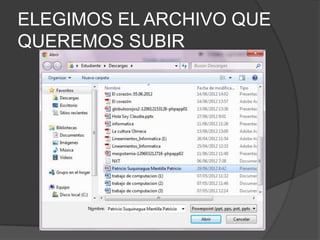
ELEGIMOS EL ARCHIVO QUE
QUEREMOS SUBIR
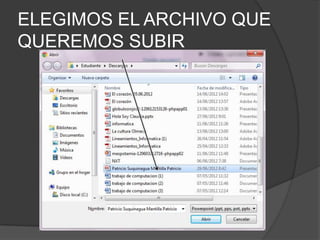
ELEGIMOS EL ARCHIVO QUE
QUEREMOS SUBIR
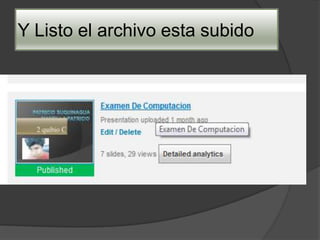
Y Listo el archivo esta subido
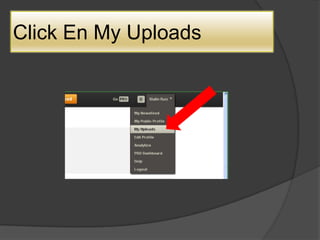
Click En My Uploads
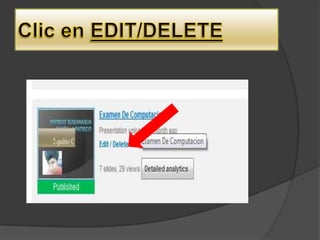
Examen De Computacion

Examen De Computacion

  • 1.
    PATRICIO SUQUINAGUA 2C Pregunta#1 :Crear unapresentacióninicialconlossiguientespas os1.Nombrecompleto,cursoconparaleloy fototipocarnet.2.ImagendeChisteInformá ticorespetandolafuente3.Dosenlaces,ad ossitioswebdiferentesquecontenganpen samientosacercadelobuenodeserpositiv o.4.SubirlapresentaciónaSlideShare
  • 2.
  • 3.
  • 4.
    Fuente  *http://www.taringa.net/posts/imagenes/ 2655918/imagenes-chistosa-segunda- parte-_para-reirse-un-rato_.html
  • 5.
    Pensamientos Positivos  Links: http://www.euroresidentes.com/salud/ser _positivo/como_pensar_en_positivo.htm  http://www.pensamientopositivo.org/
  • 6.
    Pregunta#2 Explicar el procesodesubirunapresentaciónaSlideS hare,mediantecapturasdepantallaconun alíneadetexto
  • 7.
    Primero entramos al exploradory ponemos en la barra esta direccion : www.slideshare.com
  • 8.
    ACEMOS CLICK EN UPLOAD
  • 9.
    ELEGIMOS EL ARCHIVOQUE QUEREMOS SUBIR
  • 10.
    ELEGIMOS EL ARCHIVOQUE QUEREMOS SUBIR
  • 11.
    Y Listo elarchivo esta subido
  • 13.
    Click En MyUploads