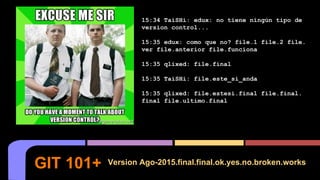
GIT 101+ Version Ago-2015.final.final.ok.yes.no.broken.works
15:34 TaiSHi: edux: no tiene ningún tipo de
version control...
15:35 edux: como que no? file.1 file.2 file.
ver file.anterior file.funciona
15:35 qlixed: file.final
15:35 TaiSHi: file.este_si_anda
15:35 qlixed: file.estesi.final file.final.
final file.ultimo.final
The Who
Ezequiel Hector Brizuela (@QliXed)
– Twitter, Fb, G+. etc: Si, Mostly Twitter.
– VCS History:
○ Use Ms Visual SourceSafe, Bad Karma.
○ Use svn, la pase mal.
○ Use mercurial, lindos recuerdos.
○ Luego fui Iluminado por Git.
– Sysadmin, Dev/dba de a ratos, con un TOC
por arreglar malas consultas.
– Trabaje en: TASA, Level (3)
– STSE en RedHat desde 2014.
– I <3 #sysarmy
Eduardo Casarero (@jedux)
ㅡ Aprendi git porque no me quedó otra
ㅡ Pensaba que subversion era genial.
ㅡ Sysadmin > 8 years
ㅡ Trabaje con Qlixed en Level3
ㅡ Consultor independiente
ㅡ DevOps <3
ㅡ #sysarmy
ㅡ Anterior Sysadmin @Avature
ㅡ Actualmente Sysadmin @Percona
Es la Comunidad Argentina de SysAdmins, nuclea a todos
los profesionales del sector y de áreas afines para
favorecer el contacto y el intercambio de conocimiento.
The Organization
Los cráneos detrás de:
Por qué queremos versionar?
Motivación Top 1 del Sysadmin.
- git-blame - Show what revision and
author last modified each line of a
file
– Piedra fundamental -> Continous Delivery.
– Es un camino de ida, comparado con implementar
monitoreo.
– Ordena el trabajo naturalmente en flujos
controlables.
Por qué queremos versionar?
– Entre los 3 teams lo
que más se
intercambia es
código!
– Además de….
DevOps
DevOps
● Recuerden a fire-girl para el final.
El versionado de
código es la piedra
fundamental para
todo el proceso de
CD.
Continuous Delivery.
– Que somos?
– Los Early Adopters son
Clave.
– Con los EA pensar una
POC convencer a la
Early Majority
– Con la EA convencida,
mission accomplished,
no hay vuelta atrás.
Metiendo git en la empresa...
https://en.wikipedia.org/wiki/File:DiffusionOfInnovation.png
– Free Software!!
– Un par de horas de práctica para aprender el flow y
los comandos.
– Un par de días de lucha para sumar a los demás
(Early Adopters) de tu team/empresa
– Algo de tiempo destinado a mantener lo que sea que
elegiste para hostear tu código.
– AHORRA MILES DE DOLORES DE CABEZA.
Cuanto cuesta versionar?
Un Distributed Version Control System es un
VCS distribuido...
Que es un DVCS?
Un Distributed Version Control System es un
VCS distribuido...
Que es un DVCS?
Ok, no… mejor
gráficamente...
Que es un DVCS?
VCS DVCS
Working Copy 2
Working Copy 1
Working Copy 2
Working Copy 1
Repo
Repo 1 Repo 2
HEAD
Branch0119
DEV
Tkt0111
TagV0.9.1
BranchD34d
HEAD
Tkt0047
DEV
TagV0.9.1
Commit
Add
Branch
Clone
Push
Pull
Commit
Add
Branch
Commit
Add
Branch
Push
Pull
Clone
(O como sea
en tu VCS)
WTF are Repos?:
– Es un ‘Proyecto’
– En git es:
○ El Indice (Index)
○ Una copia del código (excepto en los repos Bare)
Que es un Repositorio?
WTF are branches?:
● Separación contextual de código.
● Contextual?, Si, x ej. features, version, qa,
test, prototipado.
● Múltiples commits pueden pertenecer a un
branch (y solo a uno)
Branches
WTF is a Tag?:
● Es una etiqueta que se le coloca a un
commit particular.
● Ayuda a identificar ‘algo’, generalmente
una versión o milestone.
● Un tag se coloca a un solo commit.
● Commit: afa354353544a3b223f97e5e169aa5da9657b443 ahora es v0.3
Tags
Descentralizado
– Depende de:
- uso personal
- uso corporativo
– Requerimientos No Funcionales de:
- Autenticación.
- Accesos por grupos a proyectos.
- Donde estan fisicamente los datos.
– Requerimientos Funcionales:
- Wiki
- Issue Tracker
- CI
– Ganas de instalar algo? o que lo administre otro?
A donde hosteo mi repo?
Github
sss– Estándar
– Wiki
– Issues
– Forks
– Pull Reqs
– Awesome!
– Enterprise
Edition
Bitbucket
− Free accounts.
− Repos
privados hasta
con 5 usuarios.
− Issues
− Wiki
− + servicios de
Atlassian como
HipChat, Jira,
etc.
- Open Source
- Self hosted
- deb package
- rpm pkg too!
- Awesome!
- Mismas features
que github.
Gitlab
- Gitolite
- Gitosis
- Gitorious (comprado por gitlab en 2015)
- Local bare repo + Local repo
- Gogs http://gogs.io/ (written in Go).
- Apache Allura
- etc...
Otros...
- command line git
- git gui
- gitk
- sourcetree ( :) )
- clientes gráficos
- github client
- varios más
- https://git-scm.com/downloads/guis
Clientes
SVN
http://stackoverflow.com/questions/3201751/i-lost-my-svn-repository
- mkdir -p /home/vagrant/svn/repo
- svnadmin create /home/vagrant/svn/repo/
- svn checkout file:///home/vagrant/svn/repo/
- cd repo/
- vim test.txt
- svn add test.txt
- svn status
- svn commit test.txt
- cd ..
- svn checkout file:///home/vagrant/svn/repo/ repo2
- vim test.txt
- svn commit
- Generar un conflicto entre los dos repos. (se muere un panda).
Ejemplito en SVN.
Break?
Ufff...
git init
git add
git commit
git branch
git tag
merge conflicts!
Corta la bocha, primeros pasos.
DEMO Time! En que lo hacemos?
- Linux?
- Windows?
- OSX?
cd /training
➜ training git init
Initialized empty Git repository in /Users/eduardo/nerdearla/training/.git/
➜ training git:(master) echo "we rock" > new_file.txt
➜ training git:(master) ✗ git add new_file.txt
➜ training git:(master) ✗ git commit -m "add truth"
[master (root-commit) afa3543] add truth
1 file changed, 1 insertion(+)
create mode 100644 new_file.txt
Starting...
➜ training git:(master) git log
commit afa354353544a3b223f97e5e169aa5da9657b443
Author: Eduardo Casarero <eduardo@eduardo.com>
Date: Tue Jul 21 23:37:43 2015 -0300
add truth
➜ training git:(master) git blame new_file.txt
^afa3543 (Eduardo Casarero 2015-07-21 23:37:43 -0300 1) we rock
➜ training git:(master) git checkout -b fix-mess
Switched to branch 'fix-mess'
➜ training git:(fix-mess) echo "we rock all the time" > new_file.txt
➜ training git:(fix-mess) ✗ git add new_file.txt
More...
➜ training git:(fix-mess) ✗ git commit -m "add important comment"
[fix-mess 332d5d9] add important comment
1 file changed, 1 insertion(+), 1 deletion(-)
➜ training git:(fix-mess) git status
On branch fix-mess
nothing to commit, working directory clean
➜ training git:(fix-mess) git checkout master
Switched to branch 'master'
➜ training git:(master) git merge fix-mess
Updating afa3543..332d5d9
Fast-forward
new_file.txt | 2 +-
1 file changed, 1 insertion(+), 1 deletion(-)
More...
➜ training git:(master) git log
commit 332d5d936933b026860c96127265fcd7f6b11348
Author: Eduardo Casarero <eduardo@eduardo.com>
Date: Tue Jul 21 23:38:58 2015 -0300
add important comment
commit afa354353544a3b223f97e5e169aa5da9657b443
Author: Eduardo Casarero <eduardo@eduardo.com>
Date: Tue Jul 21 23:37:43 2015 -0300
add truth
➜ training git:(master) git tag final
➜ training git:(master) git checkout final
Note: checking out 'final'.
More...
git clone
git push
git pull <branch>
git push origin <branch>
git reset
Corta la bocha, primeros pasos.
➜ nerdearla git clone git@github.com:edux/vagrant_workshop.git
Cloning into 'vagrant_workshop'…
remote: Counting objects: 68, done.
remote: Compressing objects: 100% (38/38), done.
remote: Total 68 (delta 26), reused 68 (delta 26), pack-reused 0
Receiving objects: 100% (68/68), 16.69 KiB | 0 bytes/s, done.
Resolving deltas: 100% (26/26), done.
Checking connectivity... done.
➜ vagrant_workshop git:(master) git checkout -b test
Switched to a new branch 'test'
➜ vagrant_workshop git:(test) vim README.md
➜ vagrant_workshop git:(test) ✗ git add README.md
➜ vagrant_workshop git:(test) ✗ git commit -m "add comment"
[test f25666a] add comment
1 file changed, 3 insertions(+), 1 deletion(-)
➜ vagrant_workshop git:(test) git status
On branch test
nothing to commit, working directory clean
More...
➜ vagrant_workshop git:(test) git push -u origin test
Counting objects: 3, done.
Delta compression using up to 4 threads.
Compressing objects: 100% (3/3), done.
Writing objects: 100% (3/3), 304 bytes | 0 bytes/s, done.
Total 3 (delta 2), reused 0 (delta 0)
To git@github.com:edux/vagrant_workshop.git
* [new branch] test -> test
Branch test set up to track remote branch test from origin.
More….
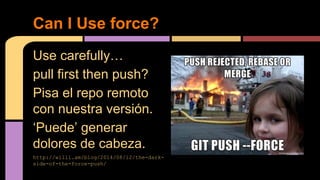
Use carefully…
pull first then push?
Pisa el repo remoto
con nuestra versión.
‘Puede’ generar
dolores de cabeza.
http://willi.am/blog/2014/08/12/the-dark-
side-of-the-force-push/
Can I Use force?
This is the end...
O no?
This is the end...
NO!
This is the end...
El + de Git 101+:
- Best Practices.
- Git Flow
- Hooks
… ese pucho va a tener que
esperar...
BONUS TRACKS
No commitear user/password/api-key a git!
NUNCA
Usar templates!
:) 25k dólares en 1 fin de semana.
La política ‘rompe master, paga’.
Commit comments & changelog
$ git config [--local] commit.template <file>
Commits comments & changelog
Ejemplo 1:
Tkt:<ticket>
# Sin num. de ticket válido el commit se rechaza!
Relacion de los cambios:
#Relacion entre los archivos modificados
Descripcion:
#Escriba la descripción del cambio realizado.
Ejemplo 2:
Ticket:<number>
Descripción de cambios:
Métodos/funciones modificados:
Cambios de UI:<si|no>
Referencia de UI:<codigoUI>
Refs:
http://keepachangelog.com
http://git-scm.com/book/ch5-2.html#Commit-Guidelines
http://stackoverflow.com/questions/43598/suggestions-for-a-good-commit-
message-format-guideline
https://wiki.openstack.org/wiki/GitCommitMessages
# Please enter the commit message for your changes. Lines starting
# with '#' will be ignored, and an empty message aborts the commit.
#
# You MUST wrap all lines at 72 characters.
# Please see http://techbase.kde.org/Policies/Commit_Policy
#
# For Git commit hook keywords see:
# http://community.kde.org/Sysadmin/GitKdeOrgManual#Commit_hook_keywords
#
# ==[ Subject: One line ONLY short meaningful description for logs ]===|
# ==[ Blank: Follow the Subject with a blank line, do NOT remove ]=====|
# ==[ Details: Describe what changed and explain why it changed]=======|
# ==[ Fields: Uncomment and edit where applicable ]====================|
#
# --[ Close bug in bugs.kde.org as fixed ]-----------------------------|
#BUG: <bug number>
#FIXED-IN: <optional release version>
#
# --[ Add to release changelog optionally close wish in bugs.kde.org ]-|
#FEATURE: <optional bug number>
#FIXED-IN: <optional release version>
#
# --[ Copy commit message to a bug or wish in bugs.kde.org ]-----------|
#CCBUG: <bug number>
#
# --[ Copy commit message to an email address ]------------------------|
#CCMAIL: <email>
#
# --[ Close a review on git.reviewboard.kde.org as submitted ]---------|
#REVIEW: <review number>
#
# --[ Notify documentation team of user visible changes ]--------------|
#GUI:
#
# --[ Notify Commit Digest team of something interesting ]-------------|
#DIGEST:
#
# --[ Mark commit as silent for commit filter filtering. ]-------------|
# [ Use sparingly and only for uninteresting and ]
# [ uncontroversial commits. ]
#GIT_SILENT
Un pull cada tanto para tener el branch actualizado, minimiza conflictos
Hablemos de ganchos...
¿Para que ganchos sirve un hook?
- Un hook permite ejecutar scripts ante ciertos
eventos.
- Pueden ser server hooks y client hooks.
- Ejemplos:
- después del commit, publicar a un ftp
- disparar tareas en jenkins con una llamada a la
API
- Mostrar /Users/eduardo/nerdearla/gitme/.git/hooks
Hooks not hookers nor hooters.
NOTAS:
Vagrant vm: qs4p
Firefox: http://web.qs4p/
bare repo en:
/home/vagrant/git
Ver hook post-receive
git init --bare /home/vagrant/git
Clonamos:
git clone -l git/ web-git
cd /home/vagrant/web-git
html en
/home/vagrant/www
Probar commits & push a master y a otros branches, mirar el post-receive hook.
Mostrar Jenkins!!
REF: https://www.digitalocean.com/community/tutorials/how-to-use-git-hooks-to-automate-development-and-deployment-tasks
Una demo de ganchos.
Como diantres me manejo con todos estos
comandos, repositorios, branches, tags y
demás yerbas?
- Centralized workflow
- Feature Branch + merge & pull a master
- Git Flow: master - develop - feature branch
- Fork + pull request
Workflows
Centralized & Feature Branch
1. Everybody clones the central repository
2. John works on his feature
3. Mary works on her feature
4. John publishes his feature
5. Mary tries to publish her feature >>> FAIL:
error: failed to push some refs to '/path/to/repo.git'
hint: Updates were rejected because the tip of your current branch is behind
hint: its remote counterpart. Merge the remote changes (e.g. 'git pull')
hint: before pushing again.
hint: See the 'Note about fast-forwards' in 'git push --help' for details.
Centralized (AKA SVN)
POR QUÉ ME PASA ESTO A MI?!
1. Mary rebases on top of John’s commit(s)
$ git pull --rebase origin master
2. Mary resolves a merge conflict
3. Mary successfully publishes her feature
Centralized (AKA SVN)
Horrible método de trabajo.
Acota la libertad de acción sobre los repos.
No fomenta la revision de codigo.
Rebase + merge = Tiempo perdido, demoro
el commit y todo es peor!
Centralized (AKA SVN)
Idem anterior, pero mary hace un branch:
$ git checkout -b marys-feature master
Feature Branches
Ejemplo ‘animado’ en GitHub: https://guides.github.com/introduction/flow/index.html
● Requiere el rol de ‘Integrador de proyecto’.
● El Integrador puede ser persona o automatizarse.
● Cada uno hace un fork del código base (full clone),
generando repositorios centrales para cada
developer:
Fork + pull request
Repo de
Mary
Repo de
John
Repo central
Cada Dev trabajo sobre su repo:
Fork + pull request
Luego el integrador publica los cambios:
Simplifica la gestión de los branches y tags
al extremo.
- Master
- Develop
- Release
- Hotfix
- Feature
git-flow
$ git flow help
usage: git flow <subcommand>
Available subcommands are:
init Initialize a new git repo with support for the branching model.
feature Manage your feature branches.
release Manage your release branches.
hotfix Manage your hotfix branches.
support Manage your support branches.
version Shows version information.
Try 'git flow <subcommand> help' for details.
GIT FLOW
https://danielkummer.github.io/git-flow-cheatsheet/index.es_ES.html
GIT FLOW
Mostrar ejemplo de git-flow en sourcetree.
DevOps
vagrant up
(TECHNOLOGY) — phrasal verb with vagrant
“just hit vagrant up” and ‘automágicamente’ download the box, unpack it, add it to the box repo, clone it into VirtualBox, start it, provision it and
give access to the user.
VAGRANT + GIT + (Ansible/Salt/etc.)
QA/Dev “Standard” Workstation
Vagrantified environment
Beneficios
● Para un solo developer.
○ Consistencia cruzada en multiples proyectos.
○ Se pueden correr diferentes ambientes en el mismo host (dev,qa,prod)
○ Facilmente -> vagrant destroy -> vagrant up.
● Equipos
○ Ambientes de desarrollo idénticos en todo el team, evita el ‘works on my pc’.
○
● Empresas
○ Reduce la curva de aprendizaje.
○ Se construye 1 sola vez el ambiente, se redistribuye N veces.
○ Baja costos, reduce errores.
PREGUNTAS?
GRACIAS!

Git 101+

  • 1.
    GIT 101+ VersionAgo-2015.final.final.ok.yes.no.broken.works 15:34 TaiSHi: edux: no tiene ningún tipo de version control... 15:35 edux: como que no? file.1 file.2 file. ver file.anterior file.funciona 15:35 qlixed: file.final 15:35 TaiSHi: file.este_si_anda 15:35 qlixed: file.estesi.final file.final. final file.ultimo.final
  • 2.
    The Who Ezequiel HectorBrizuela (@QliXed) – Twitter, Fb, G+. etc: Si, Mostly Twitter. – VCS History: ○ Use Ms Visual SourceSafe, Bad Karma. ○ Use svn, la pase mal. ○ Use mercurial, lindos recuerdos. ○ Luego fui Iluminado por Git. – Sysadmin, Dev/dba de a ratos, con un TOC por arreglar malas consultas. – Trabaje en: TASA, Level (3) – STSE en RedHat desde 2014. – I <3 #sysarmy Eduardo Casarero (@jedux) ㅡ Aprendi git porque no me quedó otra ㅡ Pensaba que subversion era genial. ㅡ Sysadmin > 8 years ㅡ Trabaje con Qlixed en Level3 ㅡ Consultor independiente ㅡ DevOps <3 ㅡ #sysarmy ㅡ Anterior Sysadmin @Avature ㅡ Actualmente Sysadmin @Percona
  • 3.
    Es la ComunidadArgentina de SysAdmins, nuclea a todos los profesionales del sector y de áreas afines para favorecer el contacto y el intercambio de conocimiento. The Organization Los cráneos detrás de:
  • 4.
  • 5.
    Motivación Top 1del Sysadmin.
  • 6.
    - git-blame -Show what revision and author last modified each line of a file – Piedra fundamental -> Continous Delivery. – Es un camino de ida, comparado con implementar monitoreo. – Ordena el trabajo naturalmente en flujos controlables. Por qué queremos versionar?
  • 7.
    – Entre los3 teams lo que más se intercambia es código! – Además de…. DevOps
  • 8.
    DevOps ● Recuerden afire-girl para el final.
  • 9.
    El versionado de códigoes la piedra fundamental para todo el proceso de CD. Continuous Delivery.
  • 10.
    – Que somos? –Los Early Adopters son Clave. – Con los EA pensar una POC convencer a la Early Majority – Con la EA convencida, mission accomplished, no hay vuelta atrás. Metiendo git en la empresa... https://en.wikipedia.org/wiki/File:DiffusionOfInnovation.png
  • 11.
    – Free Software!! –Un par de horas de práctica para aprender el flow y los comandos. – Un par de días de lucha para sumar a los demás (Early Adopters) de tu team/empresa – Algo de tiempo destinado a mantener lo que sea que elegiste para hostear tu código. – AHORRA MILES DE DOLORES DE CABEZA. Cuanto cuesta versionar?
  • 12.
    Un Distributed VersionControl System es un VCS distribuido... Que es un DVCS?
  • 13.
    Un Distributed VersionControl System es un VCS distribuido... Que es un DVCS? Ok, no… mejor gráficamente...
  • 14.
    Que es unDVCS? VCS DVCS Working Copy 2 Working Copy 1 Working Copy 2 Working Copy 1 Repo Repo 1 Repo 2 HEAD Branch0119 DEV Tkt0111 TagV0.9.1 BranchD34d HEAD Tkt0047 DEV TagV0.9.1 Commit Add Branch Clone Push Pull Commit Add Branch Commit Add Branch Push Pull Clone (O como sea en tu VCS)
  • 15.
    WTF are Repos?: –Es un ‘Proyecto’ – En git es: ○ El Indice (Index) ○ Una copia del código (excepto en los repos Bare) Que es un Repositorio?
  • 16.
    WTF are branches?: ●Separación contextual de código. ● Contextual?, Si, x ej. features, version, qa, test, prototipado. ● Múltiples commits pueden pertenecer a un branch (y solo a uno) Branches
  • 17.
    WTF is aTag?: ● Es una etiqueta que se le coloca a un commit particular. ● Ayuda a identificar ‘algo’, generalmente una versión o milestone. ● Un tag se coloca a un solo commit. ● Commit: afa354353544a3b223f97e5e169aa5da9657b443 ahora es v0.3 Tags
  • 18.
  • 19.
    – Depende de: -uso personal - uso corporativo – Requerimientos No Funcionales de: - Autenticación. - Accesos por grupos a proyectos. - Donde estan fisicamente los datos. – Requerimientos Funcionales: - Wiki - Issue Tracker - CI – Ganas de instalar algo? o que lo administre otro? A donde hosteo mi repo?
  • 20.
    Github sss– Estándar – Wiki –Issues – Forks – Pull Reqs – Awesome! – Enterprise Edition
  • 21.
    Bitbucket − Free accounts. −Repos privados hasta con 5 usuarios. − Issues − Wiki − + servicios de Atlassian como HipChat, Jira, etc.
  • 22.
    - Open Source -Self hosted - deb package - rpm pkg too! - Awesome! - Mismas features que github. Gitlab
  • 23.
    - Gitolite - Gitosis -Gitorious (comprado por gitlab en 2015) - Local bare repo + Local repo - Gogs http://gogs.io/ (written in Go). - Apache Allura - etc... Otros...
  • 24.
    - command linegit - git gui - gitk - sourcetree ( :) ) - clientes gráficos - github client - varios más - https://git-scm.com/downloads/guis Clientes
  • 25.
  • 27.
    - mkdir -p/home/vagrant/svn/repo - svnadmin create /home/vagrant/svn/repo/ - svn checkout file:///home/vagrant/svn/repo/ - cd repo/ - vim test.txt - svn add test.txt - svn status - svn commit test.txt - cd .. - svn checkout file:///home/vagrant/svn/repo/ repo2 - vim test.txt - svn commit - Generar un conflicto entre los dos repos. (se muere un panda). Ejemplito en SVN.
  • 28.
  • 29.
    git init git add gitcommit git branch git tag merge conflicts! Corta la bocha, primeros pasos.
  • 30.
    DEMO Time! Enque lo hacemos? - Linux? - Windows? - OSX?
  • 31.
    cd /training ➜ traininggit init Initialized empty Git repository in /Users/eduardo/nerdearla/training/.git/ ➜ training git:(master) echo "we rock" > new_file.txt ➜ training git:(master) ✗ git add new_file.txt ➜ training git:(master) ✗ git commit -m "add truth" [master (root-commit) afa3543] add truth 1 file changed, 1 insertion(+) create mode 100644 new_file.txt Starting...
  • 32.
    ➜ training git:(master)git log commit afa354353544a3b223f97e5e169aa5da9657b443 Author: Eduardo Casarero <eduardo@eduardo.com> Date: Tue Jul 21 23:37:43 2015 -0300 add truth ➜ training git:(master) git blame new_file.txt ^afa3543 (Eduardo Casarero 2015-07-21 23:37:43 -0300 1) we rock ➜ training git:(master) git checkout -b fix-mess Switched to branch 'fix-mess' ➜ training git:(fix-mess) echo "we rock all the time" > new_file.txt ➜ training git:(fix-mess) ✗ git add new_file.txt More...
  • 33.
    ➜ training git:(fix-mess)✗ git commit -m "add important comment" [fix-mess 332d5d9] add important comment 1 file changed, 1 insertion(+), 1 deletion(-) ➜ training git:(fix-mess) git status On branch fix-mess nothing to commit, working directory clean ➜ training git:(fix-mess) git checkout master Switched to branch 'master' ➜ training git:(master) git merge fix-mess Updating afa3543..332d5d9 Fast-forward new_file.txt | 2 +- 1 file changed, 1 insertion(+), 1 deletion(-) More...
  • 34.
    ➜ training git:(master)git log commit 332d5d936933b026860c96127265fcd7f6b11348 Author: Eduardo Casarero <eduardo@eduardo.com> Date: Tue Jul 21 23:38:58 2015 -0300 add important comment commit afa354353544a3b223f97e5e169aa5da9657b443 Author: Eduardo Casarero <eduardo@eduardo.com> Date: Tue Jul 21 23:37:43 2015 -0300 add truth ➜ training git:(master) git tag final ➜ training git:(master) git checkout final Note: checking out 'final'. More...
  • 35.
    git clone git push gitpull <branch> git push origin <branch> git reset Corta la bocha, primeros pasos.
  • 36.
    ➜ nerdearla gitclone git@github.com:edux/vagrant_workshop.git Cloning into 'vagrant_workshop'… remote: Counting objects: 68, done. remote: Compressing objects: 100% (38/38), done. remote: Total 68 (delta 26), reused 68 (delta 26), pack-reused 0 Receiving objects: 100% (68/68), 16.69 KiB | 0 bytes/s, done. Resolving deltas: 100% (26/26), done. Checking connectivity... done. ➜ vagrant_workshop git:(master) git checkout -b test Switched to a new branch 'test' ➜ vagrant_workshop git:(test) vim README.md ➜ vagrant_workshop git:(test) ✗ git add README.md ➜ vagrant_workshop git:(test) ✗ git commit -m "add comment" [test f25666a] add comment 1 file changed, 3 insertions(+), 1 deletion(-) ➜ vagrant_workshop git:(test) git status On branch test nothing to commit, working directory clean More...
  • 37.
    ➜ vagrant_workshop git:(test)git push -u origin test Counting objects: 3, done. Delta compression using up to 4 threads. Compressing objects: 100% (3/3), done. Writing objects: 100% (3/3), 304 bytes | 0 bytes/s, done. Total 3 (delta 2), reused 0 (delta 0) To git@github.com:edux/vagrant_workshop.git * [new branch] test -> test Branch test set up to track remote branch test from origin. More….
  • 38.
    Use carefully… pull firstthen push? Pisa el repo remoto con nuestra versión. ‘Puede’ generar dolores de cabeza. http://willi.am/blog/2014/08/12/the-dark- side-of-the-force-push/ Can I Use force?
  • 39.
  • 40.
    O no? This isthe end...
  • 41.
  • 42.
    El + deGit 101+: - Best Practices. - Git Flow - Hooks … ese pucho va a tener que esperar... BONUS TRACKS
  • 43.
    No commitear user/password/api-keya git! NUNCA Usar templates!
  • 45.
    :) 25k dólaresen 1 fin de semana.
  • 46.
    La política ‘rompemaster, paga’.
  • 47.
  • 48.
    $ git config[--local] commit.template <file> Commits comments & changelog Ejemplo 1: Tkt:<ticket> # Sin num. de ticket válido el commit se rechaza! Relacion de los cambios: #Relacion entre los archivos modificados Descripcion: #Escriba la descripción del cambio realizado. Ejemplo 2: Ticket:<number> Descripción de cambios: Métodos/funciones modificados: Cambios de UI:<si|no> Referencia de UI:<codigoUI> Refs: http://keepachangelog.com http://git-scm.com/book/ch5-2.html#Commit-Guidelines http://stackoverflow.com/questions/43598/suggestions-for-a-good-commit- message-format-guideline https://wiki.openstack.org/wiki/GitCommitMessages
  • 49.
    # Please enterthe commit message for your changes. Lines starting # with '#' will be ignored, and an empty message aborts the commit. # # You MUST wrap all lines at 72 characters. # Please see http://techbase.kde.org/Policies/Commit_Policy # # For Git commit hook keywords see: # http://community.kde.org/Sysadmin/GitKdeOrgManual#Commit_hook_keywords # # ==[ Subject: One line ONLY short meaningful description for logs ]===| # ==[ Blank: Follow the Subject with a blank line, do NOT remove ]=====| # ==[ Details: Describe what changed and explain why it changed]=======| # ==[ Fields: Uncomment and edit where applicable ]====================| # # --[ Close bug in bugs.kde.org as fixed ]-----------------------------| #BUG: <bug number> #FIXED-IN: <optional release version> # # --[ Add to release changelog optionally close wish in bugs.kde.org ]-| #FEATURE: <optional bug number> #FIXED-IN: <optional release version>
  • 50.
    # # --[ Copycommit message to a bug or wish in bugs.kde.org ]-----------| #CCBUG: <bug number> # # --[ Copy commit message to an email address ]------------------------| #CCMAIL: <email> # # --[ Close a review on git.reviewboard.kde.org as submitted ]---------| #REVIEW: <review number> # # --[ Notify documentation team of user visible changes ]--------------| #GUI: # # --[ Notify Commit Digest team of something interesting ]-------------| #DIGEST: # # --[ Mark commit as silent for commit filter filtering. ]-------------| # [ Use sparingly and only for uninteresting and ] # [ uncontroversial commits. ] #GIT_SILENT
  • 51.
    Un pull cadatanto para tener el branch actualizado, minimiza conflictos
  • 52.
  • 53.
    ¿Para que ganchossirve un hook? - Un hook permite ejecutar scripts ante ciertos eventos. - Pueden ser server hooks y client hooks. - Ejemplos: - después del commit, publicar a un ftp - disparar tareas en jenkins con una llamada a la API - Mostrar /Users/eduardo/nerdearla/gitme/.git/hooks Hooks not hookers nor hooters.
  • 54.
    NOTAS: Vagrant vm: qs4p Firefox:http://web.qs4p/ bare repo en: /home/vagrant/git Ver hook post-receive git init --bare /home/vagrant/git Clonamos: git clone -l git/ web-git cd /home/vagrant/web-git html en /home/vagrant/www Probar commits & push a master y a otros branches, mirar el post-receive hook. Mostrar Jenkins!! REF: https://www.digitalocean.com/community/tutorials/how-to-use-git-hooks-to-automate-development-and-deployment-tasks Una demo de ganchos.
  • 55.
    Como diantres memanejo con todos estos comandos, repositorios, branches, tags y demás yerbas? - Centralized workflow - Feature Branch + merge & pull a master - Git Flow: master - develop - feature branch - Fork + pull request Workflows
  • 56.
  • 57.
    1. Everybody clonesthe central repository 2. John works on his feature 3. Mary works on her feature 4. John publishes his feature 5. Mary tries to publish her feature >>> FAIL: error: failed to push some refs to '/path/to/repo.git' hint: Updates were rejected because the tip of your current branch is behind hint: its remote counterpart. Merge the remote changes (e.g. 'git pull') hint: before pushing again. hint: See the 'Note about fast-forwards' in 'git push --help' for details. Centralized (AKA SVN) POR QUÉ ME PASA ESTO A MI?!
  • 58.
    1. Mary rebaseson top of John’s commit(s) $ git pull --rebase origin master 2. Mary resolves a merge conflict 3. Mary successfully publishes her feature Centralized (AKA SVN)
  • 59.
    Horrible método detrabajo. Acota la libertad de acción sobre los repos. No fomenta la revision de codigo. Rebase + merge = Tiempo perdido, demoro el commit y todo es peor! Centralized (AKA SVN)
  • 60.
    Idem anterior, peromary hace un branch: $ git checkout -b marys-feature master Feature Branches Ejemplo ‘animado’ en GitHub: https://guides.github.com/introduction/flow/index.html
  • 61.
    ● Requiere elrol de ‘Integrador de proyecto’. ● El Integrador puede ser persona o automatizarse. ● Cada uno hace un fork del código base (full clone), generando repositorios centrales para cada developer: Fork + pull request Repo de Mary Repo de John Repo central
  • 62.
    Cada Dev trabajosobre su repo: Fork + pull request
  • 63.
    Luego el integradorpublica los cambios:
  • 64.
    Simplifica la gestiónde los branches y tags al extremo. - Master - Develop - Release - Hotfix - Feature git-flow
  • 65.
    $ git flowhelp usage: git flow <subcommand> Available subcommands are: init Initialize a new git repo with support for the branching model. feature Manage your feature branches. release Manage your release branches. hotfix Manage your hotfix branches. support Manage your support branches. version Shows version information. Try 'git flow <subcommand> help' for details. GIT FLOW
  • 66.
  • 67.
    Mostrar ejemplo degit-flow en sourcetree.
  • 69.
  • 70.
    vagrant up (TECHNOLOGY) —phrasal verb with vagrant “just hit vagrant up” and ‘automágicamente’ download the box, unpack it, add it to the box repo, clone it into VirtualBox, start it, provision it and give access to the user. VAGRANT + GIT + (Ansible/Salt/etc.)
  • 71.
  • 73.
  • 74.
    Beneficios ● Para unsolo developer. ○ Consistencia cruzada en multiples proyectos. ○ Se pueden correr diferentes ambientes en el mismo host (dev,qa,prod) ○ Facilmente -> vagrant destroy -> vagrant up. ● Equipos ○ Ambientes de desarrollo idénticos en todo el team, evita el ‘works on my pc’. ○ ● Empresas ○ Reduce la curva de aprendizaje. ○ Se construye 1 sola vez el ambiente, se redistribuye N veces. ○ Baja costos, reduce errores.
  • 75.
  • 76.