Luis Cruz
            @7Talks
@lcruzc
CTO & Co-founder


  Experimento Social
Python
Python
• Lenguaje dinámico
• Fuertemente tipado
• Código abierto y multiplataforma
• Archivos extensión .py
Sintaxis
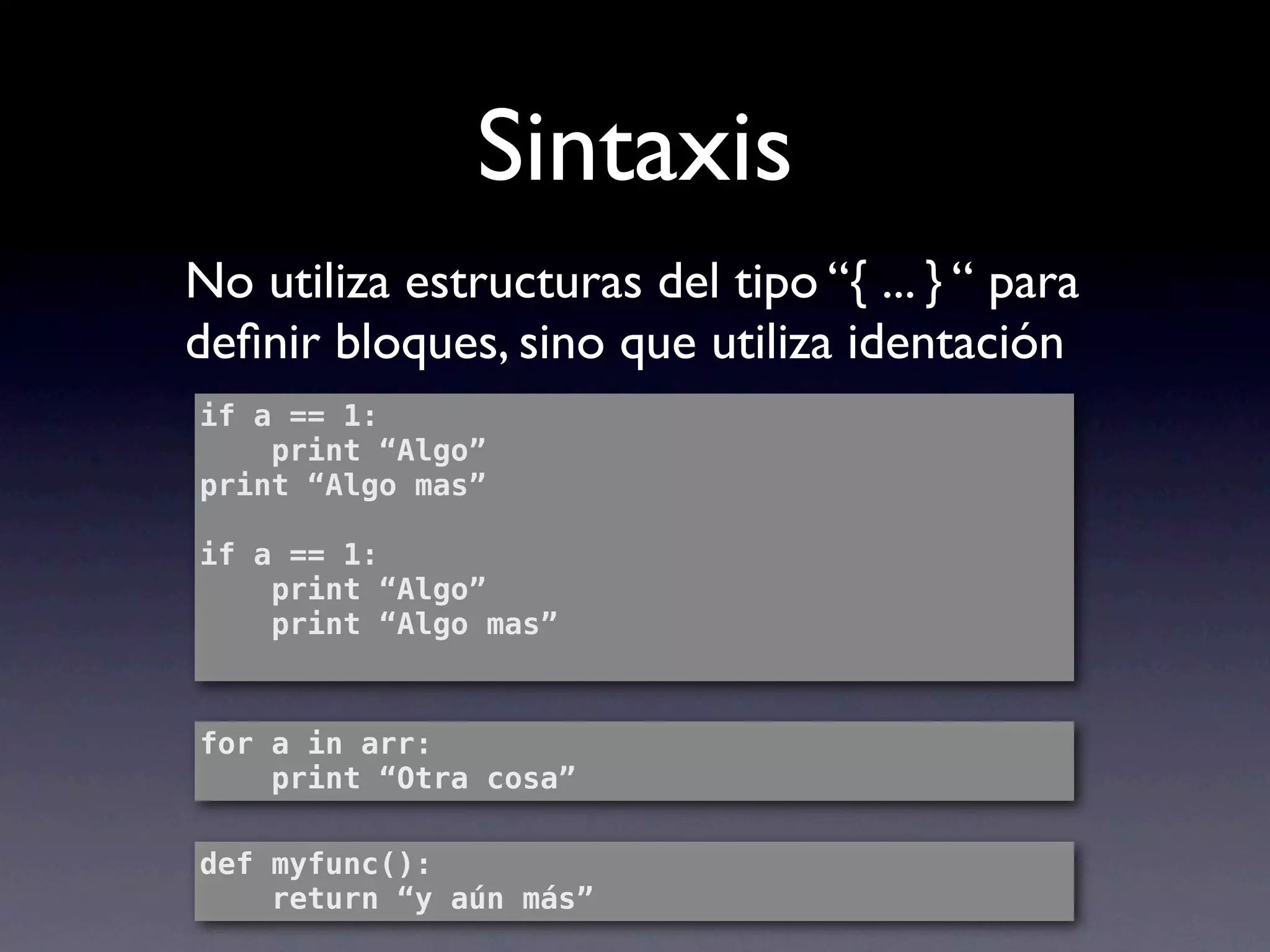
No utiliza estructuras del tipo “{ ... } “ para
definir bloques, sino que utiliza identación
if a == 1:
    print “Algo”
print “Algo mas”

if a == 1:
    print “Algo”
    print “Algo mas”


for a in arr:
    print “Otra cosa”

def myfunc():
    return “y aún más”
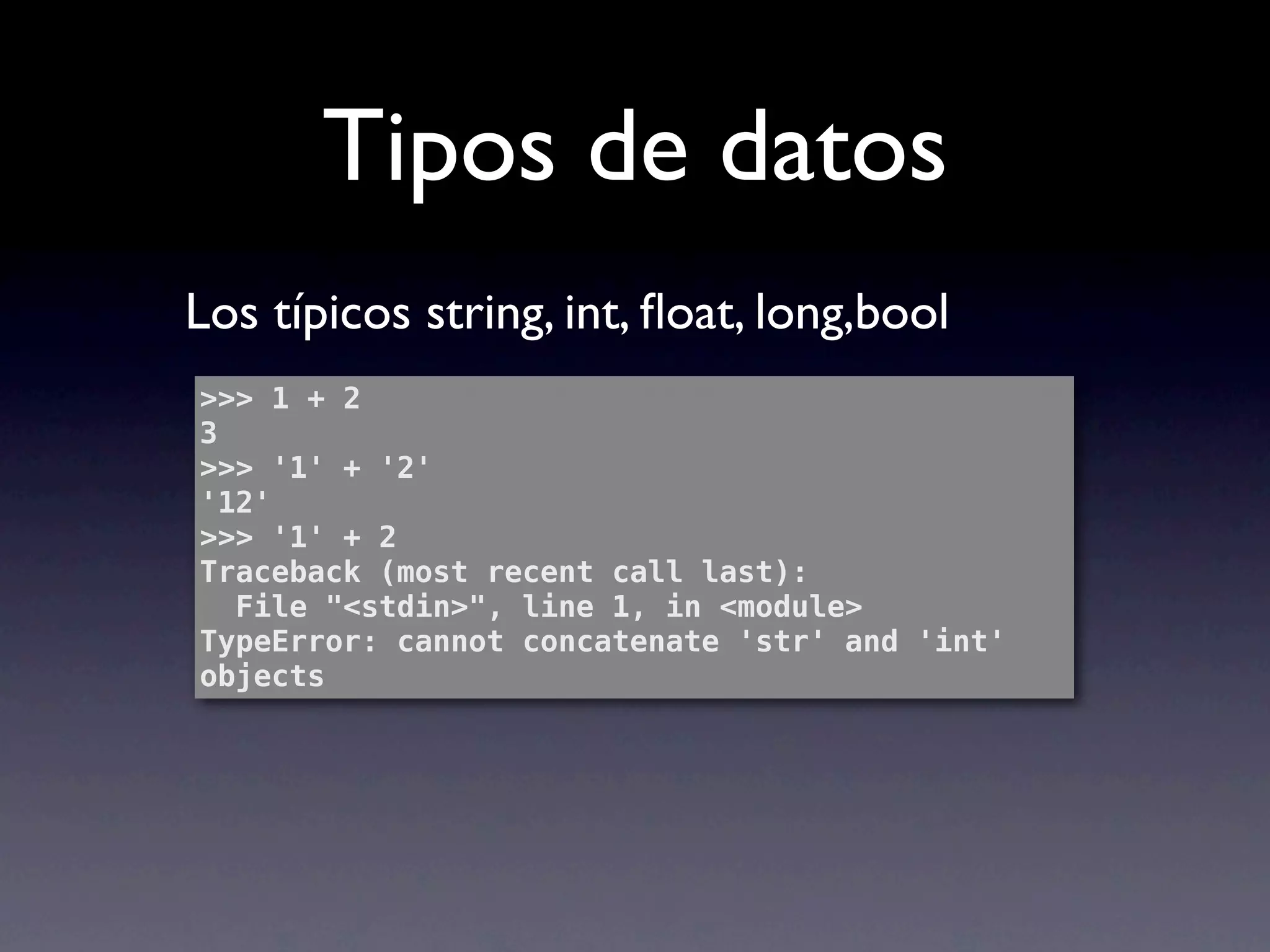
Tipos de datos
Los típicos string, int, float, long,bool
>>> 1 + 2
3
>>> '1' + '2'
'12'
>>> '1' + 2
Traceback (most recent call last):
  File "<stdin>", line 1, in <module>
TypeError: cannot concatenate 'str' and 'int'
objects
Cosas Interesantes
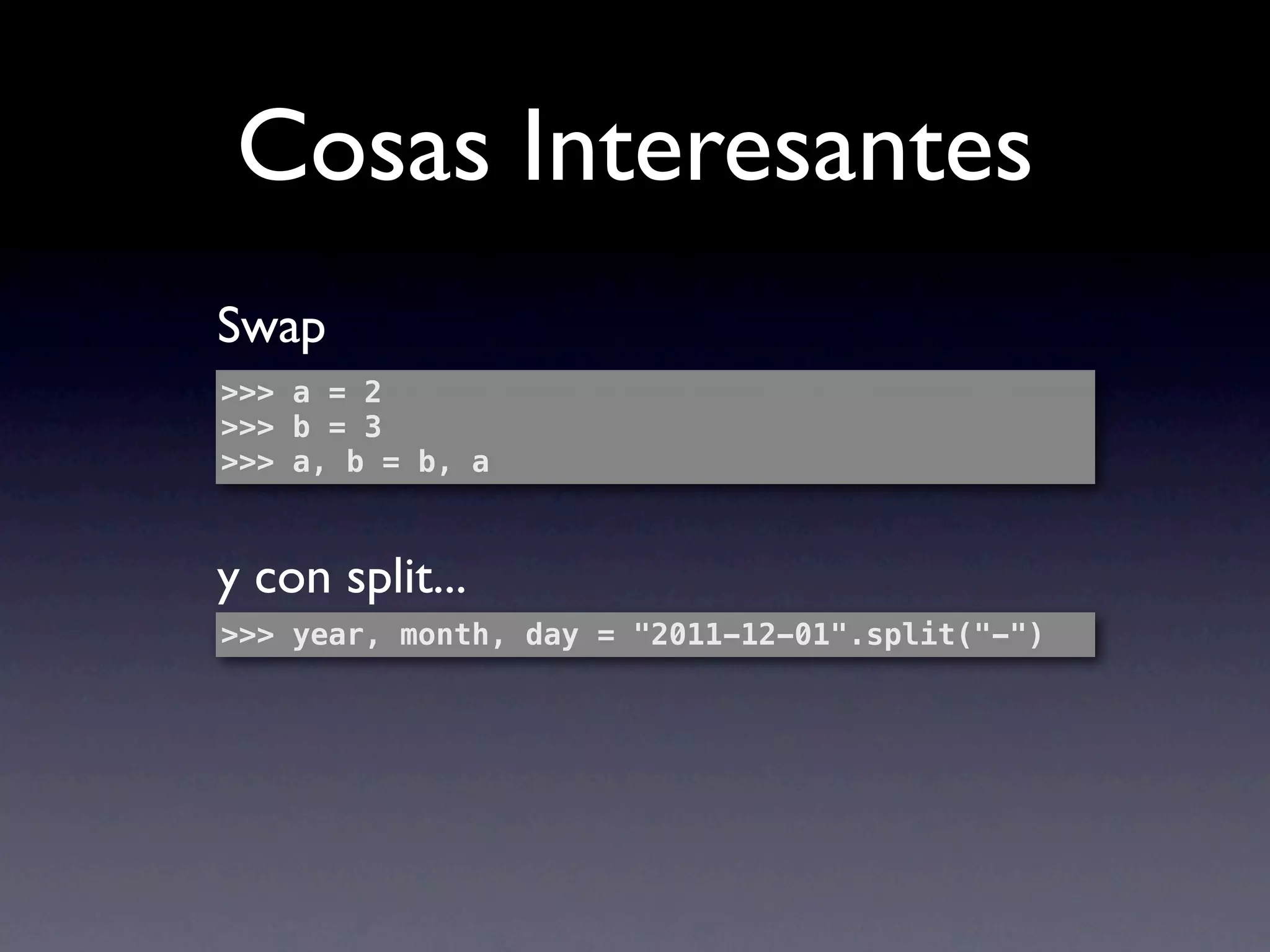
Swap
>>> a = 2
>>> b = 3
>>> a, b = b, a


y con split...
>>> year, month, day = "2011-12-01".split("-")
Cosas Interesantes
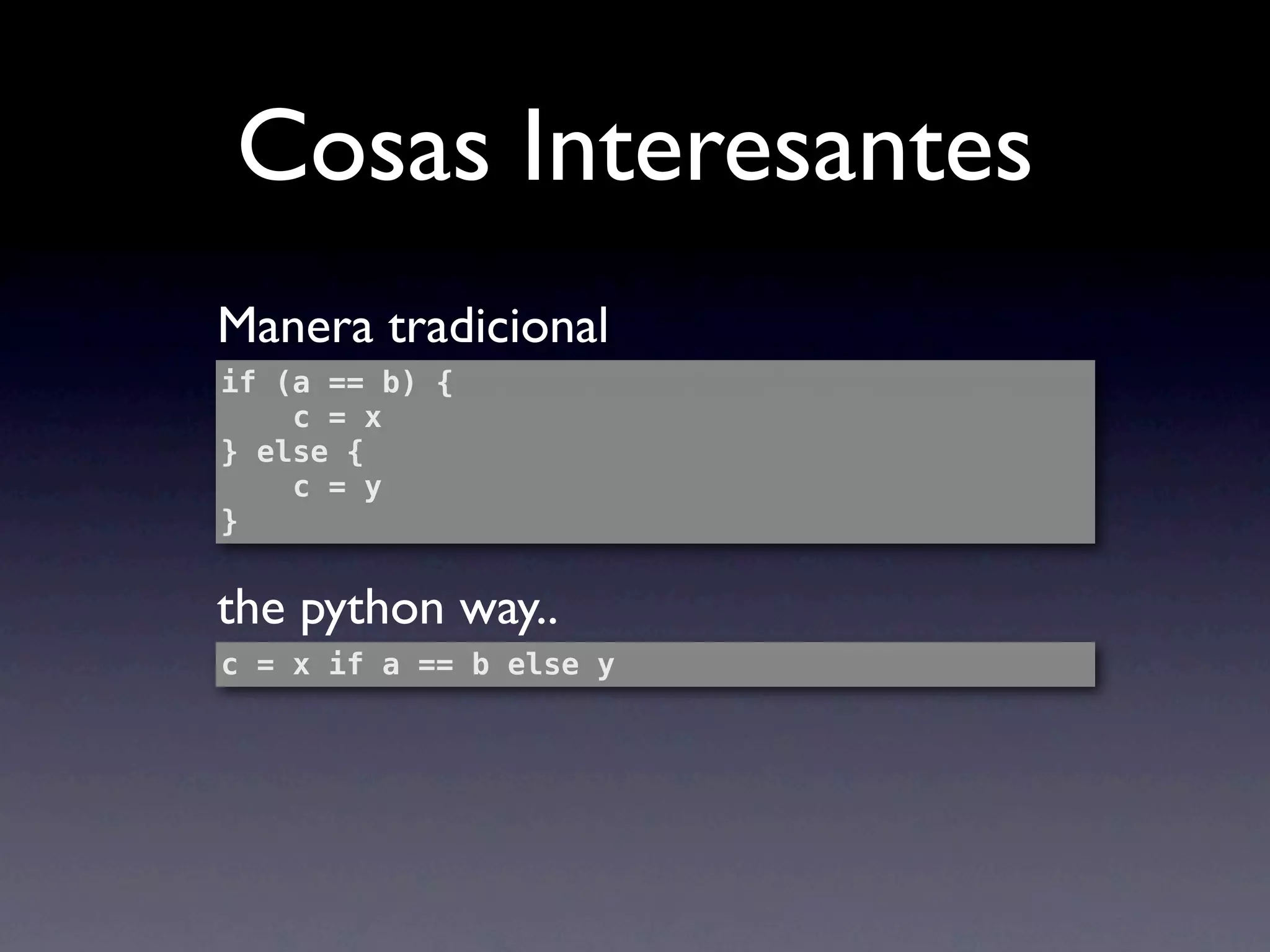
Manera tradicional
if (a == b) {
    c = x
} else {
    c = y
}


the python way..
c = x if a == b else y
Cosas Interesantes
        ¿Números entre 0 y 15 que sean
            divisibles por 1 o 5?
>>> a = [i for i in range(15) if not (i%3 and   i%5)]
>>> a
[0, 3, 5, 6, 9, 10, 12]


filter(lambda x:not (x%5 and x%3), range(15))
Cosas Interesantes
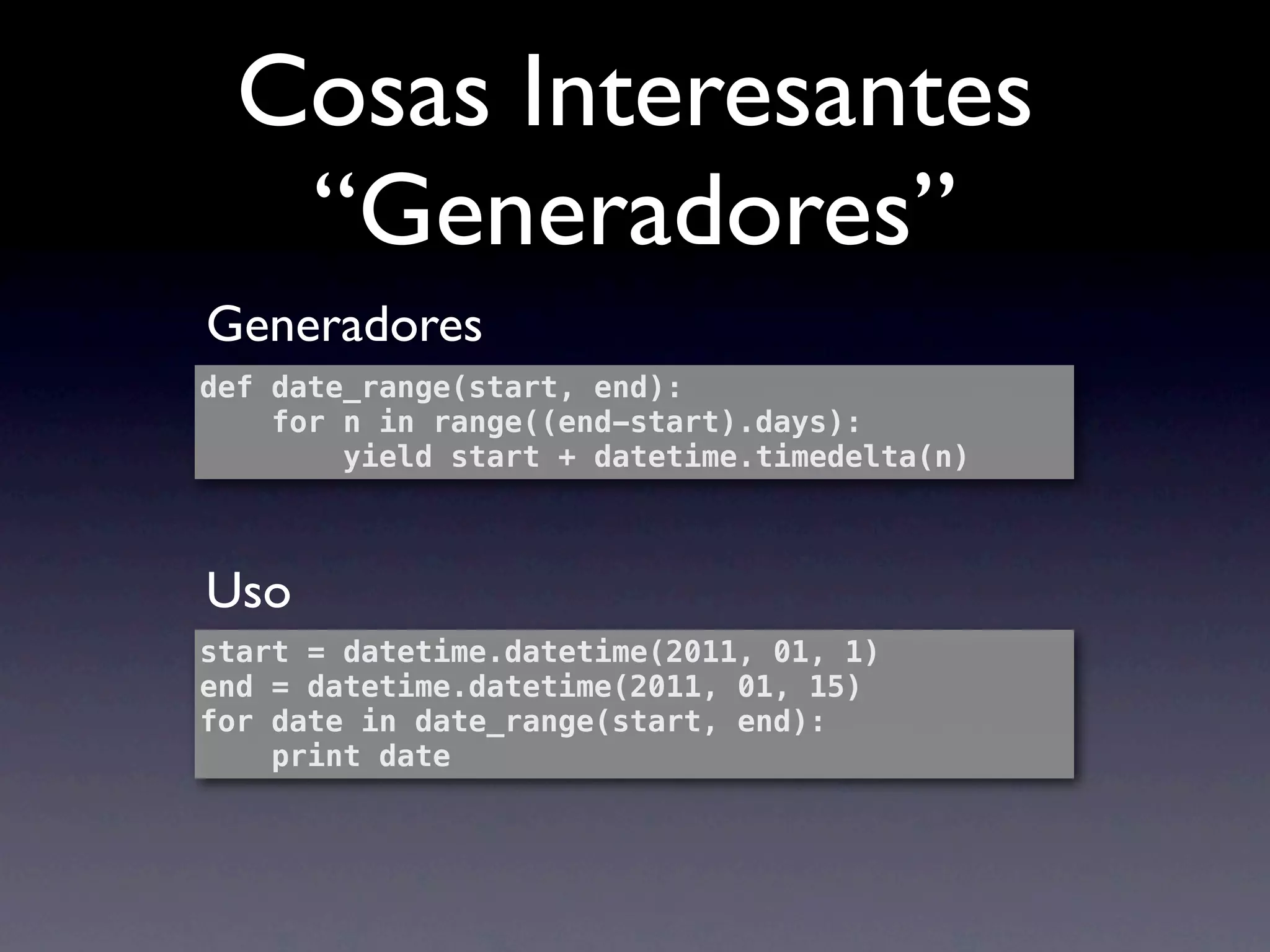
   “Generadores”
Generadores
def date_range(start, end):
    for n in range((end-start).days):
        yield start + datetime.timedelta(n)


Uso
start = datetime.datetime(2011, 01, 1)
end = datetime.datetime(2011, 01, 15)
for date in date_range(start, end):
    print date
Cosas Interesantes
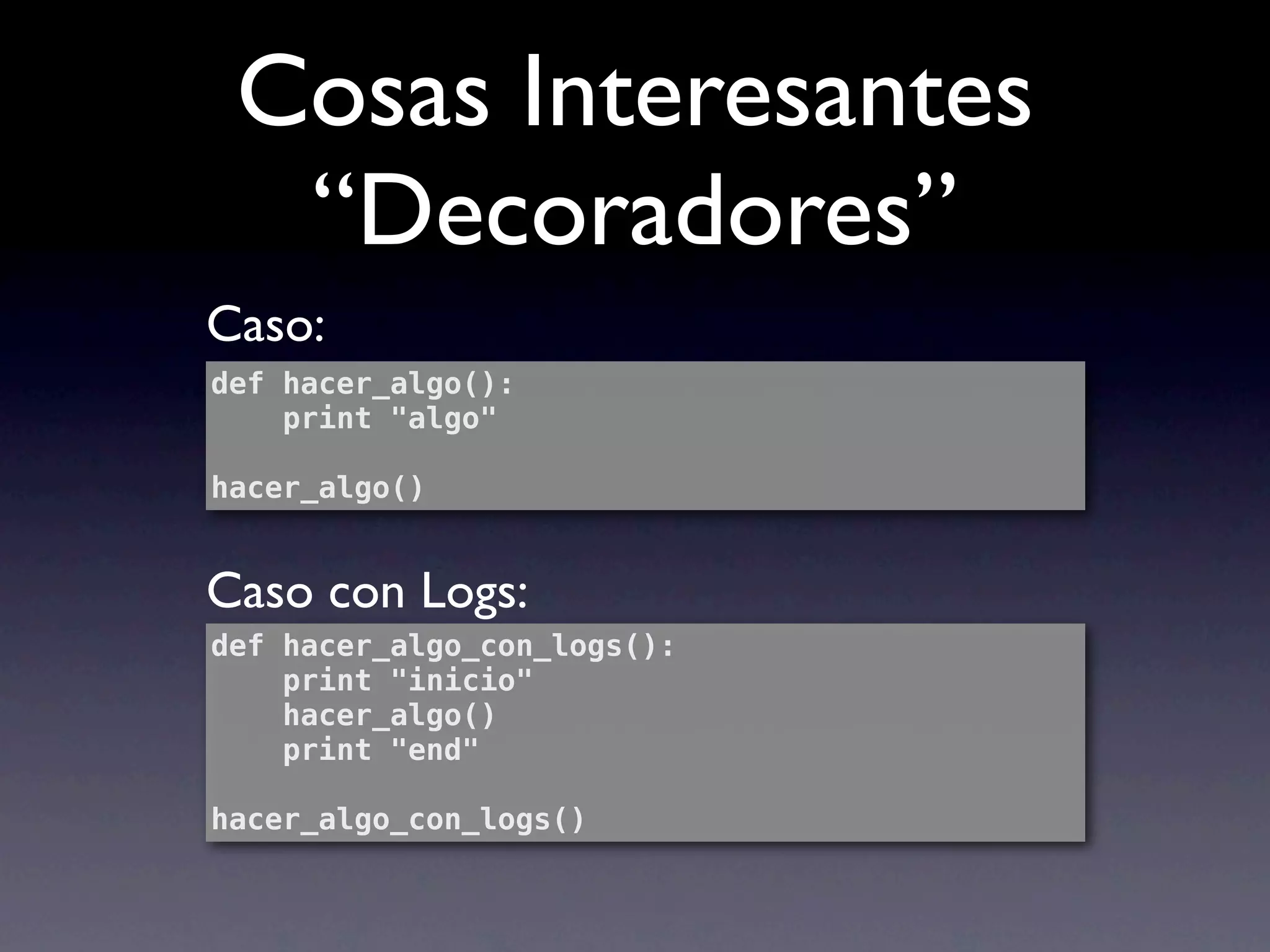
  “Decoradores”
Caso:
def hacer_algo():
    print "algo"

hacer_algo()


Caso con Logs:
def hacer_algo_con_logs():
    print "inicio"
    hacer_algo()
    print "end"

hacer_algo_con_logs()
Cosas Interesantes
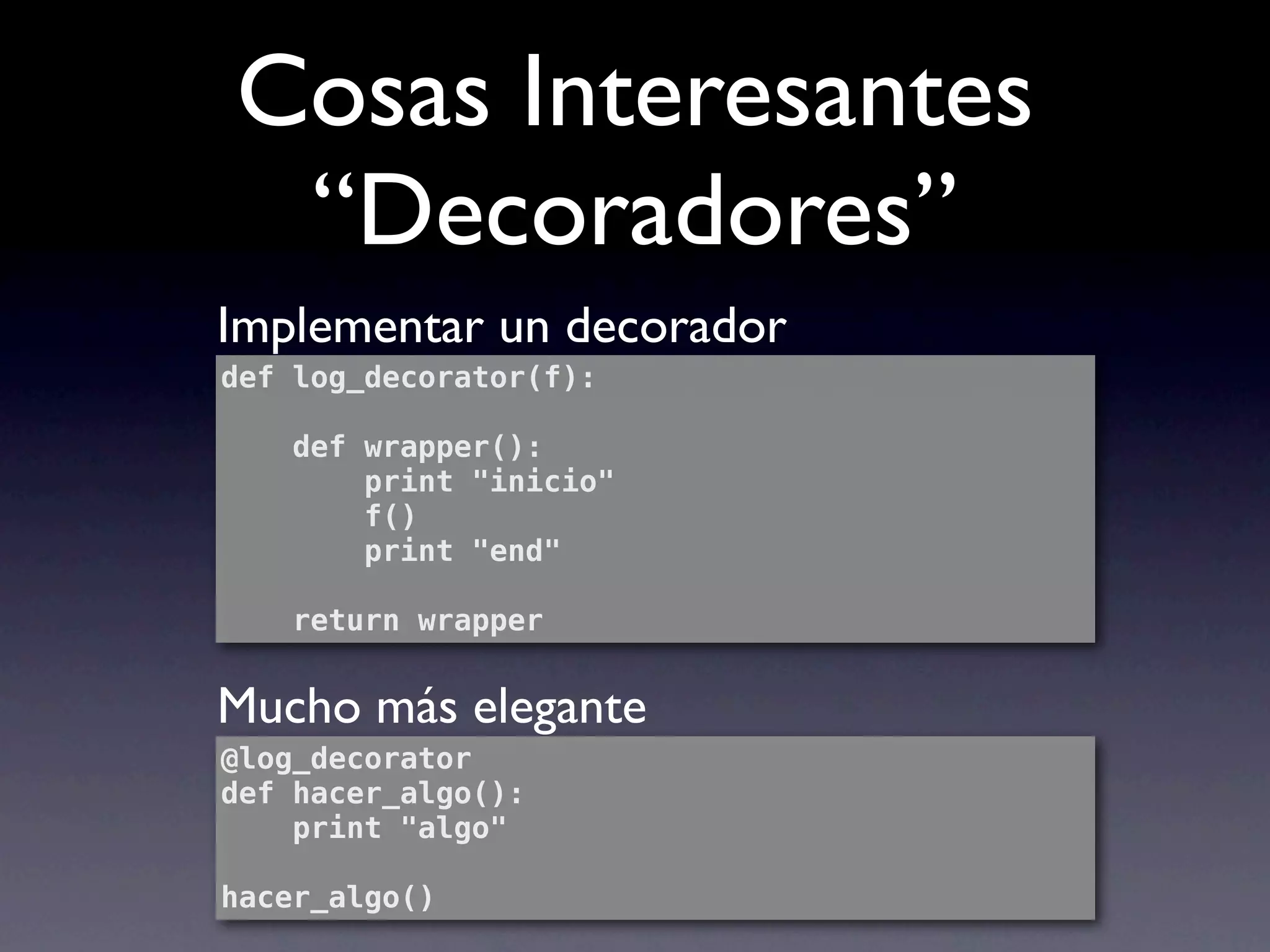
 “Decoradores”
Implementar un decorador
def log_decorator(f):

    def wrapper():
        print "inicio"
        f()
        print "end"

    return wrapper


Mucho más elegante
@log_decorator
def hacer_algo():
    print "algo"

hacer_algo()
Primeros Pasos
Python Shell
develop$ python
Python 2.6.7 (r267:88850, Aug 22 2011, 18:14:53)
[GCC 4.2.1 (Based on Apple Inc. build 5658)
(LLVM build 2335.15.00)] on darwin
Type "help", "copyright", "credits" or "license"
for more information.
>>>
Python Shell

>>> range(1,10)
[1, 2, 3, 4, 5, 6, 7, 8, 9]


>>> from djangolab.myapp.models import MyModel


>>> import __hello__

>>> import this
VirtualEnv
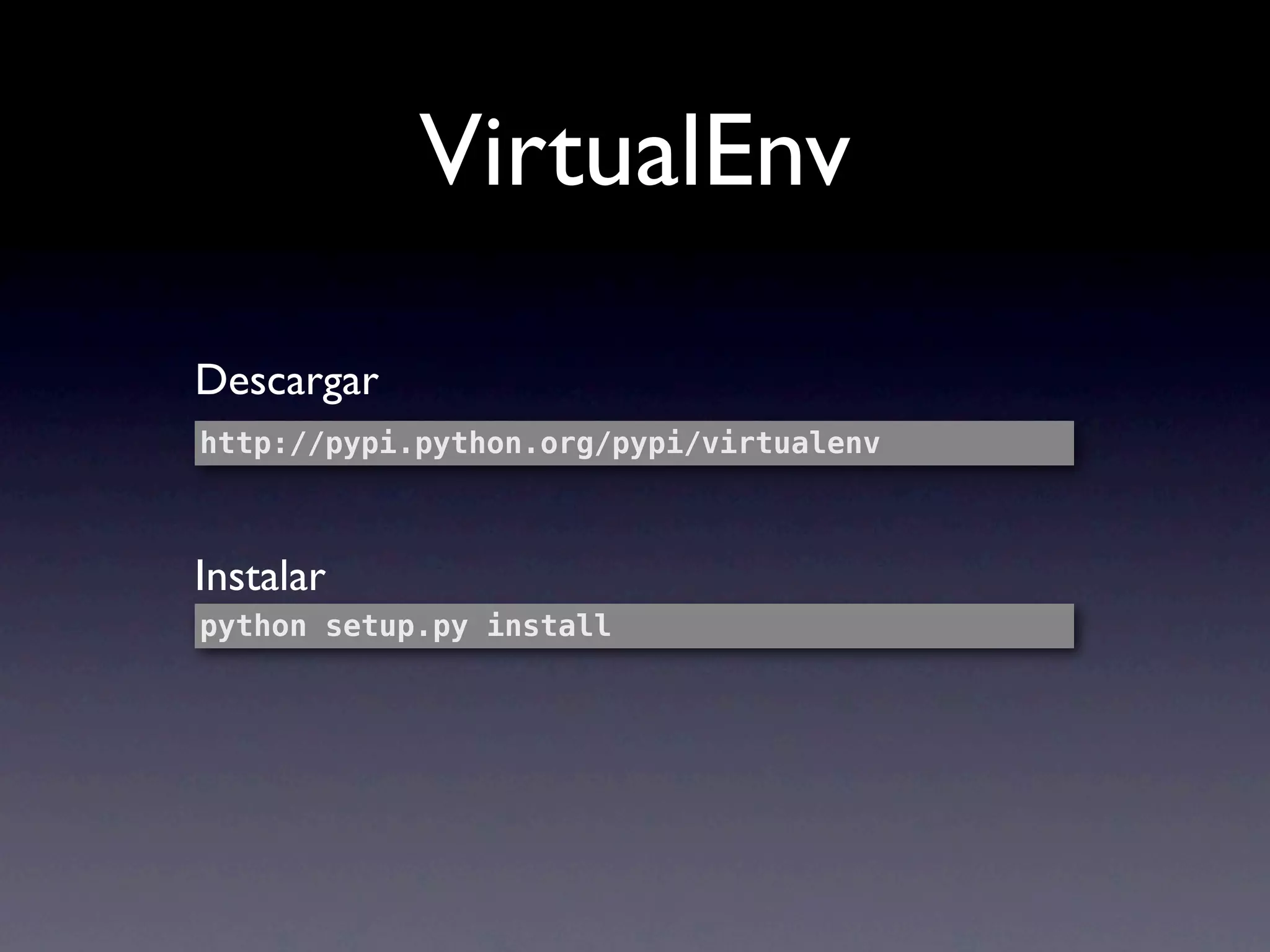
VirtualEnv

Descargar
http://pypi.python.org/pypi/virtualenv


Instalar
python setup.py install
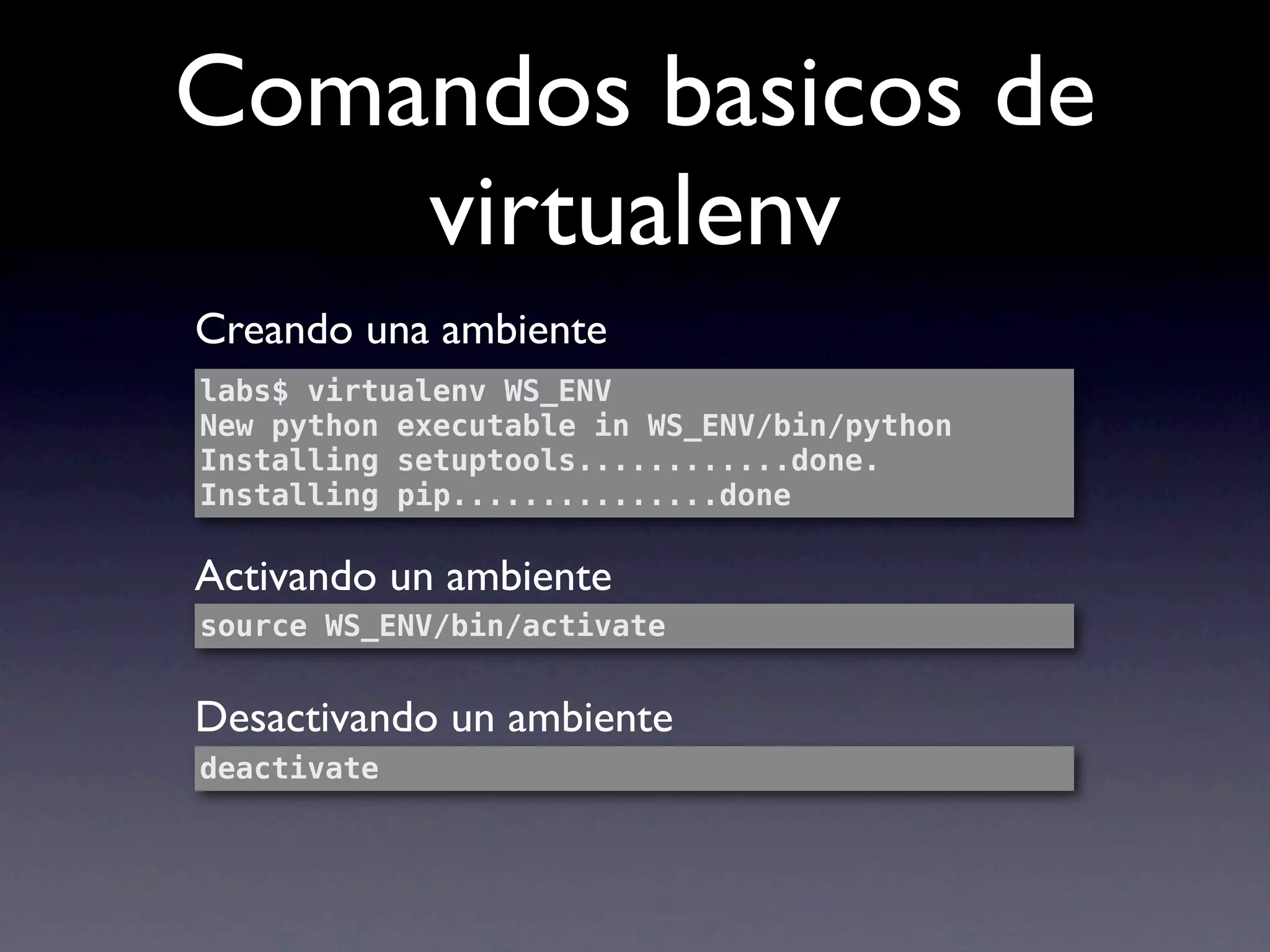
Comandos basicos de
    virtualenv
Creando una ambiente
labs$ virtualenv WS_ENV
New python executable in WS_ENV/bin/python
Installing setuptools............done.
Installing pip...............done

Activando un ambiente
source WS_ENV/bin/activate


Desactivando un ambiente
deactivate
DJango
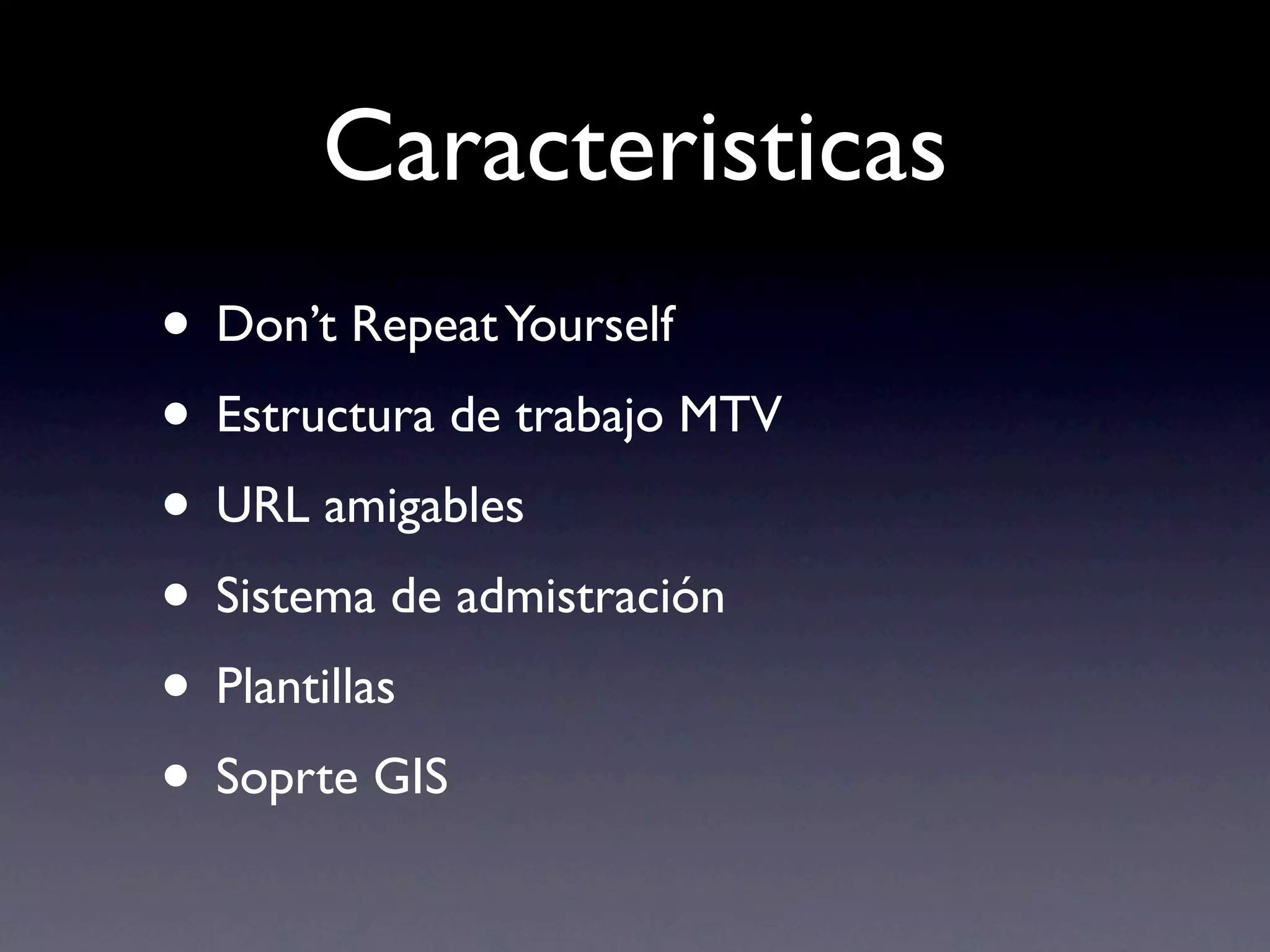
Caracteristicas
• Don’t Repeat Yourself
• Estructura de trabajo MTV
• URL amigables
• Sistema de admistración
• Plantillas
• Soprte GIS
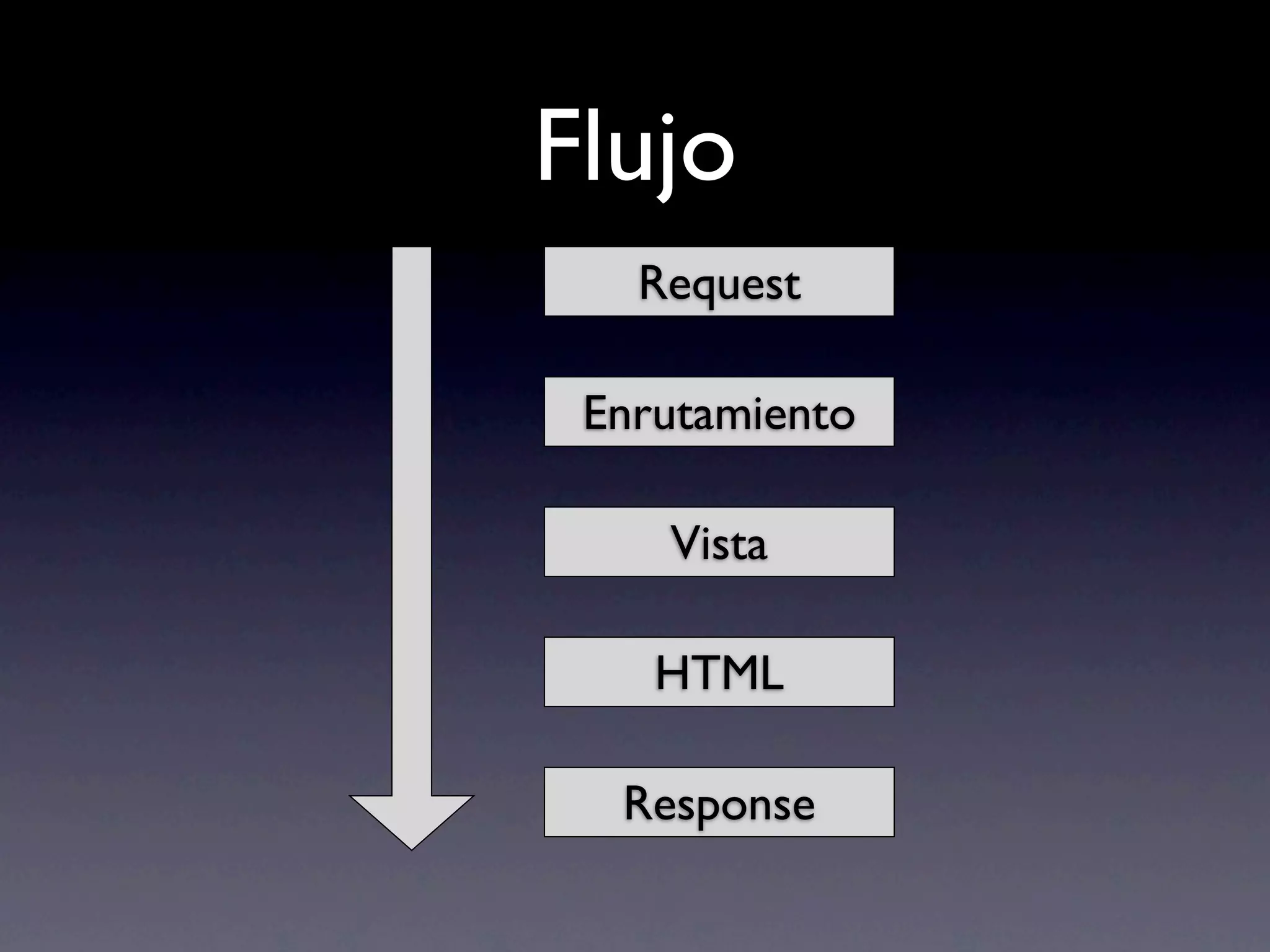
Flujo
   Request

 Enrutamiento

    Vista

    HTML

  Response
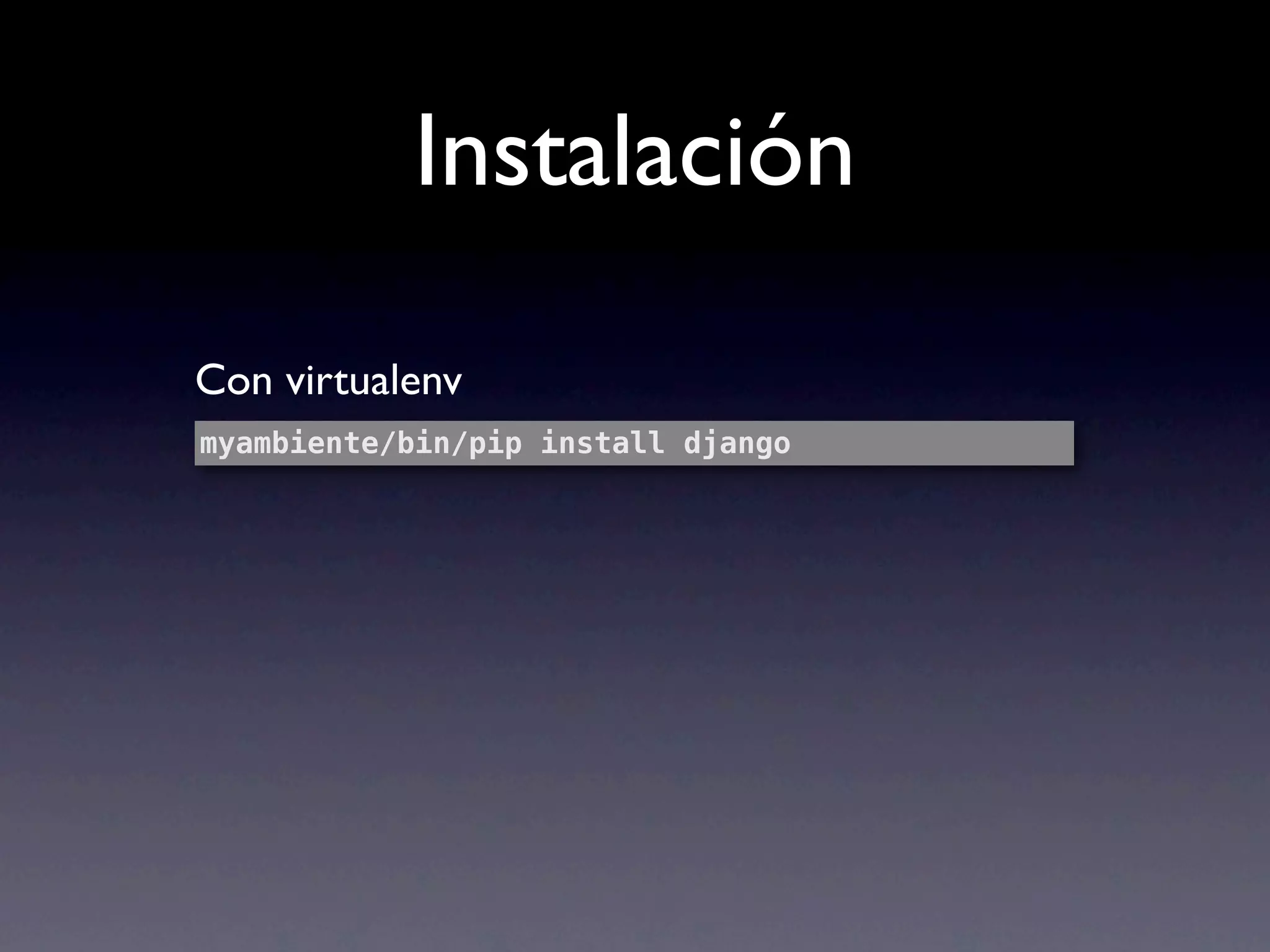
Instalación

Con virtualenv
myambiente/bin/pip install django
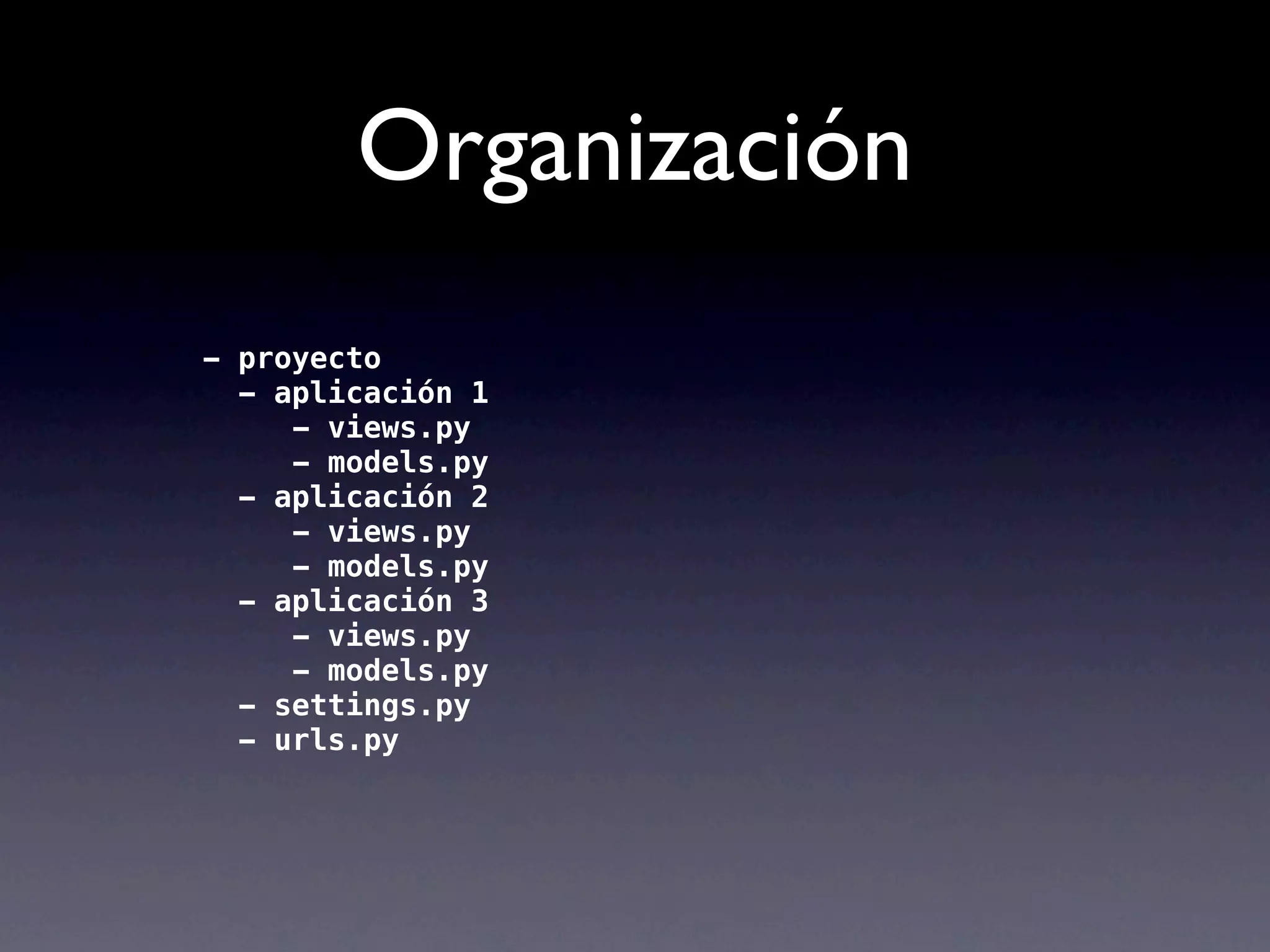
Organización
Organización
- proyecto
  - aplicación 1
     - views.py
     - models.py
  - aplicación 2
     - views.py
     - models.py
  - aplicación 3
     - views.py
     - models.py
  - settings.py
  - urls.py
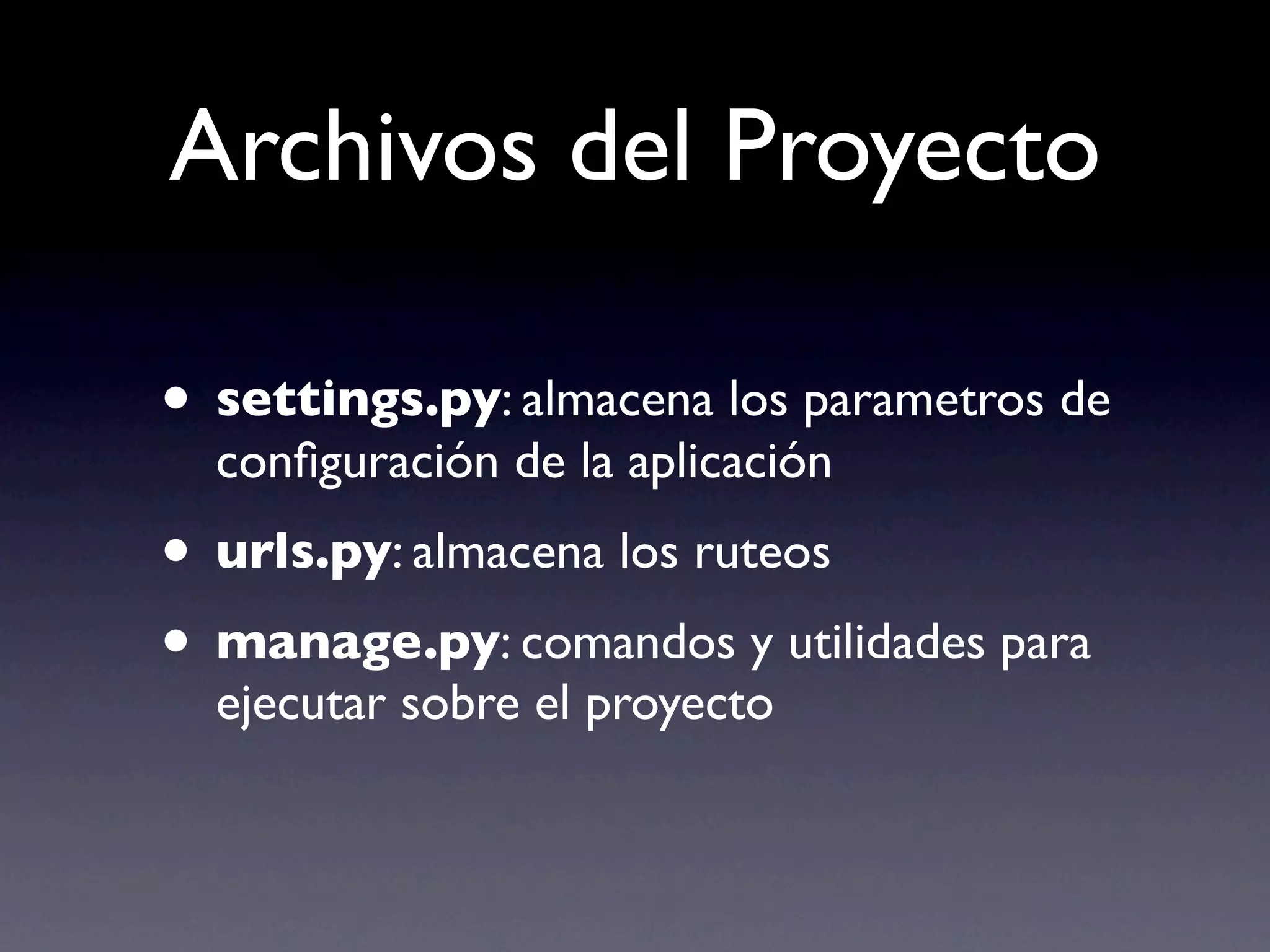
Archivos del Proyecto

• settings.py: almacena los parametros de
  configuración de la aplicación
• urls.py: almacena los ruteos
• manage.py: comandos y utilidades para
  ejecutar sobre el proyecto
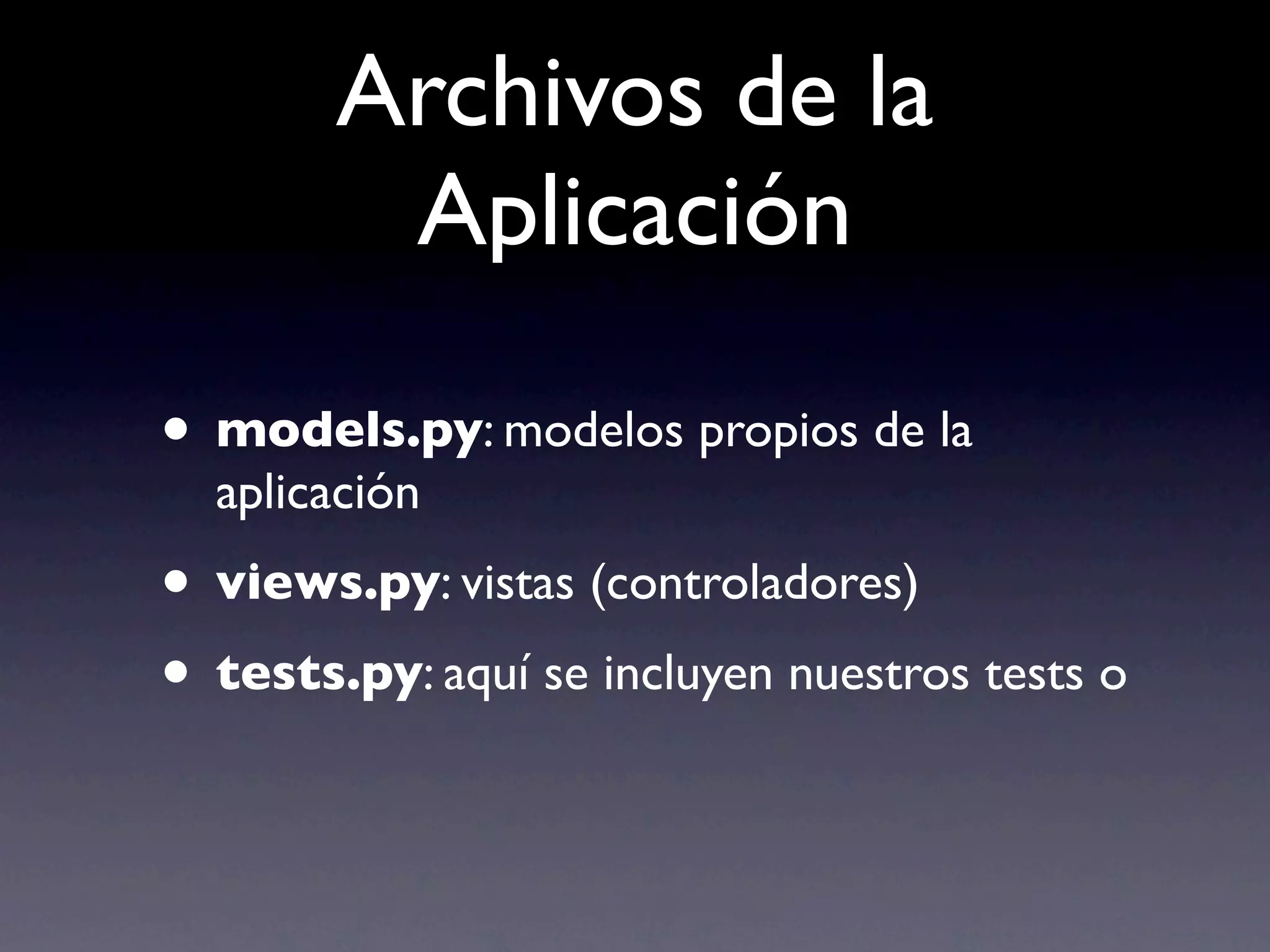
Archivos de la
         Aplicación

• models.py: modelos propios de la
  aplicación
• views.py: vistas (controladores)
• tests.py: aquí se incluyen nuestros tests o
Creando una Aplicación
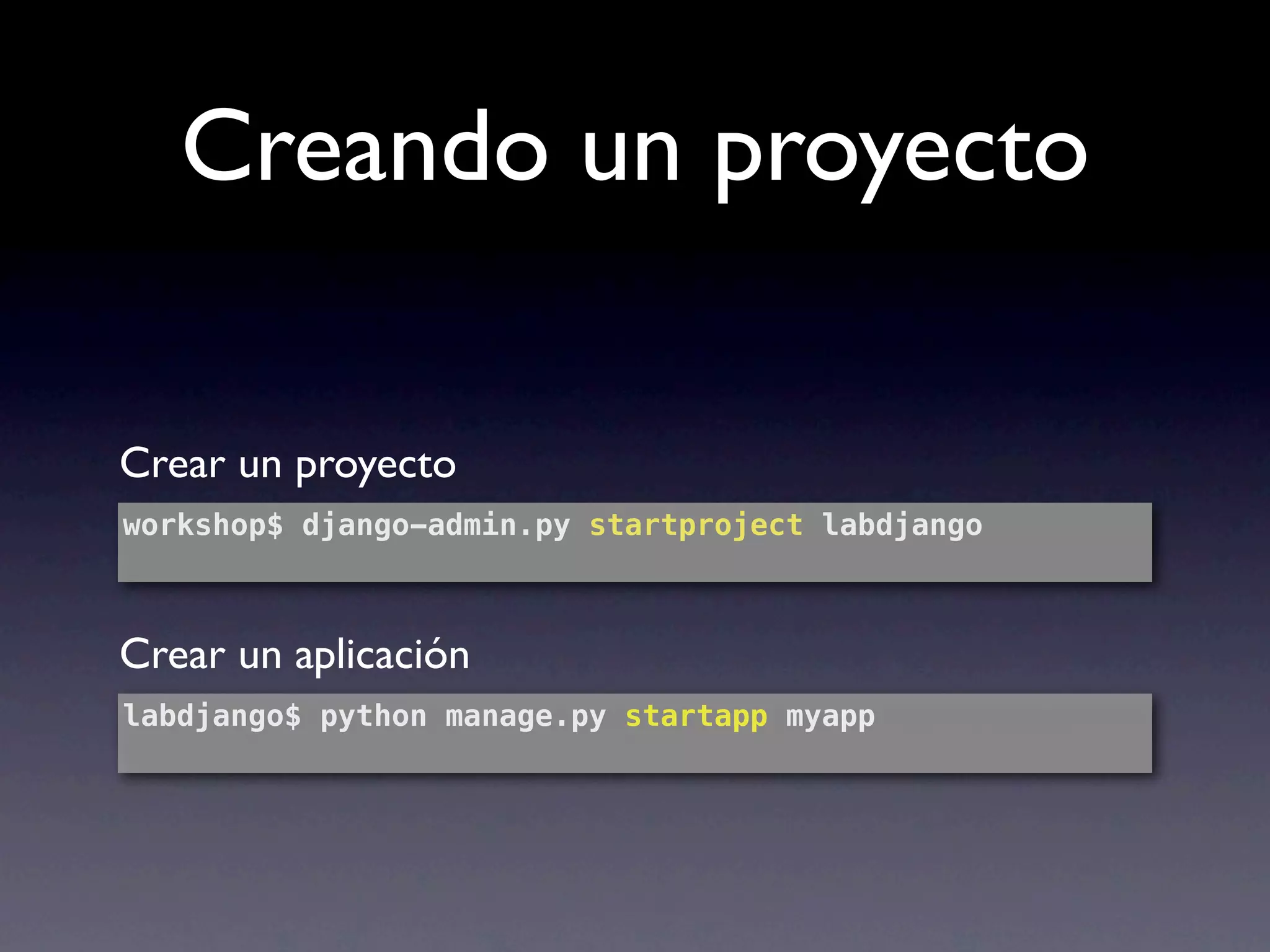
Creando un proyecto

Crear un proyecto
workshop$ django-admin.py startproject labdjango


Crear un aplicación
labdjango$ python manage.py startapp myapp
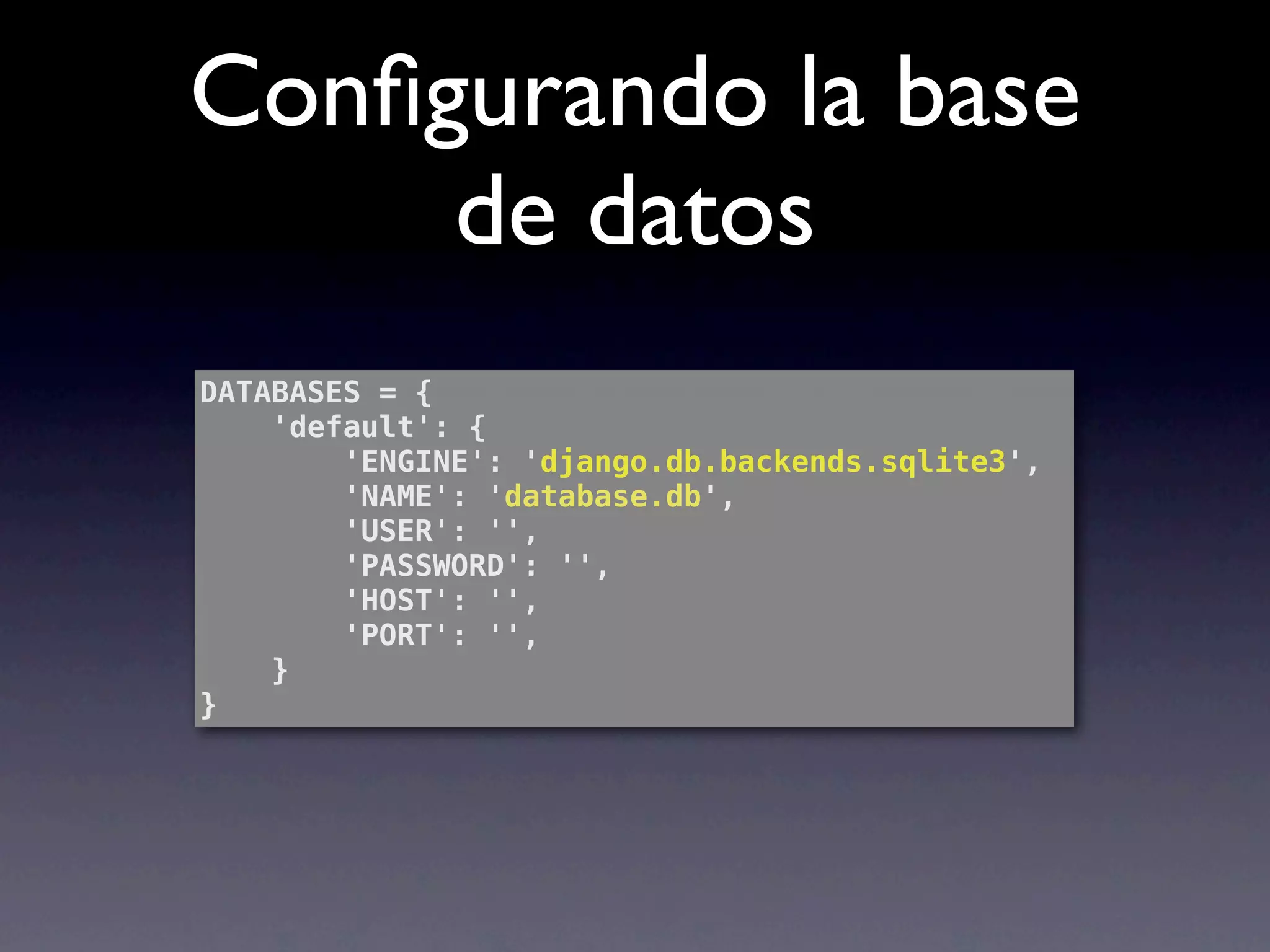
Configurando la base
     de datos
DATABASES = {
    'default': {
        'ENGINE': 'django.db.backends.sqlite3',
        'NAME': 'database.db',
        'USER': '',
        'PASSWORD': '',
        'HOST': '',
        'PORT': '',
    }
}
Ejecutando el servidor

labdjango$ python manage.py runserver
Validating models...

0 errors found
Django version 1.3, using settings 'labdjango.settings'
Development server is running at http://127.0.0.1:8000/
Quit the server with CONTROL-C.
[17/Nov/2011 20:11:31] "GET / HTTP/1.1" 200 2057
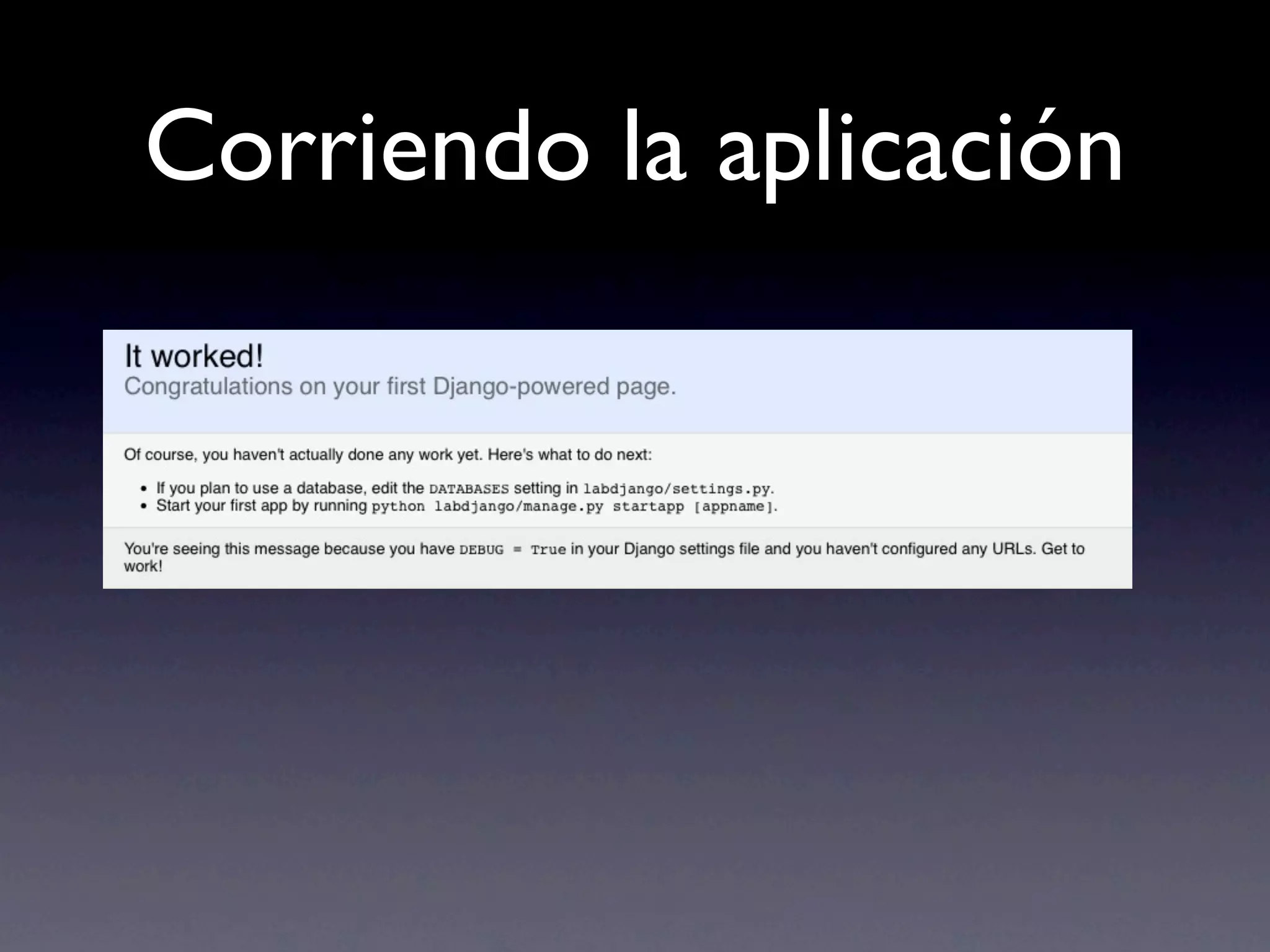
Corriendo la aplicación
Persistencia
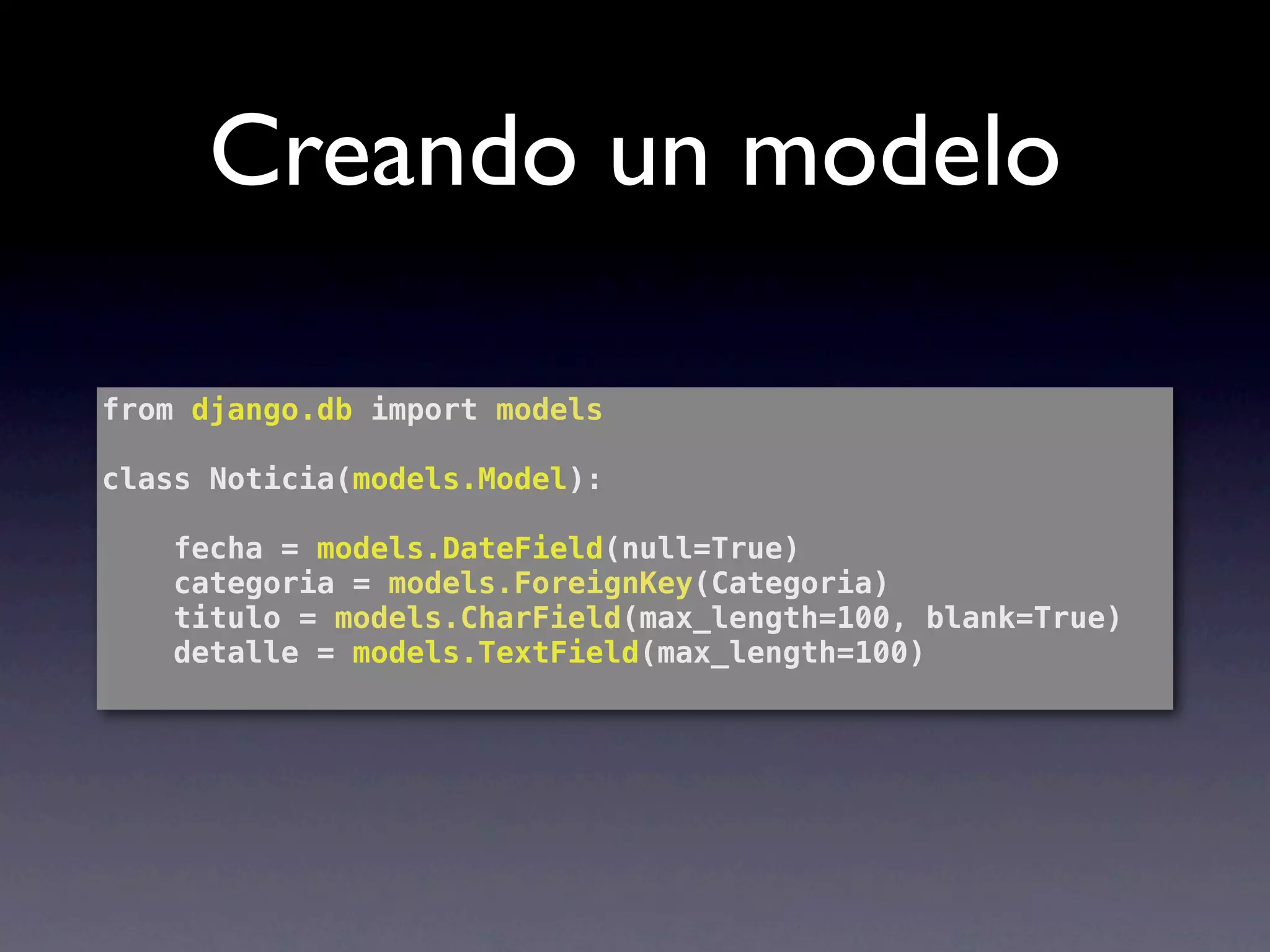
Creando un modelo

from django.db import models

class Noticia(models.Model):

    fecha = models.DateField(null=True)
    categoria = models.ForeignKey(Categoria)
    titulo = models.CharField(max_length=100, blank=True)
    detalle = models.TextField(max_length=100)
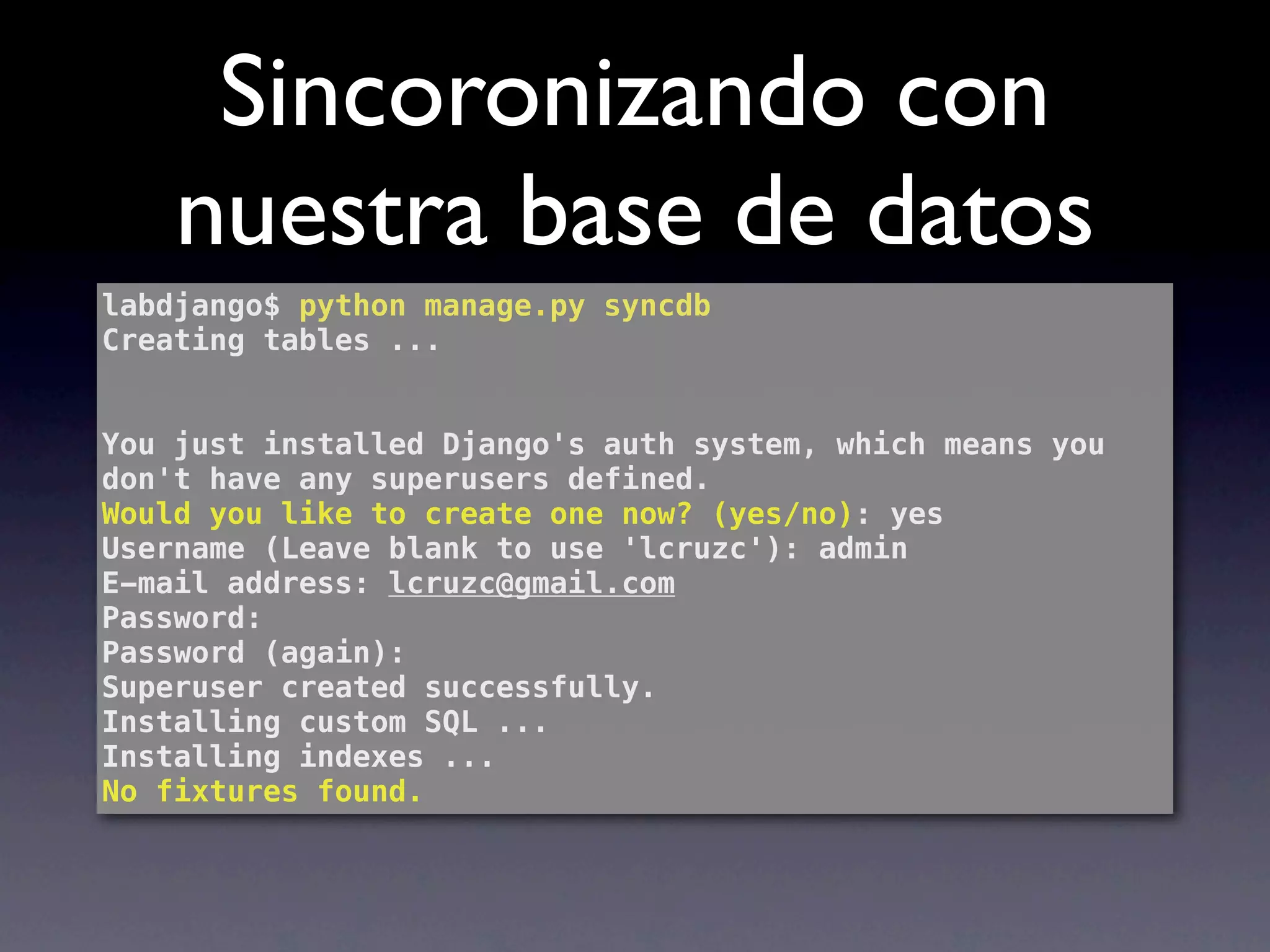
Sincoronizando con
    nuestra base de datos
labdjango$ python manage.py syncdb
Creating tables ...


You just installed Django's auth system, which means you
don't have any superusers defined.
Would you like to create one now? (yes/no): yes
Username (Leave blank to use 'lcruzc'): admin
E-mail address: lcruzc@gmail.com
Password:
Password (again):
Superuser created successfully.
Installing custom SQL ...
Installing indexes ...
No fixtures found.
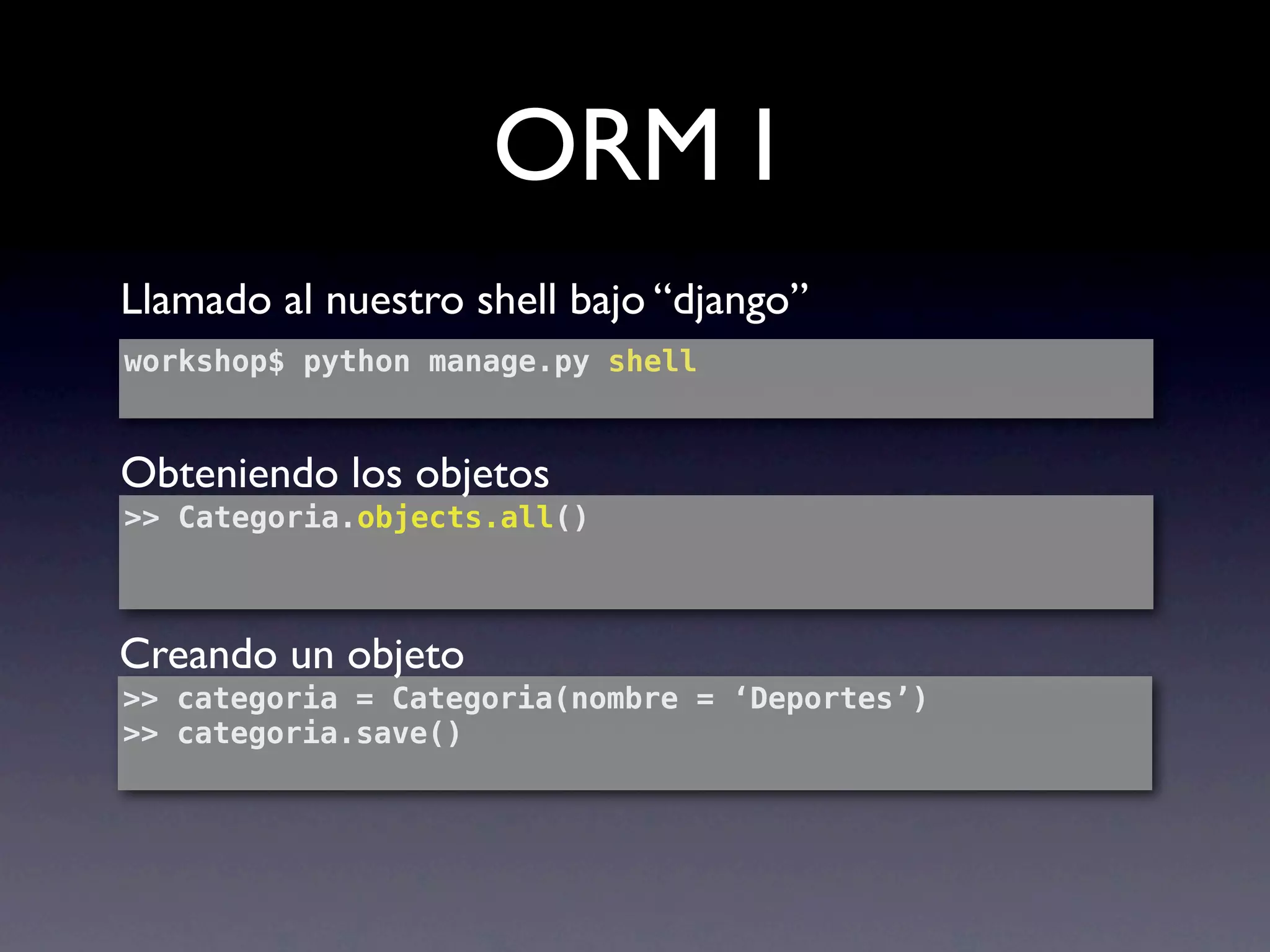
ORM I
Llamado al nuestro shell bajo “django”
workshop$ python manage.py shell


Obteniendo los objetos
>> Categoria.objects.all()


Creando un objeto
>> categoria = Categoria(nombre = ‘Deportes’)
>> categoria.save()
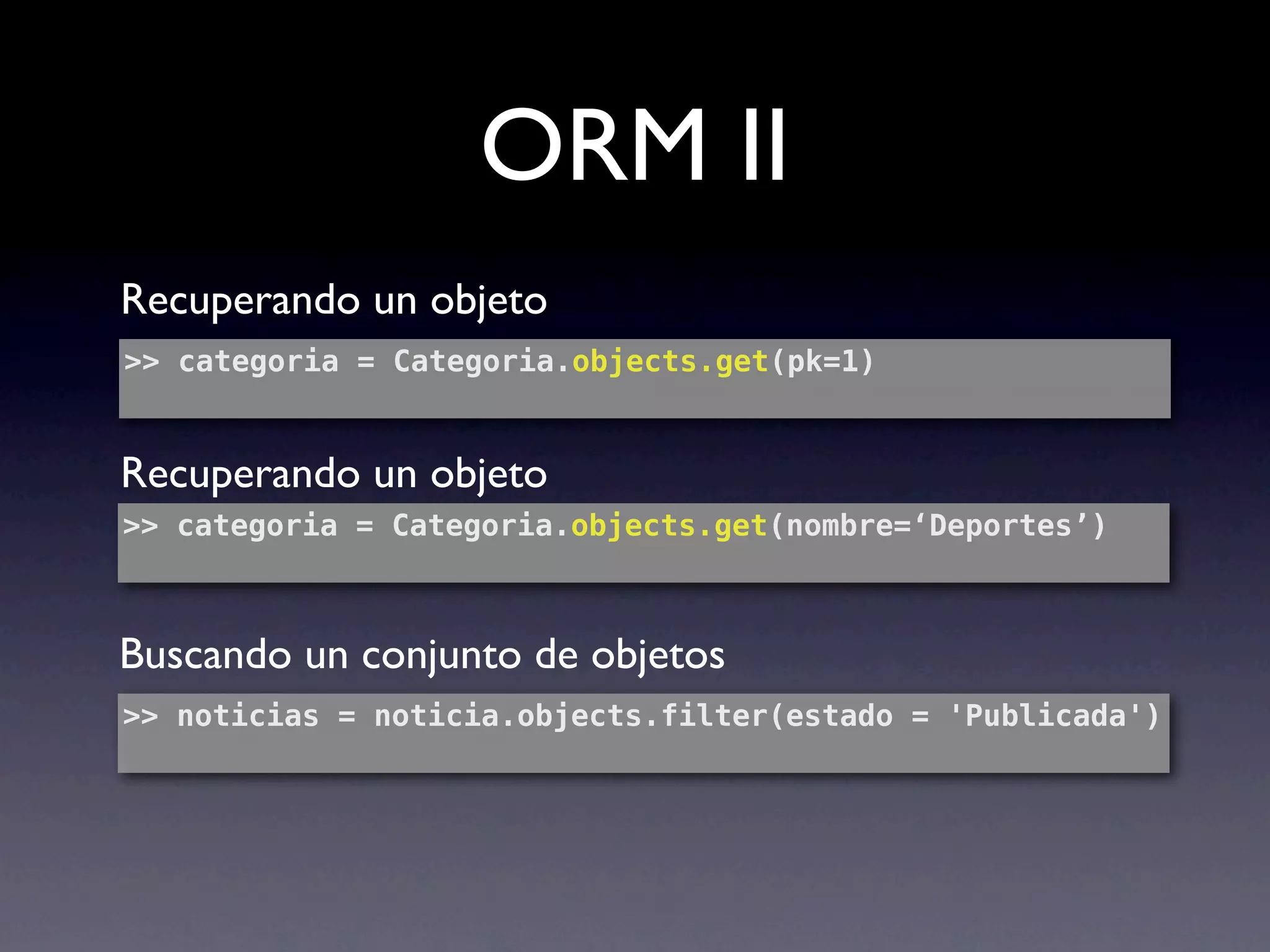
ORM II
Recuperando un objeto
>> categoria = Categoria.objects.get(pk=1)


Recuperando un objeto
>> categoria = Categoria.objects.get(nombre=‘Deportes’)


Buscando un conjunto de objetos
>> noticias = noticia.objects.filter(estado = 'Publicada')
ORM III
Recuperando un objeto (join)
>> Noticia.objects.filter(categoria__nombre   = 'Deportes')


Recuperando objetos relacionados
>> categoria = Categoria.objects.get(pk=1)
>> categoria.noticia_set.all()
[<Noticia: Ganamos la copa america>]


Borrando
>> categoria.delete()
Enrutamiento y Vistas
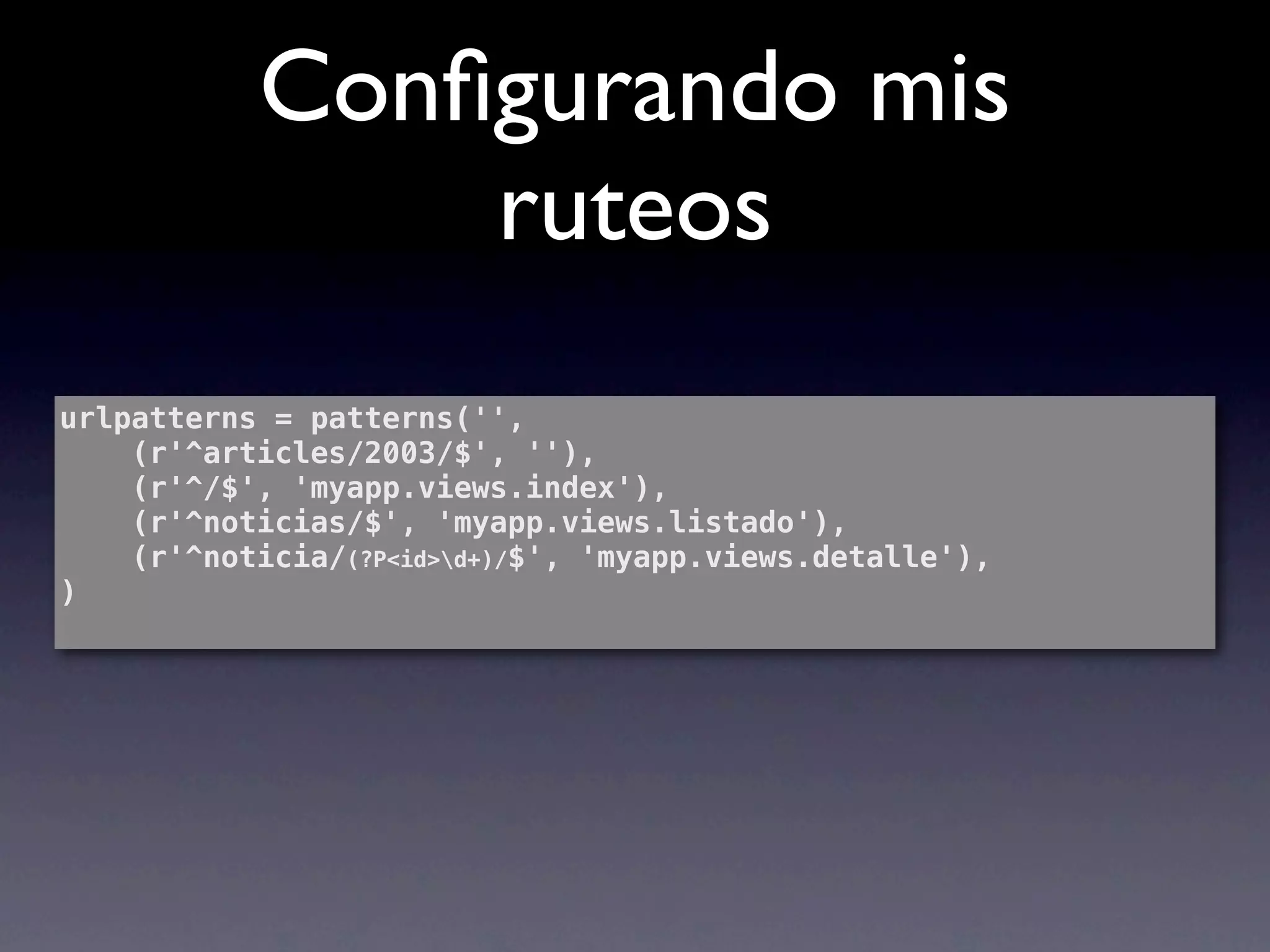
Configurando mis
               ruteos
urlpatterns = patterns('',
    (r'^articles/2003/$', ''),
    (r'^/$', 'myapp.views.index'),
    (r'^noticias/$', 'myapp.views.listado'),
    (r'^noticia/(?P<id>d+)/$', 'myapp.views.detalle'),
)
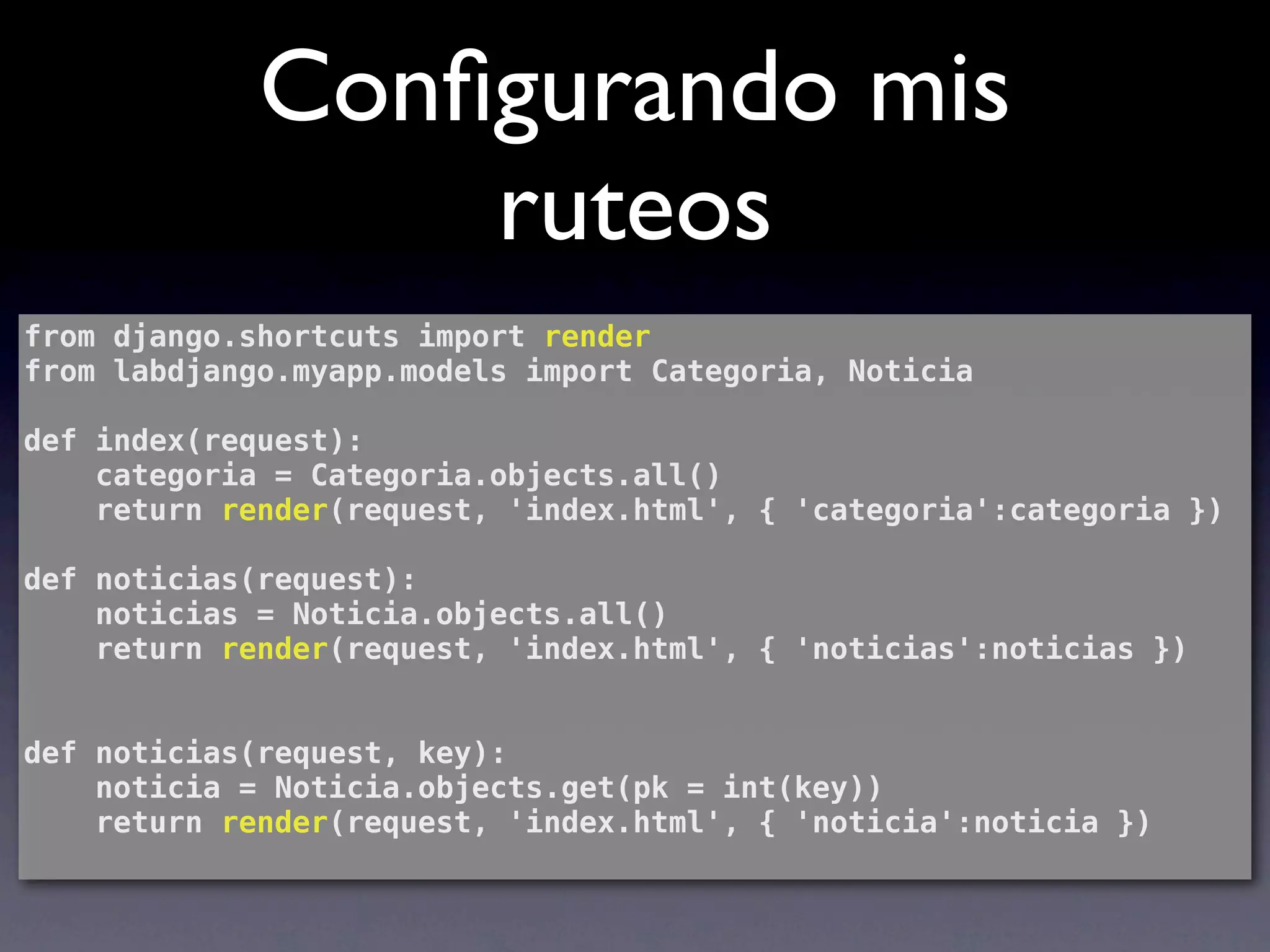
Configurando mis
                 ruteos
from django.shortcuts import render
from labdjango.myapp.models import Categoria, Noticia

def index(request):
    categoria = Categoria.objects.all()
    return render(request, 'index.html', { 'categoria':categoria })

def noticias(request):
    noticias = Noticia.objects.all()
    return render(request, 'index.html', { 'noticias':noticias })


def noticias(request, key):
    noticia = Noticia.objects.get(pk = int(key))
    return render(request, 'index.html', { 'noticia':noticia })
Plantillas
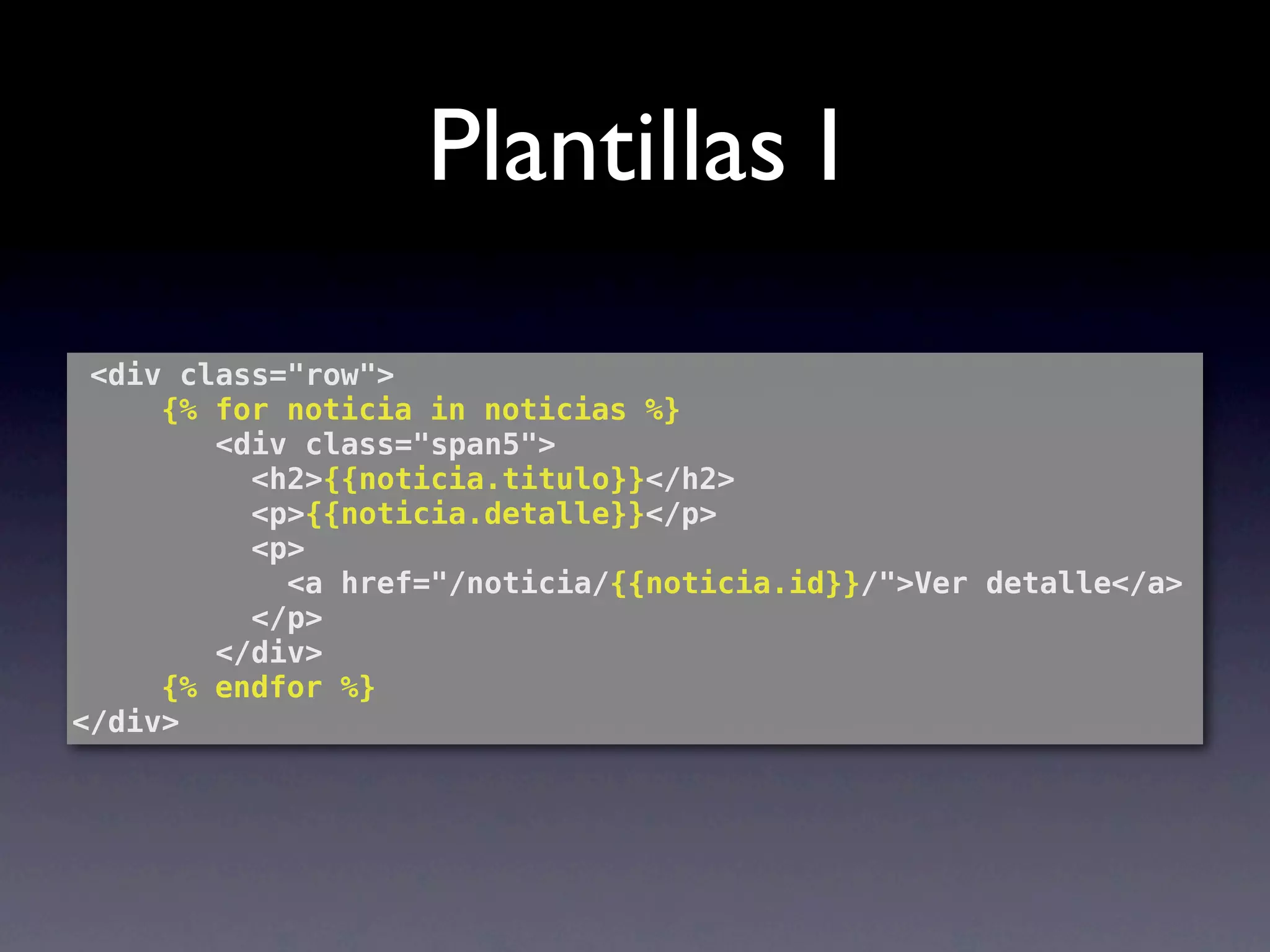
Plantillas I
 <div class="row">
! ! {% for noticia in noticias %}
        <div class="span5">
          <h2>{{noticia.titulo}}</h2>
          <p>{{noticia.detalle}}</p>
          <p>
            <a href="/noticia/{{noticia.id}}/">Ver detalle</a>
          </p>
        </div>
 ! ! {% endfor %}
</div>
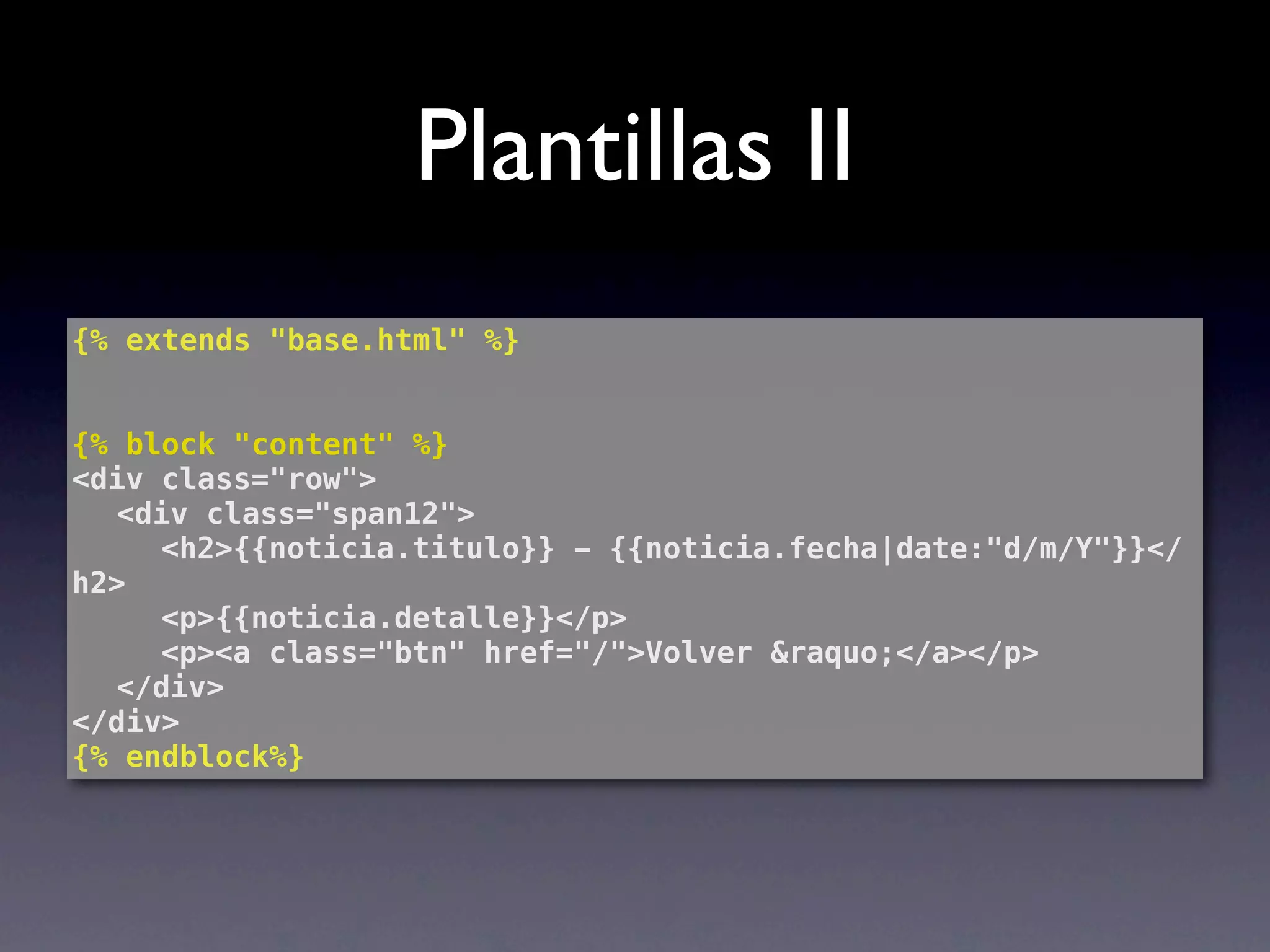
Plantillas II
{% extends "base.html" %}


{% block "content" %}
<div class="row">
! <div class="span12">
! ! <h2>{{noticia.titulo}} - {{noticia.fecha|date:"d/m/Y"}}</
h2>
! ! <p>{{noticia.detalle}}</p>
! ! <p><a class="btn" href="/">Volver &raquo;</a></p>
! </div>
</div>
{% endblock%}
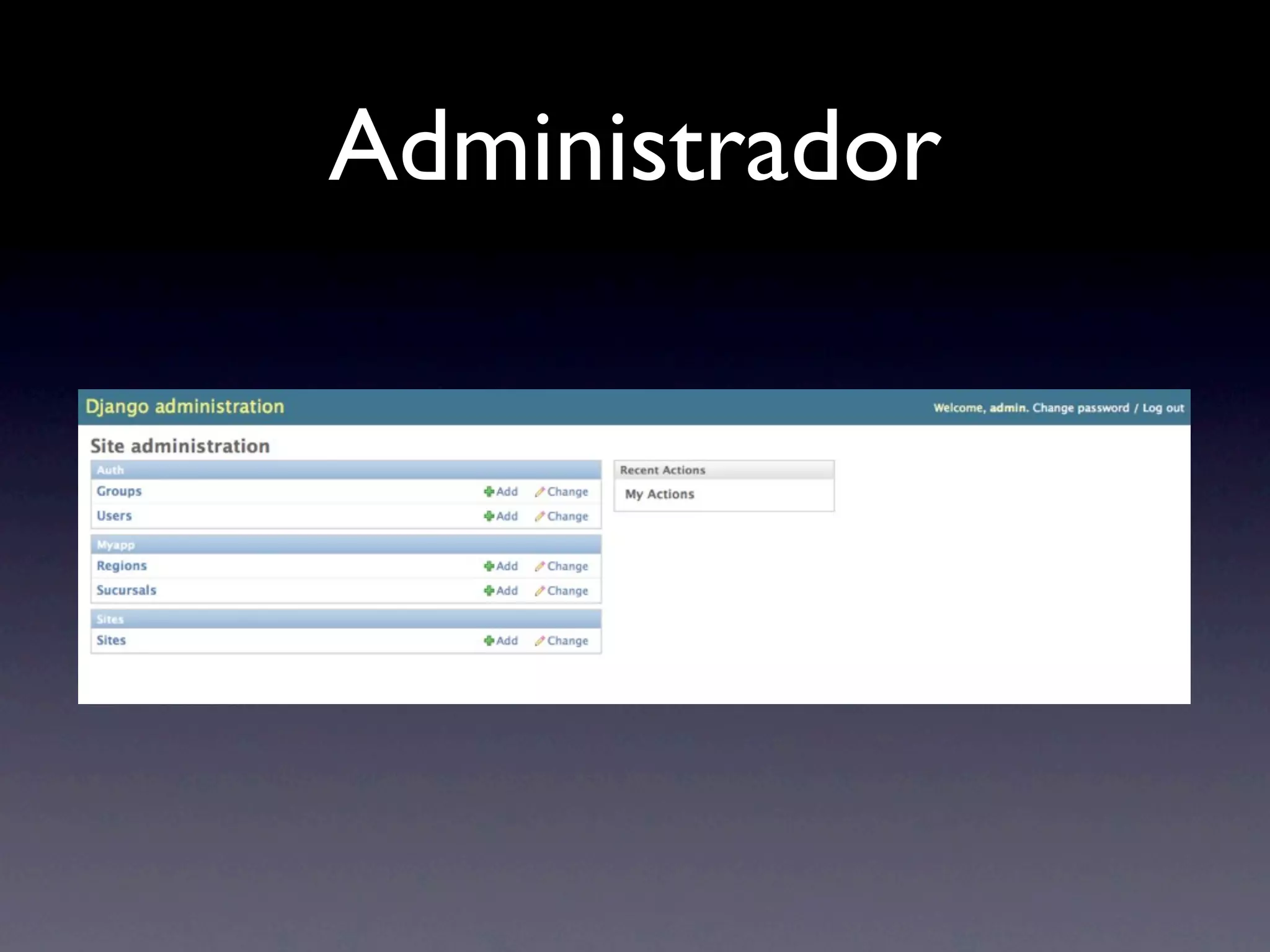
Administrador
Administrador
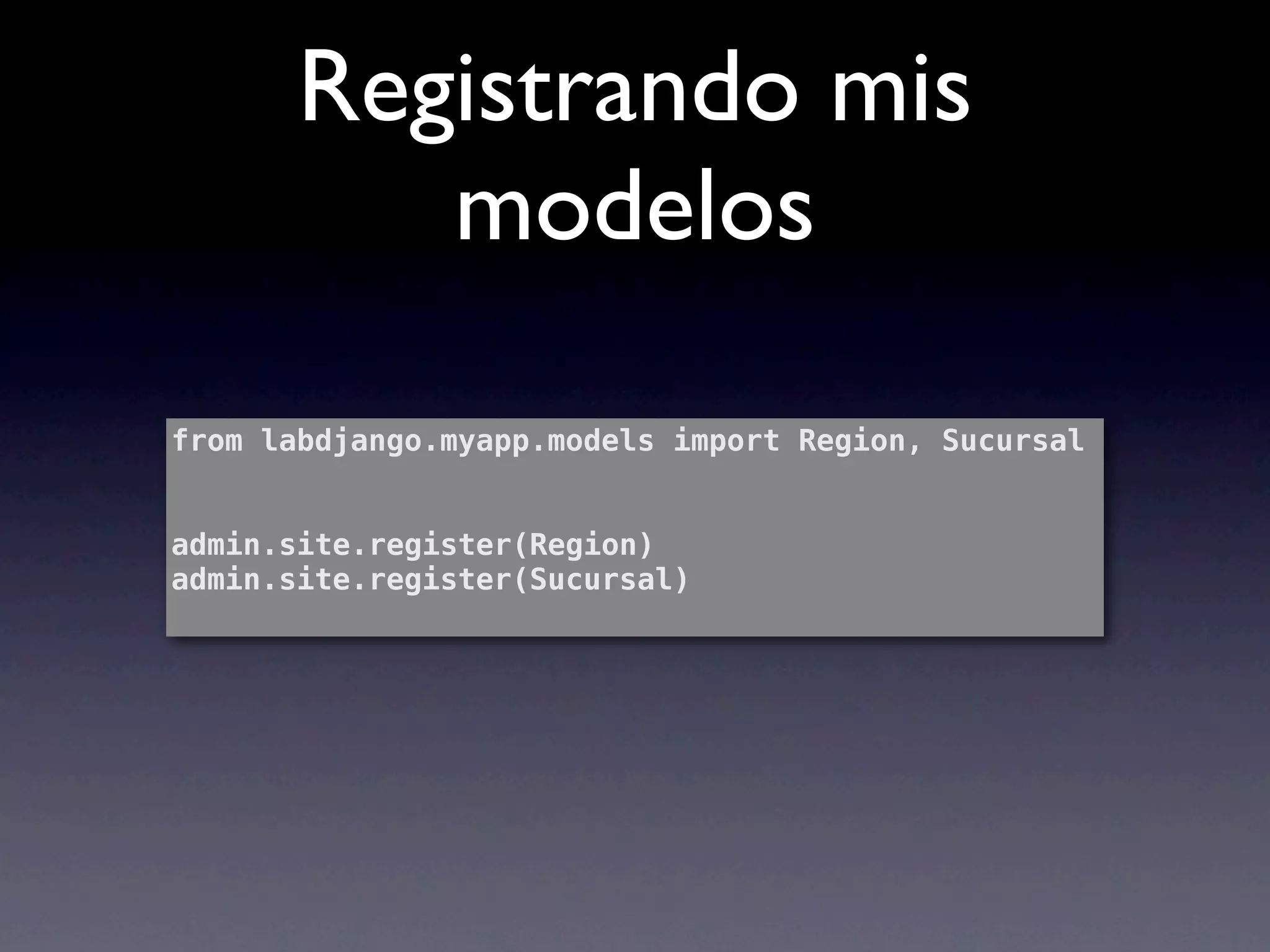
Registrando mis
          modelos

from labdjango.myapp.models import Region, Sucursal


admin.site.register(Region)
admin.site.register(Sucursal)
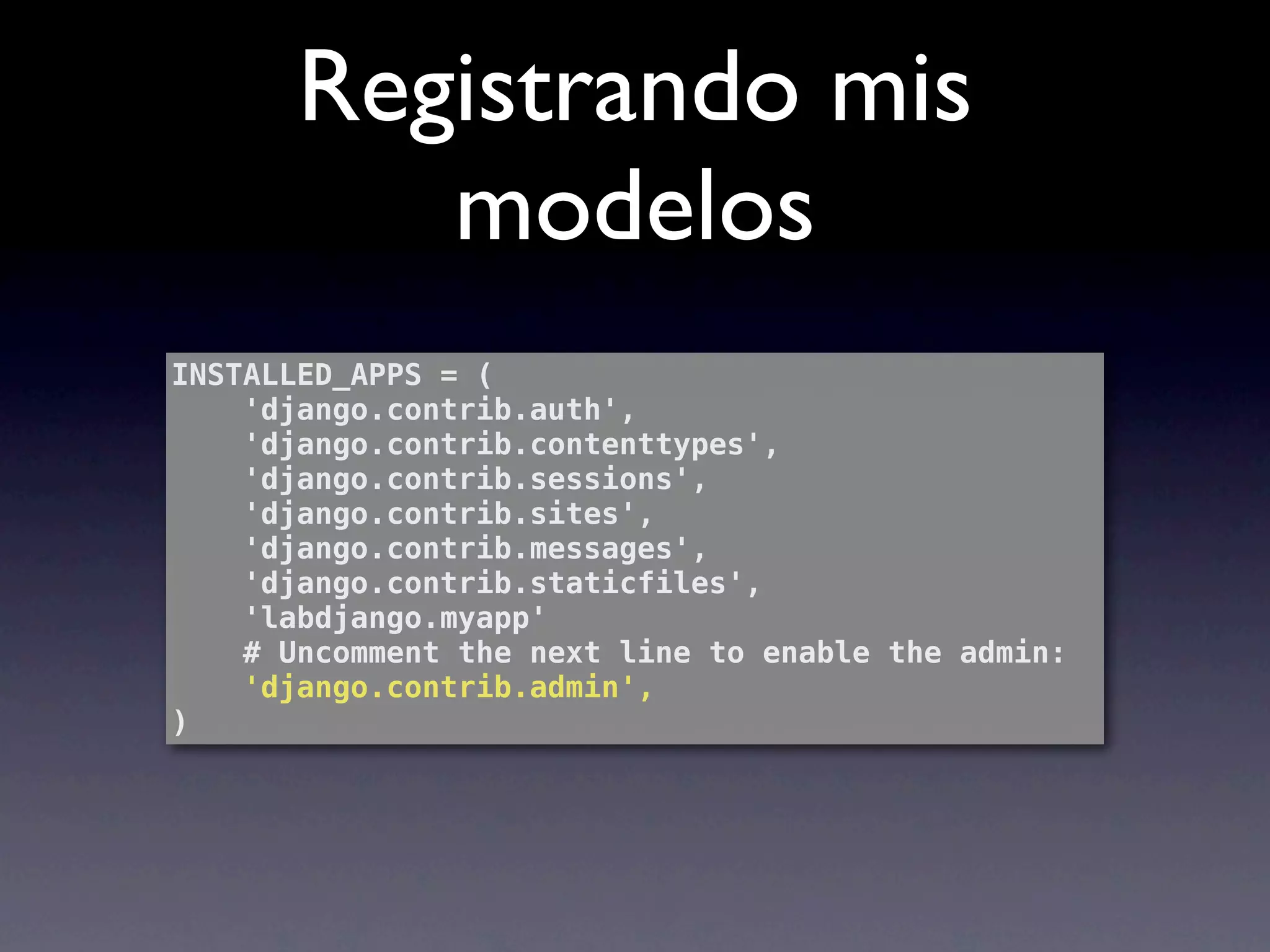
Registrando mis
          modelos
INSTALLED_APPS = (
    'django.contrib.auth',
    'django.contrib.contenttypes',
    'django.contrib.sessions',
    'django.contrib.sites',
    'django.contrib.messages',
    'django.contrib.staticfiles',
    'labdjango.myapp'
    # Uncomment the next line to enable the admin:
    'django.contrib.admin',
)
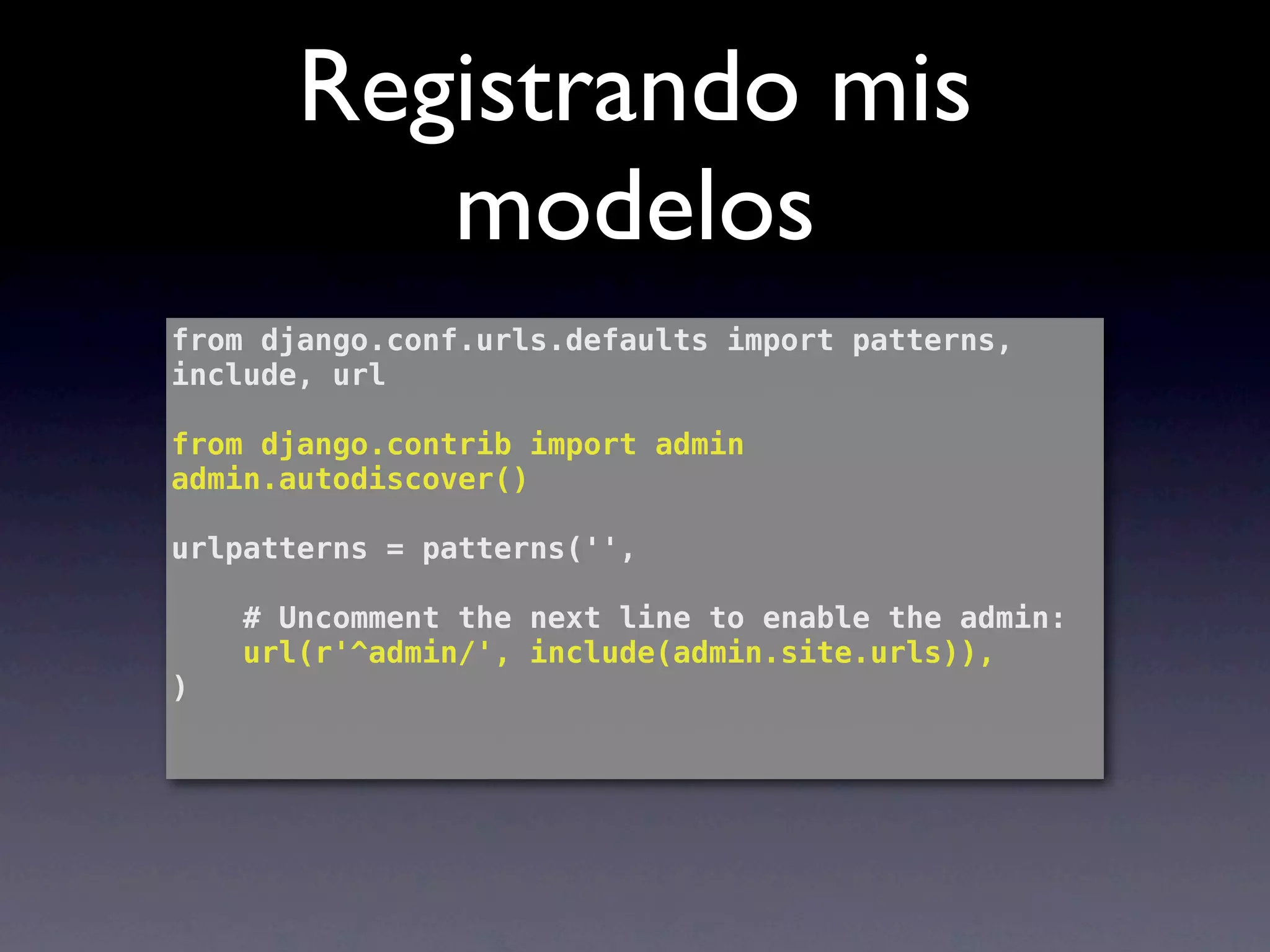
Registrando mis
          modelos
from django.conf.urls.defaults import patterns,
include, url

from django.contrib import admin
admin.autodiscover()

urlpatterns = patterns('',

    # Uncomment the next line to enable the admin:
    url(r'^admin/', include(admin.site.urls)),
)
Administrador muy
     configurable

class NoticiaAdmin(admin.ModelAdmin):
! search_fields = ['titulo', 'detalle']
! list_filter = ('estado',)
! list_display = ('categoria', 'titulo','fecha')
! date_hierarchy = 'fecha'
!
Forms
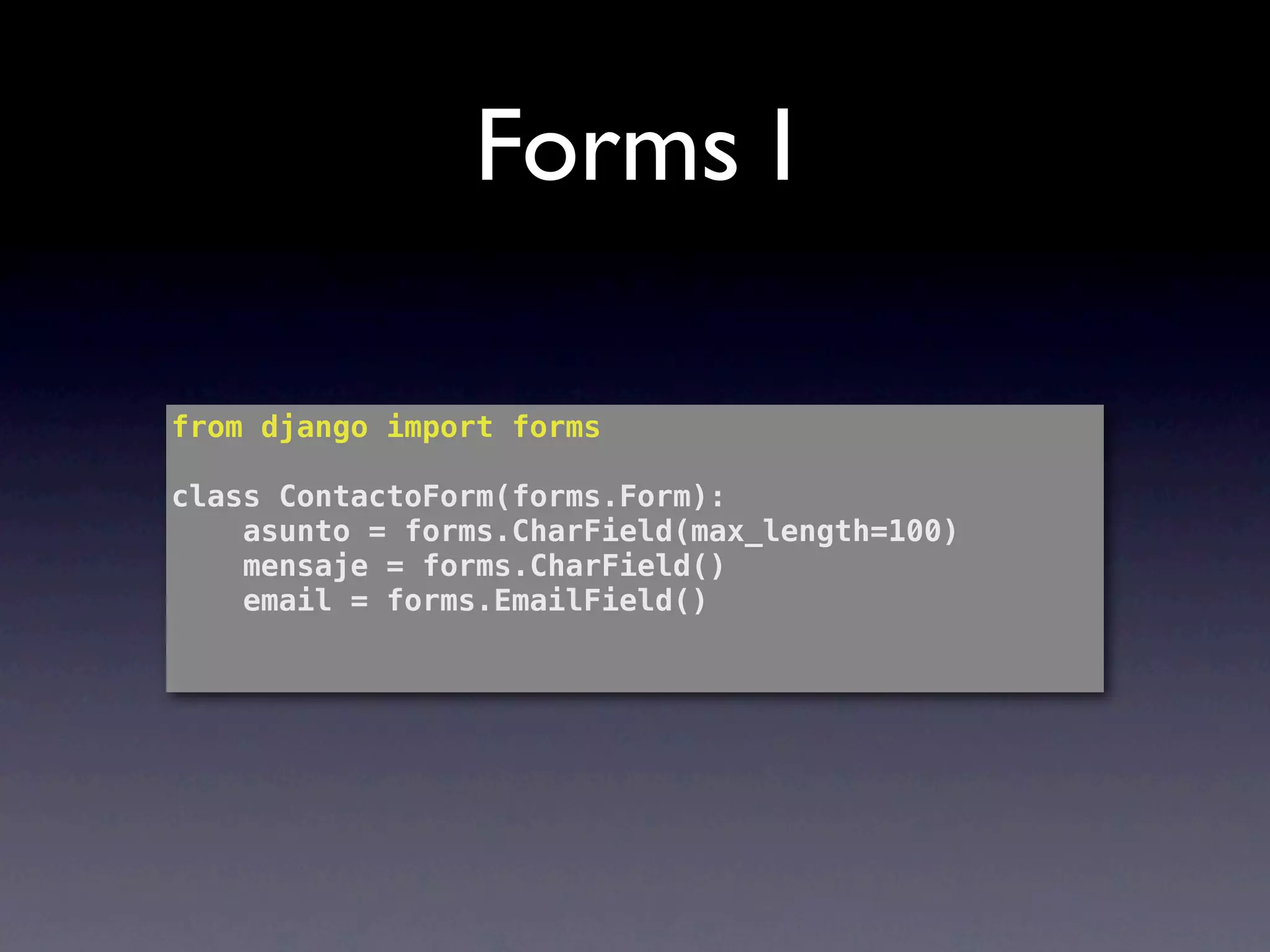
Forms I

from django import forms

class ContactoForm(forms.Form):
    asunto = forms.CharField(max_length=100)
    mensaje = forms.CharField()
    email = forms.EmailField()
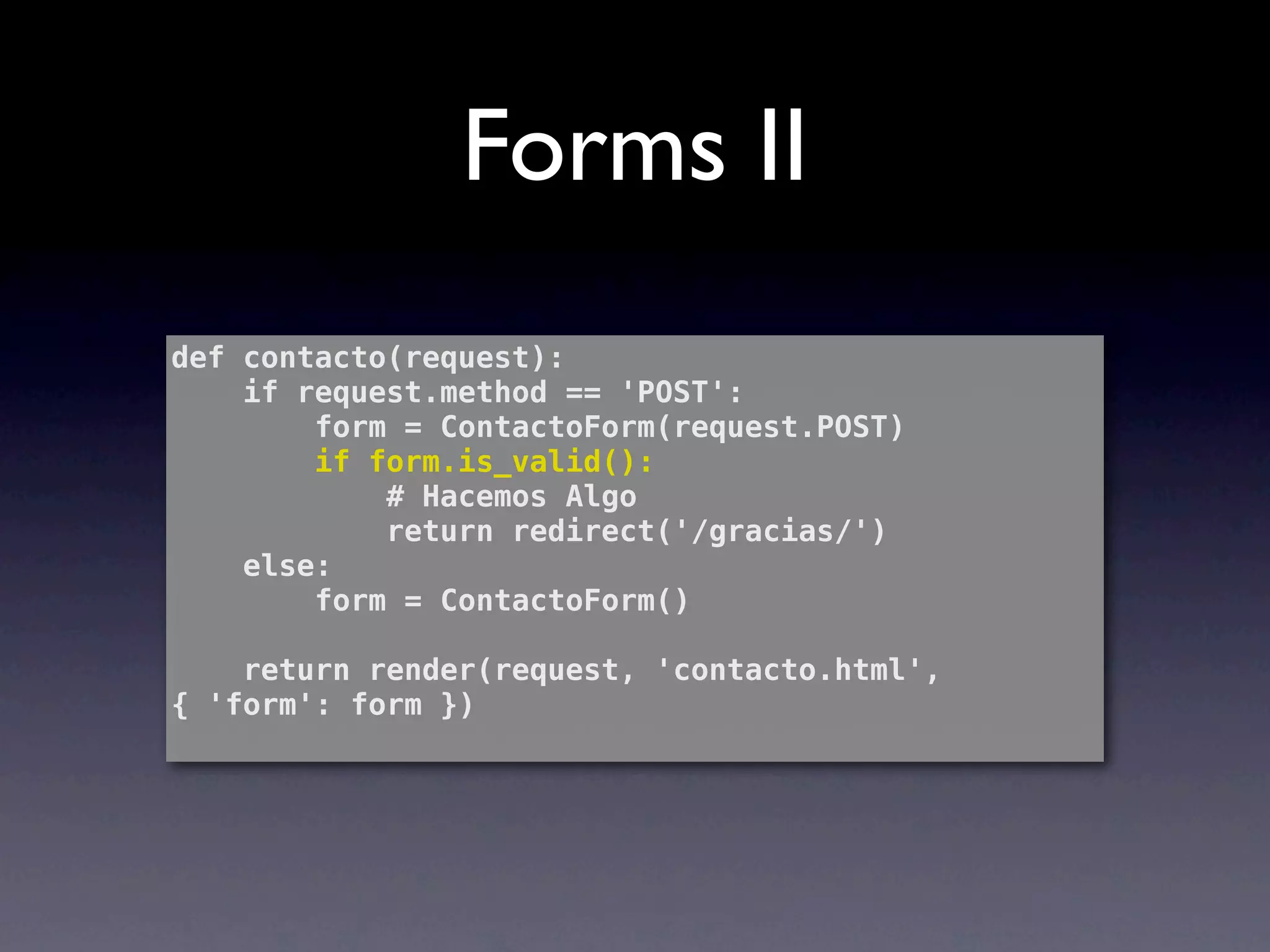
Forms II
def contacto(request):
    if request.method == 'POST':
        form = ContactoForm(request.POST)
        if form.is_valid():
            # Hacemos Algo
            return redirect('/gracias/')
    else:
        form = ContactoForm()

    return render(request, 'contacto.html',
{ 'form': form })
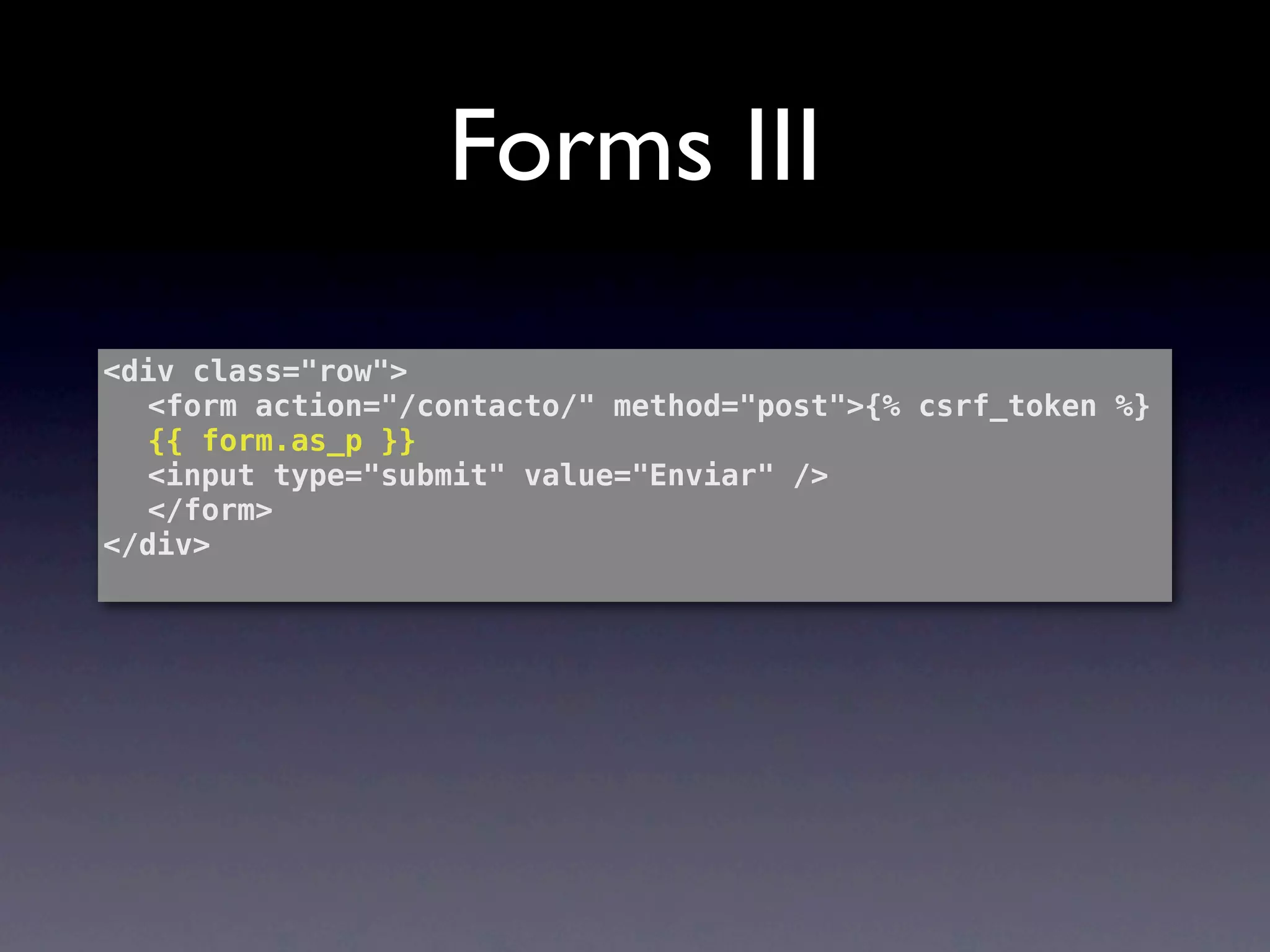
Forms III
<div class="row">
! <form action="/contacto/" method="post">{% csrf_token %}
! {{ form.as_p }}
! <input type="submit" value="Enviar" />
! </form>
</div>
Vistas Genéricas
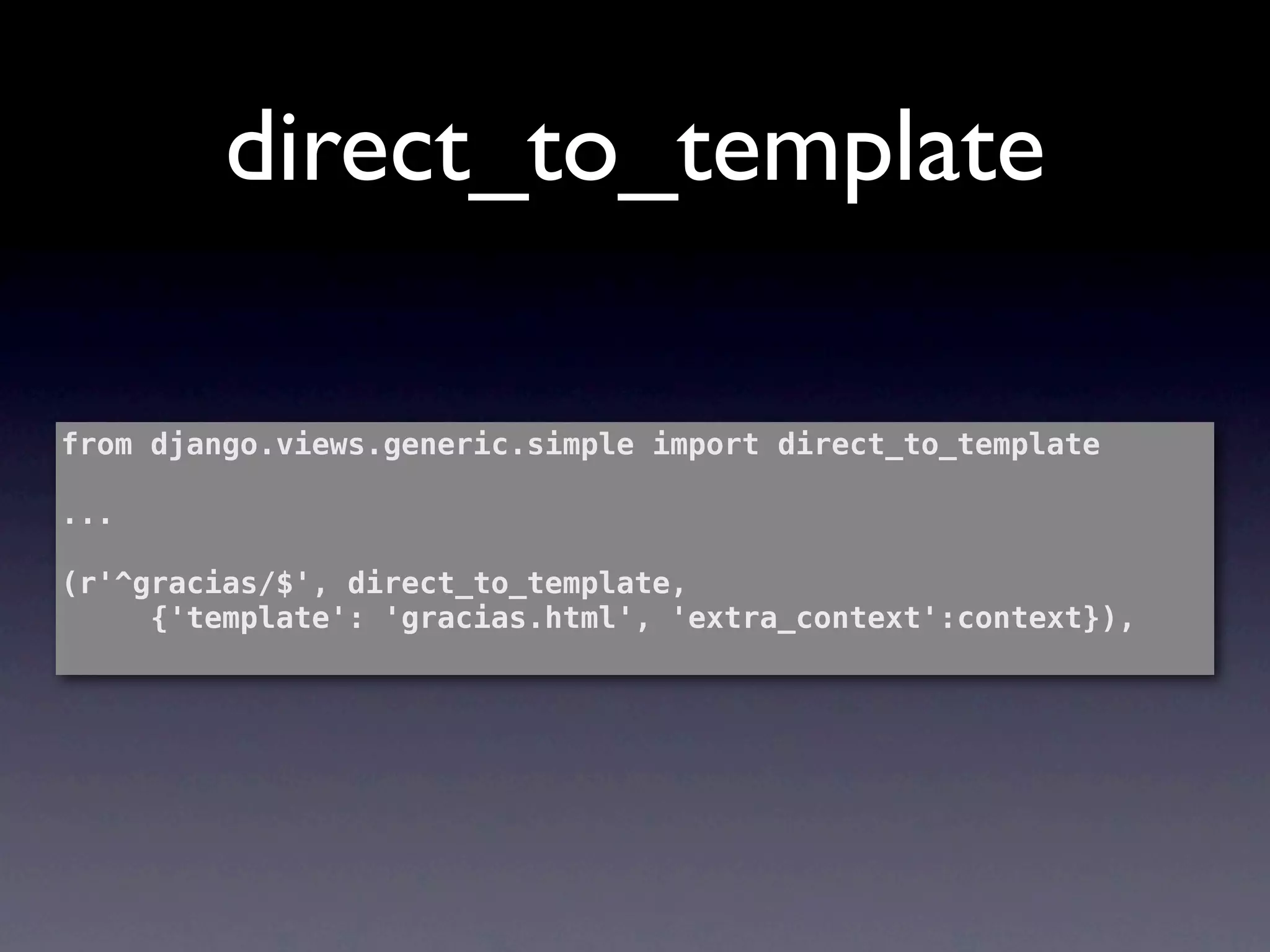
direct_to_template

from django.views.generic.simple import direct_to_template

...

(r'^gracias/$', direct_to_template,
     {'template': 'gracias.html', 'extra_context':context}),
list_detail.object_list
(r'^ultimas/$', list_detail.object_list, rule_info),


rule_info = {
    'queryset': Noticia.objects.order_by('-fecha')[:3],
    'extra_context':context,
    'template_name': 'ultimas.html',
}
Fin

Luis Cruz
@lcruzc

Introducción a DJango

  • 1.
    Luis Cruz @7Talks @lcruzc
  • 2.
    CTO & Co-founder Experimento Social
  • 3.
  • 4.
    Python • Lenguaje dinámico •Fuertemente tipado • Código abierto y multiplataforma • Archivos extensión .py
  • 5.
    Sintaxis No utiliza estructurasdel tipo “{ ... } “ para definir bloques, sino que utiliza identación if a == 1: print “Algo” print “Algo mas” if a == 1: print “Algo” print “Algo mas” for a in arr: print “Otra cosa” def myfunc(): return “y aún más”
  • 6.
    Tipos de datos Lostípicos string, int, float, long,bool >>> 1 + 2 3 >>> '1' + '2' '12' >>> '1' + 2 Traceback (most recent call last): File "<stdin>", line 1, in <module> TypeError: cannot concatenate 'str' and 'int' objects
  • 7.
    Cosas Interesantes Swap >>> a= 2 >>> b = 3 >>> a, b = b, a y con split... >>> year, month, day = "2011-12-01".split("-")
  • 8.
    Cosas Interesantes Manera tradicional if(a == b) { c = x } else { c = y } the python way.. c = x if a == b else y
  • 9.
    Cosas Interesantes ¿Números entre 0 y 15 que sean divisibles por 1 o 5? >>> a = [i for i in range(15) if not (i%3 and i%5)] >>> a [0, 3, 5, 6, 9, 10, 12] filter(lambda x:not (x%5 and x%3), range(15))
  • 10.
    Cosas Interesantes “Generadores” Generadores def date_range(start, end): for n in range((end-start).days): yield start + datetime.timedelta(n) Uso start = datetime.datetime(2011, 01, 1) end = datetime.datetime(2011, 01, 15) for date in date_range(start, end): print date
  • 11.
    Cosas Interesantes “Decoradores” Caso: def hacer_algo(): print "algo" hacer_algo() Caso con Logs: def hacer_algo_con_logs(): print "inicio" hacer_algo() print "end" hacer_algo_con_logs()
  • 12.
    Cosas Interesantes “Decoradores” Implementarun decorador def log_decorator(f): def wrapper(): print "inicio" f() print "end" return wrapper Mucho más elegante @log_decorator def hacer_algo(): print "algo" hacer_algo()
  • 13.
  • 14.
    Python Shell develop$ python Python2.6.7 (r267:88850, Aug 22 2011, 18:14:53) [GCC 4.2.1 (Based on Apple Inc. build 5658) (LLVM build 2335.15.00)] on darwin Type "help", "copyright", "credits" or "license" for more information. >>>
  • 15.
    Python Shell >>> range(1,10) [1,2, 3, 4, 5, 6, 7, 8, 9] >>> from djangolab.myapp.models import MyModel >>> import __hello__ >>> import this
  • 16.
  • 17.
  • 18.
    Comandos basicos de virtualenv Creando una ambiente labs$ virtualenv WS_ENV New python executable in WS_ENV/bin/python Installing setuptools............done. Installing pip...............done Activando un ambiente source WS_ENV/bin/activate Desactivando un ambiente deactivate
  • 19.
  • 20.
    Caracteristicas • Don’t RepeatYourself • Estructura de trabajo MTV • URL amigables • Sistema de admistración • Plantillas • Soprte GIS
  • 21.
    Flujo Request Enrutamiento Vista HTML Response
  • 22.
  • 23.
  • 24.
    Organización - proyecto - aplicación 1 - views.py - models.py - aplicación 2 - views.py - models.py - aplicación 3 - views.py - models.py - settings.py - urls.py
  • 25.
    Archivos del Proyecto •settings.py: almacena los parametros de configuración de la aplicación • urls.py: almacena los ruteos • manage.py: comandos y utilidades para ejecutar sobre el proyecto
  • 26.
    Archivos de la Aplicación • models.py: modelos propios de la aplicación • views.py: vistas (controladores) • tests.py: aquí se incluyen nuestros tests o
  • 27.
  • 28.
    Creando un proyecto Crearun proyecto workshop$ django-admin.py startproject labdjango Crear un aplicación labdjango$ python manage.py startapp myapp
  • 29.
    Configurando la base de datos DATABASES = { 'default': { 'ENGINE': 'django.db.backends.sqlite3', 'NAME': 'database.db', 'USER': '', 'PASSWORD': '', 'HOST': '', 'PORT': '', } }
  • 30.
    Ejecutando el servidor labdjango$python manage.py runserver Validating models... 0 errors found Django version 1.3, using settings 'labdjango.settings' Development server is running at http://127.0.0.1:8000/ Quit the server with CONTROL-C. [17/Nov/2011 20:11:31] "GET / HTTP/1.1" 200 2057
  • 31.
  • 32.
  • 33.
    Creando un modelo fromdjango.db import models class Noticia(models.Model): fecha = models.DateField(null=True) categoria = models.ForeignKey(Categoria) titulo = models.CharField(max_length=100, blank=True) detalle = models.TextField(max_length=100)
  • 34.
    Sincoronizando con nuestra base de datos labdjango$ python manage.py syncdb Creating tables ... You just installed Django's auth system, which means you don't have any superusers defined. Would you like to create one now? (yes/no): yes Username (Leave blank to use 'lcruzc'): admin E-mail address: lcruzc@gmail.com Password: Password (again): Superuser created successfully. Installing custom SQL ... Installing indexes ... No fixtures found.
  • 35.
    ORM I Llamado alnuestro shell bajo “django” workshop$ python manage.py shell Obteniendo los objetos >> Categoria.objects.all() Creando un objeto >> categoria = Categoria(nombre = ‘Deportes’) >> categoria.save()
  • 36.
    ORM II Recuperando unobjeto >> categoria = Categoria.objects.get(pk=1) Recuperando un objeto >> categoria = Categoria.objects.get(nombre=‘Deportes’) Buscando un conjunto de objetos >> noticias = noticia.objects.filter(estado = 'Publicada')
  • 37.
    ORM III Recuperando unobjeto (join) >> Noticia.objects.filter(categoria__nombre = 'Deportes') Recuperando objetos relacionados >> categoria = Categoria.objects.get(pk=1) >> categoria.noticia_set.all() [<Noticia: Ganamos la copa america>] Borrando >> categoria.delete()
  • 38.
  • 39.
    Configurando mis ruteos urlpatterns = patterns('', (r'^articles/2003/$', ''), (r'^/$', 'myapp.views.index'), (r'^noticias/$', 'myapp.views.listado'), (r'^noticia/(?P<id>d+)/$', 'myapp.views.detalle'), )
  • 40.
    Configurando mis ruteos from django.shortcuts import render from labdjango.myapp.models import Categoria, Noticia def index(request): categoria = Categoria.objects.all() return render(request, 'index.html', { 'categoria':categoria }) def noticias(request): noticias = Noticia.objects.all() return render(request, 'index.html', { 'noticias':noticias }) def noticias(request, key): noticia = Noticia.objects.get(pk = int(key)) return render(request, 'index.html', { 'noticia':noticia })
  • 41.
  • 42.
    Plantillas I <divclass="row"> ! ! {% for noticia in noticias %} <div class="span5"> <h2>{{noticia.titulo}}</h2> <p>{{noticia.detalle}}</p> <p> <a href="/noticia/{{noticia.id}}/">Ver detalle</a> </p> </div> ! ! {% endfor %} </div>
  • 43.
    Plantillas II {% extends"base.html" %} {% block "content" %} <div class="row"> ! <div class="span12"> ! ! <h2>{{noticia.titulo}} - {{noticia.fecha|date:"d/m/Y"}}</ h2> ! ! <p>{{noticia.detalle}}</p> ! ! <p><a class="btn" href="/">Volver &raquo;</a></p> ! </div> </div> {% endblock%}
  • 44.
  • 45.
  • 46.
    Registrando mis modelos from labdjango.myapp.models import Region, Sucursal admin.site.register(Region) admin.site.register(Sucursal)
  • 47.
    Registrando mis modelos INSTALLED_APPS = ( 'django.contrib.auth', 'django.contrib.contenttypes', 'django.contrib.sessions', 'django.contrib.sites', 'django.contrib.messages', 'django.contrib.staticfiles', 'labdjango.myapp' # Uncomment the next line to enable the admin: 'django.contrib.admin', )
  • 48.
    Registrando mis modelos from django.conf.urls.defaults import patterns, include, url from django.contrib import admin admin.autodiscover() urlpatterns = patterns('', # Uncomment the next line to enable the admin: url(r'^admin/', include(admin.site.urls)), )
  • 49.
    Administrador muy configurable class NoticiaAdmin(admin.ModelAdmin): ! search_fields = ['titulo', 'detalle'] ! list_filter = ('estado',) ! list_display = ('categoria', 'titulo','fecha') ! date_hierarchy = 'fecha' !
  • 50.
  • 51.
    Forms I from djangoimport forms class ContactoForm(forms.Form): asunto = forms.CharField(max_length=100) mensaje = forms.CharField() email = forms.EmailField()
  • 52.
    Forms II def contacto(request): if request.method == 'POST': form = ContactoForm(request.POST) if form.is_valid(): # Hacemos Algo return redirect('/gracias/') else: form = ContactoForm() return render(request, 'contacto.html', { 'form': form })
  • 53.
    Forms III <div class="row"> !<form action="/contacto/" method="post">{% csrf_token %} ! {{ form.as_p }} ! <input type="submit" value="Enviar" /> ! </form> </div>
  • 54.
  • 55.
    direct_to_template from django.views.generic.simple importdirect_to_template ... (r'^gracias/$', direct_to_template, {'template': 'gracias.html', 'extra_context':context}),
  • 56.
    list_detail.object_list (r'^ultimas/$', list_detail.object_list, rule_info), rule_info= { 'queryset': Noticia.objects.order_by('-fecha')[:3], 'extra_context':context, 'template_name': 'ultimas.html', }
  • 57.