TECHNOLOGY DEPARTMENT
                                                               OPENOFFICE WRITTER


                                PRACTICE 3


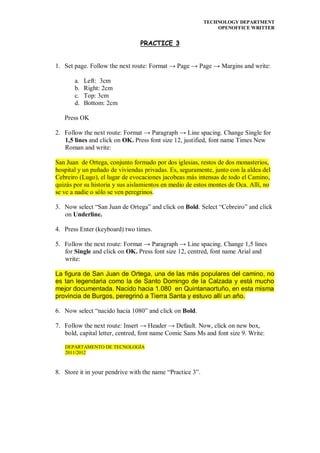
1. Set page. Follow the next route: Format → Page → Page → Margins and write:

       a.   Left: 3cm
       b.   Right: 2cm
       c.   Top: 3cm
       d.   Bottom: 2cm

   Press OK

2. Follow the next route: Format → Paragraph → Line spacing. Change Single for
   1,5 lines and click on OK. Press font size 12, justified, font name Times New
   Roman and write:

San Juan de Ortega, conjunto formado por dos iglesias, restos de dos monasterios,
hospital y un puñado de viviendas privadas. Es, seguramente, junto con la aldea del
Cebreiro (Lugo), el lugar de evocaciones jacobeas más intensas de todo el Camino,
quizás por su historia y sus aislamientos en medio de estos montes de Oca. Allí, no
se ve a nadie o sólo se ven peregrinos.

3. Now select “San Juan de Ortega” and click on Bold. Select “Cebreiro” and click
   on Underline.

4. Press Enter (keyboard) two times.

5. Follow the next route: Format → Paragraph → Line spacing. Change 1,5 lines
   for Single and click on OK. Press font size 12, centred, font name Arial and
   write:

La figura de San Juan de Ortega, una de las más populares del camino, no
es tan legendaria como la de Santo Domingo de la Calzada y está mucho
mejor documentada. Nacido hacia 1.080 en Quintanaortuño, en esta misma
provincia de Burgos, peregrinó a Tierra Santa y estuvo allí un año.

6. Now select “nacido hacia 1080” and click on Bold.

7. Follow the next route: Insert → Header → Default. Now, click on new box,
   bold, capital letter, centred, font name Comic Sans Ms and font size 9. Write:

   DEPARTAMENTO DE TECNOLOGÍA
   2011/2012


8. Store it in your pendrive with the name “Practice 3”.

Practice 3 (1º ESO)

  • 1.
    TECHNOLOGY DEPARTMENT OPENOFFICE WRITTER PRACTICE 3 1. Set page. Follow the next route: Format → Page → Page → Margins and write: a. Left: 3cm b. Right: 2cm c. Top: 3cm d. Bottom: 2cm Press OK 2. Follow the next route: Format → Paragraph → Line spacing. Change Single for 1,5 lines and click on OK. Press font size 12, justified, font name Times New Roman and write: San Juan de Ortega, conjunto formado por dos iglesias, restos de dos monasterios, hospital y un puñado de viviendas privadas. Es, seguramente, junto con la aldea del Cebreiro (Lugo), el lugar de evocaciones jacobeas más intensas de todo el Camino, quizás por su historia y sus aislamientos en medio de estos montes de Oca. Allí, no se ve a nadie o sólo se ven peregrinos. 3. Now select “San Juan de Ortega” and click on Bold. Select “Cebreiro” and click on Underline. 4. Press Enter (keyboard) two times. 5. Follow the next route: Format → Paragraph → Line spacing. Change 1,5 lines for Single and click on OK. Press font size 12, centred, font name Arial and write: La figura de San Juan de Ortega, una de las más populares del camino, no es tan legendaria como la de Santo Domingo de la Calzada y está mucho mejor documentada. Nacido hacia 1.080 en Quintanaortuño, en esta misma provincia de Burgos, peregrinó a Tierra Santa y estuvo allí un año. 6. Now select “nacido hacia 1080” and click on Bold. 7. Follow the next route: Insert → Header → Default. Now, click on new box, bold, capital letter, centred, font name Comic Sans Ms and font size 9. Write: DEPARTAMENTO DE TECNOLOGÍA 2011/2012 8. Store it in your pendrive with the name “Practice 3”.