Proyecto de Visual Basic N°2Alumna expositora: Milenka Uceda
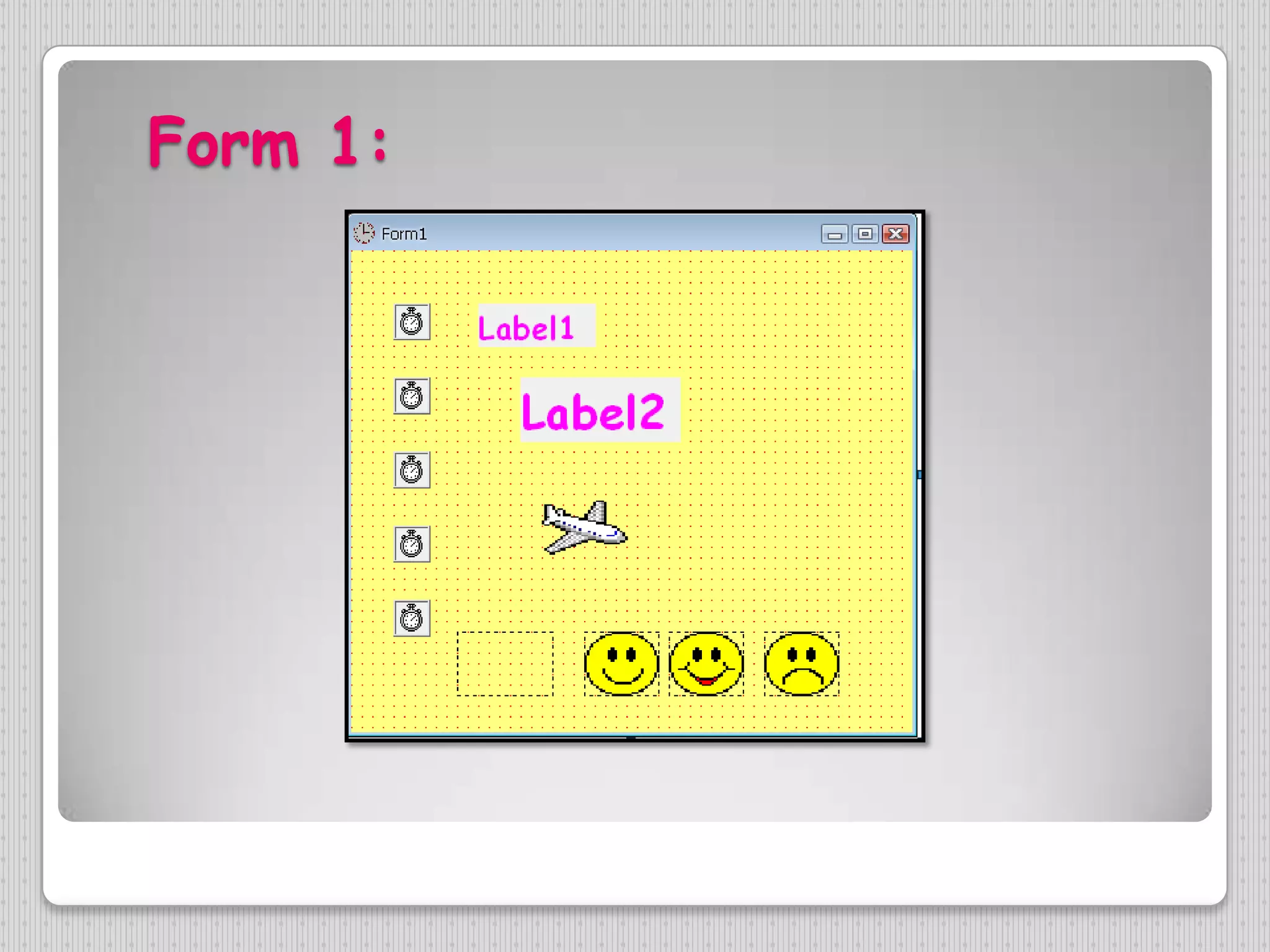
Form 1:
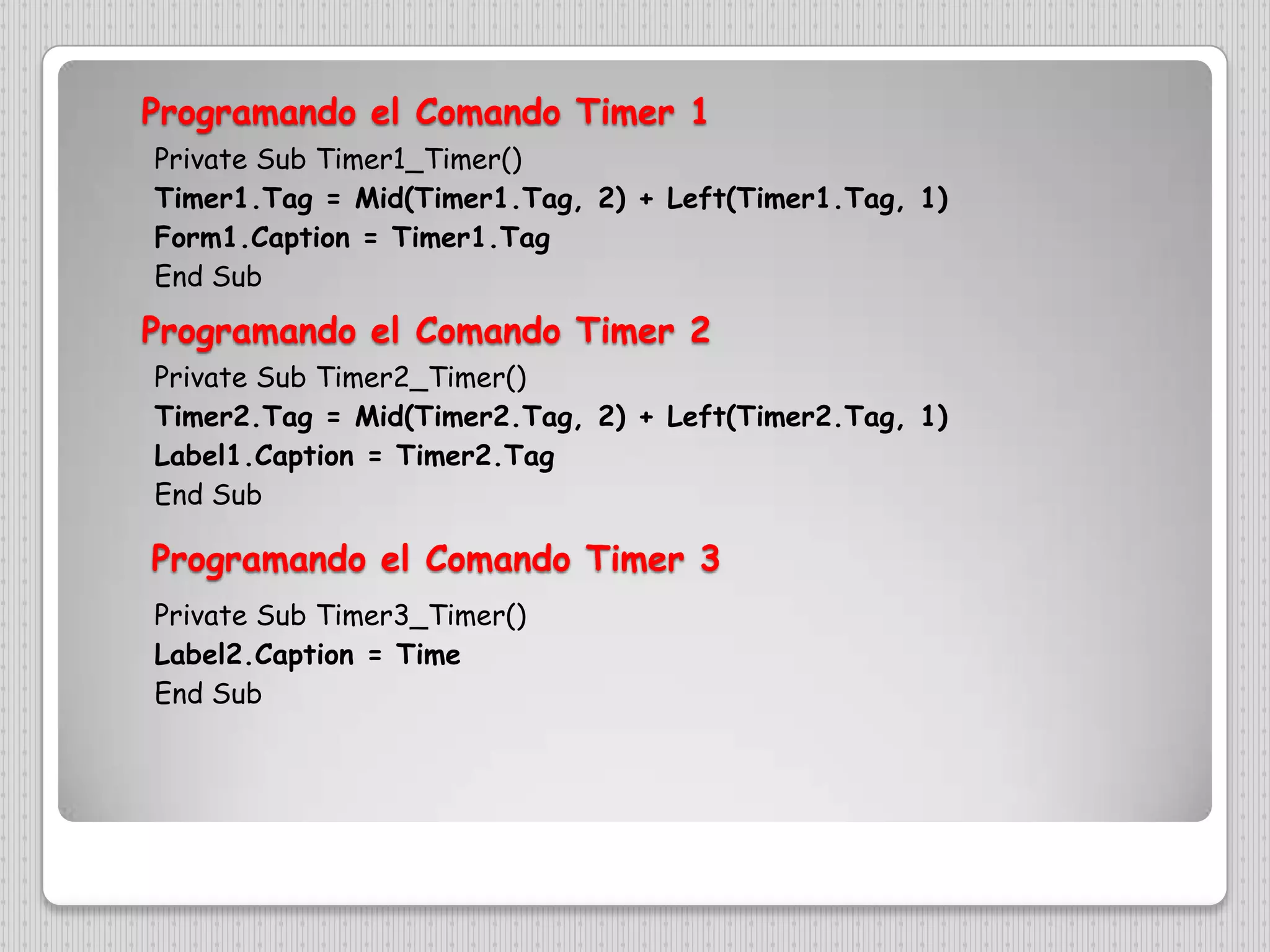
Programando el ComandoTimer 1Private Sub Timer1_Timer()Timer1.Tag = Mid(Timer1.Tag, 2) + Left(Timer1.Tag, 1)Form1.Caption = Timer1.TagEnd SubProgramando el ComandoTimer 2Private Sub Timer2_Timer()Timer2.Tag = Mid(Timer2.Tag, 2) + Left(Timer2.Tag, 1)Label1.Caption = Timer2.TagEnd SubProgramando el ComandoTimer 3Private Sub Timer3_Timer()Label2.Caption = TimeEnd Sub
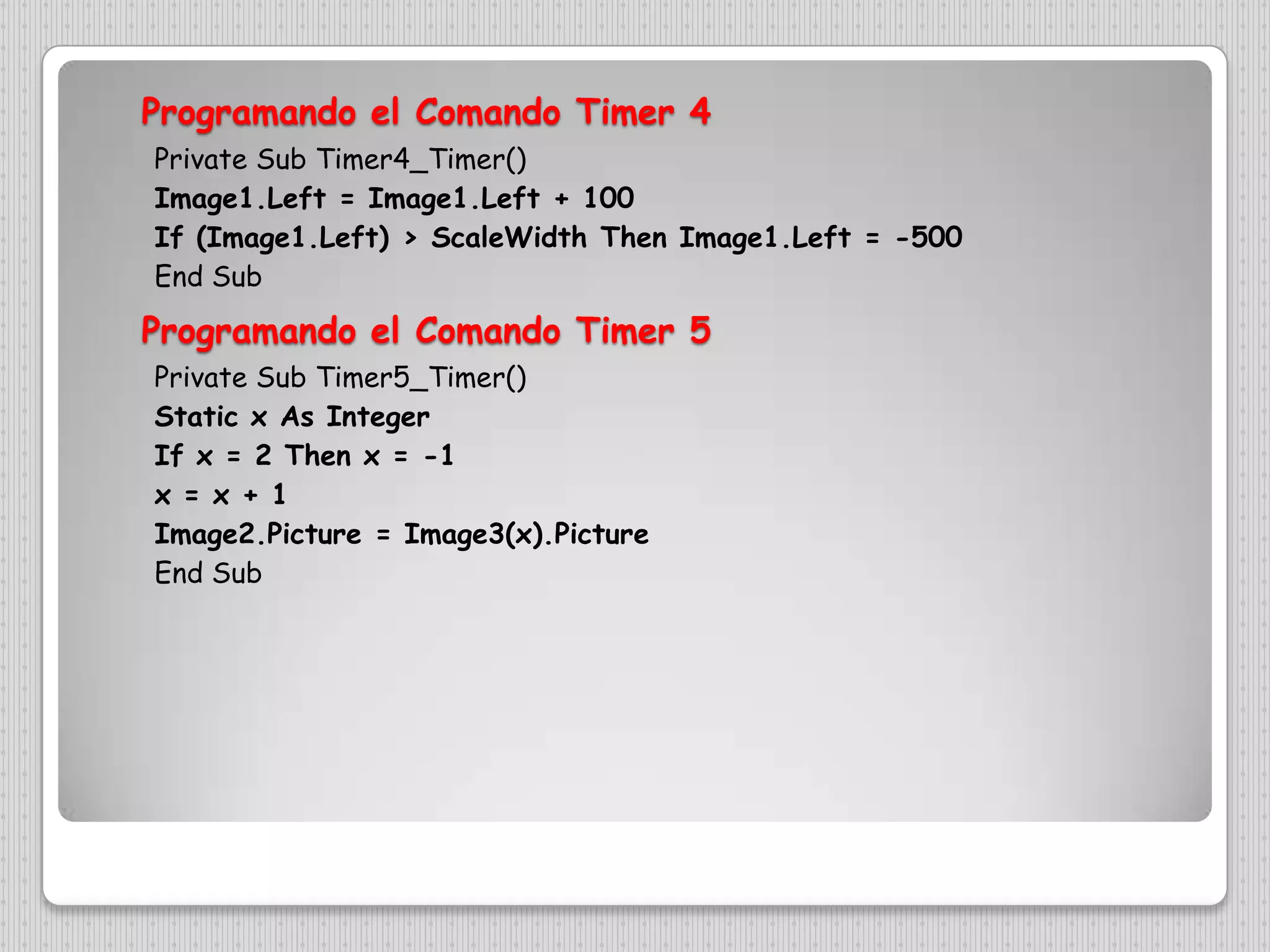
Programando el ComandoTimer 4Private Sub Timer4_Timer()Image1.Left = Image1.Left + 100If (Image1.Left) > ScaleWidth Then Image1.Left = -500End SubProgramando el ComandoTimer 5Private Sub Timer5_Timer()Static x As IntegerIf x = 2 Then x = -1x = x + 1Image2.Picture = Image3(x).PictureEnd Sub
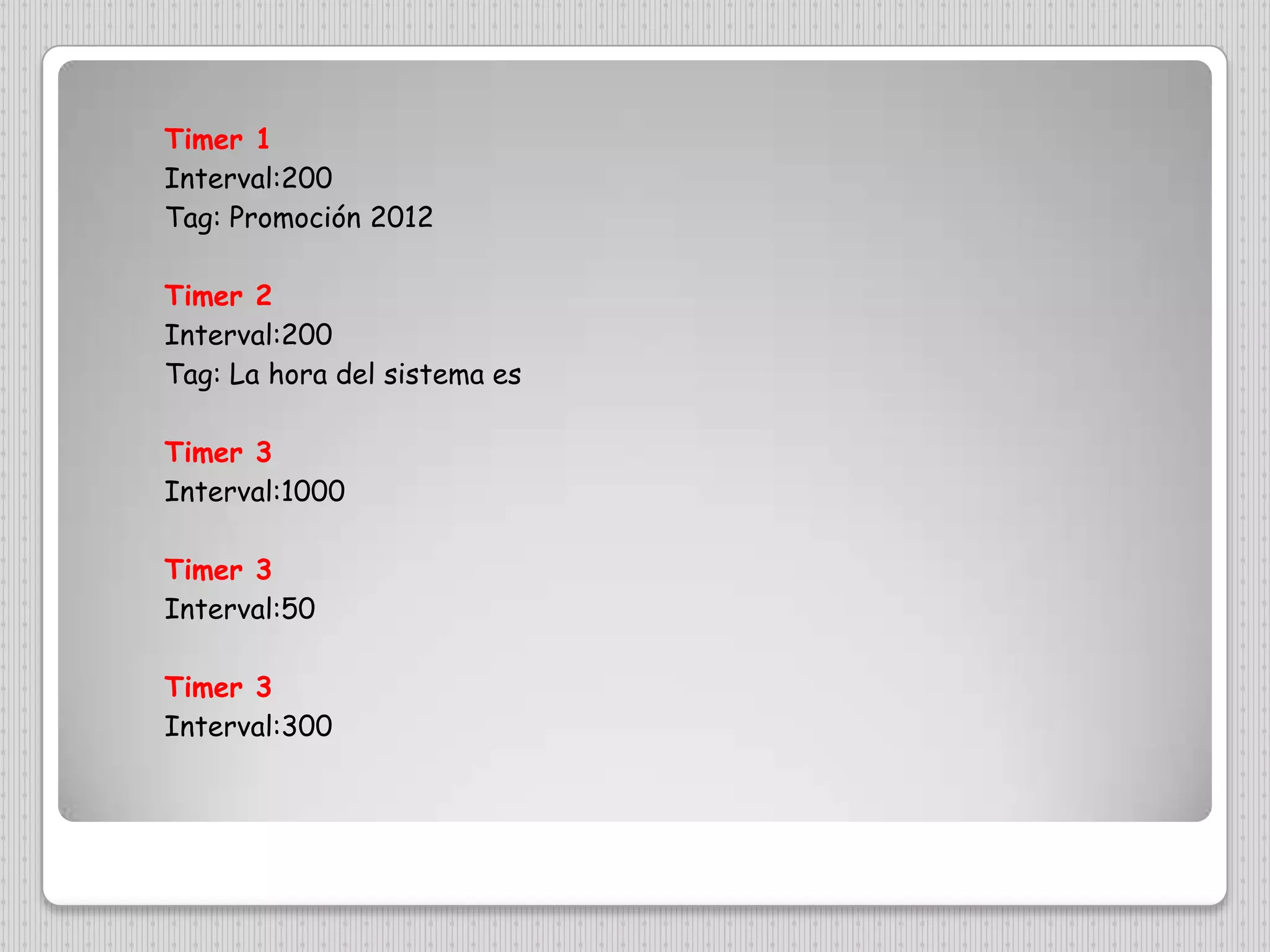
Timer 1Interval:200Tag: Promoción 2012Timer 2Interval:200Tag: La hora del sistema esTimer 3Interval:1000Timer 3Interval:50Timer 3Interval:300

PROYECTO No 2

  • 1.
    Proyecto de VisualBasic N°2Alumna expositora: Milenka Uceda
  • 2.
  • 3.
    Programando el ComandoTimer1Private Sub Timer1_Timer()Timer1.Tag = Mid(Timer1.Tag, 2) + Left(Timer1.Tag, 1)Form1.Caption = Timer1.TagEnd SubProgramando el ComandoTimer 2Private Sub Timer2_Timer()Timer2.Tag = Mid(Timer2.Tag, 2) + Left(Timer2.Tag, 1)Label1.Caption = Timer2.TagEnd SubProgramando el ComandoTimer 3Private Sub Timer3_Timer()Label2.Caption = TimeEnd Sub
  • 4.
    Programando el ComandoTimer4Private Sub Timer4_Timer()Image1.Left = Image1.Left + 100If (Image1.Left) > ScaleWidth Then Image1.Left = -500End SubProgramando el ComandoTimer 5Private Sub Timer5_Timer()Static x As IntegerIf x = 2 Then x = -1x = x + 1Image2.Picture = Image3(x).PictureEnd Sub
  • 5.
    Timer 1Interval:200Tag: Promoción2012Timer 2Interval:200Tag: La hora del sistema esTimer 3Interval:1000Timer 3Interval:50Timer 3Interval:300