PROGRMACION
EN GAMBAS
TERCERO “A” SISTEMAS
PROGRAMA
GRAFICOS Y DE
CONSOLA
WANDER JOEL MERA PINARGOTE
1
PRIMER PROGRAMA DE CADENA DE TEXTO
MOSTRAR NOMBRE DE LA INSTITUCIÓN
Public sub main ( )
Dim Institucion as string
Dim Pais as string
Dim Provincia as string
Dim Canton as string
Institucion = “ UNIDAD EDUCATIVA HUGO CRUZ ANDRADE ”
Pais = “ECUADOR”
Provincia = “MANABI”
Canton = “EL CARMEN”
Print Institucion
Print Canton & “ - ” & Provincia & “-” & Pais
End
PROGRAMA QUE CALCULA EL PROMEDIO DE TRES NOTAS
Public sub main ( )
Dim N1 as single
Dim N2 as single
Dim N3 as single
Dim S as single
Dim P as single
Print “ingrese la primer nota”
Input N1
Print “ingrese la segunda nota”
Input N2
Public sub main ( )
Dim Nombre as string
Dim Apellidos as string
Nombre = “ Manuel ”
Apellidos = “Alvares Gomez”
Print Apellidos & “ , ” & Nombre
End
2
Print “ingrese la tercera nota”
Input N3
S = N1 + N2+ N3
P = S / 3
Print “ la suma es : ”, S
Print “el promedio es : ”, P
End
EXPORTACIONES EN EL ECUADOR EXPORTA CAFÉ, CACAO Y MAÍZ EN
QUINTALES SE DESEA CALCULAR EL TOTAL DE PORTACIONES Y EL
PORCNTAJE DE CADA UNO. PRODUCTOS EXPORTRADOS CON LOS
SIGUIENTES DATOS: MAÍZ 300, CAFÉ 400, CACAO 800
Public sub main ( )
Dim Cacao as integer
Dim Cafe as integer
Dim Maiz as integer
Dim P1 as single
Dim P2 as single
Dim Suma as integer
Café = 400
Cacao = 800
Maíz = 300
Suma = Café + Cacao + Maíz
P1 = (Café / Suma ) * 100
P2 = (Cacao / Suma ) * 100
P3 = (Maíz / Suma ) * 100
Print “el total de exportaciones es : ” & Suma
Print “el procentaje del cafe es : ” & P1 & “ % ”
Print “el procentaje del Cacao es : ” & P2 & “ % ”
Print “el procentaje del Maíz es : ” & P3 & “ % ”
End
3
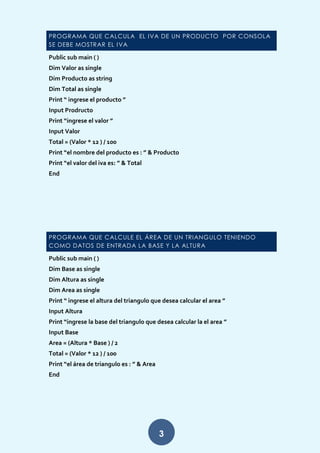
PROGRAMA QUE CALCULA EL IVA DE UN PRODUCTO POR CONSOLA
SE DEBE MOSTRAR EL IVA
Public sub main ( )
Dim Valor as single
Dim Producto as string
Dim Total as single
Print “ ingrese el producto ”
Input Prodructo
Print “ingrese el valor ”
Input Valor
Total = (Valor * 12 ) / 100
Print “el nombre del producto es : ” & Producto
Print “el valor del iva es: ” & Total
End
PROGRAMA QUE CALCULE EL ÁREA DE UN TRIANGULO TENIENDO
COMO DATOS DE ENTRADA LA BASE Y LA ALTURA
Public sub main ( )
Dim Base as single
Dim Altura as single
Dim Area as single
Print “ ingrese el altura del triangulo que desea calcular el area ”
Input Altura
Print “ingrese la base del triangulo que desea calcular la el area ”
Input Base
Area = (Altura * Base ) / 2
Total = (Valor * 12 ) / 100
Print “el área de triangulo es : ” & Area
End
4
PROGRAMA QUE PERMITA RECIBIR COMO DATO DE ENTRADA UNA
DISTANCIA MEDIDA EN METROS Y CONVERTIRLA A KILOMETROS
Public sub main ( )
Dim Metro as single
Dim Kilometro as single
Print “ ingrese la medida en metros para convertirla a kilometros ”
Input Metro
Kilometro = Metro / 1000
Print “la medida en km es : ” Kilometro
End
PROGRAMA PARA RESOLVAMOS LA SIGUIENTE ECUACIÓN Y = X3 – X2
+2 - 3”
Public sub main ( )
Dim x as byte
Dim y as single
Print “ resolvamos la siguiente ecuación y = x3 – x2 +2 - 3”
Print “se le da el valor a x”
Input x
y = x ^ 3– x ^ 2 +2 – 3
Print “el resultsdo de la ecuación es : ” & y
End
OPRESIONES BÁSICAS DE MATEMÁTICAS
Public sub main ( )
Dim B as byte
Dim C as byte
B = 20
C = 65
Print B +C
Print B – C
Print B / C
Print B * C
End
5
LA SUMA DE DOS VALORES
Public sub main ( )
Dim A as byte
Dim B as byte
Dim S as byte
A = 20
B = 65
S = A +B
Print “la suma es : ” & S
End
PROGRAMA QUE PERMITE LEER LA CANTIDAD Y EL PRECIO DE UN
PRODUCTO EL MISMO QUE TIENE UN DESCUENTO DE 5% MOSTRAR POR
PANTALLA EL PRECIO TOTAL
Public sub main ( )
Dim Cantidad as single
Dim Precio as single
Dim Sud as single
Dim Des as single
Dim Prt as single
Dim Producto as string
Print “bienvenido a mi programa”
Print “ingrese el nombre del producto”
Input Producto
Print “ingrese la cantidad del producto”
Input Cantidad
Print “ingrese el precio del producto”
Input Precio
Sud = Cantidad * Precio
Des = Sud * 0.05
Prt = Prt – Des
Print “el precio total de producto será ”
Print Prt
End
6
PROGRAMA QUE PERMITE INGRESAR EL VALOR DE UN PRODUCTO, Y EL
NÚMERO DE UNIDADES DEL MISMO, MOSTRAR POR PANTALLA EL TOTAL
DE IMORTACIONES, Y TSMBIEN QUE MUESTRE LA COMISIÓN DEL 15% EN
CONSOLA
Public sub main ( )
Dim N_producto as string
Dim V_producto as single
Dim Unidades as integer
Dim Importacion as single
Dim Comision as single
Dim V_total as single
Print “ingrese el nombre de su producto”
Input N_producto
Print “ingrese el valor por producto”
Input V_producto
Print “ingrese la unidades de su producto”
Input Unidades
Importacion = Unidades * V_producto
Print “el total de la importaciones”
Print “la comisión del 15%”
Print Comision
V_total = Comision + Importacion
Print “el total por el producto la venta es :”Print N_producto & V_total
End
PROGRAMA QUE CALCULA EL SALARIO DE UN TRABAJADOR QUE
GANA 5 DOLARES POR HORA Y TRABAJA 8 HORAS DIARIAS
Public sub main ( )
Dim Salario as single
Dim Horas as single
Dim Total as single
Salario = 5
Horas = 8
Total = Salario * Horas * Horas
Print “el salario semanal del empleado es”
Print Total
End
7
EN UN AULA DE CLASE HAY 42 ALUMNOS QUE ESTA DIVIDIDO EN 30
MUJERES Y 12 VARONES CALCULAR EL PORCENTAJE
Public sub main ( )
Dim Mujeres as integer
Dim Varones as integer
Dim Suma as integer
Dim P1 as integer
Dim P2 as integer
Mujeres = 30
Varones = 12
Suma = Mujeres + Varones
P1 = Mujeres / Suma * 100
P2 = Varones / Suma * 100
Print “el porcentaje de mujeres y varones es”
Print “mujeres :” & P1& “%”
Print “Varones:” & P2 & “%”
End
8
APLICAR UN SELECT CASE PARA DETERMINAR EL DESCUENTO QUE SE
OTORGA EN LA PRÓXIMA COMPRA A UN CLIENTE AVITUAL DICHO
CLIENTE CUENTA CON TARJETA D CRÉDITO D LA TIENDA RETAIL Y EL
DESCUENTO ESTA RELACIONADO AL MONTO DESU FACTORIZACIÓN
DEL MAS DE ENERO SE CONSIDERA CON CUATRO NIVELES DE
FACTORIZACIÓN
Monto facturado ENERO DESCUENTO DE LA PROXIMA
COMPRA
>450
300y<=450
>150y<=300
<150
40%
30%
20%
10%
Public sub main ( )
Dim des as integer
Dim fac as integer
...
Select case des
Case 0 to 150
Fac = 10
Case 151 to 300
Fac = 20
Case 301 to 450
Fac = 30
Case > 450
Fac = 40
Case else
Print “para la proxima compra tendra un descuento del: ”
Print fac & ”%”
End select
9
PROMEDIAR NOTAS DE UN X ESTUDIANTE.
Promedio
9 - 10  Dar
7 - 8.99  Aar
4.01 - 6.99  Para
< = Naar
Public Sub Main ( )
Dim A As Single
Print “Ingrese Un Valor ”
Input A
...
Select Case
Case A > = 9 Do A < = 10
Print “Dar ”
Else
Case A > = 7 Do A < = 8.99
Print “Aar ”
Else
Case A < = 6.99
Print “Paar ”
Else
Case A < = 4
Print “Naar ”
End Select
End
10
DEFINIR CUÁL VALOR ES MAYOR.
A B C
Public Sub Main ( )
Dim A As Integer
Dim B As Integer
Dim C As Integer
Print “Ingrese Un Valor ”
Input A
Print “Ingrese Otro Valor ”
Input B
Print “Ingrese Un Ultimo Valor ”
Input C
...
If A > B And A > C
Print “Mayor Es A ”
If B > C And B > A
Print “Mayor Es B ”
Else
Print “Mayor Es C ”
Endif¡¡
11
FORMA DE PAGO:1.2,O 3.
 Si Es 1 El Descuento Será 10% Del Valor.
 Si Es 2 Será 15%.
 Si Es 3 No Habrá Descuento.
Public Sub Main ( )
Dim A As Single
Dim Fp As Integer
Dim Des1 As Single
Print “Ingrese Un Valor ”
Input A
Print “Ingrese Una Forma De Pago ”
Input Fp
...
If Fp = 1 Then
Des1 = (A * 10 )/100
Print “El Descuento Sera De : ” Des1
Else
If Fp = 2 Then
Des1 = (A * 15 )/100
Print “El Descuento Sera De : ” Des1
Else
Print “No Habra Descuento ”
Endif
12
DEFINIR EL VALOR DE UN NUMERO: POSITIVO, NEGATIVO, NEUTRO
Public Sub Main ( )
Dim A As Single
Print “Ingrese Un Valor ”
Input A
...
If A > 0
Print “Positivo ”
Else
If A < 0
Print “Negativo ”
Else
If A = 0
Print “Neutro ”
Endif
REALIZA UN PROGRAMA UTILIZANDO LA SENTENCIA FOR PARA
MOSTRAR 10 VECES LA PALABRA “AMISTAD”.
Public Sub Main ( )
Dim A As Integer
For A = 1 To 10
Lisbox.Add(A)
Next
13
REALIZAR UNA APLICACIÓN QUE MUESTRE LOS MULTIPLOS DE 3 HASTA
EL 99.
Public Sub Main ( )
Dim B As Integer
For B = 3 To 99 Step 3
Lisbox.Add(B)
Next
CALCULADORA BASICA:
14
La Codificacion Utilizada Seria:
Public Sub _New()
End
Public Sub Form_Open()
End
Public Sub Dial1_Change()
End
Public Sub Radiobutton1_Click()
End
Public Sub Listbox1_Click()
End
Public Sub Label2_Mousedown()
End
Public Sub Label4_Mousedown()
End
Public Sub Textbox1_Keypress()
End
Public Sub Button3_Click()
End
Public Sub Button4_Click()
End
Public Sub Btnsuma_Click()
Txtresul.Text = Txtprival.Text +
Txtsegval.Text
End
Public Sub Button1_Click()
End
Public Sub Btnlimpiar_Click()
Txtprival.Txt = “”
Txtsegval.Txt = “”
Txtresul.Txt = “”
End
Public Sub Btnsalir_Click()
Me.Close
End
Public Sub Btnresta_Click()
Txtresul.Text = Txtprival.Text -
Txtsegval.Text
End
Public Sub Btnmulti_Click()
Txtresul.Text = Txtprival.Text *
Txtsegval.Text
End
Public Sub Btndiv_Click()
Txtresul.Text = Txtprival.Text /
Txtsegval.Text
End
Public Sub Txtsegval_Keypress()
End
15
APLICACIÓN PARA LA EDAD:
16
La Codificacion Utilizada Seria:
Public Sub _New()
End
Public Sub Form_Open()
End
Public Sub Label4_Mousedown()
End
Public Sub Label3_Mousedown()
End
Public Sub Btnejecutar_Click()
Dim Edad As Integer
Edad = Txtedad.Text
If Edad < 2 And Edad > 0 Then
Txtresul.Text = “Bebe..”
Else
If Edad < 12 Then
Txtresul.Text = “Niño..”
Else
If Edad < 18 Then
Txtresul.Text = “Adolecente..”
Else
Txtresul.Text = “Adulto..”
Endif
Endif
Endif
End
Public Sub Btnlimpiar_Click()
Txtnombre.Text = “”
Txtedad.Text = “”
Txtresul.Text = “”
End
Public Sub Btnsalir_Click()
Me.Close
End
17
PAR O IMPAR:
La Codificacion Utilizada Seria:
Public Sub _New()
End
Public Sub Form_Open()
End
Public Sub Button3_Click()
End
Public Sub Btnlimp_Click()
Txtnumero.Text = “”
End
Public Sub Btnsalir_Click()
Me.Close
End
Public Sub Btnejecut_Click()
Dim Numero As Integer
Dim A As Integer
Numero = Txtnumero.Text
18
A = Numero Mod 2
If A <= 0
Message(“Par”)
Else
Message( “Impar”)
Endif
End

Wander mera

  • 1.
    PROGRMACION EN GAMBAS TERCERO “A”SISTEMAS PROGRAMA GRAFICOS Y DE CONSOLA WANDER JOEL MERA PINARGOTE
  • 2.
    1 PRIMER PROGRAMA DECADENA DE TEXTO MOSTRAR NOMBRE DE LA INSTITUCIÓN Public sub main ( ) Dim Institucion as string Dim Pais as string Dim Provincia as string Dim Canton as string Institucion = “ UNIDAD EDUCATIVA HUGO CRUZ ANDRADE ” Pais = “ECUADOR” Provincia = “MANABI” Canton = “EL CARMEN” Print Institucion Print Canton & “ - ” & Provincia & “-” & Pais End PROGRAMA QUE CALCULA EL PROMEDIO DE TRES NOTAS Public sub main ( ) Dim N1 as single Dim N2 as single Dim N3 as single Dim S as single Dim P as single Print “ingrese la primer nota” Input N1 Print “ingrese la segunda nota” Input N2 Public sub main ( ) Dim Nombre as string Dim Apellidos as string Nombre = “ Manuel ” Apellidos = “Alvares Gomez” Print Apellidos & “ , ” & Nombre End
  • 3.
    2 Print “ingrese latercera nota” Input N3 S = N1 + N2+ N3 P = S / 3 Print “ la suma es : ”, S Print “el promedio es : ”, P End EXPORTACIONES EN EL ECUADOR EXPORTA CAFÉ, CACAO Y MAÍZ EN QUINTALES SE DESEA CALCULAR EL TOTAL DE PORTACIONES Y EL PORCNTAJE DE CADA UNO. PRODUCTOS EXPORTRADOS CON LOS SIGUIENTES DATOS: MAÍZ 300, CAFÉ 400, CACAO 800 Public sub main ( ) Dim Cacao as integer Dim Cafe as integer Dim Maiz as integer Dim P1 as single Dim P2 as single Dim Suma as integer Café = 400 Cacao = 800 Maíz = 300 Suma = Café + Cacao + Maíz P1 = (Café / Suma ) * 100 P2 = (Cacao / Suma ) * 100 P3 = (Maíz / Suma ) * 100 Print “el total de exportaciones es : ” & Suma Print “el procentaje del cafe es : ” & P1 & “ % ” Print “el procentaje del Cacao es : ” & P2 & “ % ” Print “el procentaje del Maíz es : ” & P3 & “ % ” End
  • 4.
    3 PROGRAMA QUE CALCULAEL IVA DE UN PRODUCTO POR CONSOLA SE DEBE MOSTRAR EL IVA Public sub main ( ) Dim Valor as single Dim Producto as string Dim Total as single Print “ ingrese el producto ” Input Prodructo Print “ingrese el valor ” Input Valor Total = (Valor * 12 ) / 100 Print “el nombre del producto es : ” & Producto Print “el valor del iva es: ” & Total End PROGRAMA QUE CALCULE EL ÁREA DE UN TRIANGULO TENIENDO COMO DATOS DE ENTRADA LA BASE Y LA ALTURA Public sub main ( ) Dim Base as single Dim Altura as single Dim Area as single Print “ ingrese el altura del triangulo que desea calcular el area ” Input Altura Print “ingrese la base del triangulo que desea calcular la el area ” Input Base Area = (Altura * Base ) / 2 Total = (Valor * 12 ) / 100 Print “el área de triangulo es : ” & Area End
  • 5.
    4 PROGRAMA QUE PERMITARECIBIR COMO DATO DE ENTRADA UNA DISTANCIA MEDIDA EN METROS Y CONVERTIRLA A KILOMETROS Public sub main ( ) Dim Metro as single Dim Kilometro as single Print “ ingrese la medida en metros para convertirla a kilometros ” Input Metro Kilometro = Metro / 1000 Print “la medida en km es : ” Kilometro End PROGRAMA PARA RESOLVAMOS LA SIGUIENTE ECUACIÓN Y = X3 – X2 +2 - 3” Public sub main ( ) Dim x as byte Dim y as single Print “ resolvamos la siguiente ecuación y = x3 – x2 +2 - 3” Print “se le da el valor a x” Input x y = x ^ 3– x ^ 2 +2 – 3 Print “el resultsdo de la ecuación es : ” & y End OPRESIONES BÁSICAS DE MATEMÁTICAS Public sub main ( ) Dim B as byte Dim C as byte B = 20 C = 65 Print B +C Print B – C Print B / C Print B * C End
  • 6.
    5 LA SUMA DEDOS VALORES Public sub main ( ) Dim A as byte Dim B as byte Dim S as byte A = 20 B = 65 S = A +B Print “la suma es : ” & S End PROGRAMA QUE PERMITE LEER LA CANTIDAD Y EL PRECIO DE UN PRODUCTO EL MISMO QUE TIENE UN DESCUENTO DE 5% MOSTRAR POR PANTALLA EL PRECIO TOTAL Public sub main ( ) Dim Cantidad as single Dim Precio as single Dim Sud as single Dim Des as single Dim Prt as single Dim Producto as string Print “bienvenido a mi programa” Print “ingrese el nombre del producto” Input Producto Print “ingrese la cantidad del producto” Input Cantidad Print “ingrese el precio del producto” Input Precio Sud = Cantidad * Precio Des = Sud * 0.05 Prt = Prt – Des Print “el precio total de producto será ” Print Prt End
  • 7.
    6 PROGRAMA QUE PERMITEINGRESAR EL VALOR DE UN PRODUCTO, Y EL NÚMERO DE UNIDADES DEL MISMO, MOSTRAR POR PANTALLA EL TOTAL DE IMORTACIONES, Y TSMBIEN QUE MUESTRE LA COMISIÓN DEL 15% EN CONSOLA Public sub main ( ) Dim N_producto as string Dim V_producto as single Dim Unidades as integer Dim Importacion as single Dim Comision as single Dim V_total as single Print “ingrese el nombre de su producto” Input N_producto Print “ingrese el valor por producto” Input V_producto Print “ingrese la unidades de su producto” Input Unidades Importacion = Unidades * V_producto Print “el total de la importaciones” Print “la comisión del 15%” Print Comision V_total = Comision + Importacion Print “el total por el producto la venta es :”Print N_producto & V_total End PROGRAMA QUE CALCULA EL SALARIO DE UN TRABAJADOR QUE GANA 5 DOLARES POR HORA Y TRABAJA 8 HORAS DIARIAS Public sub main ( ) Dim Salario as single Dim Horas as single Dim Total as single Salario = 5 Horas = 8 Total = Salario * Horas * Horas Print “el salario semanal del empleado es” Print Total End
  • 8.
    7 EN UN AULADE CLASE HAY 42 ALUMNOS QUE ESTA DIVIDIDO EN 30 MUJERES Y 12 VARONES CALCULAR EL PORCENTAJE Public sub main ( ) Dim Mujeres as integer Dim Varones as integer Dim Suma as integer Dim P1 as integer Dim P2 as integer Mujeres = 30 Varones = 12 Suma = Mujeres + Varones P1 = Mujeres / Suma * 100 P2 = Varones / Suma * 100 Print “el porcentaje de mujeres y varones es” Print “mujeres :” & P1& “%” Print “Varones:” & P2 & “%” End
  • 9.
    8 APLICAR UN SELECTCASE PARA DETERMINAR EL DESCUENTO QUE SE OTORGA EN LA PRÓXIMA COMPRA A UN CLIENTE AVITUAL DICHO CLIENTE CUENTA CON TARJETA D CRÉDITO D LA TIENDA RETAIL Y EL DESCUENTO ESTA RELACIONADO AL MONTO DESU FACTORIZACIÓN DEL MAS DE ENERO SE CONSIDERA CON CUATRO NIVELES DE FACTORIZACIÓN Monto facturado ENERO DESCUENTO DE LA PROXIMA COMPRA >450 300y<=450 >150y<=300 <150 40% 30% 20% 10% Public sub main ( ) Dim des as integer Dim fac as integer ... Select case des Case 0 to 150 Fac = 10 Case 151 to 300 Fac = 20 Case 301 to 450 Fac = 30 Case > 450 Fac = 40 Case else Print “para la proxima compra tendra un descuento del: ” Print fac & ”%” End select
  • 10.
    9 PROMEDIAR NOTAS DEUN X ESTUDIANTE. Promedio 9 - 10  Dar 7 - 8.99  Aar 4.01 - 6.99  Para < = Naar Public Sub Main ( ) Dim A As Single Print “Ingrese Un Valor ” Input A ... Select Case Case A > = 9 Do A < = 10 Print “Dar ” Else Case A > = 7 Do A < = 8.99 Print “Aar ” Else Case A < = 6.99 Print “Paar ” Else Case A < = 4 Print “Naar ” End Select End
  • 11.
    10 DEFINIR CUÁL VALORES MAYOR. A B C Public Sub Main ( ) Dim A As Integer Dim B As Integer Dim C As Integer Print “Ingrese Un Valor ” Input A Print “Ingrese Otro Valor ” Input B Print “Ingrese Un Ultimo Valor ” Input C ... If A > B And A > C Print “Mayor Es A ” If B > C And B > A Print “Mayor Es B ” Else Print “Mayor Es C ” Endif¡¡
  • 12.
    11 FORMA DE PAGO:1.2,O3.  Si Es 1 El Descuento Será 10% Del Valor.  Si Es 2 Será 15%.  Si Es 3 No Habrá Descuento. Public Sub Main ( ) Dim A As Single Dim Fp As Integer Dim Des1 As Single Print “Ingrese Un Valor ” Input A Print “Ingrese Una Forma De Pago ” Input Fp ... If Fp = 1 Then Des1 = (A * 10 )/100 Print “El Descuento Sera De : ” Des1 Else If Fp = 2 Then Des1 = (A * 15 )/100 Print “El Descuento Sera De : ” Des1 Else Print “No Habra Descuento ” Endif
  • 13.
    12 DEFINIR EL VALORDE UN NUMERO: POSITIVO, NEGATIVO, NEUTRO Public Sub Main ( ) Dim A As Single Print “Ingrese Un Valor ” Input A ... If A > 0 Print “Positivo ” Else If A < 0 Print “Negativo ” Else If A = 0 Print “Neutro ” Endif REALIZA UN PROGRAMA UTILIZANDO LA SENTENCIA FOR PARA MOSTRAR 10 VECES LA PALABRA “AMISTAD”. Public Sub Main ( ) Dim A As Integer For A = 1 To 10 Lisbox.Add(A) Next
  • 14.
    13 REALIZAR UNA APLICACIÓNQUE MUESTRE LOS MULTIPLOS DE 3 HASTA EL 99. Public Sub Main ( ) Dim B As Integer For B = 3 To 99 Step 3 Lisbox.Add(B) Next CALCULADORA BASICA:
  • 15.
    14 La Codificacion UtilizadaSeria: Public Sub _New() End Public Sub Form_Open() End Public Sub Dial1_Change() End Public Sub Radiobutton1_Click() End Public Sub Listbox1_Click() End Public Sub Label2_Mousedown() End Public Sub Label4_Mousedown() End Public Sub Textbox1_Keypress() End Public Sub Button3_Click() End Public Sub Button4_Click() End Public Sub Btnsuma_Click() Txtresul.Text = Txtprival.Text + Txtsegval.Text End Public Sub Button1_Click() End Public Sub Btnlimpiar_Click() Txtprival.Txt = “” Txtsegval.Txt = “” Txtresul.Txt = “” End Public Sub Btnsalir_Click() Me.Close End Public Sub Btnresta_Click() Txtresul.Text = Txtprival.Text - Txtsegval.Text End Public Sub Btnmulti_Click() Txtresul.Text = Txtprival.Text * Txtsegval.Text End Public Sub Btndiv_Click() Txtresul.Text = Txtprival.Text / Txtsegval.Text End Public Sub Txtsegval_Keypress() End
  • 16.
  • 17.
    16 La Codificacion UtilizadaSeria: Public Sub _New() End Public Sub Form_Open() End Public Sub Label4_Mousedown() End Public Sub Label3_Mousedown() End Public Sub Btnejecutar_Click() Dim Edad As Integer Edad = Txtedad.Text If Edad < 2 And Edad > 0 Then Txtresul.Text = “Bebe..” Else If Edad < 12 Then Txtresul.Text = “Niño..” Else If Edad < 18 Then Txtresul.Text = “Adolecente..” Else Txtresul.Text = “Adulto..” Endif Endif Endif End Public Sub Btnlimpiar_Click() Txtnombre.Text = “” Txtedad.Text = “” Txtresul.Text = “” End Public Sub Btnsalir_Click() Me.Close End
  • 18.
    17 PAR O IMPAR: LaCodificacion Utilizada Seria: Public Sub _New() End Public Sub Form_Open() End Public Sub Button3_Click() End Public Sub Btnlimp_Click() Txtnumero.Text = “” End Public Sub Btnsalir_Click() Me.Close End Public Sub Btnejecut_Click() Dim Numero As Integer Dim A As Integer Numero = Txtnumero.Text
  • 19.
    18 A = NumeroMod 2 If A <= 0 Message(“Par”) Else Message( “Impar”) Endif End