ASP.NET AJAX: Patrones Speaker Cargo Empresa
Objetivos de la sesión Objetivos:  Diseño de aplicaciones ASP.NET AJAX que efectivamente usen técnicas AJAX Mejores prácticas recomendadas para integrar características ASP.NET AJAX con nuevas/existentes aplicaciones ASP.NET Asunciones: Familiaridad con ASP.NET 2.0 Algún conocimiento de ASP.NET AJAX Consideraciones: ASP.NET AJAX puede mejorar cualquier aplicación ASP.NET 2.0 nueva/existente El uso de las técnicas AJAX debe ser de manera inteligente
ASP.NET AJAX 1.0 Es un marco de trabajo gratuito para crear páginas web más eficientes, más interactivas y con ricos elementos visuales Extiende ASP.NET 2.0 El marco de trabajo posee dos (2) componentes: Servidor y Cliente Brinda soporte a los navegadores más populares Soporte técnico del producto 24x7
Tecnologías que conforman AJAX JavaScript Document Object Model (DOM) Dynamic HTML (DHTML) XmlHttpRequest *
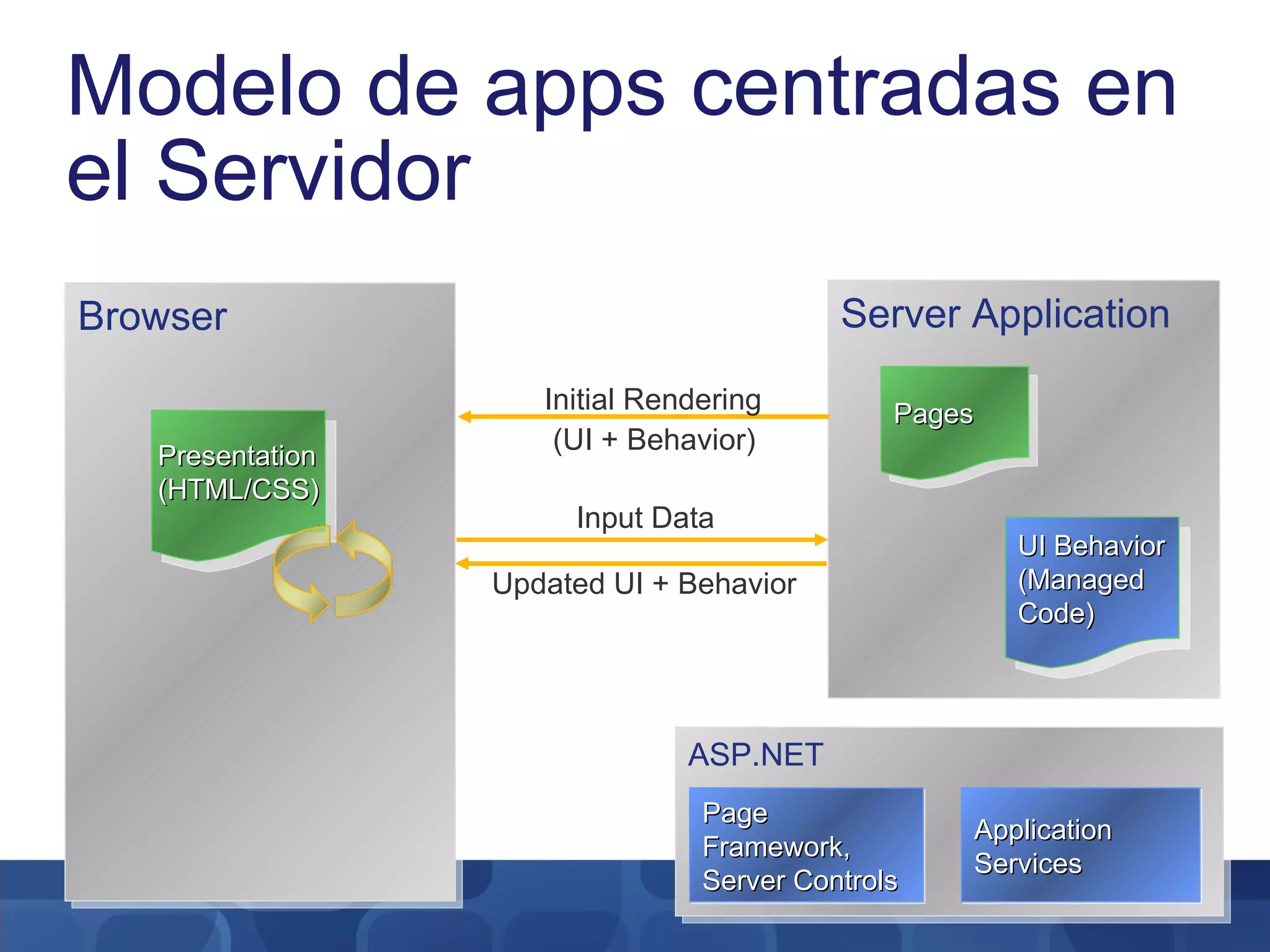
Modelo de apps centradas en el Servidor Browser Presentation (HTML/CSS) ASP.NET Application Services Page Framework, Server Controls Server Application Pages UI Behavior (Managed Code) Input Data Updated UI + Behavior Initial Rendering (UI + Behavior)
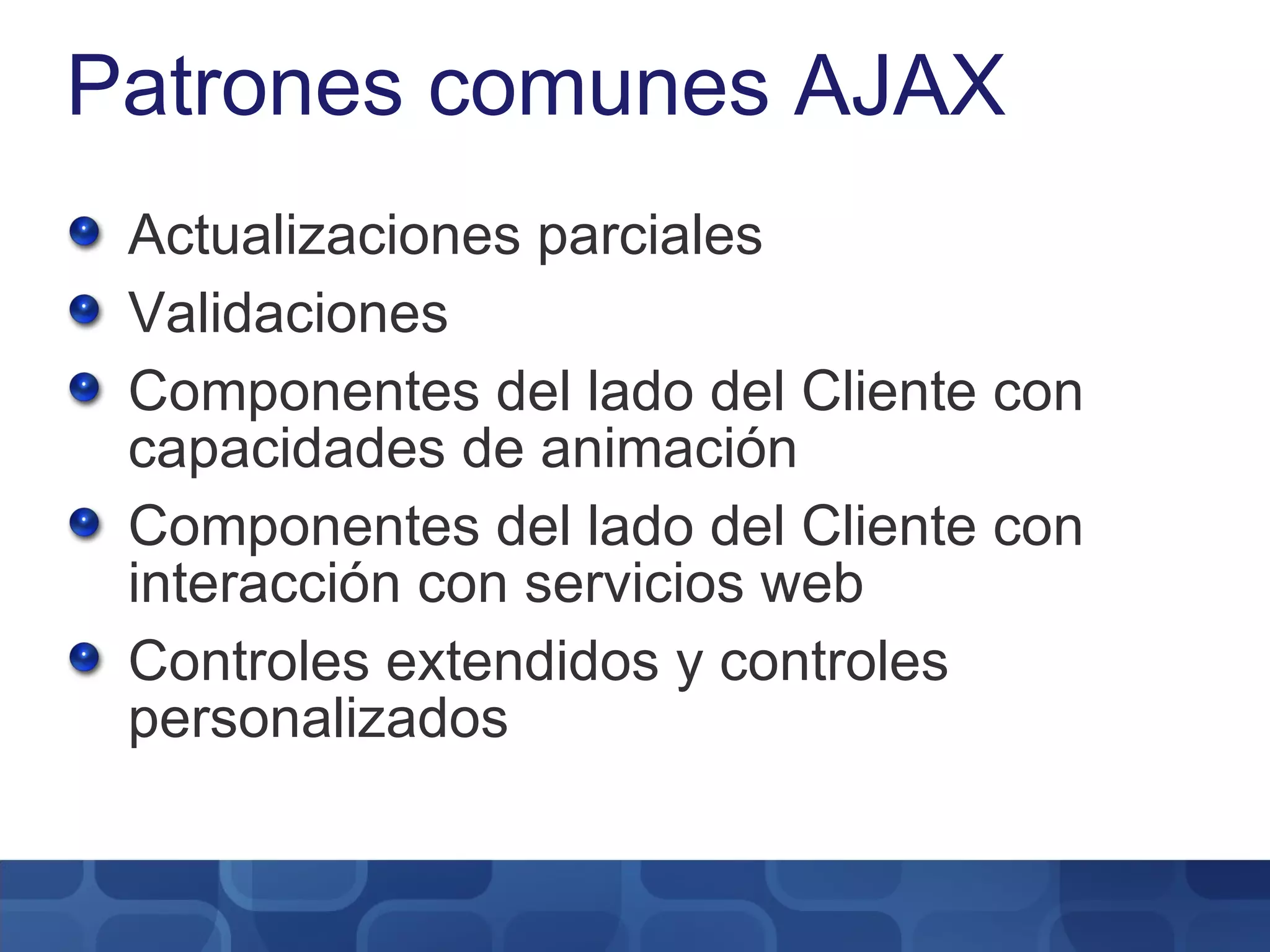
Patrones comunes AJAX Actualizaciones parciales Validaciones Componentes del lado del Cliente con capacidades de animación Componentes del lado del Cliente con interacción con servicios web Controles extendidos y controles personalizados
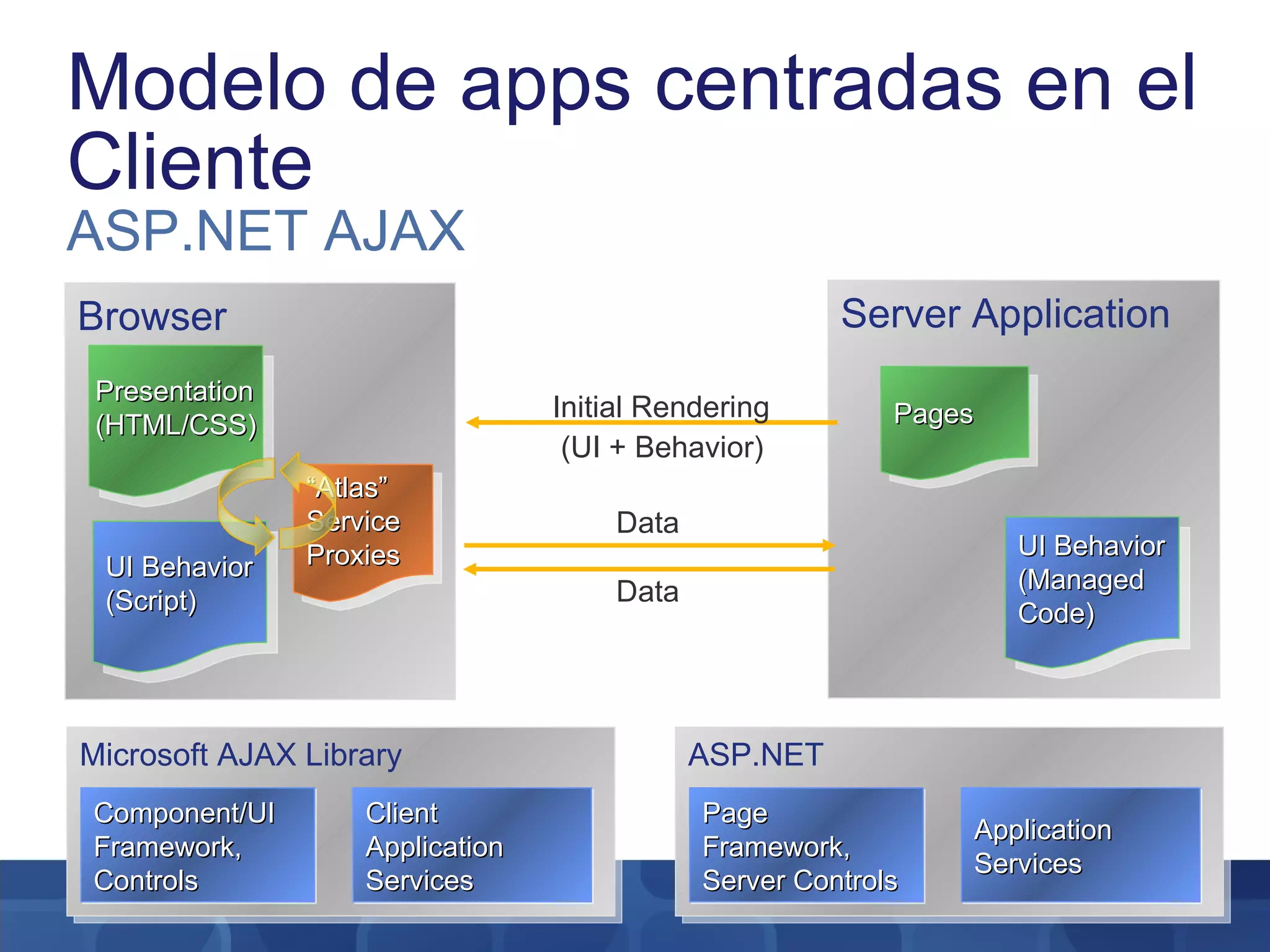
Modelo de apps centradas en el Cliente ASP.NET AJAX Browser Presentation (HTML/CSS) “ Atlas” Service Proxies UI Behavior (Script) ASP.NET Application Services Page Framework, Server Controls Microsoft AJAX Library Client Application Services Component/UI Framework, Controls Server Application Pages UI Behavior (Managed Code) Initial Rendering (UI + Behavior) Data Data
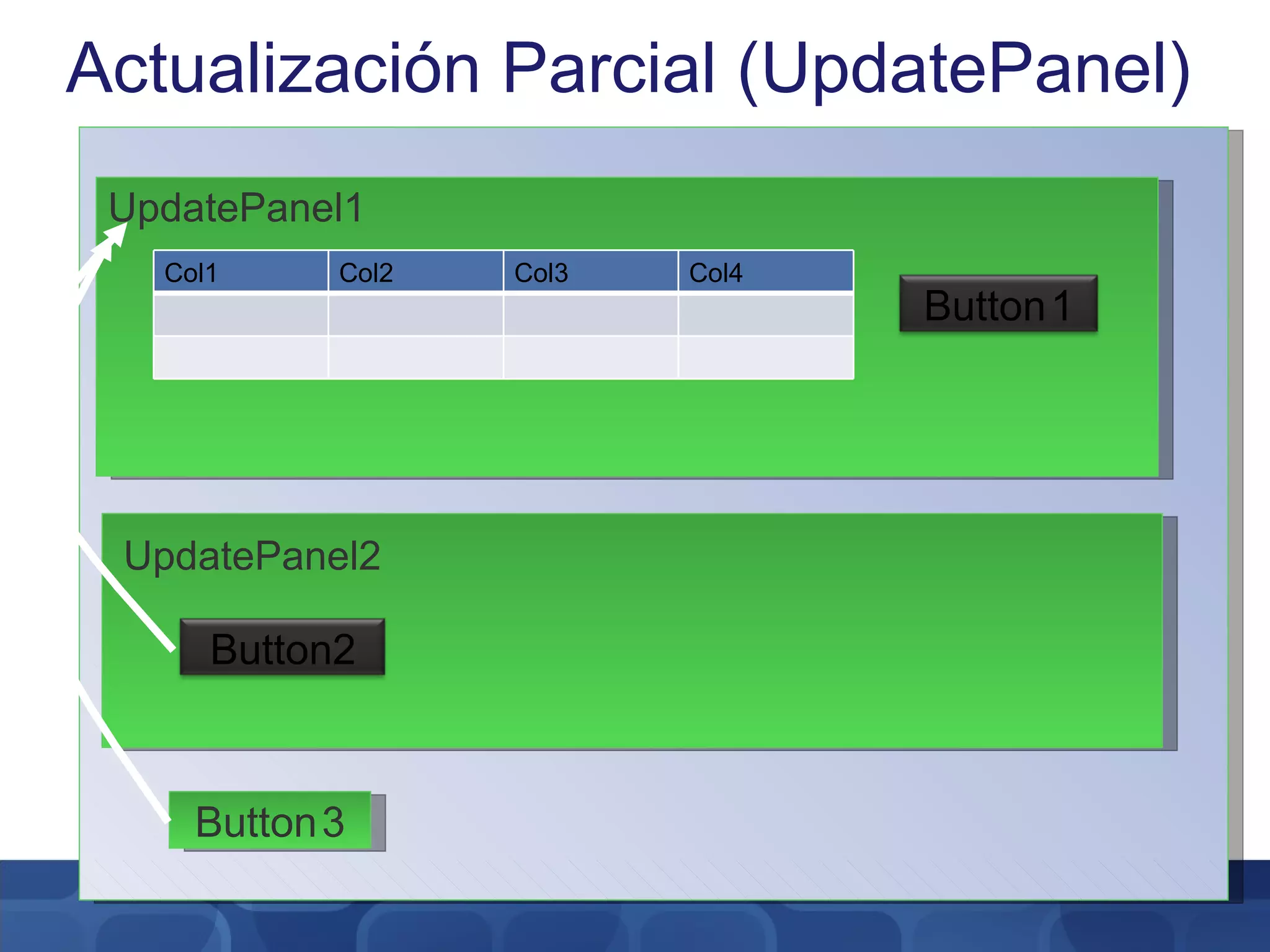
Actualización Parcial (UpdatePanel) UpdatePanel1 UpdatePanel2 Button 3 Col1 Col2 Col3 Col4 Button 1 Button2
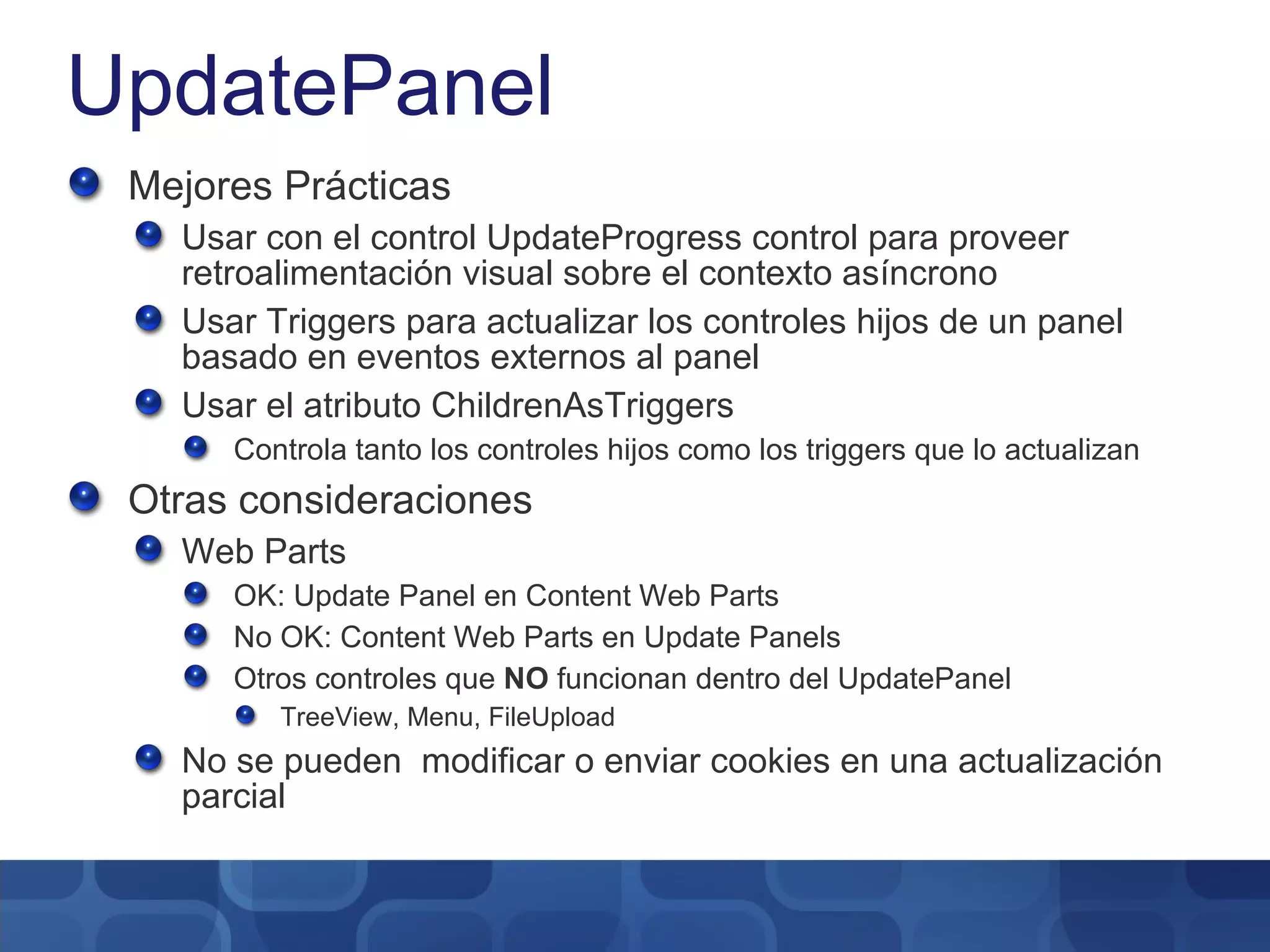
UpdatePanel Mejores Prácticas Usar con el control UpdateProgress control para proveer retroalimentación visual sobre el contexto asíncrono Usar Triggers para actualizar los controles hijos de un panel basado en eventos externos al panel Usar el atributo ChildrenAsTriggers Controla tanto los controles hijos como los triggers que lo actualizan Otras consideraciones Web Parts OK: Update Panel en Content Web Parts No OK: Content Web Parts en Update Panels Otros controles que  NO  funcionan dentro del UpdatePanel TreeView, Menu, FileUpload No se pueden  modificar o enviar cookies en una actualización parcial
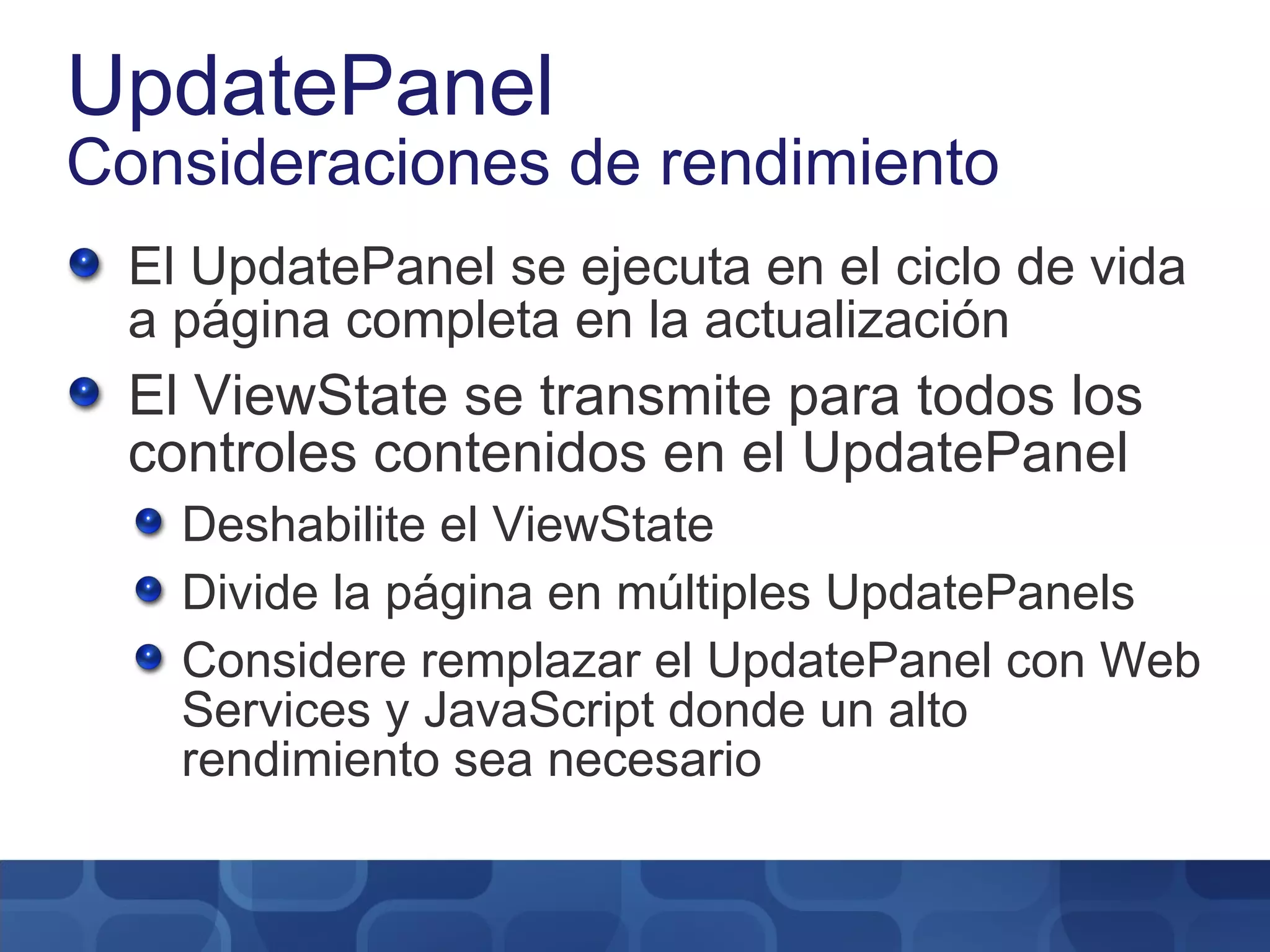
UpdatePanel Consideraciones de rendimiento El UpdatePanel se ejecuta en el ciclo de vida a página completa en la actualización El ViewState se transmite para todos los controles contenidos en el UpdatePanel Deshabilite el ViewState Divide la página en múltiples UpdatePanels Considere remplazar el UpdatePanel con Web Services y JavaScript donde un alto rendimiento sea necesario
Update Panel Name Title Group
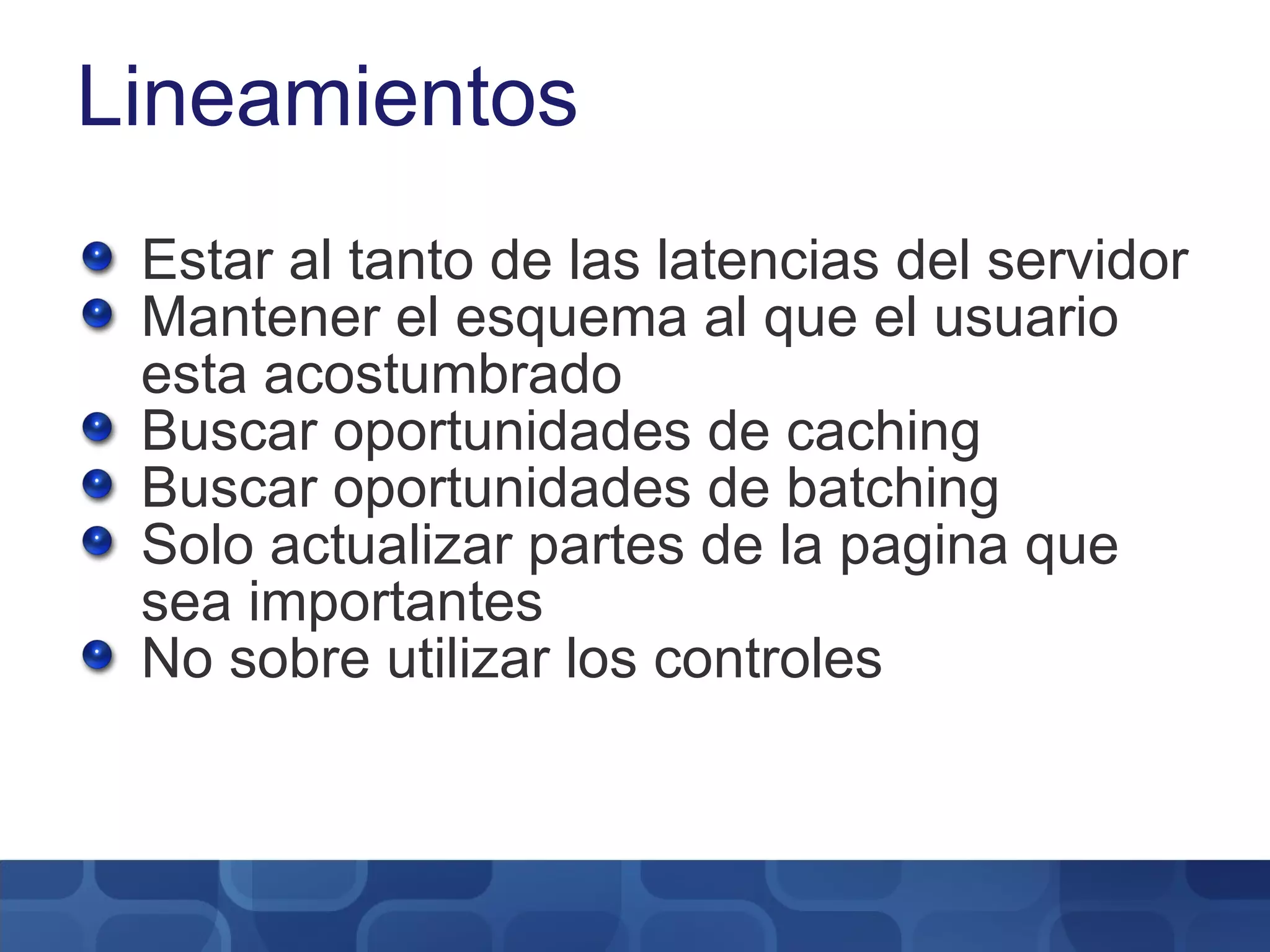
Lineamientos Estar al tanto de las latencias del servidor Mantener el esquema al que el usuario esta acostumbrado Buscar oportunidades de caching Buscar oportunidades de batching Solo actualizar partes de la pagina que sea importantes No sobre utilizar los controles
Validación Mejores prácticas Nunca  confíe en el input del cliente No haga validaciones de datos sensibles al contexto localmente Use validación del Cliente para: Forzar reglas de entrada de datos (Ej: contraseñas fuertes) Filtros (Ej: Edición de mascaras) ASP.NET AJAX Control Toolkit Validation Control Provee ambiente pre-construido de validación
Ambiente del lado del Cliente Mejores prácticas Implementación de método dispose() para todos los contextos, evitando los “memory leaks” Use las funciones de la Librería Microsoft AJAX siempre que sea posible para compatibilidad entre navegadores El contexto del lado del Cliente están escritos en JavaScript Las librerías MS AJAX provee orientación a objetos: Namespaces Herencia Propiedades gets/sets Eventos
Extendiendo Controles del Servidor Mejores prácticas Rehusar complementos del ASP.NET AJAX Control Toolkit. Ej: AutoComplete, Animations, Modal Popups, Drag/Drop Los complementos aumentan las capacidades existentes de los controles con JavaScript del lado del cliente Ej: Agregar Auto Save al contexto en un control formulario El cliente JavaScript esta empaquetado en un control servidor
Validación Name Title Group
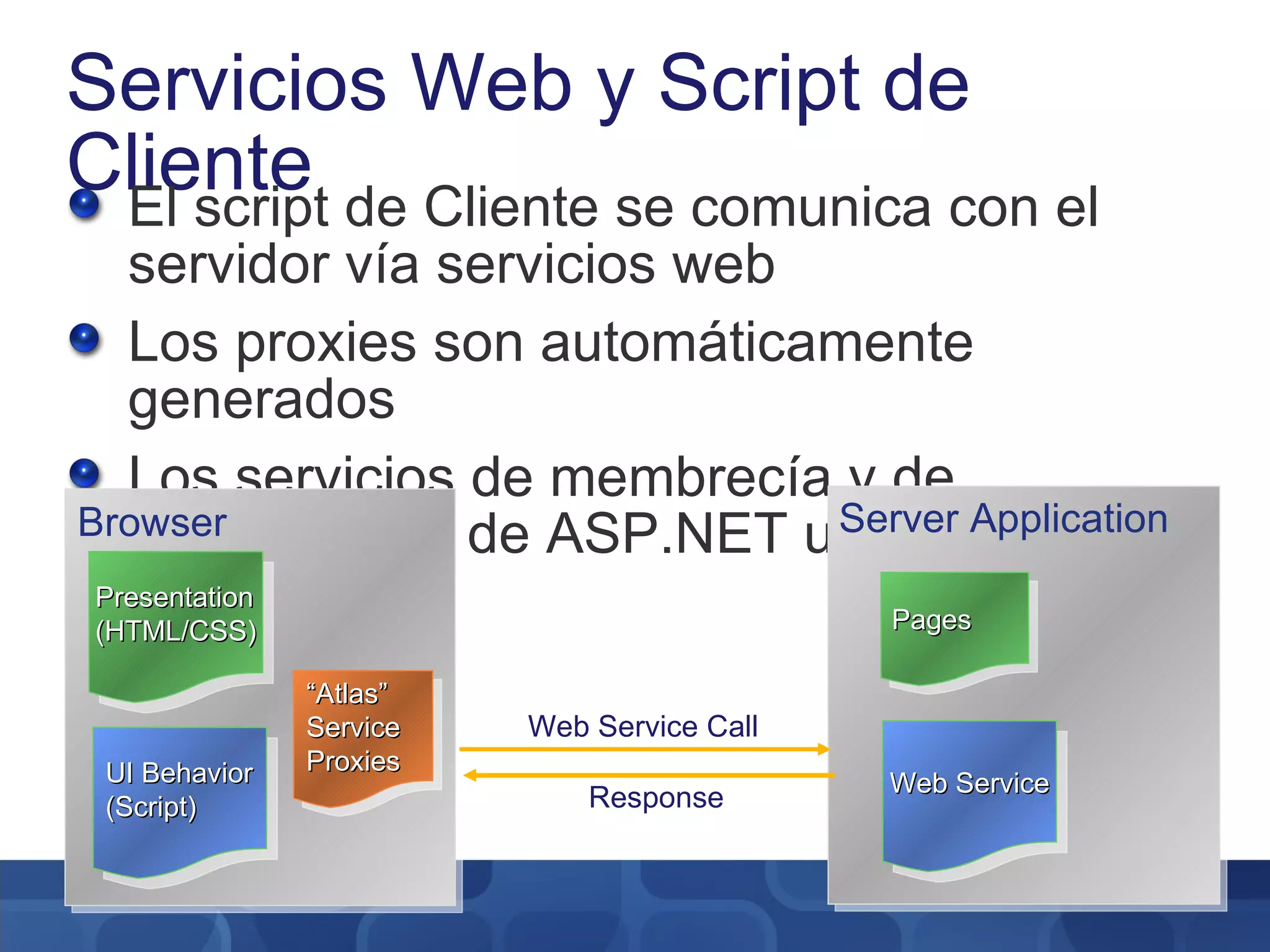
Servicios Web y Script de Cliente El script de Cliente se comunica con el servidor vía servicios web Los proxies son automáticamente generados Los servicios de membrecía y de perfilamiento de ASP.NET usan AJAX Server Application Pages Web Service Browser Presentation (HTML/CSS) “ Atlas” Service Proxies UI Behavior (Script) Response Web Service Call
Servicios Web Name Title Group
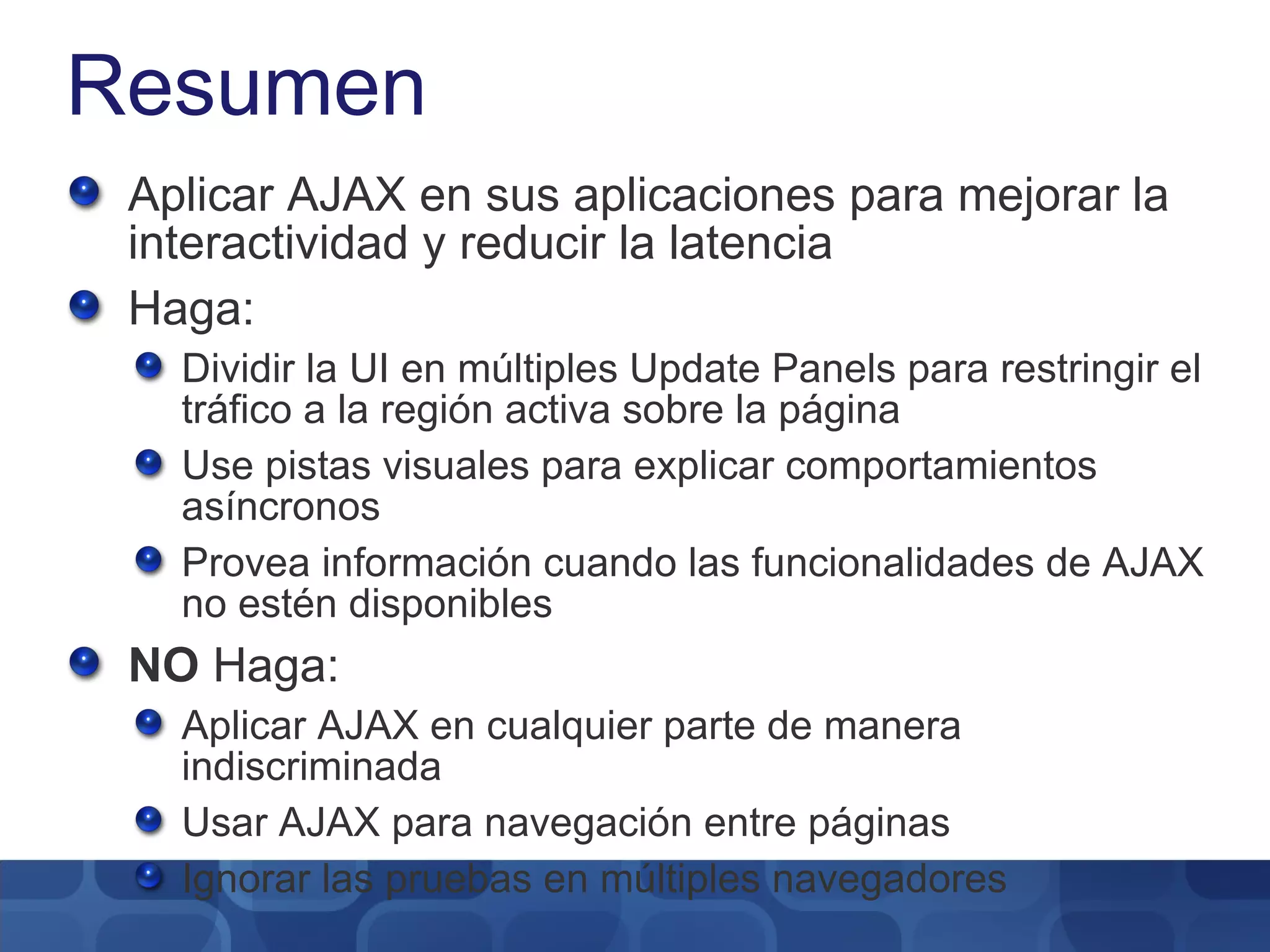
Resumen Aplicar AJAX en sus aplicaciones para mejorar la interactividad y reducir la latencia Haga: Dividir la UI en múltiples Update Panels para restringir el tráfico a la región activa sobre la página Use pistas visuales para explicar comportamientos asíncronos Provea información cuando las funcionalidades de AJAX no estén disponibles NO  Haga: Aplicar AJAX en cualquier parte de manera indiscriminada Usar AJAX para navegación entre páginas Ignorar las pruebas en múltiples navegadores
Recursos http://www.asp.net  – Código, ejemplos, descargas, fuentes y más!!! http://forums.asp.net/1022/ShowForum.aspx – Foros de desarrollo ASP .NET http://www.codeplex.com http://channel9.msdn.com
© 2005 Microsoft Corporation. All rights reserved. This presentation is for informational purposes only. Microsoft makes no warranties, express or implied, in this summary.
 

Asp .Net Ajax: Patrones

  • 1.
    ASP.NET AJAX: PatronesSpeaker Cargo Empresa
  • 2.
    Objetivos de lasesión Objetivos: Diseño de aplicaciones ASP.NET AJAX que efectivamente usen técnicas AJAX Mejores prácticas recomendadas para integrar características ASP.NET AJAX con nuevas/existentes aplicaciones ASP.NET Asunciones: Familiaridad con ASP.NET 2.0 Algún conocimiento de ASP.NET AJAX Consideraciones: ASP.NET AJAX puede mejorar cualquier aplicación ASP.NET 2.0 nueva/existente El uso de las técnicas AJAX debe ser de manera inteligente
  • 3.
    ASP.NET AJAX 1.0Es un marco de trabajo gratuito para crear páginas web más eficientes, más interactivas y con ricos elementos visuales Extiende ASP.NET 2.0 El marco de trabajo posee dos (2) componentes: Servidor y Cliente Brinda soporte a los navegadores más populares Soporte técnico del producto 24x7
  • 4.
    Tecnologías que conformanAJAX JavaScript Document Object Model (DOM) Dynamic HTML (DHTML) XmlHttpRequest *
  • 5.
    Modelo de appscentradas en el Servidor Browser Presentation (HTML/CSS) ASP.NET Application Services Page Framework, Server Controls Server Application Pages UI Behavior (Managed Code) Input Data Updated UI + Behavior Initial Rendering (UI + Behavior)
  • 6.
    Patrones comunes AJAXActualizaciones parciales Validaciones Componentes del lado del Cliente con capacidades de animación Componentes del lado del Cliente con interacción con servicios web Controles extendidos y controles personalizados
  • 7.
    Modelo de appscentradas en el Cliente ASP.NET AJAX Browser Presentation (HTML/CSS) “ Atlas” Service Proxies UI Behavior (Script) ASP.NET Application Services Page Framework, Server Controls Microsoft AJAX Library Client Application Services Component/UI Framework, Controls Server Application Pages UI Behavior (Managed Code) Initial Rendering (UI + Behavior) Data Data
  • 8.
    Actualización Parcial (UpdatePanel)UpdatePanel1 UpdatePanel2 Button 3 Col1 Col2 Col3 Col4 Button 1 Button2
  • 9.
    UpdatePanel Mejores PrácticasUsar con el control UpdateProgress control para proveer retroalimentación visual sobre el contexto asíncrono Usar Triggers para actualizar los controles hijos de un panel basado en eventos externos al panel Usar el atributo ChildrenAsTriggers Controla tanto los controles hijos como los triggers que lo actualizan Otras consideraciones Web Parts OK: Update Panel en Content Web Parts No OK: Content Web Parts en Update Panels Otros controles que NO funcionan dentro del UpdatePanel TreeView, Menu, FileUpload No se pueden modificar o enviar cookies en una actualización parcial
  • 10.
    UpdatePanel Consideraciones derendimiento El UpdatePanel se ejecuta en el ciclo de vida a página completa en la actualización El ViewState se transmite para todos los controles contenidos en el UpdatePanel Deshabilite el ViewState Divide la página en múltiples UpdatePanels Considere remplazar el UpdatePanel con Web Services y JavaScript donde un alto rendimiento sea necesario
  • 11.
    Update Panel NameTitle Group
  • 12.
    Lineamientos Estar altanto de las latencias del servidor Mantener el esquema al que el usuario esta acostumbrado Buscar oportunidades de caching Buscar oportunidades de batching Solo actualizar partes de la pagina que sea importantes No sobre utilizar los controles
  • 13.
    Validación Mejores prácticasNunca confíe en el input del cliente No haga validaciones de datos sensibles al contexto localmente Use validación del Cliente para: Forzar reglas de entrada de datos (Ej: contraseñas fuertes) Filtros (Ej: Edición de mascaras) ASP.NET AJAX Control Toolkit Validation Control Provee ambiente pre-construido de validación
  • 14.
    Ambiente del ladodel Cliente Mejores prácticas Implementación de método dispose() para todos los contextos, evitando los “memory leaks” Use las funciones de la Librería Microsoft AJAX siempre que sea posible para compatibilidad entre navegadores El contexto del lado del Cliente están escritos en JavaScript Las librerías MS AJAX provee orientación a objetos: Namespaces Herencia Propiedades gets/sets Eventos
  • 15.
    Extendiendo Controles delServidor Mejores prácticas Rehusar complementos del ASP.NET AJAX Control Toolkit. Ej: AutoComplete, Animations, Modal Popups, Drag/Drop Los complementos aumentan las capacidades existentes de los controles con JavaScript del lado del cliente Ej: Agregar Auto Save al contexto en un control formulario El cliente JavaScript esta empaquetado en un control servidor
  • 16.
  • 17.
    Servicios Web yScript de Cliente El script de Cliente se comunica con el servidor vía servicios web Los proxies son automáticamente generados Los servicios de membrecía y de perfilamiento de ASP.NET usan AJAX Server Application Pages Web Service Browser Presentation (HTML/CSS) “ Atlas” Service Proxies UI Behavior (Script) Response Web Service Call
  • 18.
    Servicios Web NameTitle Group
  • 19.
    Resumen Aplicar AJAXen sus aplicaciones para mejorar la interactividad y reducir la latencia Haga: Dividir la UI en múltiples Update Panels para restringir el tráfico a la región activa sobre la página Use pistas visuales para explicar comportamientos asíncronos Provea información cuando las funcionalidades de AJAX no estén disponibles NO Haga: Aplicar AJAX en cualquier parte de manera indiscriminada Usar AJAX para navegación entre páginas Ignorar las pruebas en múltiples navegadores
  • 20.
    Recursos http://www.asp.net – Código, ejemplos, descargas, fuentes y más!!! http://forums.asp.net/1022/ShowForum.aspx – Foros de desarrollo ASP .NET http://www.codeplex.com http://channel9.msdn.com
  • 21.
    © 2005 MicrosoftCorporation. All rights reserved. This presentation is for informational purposes only. Microsoft makes no warranties, express or implied, in this summary.
  • 22.

Notas del editor

  • #2 10/21/10 04:00 MICROSOFT CONFIDENTIAL © 2006 Microsoft Corporation. All rights reserved. Microsoft, Windows, Windows Vista and other product names are or may be registered trademarks and/or trademarks in the U.S. and/or other countries. The information herein is for informational purposes only and represents the current view of Microsoft Corporation as of the date of this presentation. Because Microsoft must respond to changing market conditions, it should not be interpreted to be a commitment on the part of Microsoft, and Microsoft cannot guarantee the accuracy of any information provided after the date of this presentation. MICROSOFT MAKES NO WARRANTIES, EXPRESS, IMPLIED OR STATUTORY, AS TO THE INFORMATION IN THIS PRESENTATION.
  • #3 10/21/10 04:00 © 2005 Microsoft Corporation. All rights reserved. This presentation is for informational purposes only. Microsoft makes no warranties, express or implied, in this summary.
  • #4 10/21/10 04:00 © 2005 Microsoft Corporation. All rights reserved. This presentation is for informational purposes only. Microsoft makes no warranties, express or implied, in this summary.
  • #5 10/21/10 04:00 © 2005 Microsoft Corporation. All rights reserved. This presentation is for informational purposes only. Microsoft makes no warranties, express or implied, in this summary.
  • #6 10/21/10 04:00 © 2005 Microsoft Corporation. All rights reserved. This presentation is for informational purposes only. Microsoft makes no warranties, express or implied, in this summary.
  • #7 10/21/10 04:00 MICROSOFT CONFIDENTIAL © 2006 Microsoft Corporation. All rights reserved. Microsoft, Windows, Windows Vista and other product names are or may be registered trademarks and/or trademarks in the U.S. and/or other countries. The information herein is for informational purposes only and represents the current view of Microsoft Corporation as of the date of this presentation. Because Microsoft must respond to changing market conditions, it should not be interpreted to be a commitment on the part of Microsoft, and Microsoft cannot guarantee the accuracy of any information provided after the date of this presentation. MICROSOFT MAKES NO WARRANTIES, EXPRESS, IMPLIED OR STATUTORY, AS TO THE INFORMATION IN THIS PRESENTATION.
  • #8 10/21/10 04:00 © 2005 Microsoft Corporation. All rights reserved. This presentation is for informational purposes only. Microsoft makes no warranties, express or implied, in this summary.
  • #9 10/21/10 04:00 MICROSOFT CONFIDENTIAL © 2006 Microsoft Corporation. All rights reserved. Microsoft, Windows, Windows Vista and other product names are or may be registered trademarks and/or trademarks in the U.S. and/or other countries. The information herein is for informational purposes only and represents the current view of Microsoft Corporation as of the date of this presentation. Because Microsoft must respond to changing market conditions, it should not be interpreted to be a commitment on the part of Microsoft, and Microsoft cannot guarantee the accuracy of any information provided after the date of this presentation. MICROSOFT MAKES NO WARRANTIES, EXPRESS, IMPLIED OR STATUTORY, AS TO THE INFORMATION IN THIS PRESENTATION.
  • #10 10/21/10 04:00 MICROSOFT CONFIDENTIAL © 2006 Microsoft Corporation. All rights reserved. Microsoft, Windows, Windows Vista and other product names are or may be registered trademarks and/or trademarks in the U.S. and/or other countries. The information herein is for informational purposes only and represents the current view of Microsoft Corporation as of the date of this presentation. Because Microsoft must respond to changing market conditions, it should not be interpreted to be a commitment on the part of Microsoft, and Microsoft cannot guarantee the accuracy of any information provided after the date of this presentation. MICROSOFT MAKES NO WARRANTIES, EXPRESS, IMPLIED OR STATUTORY, AS TO THE INFORMATION IN THIS PRESENTATION.
  • #11 10/21/10 04:00 MICROSOFT CONFIDENTIAL © 2006 Microsoft Corporation. All rights reserved. Microsoft, Windows, Windows Vista and other product names are or may be registered trademarks and/or trademarks in the U.S. and/or other countries. The information herein is for informational purposes only and represents the current view of Microsoft Corporation as of the date of this presentation. Because Microsoft must respond to changing market conditions, it should not be interpreted to be a commitment on the part of Microsoft, and Microsoft cannot guarantee the accuracy of any information provided after the date of this presentation. MICROSOFT MAKES NO WARRANTIES, EXPRESS, IMPLIED OR STATUTORY, AS TO THE INFORMATION IN THIS PRESENTATION.
  • #12 10/21/10 04:00 ©2005 Microsoft Corporation. All rights reserved. This presentation is for informational purposes only. Microsoft makes no warranties, express or implied, in this summary.
  • #14 10/21/10 04:00 MICROSOFT CONFIDENTIAL © 2006 Microsoft Corporation. All rights reserved. Microsoft, Windows, Windows Vista and other product names are or may be registered trademarks and/or trademarks in the U.S. and/or other countries. The information herein is for informational purposes only and represents the current view of Microsoft Corporation as of the date of this presentation. Because Microsoft must respond to changing market conditions, it should not be interpreted to be a commitment on the part of Microsoft, and Microsoft cannot guarantee the accuracy of any information provided after the date of this presentation. MICROSOFT MAKES NO WARRANTIES, EXPRESS, IMPLIED OR STATUTORY, AS TO THE INFORMATION IN THIS PRESENTATION.
  • #15 10/21/10 04:00 MICROSOFT CONFIDENTIAL © 2006 Microsoft Corporation. All rights reserved. Microsoft, Windows, Windows Vista and other product names are or may be registered trademarks and/or trademarks in the U.S. and/or other countries. The information herein is for informational purposes only and represents the current view of Microsoft Corporation as of the date of this presentation. Because Microsoft must respond to changing market conditions, it should not be interpreted to be a commitment on the part of Microsoft, and Microsoft cannot guarantee the accuracy of any information provided after the date of this presentation. MICROSOFT MAKES NO WARRANTIES, EXPRESS, IMPLIED OR STATUTORY, AS TO THE INFORMATION IN THIS PRESENTATION.
  • #16 10/21/10 04:00 MICROSOFT CONFIDENTIAL © 2006 Microsoft Corporation. All rights reserved. Microsoft, Windows, Windows Vista and other product names are or may be registered trademarks and/or trademarks in the U.S. and/or other countries. The information herein is for informational purposes only and represents the current view of Microsoft Corporation as of the date of this presentation. Because Microsoft must respond to changing market conditions, it should not be interpreted to be a commitment on the part of Microsoft, and Microsoft cannot guarantee the accuracy of any information provided after the date of this presentation. MICROSOFT MAKES NO WARRANTIES, EXPRESS, IMPLIED OR STATUTORY, AS TO THE INFORMATION IN THIS PRESENTATION.
  • #17 10/21/10 04:00 ©2005 Microsoft Corporation. All rights reserved. This presentation is for informational purposes only. Microsoft makes no warranties, express or implied, in this summary.
  • #18 10/21/10 04:00 MICROSOFT CONFIDENTIAL © 2006 Microsoft Corporation. All rights reserved. Microsoft, Windows, Windows Vista and other product names are or may be registered trademarks and/or trademarks in the U.S. and/or other countries. The information herein is for informational purposes only and represents the current view of Microsoft Corporation as of the date of this presentation. Because Microsoft must respond to changing market conditions, it should not be interpreted to be a commitment on the part of Microsoft, and Microsoft cannot guarantee the accuracy of any information provided after the date of this presentation. MICROSOFT MAKES NO WARRANTIES, EXPRESS, IMPLIED OR STATUTORY, AS TO THE INFORMATION IN THIS PRESENTATION.
  • #19 10/21/10 04:00 ©2005 Microsoft Corporation. All rights reserved. This presentation is for informational purposes only. Microsoft makes no warranties, express or implied, in this summary.
  • #20 10/21/10 04:00 MICROSOFT CONFIDENTIAL © 2006 Microsoft Corporation. All rights reserved. Microsoft, Windows, Windows Vista and other product names are or may be registered trademarks and/or trademarks in the U.S. and/or other countries. The information herein is for informational purposes only and represents the current view of Microsoft Corporation as of the date of this presentation. Because Microsoft must respond to changing market conditions, it should not be interpreted to be a commitment on the part of Microsoft, and Microsoft cannot guarantee the accuracy of any information provided after the date of this presentation. MICROSOFT MAKES NO WARRANTIES, EXPRESS, IMPLIED OR STATUTORY, AS TO THE INFORMATION IN THIS PRESENTATION.
  • #21 10/21/10 04:00 MICROSOFT CONFIDENTIAL © 2006 Microsoft Corporation. All rights reserved. Microsoft, Windows, Windows Vista and other product names are or may be registered trademarks and/or trademarks in the U.S. and/or other countries. The information herein is for informational purposes only and represents the current view of Microsoft Corporation as of the date of this presentation. Because Microsoft must respond to changing market conditions, it should not be interpreted to be a commitment on the part of Microsoft, and Microsoft cannot guarantee the accuracy of any information provided after the date of this presentation. MICROSOFT MAKES NO WARRANTIES, EXPRESS, IMPLIED OR STATUTORY, AS TO THE INFORMATION IN THIS PRESENTATION.
  • #22 10/21/10 04:00 ©2005 Microsoft Corporation. All rights reserved. This presentation is for informational purposes only. Microsoft makes no warranties, express or implied, in this summary.
  • #23 10/21/10 04:00 ©2005 Microsoft Corporation. All rights reserved. This presentation is for informational purposes only. Microsoft makes no warranties, express or implied, in this summary.