CaptureFilter の仕組みに
ちょっと踏み込んでみた
~ BPF を読んだら分かったこと~
2015/04/27 #pakeana 27
@otsuka752 (@twovs)
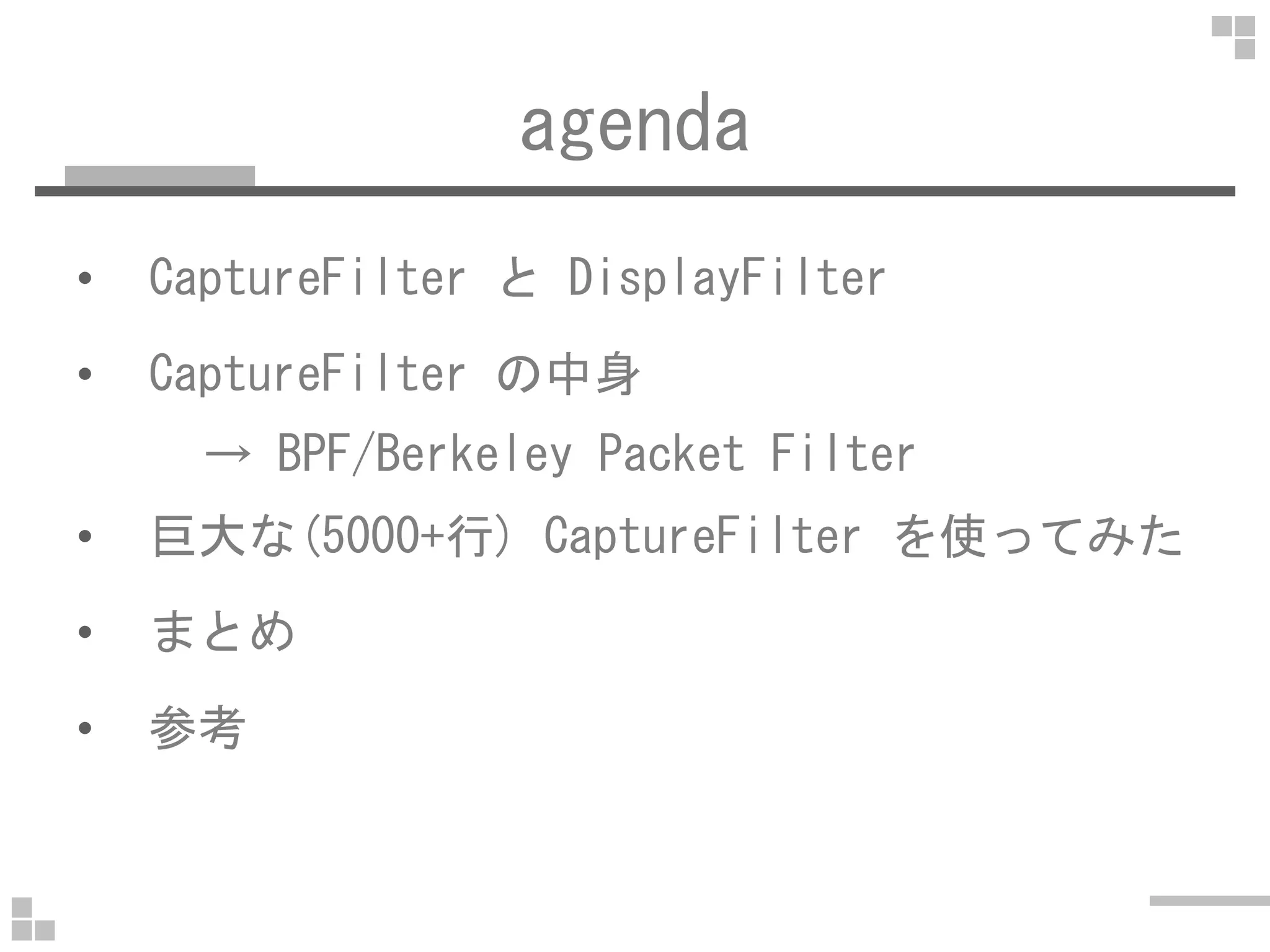
agenda
• CaptureFilter と DisplayFilter
• CaptureFilter の中身
→ BPF/Berkeley Packet Filter→ BPF/Berkeley Packet Filter
• 巨大な(5000+行) CaptureFilter を使ってみた
• まとめ
• 参考
about me
• @otsuka752 (@twovs)
• ネコ1人+奥さん1人+可愛い娘
• 無線LAN装置の開発(1999~2004)• 無線LAN装置の開発(1999~2004)
• オンラインゲームのシステム管理者(2004~)
• ただし,ゲームには全く興味無し
• http://tcpreplay.jp/ やってます
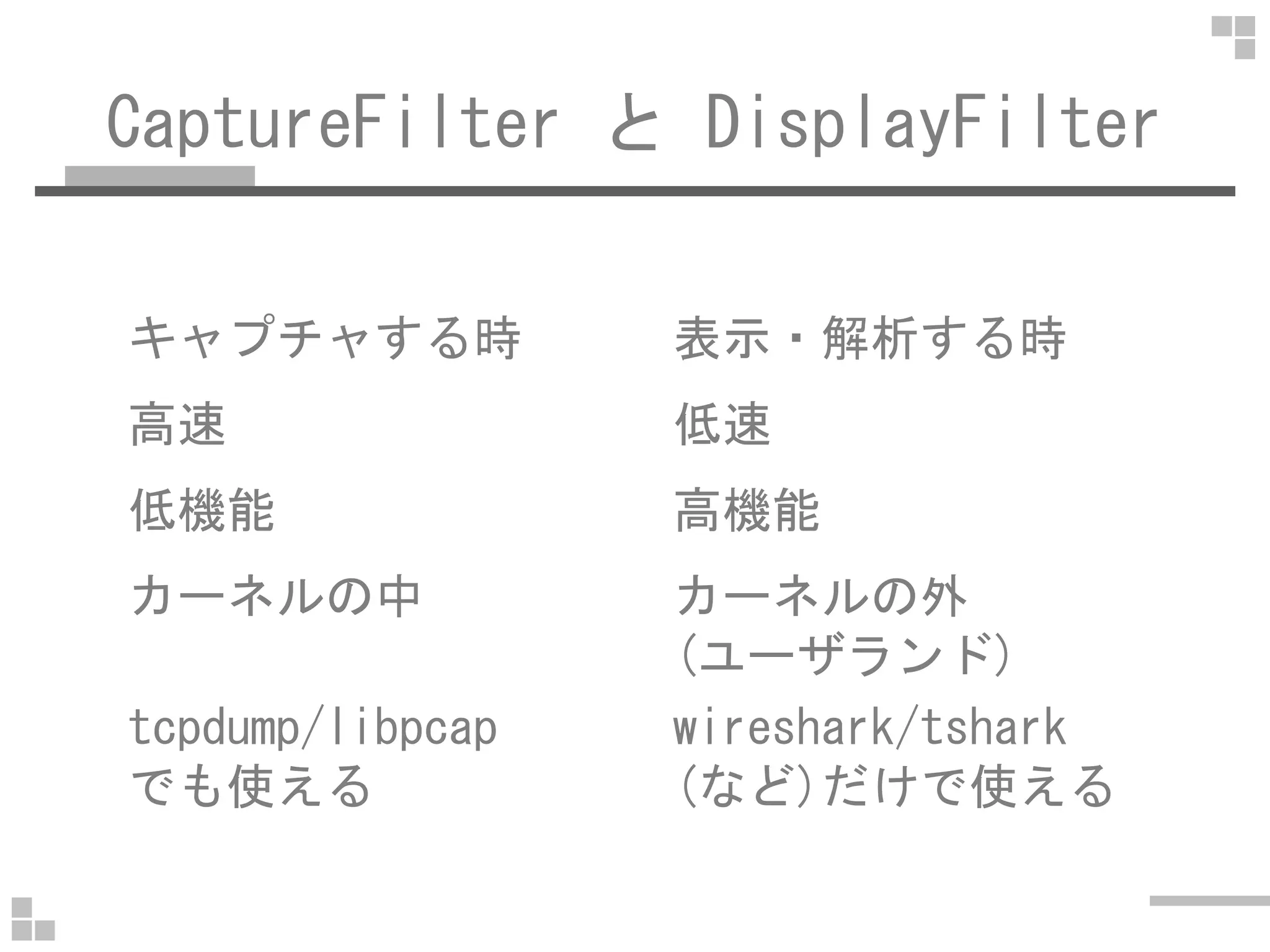
CaptureFilter と DisplayFilter
キャプチャする時 表示・解析する時
高速 低速
低機能 高機能
カーネルの中 カーネルの外
(ユーザランド)
tcpdump/libpcap
でも使える
wireshark/tshark
(など)だけで使える
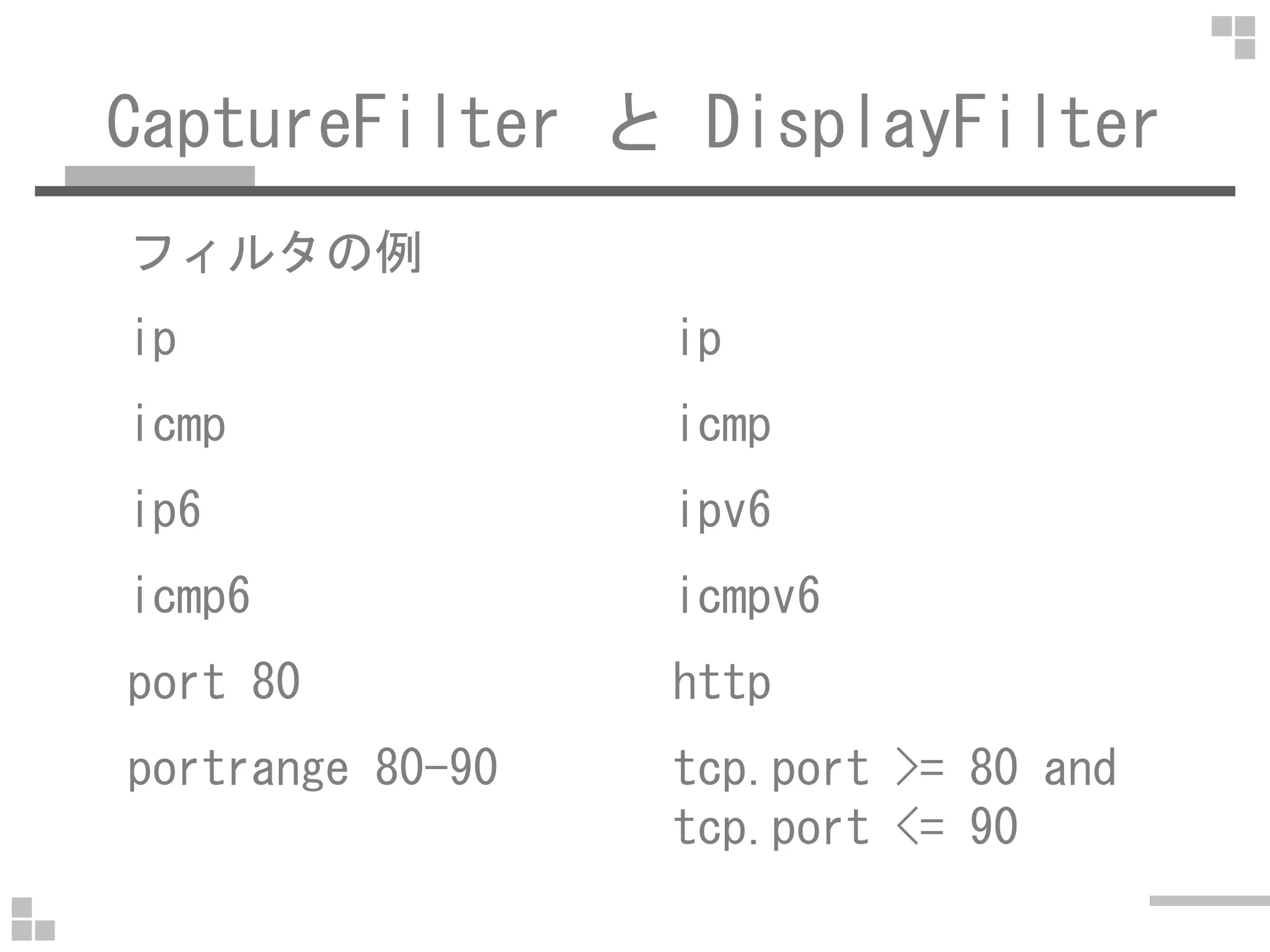
CaptureFilter と DisplayFilter
フィルタの例
ip ip
icmp icmp
ip6 ipv6
icmp6 icmpv6
port 80 http
portrange 80-90 tcp.port >= 80 and
tcp.port <= 90
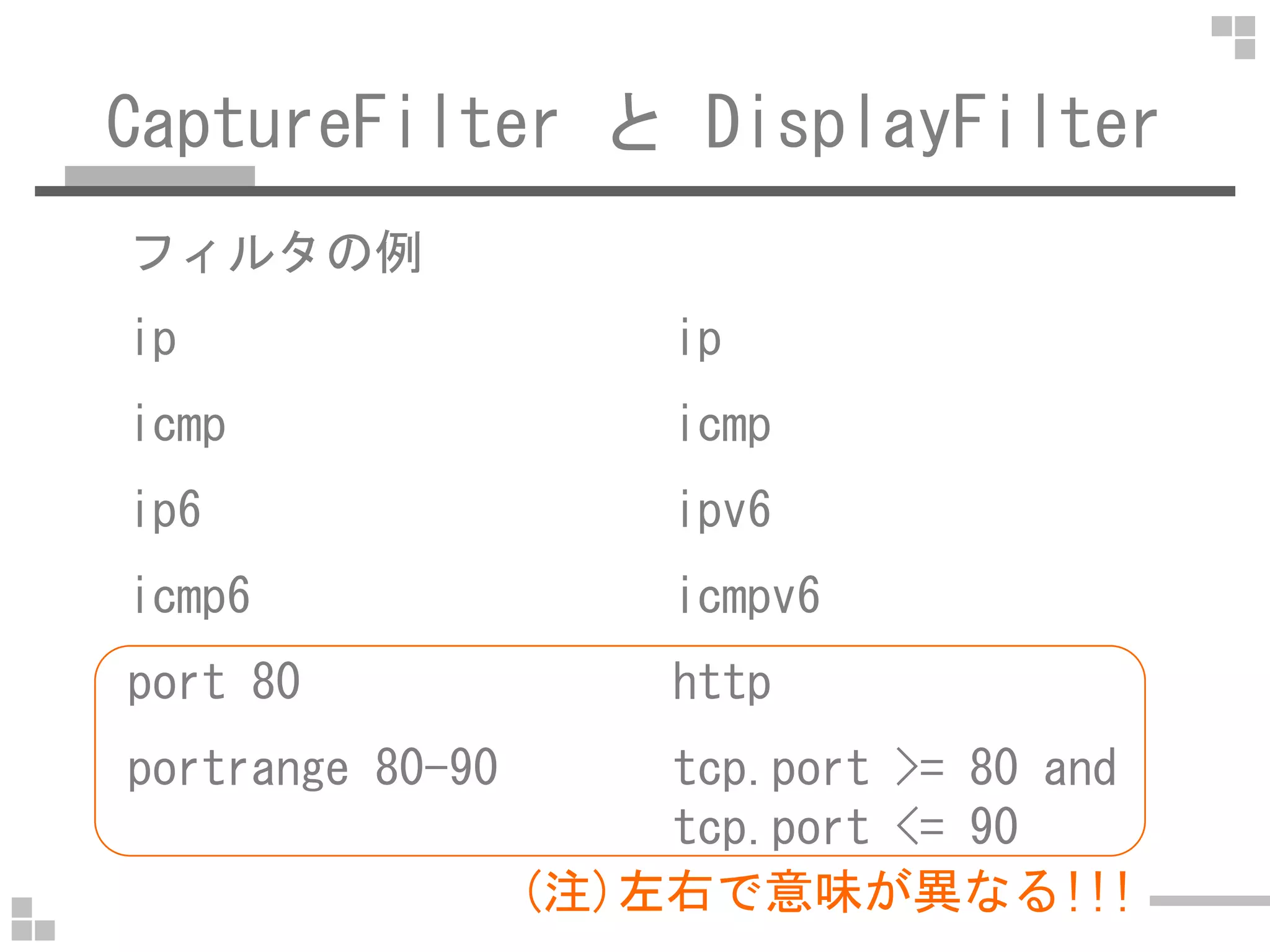
CaptureFilter と DisplayFilter
フィルタの例
ip ip
icmp icmp
ip6 ipv6
icmp6 icmpv6
port 80 http
portrange 80-90 tcp.port >= 80 and
tcp.port <= 90
(注)左右で意味が異なる!!!
CaptureFilter と DisplayFilter
フィルタの例
ip[0]&0xf = 0x14 ip.hdr_len == 0x14
tcp[((tcp[12:1] & http.request.methodtcp[((tcp[12:1] &
0xf0) >> 2):4] =
0x47455420
http.request.method
== "GET"
N/A tcp.stream == 0
CaptureFilter の中身(BPF)
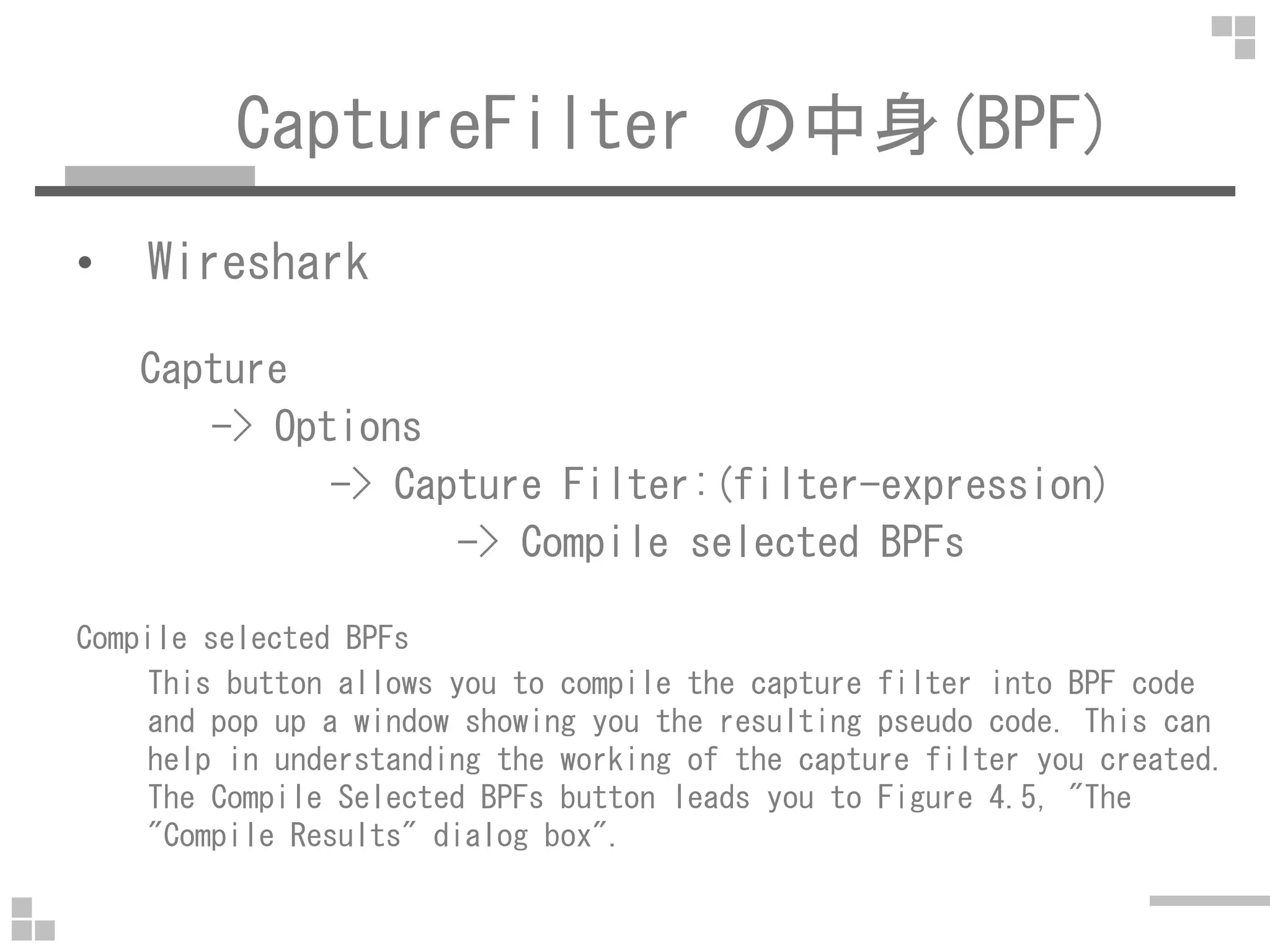
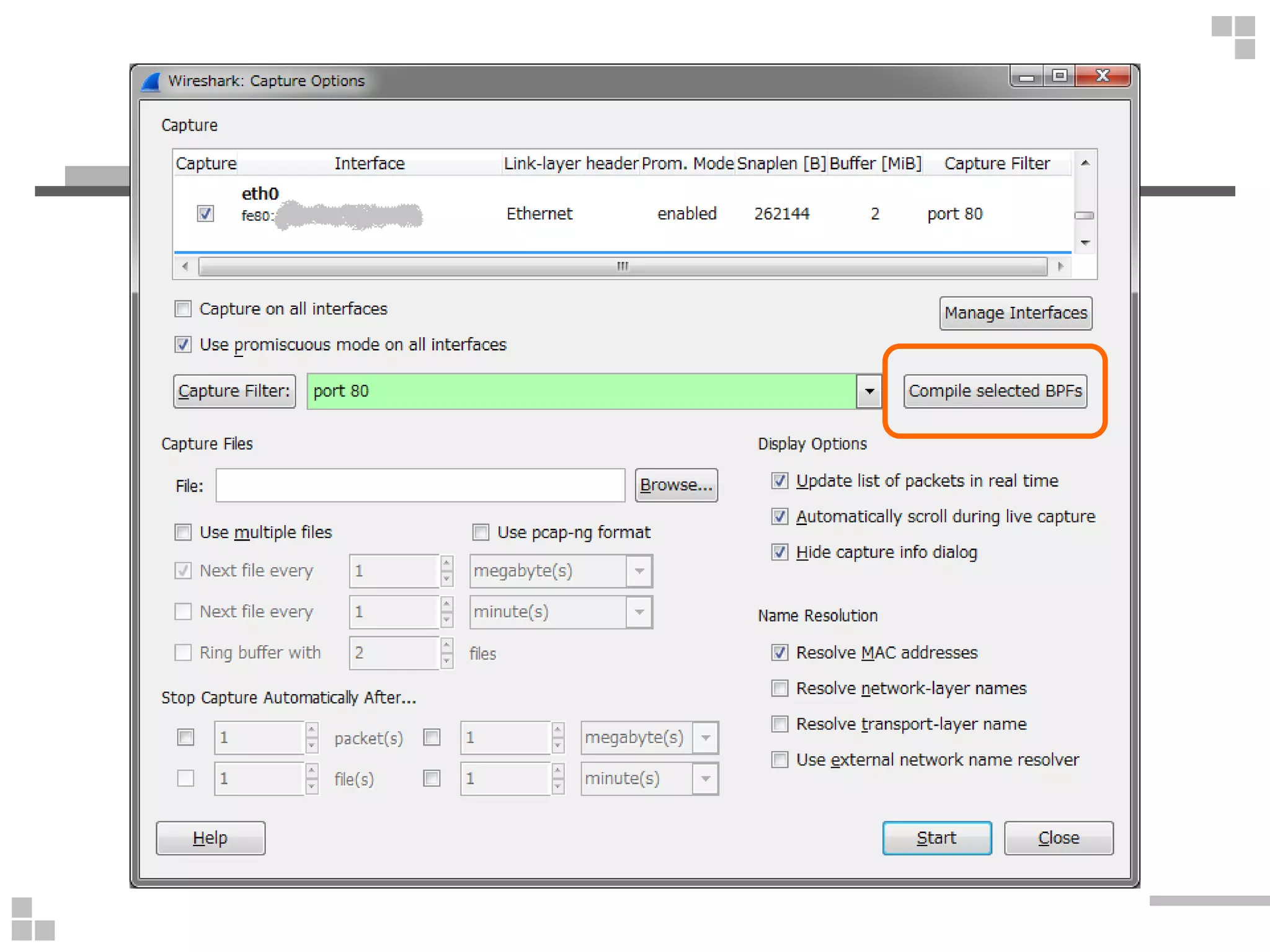
• Wireshark
Capture
-> Options
-> Capture Filter:(filter-expression)-> Capture Filter:(filter-expression)
-> Compile selected BPFs
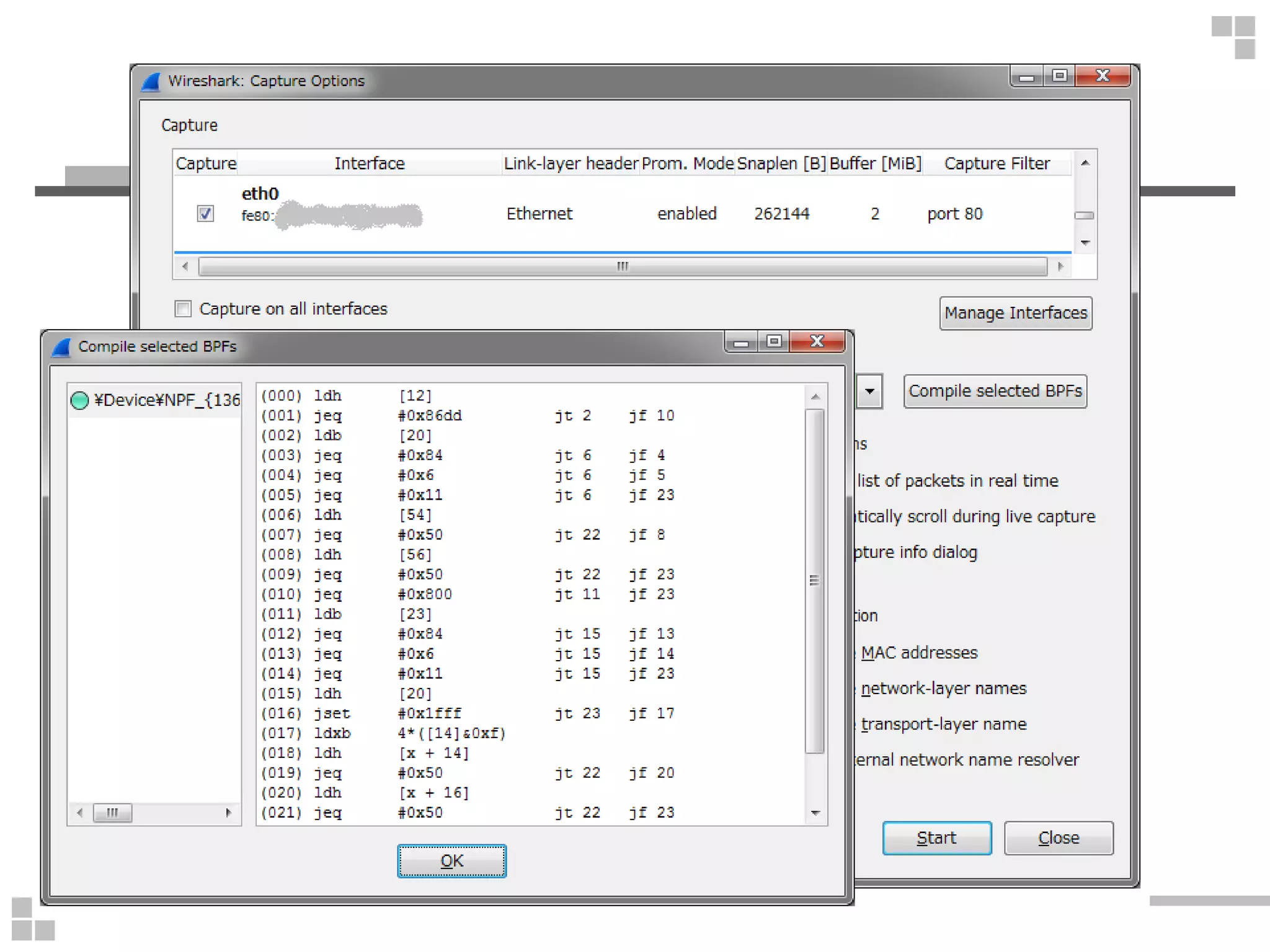
Compile selected BPFs
This button allows you to compile the capture filter into BPF code
and pop up a window showing you the resulting pseudo code. This can
help in understanding the working of the capture filter you created.
The Compile Selected BPFs button leads you to Figure 4.5, "The
"Compile Results" dialog box".
CaptureFilter の中身(BPF)
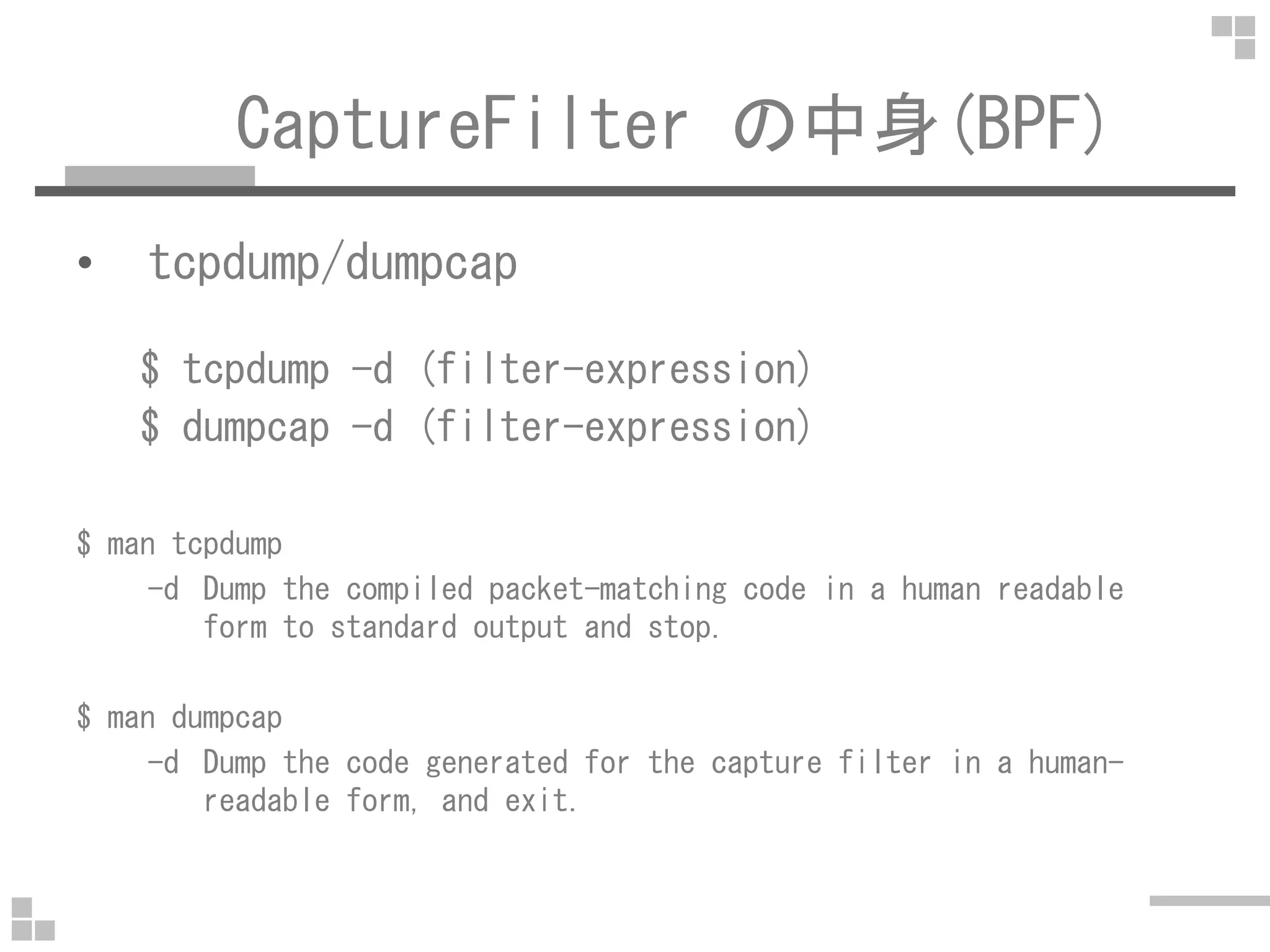
• tcpdump/dumpcap
$ tcpdump -d (filter-expression)
$ dumpcap -d (filter-expression)
$ man tcpdump
-d Dump the compiled packet-matching code in a human readable
form to standard output and stop.
$ man dumpcap
-d Dump the code generated for the capture filter in a human-
readable form, and exit.
BPF/フィルタ無し
$ sudo tcpdump -d
(000) ret #65535
ret Returnret Return
65535[Byte] キャプチャする
(フレーム/パケット全体をキャプチャ)
BPF/フィルタ無し(snaplen 指定)
$ sudo tcpdump -d -s 100
(000) ret #100 # 100[Byte] キャプチャ
$ sudo tcpdump -d -s 0
(000) ret #65535 # 65535[byte] キャプチャ
$ sudo tcpdump -d
(000) ret #96 # tcpdump-4.0.0 まで
$ sudo tcpdump -d
(000) ret #65535 # tcpdump-4.1 から
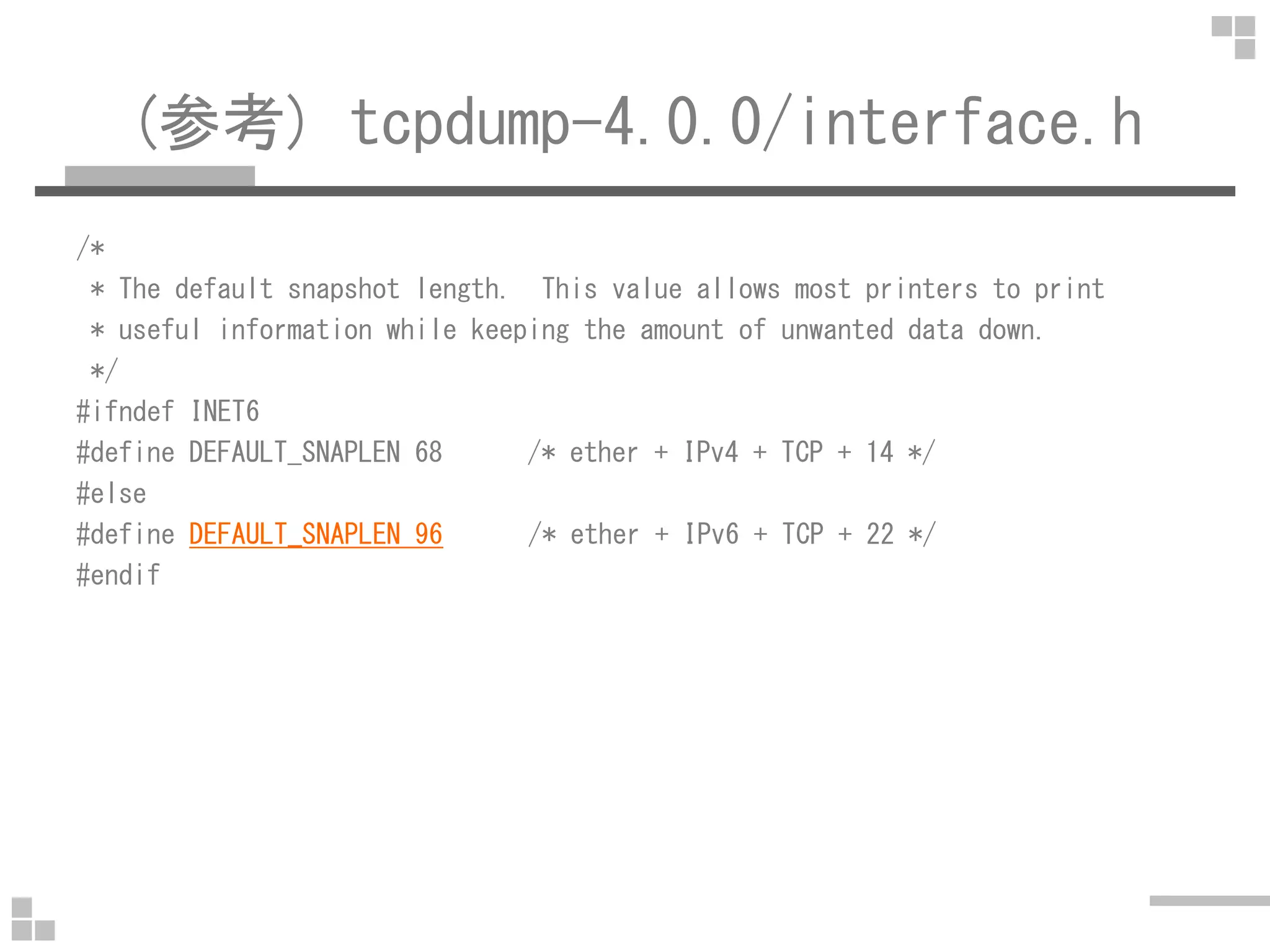
(参考) tcpdump-4.0.0/interface.h
/*
* The default snapshot length. This value allows most printers to print
* useful information while keeping the amount of unwanted data down.
*/
#ifndef INET6
#define DEFAULT_SNAPLEN 68 /* ether + IPv4 + TCP + 14 */
#else
#define DEFAULT_SNAPLEN 96 /* ether + IPv6 + TCP + 22 */
#endif
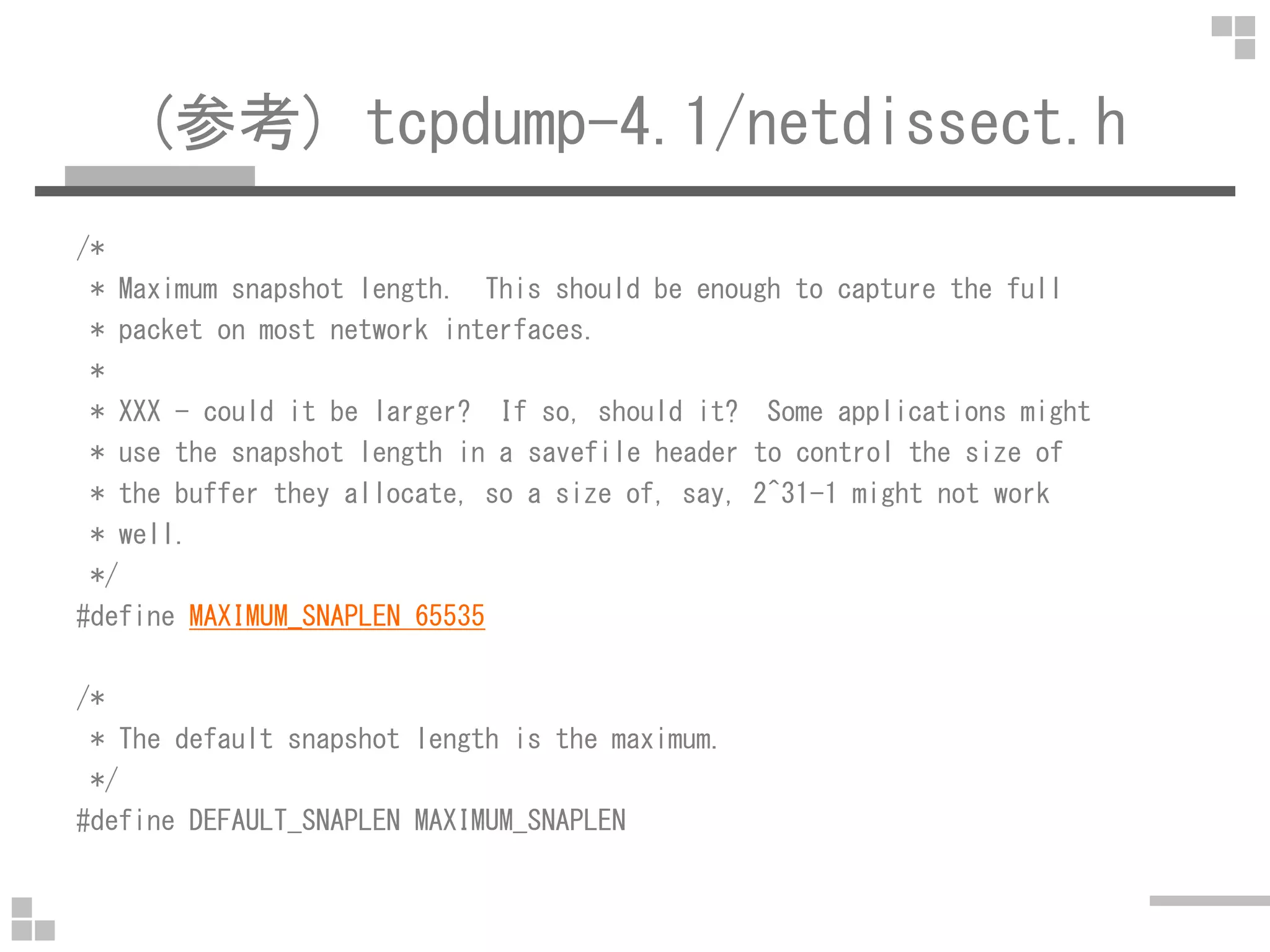
(参考) tcpdump-4.1/netdissect.h
/*
* Maximum snapshot length. This should be enough to capture the full
* packet on most network interfaces.
*
* XXX - could it be larger? If so, should it? Some applications might
* use the snapshot length in a savefile header to control the size of
* the buffer they allocate, so a size of, say, 2^31-1 might not work
* well.
*/
#define MAXIMUM_SNAPLEN 65535
/*
* The default snapshot length is the maximum.
*/
#define DEFAULT_SNAPLEN MAXIMUM_SNAPLEN
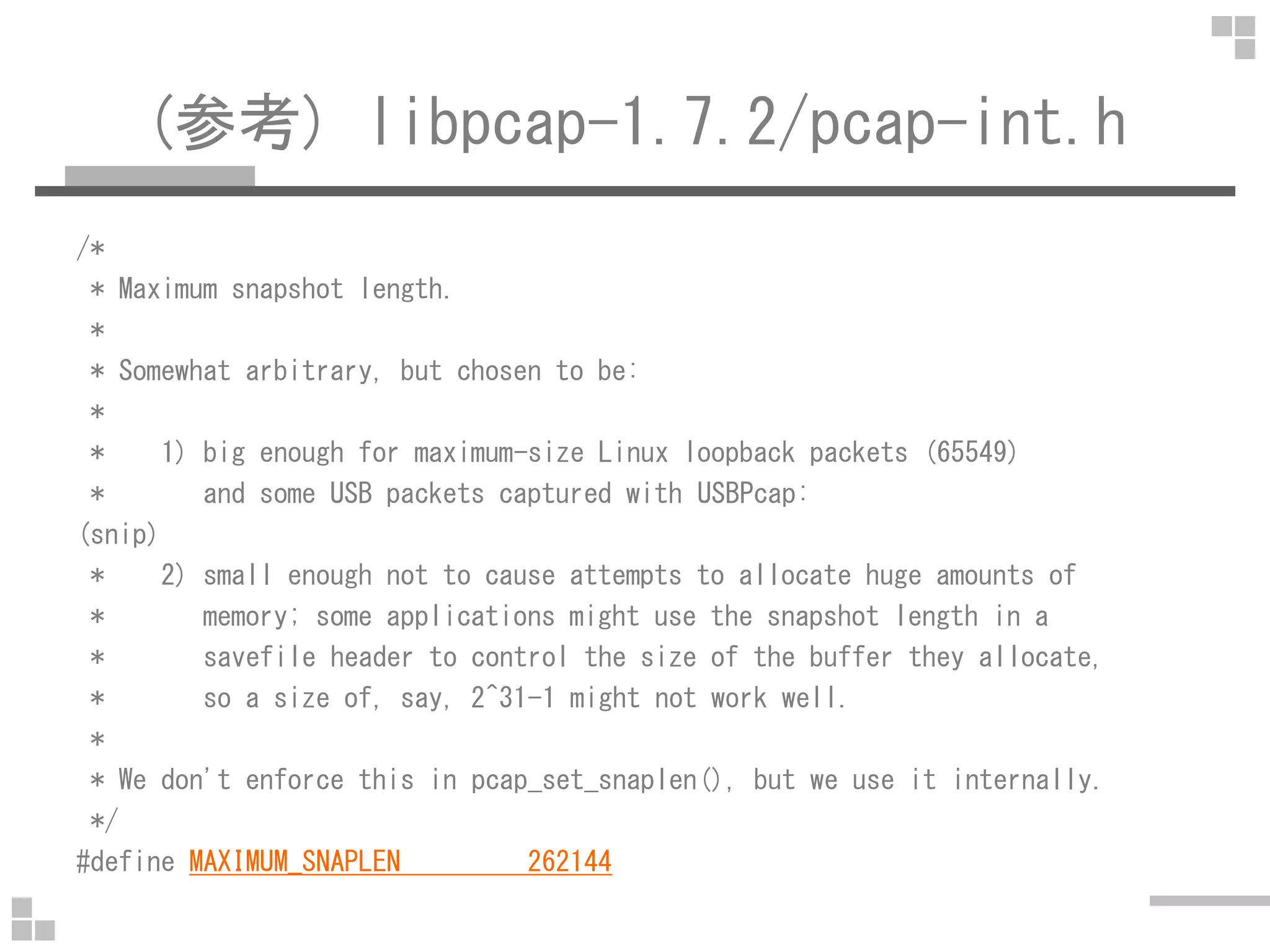
(参考) libpcap-1.7.2/pcap-int.h
/*
* Maximum snapshot length.
*
* Somewhat arbitrary, but chosen to be:
*
* 1) big enough for maximum-size Linux loopback packets (65549)
* and some USB packets captured with USBPcap:
(snip)
* 2) small enough not to cause attempts to allocate huge amounts of
* memory; some applications might use the snapshot length in a
* savefile header to control the size of the buffer they allocate,
* so a size of, say, 2^31-1 might not work well.
*
* We don't enforce this in pcap_set_snaplen(), but we use it internally.
*/
#define MAXIMUM_SNAPLEN 262144
1.ip(IPv4)
$ sudo tcpdump -d ip
(000) ldh [12]
(001) jeq #0x800 jt 2 jf 3
(002) ret #65535
(003) ret #0
ldh Load Half Word (2Byte)
jeq Jump Equal (jt:Jump if True, jf:Jump if False)
(000) 12[Byte]ずれた後の 2[Byte]を読み込む(Etherヘッダの Type を読み込む)
(001) 0x800 なら (002)に/それ以外なら (003) に
(002) 65535[Byte]キャプチャ=全てキャプチャ
(003) 0[byte]キャプチャ=キャプチャしない
2.ip6(IPv6)
$ sudo tcpdump -d ip6
(000) ldh [12]
(001) jeq #0x86dd jt 2 jf 3
(002) ret #65535
(003) ret #0
ldh Load Half Word (2Byte)
jeq Jump Equal (jt:Jump if True, jf:Jump if False)
(000) 12[Byte]ずれた後の 2[Byte]を読み込む(Etherヘッダの Type を読み込む)
(001) 0x86dd なら (002)に/それ以外なら (003) に
(002) 65535[Byte]キャプチャ=全てキャプチャ
(003) 0[byte]キャプチャ=キャプチャしない
(参考) Ethernet Header
+-+-+-+-+-+-+-+-+-+-+-+-+-+-+-+-+-+-+-+-+-+-+-+-+-+-+-+-+-+-+-+-+
| Source MAC Address |
+ +-+-+-+-+-+-+-+-+-+-+-+-+-+-+-+-|
| | |
+-+-+-+-+-+-+-+-+-+-+-+-+-+-+-+-+ |
| Destination MAC Address |
+-+-+-+-+-+-+-+-+-+-+-+-+-+-+-+-+-+-+-+-+-+-+-+-+-+-+-+-+-+-+-+-+
| Type |
+-+-+-+-+-+-+-+-+-+-+-+-+-+-+-+-+
12[Byte]
3.icmp(ICMPv4)
$ sudo tcpdump -d icmp
(000) ldh [12]
(001) jeq #0x800 jt 2 jf 5
(002) ldb [23]
(003) jeq #0x1 jt 4 jf 5
(004) ret #65535
(005) ret #0
ldb Load Byte(1Byte)
(000) 12[Byte]ずれた後の 2[Byte]を読み込む(Etherヘッダの Type を読み込む)
(001) 0x800 なら (002)に/それ以外なら (005) に
(002) 23[Byte]ずれた後の 1[Byte]を読み込む(IPヘッダの Protocol)
(003) Protocol が 0x1(ICMP)なら (004)に/それ以外なら(005)へ
(004) 65535[Byte]キャプチャ=全てキャプチャ
(005) 0[byte]キャプチャ=キャプチャしない
(参考) IP Header
+-+-+-+-+-+-+-+-+-+-+-+-+-+-+-+-+-+-+-+-+-+-+-+-+-+-+-+-+-+-+-+-+
|Version| IHL |Type of Service| Total Length |
+-+-+-+-+-+-+-+-+-+-+-+-+-+-+-+-+-+-+-+-+-+-+-+-+-+-+-+-+-+-+-+-+
| Identification |Flags| Fragment Offset |
+-+-+-+-+-+-+-+-+-+-+-+-+-+-+-+-+-+-+-+-+-+-+-+-+-+-+-+-+-+-+-+-+
| Time to Live | Protocol | Header Checksum |
+-+-+-+-+-+-+-+-+-+-+-+-+-+-+-+-+-+-+-+-+-+-+-+-+-+-+-+-+-+-+-+-+
| Source Address |
+-+-+-+-+-+-+-+-+-+-+-+-+-+-+-+-+-+-+-+-+-+-+-+-+-+-+-+-+-+-+-+-+
| Destination Address |
+-+-+-+-+-+-+-+-+-+-+-+-+-+-+-+-+-+-+-+-+-+-+-+-+-+-+-+-+-+-+-+-+
| Options | Padding |
+-+-+-+-+-+-+-+-+-+-+-+-+-+-+-+-+-+-+-+-+-+-+-+-+-+-+-+-+-+-+-+-+
https://www.ietf.org/rfc/rfc791.txt
14+9[Byte]
4.icmp6(ICMPv6)
$ sudo tcpdump -d icmp6
(000) ldh [12] # Type
(001) jeq #0x86dd jt 2 jf 8 # IPv6
(002) ldb [20] # NextHeader
(003) jeq #0x3a jt 7 jf 4 # ICMPv6
(004) jeq #0x2c jt 5 jf 8 # Fragment Header
(005) ldb [54] # NextHeader
(006) jeq #0x3a jt 7 jf 8 # ICMPv6
(007) ret #65535 # capture
(008) ret #0 # don't capture
0x3a = 58 => ICMPv6
0x2c = 44 => Fragment Header for IPv6
NextHeader が Fragment Header の場合,
40[Byte]の IPv6 Header のすぐ後に(Fragment された) NextHeader がくる
(参考) IPv6 Header
+-+-+-+-+-+-+-+-+-+-+-+-+-+-+-+-+-+-+-+-+-+-+-+-+-+-+-+-+-+-+-+-+
|Version| Traffic Class | Flow Label |
+-+-+-+-+-+-+-+-+-+-+-+-+-+-+-+-+-+-+-+-+-+-+-+-+-+-+-+-+-+-+-+-+
| Payload Length | Next Header | Hop Limit |
+-+-+-+-+-+-+-+-+-+-+-+-+-+-+-+-+-+-+-+-+-+-+-+-+-+-+-+-+-+-+-+-+
(snip)
14+6[Byte]+ Source Address +
(snip)
+-+-+-+-+-+-+-+-+-+-+-+-+-+-+-+-+-+-+-+-+-+-+-+-+-+-+-+-+-+-+-+-+
(snip)
+ Destination Address +
(snip)
+-+-+-+-+-+-+-+-+-+-+-+-+-+-+-+-+-+-+-+-+-+-+-+-+-+-+-+-+-+-+-+-+
14+6[Byte]
(参考) IPv6 (NextHeader = fragment)
+-+-+-+-+-+-+-+-+-+-+-+-+-+-+-+-+-+-+-+-+-+-+-+-+-+-+-+-+-+-+-+-+
|Version| Traffic Class | Flow Label |
+-+-+-+-+-+-+-+-+-+-+-+-+-+-+-+-+-+-+-+-+-+-+-+-+-+-+-+-+-+-+-+-+
| Payload Length | 0x2c = 44 | Hop Limit |
+-+-+-+-+-+-+-+-+-+-+-+-+-+-+-+-+-+-+-+-+-+-+-+-+-+-+-+-+-+-+-+-+
(snip)
14+6[Byte]+ Source Address +
(snip)
+-+-+-+-+-+-+-+-+-+-+-+-+-+-+-+-+-+-+-+-+-+-+-+-+-+-+-+-+-+-+-+-+
(snip)
+ Destination Address +
(snip)
+-+-+-+-+-+-+-+-+-+-+-+-+-+-+-+-+-+-+-+-+-+-+-+-+-+-+-+-+-+-+-+-+
| Next Header | Reserved | Fragment Offset |Res|M|
+-+-+-+-+-+-+-+-+-+-+-+-+-+-+-+-+-+-+-+-+-+-+-+-+-+-+-+-+-+-+-+-+
| Identification |
+-+-+-+-+-+-+-+-+-+-+-+-+-+-+-+-+-+-+-+-+-+-+-+-+-+-+-+-+-+-+-+-+
14+6[Byte]
14+20 14+40[Byte]
2015/05/09 修正
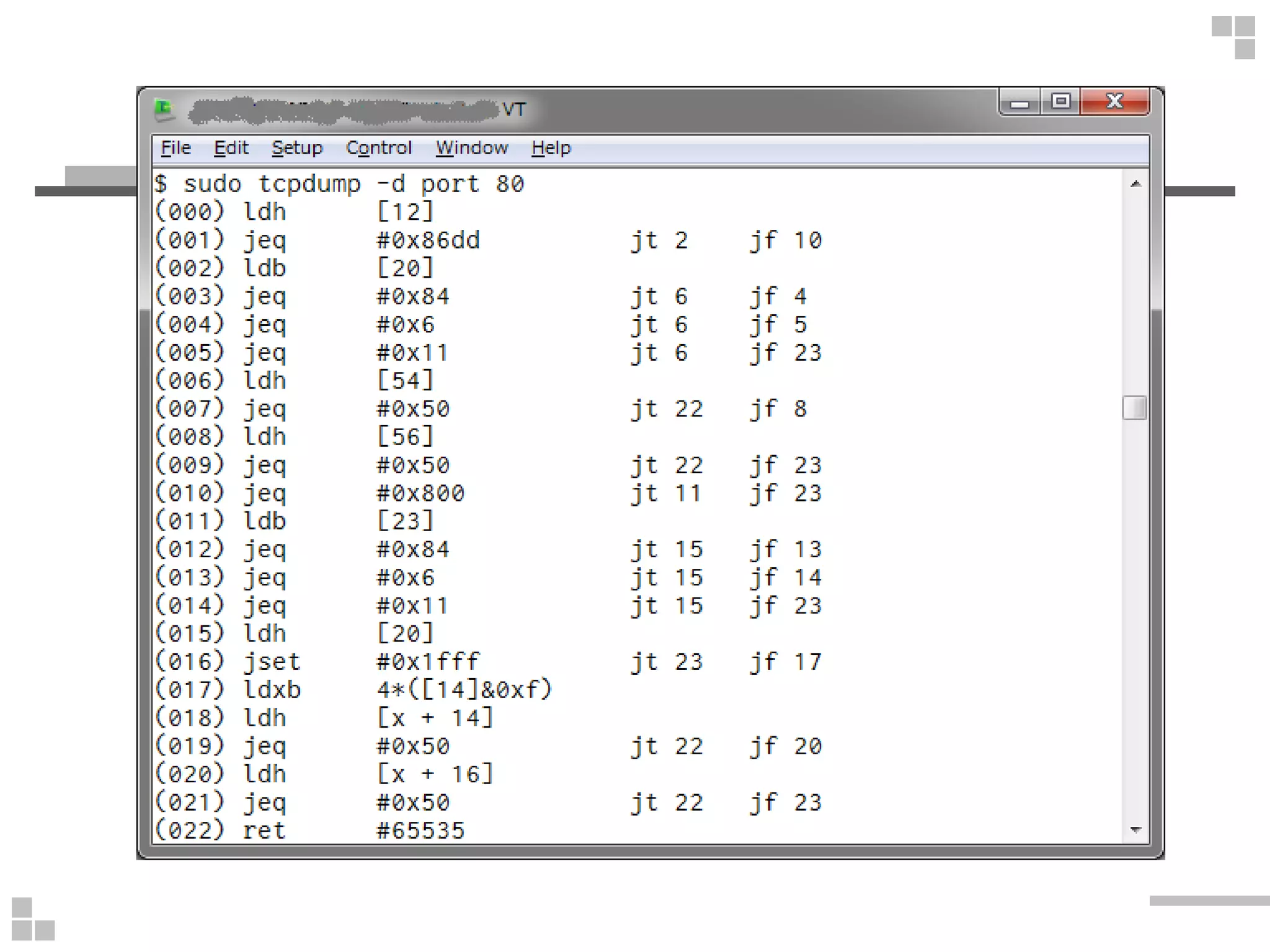
5.port 80(80番ポート)
$ sudo tcpdump -d port 80
(000) ldh [12]
(001) jeq #0x86dd jt 2 jf 10
(002) ldb [20]
(003) jeq #0x84 jt 6 jf 4
(004) jeq #0x6 jt 6 jf 5
(005) jeq #0x11 jt 6 jf 23
(006) ldh [54]
(007) jeq #0x50 jt 22 jf 8
(008) ldh [56]
(009) jeq #0x50 jt 22 jf 23
(010) jeq #0x800 jt 11 jf 23
(011) ldb [23]
…
5.port 80(80番ポート)
...
(012) jeq #0x84 jt 15 jf 13
(013) jeq #0x6 jt 15 jf 14
(014) jeq #0x11 jt 15 jf 23
(015) ldh [20]
(016) jset #0x1fff jt 23 jf 17
(017) ldxb 4*([14]&0xf)
(018) ldh [x + 14]
(019) jeq #0x50 jt 22 jf 20
(020) ldh [x + 16]
(021) jeq #0x50 jt 22 jf 23
(022) ret #65535
(023) ret #0
※ 長いので後回しに…
6.ip and port 80
$ sudo tcpdump -d ip and port 80
(000) ldh [12] # Type
(001) jeq #0x800 jt 2 jf 14 # IPv4
(002) ldb [23] # Protocol
(003) jeq #0x84 jt 6 jf 4 # SCTP
(004) jeq #0x6 jt 6 jf 5 # TCP
(005) jeq #0x11 jt 6 jf 14 # UDP
(006) ldh [20] # offset(IP Header)
(007) jset #0x1fff jt 14 jf 8 # IP Header Length
(008) ldxb 4*([14]&0xf) # TCP Header Length
(009) ldh [x + 14] # SrcPort
(010) jeq #0x50 jt 13 jf 11 # 0x50 = 80
(011) ldh [x + 16] # DstPort
(012) jeq #0x50 jt 13 jf 14 # 0x50 = 80
(013) ret #65535 # capture
(014) ret #0 # don't capture
6.ip and port 80
$ sudo tcpdump -d ip and port 80
(000) ldh [12] # Type
(001) jeq #0x800 jt 2 jf 14 # IPv4
(002) ldb [23] # Protocol
(003) jeq #0x84 jt 6 jf 4 # SCTP
(004) jeq #0x6 jt 6 jf 5 # TCP
IPヘッダ長を計算して x に代入
TCPヘッダ長を計算して x と足し算
→ TCPペイロードの先頭までの offset を計算(005) jeq #0x11 jt 6 jf 14 # UDP
(006) ldh [20] # offset(IP Header)
(007) jset #0x1fff jt 14 jf 8 # IP Header Length
(008) ldxb 4*([14]&0xf) # TCP Header Length
(009) ldh [x + 14] # SrcPort
(010) jeq #0x50 jt 13 jf 11 # 0x50 = 80
(011) ldh [x + 16] # DstPort
(012) jeq #0x50 jt 13 jf 14 # 0x50 = 80
(013) ret #65535 # capture
(014) ret #0 # don't capture
→ TCPペイロードの先頭までの offset を計算
(参考) IP Header
+-+-+-+-+-+-+-+-+-+-+-+-+-+-+-+-+-+-+-+-+-+-+-+-+-+-+-+-+-+-+-+-+
|Version| IHL |Type of Service| Total Length |
+-+-+-+-+-+-+-+-+-+-+-+-+-+-+-+-+-+-+-+-+-+-+-+-+-+-+-+-+-+-+-+-+
| Identification |Flags| Fragment Offset |
+-+-+-+-+-+-+-+-+-+-+-+-+-+-+-+-+-+-+-+-+-+-+-+-+-+-+-+-+-+-+-+-+
| Time to Live | Protocol | Header Checksum |
14+6[Byte]
+-+-+-+-+-+-+-+-+-+-+-+-+-+-+-+-+-+-+-+-+-+-+-+-+-+-+-+-+-+-+-+-+
| Source Address |
+-+-+-+-+-+-+-+-+-+-+-+-+-+-+-+-+-+-+-+-+-+-+-+-+-+-+-+-+-+-+-+-+
| Destination Address |
+-+-+-+-+-+-+-+-+-+-+-+-+-+-+-+-+-+-+-+-+-+-+-+-+-+-+-+-+-+-+-+-+
| Options | Padding |
+-+-+-+-+-+-+-+-+-+-+-+-+-+-+-+-+-+-+-+-+-+-+-+-+-+-+-+-+-+-+-+-+
https://www.ietf.org/rfc/rfc791.txt
14+9[Byte]
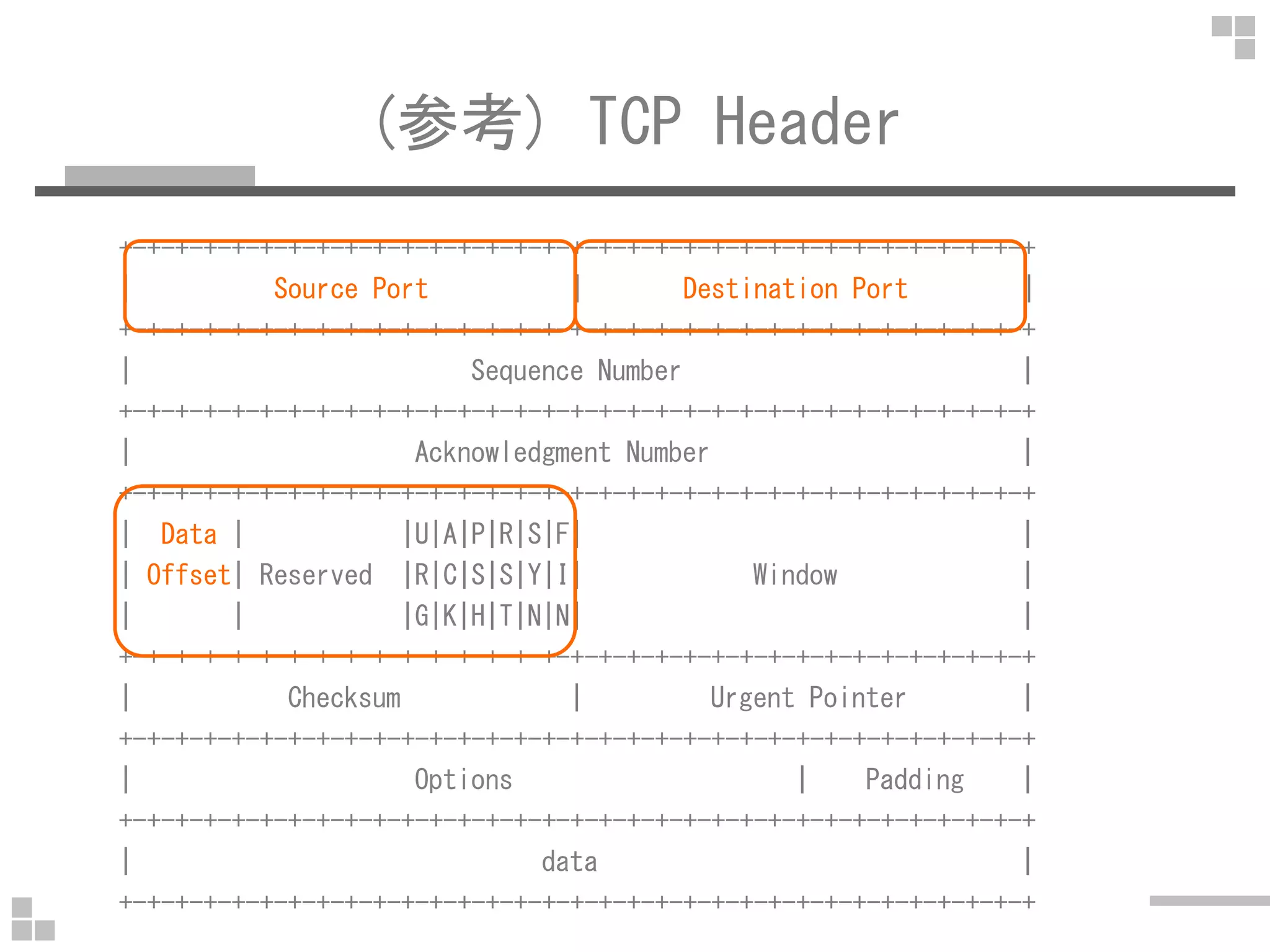
(参考) TCP Header
+-+-+-+-+-+-+-+-+-+-+-+-+-+-+-+-+-+-+-+-+-+-+-+-+-+-+-+-+-+-+-+-+
| Source Port | Destination Port |
+-+-+-+-+-+-+-+-+-+-+-+-+-+-+-+-+-+-+-+-+-+-+-+-+-+-+-+-+-+-+-+-+
| Sequence Number |
+-+-+-+-+-+-+-+-+-+-+-+-+-+-+-+-+-+-+-+-+-+-+-+-+-+-+-+-+-+-+-+-+
| Acknowledgment Number |
+-+-+-+-+-+-+-+-+-+-+-+-+-+-+-+-+-+-+-+-+-+-+-+-+-+-+-+-+-+-+-+-+
| Data | |U|A|P|R|S|F| |
| Offset| Reserved |R|C|S|S|Y|I| Window |
| | |G|K|H|T|N|N| |
+-+-+-+-+-+-+-+-+-+-+-+-+-+-+-+-+-+-+-+-+-+-+-+-+-+-+-+-+-+-+-+-+
| Checksum | Urgent Pointer |
+-+-+-+-+-+-+-+-+-+-+-+-+-+-+-+-+-+-+-+-+-+-+-+-+-+-+-+-+-+-+-+-+
| Options | Padding |
+-+-+-+-+-+-+-+-+-+-+-+-+-+-+-+-+-+-+-+-+-+-+-+-+-+-+-+-+-+-+-+-+
| data |
+-+-+-+-+-+-+-+-+-+-+-+-+-+-+-+-+-+-+-+-+-+-+-+-+-+-+-+-+-+-+-+-+
5.port 80(80番ポート) again
$ sudo tcpdump -d port 80
(000) ldh [12] # Type
(001) jeq #0x86dd jt 2 jf 10 # IPv6
(002) ldb [20] # NextHeader(IPv6)
(003) jeq #0x84 jt 6 jf 4 # SCTP
(004) jeq #0x6 jt 6 jf 5 # TCP
(005) jeq #0x11 jt 6 jf 23 # UDP
(006) ldh [54] # SrcPort
(007) jeq #0x50 jt 22 jf 8 # 0x50=80
(008) ldh [56] # DstPort
(009) jeq #0x50 jt 22 jf 23 # 0x50=80
(010) jeq #0x800 jt 11 jf 23 # IPv4
(011) ldb [23] # Protocol(IPv4)
…
5.port 80(80番ポート) again
...
(012) jeq #0x84 jt 15 jf 13 # SCTP
(013) jeq #0x6 jt 15 jf 14 # TCP
(014) jeq #0x11 jt 15 jf 23 # UDP
(015) ldh [20] # flags + offset
(016) jset #0x1fff jt 23 jf 17 # offset
IPヘッダ長を計算して x に代入
TCPヘッダ長を計算して x と足し算
→ TCPペイロードの先頭までの offset を計算
(017) ldxb 4*([14]&0xf) # Length of IP Payload
(018) ldh [x + 14] # SrcPort
(019) jeq #0x50 jt 22 jf 20 # 0x50=80
(020) ldh [x + 16] # DstPort(SrcPort + 2)
(021) jeq #0x50 jt 22 jf 23 # 0x50=80
(022) ret #65535 # capture
(023) ret #0 # don't capture
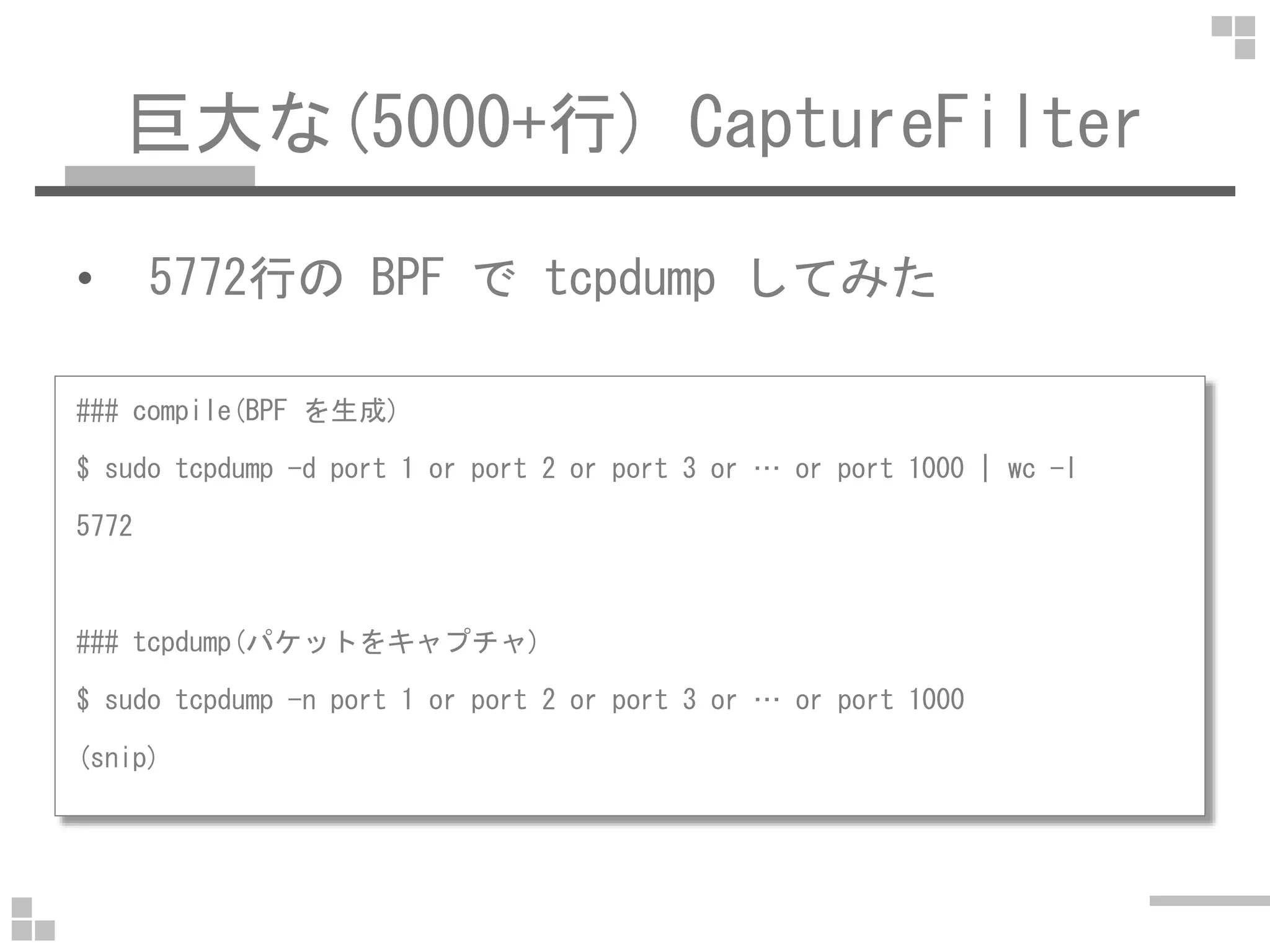
巨大な(5000+行) CaptureFilter
• 5772行の BPF で tcpdump してみた
### compile(BPF を生成)
$ sudo tcpdump -d port 1 or port 2 or port 3 or … or port 1000 | wc -l$ sudo tcpdump -d port 1 or port 2 or port 3 or … or port 1000 | wc -l
5772
### tcpdump(パケットをキャプチャ)
$ sudo tcpdump -n port 1 or port 2 or port 3 or … or port 1000
(snip)
5000+行の CaptureFilter
• 5772行の BPF で tcpdump して
時間とメモリ量を測定
※ 0-300行を拡大
※ 普通はこの辺(でしょ?)
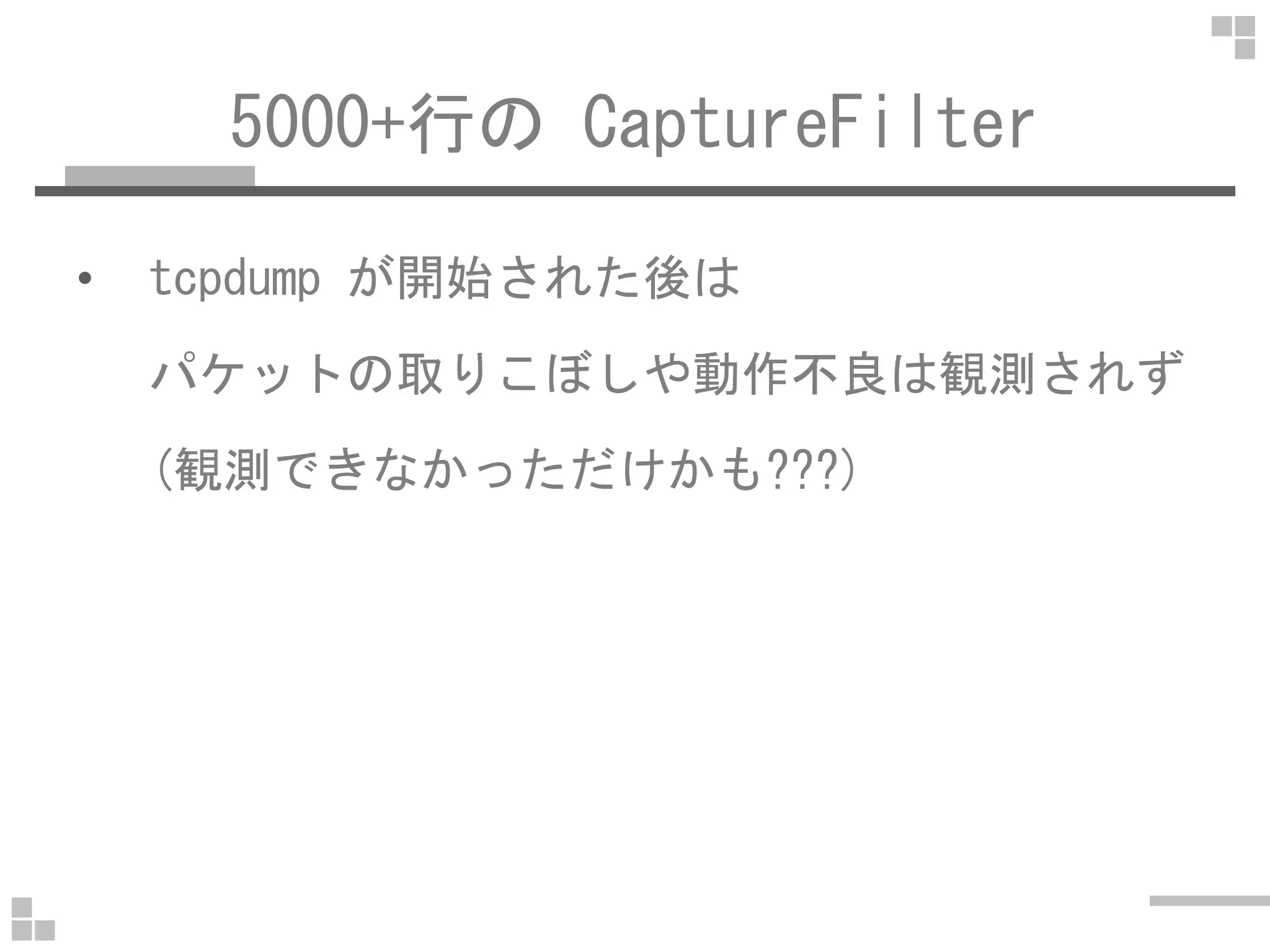
5000+行の CaptureFilter
• tcpdump が開始された後は
パケットの取りこぼしや動作不良は観測されず
(観測できなかっただけかも???)(観測できなかっただけかも???)
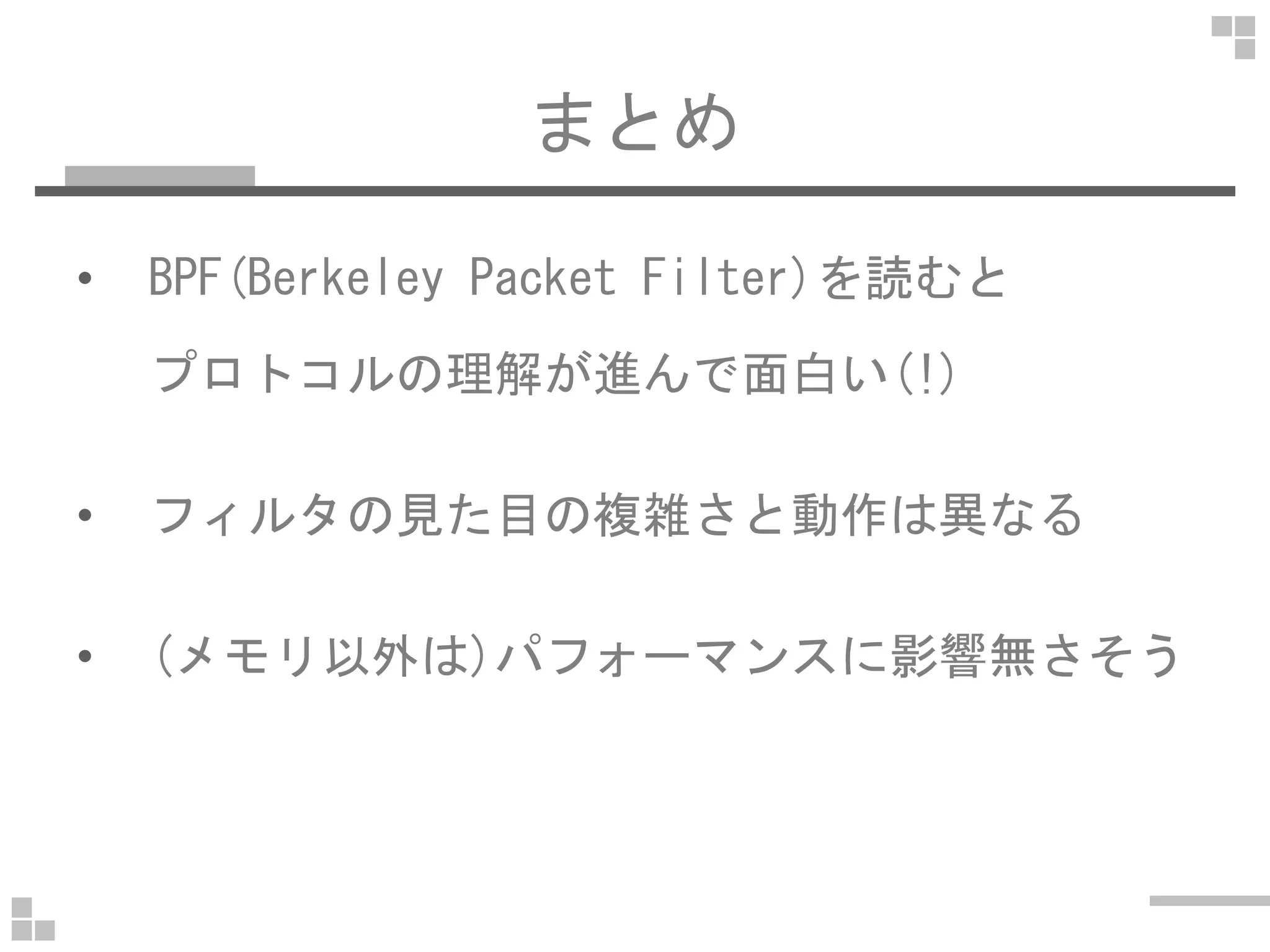
まとめ
• BPF(Berkeley Packet Filter)を読むと
プロトコルの理解が進んで面白い(!)
• フィルタの見た目の複雑さと動作は異なる
• (メモリ以外は)パフォーマンスに影響無さそう
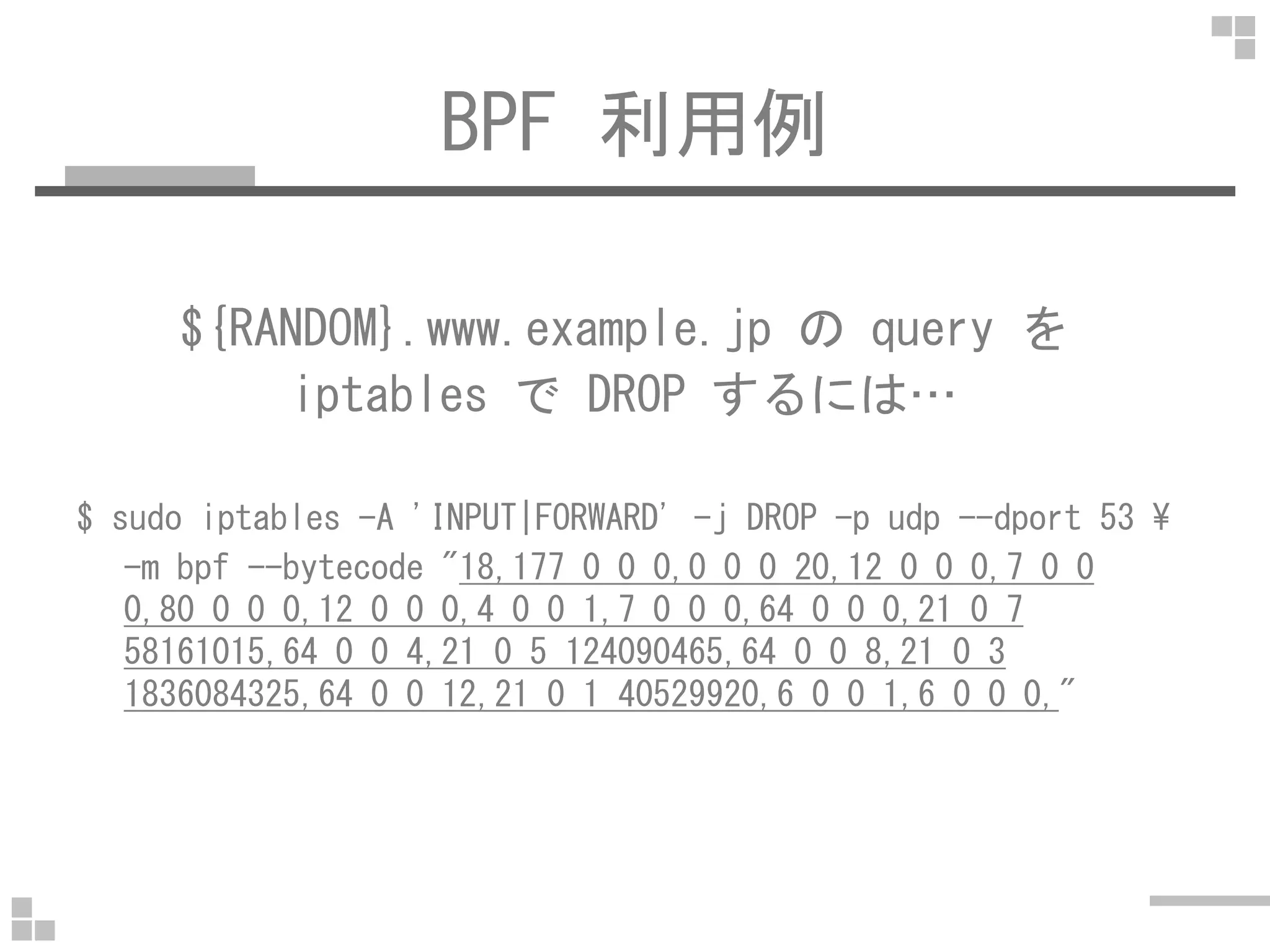
BPF 利用例
${RANDOM}.www.example.jp の query を
iptables で DROP するには…
$ sudo iptables -A 'INPUT|FORWARD' -j DROP -p udp --dport 53 ¥
-m bpf --bytecode "18,177 0 0 0,0 0 0 20,12 0 0 0,7 0 0
0,80 0 0 0,12 0 0 0,4 0 0 1,7 0 0 0,64 0 0 0,21 0 7
58161015,64 0 0 4,21 0 5 124090465,64 0 0 8,21 0 3
1836084325,64 0 0 12,21 0 1 40529920,6 0 0 1,6 0 0 0,"
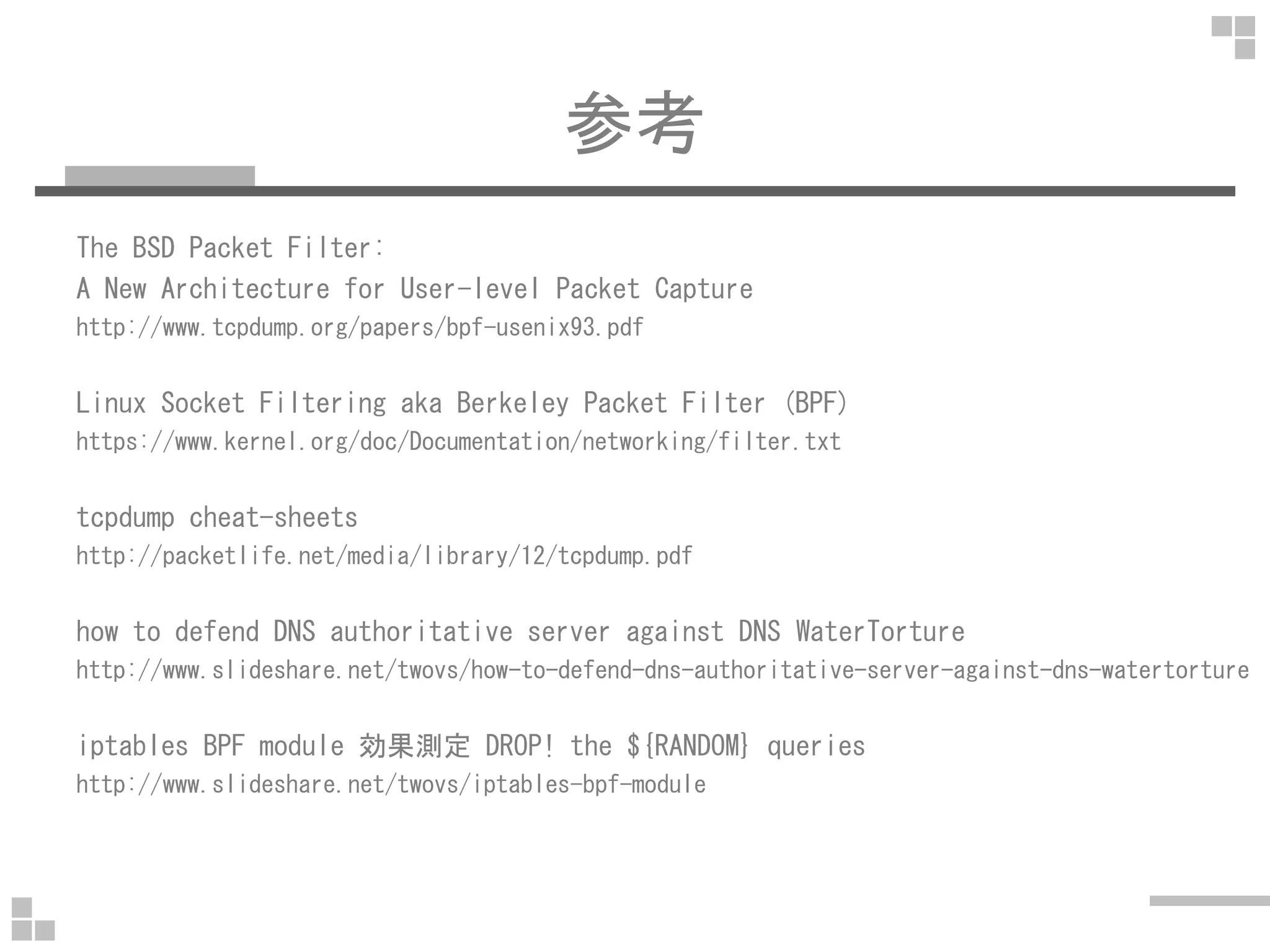
参考
The BSD Packet Filter:
A New Architecture for User-level Packet Capture
http://www.tcpdump.org/papers/bpf-usenix93.pdf
Linux Socket Filtering aka Berkeley Packet Filter (BPF)
https://www.kernel.org/doc/Documentation/networking/filter.txt
tcpdump cheat-sheets
http://packetlife.net/media/library/12/tcpdump.pdf
how to defend DNS authoritative server against DNS WaterTorture
http://www.slideshare.net/twovs/how-to-defend-dns-authoritative-server-against-dns-watertorture
iptables BPF module 効果測定 DROP! the ${RANDOM} queries
http://www.slideshare.net/twovs/iptables-bpf-module
ENDEND

a little more about CaptureFilter

  • 1.
    CaptureFilter の仕組みに ちょっと踏み込んでみた ~ BPFを読んだら分かったこと~ 2015/04/27 #pakeana 27 @otsuka752 (@twovs)
  • 2.
    agenda • CaptureFilter とDisplayFilter • CaptureFilter の中身 → BPF/Berkeley Packet Filter→ BPF/Berkeley Packet Filter • 巨大な(5000+行) CaptureFilter を使ってみた • まとめ • 参考
  • 3.
    about me • @otsuka752(@twovs) • ネコ1人+奥さん1人+可愛い娘 • 無線LAN装置の開発(1999~2004)• 無線LAN装置の開発(1999~2004) • オンラインゲームのシステム管理者(2004~) • ただし,ゲームには全く興味無し • http://tcpreplay.jp/ やってます
  • 4.
    CaptureFilter と DisplayFilter キャプチャする時表示・解析する時 高速 低速 低機能 高機能 カーネルの中 カーネルの外 (ユーザランド) tcpdump/libpcap でも使える wireshark/tshark (など)だけで使える
  • 5.
    CaptureFilter と DisplayFilter フィルタの例 ipip icmp icmp ip6 ipv6 icmp6 icmpv6 port 80 http portrange 80-90 tcp.port >= 80 and tcp.port <= 90
  • 6.
    CaptureFilter と DisplayFilter フィルタの例 ipip icmp icmp ip6 ipv6 icmp6 icmpv6 port 80 http portrange 80-90 tcp.port >= 80 and tcp.port <= 90 (注)左右で意味が異なる!!!
  • 7.
    CaptureFilter と DisplayFilter フィルタの例 ip[0]&0xf= 0x14 ip.hdr_len == 0x14 tcp[((tcp[12:1] & http.request.methodtcp[((tcp[12:1] & 0xf0) >> 2):4] = 0x47455420 http.request.method == "GET" N/A tcp.stream == 0
  • 8.
    CaptureFilter の中身(BPF) • Wireshark Capture ->Options -> Capture Filter:(filter-expression)-> Capture Filter:(filter-expression) -> Compile selected BPFs Compile selected BPFs This button allows you to compile the capture filter into BPF code and pop up a window showing you the resulting pseudo code. This can help in understanding the working of the capture filter you created. The Compile Selected BPFs button leads you to Figure 4.5, "The "Compile Results" dialog box".
  • 11.
    CaptureFilter の中身(BPF) • tcpdump/dumpcap $tcpdump -d (filter-expression) $ dumpcap -d (filter-expression) $ man tcpdump -d Dump the compiled packet-matching code in a human readable form to standard output and stop. $ man dumpcap -d Dump the code generated for the capture filter in a human- readable form, and exit.
  • 13.
    BPF/フィルタ無し $ sudo tcpdump-d (000) ret #65535 ret Returnret Return 65535[Byte] キャプチャする (フレーム/パケット全体をキャプチャ)
  • 14.
    BPF/フィルタ無し(snaplen 指定) $ sudotcpdump -d -s 100 (000) ret #100 # 100[Byte] キャプチャ $ sudo tcpdump -d -s 0 (000) ret #65535 # 65535[byte] キャプチャ $ sudo tcpdump -d (000) ret #96 # tcpdump-4.0.0 まで $ sudo tcpdump -d (000) ret #65535 # tcpdump-4.1 から
  • 15.
    (参考) tcpdump-4.0.0/interface.h /* * Thedefault snapshot length. This value allows most printers to print * useful information while keeping the amount of unwanted data down. */ #ifndef INET6 #define DEFAULT_SNAPLEN 68 /* ether + IPv4 + TCP + 14 */ #else #define DEFAULT_SNAPLEN 96 /* ether + IPv6 + TCP + 22 */ #endif
  • 16.
    (参考) tcpdump-4.1/netdissect.h /* * Maximumsnapshot length. This should be enough to capture the full * packet on most network interfaces. * * XXX - could it be larger? If so, should it? Some applications might * use the snapshot length in a savefile header to control the size of * the buffer they allocate, so a size of, say, 2^31-1 might not work * well. */ #define MAXIMUM_SNAPLEN 65535 /* * The default snapshot length is the maximum. */ #define DEFAULT_SNAPLEN MAXIMUM_SNAPLEN
  • 17.
    (参考) libpcap-1.7.2/pcap-int.h /* * Maximumsnapshot length. * * Somewhat arbitrary, but chosen to be: * * 1) big enough for maximum-size Linux loopback packets (65549) * and some USB packets captured with USBPcap: (snip) * 2) small enough not to cause attempts to allocate huge amounts of * memory; some applications might use the snapshot length in a * savefile header to control the size of the buffer they allocate, * so a size of, say, 2^31-1 might not work well. * * We don't enforce this in pcap_set_snaplen(), but we use it internally. */ #define MAXIMUM_SNAPLEN 262144
  • 18.
    1.ip(IPv4) $ sudo tcpdump-d ip (000) ldh [12] (001) jeq #0x800 jt 2 jf 3 (002) ret #65535 (003) ret #0 ldh Load Half Word (2Byte) jeq Jump Equal (jt:Jump if True, jf:Jump if False) (000) 12[Byte]ずれた後の 2[Byte]を読み込む(Etherヘッダの Type を読み込む) (001) 0x800 なら (002)に/それ以外なら (003) に (002) 65535[Byte]キャプチャ=全てキャプチャ (003) 0[byte]キャプチャ=キャプチャしない
  • 19.
    2.ip6(IPv6) $ sudo tcpdump-d ip6 (000) ldh [12] (001) jeq #0x86dd jt 2 jf 3 (002) ret #65535 (003) ret #0 ldh Load Half Word (2Byte) jeq Jump Equal (jt:Jump if True, jf:Jump if False) (000) 12[Byte]ずれた後の 2[Byte]を読み込む(Etherヘッダの Type を読み込む) (001) 0x86dd なら (002)に/それ以外なら (003) に (002) 65535[Byte]キャプチャ=全てキャプチャ (003) 0[byte]キャプチャ=キャプチャしない
  • 20.
    (参考) Ethernet Header +-+-+-+-+-+-+-+-+-+-+-+-+-+-+-+-+-+-+-+-+-+-+-+-+-+-+-+-+-+-+-+-+ |Source MAC Address | + +-+-+-+-+-+-+-+-+-+-+-+-+-+-+-+-| | | | +-+-+-+-+-+-+-+-+-+-+-+-+-+-+-+-+ | | Destination MAC Address | +-+-+-+-+-+-+-+-+-+-+-+-+-+-+-+-+-+-+-+-+-+-+-+-+-+-+-+-+-+-+-+-+ | Type | +-+-+-+-+-+-+-+-+-+-+-+-+-+-+-+-+ 12[Byte]
  • 21.
    3.icmp(ICMPv4) $ sudo tcpdump-d icmp (000) ldh [12] (001) jeq #0x800 jt 2 jf 5 (002) ldb [23] (003) jeq #0x1 jt 4 jf 5 (004) ret #65535 (005) ret #0 ldb Load Byte(1Byte) (000) 12[Byte]ずれた後の 2[Byte]を読み込む(Etherヘッダの Type を読み込む) (001) 0x800 なら (002)に/それ以外なら (005) に (002) 23[Byte]ずれた後の 1[Byte]を読み込む(IPヘッダの Protocol) (003) Protocol が 0x1(ICMP)なら (004)に/それ以外なら(005)へ (004) 65535[Byte]キャプチャ=全てキャプチャ (005) 0[byte]キャプチャ=キャプチャしない
  • 22.
    (参考) IP Header +-+-+-+-+-+-+-+-+-+-+-+-+-+-+-+-+-+-+-+-+-+-+-+-+-+-+-+-+-+-+-+-+ |Version|IHL |Type of Service| Total Length | +-+-+-+-+-+-+-+-+-+-+-+-+-+-+-+-+-+-+-+-+-+-+-+-+-+-+-+-+-+-+-+-+ | Identification |Flags| Fragment Offset | +-+-+-+-+-+-+-+-+-+-+-+-+-+-+-+-+-+-+-+-+-+-+-+-+-+-+-+-+-+-+-+-+ | Time to Live | Protocol | Header Checksum | +-+-+-+-+-+-+-+-+-+-+-+-+-+-+-+-+-+-+-+-+-+-+-+-+-+-+-+-+-+-+-+-+ | Source Address | +-+-+-+-+-+-+-+-+-+-+-+-+-+-+-+-+-+-+-+-+-+-+-+-+-+-+-+-+-+-+-+-+ | Destination Address | +-+-+-+-+-+-+-+-+-+-+-+-+-+-+-+-+-+-+-+-+-+-+-+-+-+-+-+-+-+-+-+-+ | Options | Padding | +-+-+-+-+-+-+-+-+-+-+-+-+-+-+-+-+-+-+-+-+-+-+-+-+-+-+-+-+-+-+-+-+ https://www.ietf.org/rfc/rfc791.txt 14+9[Byte]
  • 23.
    4.icmp6(ICMPv6) $ sudo tcpdump-d icmp6 (000) ldh [12] # Type (001) jeq #0x86dd jt 2 jf 8 # IPv6 (002) ldb [20] # NextHeader (003) jeq #0x3a jt 7 jf 4 # ICMPv6 (004) jeq #0x2c jt 5 jf 8 # Fragment Header (005) ldb [54] # NextHeader (006) jeq #0x3a jt 7 jf 8 # ICMPv6 (007) ret #65535 # capture (008) ret #0 # don't capture 0x3a = 58 => ICMPv6 0x2c = 44 => Fragment Header for IPv6 NextHeader が Fragment Header の場合, 40[Byte]の IPv6 Header のすぐ後に(Fragment された) NextHeader がくる
  • 24.
    (参考) IPv6 Header +-+-+-+-+-+-+-+-+-+-+-+-+-+-+-+-+-+-+-+-+-+-+-+-+-+-+-+-+-+-+-+-+ |Version|Traffic Class | Flow Label | +-+-+-+-+-+-+-+-+-+-+-+-+-+-+-+-+-+-+-+-+-+-+-+-+-+-+-+-+-+-+-+-+ | Payload Length | Next Header | Hop Limit | +-+-+-+-+-+-+-+-+-+-+-+-+-+-+-+-+-+-+-+-+-+-+-+-+-+-+-+-+-+-+-+-+ (snip) 14+6[Byte]+ Source Address + (snip) +-+-+-+-+-+-+-+-+-+-+-+-+-+-+-+-+-+-+-+-+-+-+-+-+-+-+-+-+-+-+-+-+ (snip) + Destination Address + (snip) +-+-+-+-+-+-+-+-+-+-+-+-+-+-+-+-+-+-+-+-+-+-+-+-+-+-+-+-+-+-+-+-+ 14+6[Byte]
  • 25.
    (参考) IPv6 (NextHeader= fragment) +-+-+-+-+-+-+-+-+-+-+-+-+-+-+-+-+-+-+-+-+-+-+-+-+-+-+-+-+-+-+-+-+ |Version| Traffic Class | Flow Label | +-+-+-+-+-+-+-+-+-+-+-+-+-+-+-+-+-+-+-+-+-+-+-+-+-+-+-+-+-+-+-+-+ | Payload Length | 0x2c = 44 | Hop Limit | +-+-+-+-+-+-+-+-+-+-+-+-+-+-+-+-+-+-+-+-+-+-+-+-+-+-+-+-+-+-+-+-+ (snip) 14+6[Byte]+ Source Address + (snip) +-+-+-+-+-+-+-+-+-+-+-+-+-+-+-+-+-+-+-+-+-+-+-+-+-+-+-+-+-+-+-+-+ (snip) + Destination Address + (snip) +-+-+-+-+-+-+-+-+-+-+-+-+-+-+-+-+-+-+-+-+-+-+-+-+-+-+-+-+-+-+-+-+ | Next Header | Reserved | Fragment Offset |Res|M| +-+-+-+-+-+-+-+-+-+-+-+-+-+-+-+-+-+-+-+-+-+-+-+-+-+-+-+-+-+-+-+-+ | Identification | +-+-+-+-+-+-+-+-+-+-+-+-+-+-+-+-+-+-+-+-+-+-+-+-+-+-+-+-+-+-+-+-+ 14+6[Byte] 14+20 14+40[Byte] 2015/05/09 修正
  • 26.
    5.port 80(80番ポート) $ sudotcpdump -d port 80 (000) ldh [12] (001) jeq #0x86dd jt 2 jf 10 (002) ldb [20] (003) jeq #0x84 jt 6 jf 4 (004) jeq #0x6 jt 6 jf 5 (005) jeq #0x11 jt 6 jf 23 (006) ldh [54] (007) jeq #0x50 jt 22 jf 8 (008) ldh [56] (009) jeq #0x50 jt 22 jf 23 (010) jeq #0x800 jt 11 jf 23 (011) ldb [23] …
  • 27.
    5.port 80(80番ポート) ... (012) jeq#0x84 jt 15 jf 13 (013) jeq #0x6 jt 15 jf 14 (014) jeq #0x11 jt 15 jf 23 (015) ldh [20] (016) jset #0x1fff jt 23 jf 17 (017) ldxb 4*([14]&0xf) (018) ldh [x + 14] (019) jeq #0x50 jt 22 jf 20 (020) ldh [x + 16] (021) jeq #0x50 jt 22 jf 23 (022) ret #65535 (023) ret #0 ※ 長いので後回しに…
  • 28.
    6.ip and port80 $ sudo tcpdump -d ip and port 80 (000) ldh [12] # Type (001) jeq #0x800 jt 2 jf 14 # IPv4 (002) ldb [23] # Protocol (003) jeq #0x84 jt 6 jf 4 # SCTP (004) jeq #0x6 jt 6 jf 5 # TCP (005) jeq #0x11 jt 6 jf 14 # UDP (006) ldh [20] # offset(IP Header) (007) jset #0x1fff jt 14 jf 8 # IP Header Length (008) ldxb 4*([14]&0xf) # TCP Header Length (009) ldh [x + 14] # SrcPort (010) jeq #0x50 jt 13 jf 11 # 0x50 = 80 (011) ldh [x + 16] # DstPort (012) jeq #0x50 jt 13 jf 14 # 0x50 = 80 (013) ret #65535 # capture (014) ret #0 # don't capture
  • 29.
    6.ip and port80 $ sudo tcpdump -d ip and port 80 (000) ldh [12] # Type (001) jeq #0x800 jt 2 jf 14 # IPv4 (002) ldb [23] # Protocol (003) jeq #0x84 jt 6 jf 4 # SCTP (004) jeq #0x6 jt 6 jf 5 # TCP IPヘッダ長を計算して x に代入 TCPヘッダ長を計算して x と足し算 → TCPペイロードの先頭までの offset を計算(005) jeq #0x11 jt 6 jf 14 # UDP (006) ldh [20] # offset(IP Header) (007) jset #0x1fff jt 14 jf 8 # IP Header Length (008) ldxb 4*([14]&0xf) # TCP Header Length (009) ldh [x + 14] # SrcPort (010) jeq #0x50 jt 13 jf 11 # 0x50 = 80 (011) ldh [x + 16] # DstPort (012) jeq #0x50 jt 13 jf 14 # 0x50 = 80 (013) ret #65535 # capture (014) ret #0 # don't capture → TCPペイロードの先頭までの offset を計算
  • 30.
    (参考) IP Header +-+-+-+-+-+-+-+-+-+-+-+-+-+-+-+-+-+-+-+-+-+-+-+-+-+-+-+-+-+-+-+-+ |Version|IHL |Type of Service| Total Length | +-+-+-+-+-+-+-+-+-+-+-+-+-+-+-+-+-+-+-+-+-+-+-+-+-+-+-+-+-+-+-+-+ | Identification |Flags| Fragment Offset | +-+-+-+-+-+-+-+-+-+-+-+-+-+-+-+-+-+-+-+-+-+-+-+-+-+-+-+-+-+-+-+-+ | Time to Live | Protocol | Header Checksum | 14+6[Byte] +-+-+-+-+-+-+-+-+-+-+-+-+-+-+-+-+-+-+-+-+-+-+-+-+-+-+-+-+-+-+-+-+ | Source Address | +-+-+-+-+-+-+-+-+-+-+-+-+-+-+-+-+-+-+-+-+-+-+-+-+-+-+-+-+-+-+-+-+ | Destination Address | +-+-+-+-+-+-+-+-+-+-+-+-+-+-+-+-+-+-+-+-+-+-+-+-+-+-+-+-+-+-+-+-+ | Options | Padding | +-+-+-+-+-+-+-+-+-+-+-+-+-+-+-+-+-+-+-+-+-+-+-+-+-+-+-+-+-+-+-+-+ https://www.ietf.org/rfc/rfc791.txt 14+9[Byte]
  • 31.
    (参考) TCP Header +-+-+-+-+-+-+-+-+-+-+-+-+-+-+-+-+-+-+-+-+-+-+-+-+-+-+-+-+-+-+-+-+ |Source Port | Destination Port | +-+-+-+-+-+-+-+-+-+-+-+-+-+-+-+-+-+-+-+-+-+-+-+-+-+-+-+-+-+-+-+-+ | Sequence Number | +-+-+-+-+-+-+-+-+-+-+-+-+-+-+-+-+-+-+-+-+-+-+-+-+-+-+-+-+-+-+-+-+ | Acknowledgment Number | +-+-+-+-+-+-+-+-+-+-+-+-+-+-+-+-+-+-+-+-+-+-+-+-+-+-+-+-+-+-+-+-+ | Data | |U|A|P|R|S|F| | | Offset| Reserved |R|C|S|S|Y|I| Window | | | |G|K|H|T|N|N| | +-+-+-+-+-+-+-+-+-+-+-+-+-+-+-+-+-+-+-+-+-+-+-+-+-+-+-+-+-+-+-+-+ | Checksum | Urgent Pointer | +-+-+-+-+-+-+-+-+-+-+-+-+-+-+-+-+-+-+-+-+-+-+-+-+-+-+-+-+-+-+-+-+ | Options | Padding | +-+-+-+-+-+-+-+-+-+-+-+-+-+-+-+-+-+-+-+-+-+-+-+-+-+-+-+-+-+-+-+-+ | data | +-+-+-+-+-+-+-+-+-+-+-+-+-+-+-+-+-+-+-+-+-+-+-+-+-+-+-+-+-+-+-+-+
  • 32.
    5.port 80(80番ポート) again $sudo tcpdump -d port 80 (000) ldh [12] # Type (001) jeq #0x86dd jt 2 jf 10 # IPv6 (002) ldb [20] # NextHeader(IPv6) (003) jeq #0x84 jt 6 jf 4 # SCTP (004) jeq #0x6 jt 6 jf 5 # TCP (005) jeq #0x11 jt 6 jf 23 # UDP (006) ldh [54] # SrcPort (007) jeq #0x50 jt 22 jf 8 # 0x50=80 (008) ldh [56] # DstPort (009) jeq #0x50 jt 22 jf 23 # 0x50=80 (010) jeq #0x800 jt 11 jf 23 # IPv4 (011) ldb [23] # Protocol(IPv4) …
  • 33.
    5.port 80(80番ポート) again ... (012)jeq #0x84 jt 15 jf 13 # SCTP (013) jeq #0x6 jt 15 jf 14 # TCP (014) jeq #0x11 jt 15 jf 23 # UDP (015) ldh [20] # flags + offset (016) jset #0x1fff jt 23 jf 17 # offset IPヘッダ長を計算して x に代入 TCPヘッダ長を計算して x と足し算 → TCPペイロードの先頭までの offset を計算 (017) ldxb 4*([14]&0xf) # Length of IP Payload (018) ldh [x + 14] # SrcPort (019) jeq #0x50 jt 22 jf 20 # 0x50=80 (020) ldh [x + 16] # DstPort(SrcPort + 2) (021) jeq #0x50 jt 22 jf 23 # 0x50=80 (022) ret #65535 # capture (023) ret #0 # don't capture
  • 34.
    巨大な(5000+行) CaptureFilter • 5772行のBPF で tcpdump してみた ### compile(BPF を生成) $ sudo tcpdump -d port 1 or port 2 or port 3 or … or port 1000 | wc -l$ sudo tcpdump -d port 1 or port 2 or port 3 or … or port 1000 | wc -l 5772 ### tcpdump(パケットをキャプチャ) $ sudo tcpdump -n port 1 or port 2 or port 3 or … or port 1000 (snip)
  • 35.
    5000+行の CaptureFilter • 5772行のBPF で tcpdump して 時間とメモリ量を測定 ※ 0-300行を拡大 ※ 普通はこの辺(でしょ?)
  • 36.
    5000+行の CaptureFilter • tcpdumpが開始された後は パケットの取りこぼしや動作不良は観測されず (観測できなかっただけかも???)(観測できなかっただけかも???)
  • 37.
    まとめ • BPF(Berkeley PacketFilter)を読むと プロトコルの理解が進んで面白い(!) • フィルタの見た目の複雑さと動作は異なる • (メモリ以外は)パフォーマンスに影響無さそう
  • 38.
    BPF 利用例 ${RANDOM}.www.example.jp のquery を iptables で DROP するには… $ sudo iptables -A 'INPUT|FORWARD' -j DROP -p udp --dport 53 ¥ -m bpf --bytecode "18,177 0 0 0,0 0 0 20,12 0 0 0,7 0 0 0,80 0 0 0,12 0 0 0,4 0 0 1,7 0 0 0,64 0 0 0,21 0 7 58161015,64 0 0 4,21 0 5 124090465,64 0 0 8,21 0 3 1836084325,64 0 0 12,21 0 1 40529920,6 0 0 1,6 0 0 0,"
  • 39.
    参考 The BSD PacketFilter: A New Architecture for User-level Packet Capture http://www.tcpdump.org/papers/bpf-usenix93.pdf Linux Socket Filtering aka Berkeley Packet Filter (BPF) https://www.kernel.org/doc/Documentation/networking/filter.txt tcpdump cheat-sheets http://packetlife.net/media/library/12/tcpdump.pdf how to defend DNS authoritative server against DNS WaterTorture http://www.slideshare.net/twovs/how-to-defend-dns-authoritative-server-against-dns-watertorture iptables BPF module 効果測定 DROP! the ${RANDOM} queries http://www.slideshare.net/twovs/iptables-bpf-module
  • 40.