¡Conoce tu Biblioteca!
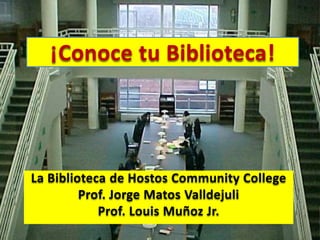
La Biblioteca de Hostos Community College
Prof. Jorge Matos Valldejuli
Prof. Louis Muñoz Jr.
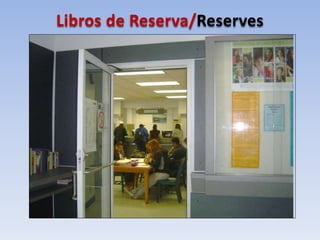
Libros de Reserva/Reserves
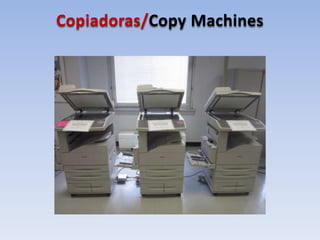
Copiadoras/Copy Machines
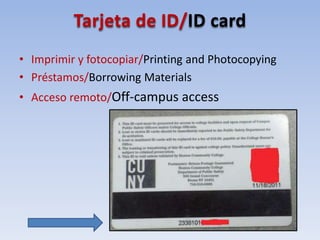
Tarjeta de ID/ID card
• Imprimir y fotocopiar/Printing and Photocopying
• Préstamos/Borrowing Materials
• Acceso remoto/Off-campus access
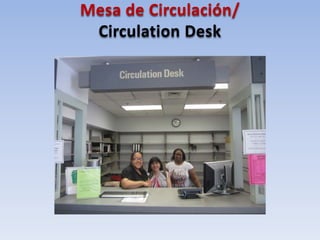
Mesa de Circulación/
Circulation Desk
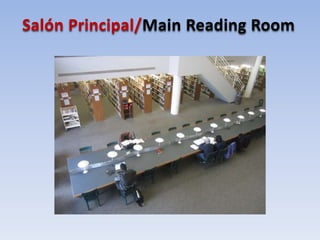
Salón Principal/Main Reading Room
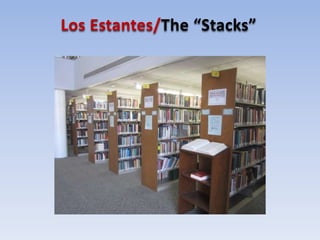
Los Estantes/The “Stacks”
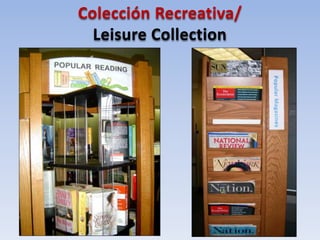
Colección Recreativa/
Leisure Collection
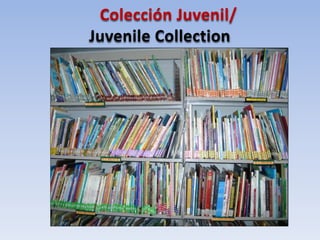
Colección Juvenil/
Juvenile Collection
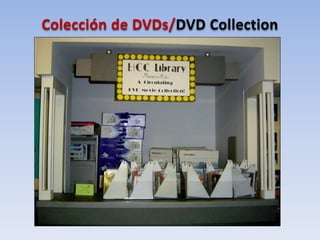
Colección de DVDs/DVD Collection
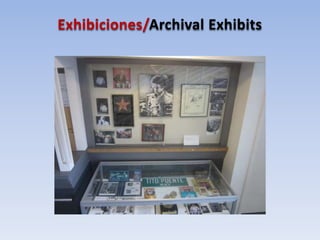
Exhibiciones/Archival Exhibits
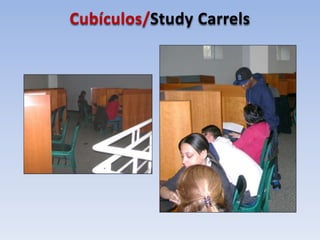
Cubículos/Study Carrels
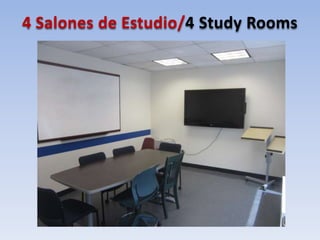
4 Salones de Estudio/4 Study Rooms
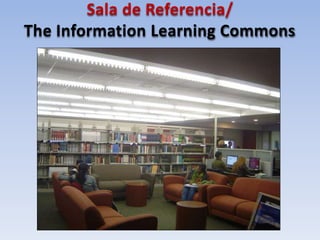
Sala de Referencia/
The Information Learning Commons
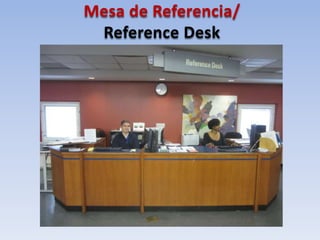
Mesa de Referencia/
Reference Desk
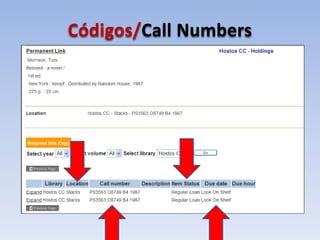
Códigos/Call Numbers
¿Preguntas?
¡GRACIAS!
• Prof. Jorge Matos Valldejuli
jmatos@hostos.cuny.edu
• Prof. Louis Muñoz Jr.
lmunoz@hostos.cuny.edu
• Mesa de Referencia: (718) 518-4215

Conoce tu Biblioteca April 22

Notas del editor

  • #2 Welcome students to the Hostos Library. Introduce yourself as the personal tour guide to the Hostos Library. ¡Bienvenidos! Nuestro taller se llama “¡Conoce Tu Biblioteca!” En este taller, vamos a tomar una “gira virtual” de la Biblioteca de Hostos CC. Tus guias personales son Prof. ~ [y so soy Prof. ~]. Al fin de esta sesion, esperamos que van a entender mucho major que se ofrece aqui en la biblioteca y los servicios disponibles para ayudar en su camino academico. Si recuerdan nada mas, por favor recuerden que los bibliotecarios estan aqui para …
  • #3 Explain that Reserves is across from the Circulation Desk. Inside you can see students asking for books on Reserve. What is not pictured is the copy machines and, on the right, journals against the wall.
  • #4 Explain that Reserves is across from the Circulation Desk. Inside you can see students asking for books on Reserve. What is not pictured is the copy machines and, on the right, journals against the wall.
  • #5 Explain why activating your ID is important: for borrowing, printing and checking out items. Explain that your user ID will actually consist of the first letter of your first name and the first four letters of your last name (the above is shown for simplicity). Demonstrate how students can obtain off-campus access to the CUNY + catalog (i.e., for renewing books) and databases (for articles) using their user ID and password. Discuss how CLICs works but emphasize that the latter service is not available for START students).
  • #6 Explain why activating your ID is important: for borrowing, printing and checking out items. Explain that your user ID will actually consist of the first letter of your first name and the first four letters of your last name (the above is shown for simplicity). Demonstrate how students can obtain off-campus access to the CUNY + catalog (i.e., for renewing books) and databases (for articles) using their user ID and password. Discuss how CLICs works but emphasize that the latter service is not available for START students).
  • #7 On the left side you’ll see more kiosks and the Hostos Leisure collection. You see there’s a spinner on which paperback books (like the kind you’d find in a public library) are visible.
  • #8 On the left side you’ll see more kiosks and the Hostos Leisure collection. You see there’s a spinner on which paperback books (like the kind you’d find in a public library) are visible. …los libros que corresponden a los codigos..
  • #9 On the left side you’ll see more kiosks and the Hostos Leisure collection. You see there’s a spinner on which paperback books (like the kind you’d find in a public library) are visible.
  • #10 Explain the range of the Juvenile Collection: picture books for young children, young adult novels for teens, etc.
  • #11 Going down the staircase, your first sight on the right will be the Circulating DVD Collection. If you want to borrow, take a sleeve and bring it up to Circulation, where they will give you a case.
  • #12 Going down the staircase, your first sight on the right will be the Circulating DVD Collection. If you want to borrow, take a sleeve and bring it up to Circulation, where they will give you a case.
  • #13 A closer view of the Carrels. Note how these booths allow students to work in private.
  • #14 A view of Study Room A. Explain how to book these rooms. Se pueden prestart teclados , auriculares, y otros materiales.
  • #15 Explain that all the computers in the ILC include software such as Word, Powerpoint, Excel, etc., and that there is a color scanner and a special PC for the visually impaired. Explain how printing works and how there are two printers located here.
  • #16 Explain the role of the reference librarian and that of the Tech Tutor.
  • #17 PLACEHOLDER SLIDE. Explain what the location, item status and due date mean. Stress that knowing the call number is important and describe possible locations indicated in the catalog: STACKS; LEISURE; Reserves; Reference; A/V; Juvenile collections.