Introducción al Protocolo OAuth 2.0
Securizando Servicios Web
Ejemplos prácticos de uso
Álvaro Alonso
2
3
OAuth 2.0
4
Agenda
¡  Introducción al protocolo
¡  Roles
¡  Arquitectura OAuth 2.0
¡  Grant-types
¡  Hello OAuth
¡  Google Accounts
¡  FIWARE Account
¡  Securizando backends
5
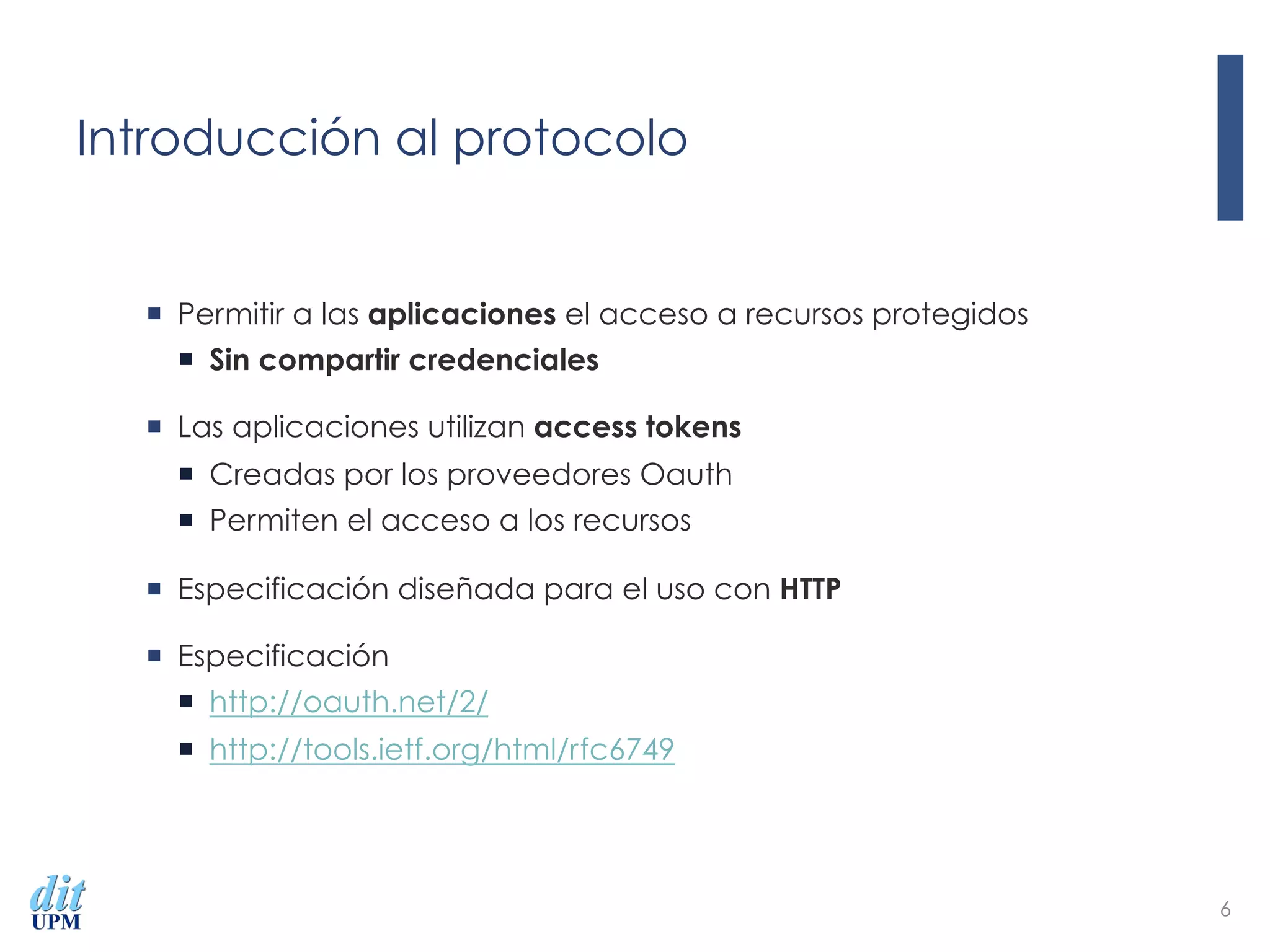
Introducción al protocolo
¡  Permitir a las aplicaciones el acceso a recursos protegidos
¡  Sin compartir credenciales
¡  Las aplicaciones utilizan access tokens
¡  Creadas por los proveedores Oauth
¡  Permiten el acceso a los recursos
¡  Especificación diseñada para el uso con HTTP
¡  Especificación
¡  http://oauth.net/2/
¡  http://tools.ietf.org/html/rfc6749
6
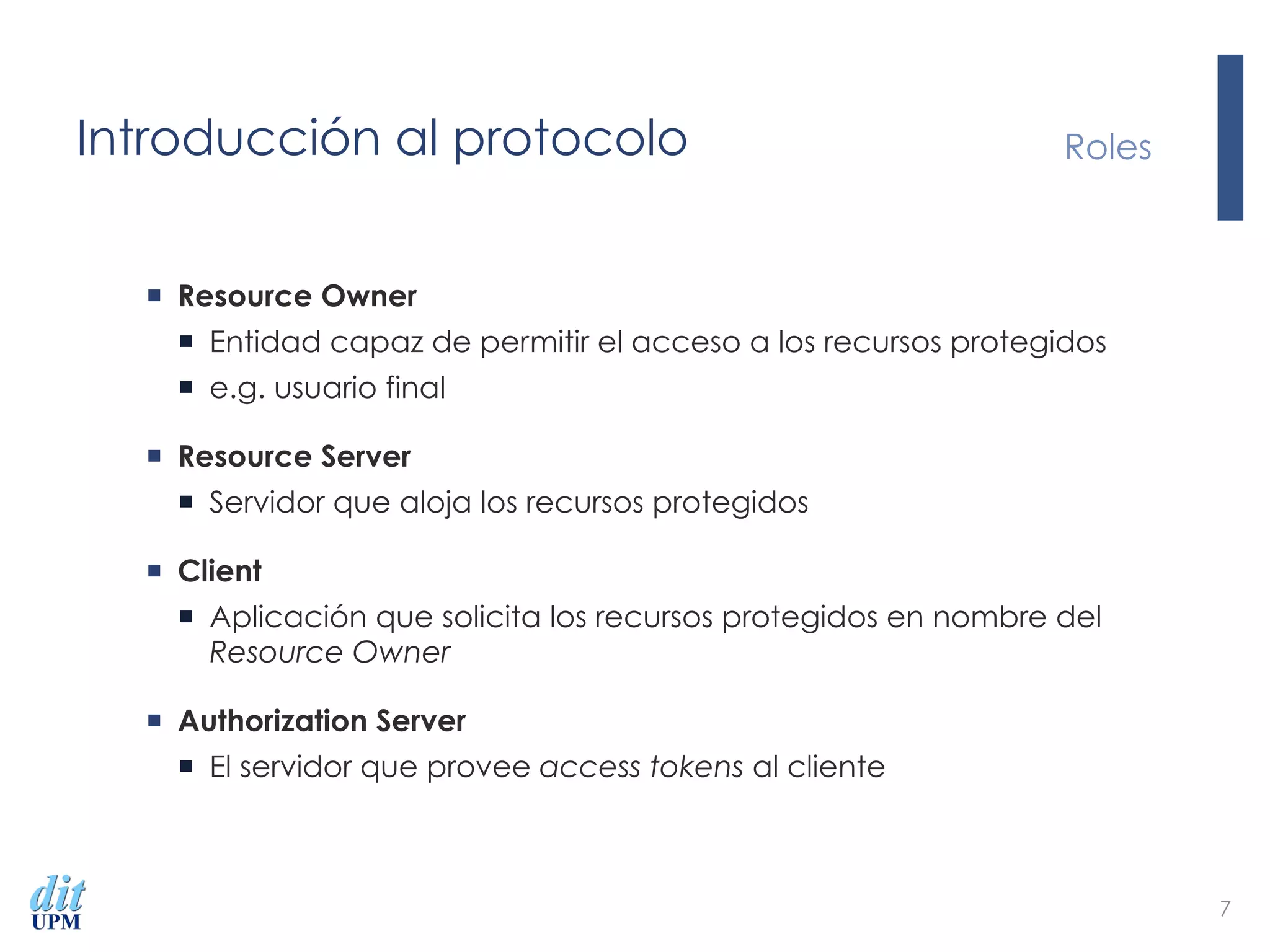
Introducción al protocolo
¡  Resource Owner
¡  Entidad capaz de permitir el acceso a los recursos protegidos
¡  e.g. usuario final
¡  Resource Server
¡  Servidor que aloja los recursos protegidos
¡  Client
¡  Aplicación que solicita los recursos protegidos en nombre del
Resource Owner
¡  Authorization Server
¡  El servidor que provee access tokens al cliente
Roles
7
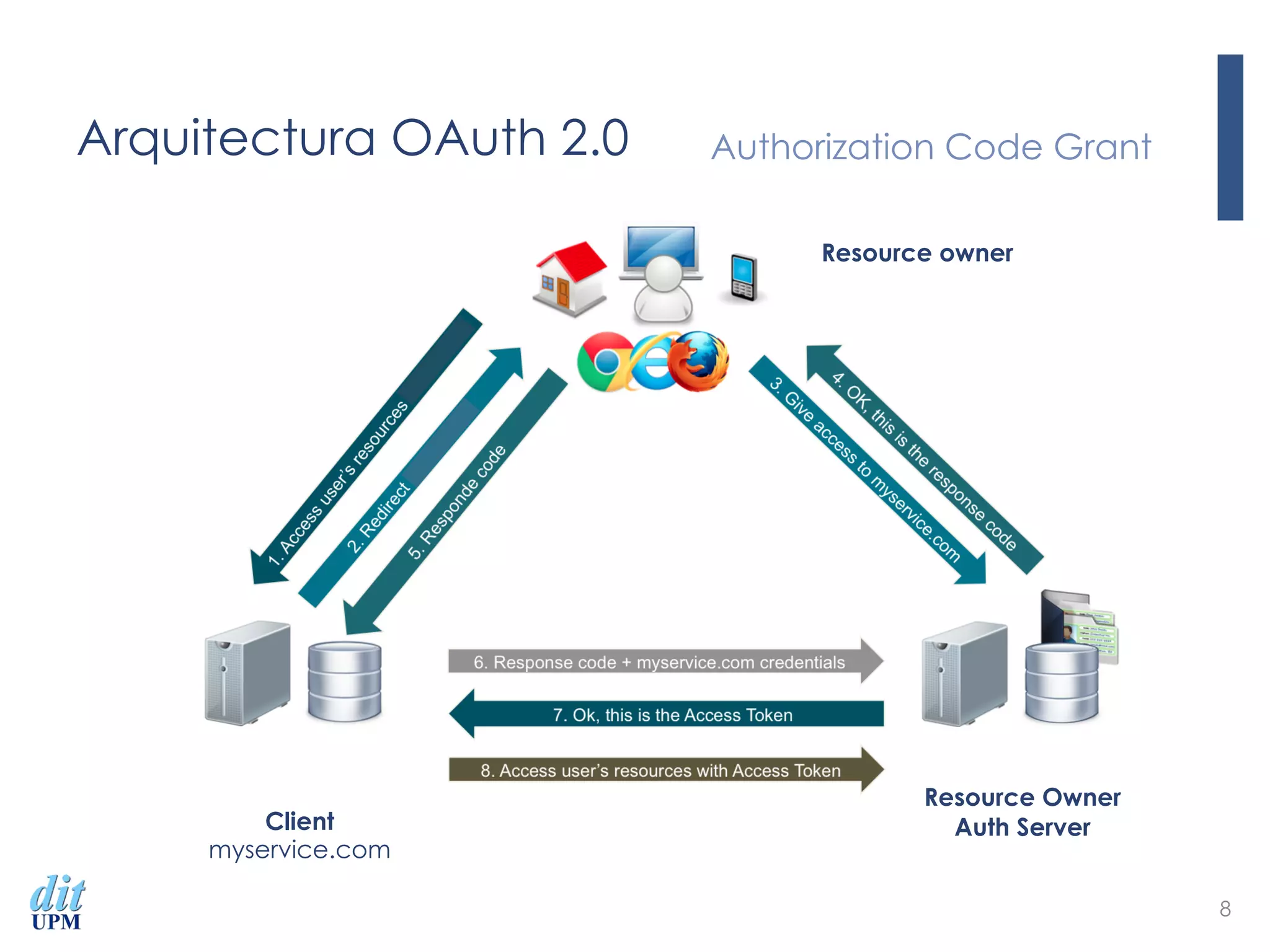
Arquitectura OAuth 2.0 Authorization Code Grant
8
Client
myservice.com
Resource Owner
Auth Server
Resource owner
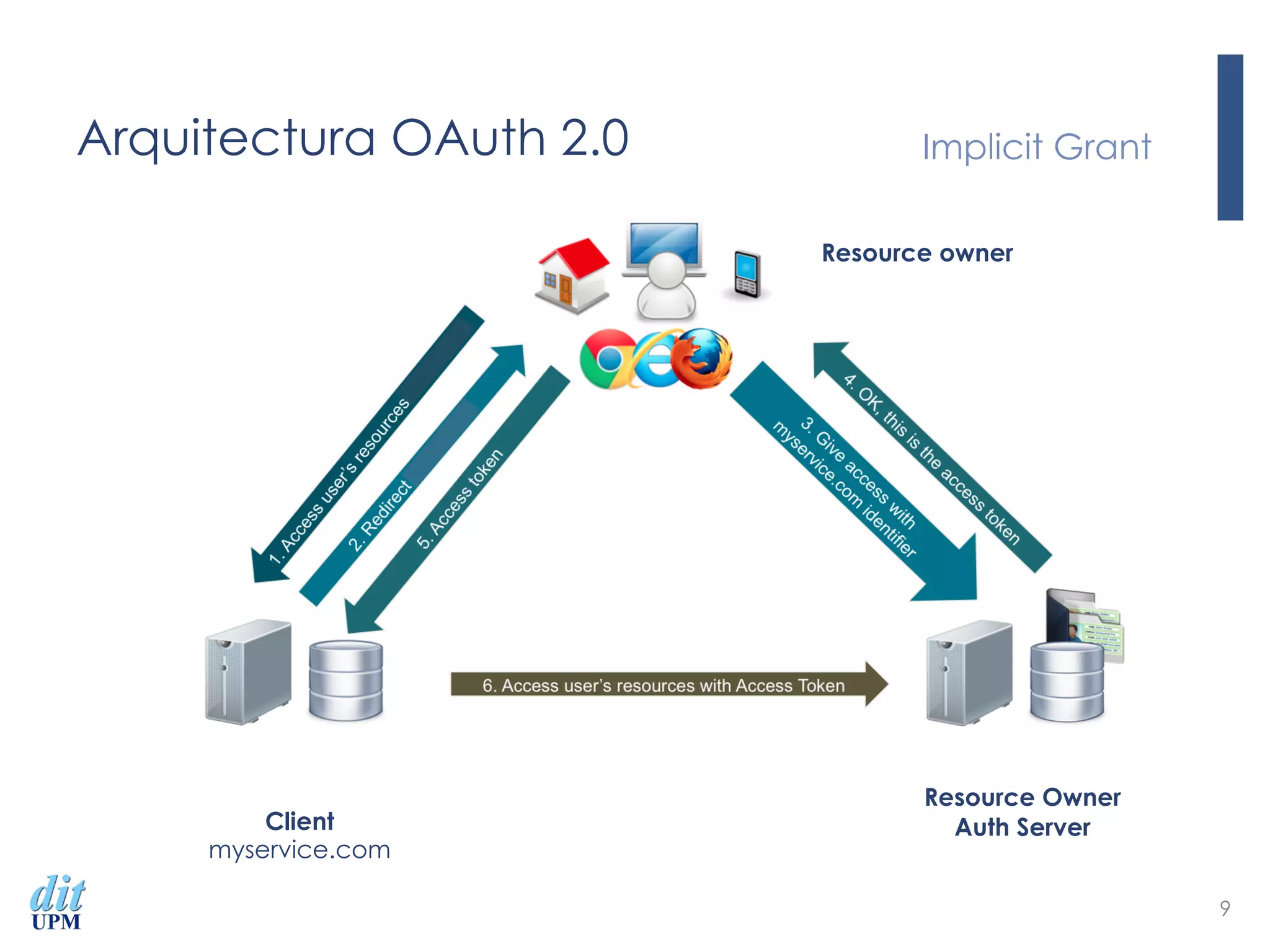
Arquitectura OAuth 2.0 Implicit Grant
9
Client
myservice.com
Resource Owner
Auth Server
Resource owner
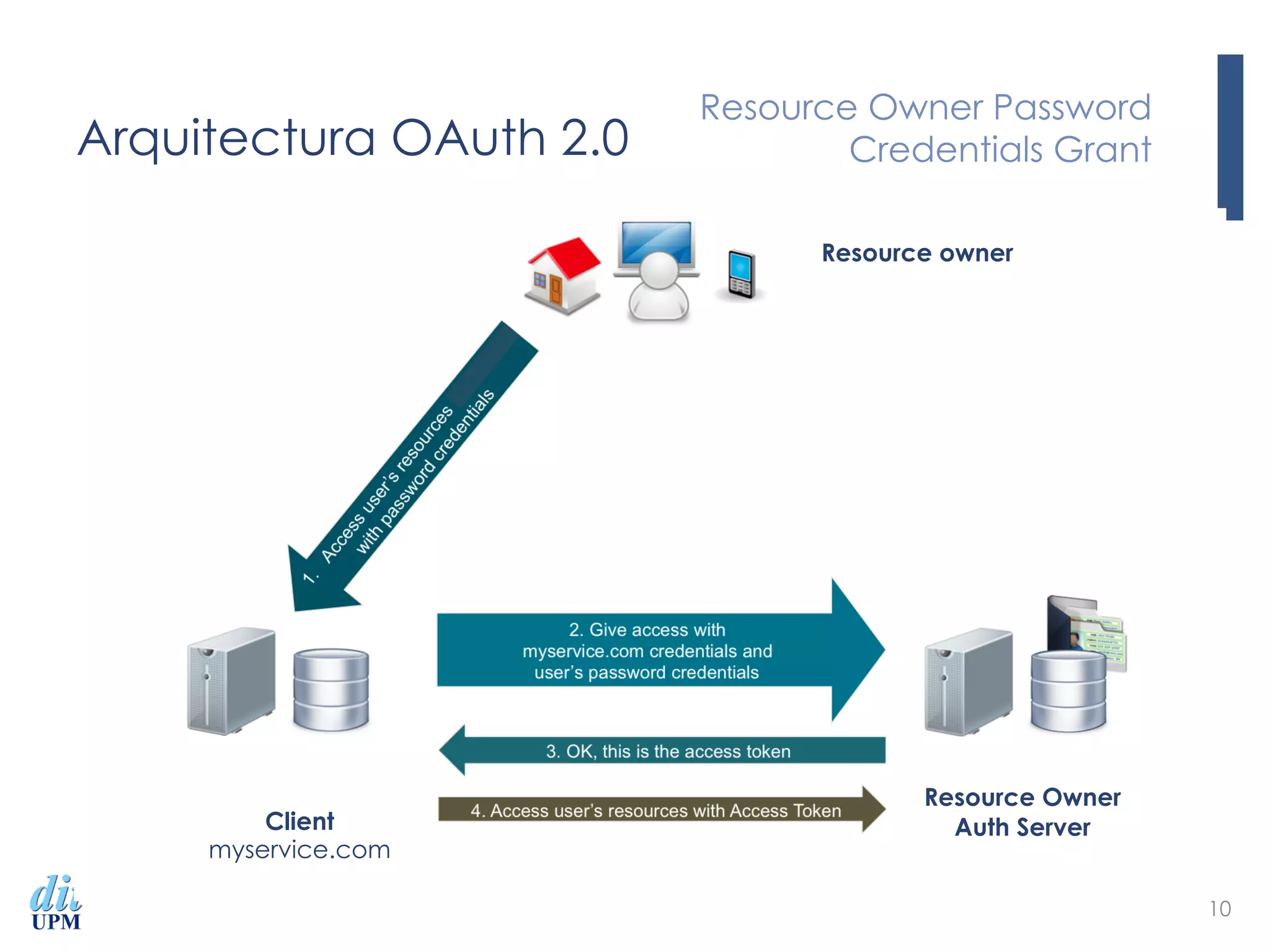
Arquitectura OAuth 2.0
Resource Owner Password
Credentials Grant
10
Client
myservice.com
Resource Owner
Auth Server
Resource owner
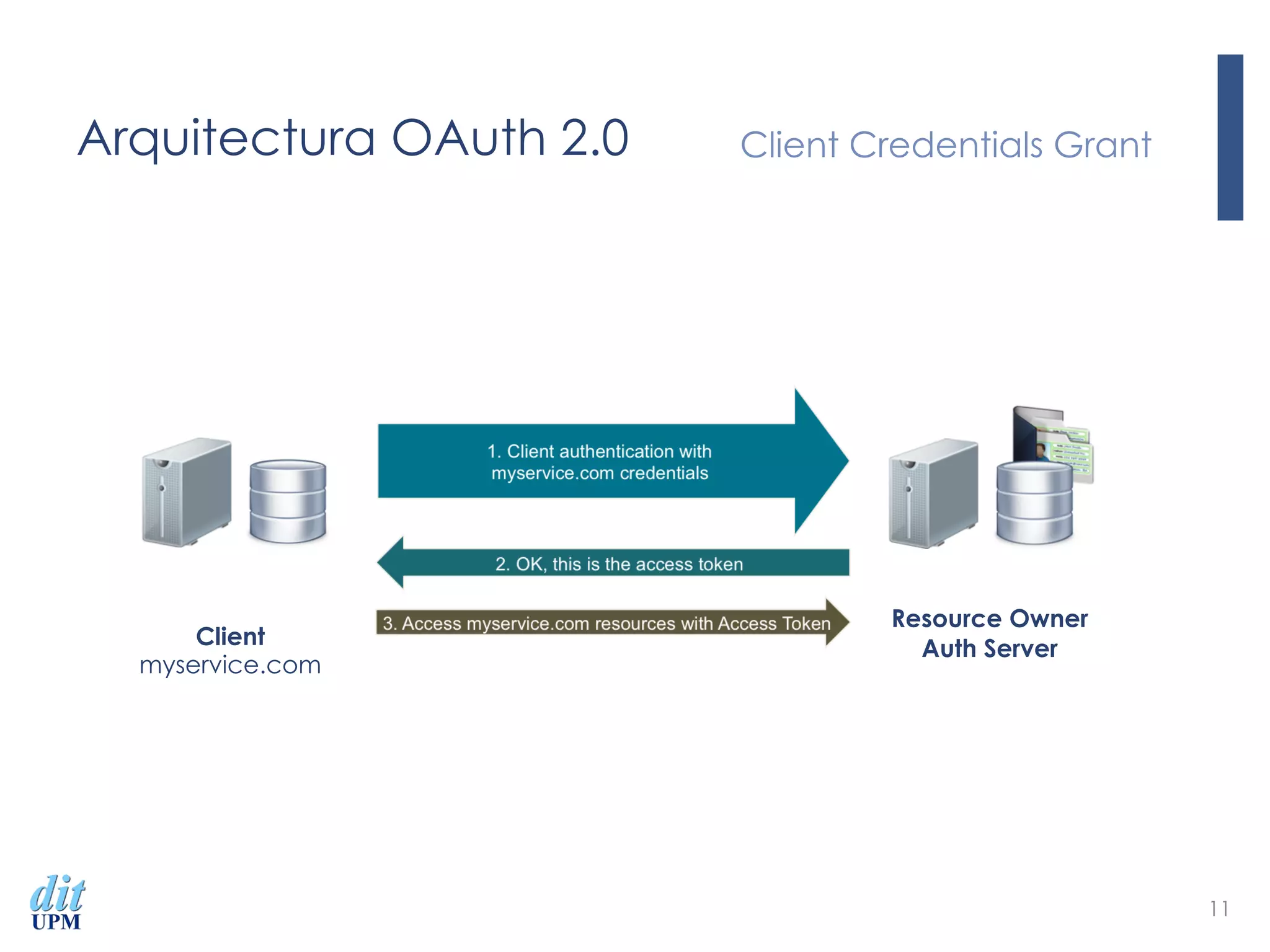
Arquitectura OAuth 2.0 Client Credentials Grant
11
Client
myservice.com
Resource Owner
Auth Server
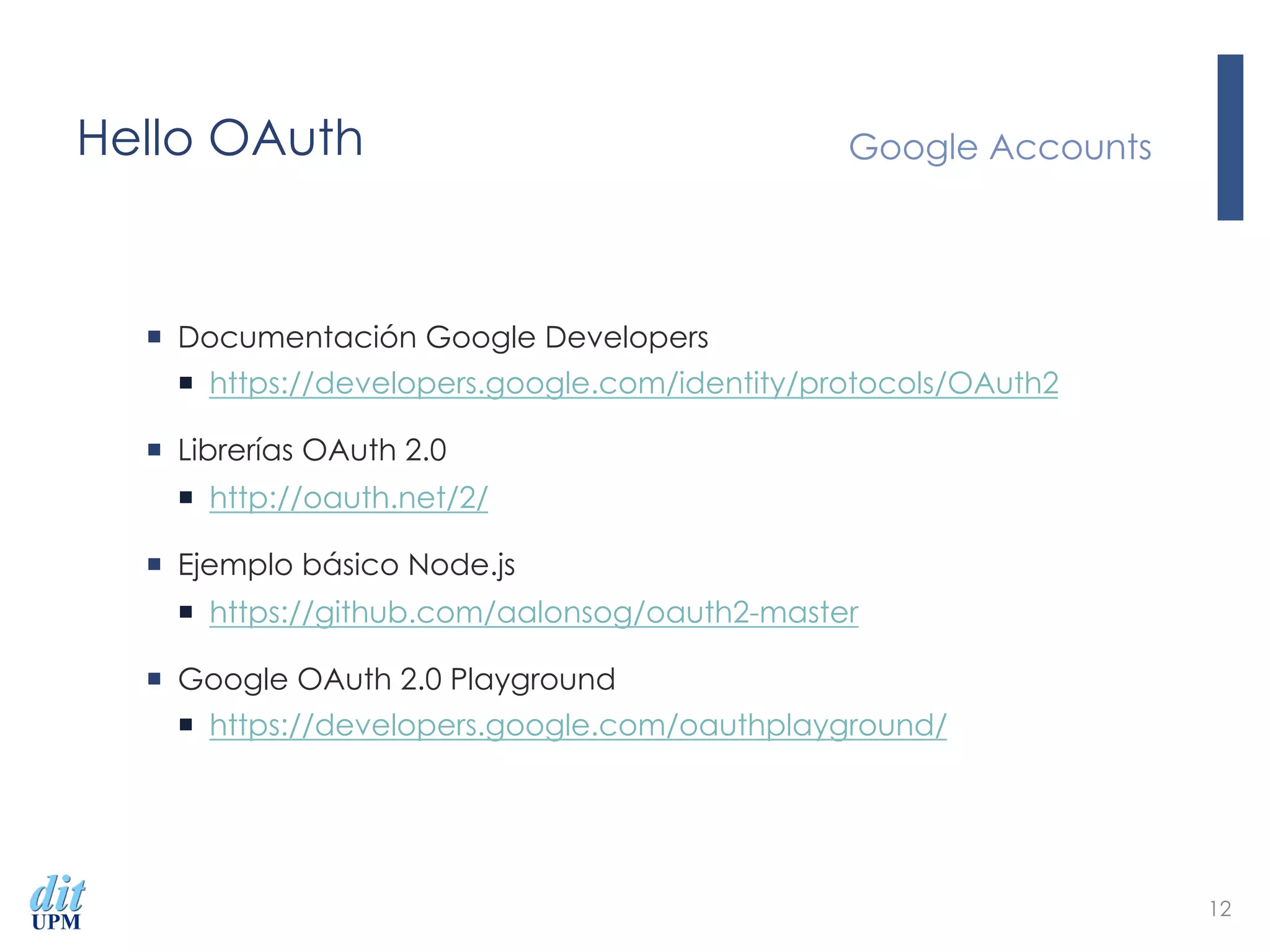
Hello OAuth
¡  Documentación Google Developers
¡  https://developers.google.com/identity/protocols/OAuth2
¡  Librerías OAuth 2.0
¡  http://oauth.net/2/
¡  Ejemplo básico Node.js
¡  https://github.com/aalonsog/oauth2-master
¡  Google OAuth 2.0 Playground
¡  https://developers.google.com/oauthplayground/
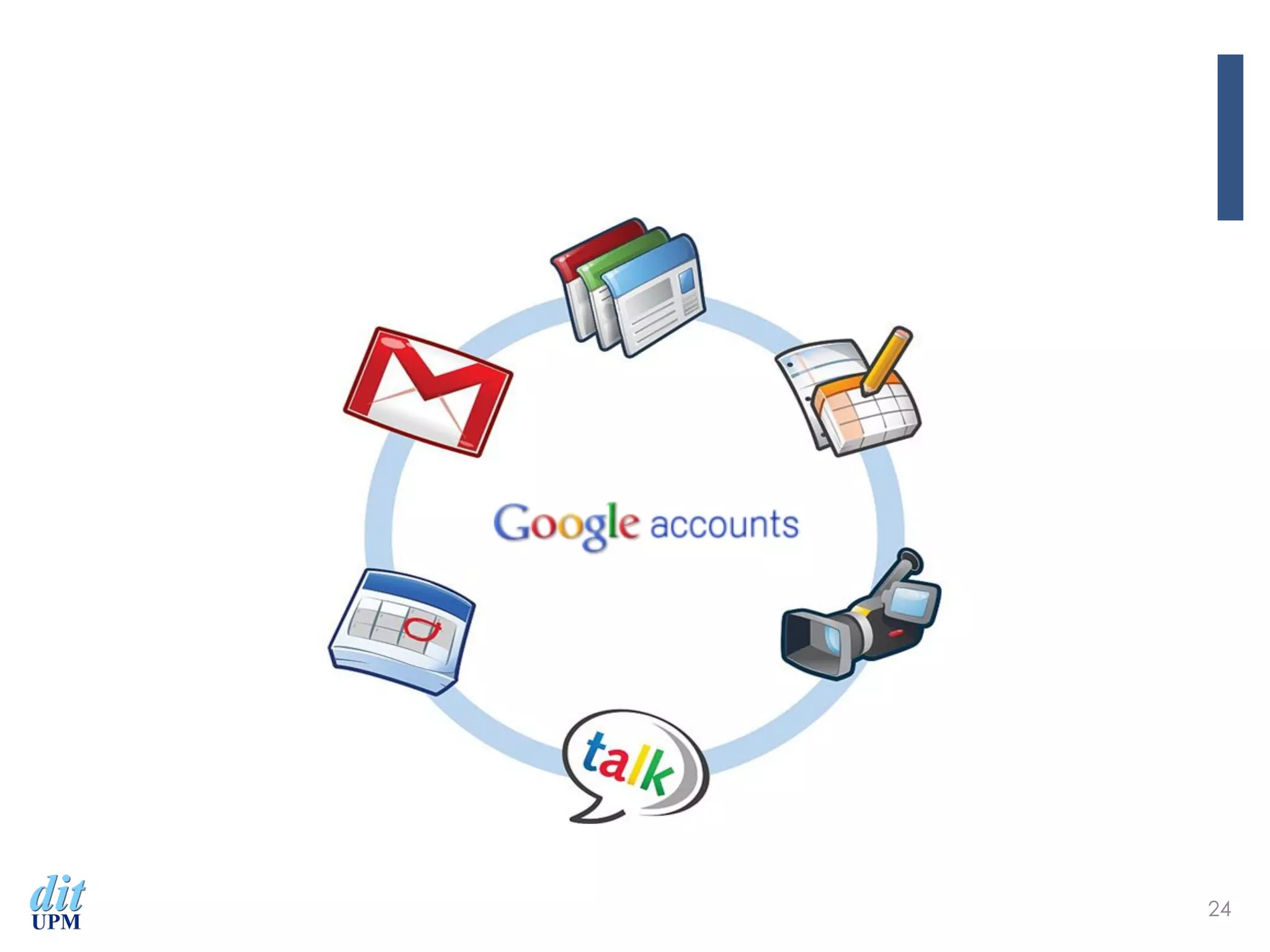
Google Accounts
12
Hello OAuth Quién es quién
13
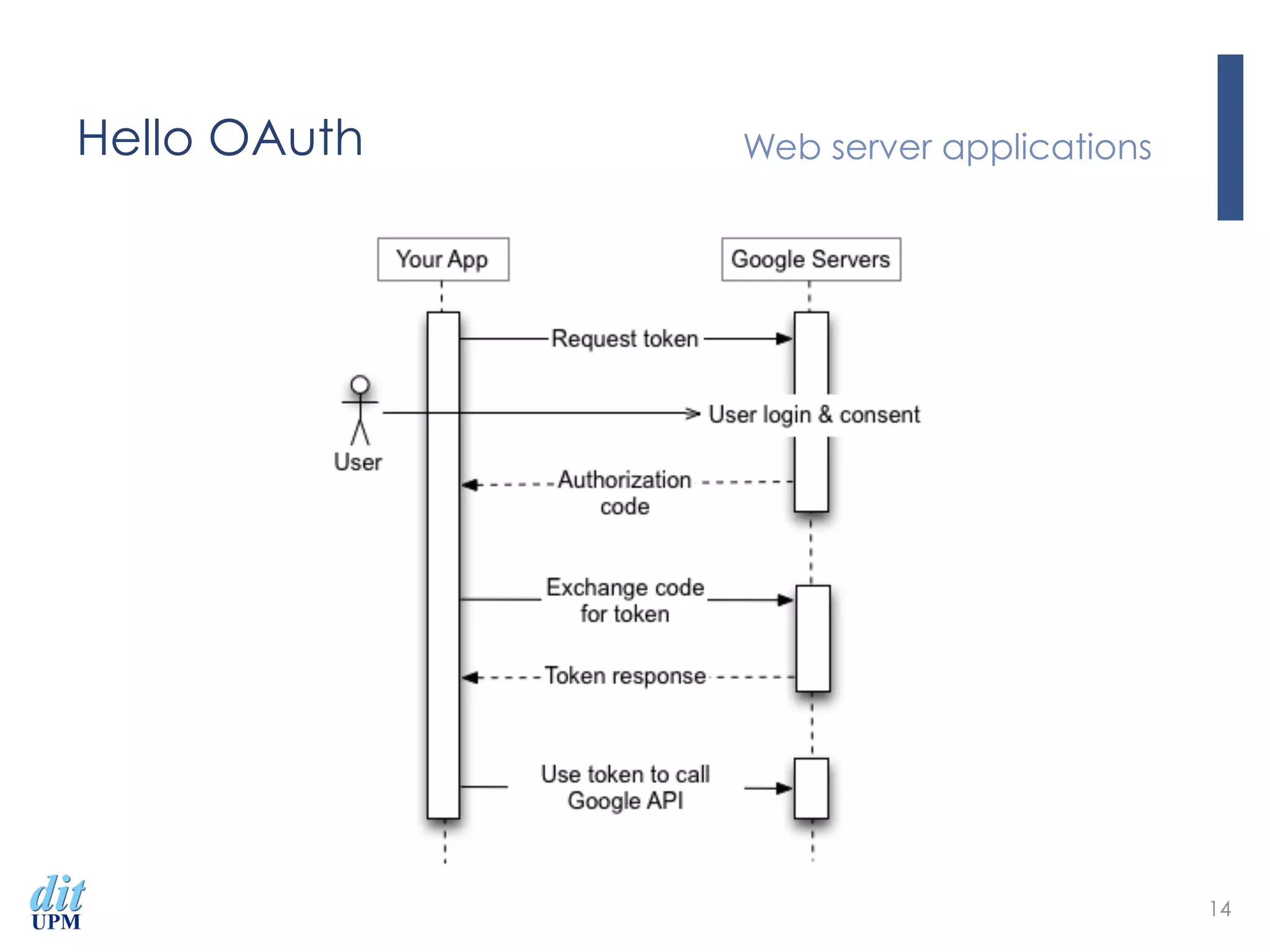
Hello OAuth Web server applications
14
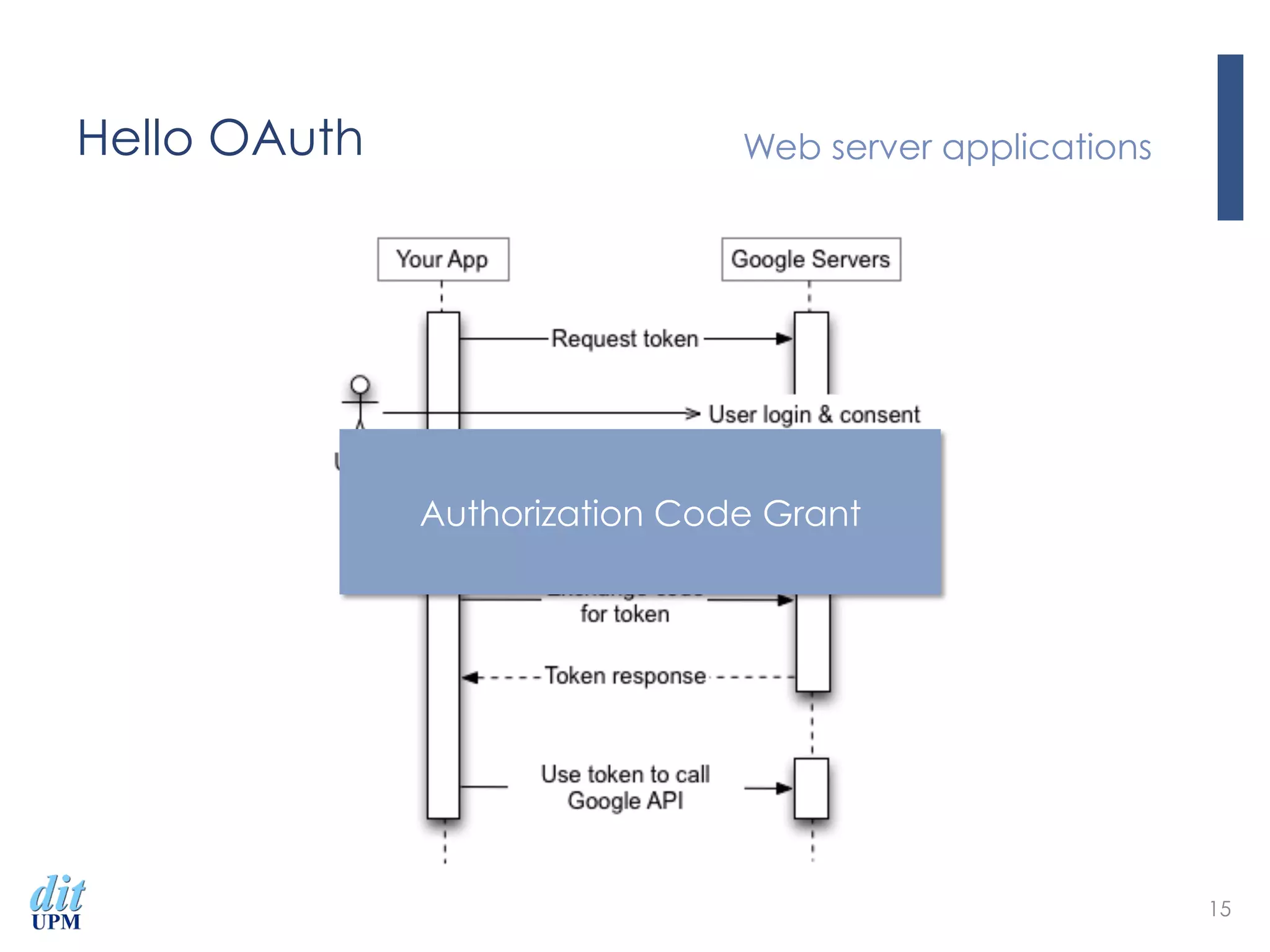
Hello OAuth Web server applications
15
Authorization Code Grant
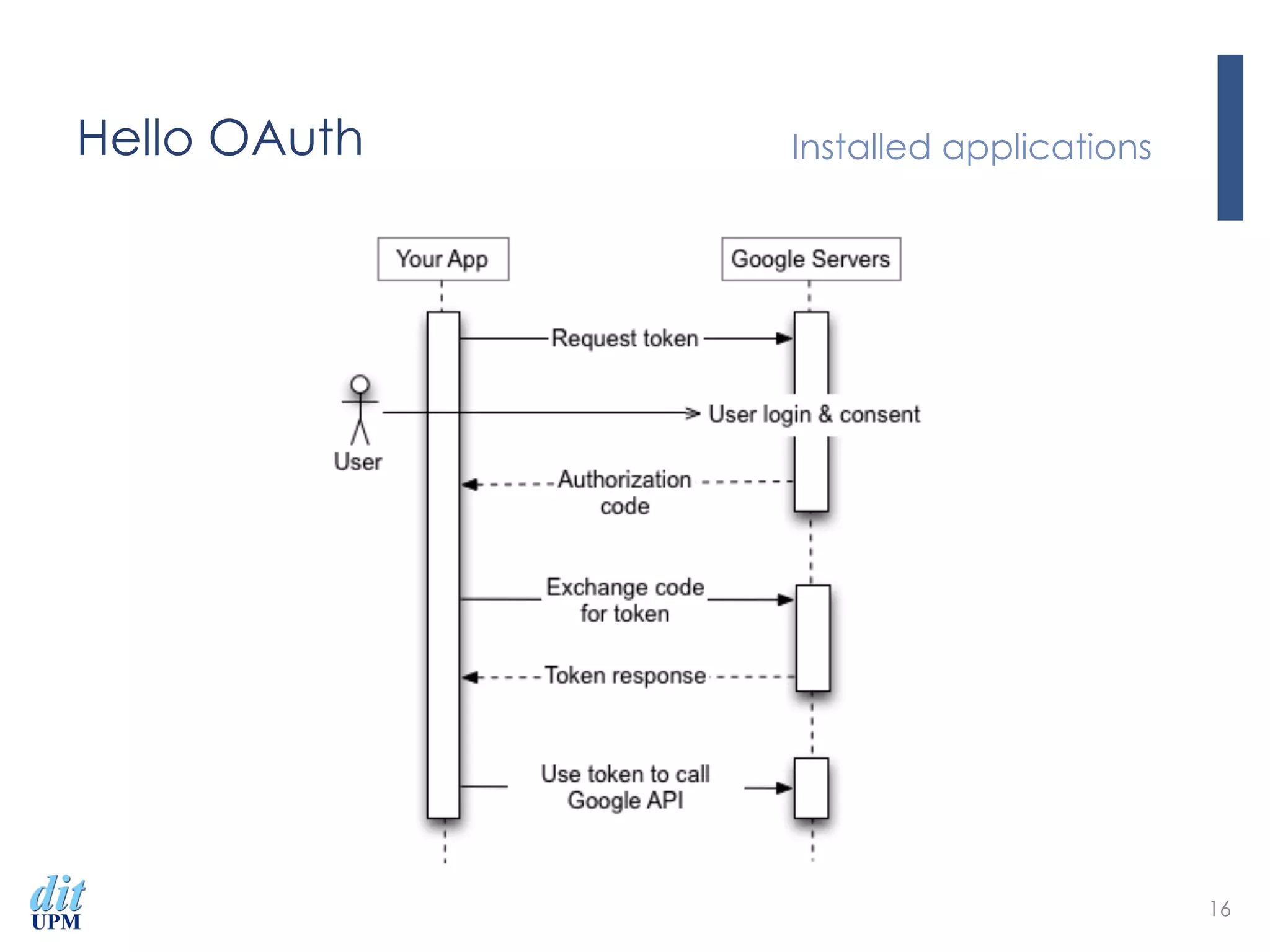
Hello OAuth Installed applications
16
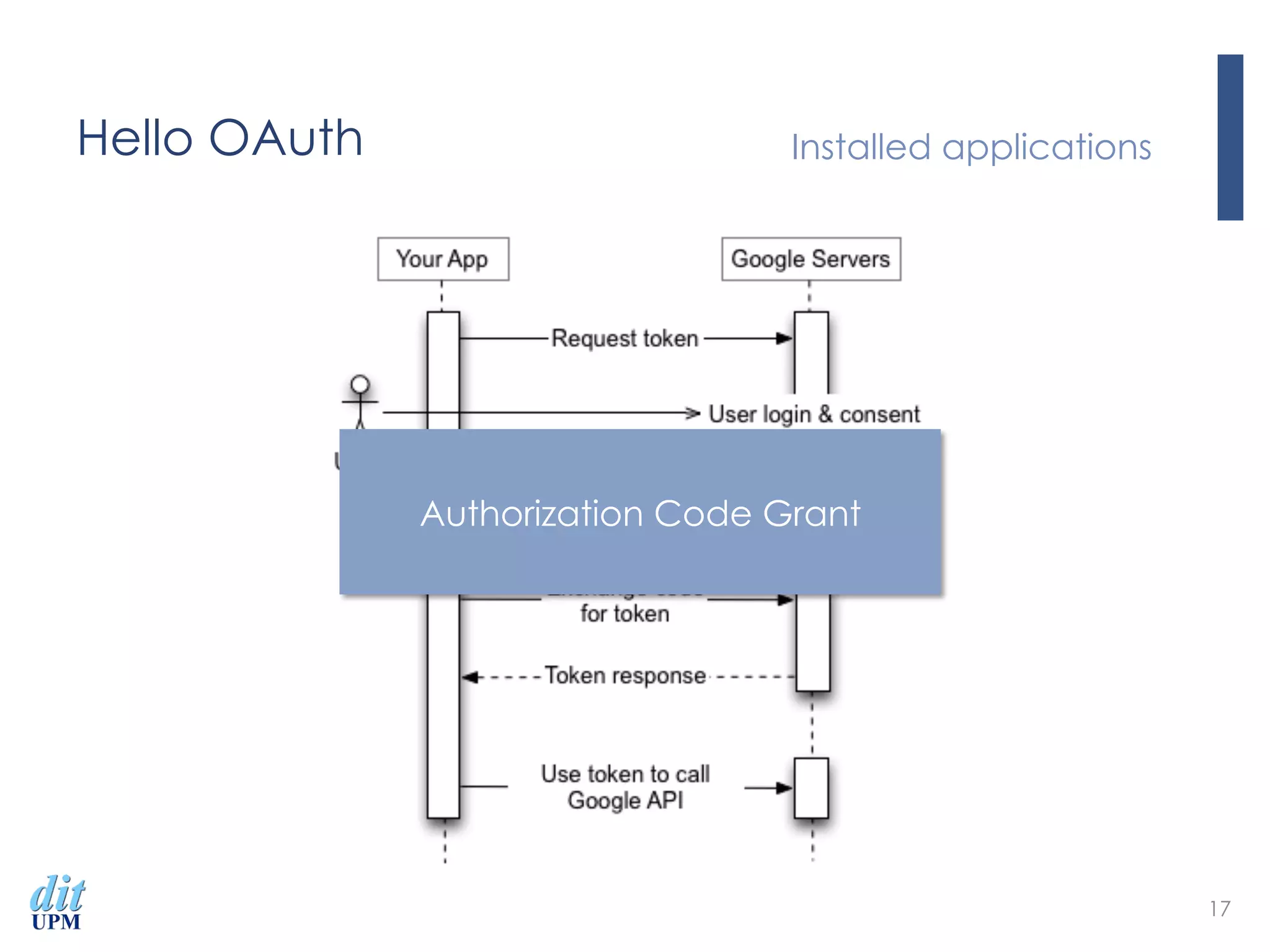
Hello OAuth Installed applications
17
Authorization Code Grant
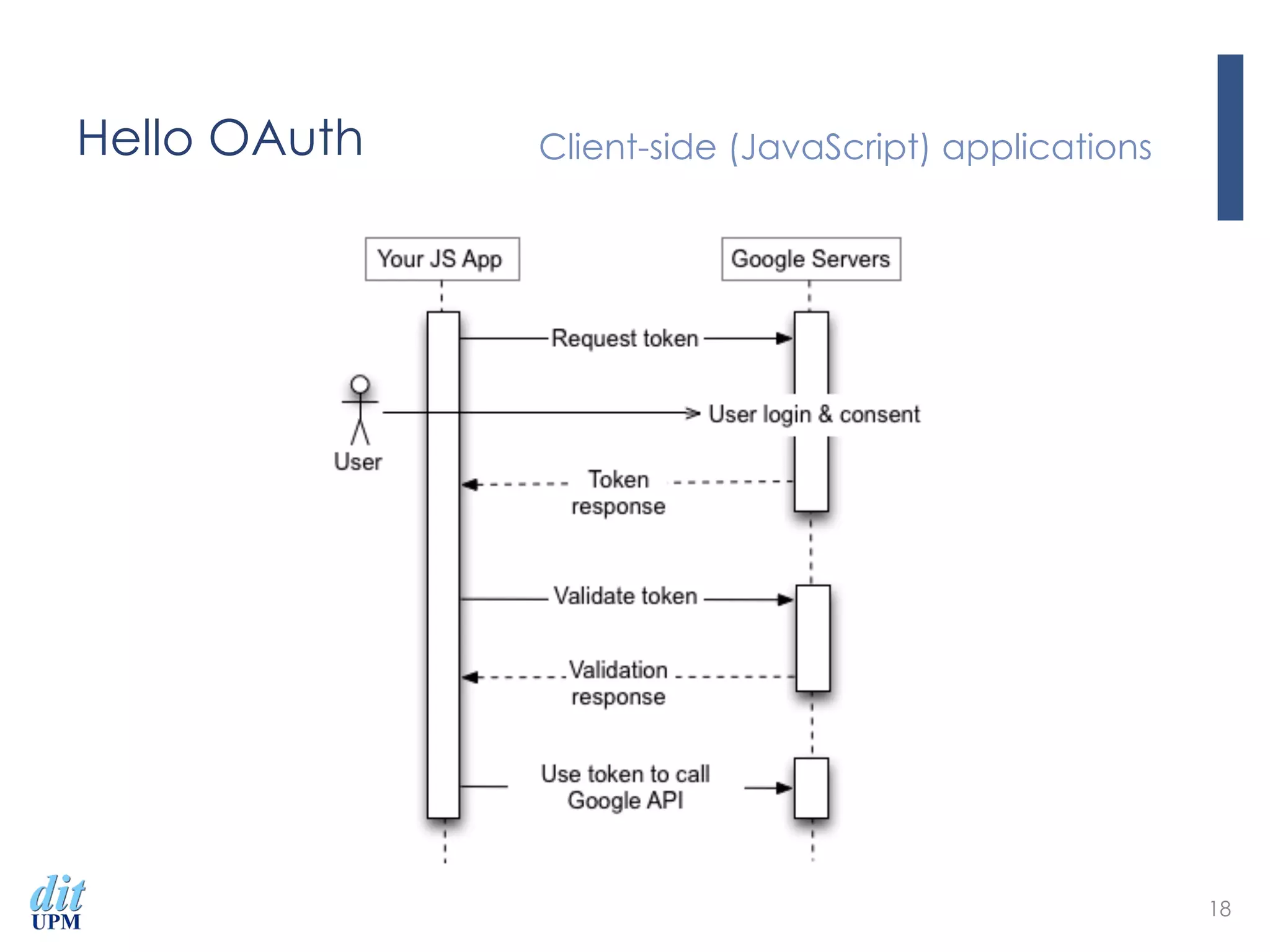
Hello OAuth Client-side (JavaScript) applications
18
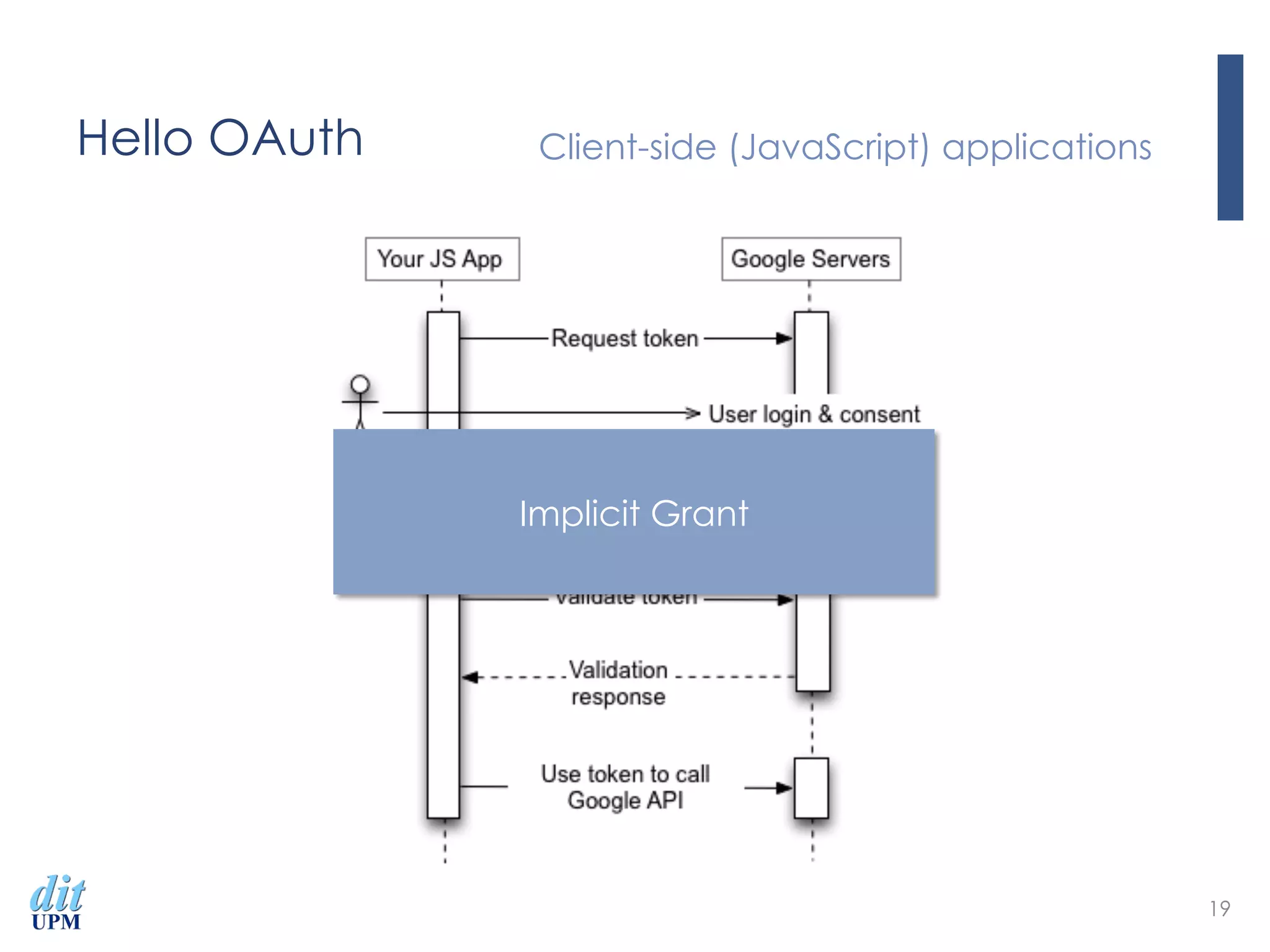
Hello OAuth Client-side (JavaScript) applications
19
Implicit Grant
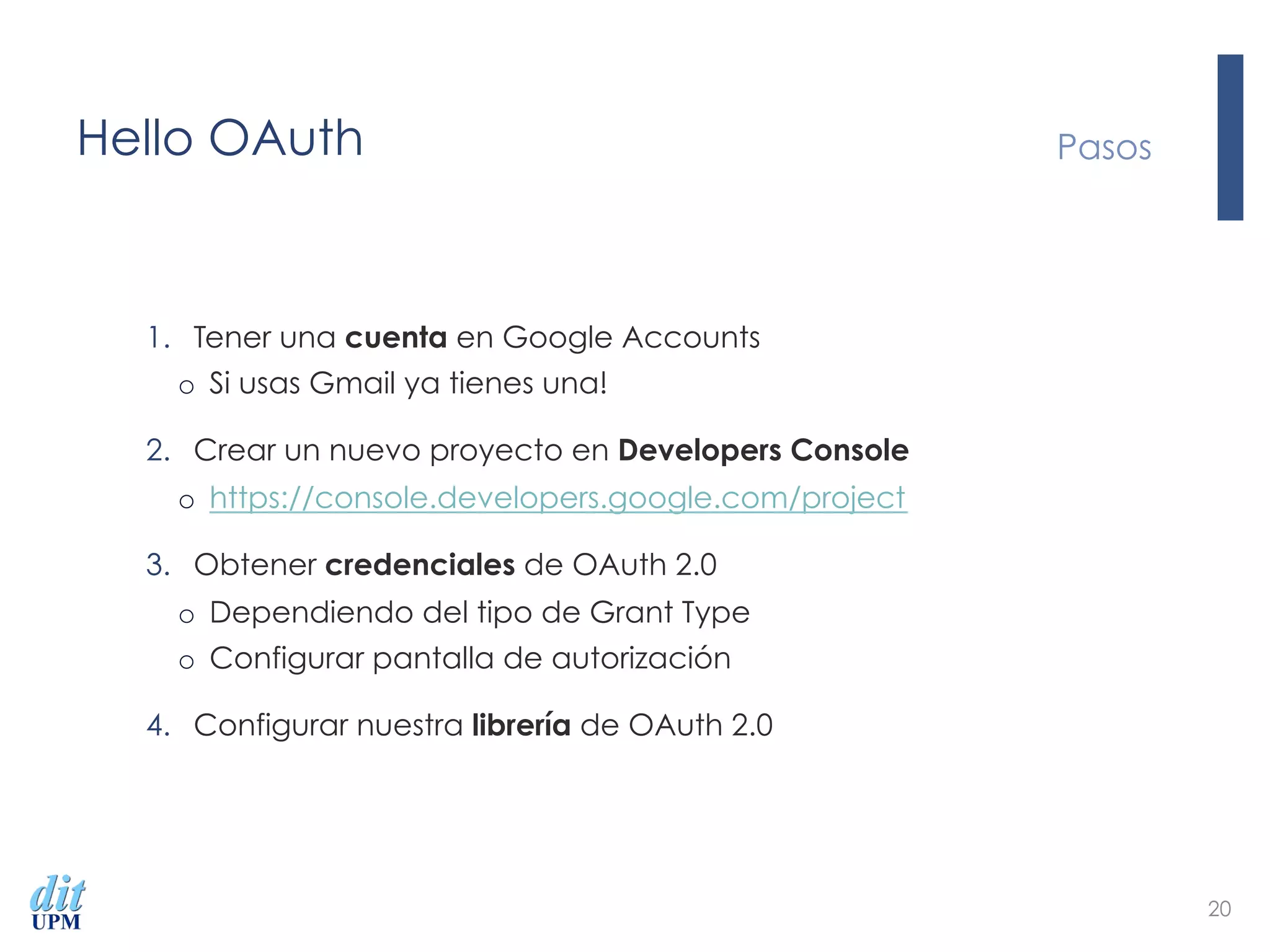
Hello OAuth
1.  Tener una cuenta en Google Accounts
o  Si usas Gmail ya tienes una!
2.  Crear un nuevo proyecto en Developers Console
o  https://console.developers.google.com/project
3.  Obtener credenciales de OAuth 2.0
o  Dependiendo del tipo de Grant Type
o  Configurar pantalla de autorización
4.  Configurar nuestra librería de OAuth 2.0
Pasos
20
Hello OAuth Demo
21
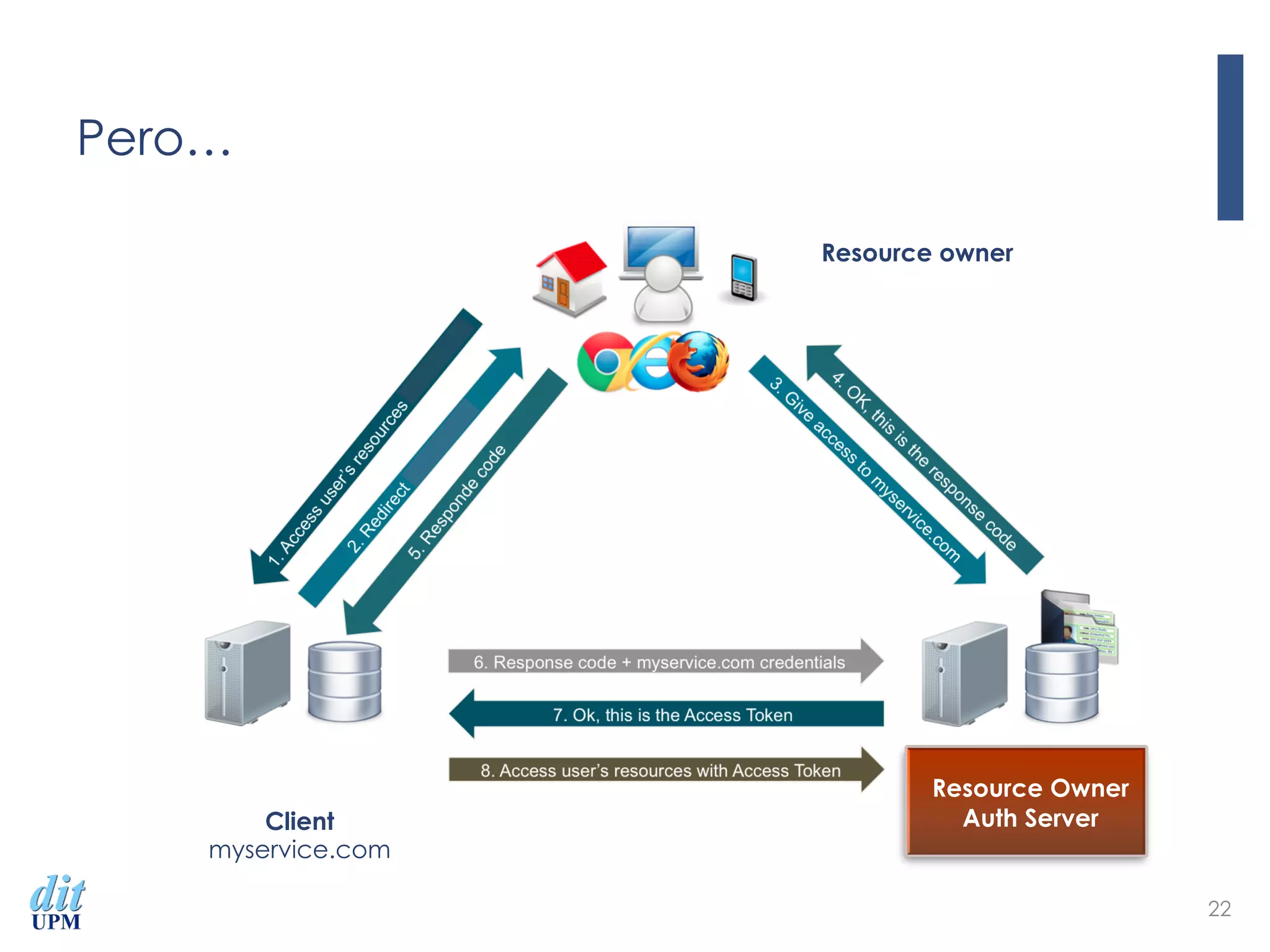
Pero…
22
Client
myservice.com
Resource Owner
Auth Server
Resource owner
¡  Open initiative to create a technologic ecosystem
¡  APIs for smart applications
¡  Public and royalty-free
¡  Open source reference
¡  FIWARE Lab
¡  Non-commercial sandbox for experimentation
¡  Open data published by cities
¡  Distributed among several regions
¡  FIWARE Ops
¡  Set of tools for deployment and operation
¡  UPM takes part in four Chapters
¡  ‪Sustainability Support Tools‬
¡  Security
¡  Cloud Hosting
¡  Applications/Services and Data Delivery
23
24
25
Account
FIWARE Account Login
26
Signin with
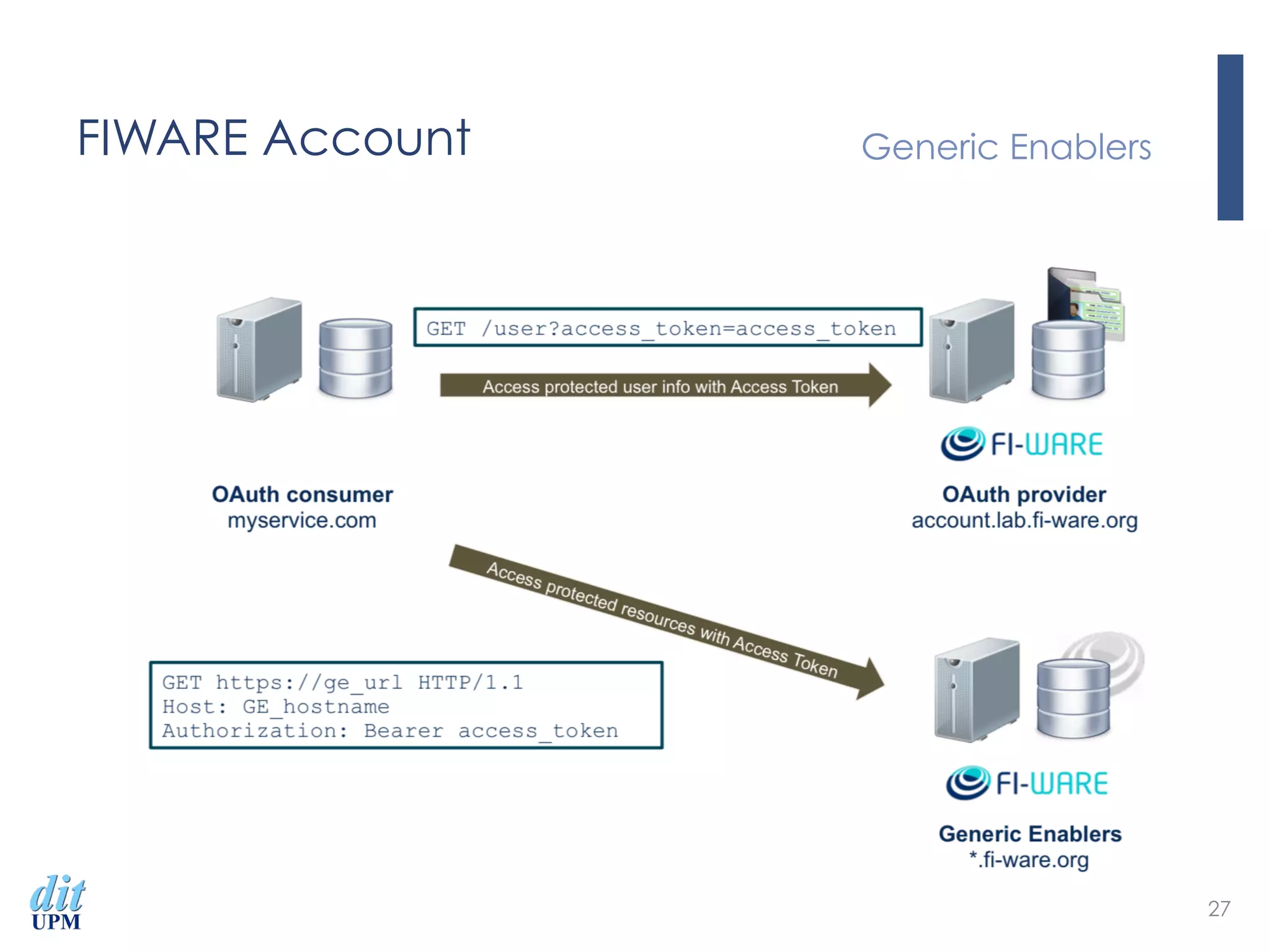
FIWARE Account Generic Enablers
27
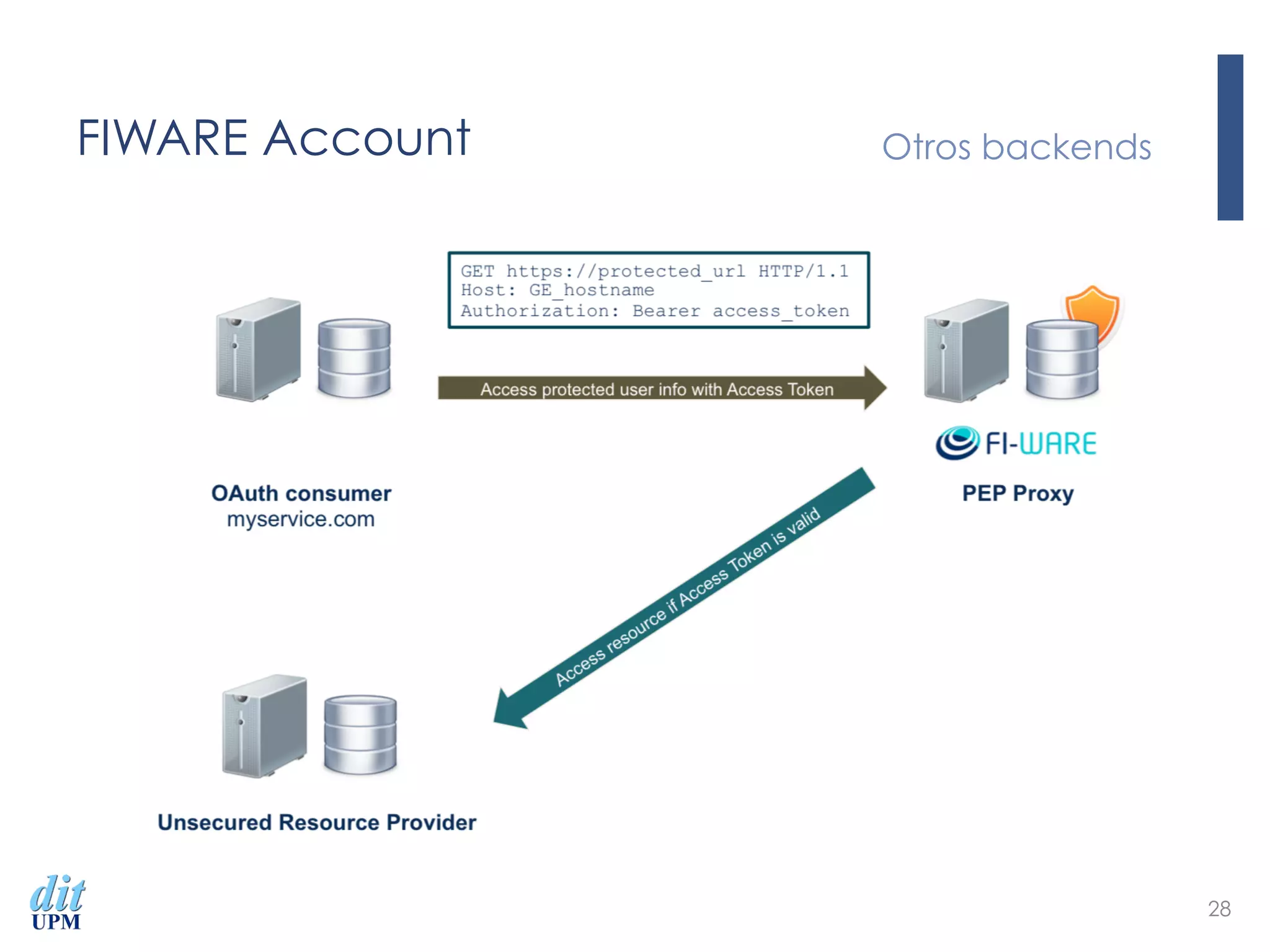
FIWARE Account Otros backends
28
Introducción al Protocolo OAuth 2.0
Securizando Servicios Web
Ejemplos prácticos de uso
Álvaro Alonso

Introducción al Protocolo OAuth 2.0

  • 1.
    Introducción al ProtocoloOAuth 2.0 Securizando Servicios Web Ejemplos prácticos de uso Álvaro Alonso
  • 2.
  • 3.
  • 4.
  • 5.
    Agenda ¡  Introducción alprotocolo ¡  Roles ¡  Arquitectura OAuth 2.0 ¡  Grant-types ¡  Hello OAuth ¡  Google Accounts ¡  FIWARE Account ¡  Securizando backends 5
  • 6.
    Introducción al protocolo ¡ Permitir a las aplicaciones el acceso a recursos protegidos ¡  Sin compartir credenciales ¡  Las aplicaciones utilizan access tokens ¡  Creadas por los proveedores Oauth ¡  Permiten el acceso a los recursos ¡  Especificación diseñada para el uso con HTTP ¡  Especificación ¡  http://oauth.net/2/ ¡  http://tools.ietf.org/html/rfc6749 6
  • 7.
    Introducción al protocolo ¡ Resource Owner ¡  Entidad capaz de permitir el acceso a los recursos protegidos ¡  e.g. usuario final ¡  Resource Server ¡  Servidor que aloja los recursos protegidos ¡  Client ¡  Aplicación que solicita los recursos protegidos en nombre del Resource Owner ¡  Authorization Server ¡  El servidor que provee access tokens al cliente Roles 7
  • 8.
    Arquitectura OAuth 2.0Authorization Code Grant 8 Client myservice.com Resource Owner Auth Server Resource owner
  • 9.
    Arquitectura OAuth 2.0Implicit Grant 9 Client myservice.com Resource Owner Auth Server Resource owner
  • 10.
    Arquitectura OAuth 2.0 ResourceOwner Password Credentials Grant 10 Client myservice.com Resource Owner Auth Server Resource owner
  • 11.
    Arquitectura OAuth 2.0Client Credentials Grant 11 Client myservice.com Resource Owner Auth Server
  • 12.
    Hello OAuth ¡  DocumentaciónGoogle Developers ¡  https://developers.google.com/identity/protocols/OAuth2 ¡  Librerías OAuth 2.0 ¡  http://oauth.net/2/ ¡  Ejemplo básico Node.js ¡  https://github.com/aalonsog/oauth2-master ¡  Google OAuth 2.0 Playground ¡  https://developers.google.com/oauthplayground/ Google Accounts 12
  • 13.
    Hello OAuth Quiénes quién 13
  • 14.
    Hello OAuth Webserver applications 14
  • 15.
    Hello OAuth Webserver applications 15 Authorization Code Grant
  • 16.
    Hello OAuth Installedapplications 16
  • 17.
    Hello OAuth Installedapplications 17 Authorization Code Grant
  • 18.
    Hello OAuth Client-side(JavaScript) applications 18
  • 19.
    Hello OAuth Client-side(JavaScript) applications 19 Implicit Grant
  • 20.
    Hello OAuth 1.  Teneruna cuenta en Google Accounts o  Si usas Gmail ya tienes una! 2.  Crear un nuevo proyecto en Developers Console o  https://console.developers.google.com/project 3.  Obtener credenciales de OAuth 2.0 o  Dependiendo del tipo de Grant Type o  Configurar pantalla de autorización 4.  Configurar nuestra librería de OAuth 2.0 Pasos 20
  • 21.
  • 22.
  • 23.
    ¡  Open initiativeto create a technologic ecosystem ¡  APIs for smart applications ¡  Public and royalty-free ¡  Open source reference ¡  FIWARE Lab ¡  Non-commercial sandbox for experimentation ¡  Open data published by cities ¡  Distributed among several regions ¡  FIWARE Ops ¡  Set of tools for deployment and operation ¡  UPM takes part in four Chapters ¡  ‪Sustainability Support Tools‬ ¡  Security ¡  Cloud Hosting ¡  Applications/Services and Data Delivery 23
  • 24.
  • 25.
  • 26.
  • 27.
  • 28.
  • 29.
    Introducción al ProtocoloOAuth 2.0 Securizando Servicios Web Ejemplos prácticos de uso Álvaro Alonso