COLEGIO NACIONAL NICOLAS ESGUERRA 
“EDIFICAMOS FUTURO 
BRAYAN STEVEN SIERRA GUZMAN 902 
brasiguz@gmail.com 
http://sierrosky.blogspot.com/ 
COMO CREAR UNA RELACION EN ACCESS 2010 
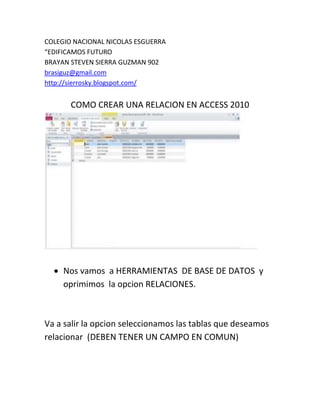
 Nos vamos a HERRAMIENTAS DE BASE DE DATOS y 
oprimimos la opcion RELACIONES. 
Va a salir la opcion seleccionamos las tablas que deseamos 
relacionar (DEBEN TENER UN CAMPO EN COMUN)
Seleccionamos 
Si las dos o mas datos oprimimos CTRL.
DESPUES NOS APARECERA ESTO
Despues debemos arrastrar cod_ clientes hacia 
cod_productos APARECERA. 
DAMOS CREAR Y APARECERA UNA LINEA SEÑALANDO LA 
APARICION.
DESPUES SE RELACIONA CON EL INVENTARIO

Relaciones access 2010

  • 1.
    COLEGIO NACIONAL NICOLASESGUERRA “EDIFICAMOS FUTURO BRAYAN STEVEN SIERRA GUZMAN 902 brasiguz@gmail.com http://sierrosky.blogspot.com/ COMO CREAR UNA RELACION EN ACCESS 2010  Nos vamos a HERRAMIENTAS DE BASE DE DATOS y oprimimos la opcion RELACIONES. Va a salir la opcion seleccionamos las tablas que deseamos relacionar (DEBEN TENER UN CAMPO EN COMUN)
  • 2.
    Seleccionamos Si lasdos o mas datos oprimimos CTRL.
  • 3.
  • 4.
    Despues debemos arrastrarcod_ clientes hacia cod_productos APARECERA. DAMOS CREAR Y APARECERA UNA LINEA SEÑALANDO LA APARICION.
  • 5.
    DESPUES SE RELACIONACON EL INVENTARIO