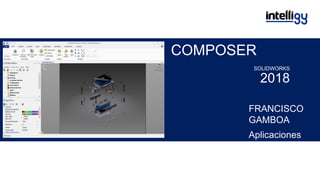
COMPOSER
SOLIDWORKS
2018
FRANCISCO
GAMBOA
Aplicaciones
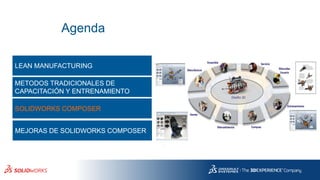
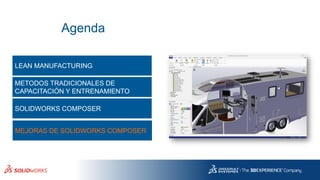
Agenda
LEAN MANUFACTURING
METODOS TRADICIONALES DE
CAPACITACIÓN Y ENTRENAMIENTO
SOLIDWORKS COMPOSER
MEJORAS DE SOLIDWORKS COMPOSER
Agenda
LEAN MANUFACTURING
METODOS TRADICIONALES DE
CAPACITACIÓN Y ENTRENAMIENTO
SOLIDWORKS COMPOSER
MEJORAS DE SOLIDWORKS COMPOSER
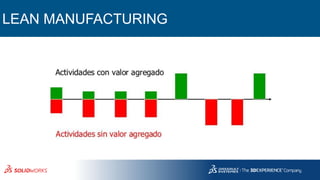
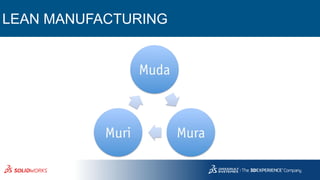
LEAN MANUFACTURING
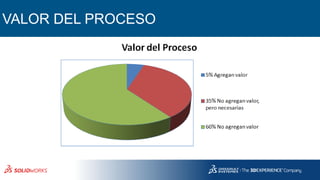
VALOR DEL PROCESO
LEAN MANUFACTURING
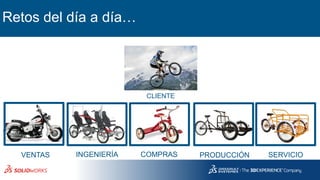
Retos del día a día…
CLIENTE
VENTAS
|
INGENIERÍA
|
COMPRAS
|
PRODUCCIÓN
|
SERVICIO
|
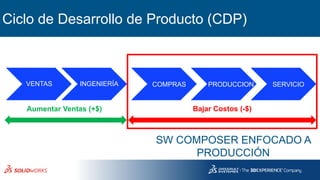
Ciclo de Desarrollo de Producto (CDP)
Aumentar Ventas (+$) Bajar Costos (-$)
VENTAS INGENIERÍA COMPRAS PRODUCCION SERVICIO
SW COMPOSER ENFOCADO A
PRODUCCIÓN
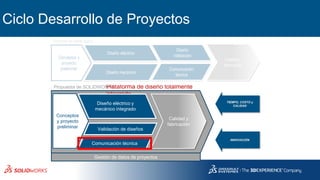
Ciclo Desarrollo de Proyectos
Gestión de datos de proyectos
Propuesta de SOLIDWORKSPlataforma de diseño totalmente
integrada
Conceptos y
proyecto
preliminar Comunicación
técnica
Calidad y
fabricación
Diseño
Validación
Diseño mecánico
Diseño eléctrico
Proceso en serie típico
Conceptos
y proyecto
preliminar
Comunicación técnica
Validación de diseños
Calidad y
fabricación
Diseño eléctrico y
mecánico integrado
TIEMPO, COSTO y
CALIDAD
INNOVACIÓN
Agenda
LEAN MANUFACTURING
METODOS TRADICIONALES DE CAPACITACIÓN Y
ENTRENAMIENTO
SOLIDWORKS COMPOSER
MEJORAS DE SOLIDWORKS COMPOSER
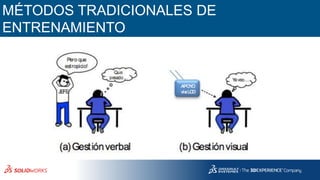
MÉTODOS TRADICIONALES DE
ENTRENAMIENTO
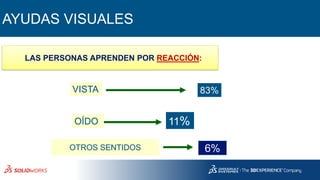
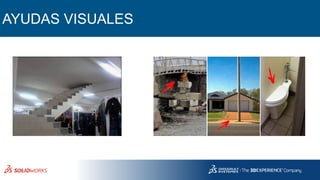
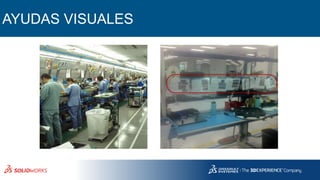
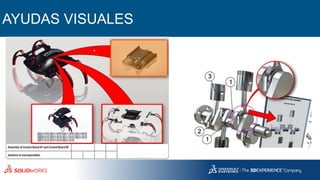
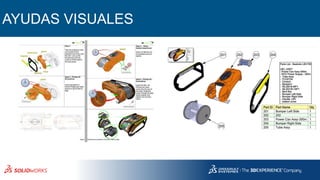
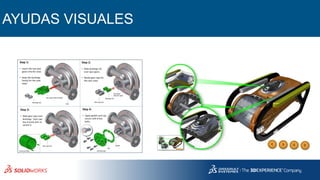
AYUDAS VISUALES
VISTA
OÍDO
OTROS SENTIDOS
11%
83%
6%
LAS PERSONAS APRENDEN POR REACCIÓN:
INSTRUCTIVOS
AYUDAS VISUALES
AYUDAS VISUALES
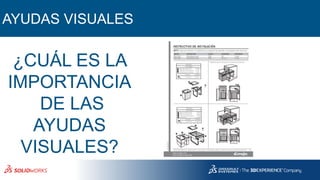
¿CUÁL ES LA
IMPORTANCIA
DE LAS
AYUDAS
VISUALES?
AYUDAS VISUALES
Agenda
LEAN MANUFACTURING
METODOS TRADICIONALES DE
CAPACITACIÓN Y ENTRENAMIENTO
SOLIDWORKS COMPOSER
MEJORAS DE SOLIDWORKS COMPOSER
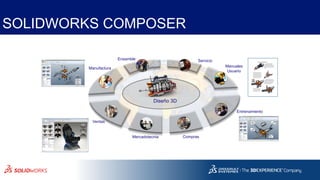
SOLIDWORKS COMPOSER
Manuales
Usuario
Manufactura
Ensamble
Entrenamiento
ComprasMercadotecnia
Servicio
Ventas
Diseño 3D
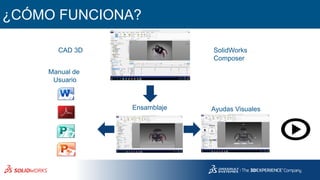
¿CÓMO FUNCIONA?
CAD 3D SolidWorks
Composer
Manual de
Usuario
Ayudas VisualesEnsamblaje
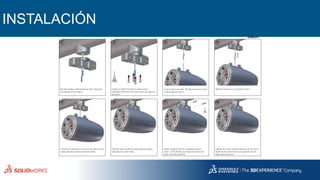
INSTALACIÓN
MC-77-ETXv2 attachment using M-MCPv2-MC
Passthe speakercable exiting the tow erthrough
the opening on the clam p.
A pply Loctite®to the fourm achinescrew s
(supplied by M asterC raf)and securethe clam p to
the tow er.
C ontinueto slide thew ire up into the tow erw hile
raising the tow erenclosure into position.
Push thetow erenclosuretabsinside the clam p
and align thescrew holes.
5 6
1 2
Slide the excessw ire up inside the tow er.
A pply Loctite®to the tw o supplied m achine
screw s. H old thetow erin place and insertthe
screw sinto theassem bly.
Tighten thescrew sw hile pushing up on the tow er
enclosureto ensure there isno gap betw een the
clam p and enclosure.
C onnectthe w iresfrom the tow erenclosureto the
w iresexiting the tow er.
3 4
7 8
Scan orclick to view anim ated
assem bly instructions.
AYUDAS VISUALES
AYUDAS VISUALES
AYUDAS VISUALES
AYUDAS VISUALES
MOSTRAR
INSTRUCCIONES
PUBLICACIÓN DE
ARCHIVOS
Agenda
LEAN MANUFACTURING
METODOS TRADICIONALES DE
CAPACITACIÓN Y ENTRENAMIENTO
SOLIDWORKS COMPOSER
MEJORAS DE SOLIDWORKS COMPOSER
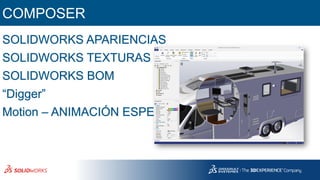
COMPOSER
SOLIDWORKS APARIENCIAS
SOLIDWORKS TEXTURAS
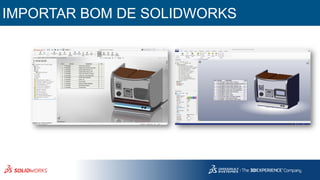
SOLIDWORKS BOM
“Digger”
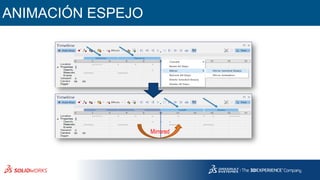
Motion – ANIMACIÓN ESPEJO
ANIMACIÓN ESPEJO
Mirrored
IMPORTAR BOM DE SOLIDWORKS
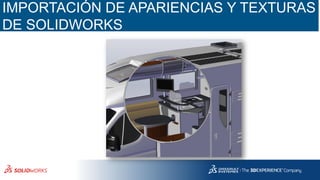
IMPORTACIÓN DE APARIENCIAS Y TEXTURAS
DE SOLIDWORKS
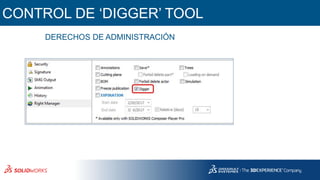
CONTROL DE ‘DIGGER’ TOOL
DERECHOS DE ADMINISTRACIÓN
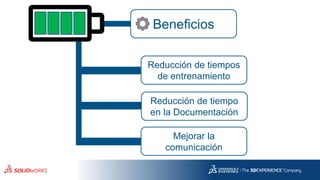
Beneficios
Reducción de tiempos
de entrenamiento
Reducción de tiempo
en la Documentación
Mejorar la
comunicación
“Las personas que triunfaron
no fue porque no hicieron
cosas cuando era el momento
adecuado, sino porque las
hicieron a pesar de no serlo”
Muchas gracias… Nos vemos pronto!!
SOLIDWORKS
2018

SolidWorks Composer 2018