ORLANDO
DEL AGUILA
Como perder 20 kilos
en 2 semanas con

HERBALIFE
Diseño web para
dispositivos móviles.
@odelaguila
orlandodelaguila
orlandodelaguila.com
www.bakedweb.net
La Web Móvil
La Web Móvil
Fixed y Fluid Layouts
La Web Móvil
Fixed y Fluid Layouts
Adaptive Design
Breakpoints
Responsive Design
La Web Móvil
Fixed y Fluid Layouts
Adaptive Design
Breakpoints
Responsive Design
Extras y Closing
La Web Móvil
La Web Móvil

No existe
la web móvil
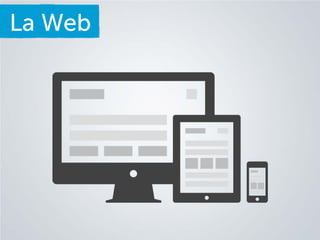
La Web
La Web
Cualquier tipo de Contenido
Debe ser accesible desde
cualquier dispositivo
La Web
Diseño Móvil
Adaptive Design
Responsive Design
La Web
Diseño Móvil
Adaptive Design
Diseño Web
Responsive Design
Cosas que vamos a usar
Fixed y Fluid Layouts
Fixed Layouts
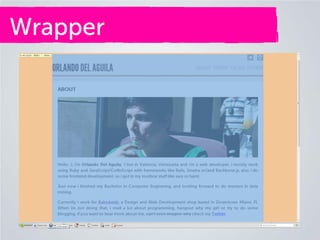
Wrapper
Header
Content
Fixed Layouts
Tamaño fijo (pixeles)
#wrapper {
margin: 50px auto;
width: 1010px;  Fijo
}
Wrapper
Fixed Layouts
Fixed Layouts
Fixed Layouts
Fluid Layouts

Porcentajes
Ems
Fluid Layouts

Porcentajes
Fluid Layouts

Porcentajes
html,body{
width: 100%;
height: 100%;
}
Fluid Layouts
Agarra el 100% de la
pantalla
html,body{
width: 100%;
height: 100%;
}
Fluid Layouts
Mi pantalla

1280 x 768
Ancho - Alto
Fluid Layouts

1280
80%
1024
Fluid Layouts
#wrapper {
margin: 50px auto;
width: 1010px;  Fijo
}
Fluid Layouts
#wrapper {
margin: 50px auto;
width: 80%;  Fluido
}
Fluid Layouts

Ems
Fluid Layouts

Ems
Se usan para texto
EMS

Hacen que nuestro
texto no sea fijo y
que pueda
cambiar con el
layout
EMS
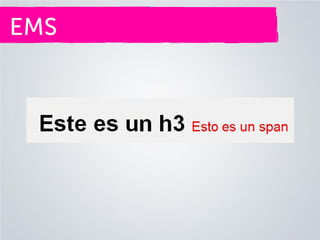
HTML
<h3>
Este es un h3
<span>
Esto es un span
</span>
</h3>
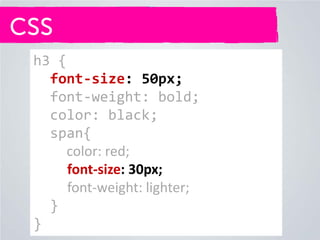
CSS
h3 {
font-size: 50px;
font-weight: bold;
color: black;
span{
color: red;
font-size: 30px;
font-weight: lighter;
}
}
CSS
h3 {
font-size: 50px;
font-weight: bold;
color: black;
span{
color: red;
font-size: 30px;
font-weight: lighter;
}
}
CSS
html{
font-size: 16px;
}
body{
font-size: 62.5%;
}
EMS
Para hacer las cuentas
sencillas, hacemos lo
siguiente
Regla de Oro

Target / Contexto
EMS

10px/ 16px = 0,625
EMS

0,625 x 100 = 62,5%
EMS

1em = 10px
EMS
h3 {
font-size: 5em; *50px*
font-weight: bold;
color: black;
span{
color: red;
font-size: 3em; *30px*
font-weight: lighter;
}
}
EMS
Regla de Oro

Target / Contexto
EMS

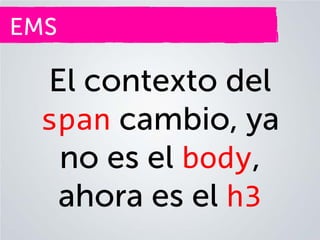
El contexto del
span cambio, ya
no es el body,
ahora es el h3
EMS
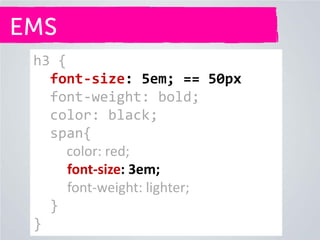
h3 {
font-size: 5em; == 50px
font-weight: bold;
color: black;
span{
color: red;
font-size: 3em;
font-weight: lighter;
}
}
EMS

30px / 50px = 0.6em
EMS
h3 {
font-size: 5em; == 50px
font-weight: bold;
color: black;
span{
color: red;
font-size: 0.6 em; *30px / 50px*
font-weight: lighter;
}
}
EMS
Fluid Layout

Para que nuestro
diseño sea fluido,
todo tiene que estar
en ems o %
Fixed Layouts
Wrapper
#wrapper {
margin: 50px auto;
width: 80%;  Fluido
}
Header
header{
margin-bottom: 20px
width: 1010px;
#name{
font-size:50px
float:left;
}
nav{
float:right;
}
}
Header
header{
margin-bottom: 20px
width: inherit;
#name{
font-size:5em; *50px / 10px*
float:left;
}
nav{
float:right;
}
}
Contenido
#content {
height: auto;
width: inherit;
}
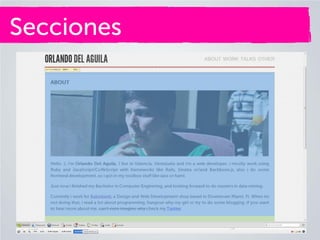
Secciones
Secciones
<h1>
ABOUT
</h1>
<div class="img">
<img src="/img/me.jpg">
</div>
Secciones
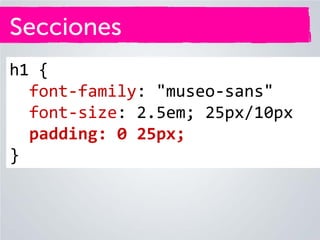
h1 {
font-family: "museo-sans"
font-size: 25px;
padding: 0 25px;
}
Secciones
h1 {
font-family: "museo-sans"
font-size: 2.5em; 25px/10px
padding: 0 25px;
}
Secciones
Para pasar el padding a
porcentaje, se toma como
contexto el tamaño del
mismo elemento
Secciones

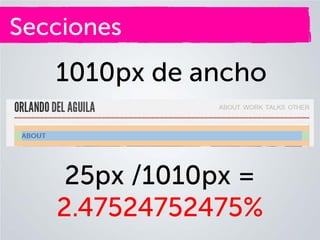
1010px de ancho
Secciones

1010px de ancho

25px /1010px =
2.47524752475%
Secciones
h1 {
font-family: "museo-sans"
font-size: 2.5em; 25px/10px
padding: 0 2.47524752475%;
}
Secciones
Al contrario del padding, el
margin se calcula igual que
los ems, usando como
contexto el elemento que
contiene al elemento que
estamos evaluando.
Secciones
Secciones
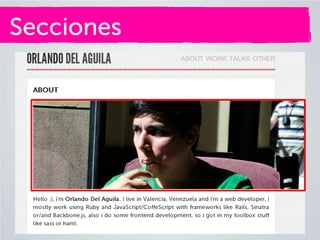
<h1>
ABOUT
</h1>
<div class="img">
<img src="/img/me.jpg">
</div>
Secciones
Alguno quizás dirá, tener
img tags para imágenes
que son del layout y no
del contenido es una mala
practica
Secciones

img {
width: auto;
max-width: 100%;
}
Secciones

img,video,object… {
width: auto;
max-width: 100%;
}
Secciones
Secciones
Adaptive Design
Breakpoints
Responsive Design
Adaptive Design
Adaptar nuestro diseño a un
contexto, ejemplo un
dispositivo en especifico, un
iPhone o un iPad por
ejemplo
Adaptive Design
Adaptive Design
dribble noto que un
numero importante de
usuarios acensaban a su
pagina desde iPhones
Adaptive Design
Adaptive Design
Hay que tener en cuenta
• Dispositivos
• Tamaño de Pantalla
• Resolución
Adaptive Design
Puntos a considerar
• Quien es mi usuario
• Como usa mi sitio
• Contexto (Dispositivo)
• Contenido (¿como se
adaptaría?)
Adaptive Design
Adaptive Design
Breakpoints
Responsive Design
Breakpoints
Breakpoints son los
puntos en los cuales mi
diseño se rompe.
Breakpoints
También son los
puntos importantes
como el tamaño de las
pantallas de los
distintos dispositivos
Breakpoints

Tamaño != Resolución
Breakpoints
iPhone 4s
Resolución: 640 x 960
Tamaño: 480 x 320
Breakpoints
Breakpoints
Para atender los
problemas que tenían
los dispositivos móviles
para visualizar la web…
Breakpoints
Se creo:
• Meta viewport

• Mediaquery
Meta viewport
Secciones
<meta
name='viewport‘,
content='width=device-width
/>
Meta viewport
Secciones

Con esto limitamos
el lienzo web al
tamaño del
dispositivo.
Meta viewport
Meta viewport
Secciones
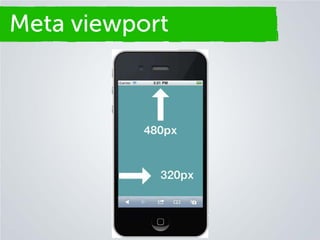
html,body {
height: 100%; = 480px
width: 100%; = 320px
}
MediaQueries
Secciones

Reglas CSS, solo
para dispositivos
especificos
MediaQueries
Secciones

Reglas CSS, solo
para dispositivos
específicos
MediaQueries
Secciones

Existen varios
mediaqueries, pero
aquí solo vamos a
usar el de max-width
MediaQueries
Secciones

Documentación
http://mzl.la/L28U6F
MediaQueries
Secciones
/* Phones (portrait) */
@media only screen and
(max-width : 320px){
/* Reglas aki */
}
MediaQueries
Secciones
/* Phones (landscape) */
@media only screen and
(max-width : 480px){
/* Reglas aki */
}
MediaQueries
Secciones
/* Tables (portrait) */
@media only screen and
(max-width : 768px){
/* Reglas aki */
}
MediaQueries
Secciones

Los mediaqueries se
colocan al final de
nuestras hojas de
estilo (stylesheets)
MediaQueries
Secciones
MediaQueries
Secciones

Si usan Chrome
http://bit.ly/L29FfZ
MediaQueries
Secciones

Creamos un
mediaquery para
atender ese
breakpoint
MediaQueries
Secciones
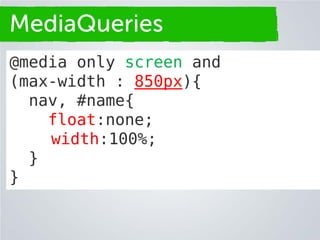
@media only screen and
(max-width : 850px){
nav, #name{
float:none;
width:100%;
}
}
MediaQueries
Secciones
MediaQueries
Secciones
@media only screen and
(max-width : 850px){
nav, #name{
float:none;
width:100%;
text-align:center;
}
}
MediaQueries
Secciones
MediaQueries
Secciones
@media only screen and
(max-width : 850px){
header{ margin-bottom:50px;}
nav, #name{
float:none;
width:100%;
text-align:center;
}
}
MediaQueries
Secciones
MediaQueries
Secciones

En este punto hay que
probar y corregir los
breakpoints hasta que
tengamos lo que
queremos
Responsive Design
Responsive Design

Imaginen un adaptive
design, pensado para
todos los dispositivos,
actuales y futuros.
Extras y Closing
Extras y Closing
El responsive design no es
un silverbullet, no va ser
viable en todos los casos
Extras y Closing
En otros casos, app
nativas para móviles es la
solución, o alternativas
como jQuery Mobile
Extras y Closing
Extras y Closing
IE6-8 no soportan
mediqueries, pero hay un
polyfill para eso
Respond.js

http://bit.ly/LQaei0
Extras y Closing
Hay frameworks de CSS
que se basan en fluid
layouts y responsive
design
• Twitter Bootstrap
• Zurb Foundation
Extras y Closing

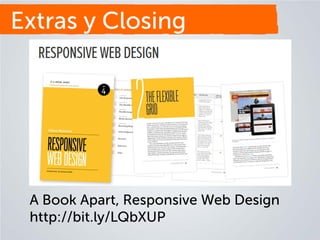
A Book Apart, Responsive Web Design
http://bit.ly/LQbXUP
Gracias 

Diseñando para la Web Móvil