Curso HTML / CSS Cuarta Sesión
Presentación Matías Alejo García mailto: [email_address] msn:matias_alejo@hotmail.com http://linkedin.com/in/matias
Cuarta Sesión Introducción HTML. Historia. Versiones. CSS. HTTP y tipos de sitios web. HTML Estructura y  sintaxis. Secciones y elementos. Elementos. Clasificación. Ejemplos Formularios CSS Referencia. Sintaxis. Elementos y selectores. Layout tipicos SEO
CSS  Propiedades simples
CSS | Background background-color: color | none background-image: none | url () background-position: x y background-repeat: repeat| repeat-x | repeat-y| no-repeat background-attachment: scroll | fixed background: ... ... >> Ver ejemplos y cheat sheet
CSS | Texto Atributos del texto   color: color direction: ltr | rtl line-height : <tamaño> letter-spacing:  <tamaño> text-align:  left | right  | none | justify text-decoration:  underline  | none text-indent : <tamaño> text-transform : none | capitalize | uppercase | lowercase white-space: nomal | nowrap word-spacing: <lenght> >> Ver ejemplos
CSS | Font Atributos del font.  font-family : “Arial”, sans-serif font-size: <tamaño> font-stretch: [ultra-|extra-] wider|condensed font-style: italic | oblique font-variant: small-caps font-weight: bold|bolder|lighter|x00 >> Ver ejemplos
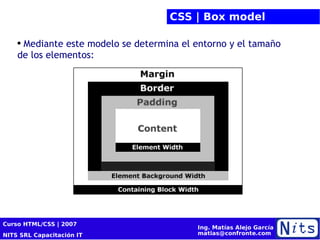
CSS | Box model Mediante este modelo se determina el entorno y el tamaño de los elementos:
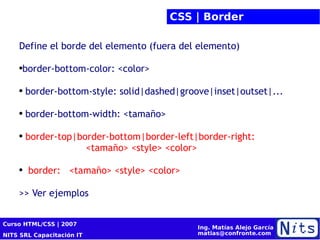
CSS | Border Define el borde del elemento (fuera del elemento)  border-bottom-color: <color> border-bottom-style: solid|dashed|groove|inset|outset|... border-bottom-width: <tamaño> border-top|border-bottom|border-left|border-right:   <tamaño> <style> <color> border:  <tamaño> <style> <color> >> Ver ejemplos
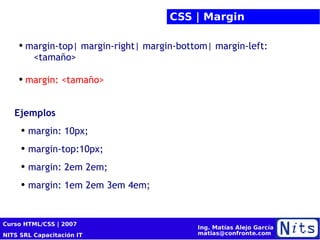
CSS | Margin margin-top|  margin-right|  margin-bottom| margin-left :  <tamaño> margin: <tamaño> Ejemplos margin: 10px; margin-top:10px; margin: 2em 2em; margin: 1em 2em 3em 4em;
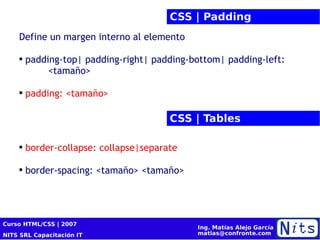
CSS | Padding Define un margen interno al elemento  padding-top|  padding-right|  padding-bottom| padding-left :  <tamaño> padding: <tamaño> CSS | Tables border-collapse: collapse|separate border-spacing: <tamaño>  <tamaño>
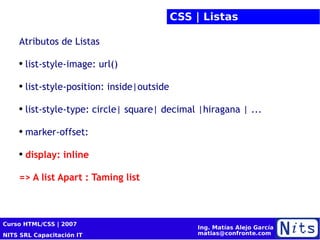
CSS | Listas Atributos de Listas list-style-image: url() list-style-position: inside|outside list-style-type: circle| square| decimal |hiragana | ... marker-offset: display: inline => A list Apart : Taming list
CSS  + propiedades
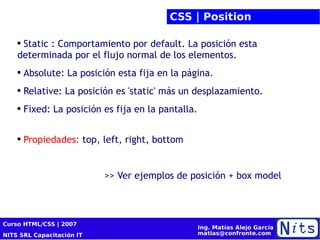
CSS | Position Static : Comportamiento por default. La posición esta determinada por el flujo normal de los elementos. Absolute: La posición esta fija en la página. Relative: La posición es 'static' más un desplazamiento. Fixed: La posición es fija en la pantalla. Propiedades:  top, left, right, bottom >> Ver ejemplos de posición + box model
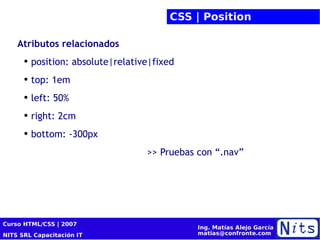
CSS | Position Atributos relacionados position: absolute|relative|fixed top: 1em left: 50% right: 2cm bottom: -300px >> Pruebas con “.nav”
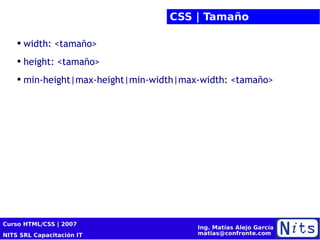
CSS | Tamaño width : <tamaño> height : <tamaño> min-height|max-height|min-width|max-width: <tamaño>
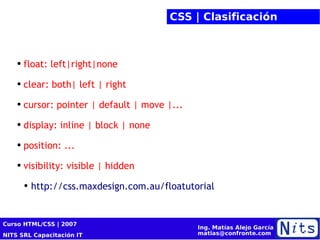
CSS | Clasificación float: left|right|none clear: both| left | right cursor: pointer | default | move |... display: inline | block | none position: ... visibility: visible | hidden http://css.maxdesign.com.au/floatutorial
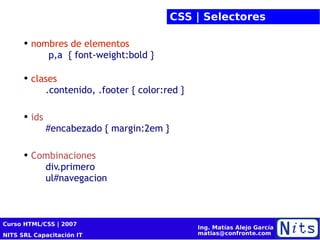
CSS | Selectores nombres de elementos  p,a  { font-weight:bold } clases   .contenido, .footer { color:red } ids   #encabezado { margin:2em } Combinaciones   div.primero   ul#navegacion
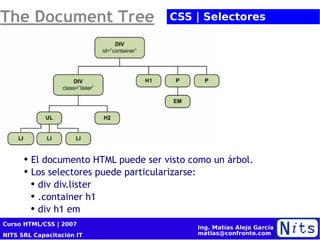
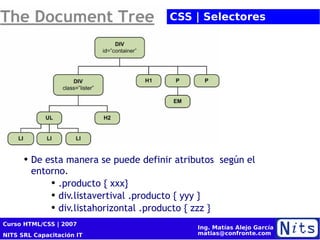
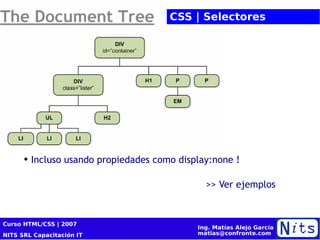
El documento HTML puede ser visto como un árbol. Los selectores puede particularizarse: div div.lister .container h1 div h1 em CSS | Selectores
De esta manera se puede definir atributos  según el entorno. .producto { xxx} div.listavertival .producto { yyy } div.listahorizontal .producto { zzz } CSS | Selectores
Incluso usando propiedades como display:none ! >> Ver ejemplos CSS | Selectores
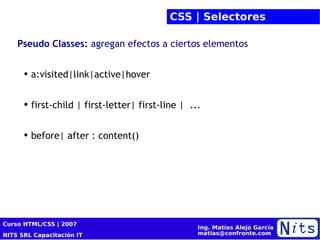
CSS | Selectores Pseudo Classes:  agregan efectos a ciertos elementos a:visited|link|active|hover first-child | first-letter| first-line |  ... before| after : content()
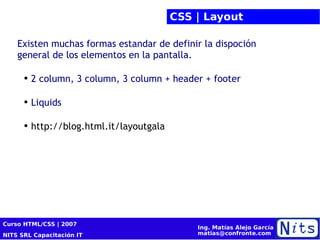
CSS | Layout Existen muchas formas estandar de definir la dispoción general de los elementos en la pantalla. 2 column, 3 column, 3 column + header + footer Liquids  http://blog.html.it/layoutgala
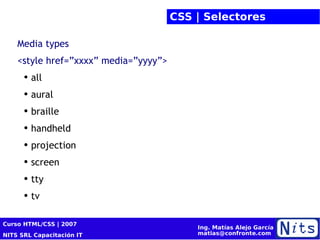
CSS | Selectores Media types <style href=”xxxx” media=”yyyy”> all aural braille handheld projection screen tty tv
SEO
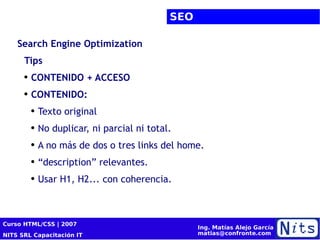
SEO Search Engine Optimization Tips CONTENIDO + ACCESO CONTENIDO: Texto original No duplicar, ni parcial ni total. A no más de dos o tres links del home. “ description” relevantes. Usar H1, H2... con coherencia.
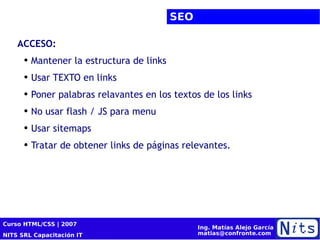
SEO ACCESO: Mantener la estructura de links Usar TEXTO en links Poner palabras relavantes en los textos de los links No usar flash / JS para menu Usar sitemaps Tratar de obtener links de páginas relevantes.
Resumen
Resumen Versiones e historia del HTML Nociones de HTTP Elementos descriptivos de HTML CSS simples y selectores Nociones de SEO
¡Muchas Gracias! HTML / CSS
Stay in touch! HTML / CSS

Curso HTML CSS 4/4

  • 1.
    Curso HTML /CSS Cuarta Sesión
  • 2.
    Presentación Matías AlejoGarcía mailto: [email_address] msn:matias_alejo@hotmail.com http://linkedin.com/in/matias
  • 3.
    Cuarta Sesión IntroducciónHTML. Historia. Versiones. CSS. HTTP y tipos de sitios web. HTML Estructura y sintaxis. Secciones y elementos. Elementos. Clasificación. Ejemplos Formularios CSS Referencia. Sintaxis. Elementos y selectores. Layout tipicos SEO
  • 4.
  • 5.
    CSS | Backgroundbackground-color: color | none background-image: none | url () background-position: x y background-repeat: repeat| repeat-x | repeat-y| no-repeat background-attachment: scroll | fixed background: ... ... >> Ver ejemplos y cheat sheet
  • 6.
    CSS | TextoAtributos del texto color: color direction: ltr | rtl line-height : <tamaño> letter-spacing: <tamaño> text-align: left | right | none | justify text-decoration: underline | none text-indent : <tamaño> text-transform : none | capitalize | uppercase | lowercase white-space: nomal | nowrap word-spacing: <lenght> >> Ver ejemplos
  • 7.
    CSS | FontAtributos del font. font-family : “Arial”, sans-serif font-size: <tamaño> font-stretch: [ultra-|extra-] wider|condensed font-style: italic | oblique font-variant: small-caps font-weight: bold|bolder|lighter|x00 >> Ver ejemplos
  • 8.
    CSS | Boxmodel Mediante este modelo se determina el entorno y el tamaño de los elementos:
  • 9.
    CSS | BorderDefine el borde del elemento (fuera del elemento) border-bottom-color: <color> border-bottom-style: solid|dashed|groove|inset|outset|... border-bottom-width: <tamaño> border-top|border-bottom|border-left|border-right: <tamaño> <style> <color> border: <tamaño> <style> <color> >> Ver ejemplos
  • 10.
    CSS | Marginmargin-top| margin-right| margin-bottom| margin-left : <tamaño> margin: <tamaño> Ejemplos margin: 10px; margin-top:10px; margin: 2em 2em; margin: 1em 2em 3em 4em;
  • 11.
    CSS | PaddingDefine un margen interno al elemento padding-top| padding-right| padding-bottom| padding-left : <tamaño> padding: <tamaño> CSS | Tables border-collapse: collapse|separate border-spacing: <tamaño> <tamaño>
  • 12.
    CSS | ListasAtributos de Listas list-style-image: url() list-style-position: inside|outside list-style-type: circle| square| decimal |hiragana | ... marker-offset: display: inline => A list Apart : Taming list
  • 13.
    CSS +propiedades
  • 14.
    CSS | PositionStatic : Comportamiento por default. La posición esta determinada por el flujo normal de los elementos. Absolute: La posición esta fija en la página. Relative: La posición es 'static' más un desplazamiento. Fixed: La posición es fija en la pantalla. Propiedades: top, left, right, bottom >> Ver ejemplos de posición + box model
  • 15.
    CSS | PositionAtributos relacionados position: absolute|relative|fixed top: 1em left: 50% right: 2cm bottom: -300px >> Pruebas con “.nav”
  • 16.
    CSS | Tamañowidth : <tamaño> height : <tamaño> min-height|max-height|min-width|max-width: <tamaño>
  • 17.
    CSS | Clasificaciónfloat: left|right|none clear: both| left | right cursor: pointer | default | move |... display: inline | block | none position: ... visibility: visible | hidden http://css.maxdesign.com.au/floatutorial
  • 18.
    CSS | Selectoresnombres de elementos p,a { font-weight:bold } clases .contenido, .footer { color:red } ids #encabezado { margin:2em } Combinaciones div.primero ul#navegacion
  • 19.
    El documento HTMLpuede ser visto como un árbol. Los selectores puede particularizarse: div div.lister .container h1 div h1 em CSS | Selectores
  • 20.
    De esta manerase puede definir atributos según el entorno. .producto { xxx} div.listavertival .producto { yyy } div.listahorizontal .producto { zzz } CSS | Selectores
  • 21.
    Incluso usando propiedadescomo display:none ! >> Ver ejemplos CSS | Selectores
  • 22.
    CSS | SelectoresPseudo Classes: agregan efectos a ciertos elementos a:visited|link|active|hover first-child | first-letter| first-line | ... before| after : content()
  • 23.
    CSS | LayoutExisten muchas formas estandar de definir la dispoción general de los elementos en la pantalla. 2 column, 3 column, 3 column + header + footer Liquids http://blog.html.it/layoutgala
  • 24.
    CSS | SelectoresMedia types <style href=”xxxx” media=”yyyy”> all aural braille handheld projection screen tty tv
  • 25.
  • 26.
    SEO Search EngineOptimization Tips CONTENIDO + ACCESO CONTENIDO: Texto original No duplicar, ni parcial ni total. A no más de dos o tres links del home. “ description” relevantes. Usar H1, H2... con coherencia.
  • 27.
    SEO ACCESO: Mantenerla estructura de links Usar TEXTO en links Poner palabras relavantes en los textos de los links No usar flash / JS para menu Usar sitemaps Tratar de obtener links de páginas relevantes.
  • 28.
  • 29.
    Resumen Versiones ehistoria del HTML Nociones de HTTP Elementos descriptivos de HTML CSS simples y selectores Nociones de SEO
  • 30.
  • 31.
    Stay in touch!HTML / CSS

Notas del editor

  • #3 Presentación de Alumnos - Nombre, cargo, sector, actividad
  • #5 Levantan las manos por nivel. Anotar totales.
  • #6 Levantan las manos por nivel. Anotar totales.
  • #7 Levantan las manos por nivel. Anotar totales.
  • #8 Levantan las manos por nivel. Anotar totales.
  • #9 Levantan las manos por nivel. Anotar totales.
  • #10 Levantan las manos por nivel. Anotar totales.
  • #11 Levantan las manos por nivel. Anotar totales.
  • #12 Levantan las manos por nivel. Anotar totales.
  • #13 Levantan las manos por nivel. Anotar totales.
  • #14 Levantan las manos por nivel. Anotar totales.
  • #15 Levantan las manos por nivel. Anotar totales.
  • #16 Levantan las manos por nivel. Anotar totales.
  • #17 Levantan las manos por nivel. Anotar totales.
  • #18 Levantan las manos por nivel. Anotar totales.
  • #19 Levantan las manos por nivel. Anotar totales.
  • #20 Levantan las manos por nivel. Anotar totales.
  • #21 Levantan las manos por nivel. Anotar totales.
  • #22 Levantan las manos por nivel. Anotar totales.
  • #23 Levantan las manos por nivel. Anotar totales.
  • #24 Levantan las manos por nivel. Anotar totales.
  • #25 Levantan las manos por nivel. Anotar totales.
  • #26 Levantan las manos por nivel. Anotar totales.
  • #27 Levantan las manos por nivel. Anotar totales.
  • #28 Levantan las manos por nivel. Anotar totales.
  • #29 Levantan las manos por nivel. Anotar totales.
  • #30 Levantan las manos por nivel. Anotar totales.
  • #31 Levantan las manos por nivel. Anotar totales.
  • #32 Levantan las manos por nivel. Anotar totales.