ROBERTO CARLOS
PERALES REYES
4°Dm Programacion
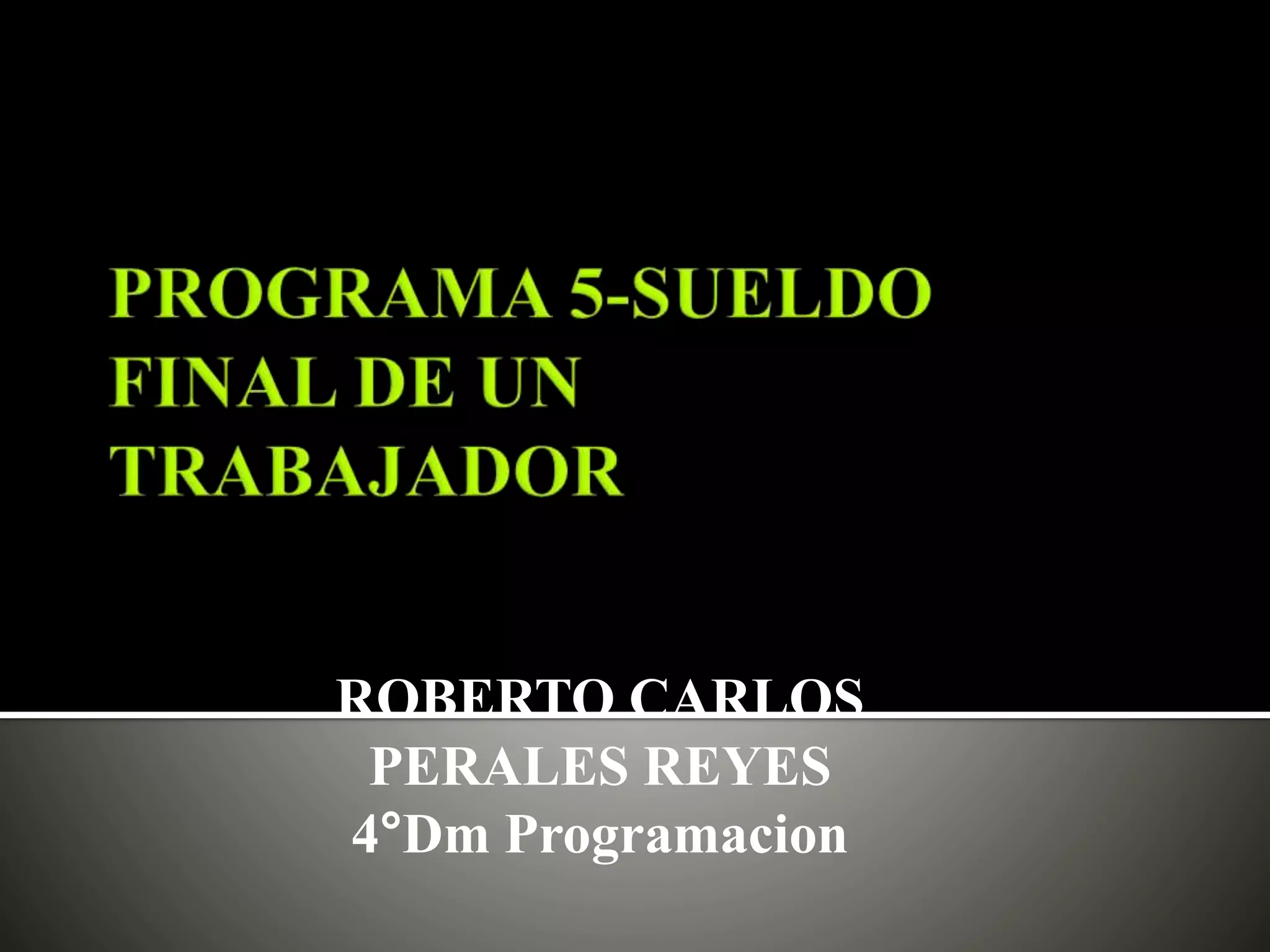
Creamos un
nuevo proyecto
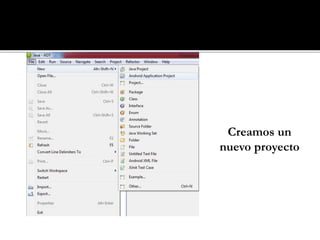
Le asignamos un nombre,
después presionamos next.
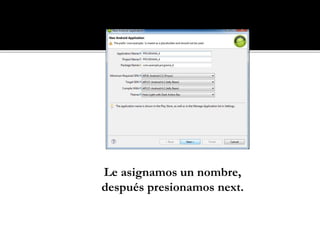
Finalizamos
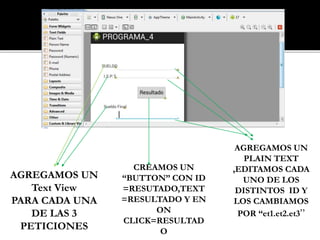
AGREGAMOS UN
Text View
PARA CADA UNA
DE LAS 3
PETICIONES
AGREGAMOS UN
PLAIN TEXT
,EDITAMOS CADA
UNO DE LOS
DISTINTOS ID Y
LOS CAMBIAMOS
POR “et1.et2.et3”
CREAMOS UN
“BUTTON” CON ID
=RESUTADO,TEXT
=RESULTADO Y EN
ON
CLICK=RESULTAD
O
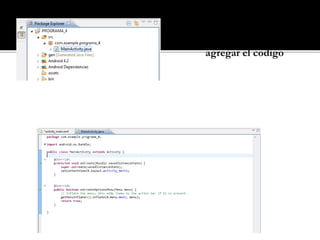
Abrimos la pestaña
Main Activity para
agregar el codigo
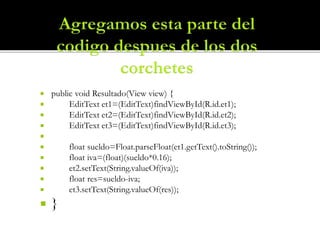
 public void Resultado(View view) {
 EditText et1=(EditText)findViewById(R.id.et1);
 EditText et2=(EditText)findViewById(R.id.et2);
 EditText et3=(EditText)findViewById(R.id.et3);

 float sueldo=Float.parseFloat(et1.getText().toString());
 float iva=(float)(sueldo*0.16);
 et2.setText(String.valueOf(iva));
 float res=sueldo-iva;
 et3.setText(String.valueOf(res));
 }
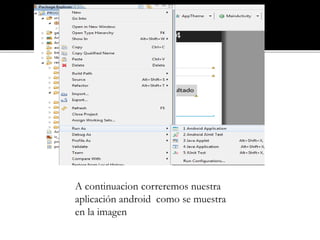
A continuacion correremos nuestra
aplicación android como se muestra
en la imagen
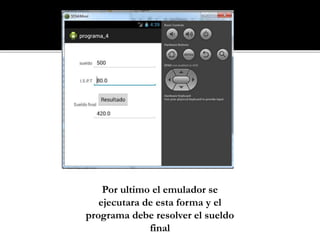
Por ultimo el emulador se
ejecutara de esta forma y el
programa debe resolver el sueldo
final

Perales tutorial

  • 1.
  • 2.
  • 3.
    Le asignamos unnombre, después presionamos next.
  • 4.
  • 5.
    AGREGAMOS UN Text View PARACADA UNA DE LAS 3 PETICIONES AGREGAMOS UN PLAIN TEXT ,EDITAMOS CADA UNO DE LOS DISTINTOS ID Y LOS CAMBIAMOS POR “et1.et2.et3” CREAMOS UN “BUTTON” CON ID =RESUTADO,TEXT =RESULTADO Y EN ON CLICK=RESULTAD O
  • 6.
    Abrimos la pestaña MainActivity para agregar el codigo
  • 7.
     public voidResultado(View view) {  EditText et1=(EditText)findViewById(R.id.et1);  EditText et2=(EditText)findViewById(R.id.et2);  EditText et3=(EditText)findViewById(R.id.et3);   float sueldo=Float.parseFloat(et1.getText().toString());  float iva=(float)(sueldo*0.16);  et2.setText(String.valueOf(iva));  float res=sueldo-iva;  et3.setText(String.valueOf(res));  }
  • 8.
    A continuacion correremosnuestra aplicación android como se muestra en la imagen
  • 9.
    Por ultimo elemulador se ejecutara de esta forma y el programa debe resolver el sueldo final