Taller I   Python Carlos Mauro Cárdenas Fernández http://unimauro.blogspot.com http://www.twitter.com/unimauro [email_address]
Temario Python
Python Básico y Práctica
GUI TK,  WX
Python 3.0
Python Sugar
Python
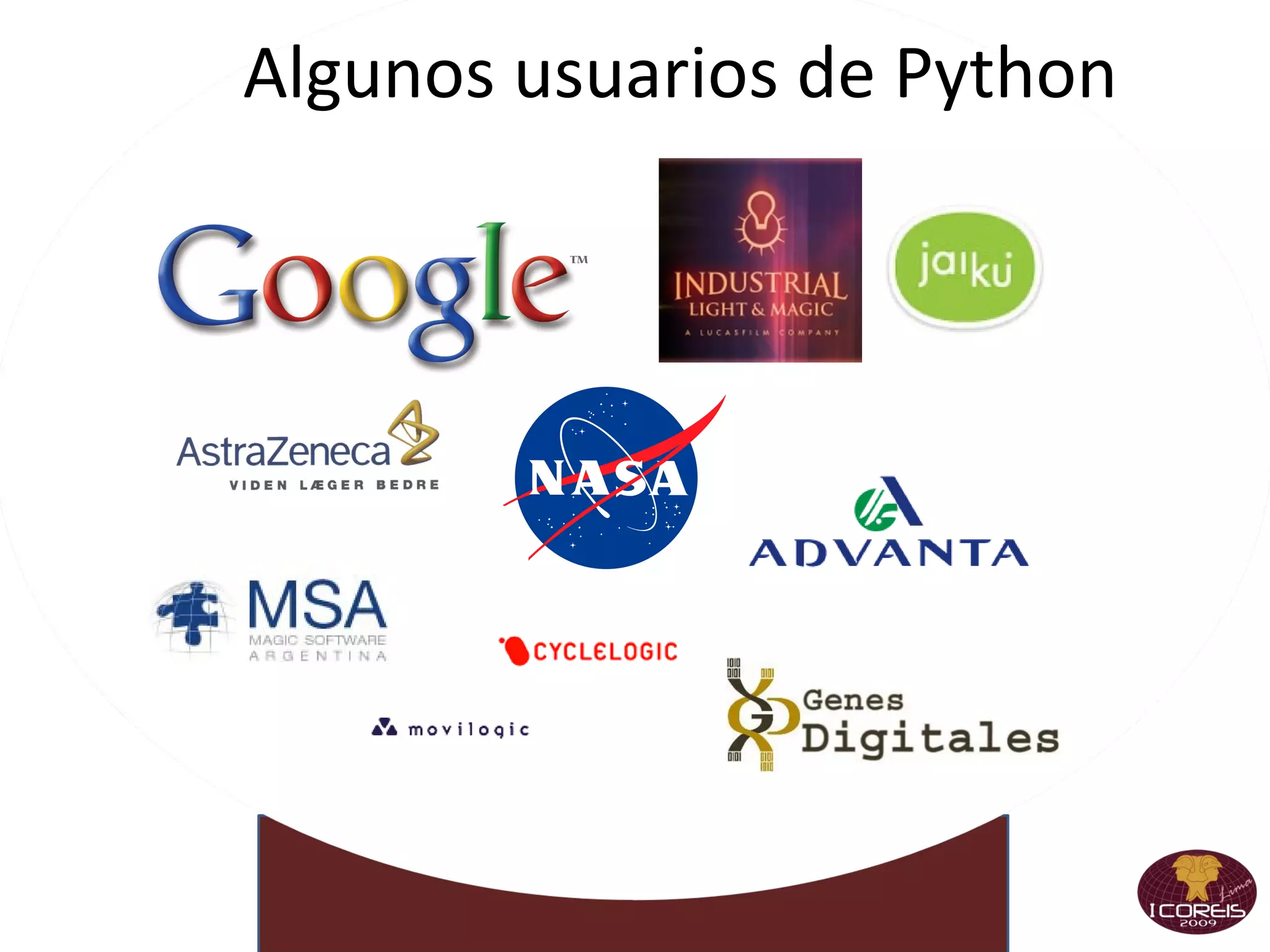
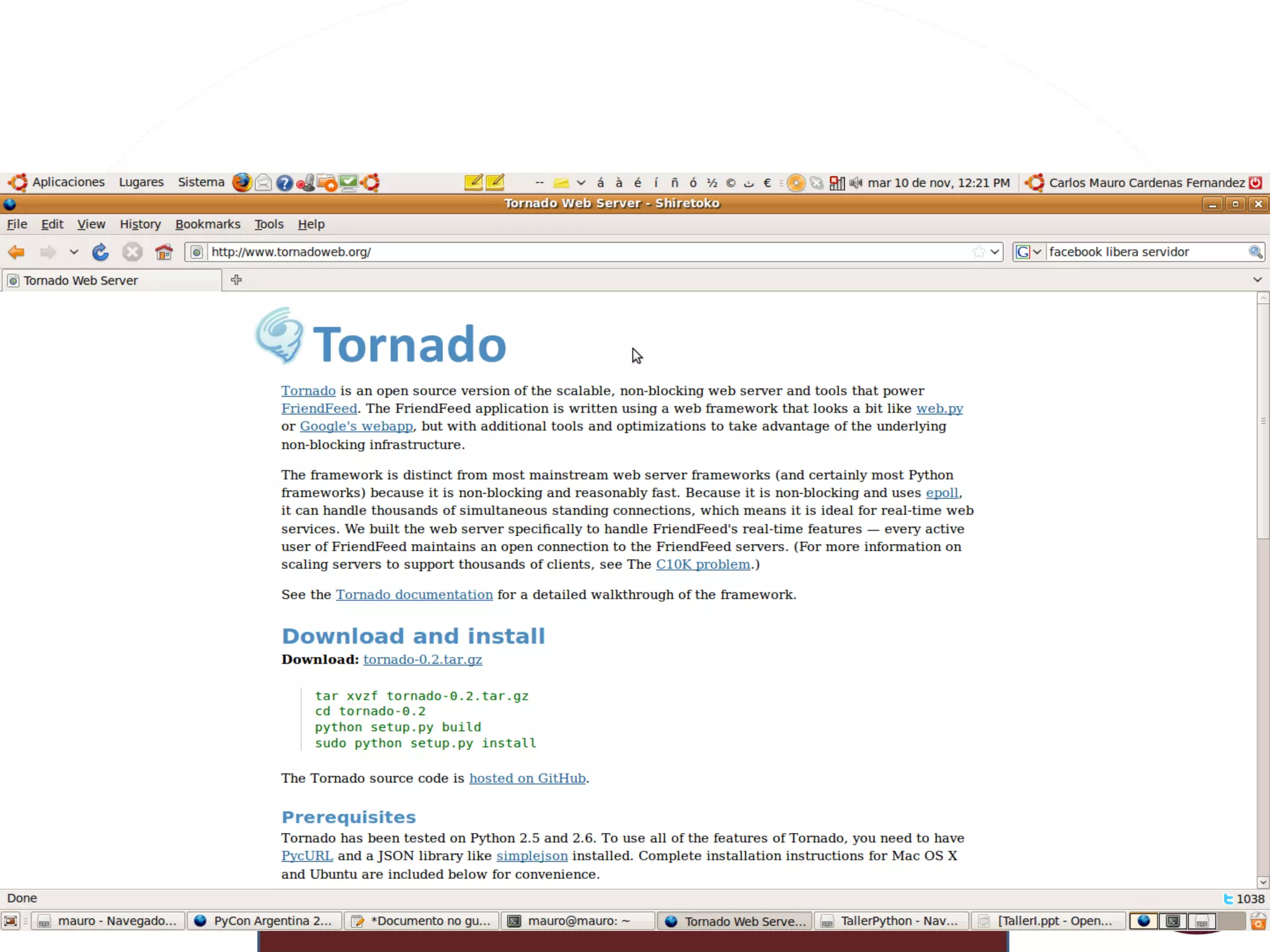
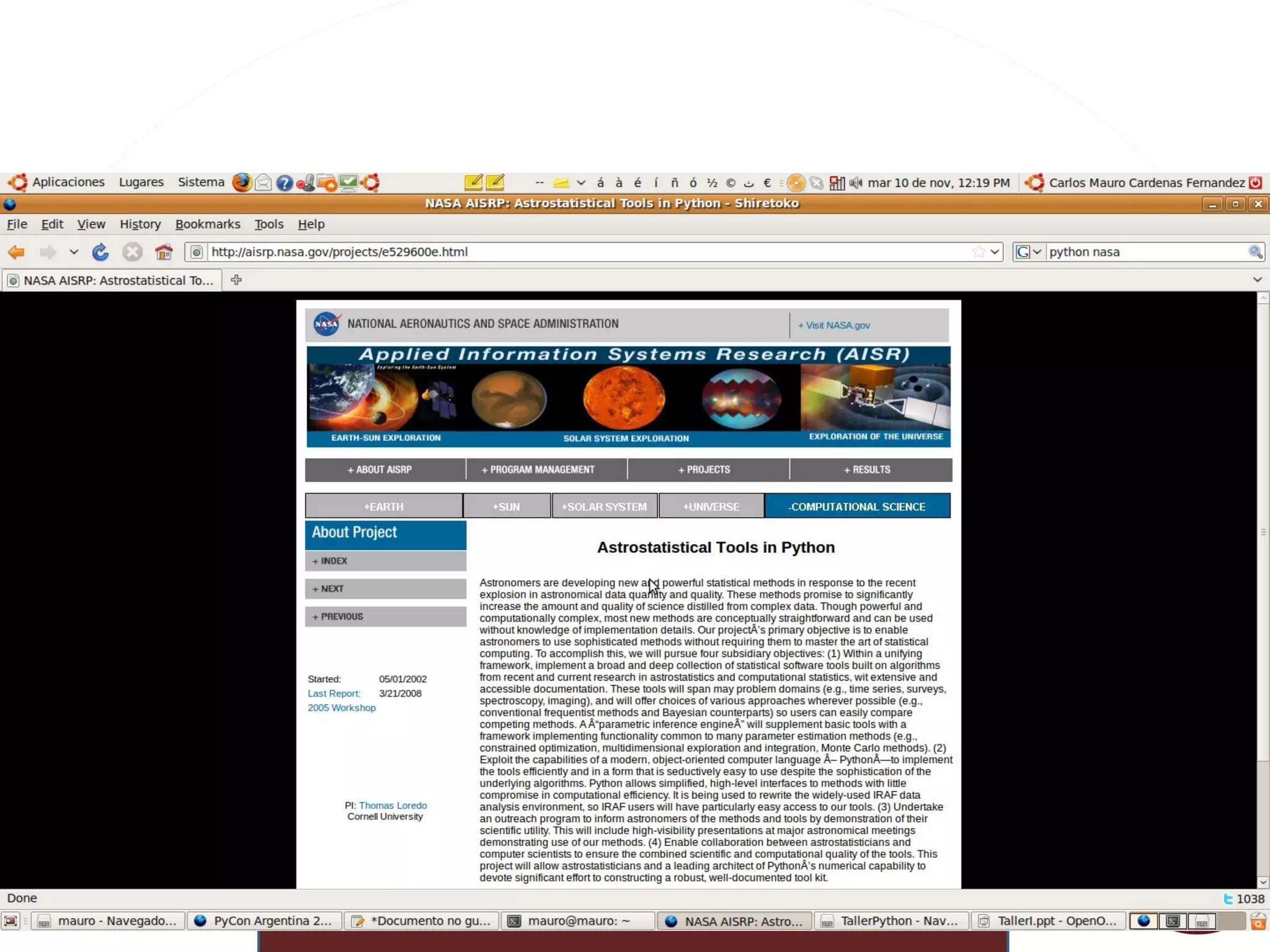
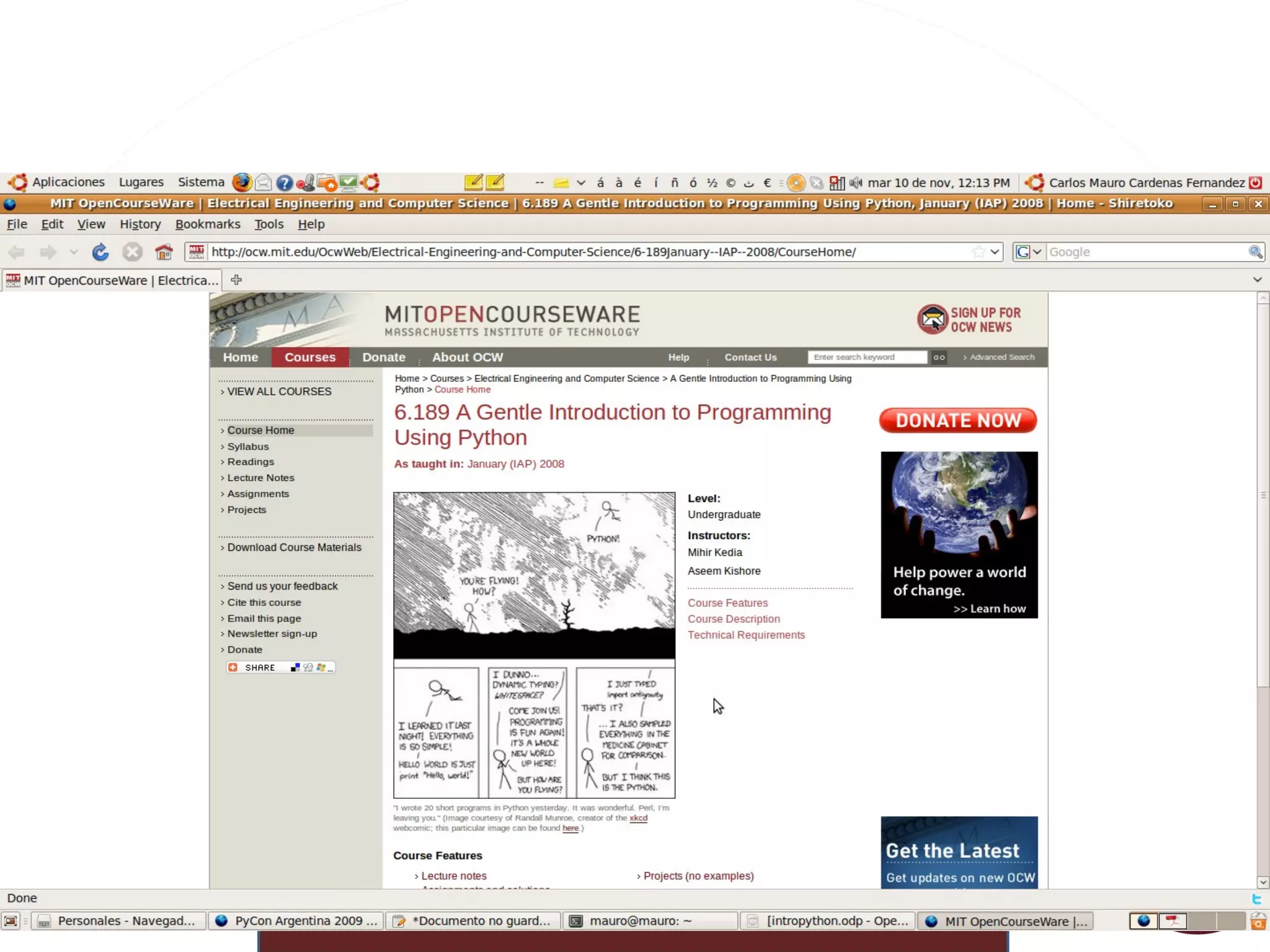
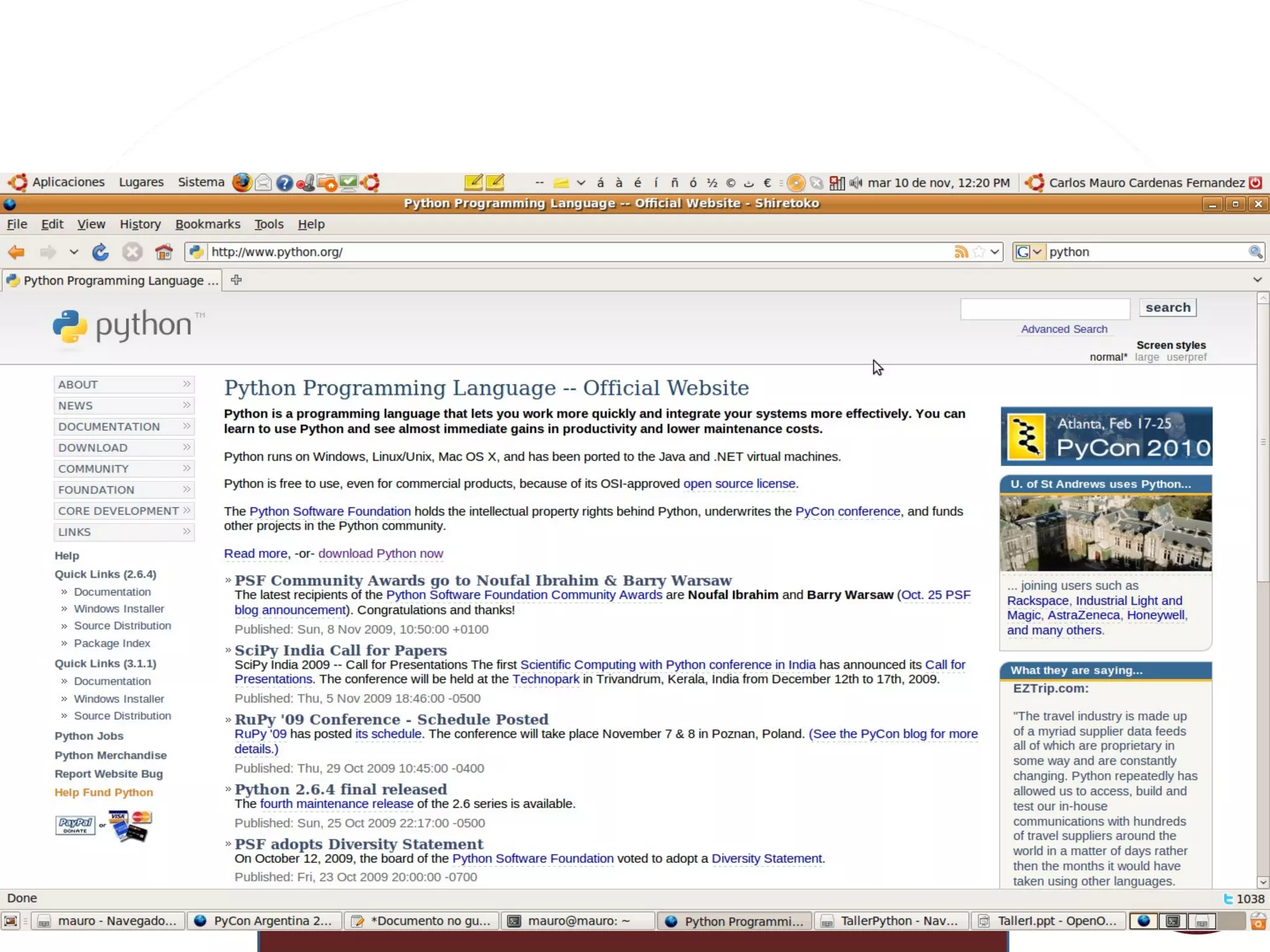
Algunos usuarios de Python


Algunas características Gratis  Y  Libre Y Open Source, todo por el mismo precio:  cero   Maduro (+14 años) Diseño elegante y  robusto
Pero  evoluciona Fácil  de aprender Se lee como pseudo-código
Sintaxis  sencilla Extremadamente  portable Unix, Windows, Mac, BeOS, Win/CE
DOS, OS/2, Amiga, VMS, Cray...
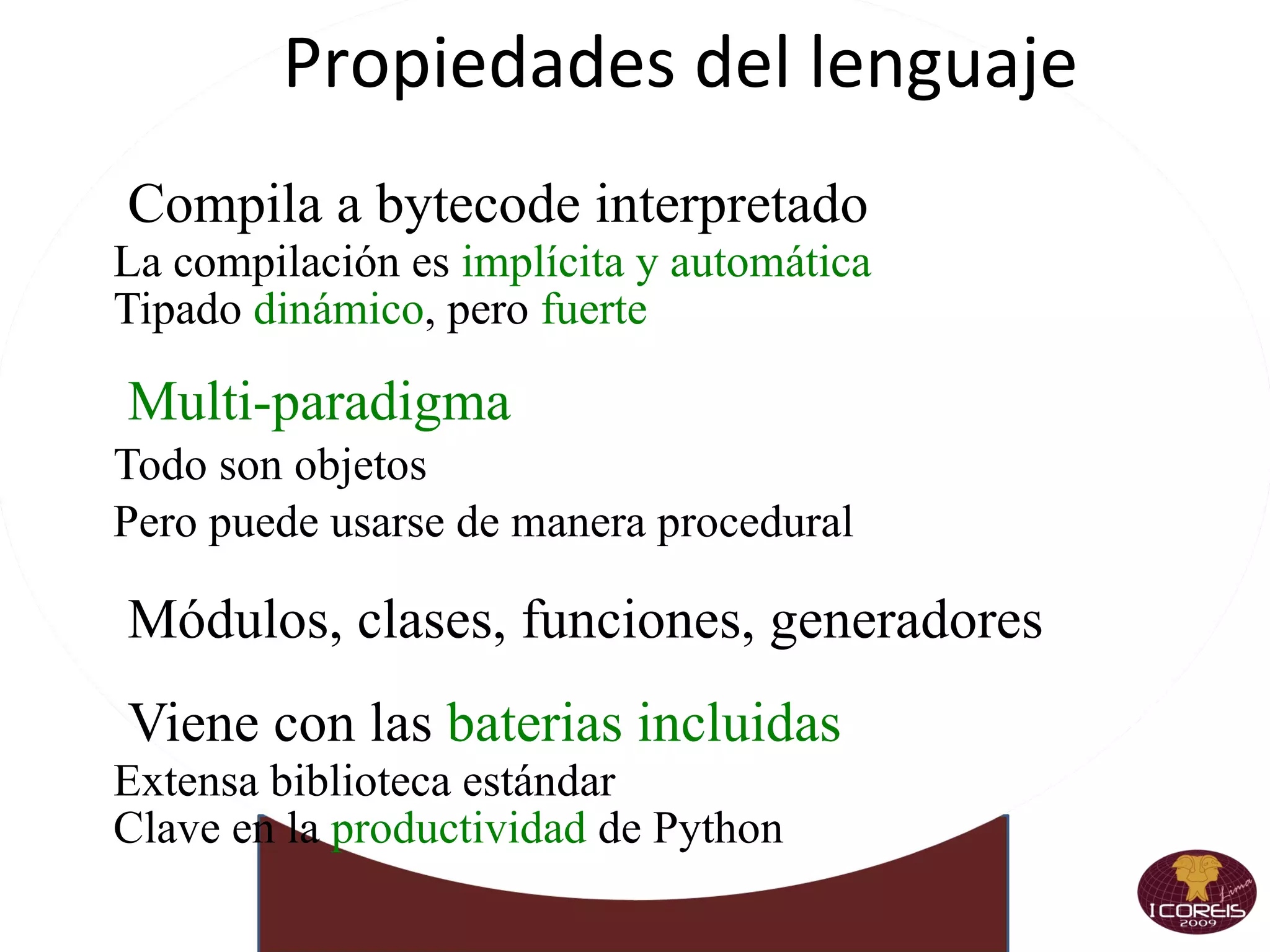
Propiedades del lenguaje Compila a bytecode interpretado La compilación es  implícita y automática
Tipado  dinámico , pero  fuerte Multi-paradigma   Todo son objetos
Pero puede usarse de manera procedural Módulos, clases, funciones, generadores
Viene con las  baterias incluidas Extensa biblioteca estándar
Clave en la  productividad  de Python
 
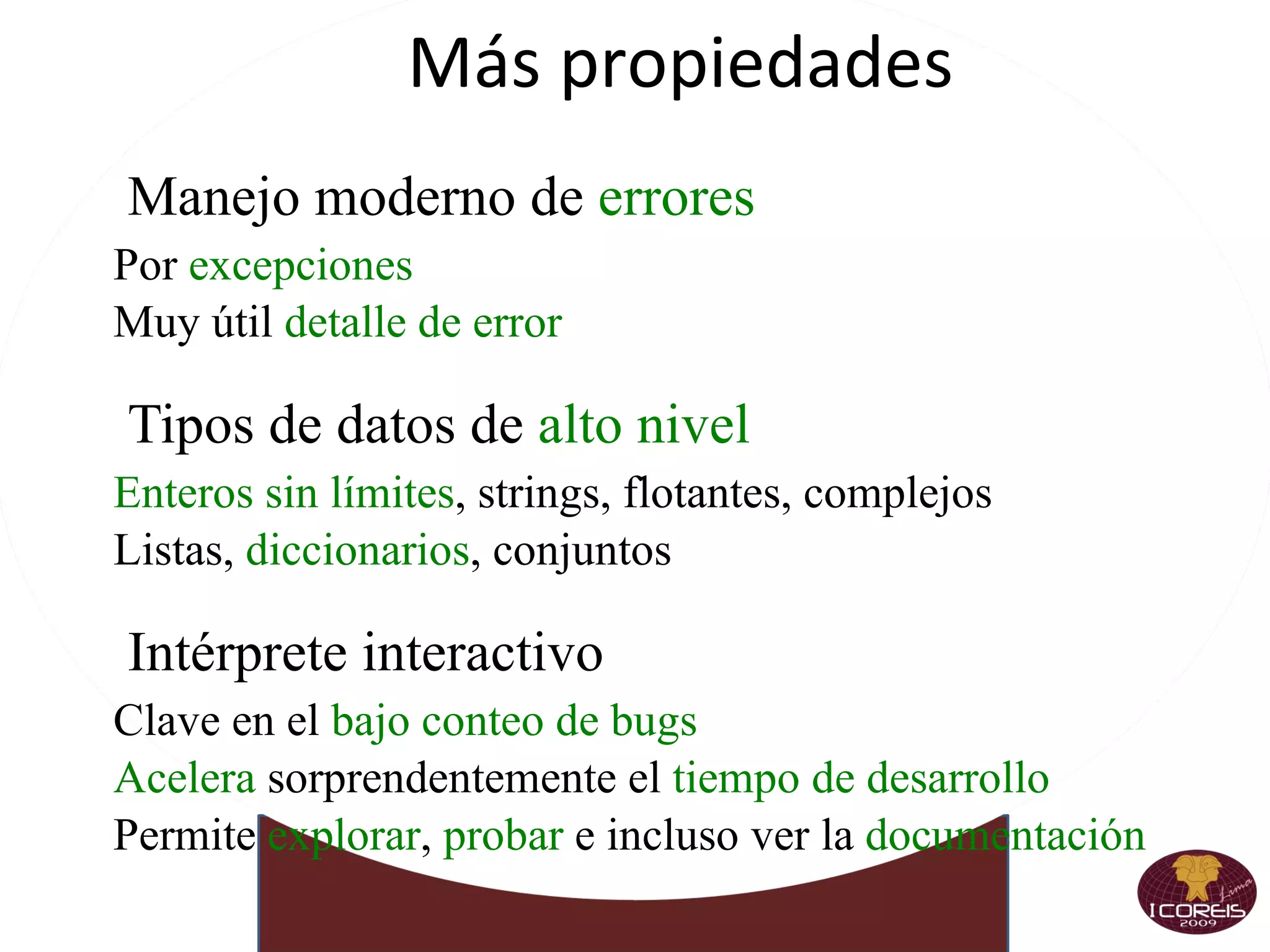
Más propiedades Manejo moderno de  errores Por  excepciones
Muy útil  detalle de error Tipos de datos de  alto nivel Enteros sin límites , strings, flotantes, complejos
Listas,  diccionarios , conjuntos Intérprete interactivo Clave en el  bajo conteo de bugs
Acelera  sorprendentemente el  tiempo de desarrollo
Permite  explorar ,  probar  e incluso ver la  documentación
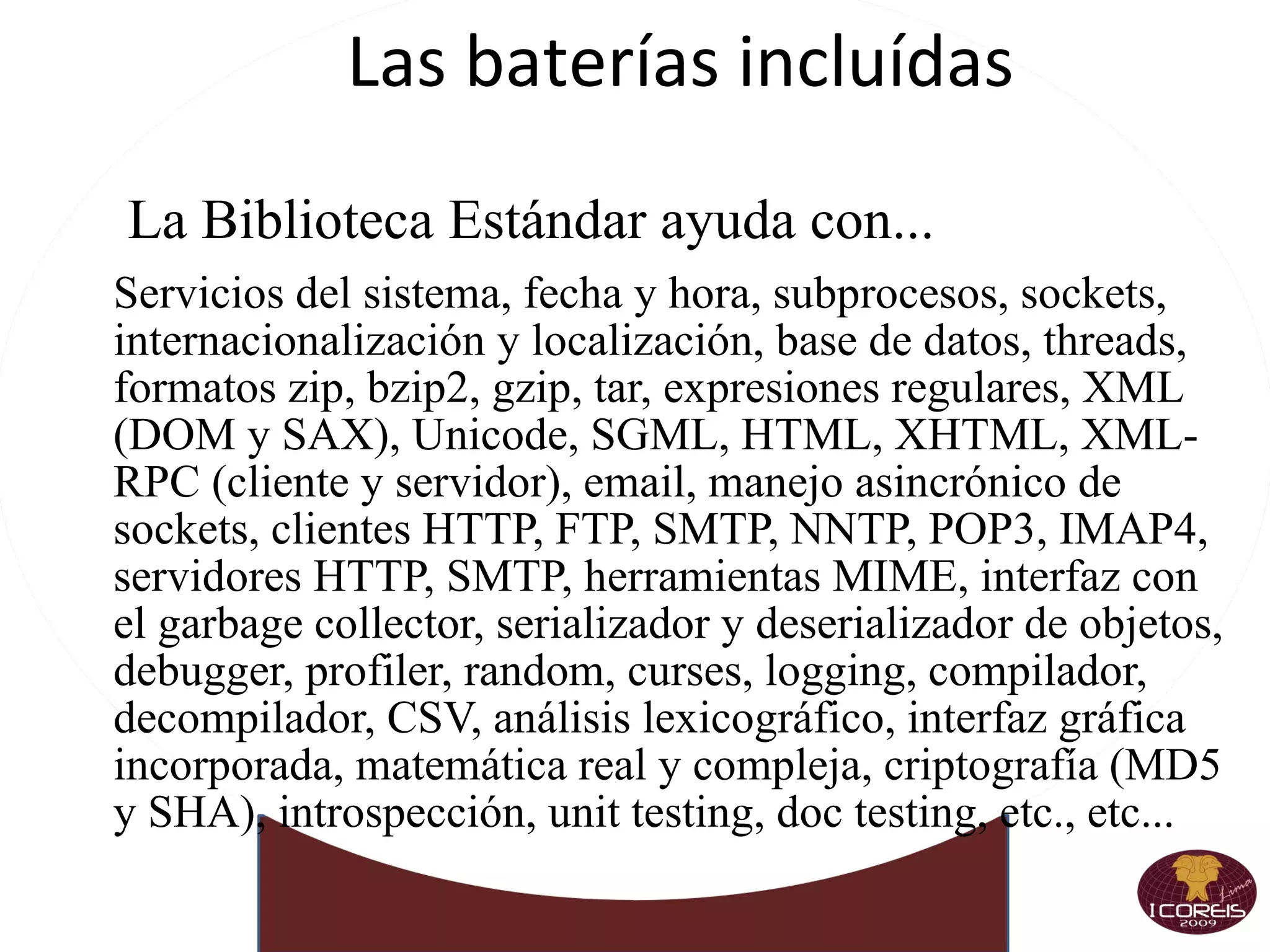
Las baterías incluídas La Biblioteca Estándar ayuda con... Servicios del sistema, fecha y hora, subprocesos, sockets,  internacionalización y localización, base de datos, threads, formatos zip, bzip2, gzip, tar, expresiones regulares, XML (DOM y SAX), Unicode, SGML, HTML, XHTML, XML-RPC (cliente y servidor), email, manejo asincrónico de sockets, clientes HTTP, FTP, SMTP, NNTP, POP3, IMAP4, servidores HTTP, SMTP, herramientas MIME, interfaz con el garbage collector, serializador y deserializador de objetos, debugger, profiler, random, curses, logging, compilador, decompilador, CSV, análisis lexicográfico, interfaz gráfica incorporada, matemática real y compleja, criptografía (MD5 y SHA), introspección, unit testing, doc testing, etc., etc...
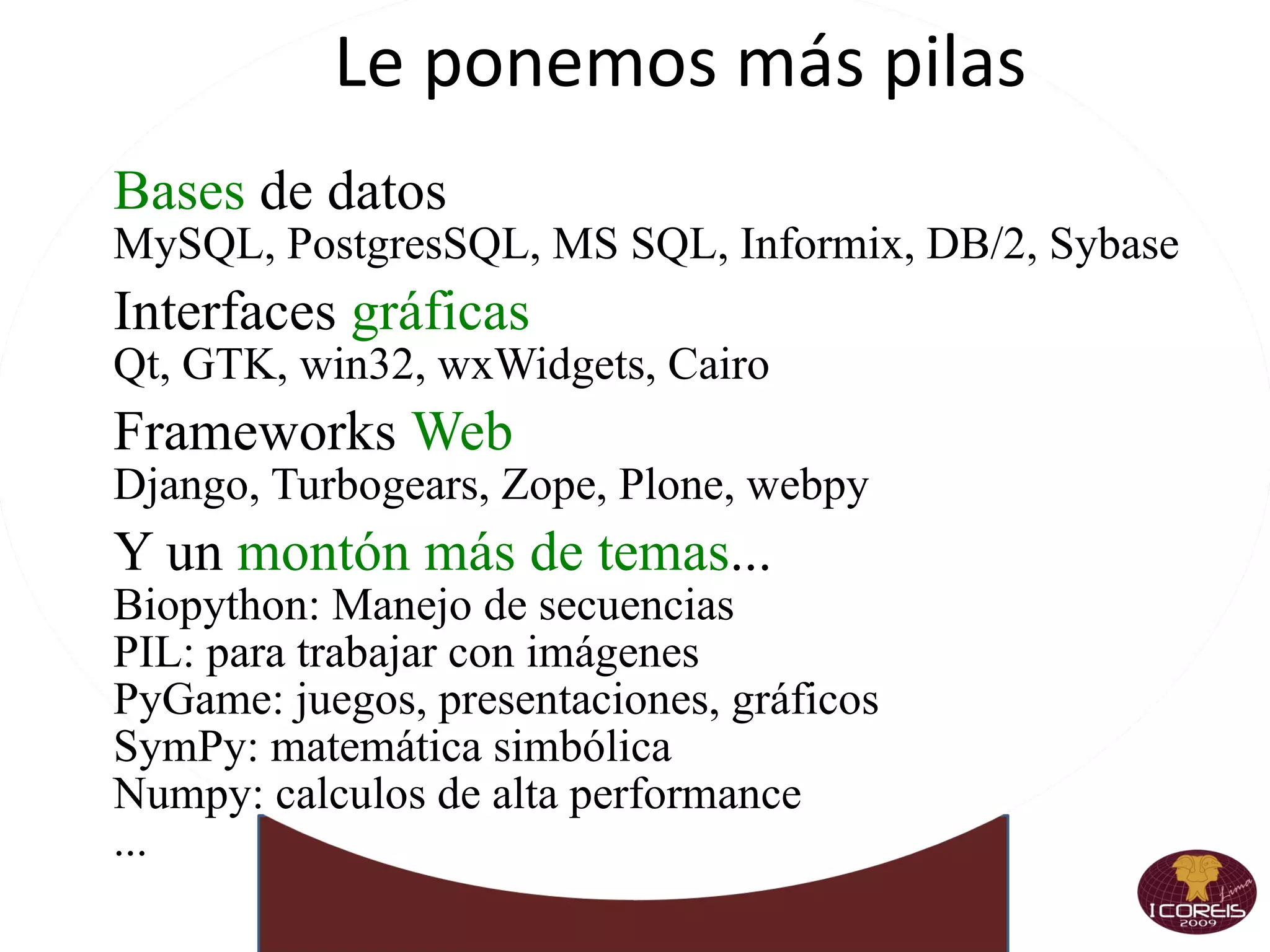
Le ponemos más pilas Bases  de datos MySQL, PostgresSQL, MS SQL, Informix, DB/2, Sybase Interfaces  gráficas Qt, GTK, win32, wxWidgets, Cairo Frameworks  Web Django, Turbogears, Zope, Plone, webpy  Y un  montón más de temas ... Biopython: Manejo de secuencias
PIL: para trabajar con imágenes
PyGame: juegos, presentaciones, gráficos
SymPy: matemática simbólica
Numpy: calculos de alta performance
...
Corriendo e interpretando Menos charla y más acción Python  es  interpretado
No hace falta compilar
Ciclo corto de pruebas
Y encima tenemos el  Intérprete Interactivo <o/
Python Básico
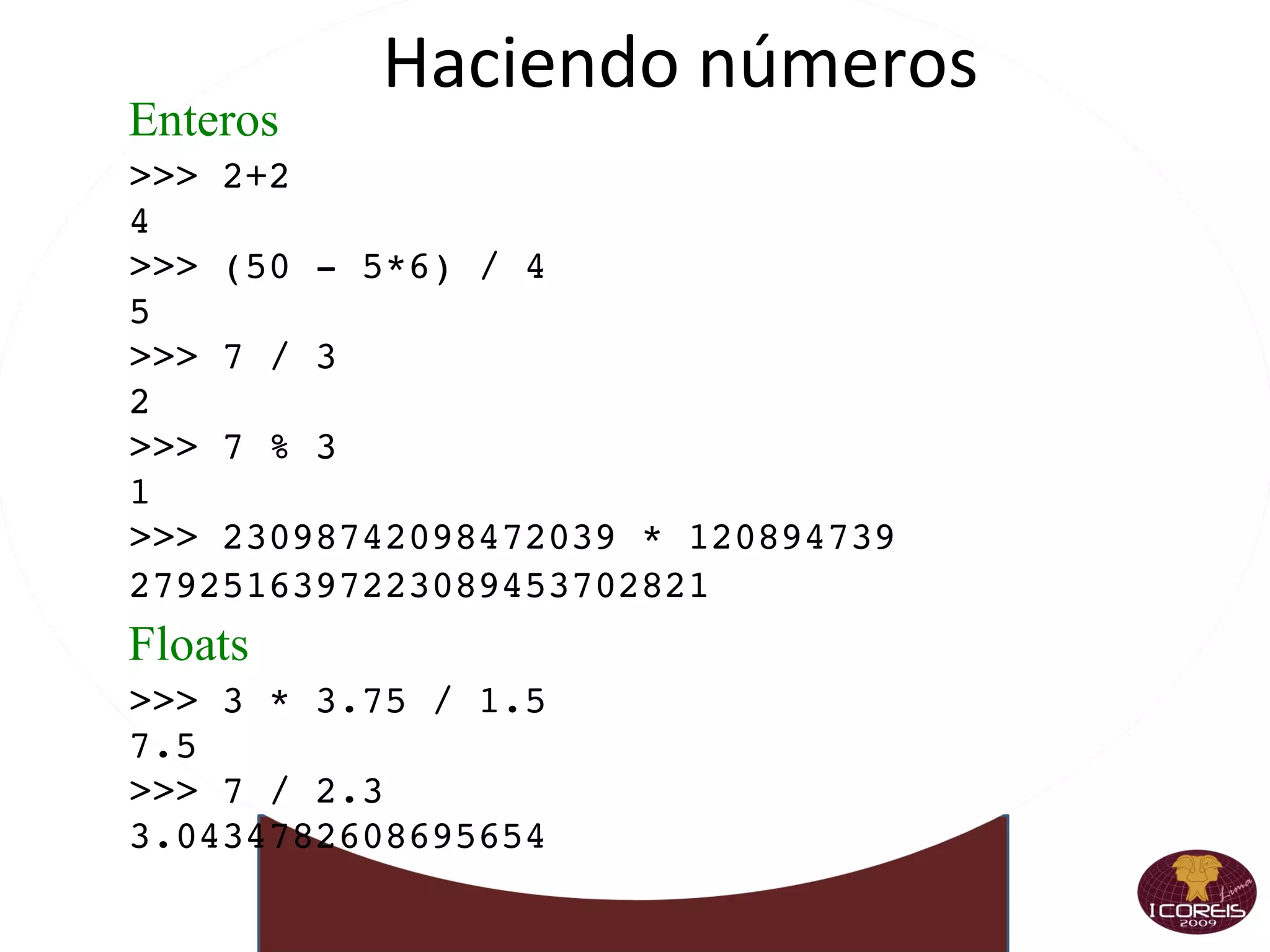
Haciendo números Enteros >>> 2+2 4 >>> (50 - 5*6) / 4 5 >>> 7 / 3 2 >>> 7 % 3 1 >>> 23098742098472039 * 120894739 2792516397223089453702821 Floats >>> 3 * 3.75 / 1.5 7.5 >>> 7 / 2.3 3.0434782608695654
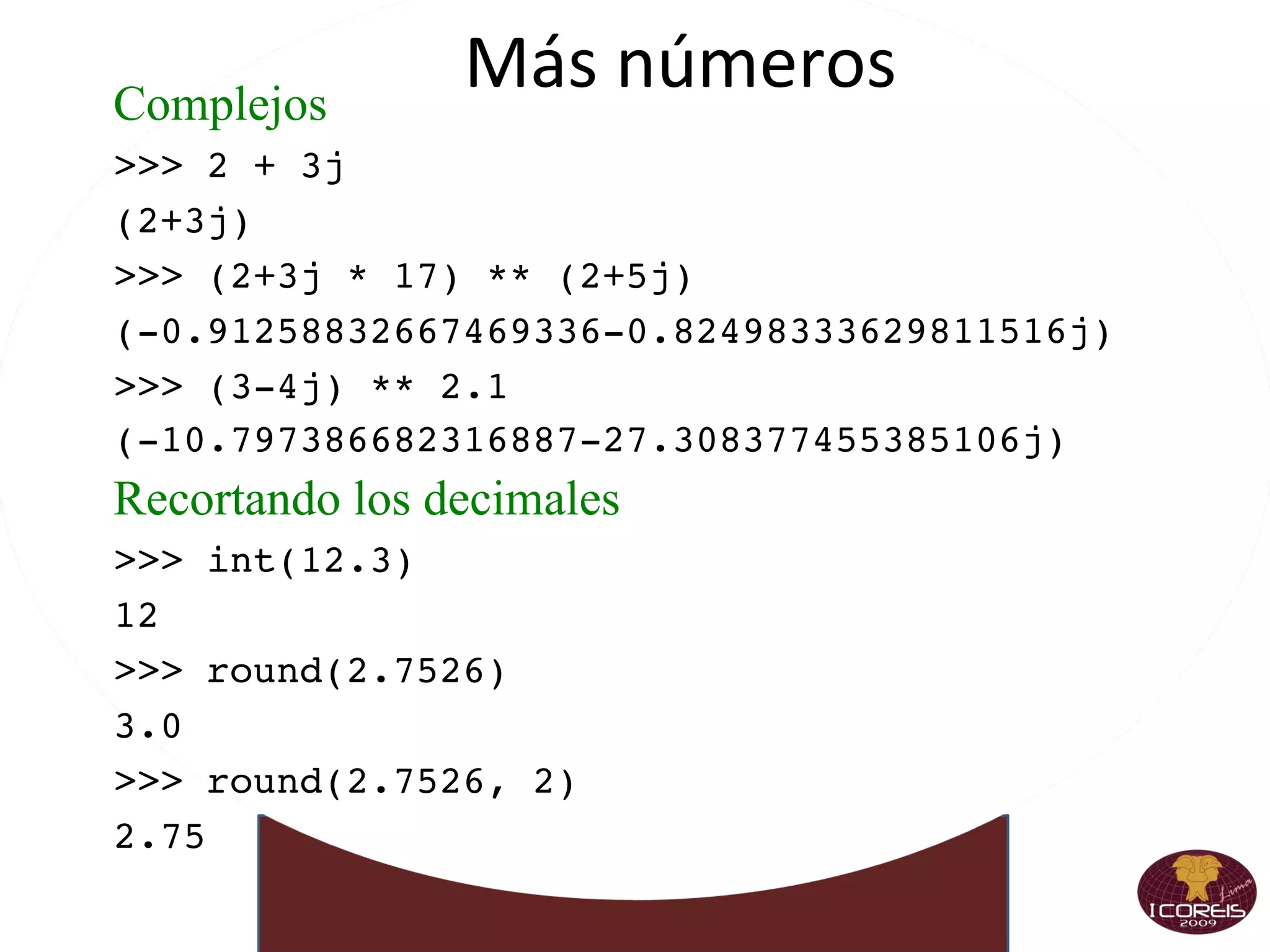
Más números Complejos >>> 2 + 3j (2+3j) >>> (2+3j * 17) ** (2+5j) (-0.91258832667469336-0.82498333629811516j) >>> (3-4j) ** 2.1 (-10.797386682316887-27.308377455385106j) Recortando los decimales >>> int(12.3) 12 >>> round(2.7526) 3.0 >>> round(2.7526, 2) 2.75
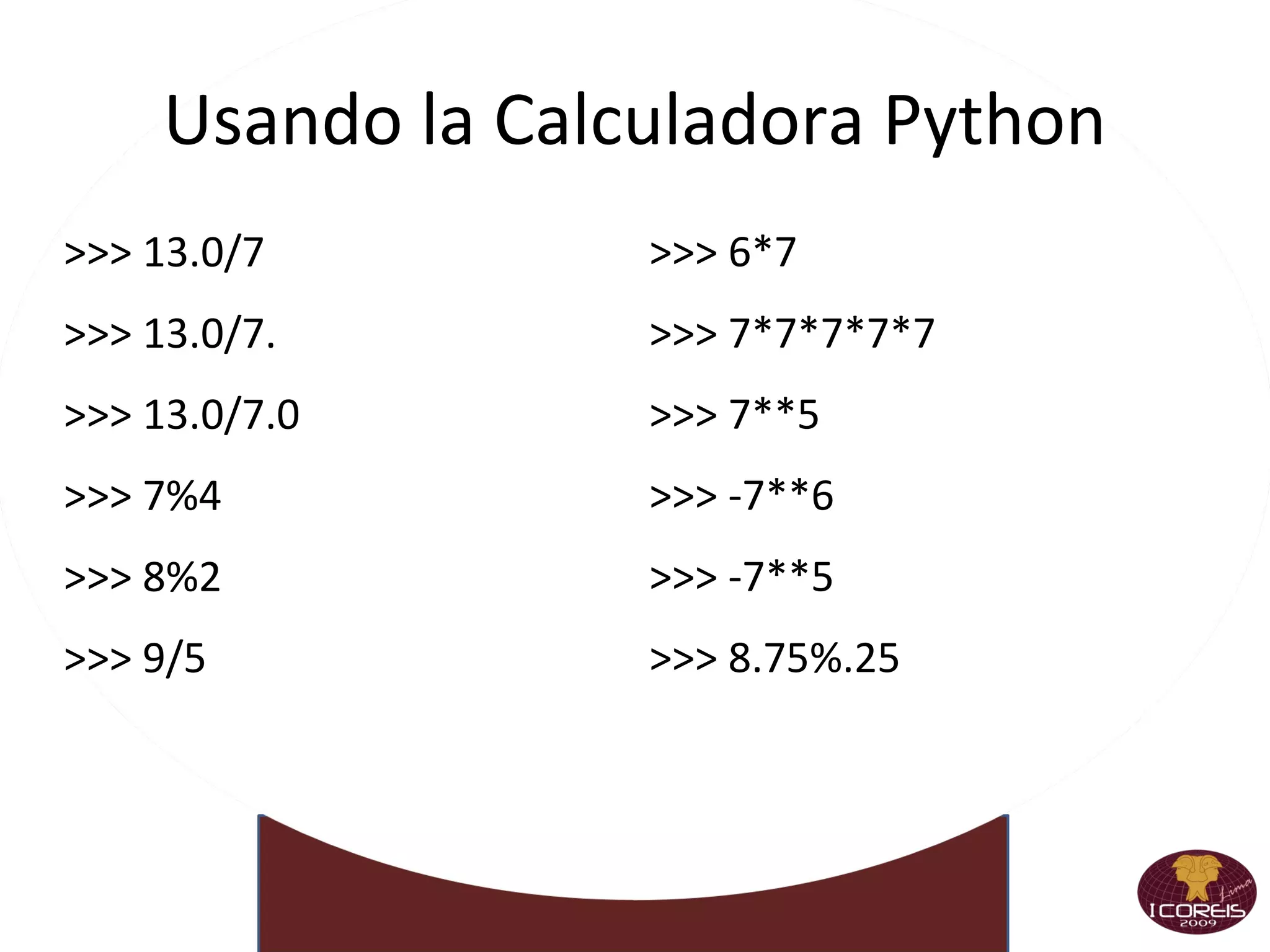
Usando la Calculadora Python >>> 13.0/7 >>> 13.0/7. >>> 13.0/7.0 >>> 7%4 >>> 8%2 >>> 9/5 >>> 6*7 >>> 7*7*7*7*7 >>> 7**5 >>> -7**6 >>> -7**5 >>> 8.75%.25
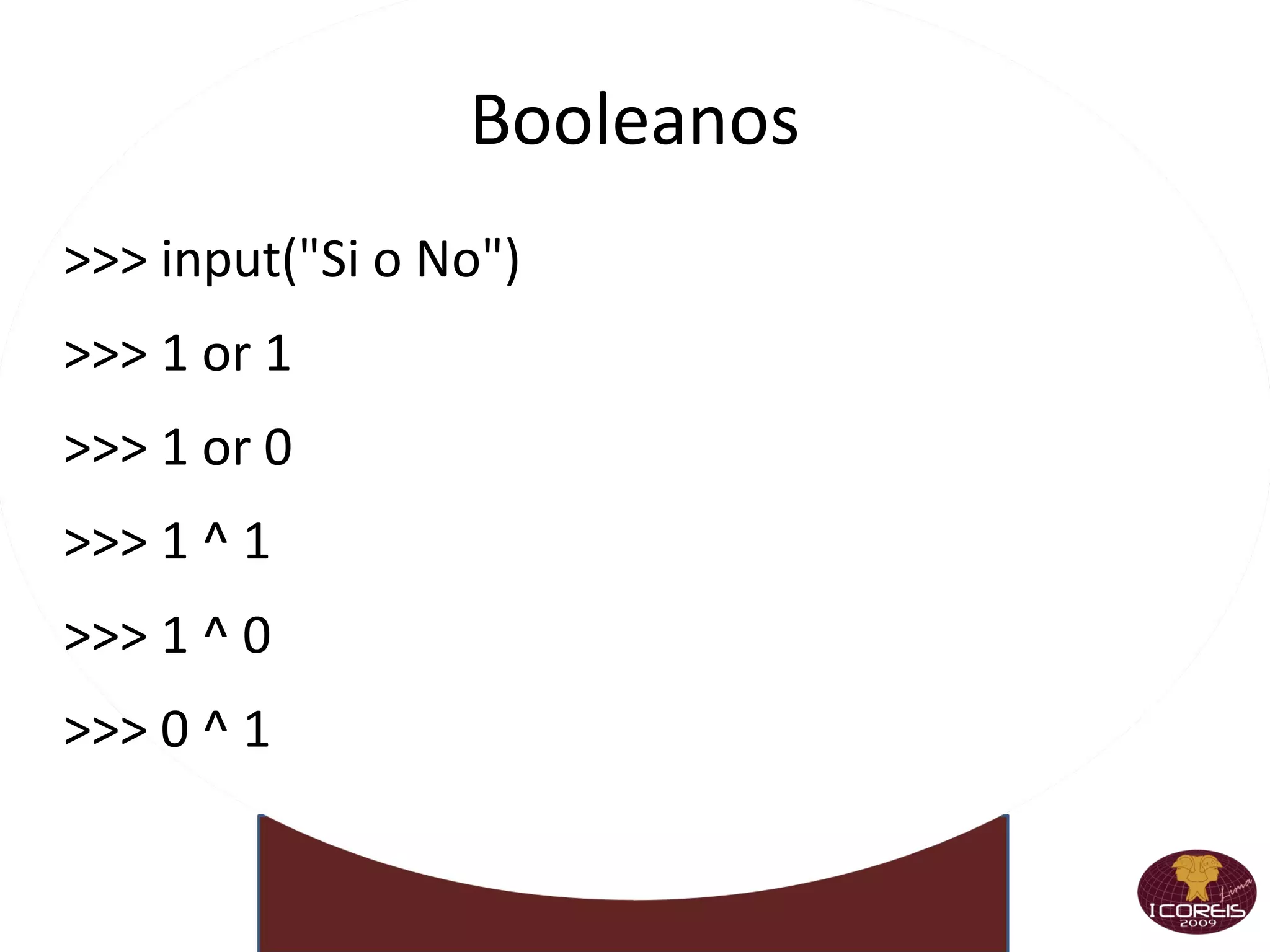
Booleanos >>> input(&quot;Si o No&quot;)
>>> 1 or 1
>>> 1 or 0
>>> 1 ^ 1
>>> 1 ^ 0
>>> 0 ^ 1
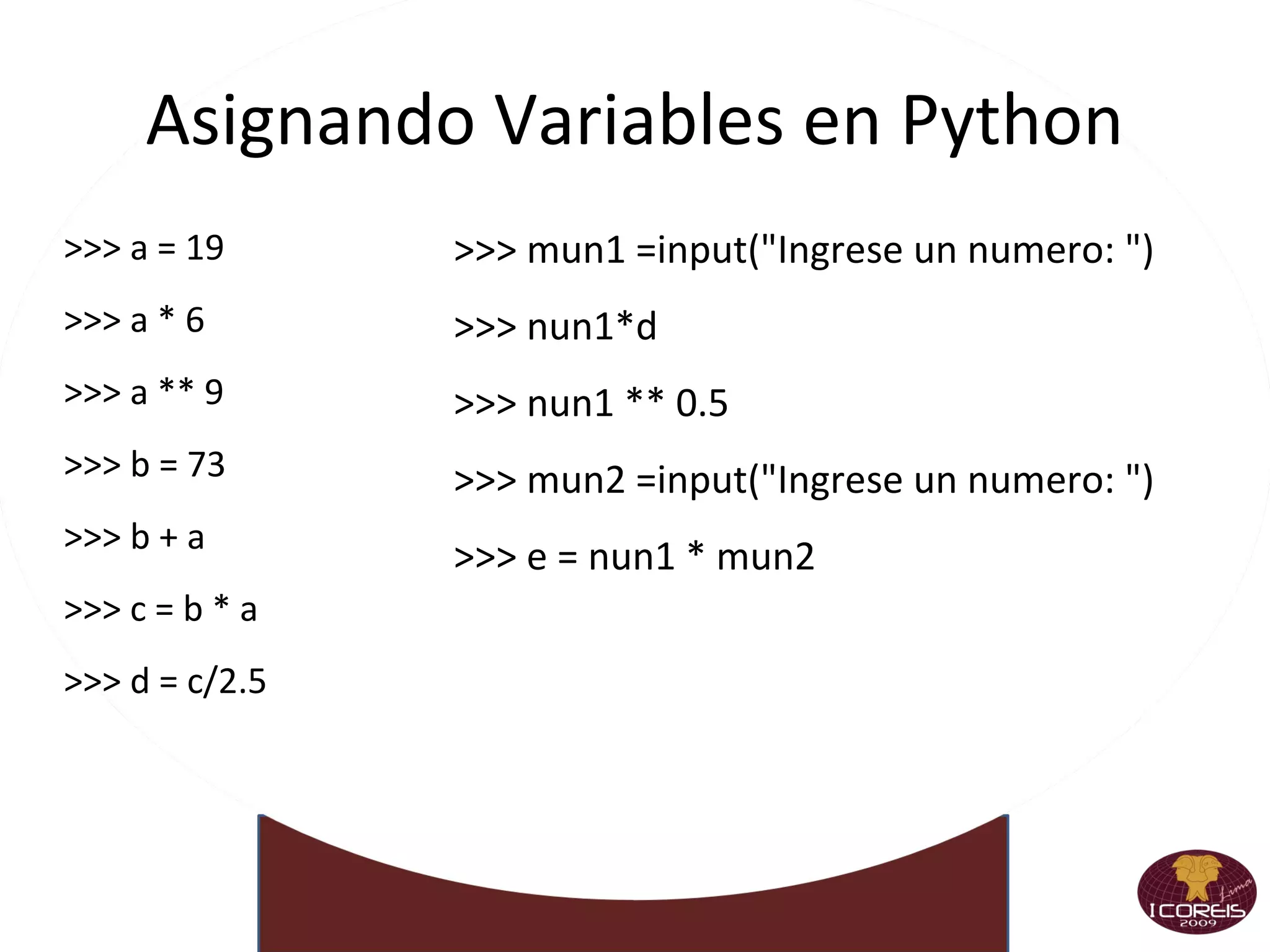
Asignando Variables en Python >>> a = 19 >>> a * 6 >>> a ** 9 >>> b = 73 >>> b + a >>> c = b * a >>> d = c/2.5 >>> mun1 =input(&quot;Ingrese un numero: &quot;)‏ >>> nun1*d >>> nun1 ** 0.5  >>> mun2 =input(&quot;Ingrese un numero: &quot;)‏ >>> e = nun1 * mun2
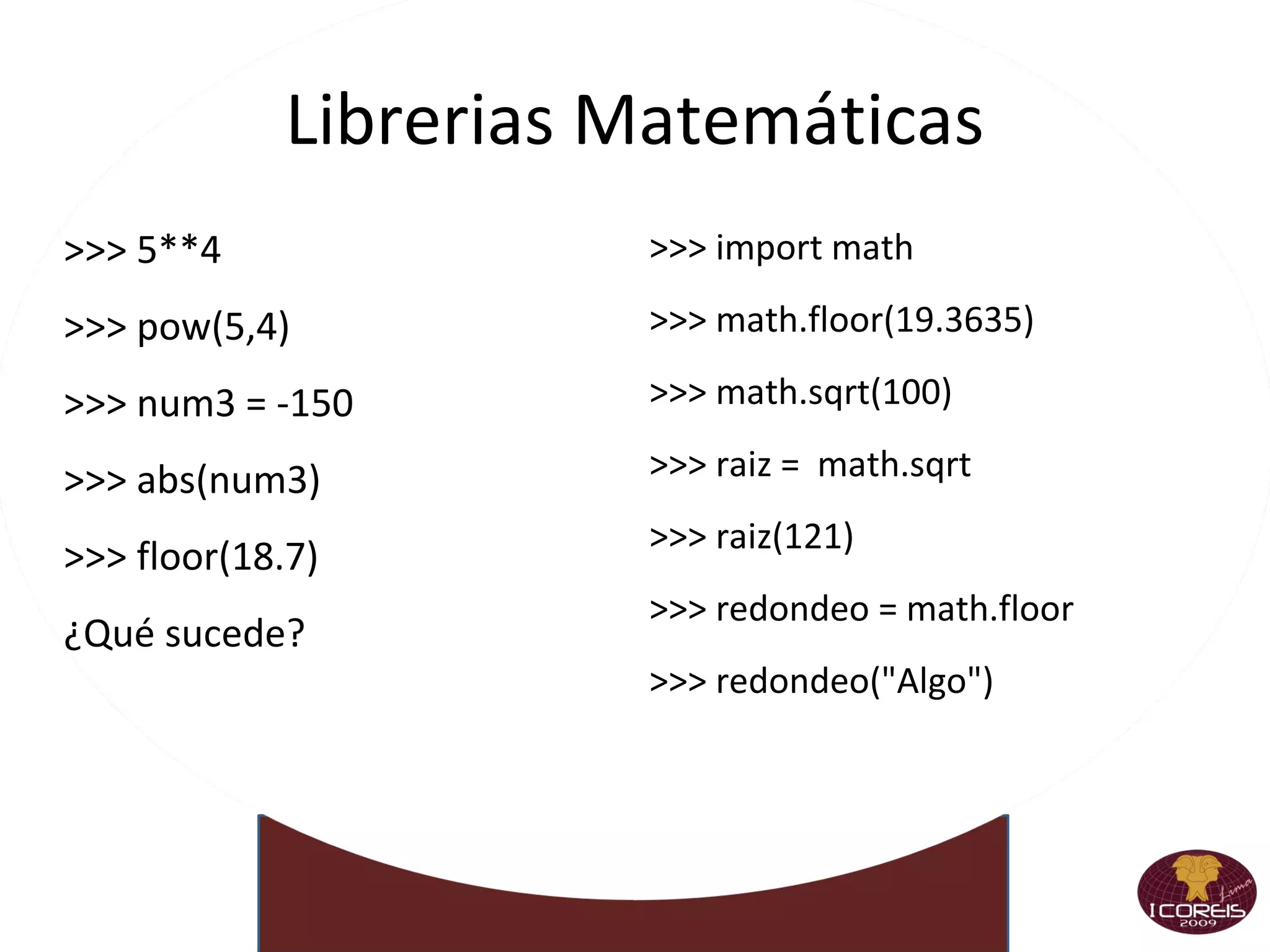
Librerias Matemáticas >>> 5**4 >>> pow(5,4)‏ >>> num3 = -150 >>> abs(num3)‏ >>> floor(18.7)  ¿Qué sucede? >>> import math >>> math.floor(19.3635)‏ >>> math.sqrt(100)‏ >>> raiz =  math.sqrt >>> raiz(121)‏ >>> redondeo = math.floor >>> redondeo(&quot;Algo&quot;)‏
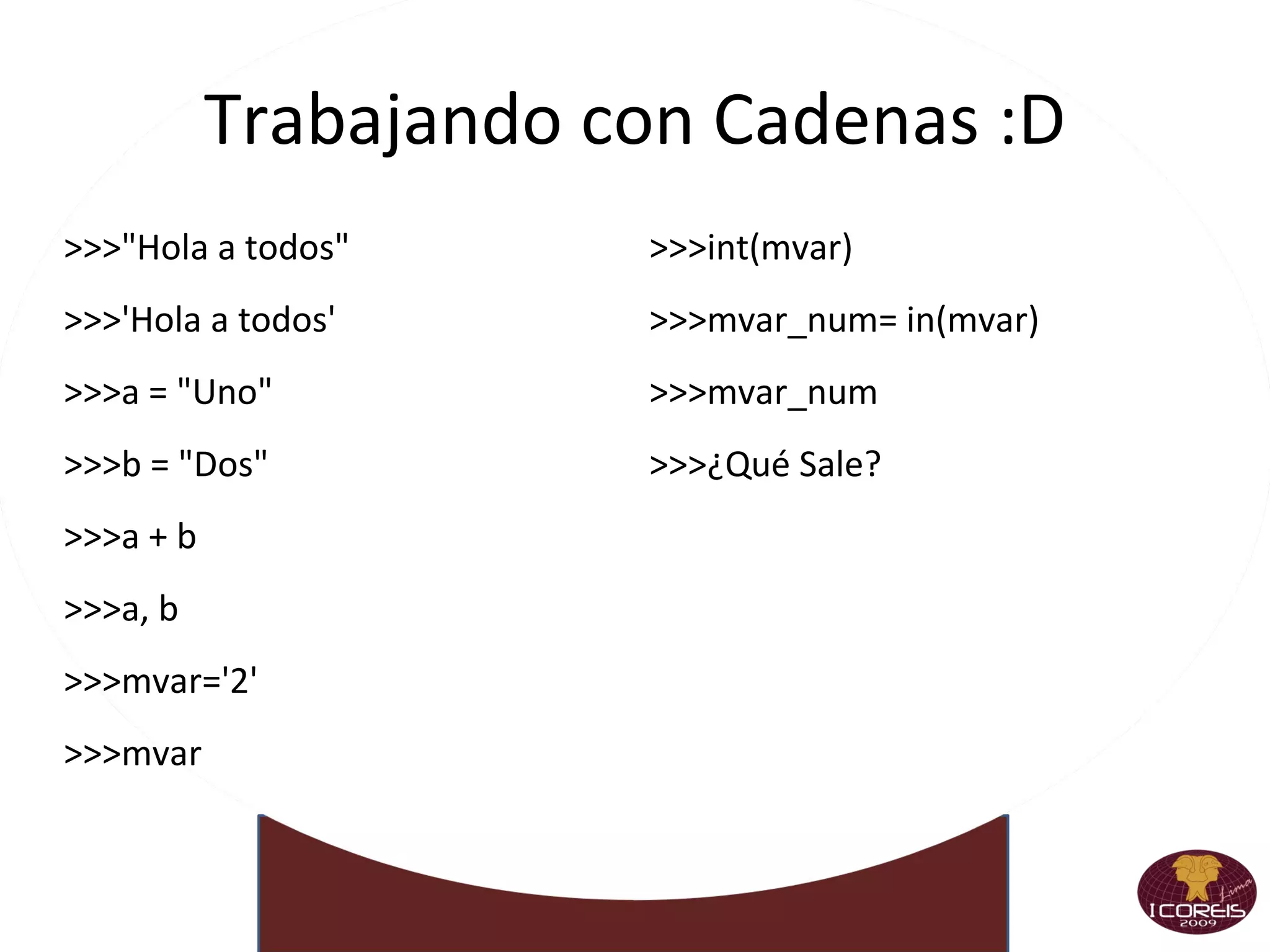
Trabajando con Cadenas :D >>>&quot;Hola a todos&quot; >>>'Hola a todos' >>>a = &quot;Uno&quot; >>>b = &quot;Dos&quot; >>>a + b >>>a, b >>>mvar='2' >>>mvar >>>int(mvar)‏ >>>mvar_num= in(mvar)‏ >>>mvar_num >>>¿Qué Sale?
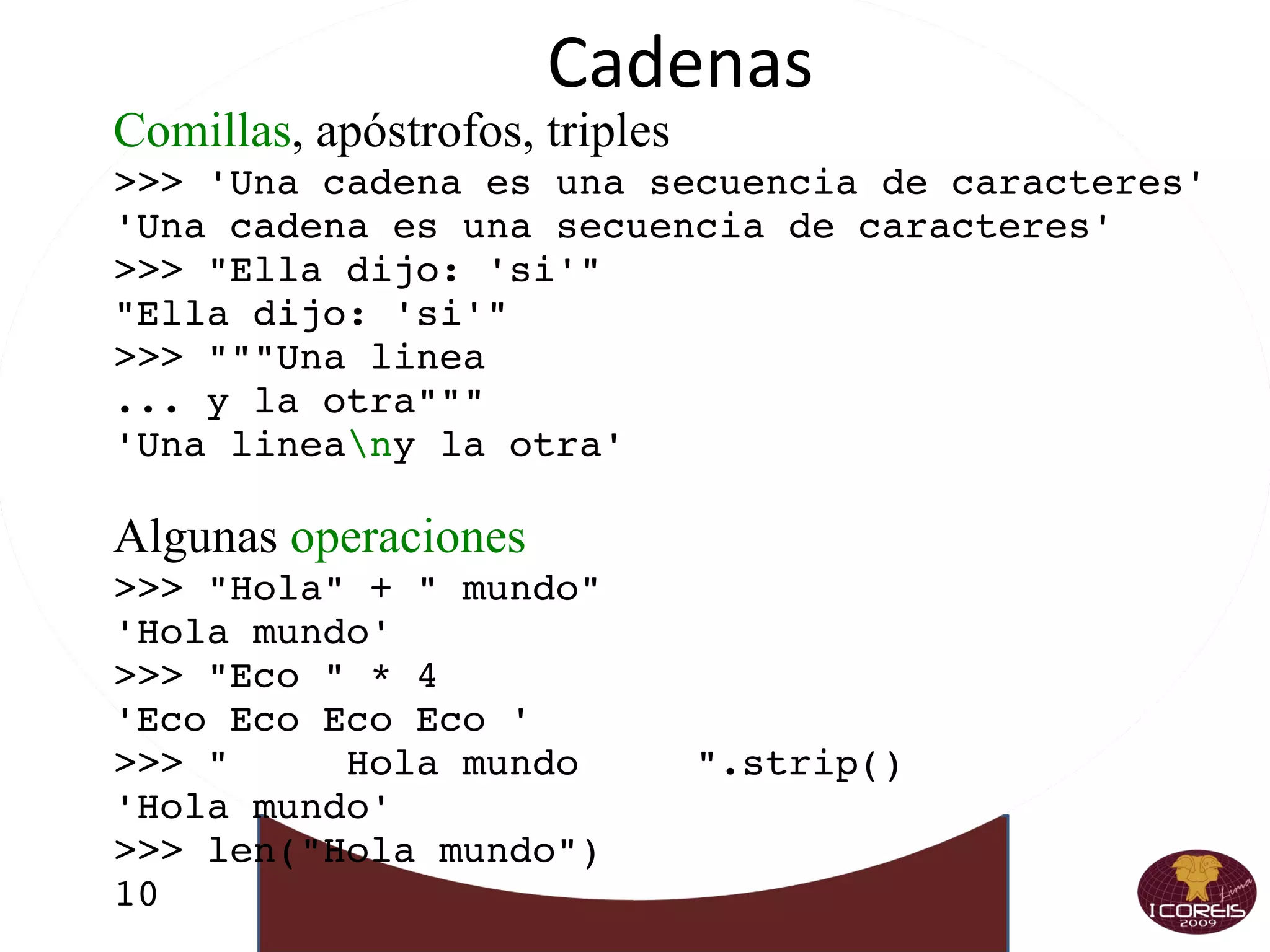
Cadenas Comillas , apóstrofos, triples >>> 'Una cadena es una secuencia de caracteres' 'Una cadena es una secuencia de caracteres' >>> &quot;Ella dijo: 'si'&quot; &quot;Ella dijo: 'si'&quot; >>> &quot;&quot;&quot;Una linea ... y la otra&quot;&quot;&quot; 'Una linea \n y la otra' Algunas  operaciones >>> &quot;Hola&quot; + &quot; mundo&quot; 'Hola mundo' >>> &quot;Eco &quot; * 4 'Eco Eco Eco Eco ' >>> &quot;  Hola mundo  &quot;.strip() 'Hola mundo' >>> len(&quot;Hola mundo&quot;) 10
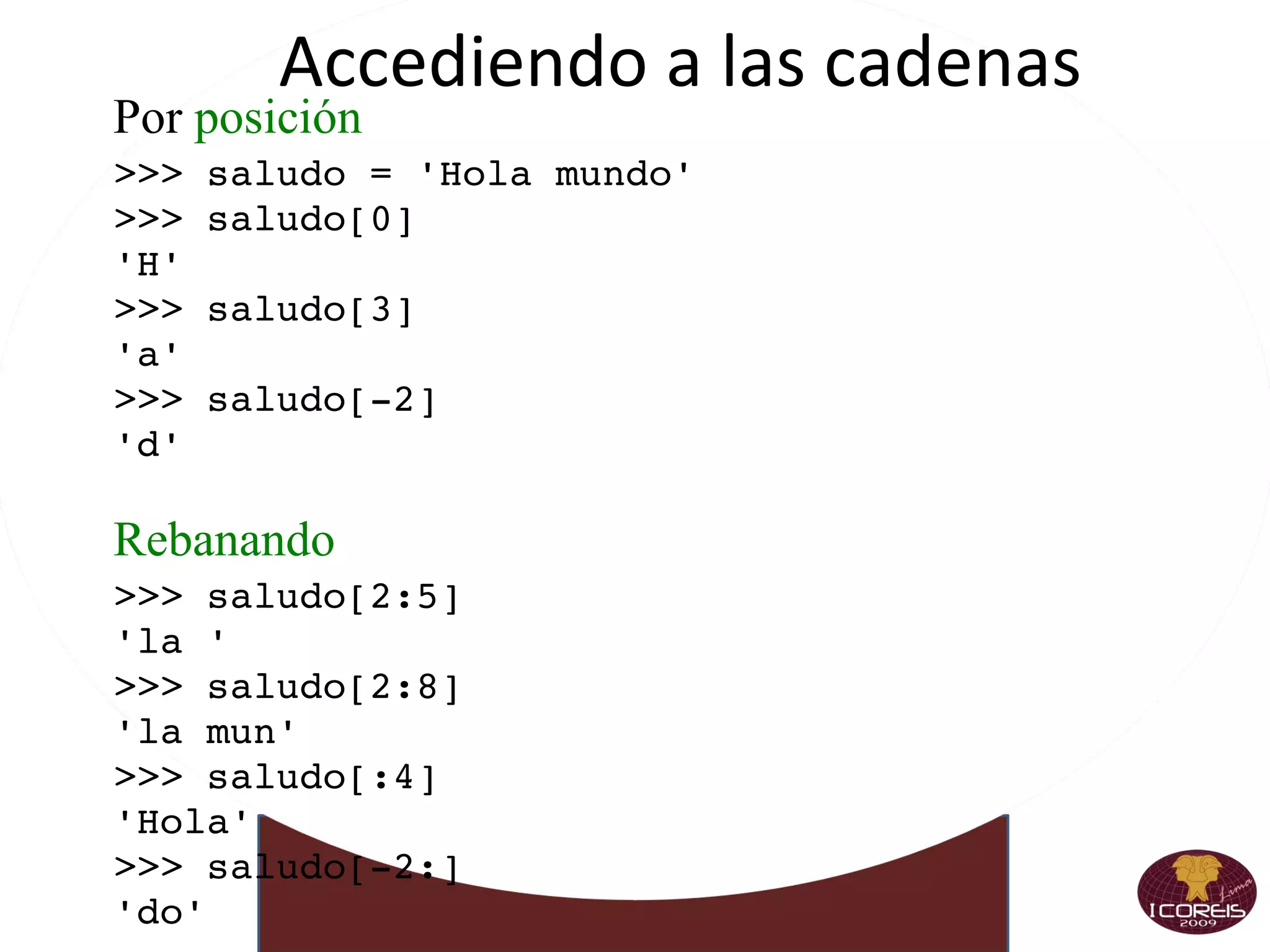
Accediendo a las cadenas Por  posición >>> saludo = 'Hola mundo' >>> saludo[0] 'H' >>> saludo[3] 'a' >>> saludo[-2] 'd' Rebanando >>> saludo[2:5] 'la ' >>> saludo[2:8] 'la mun' >>> saludo[:4] 'Hola' >>> saludo[-2:] 'do'
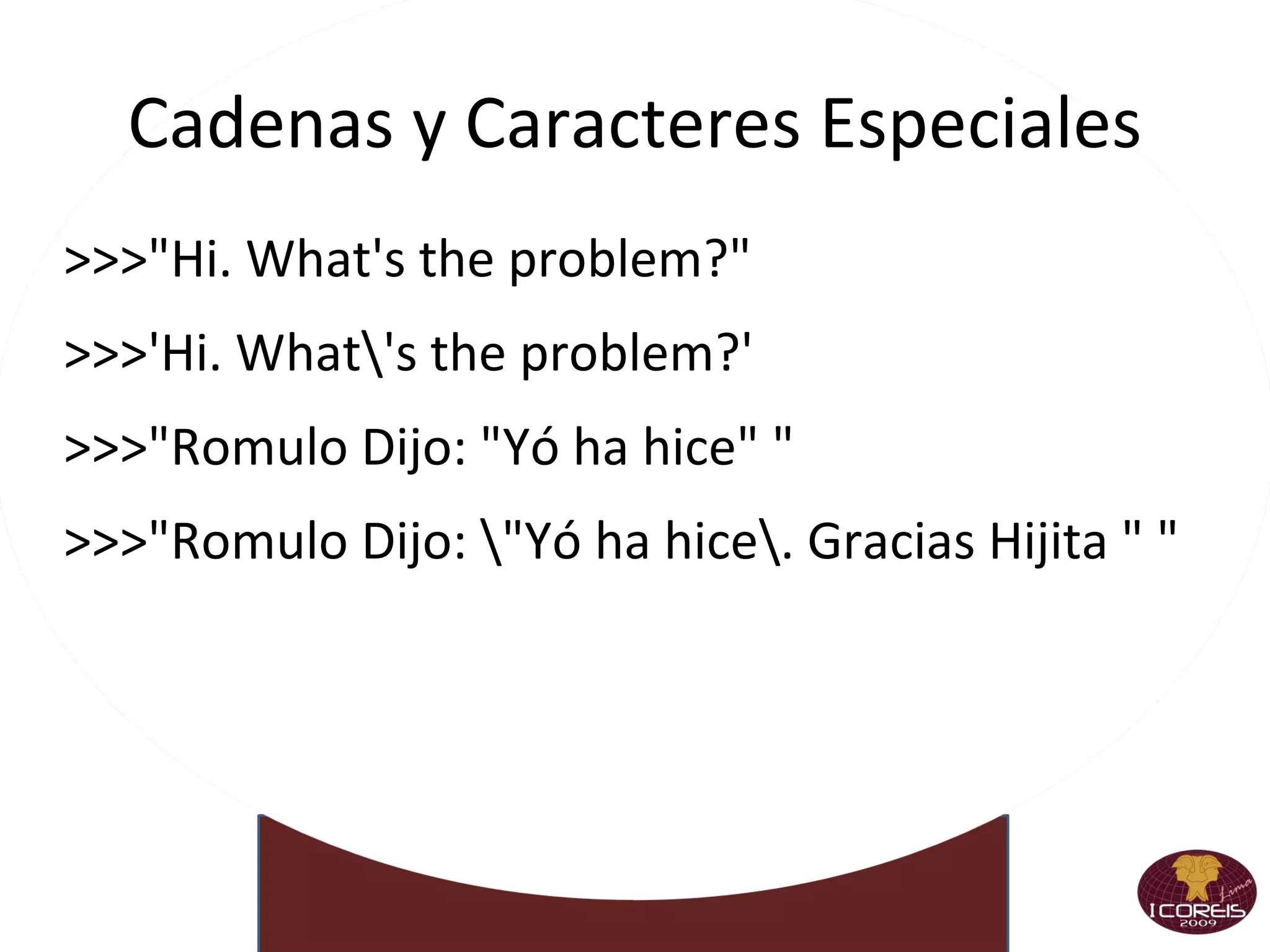
Cadenas y Caracteres Especiales >>>&quot;Hi. What's the problem?&quot; >>>'Hi. What\'s the problem?' >>>&quot;Romulo Dijo: &quot;Yó ha hice&quot; &quot; >>>&quot;Romulo Dijo: \&quot;Yó ha hice\. Gracias Hijita &quot; &quot;
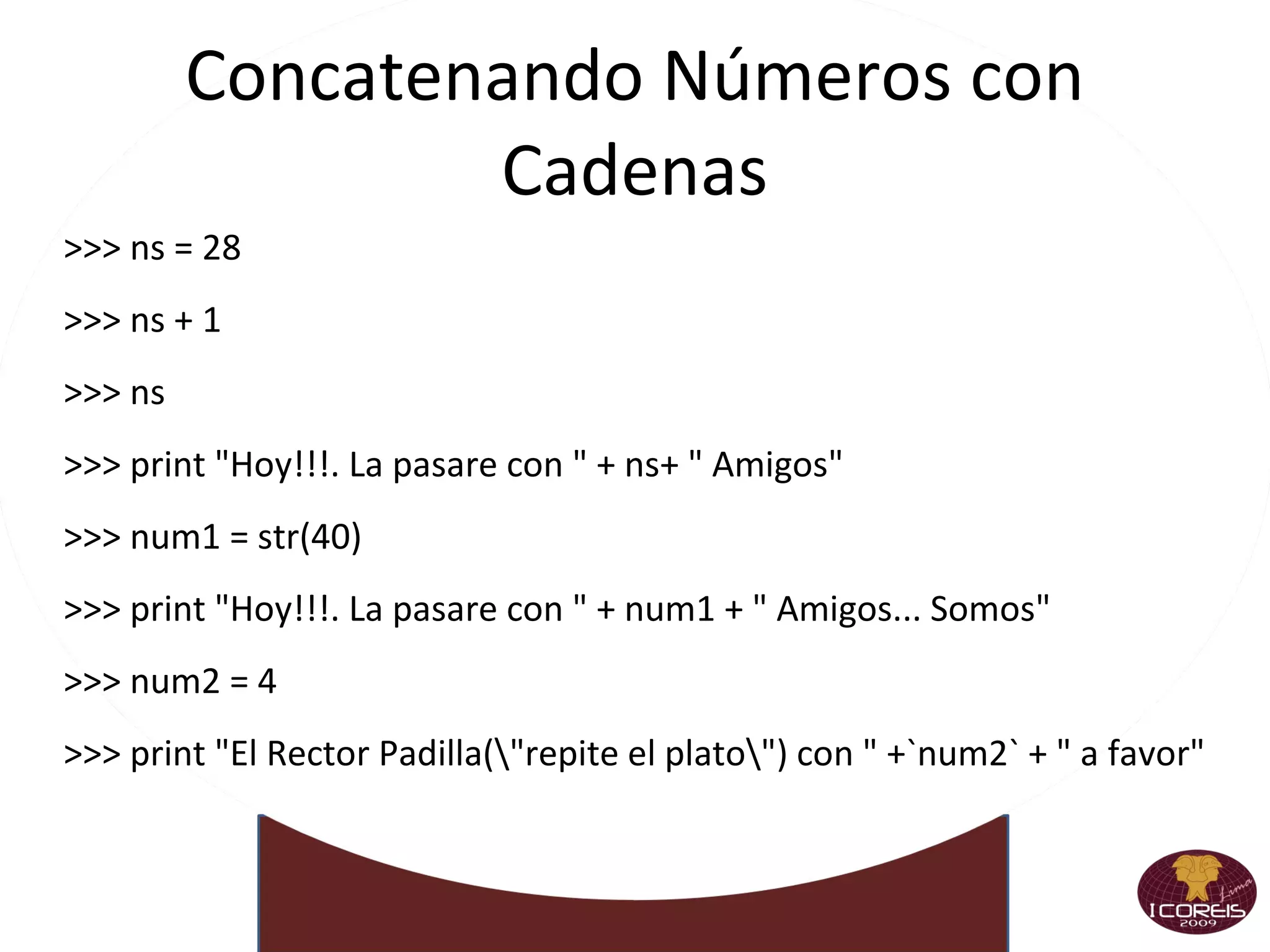
Concatenando Números con Cadenas >>> ns = 28 >>> ns + 1 >>> ns >>> print &quot;Hoy!!!. La pasare con &quot; + ns+ &quot; Amigos&quot; >>> num1 = str(40)‏ >>> print &quot;Hoy!!!. La pasare con &quot; + num1 + &quot; Amigos... Somos&quot; >>> num2 = 4 >>> print &quot;El Rector Padilla(\&quot;repite el plato\&quot;) con &quot; +`num2` + &quot; a favor&quot;
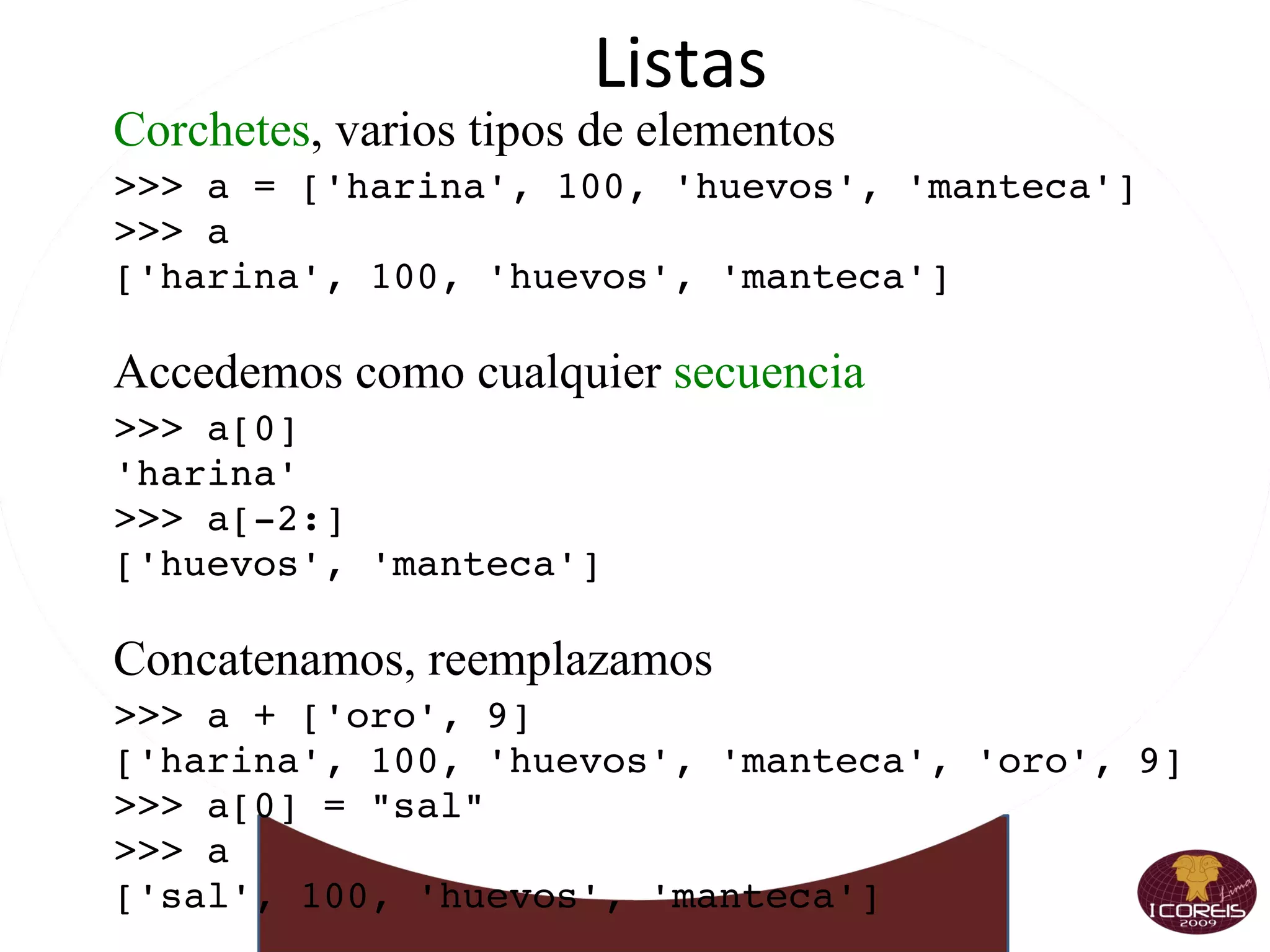
Listas Corchetes , varios tipos de elementos >>> a = ['harina', 100, 'huevos', 'manteca'] >>> a ['harina', 100, 'huevos', 'manteca'] Accedemos como cualquier  secuencia >>> a[0] 'harina' >>> a[-2:] ['huevos', 'manteca'] Concatenamos, reemplazamos >>> a + ['oro', 9] ['harina', 100, 'huevos', 'manteca', 'oro', 9] >>> a[0] = &quot;sal&quot; >>> a ['sal', 100, 'huevos', 'manteca']
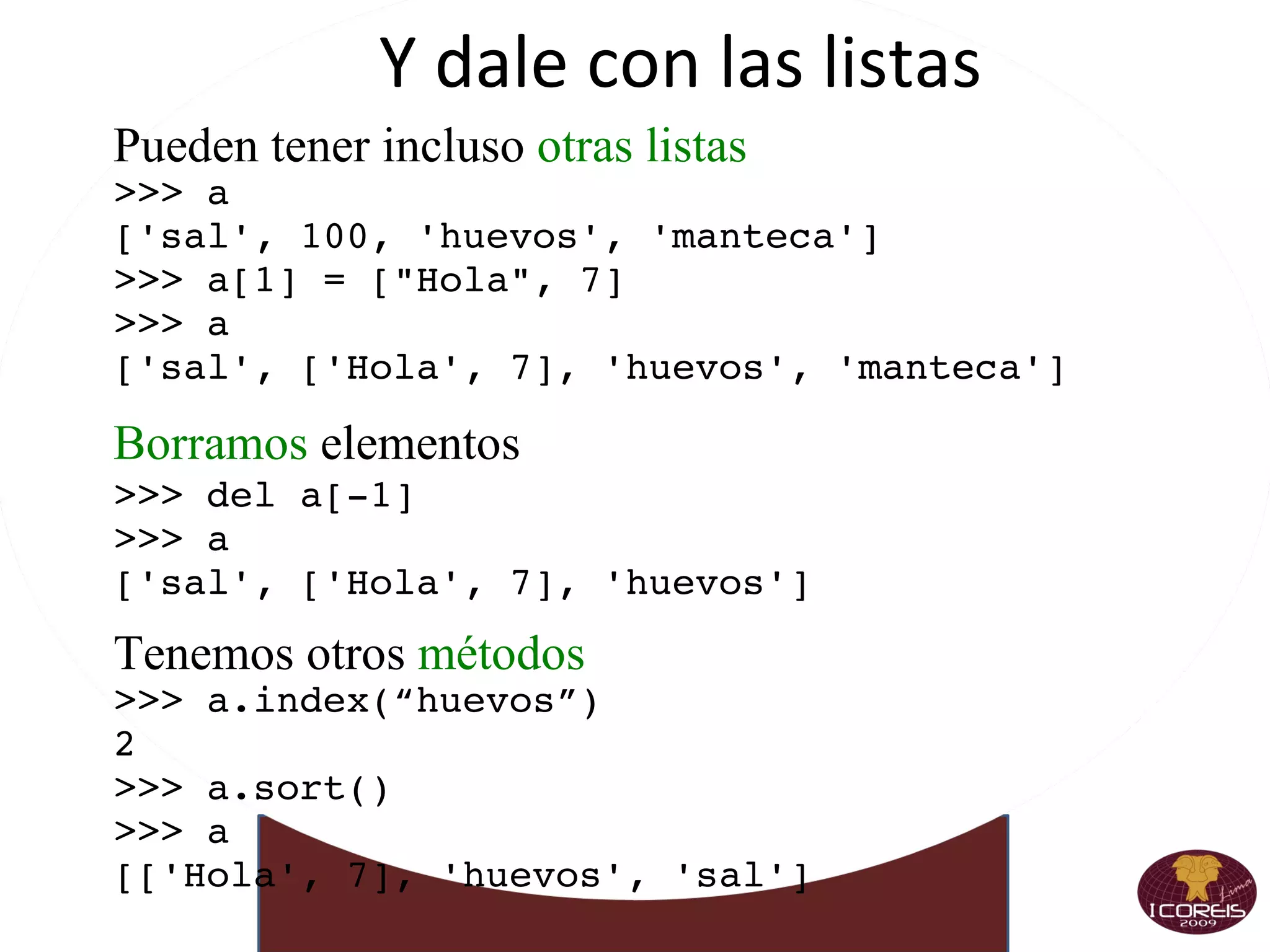
Y dale con las listas Pueden tener incluso  otras listas >>> a ['sal', 100, 'huevos', 'manteca'] >>> a[1] = [&quot;Hola&quot;, 7] >>> a ['sal', ['Hola', 7], 'huevos', 'manteca'] Borramos  elementos >>> del a[-1] >>> a ['sal', ['Hola', 7], 'huevos'] Tenemos otros  métodos >>> a.index(“huevos”) 2 >>> a.sort() >>> a [['Hola', 7], 'huevos', 'sal']
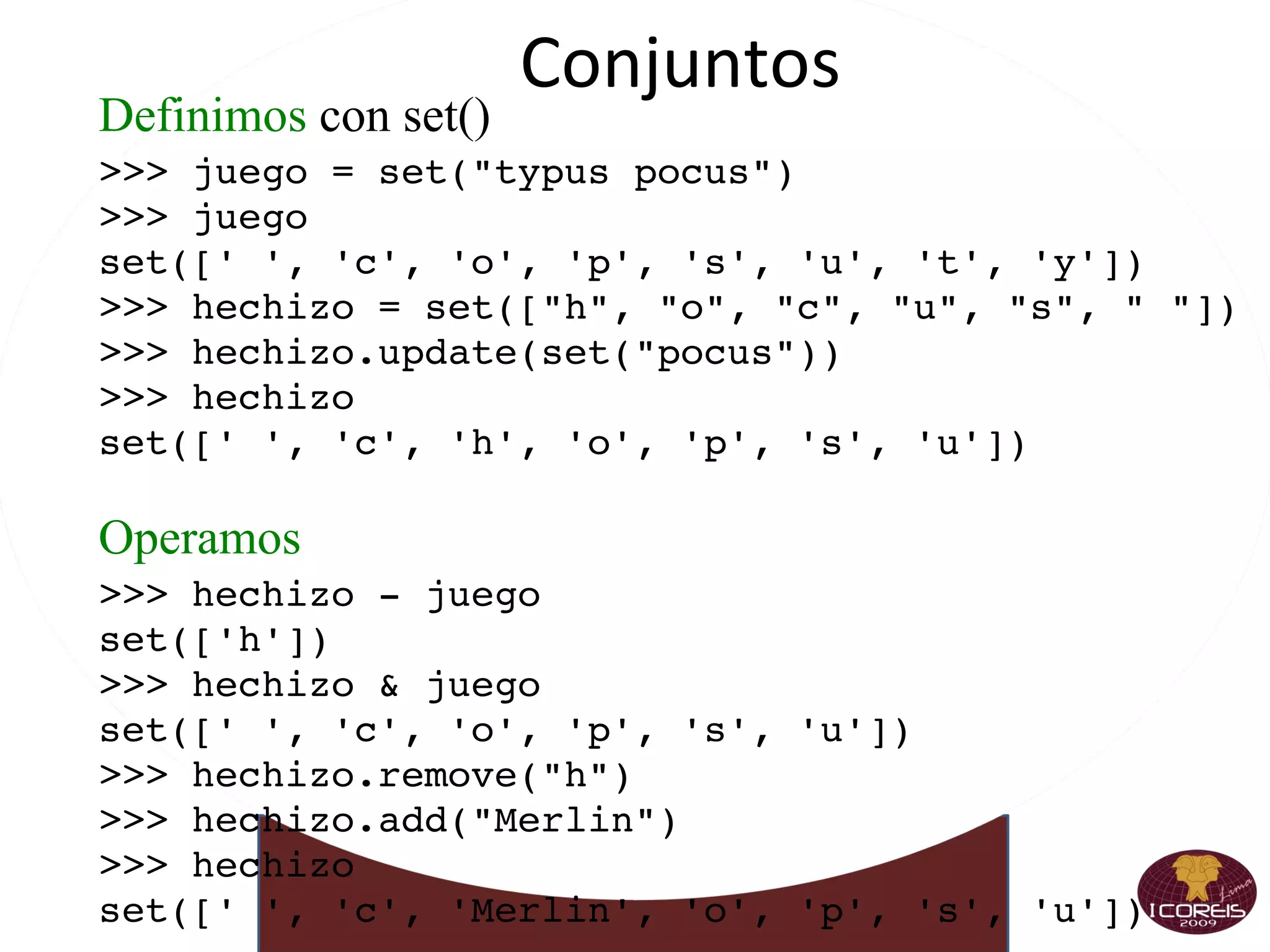
Conjuntos Definimos  con set() >>> juego = set(&quot;typus pocus&quot;) >>> juego set([' ', 'c', 'o', 'p', 's', 'u', 't', 'y']) >>> hechizo = set([&quot;h&quot;, &quot;o&quot;, &quot;c&quot;, &quot;u&quot;, &quot;s&quot;, &quot; &quot;]) >>> hechizo.update(set(&quot;pocus&quot;)) >>> hechizo set([' ', 'c', 'h', 'o', 'p', 's', 'u']) Operamos >>> hechizo - juego set(['h']) >>> hechizo & juego set([' ', 'c', 'o', 'p', 's', 'u']) >>> hechizo.remove(&quot;h&quot;) >>> hechizo.add(&quot;Merlin&quot;) >>> hechizo set([' ', 'c', 'Merlin', 'o', 'p', 's', 'u'])
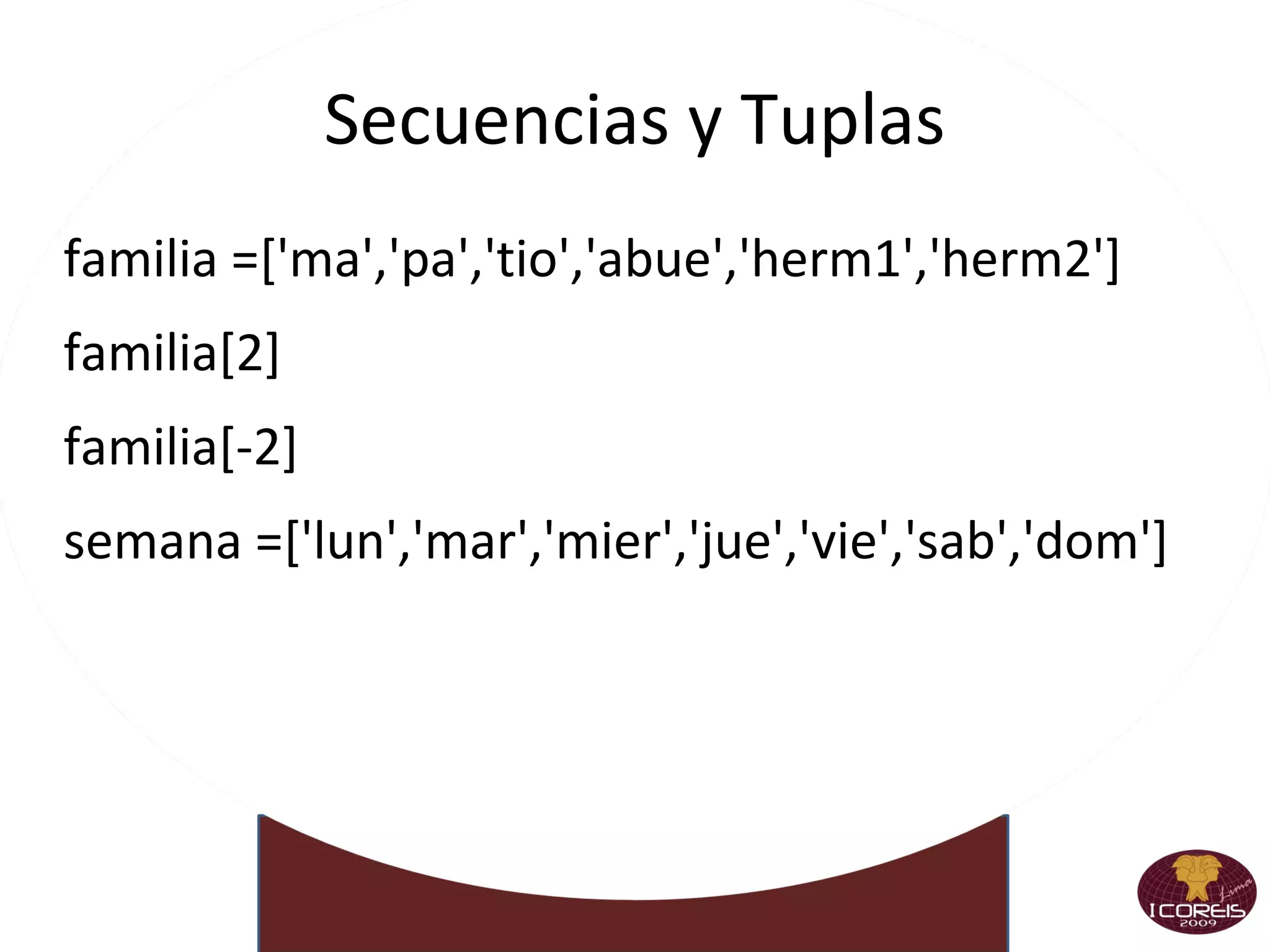
Secuencias y Tuplas familia =['ma','pa','tio','abue','herm1','herm2'] familia[2] familia[-2] semana =['lun','mar','mier','jue','vie','sab','dom']
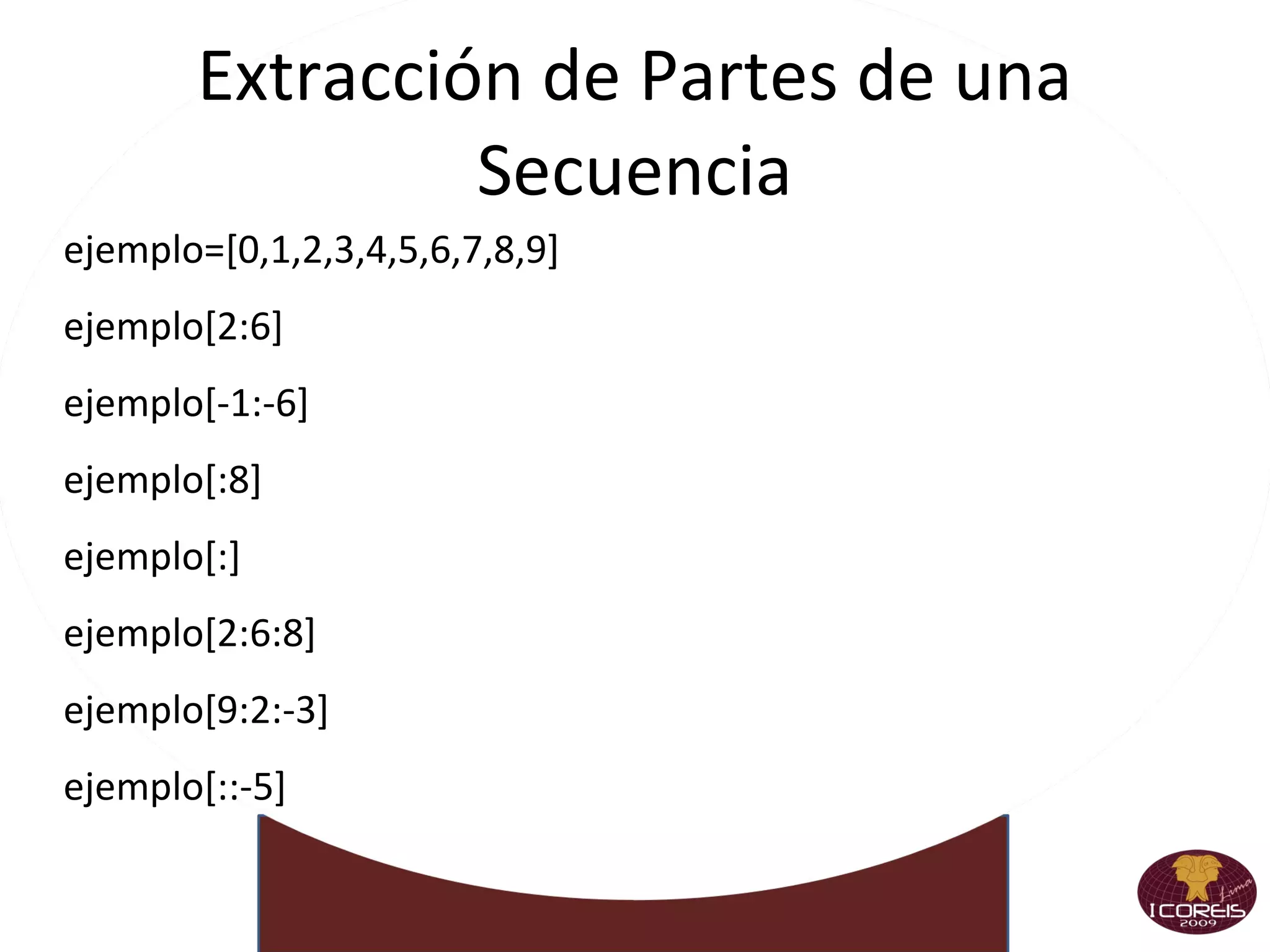
Extracción de Partes de una Secuencia ejemplo=[0,1,2,3,4,5,6,7,8,9] ejemplo[2:6] ejemplo[-1:-6] ejemplo[:8] ejemplo[:] ejemplo[2:6:8] ejemplo[9:2:-3] ejemplo[::-5]
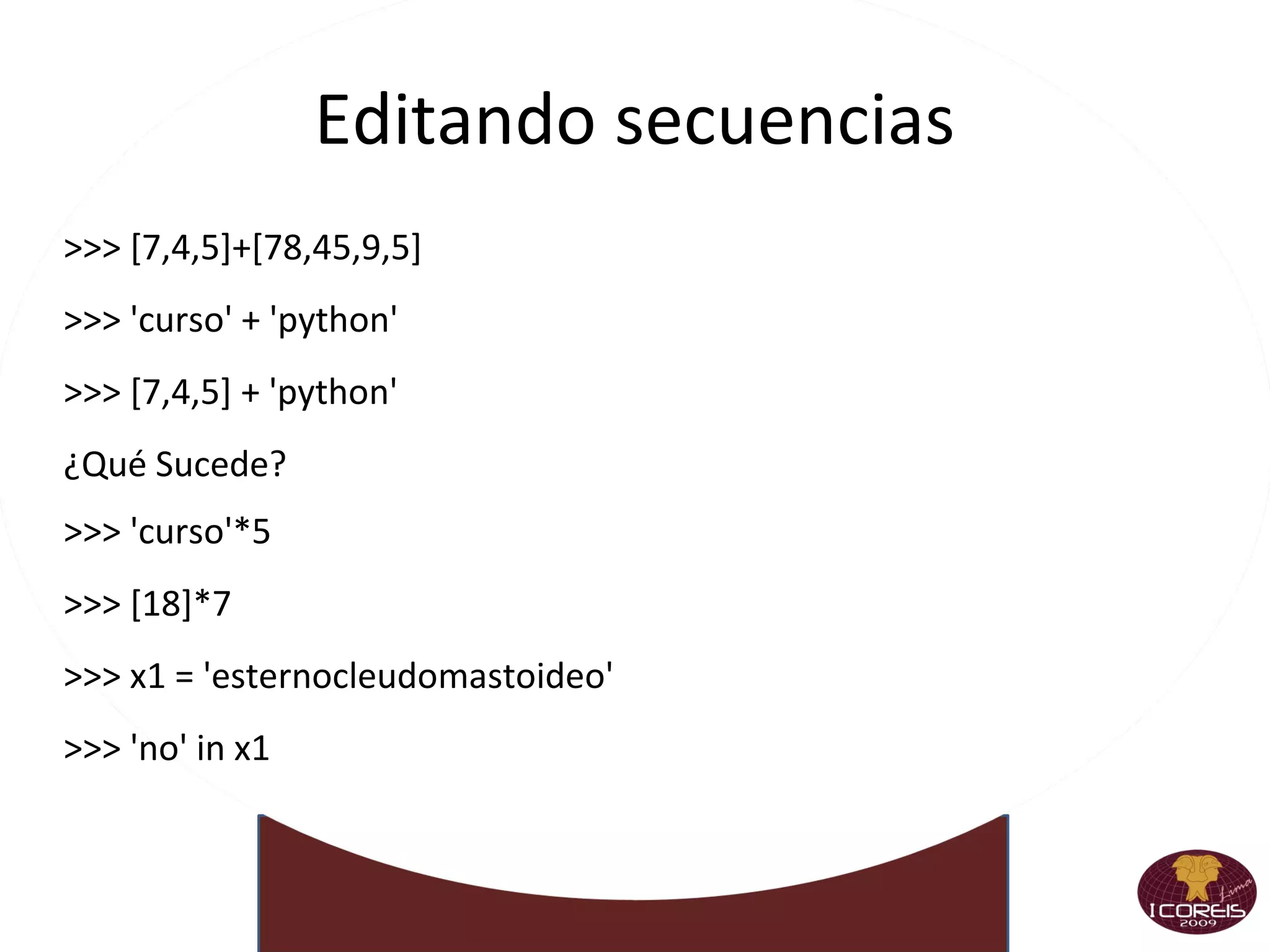
Editando secuencias >>> [7,4,5]+[78,45,9,5] >>> 'curso' + 'python' >>> [7,4,5] + 'python' ¿Qué Sucede? >>> 'curso'*5 >>> [18]*7 >>> x1 = 'esternocleudomastoideo' >>> 'no' in x1
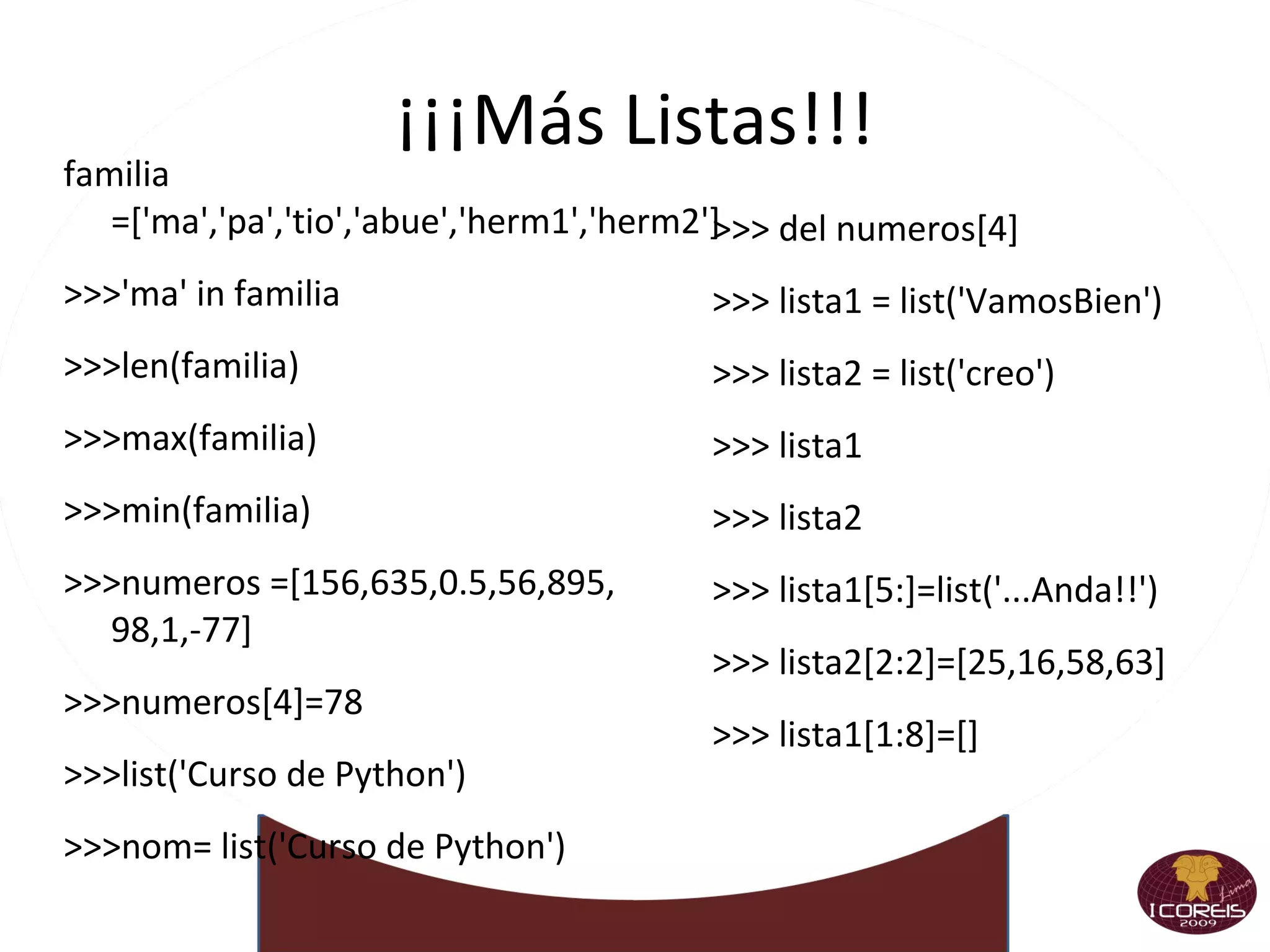
¡¡¡Más Listas!!! familia =['ma','pa','tio','abue','herm1','herm2'] >>>'ma' in familia >>>len(familia)‏ >>>max(familia)‏ >>>min(familia)‏ >>>numeros =[156,635,0.5,56,895, 98,1,-77] >>>numeros[4]=78 >>>list('Curso de Python')‏ >>>nom= list('Curso de Python')‏ >>> del numeros[4] >>> lista1 = list('VamosBien')‏ >>> lista2 = list('creo')‏ >>> lista1  >>> lista2 >>> lista1[5:]=list('...Anda!!')‏ >>> lista2[2:2]=[25,16,58,63] >>> lista1[1:8]=[]
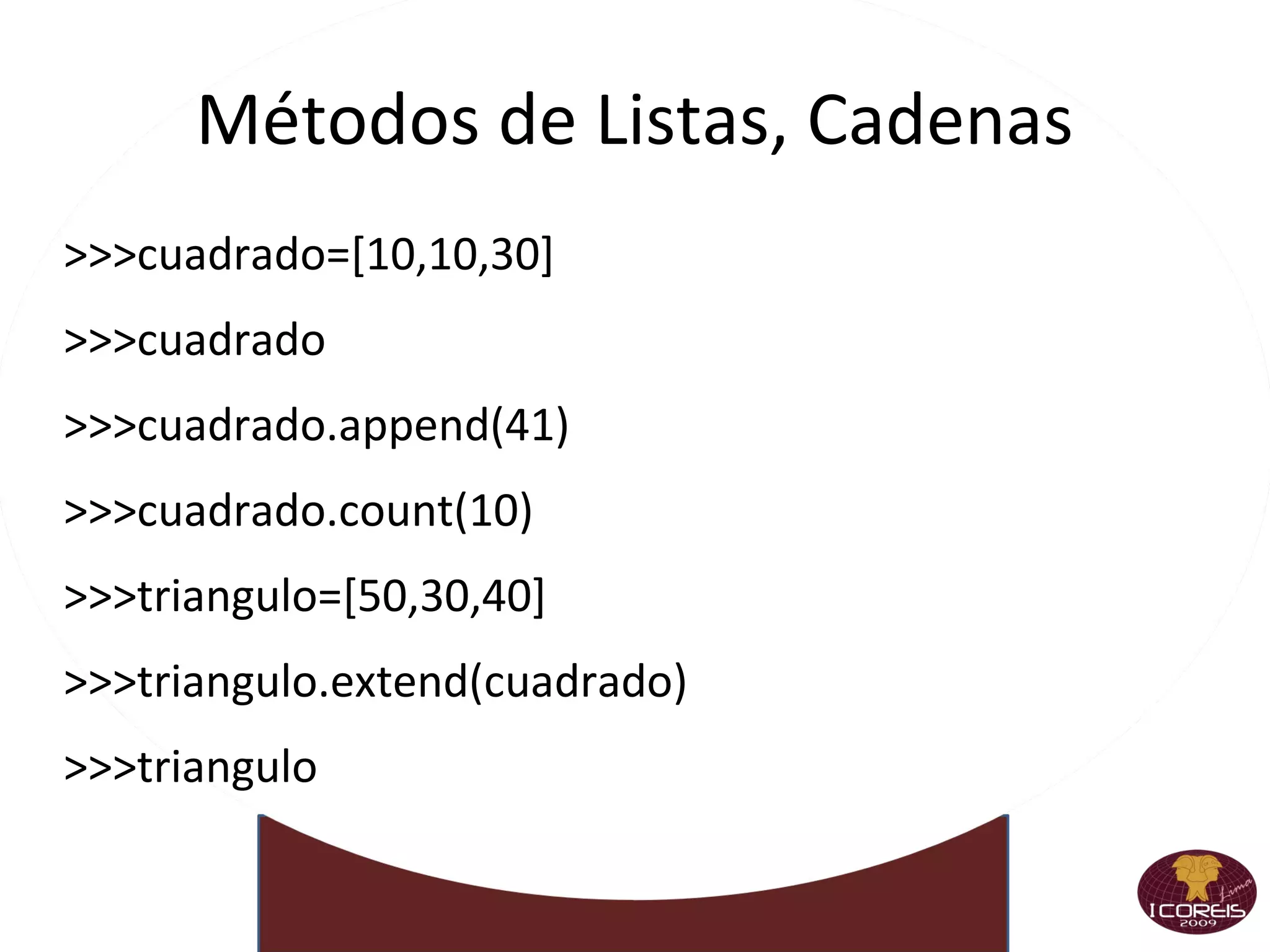
Métodos de Listas, Cadenas >>>cuadrado=[10,10,30] >>>cuadrado >>>cuadrado.append(41)‏ >>>cuadrado.count(10)‏ >>>triangulo=[50,30,40] >>>triangulo.extend(cuadrado)‏ >>>triangulo
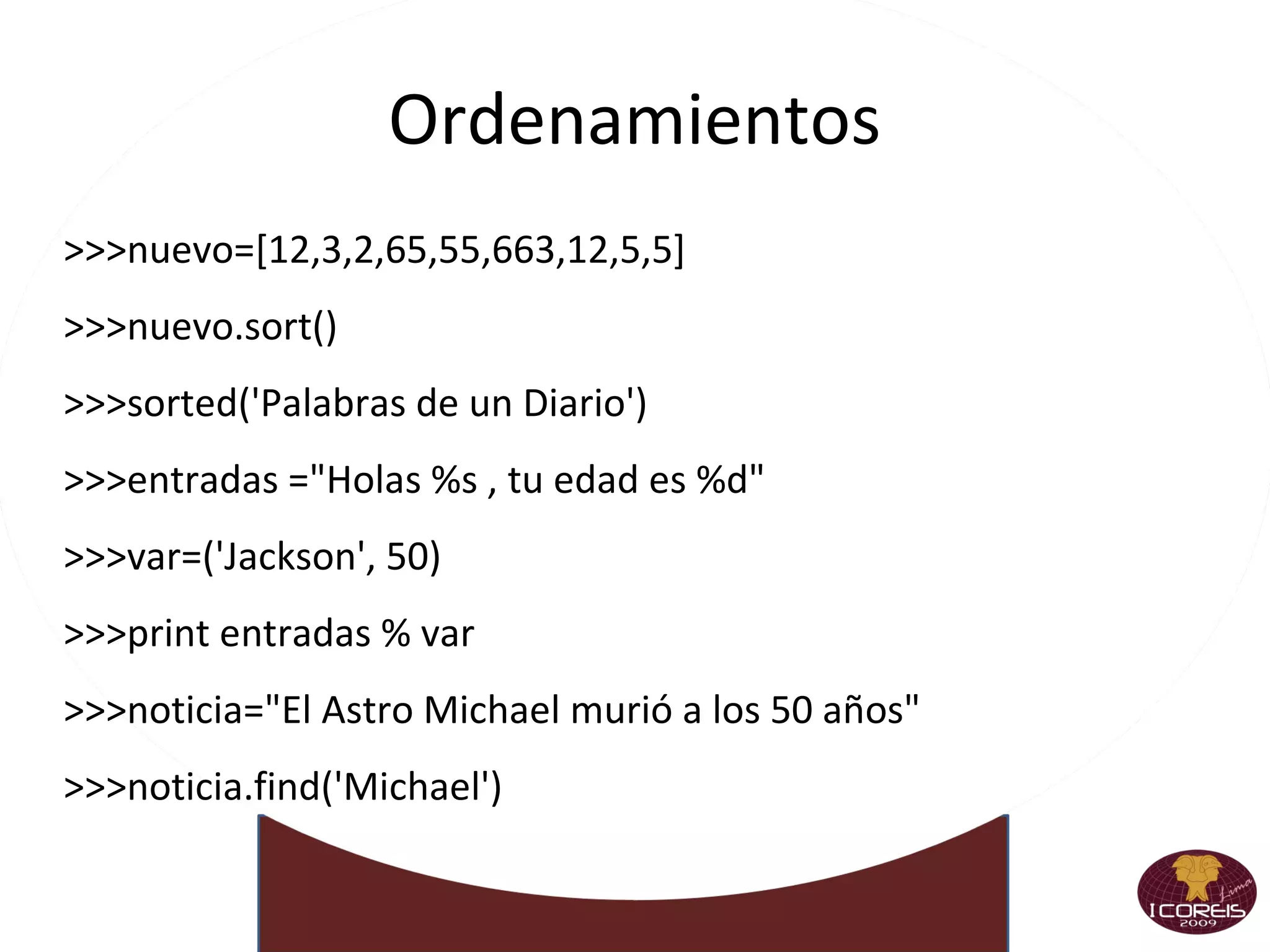
Ordenamientos >>>nuevo=[12,3,2,65,55,663,12,5,5] >>>nuevo.sort()‏ >>>sorted('Palabras de un Diario')‏ >>>entradas =&quot;Holas %s , tu edad es %d&quot; >>>var=('Jackson', 50)‏ >>>print entradas % var >>>noticia=&quot;El Astro Michael murió a los 50 años&quot; >>>noticia.find('Michael')‏
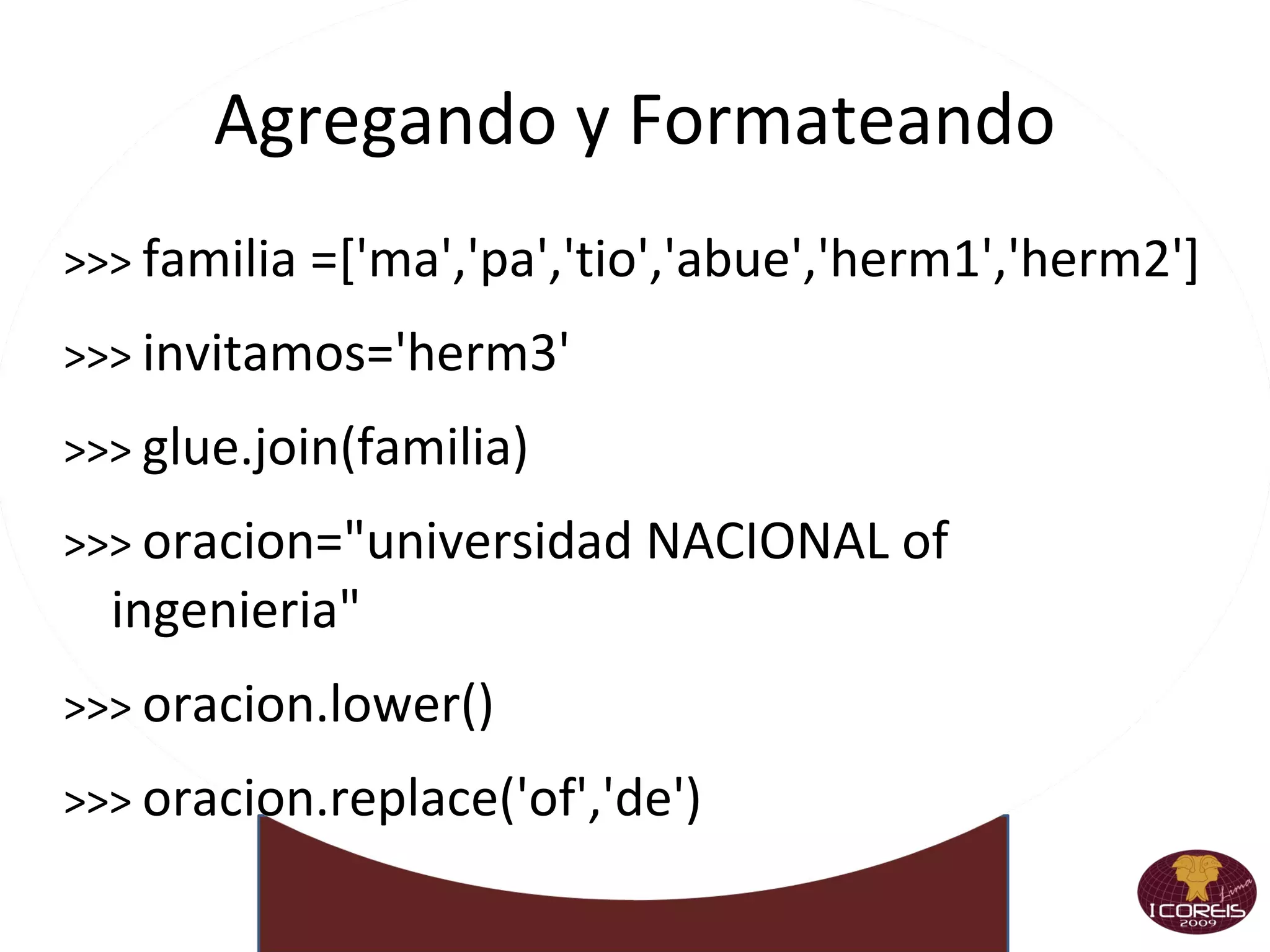
Agregando y Formateando >>>  familia =['ma','pa','tio','abue','herm1','herm2'] >>>  invitamos='herm3' >>>  glue.join(familia)‏ >>>  oracion=&quot;universidad NACIONAL of ingenieria&quot; >>>  oracion.lower()‏ >>>  oracion.replace('of','de')‏
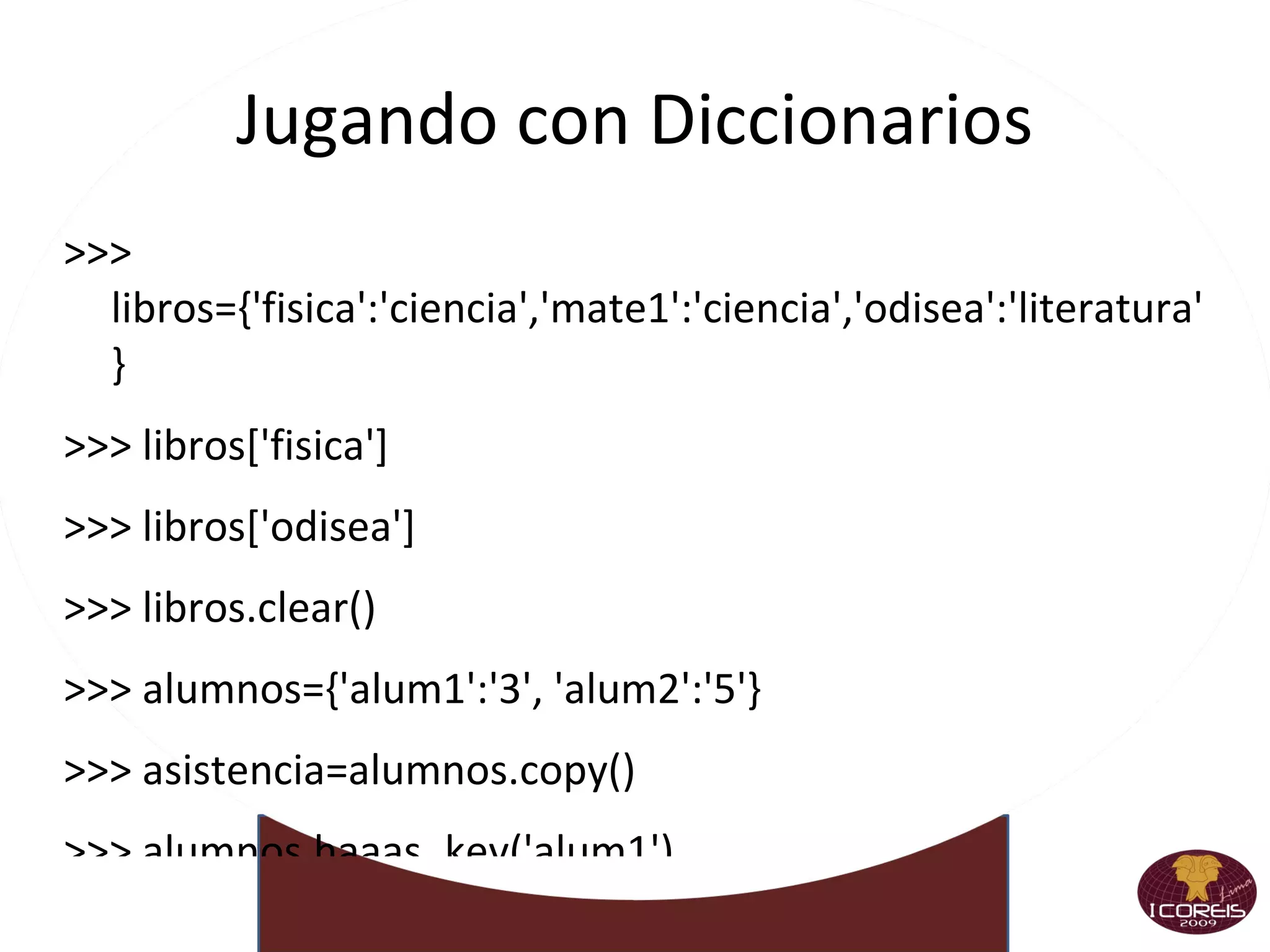
Jugando con Diccionarios >>> libros={'fisica':'ciencia','mate1':'ciencia','odisea':'literatura'} >>> libros['fisica'] >>> libros['odisea'] >>> libros.clear()‏ >>> alumnos={'alum1':'3', 'alum2':'5'} >>> asistencia=alumnos.copy()‏ >>> alumnos.haaas_key('alum1')‏
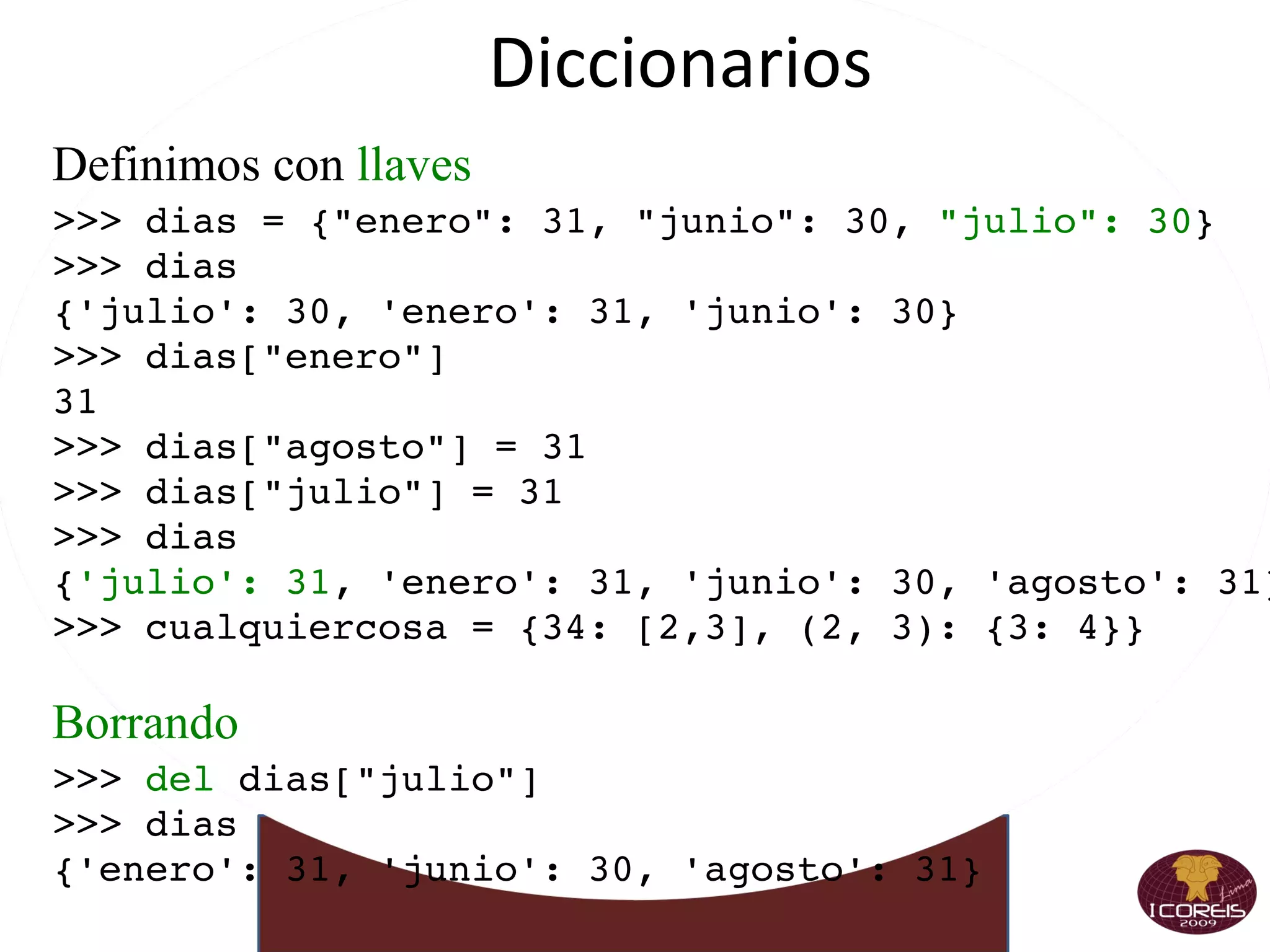
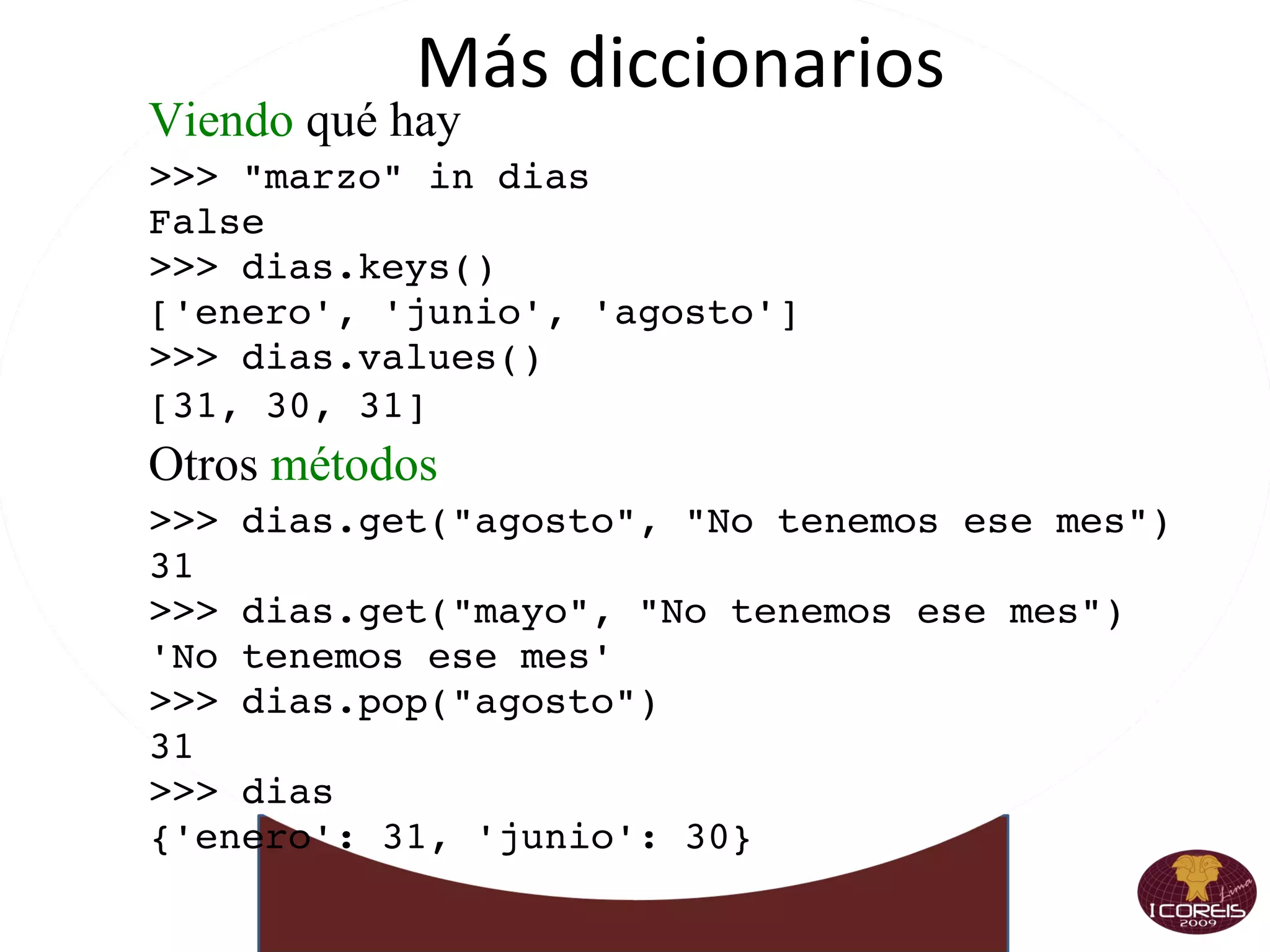
Diccionarios Definimos con  llaves >>> dias = {&quot;enero&quot;: 31, &quot;junio&quot;: 30,  &quot;julio&quot;: 30 } >>> dias {'julio': 30, 'enero': 31, 'junio': 30} >>> dias[&quot;enero&quot;] 31 >>> dias[&quot;agosto&quot;] = 31 >>> dias[&quot;julio&quot;] = 31 >>> dias { 'julio': 31 , 'enero': 31, 'junio': 30, 'agosto': 31} >>> cualquiercosa = {34: [2,3], (2, 3): {3: 4}} Borrando >>>  del  dias[&quot;julio&quot;] >>> dias {'enero': 31, 'junio': 30, 'agosto': 31}
Más diccionarios Viendo  qué hay >>> &quot;marzo&quot; in dias False >>> dias.keys() ['enero', 'junio', 'agosto'] >>> dias.values() [31, 30, 31] Otros  métodos >>> dias.get(&quot;agosto&quot;, &quot;No tenemos ese mes&quot;) 31 >>> dias.get(&quot;mayo&quot;, &quot;No tenemos ese mes&quot;) 'No tenemos ese mes' >>> dias.pop(&quot;agosto&quot;) 31 >>> dias {'enero': 31, 'junio': 30}
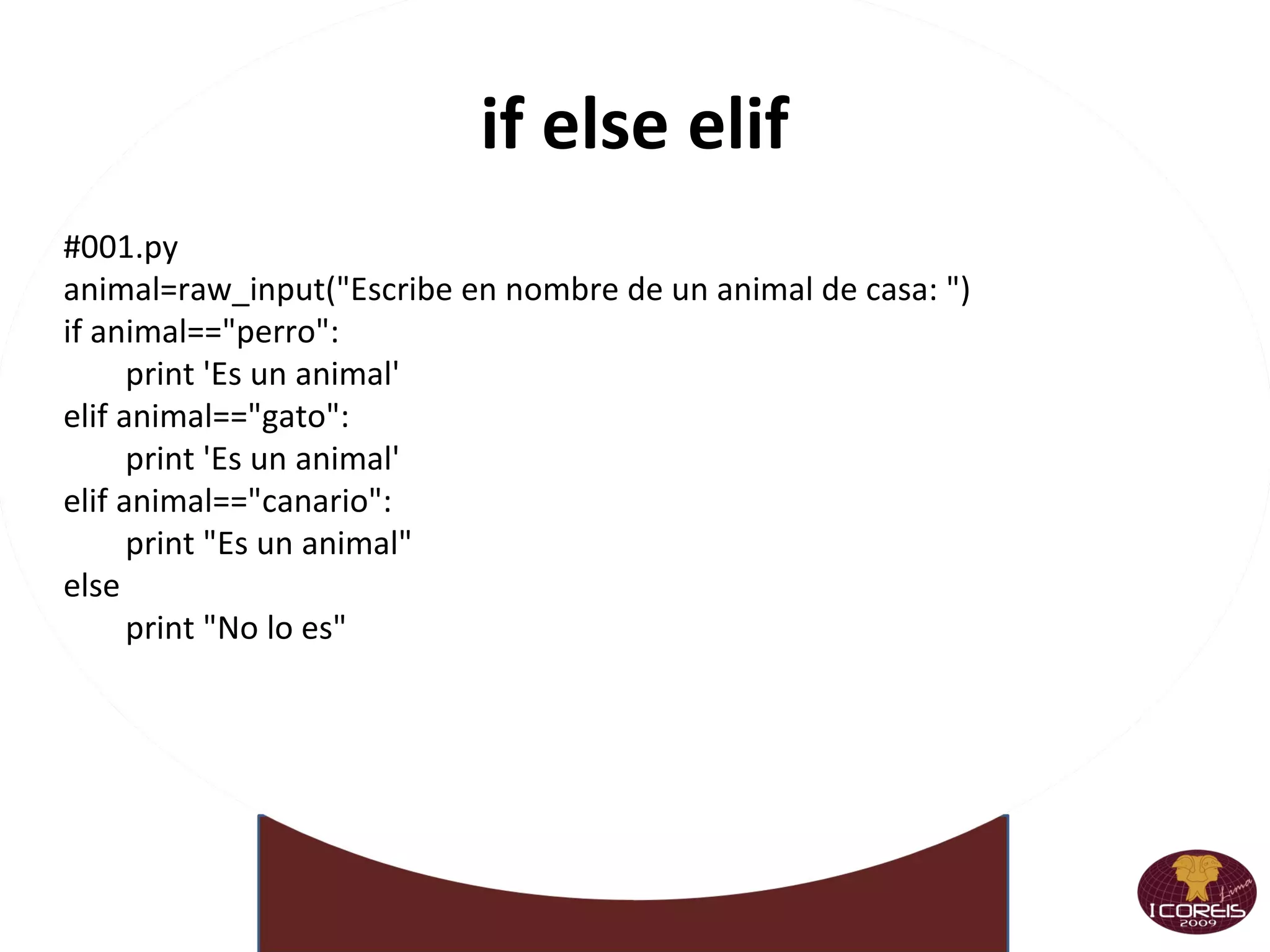
if else elif #001.py animal=raw_input(&quot;Escribe en nombre de un animal de casa: &quot;) if animal==&quot;perro&quot;: print 'Es un animal' elif animal==&quot;gato&quot;: print 'Es un animal' elif animal==&quot;canario&quot;: print &quot;Es un animal&quot; else print &quot;No lo es&quot;
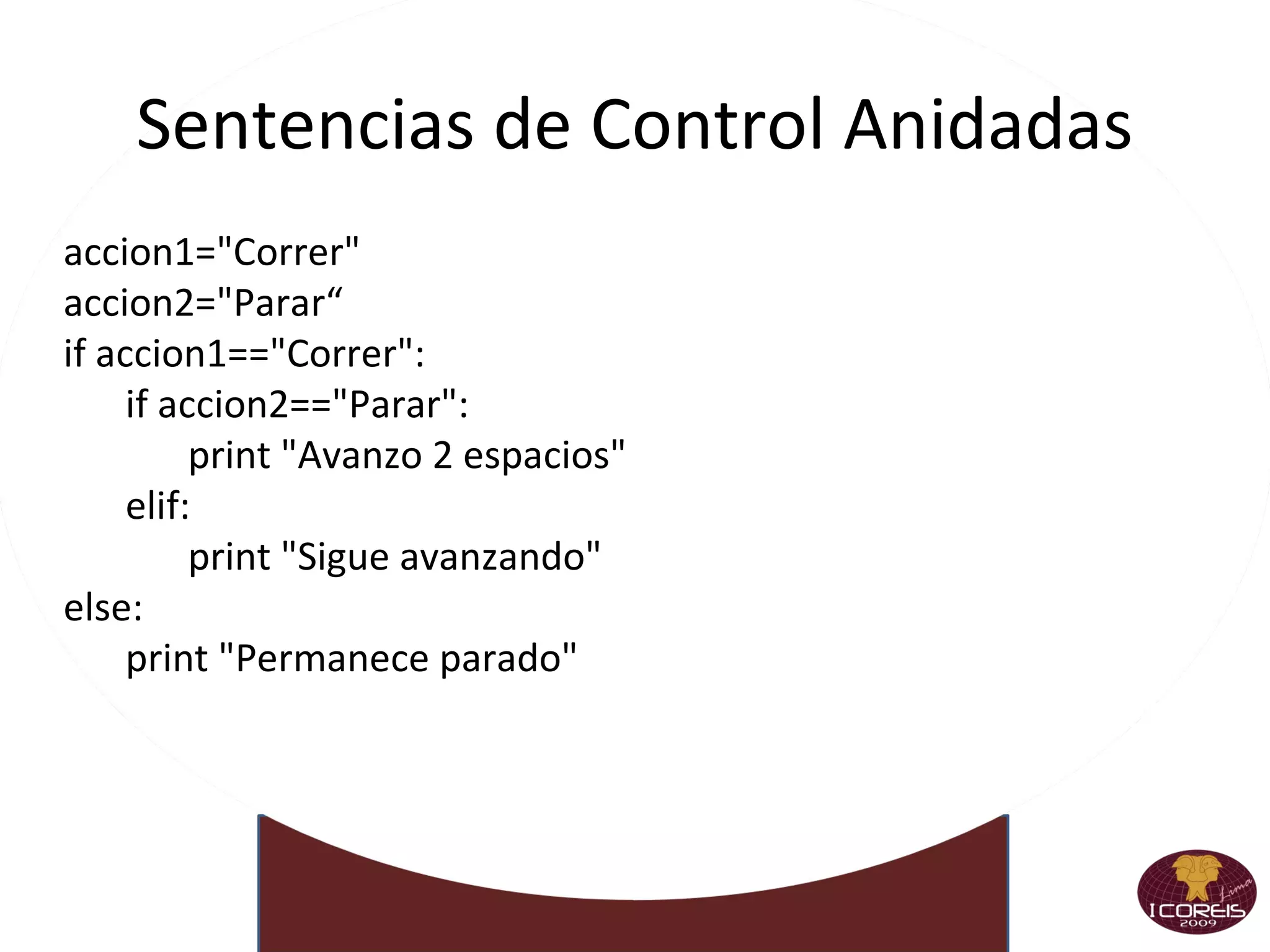
Sentencias de Control Anidadas accion1=&quot;Correr&quot; accion2=&quot;Parar“ if accion1==&quot;Correr&quot;: if accion2==&quot;Parar&quot;: print &quot;Avanzo 2 espacios&quot; elif: print &quot;Sigue avanzando&quot; else: print &quot;Permanece parado&quot;
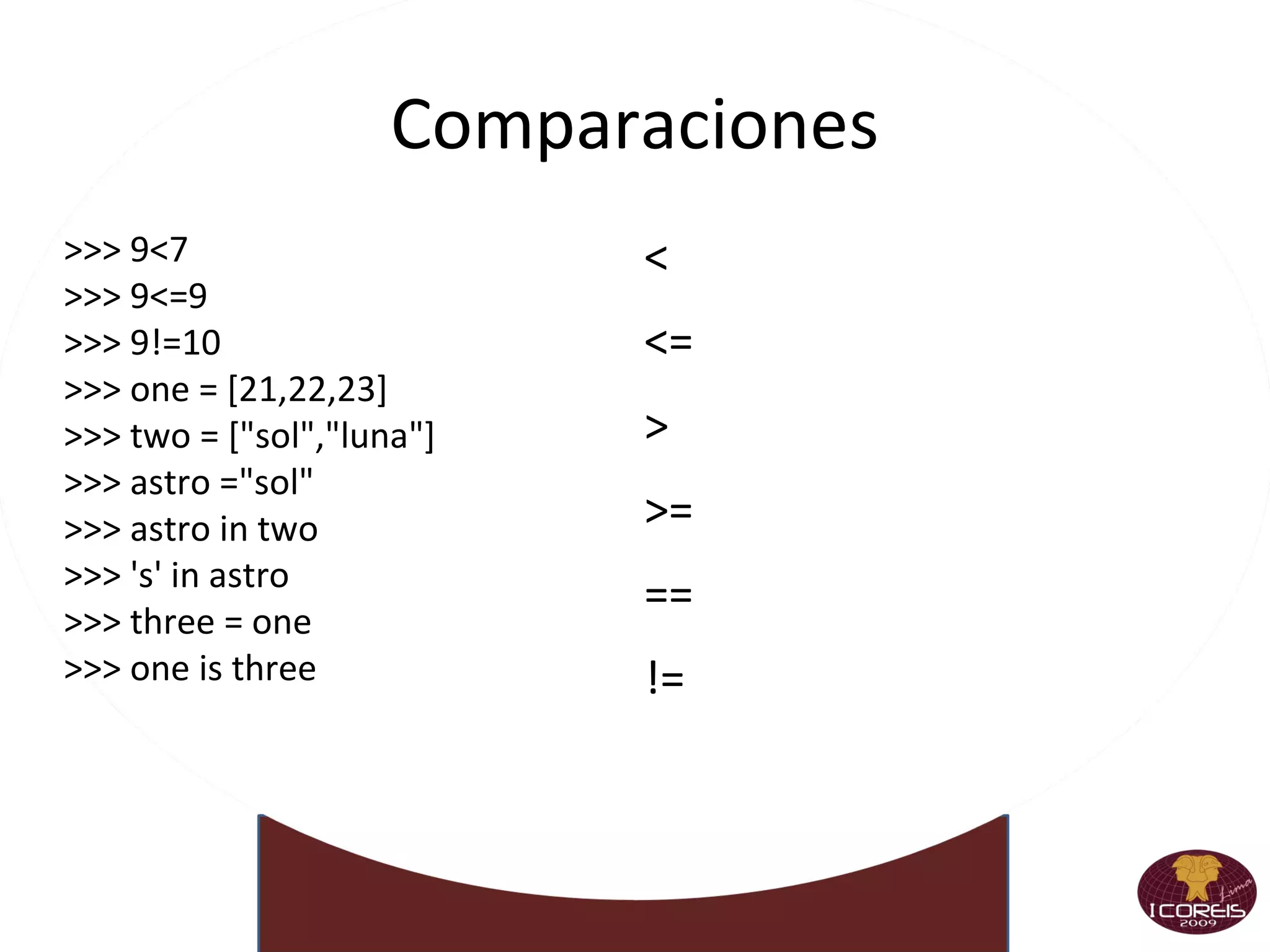
Comparaciones >>> 9<7 >>> 9<=9 >>> 9!=10 >>> one = [21,22,23] >>> two = [&quot;sol&quot;,&quot;luna&quot;] >>> astro =&quot;sol&quot; >>> astro in two >>> 's' in astro >>> three = one >>> one is three <
<=
>
>=
==
!=
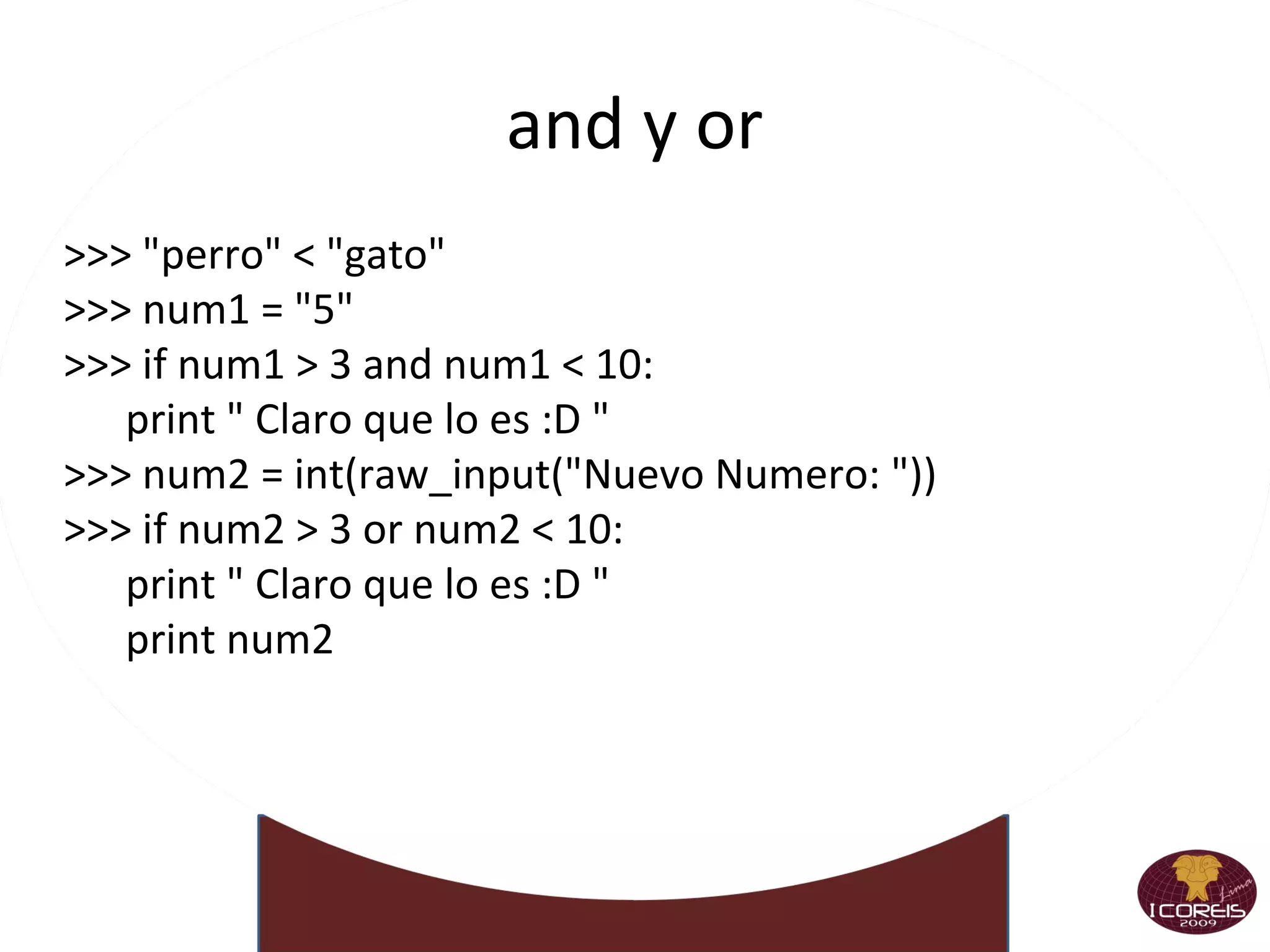
and y or >>> &quot;perro&quot; < &quot;gato&quot; >>> num1 = &quot;5&quot; >>> if num1 > 3 and num1 < 10: print &quot; Claro que lo es :D &quot; >>> num2 = int(raw_input(&quot;Nuevo Numero: &quot;)) >>> if num2 > 3 or num2 < 10: print &quot; Claro que lo es :D &quot; print num2
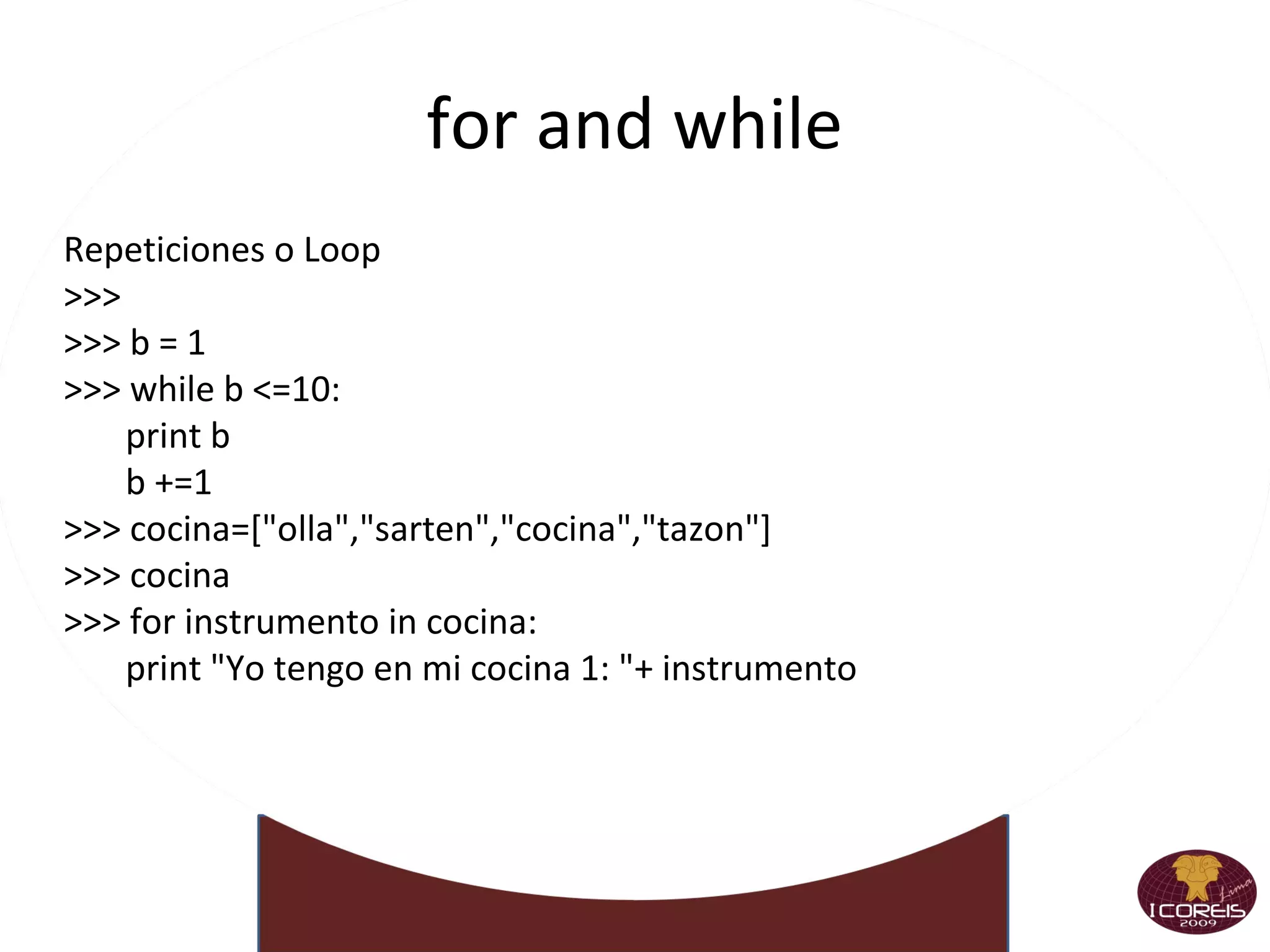
for and while Repeticiones o Loop >>>  >>> b = 1 >>> while b <=10: print b b +=1 >>> cocina=[&quot;olla&quot;,&quot;sarten&quot;,&quot;cocina&quot;,&quot;tazon&quot;] >>> cocina >>> for instrumento in cocina: print &quot;Yo tengo en mi cocina 1: &quot;+ instrumento
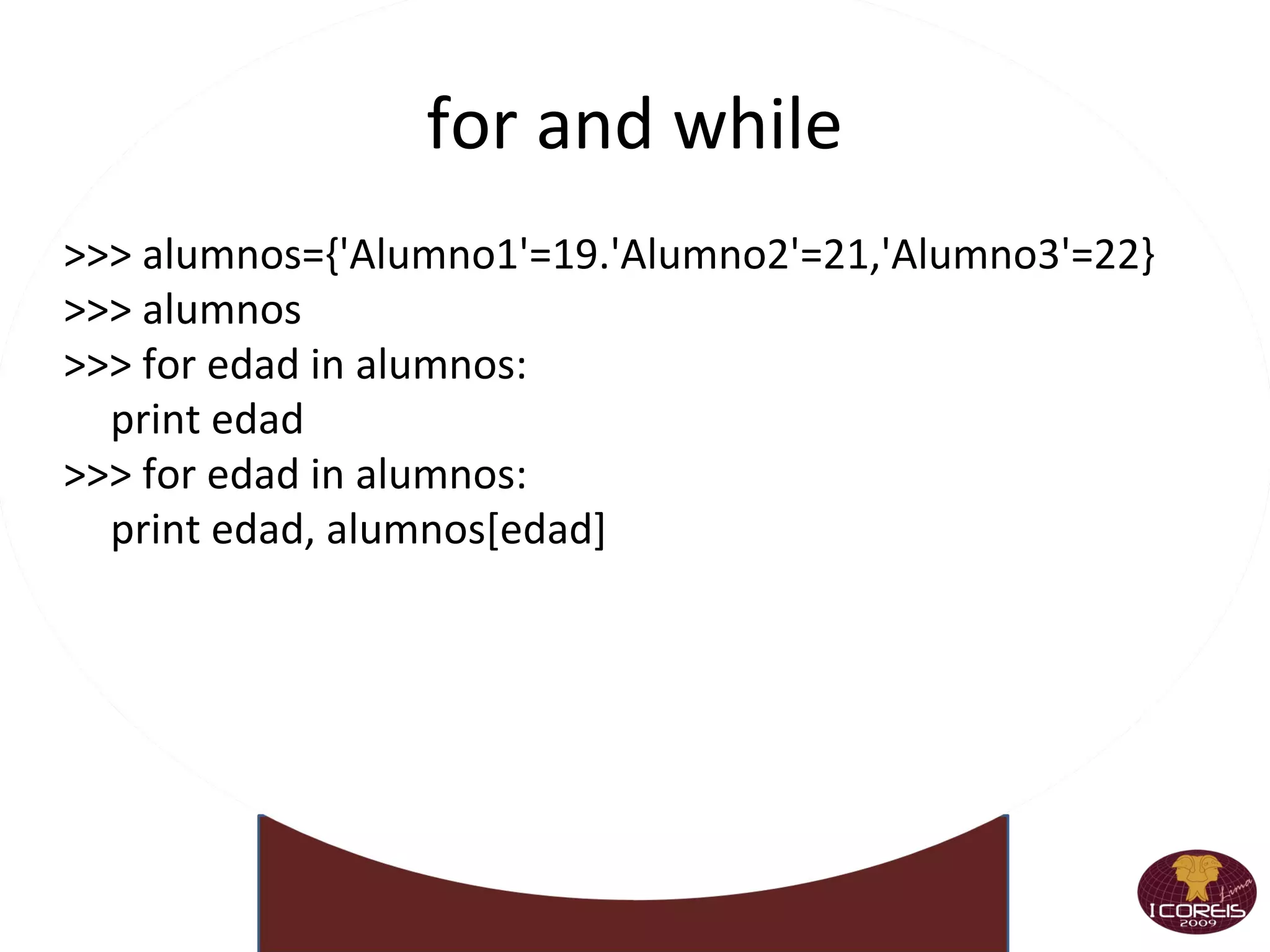
for and while >>> alumnos={'Alumno1'=19.'Alumno2'=21,'Alumno3'=22} >>> alumnos >>> for edad in alumnos: print edad  >>> for edad in alumnos: print edad, alumnos[edad]
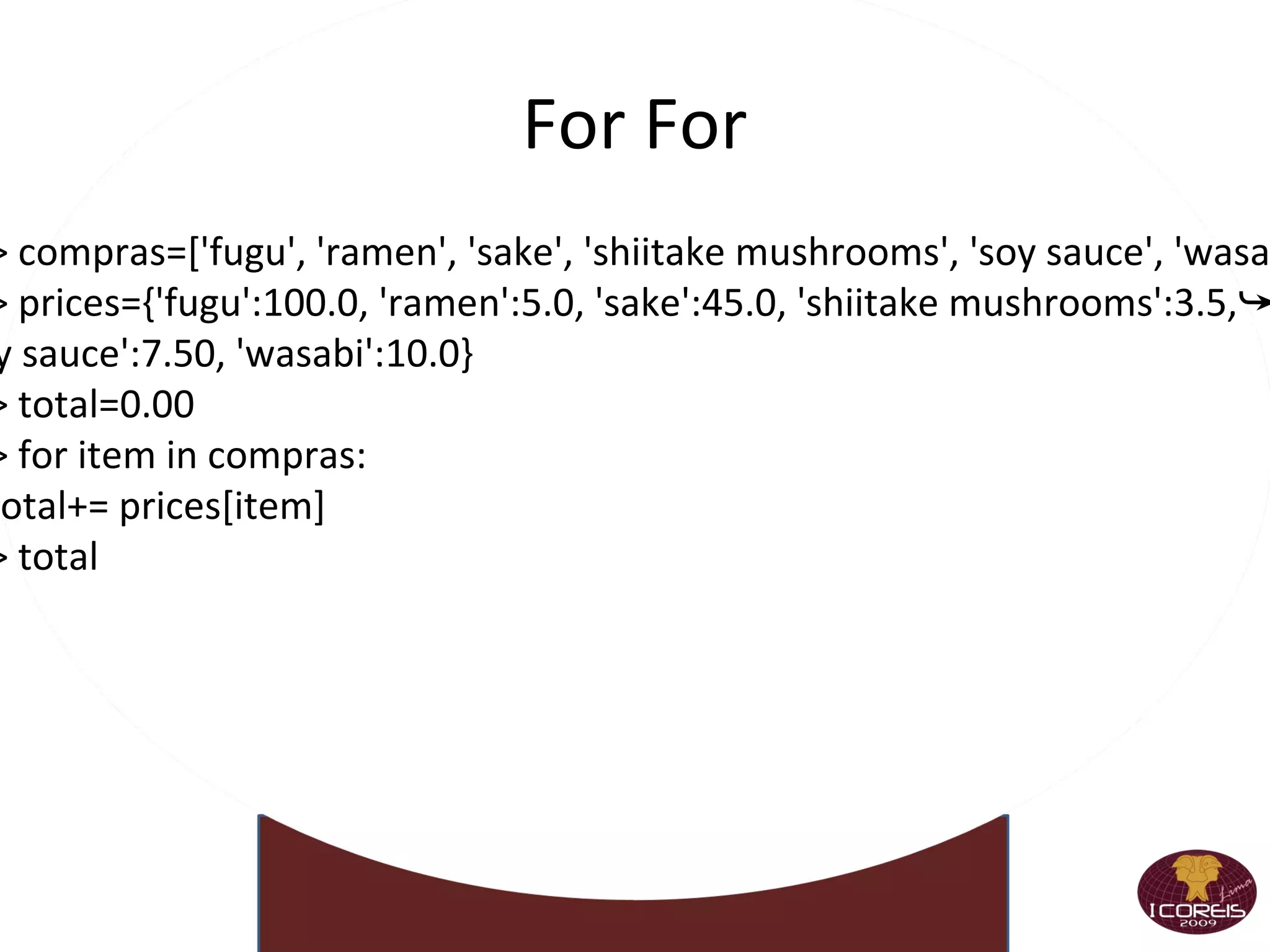
For For >>> compras=['fugu', 'ramen', 'sake', 'shiitake mushrooms', 'soy sauce', 'wasabi'] >>> prices={'fugu':100.0, 'ramen':5.0, 'sake':45.0, 'shiitake mushrooms':3.5,➥ 'soy sauce':7.50, 'wasabi':10.0} >>> total=0.00 >>> for item in compras: ... total+= prices[item] >>> total
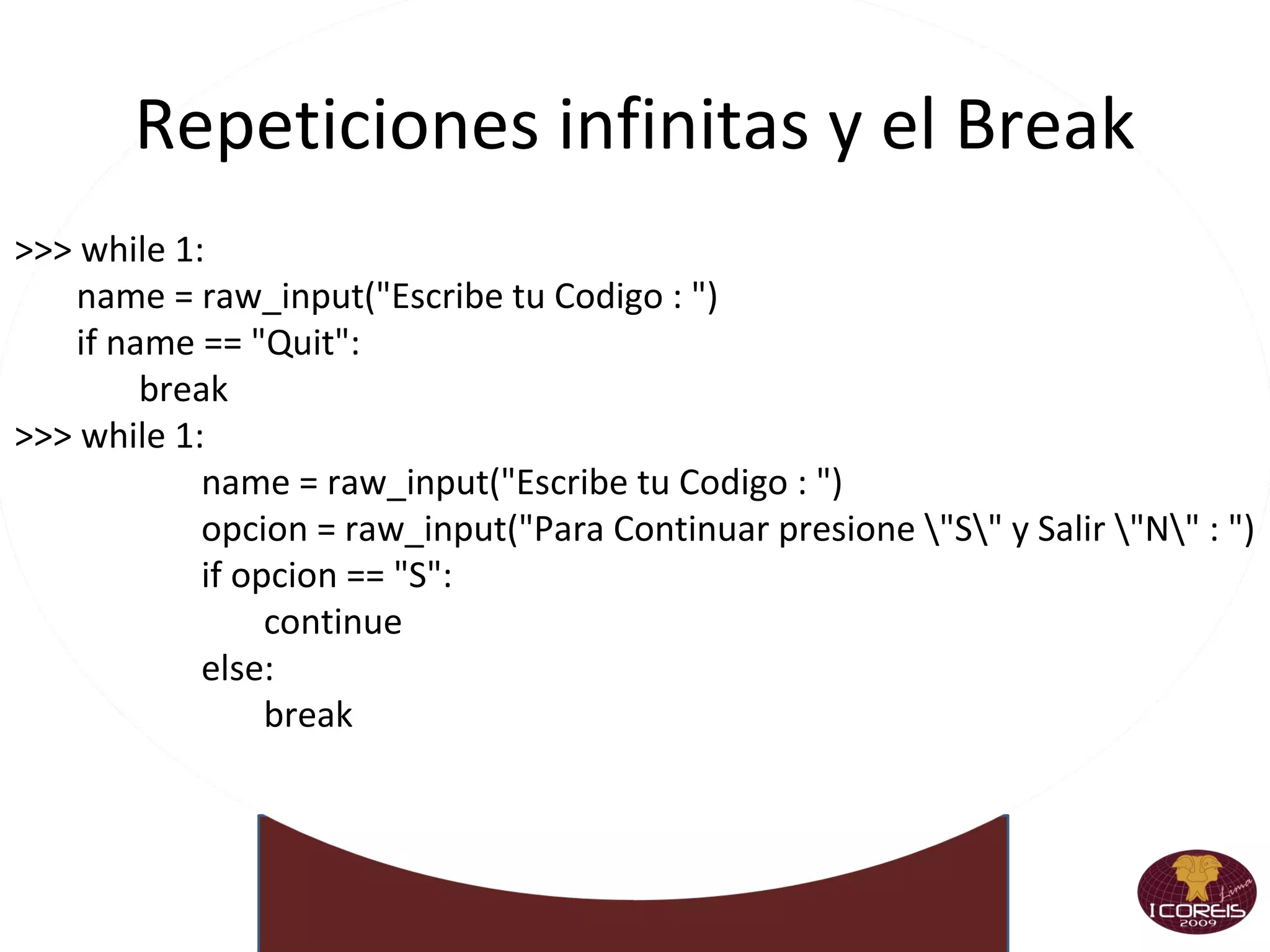
Repeticiones infinitas y el Break >>> while 1: name = raw_input(&quot;Escribe tu Codigo : &quot;) if name == &quot;Quit&quot;:  break >>> while 1: name = raw_input(&quot;Escribe tu Codigo : &quot;) opcion = raw_input(&quot;Para Continuar presione \&quot;S\&quot; y Salir \&quot;N\&quot; : &quot;) if opcion == &quot;S&quot;:  continue else: break
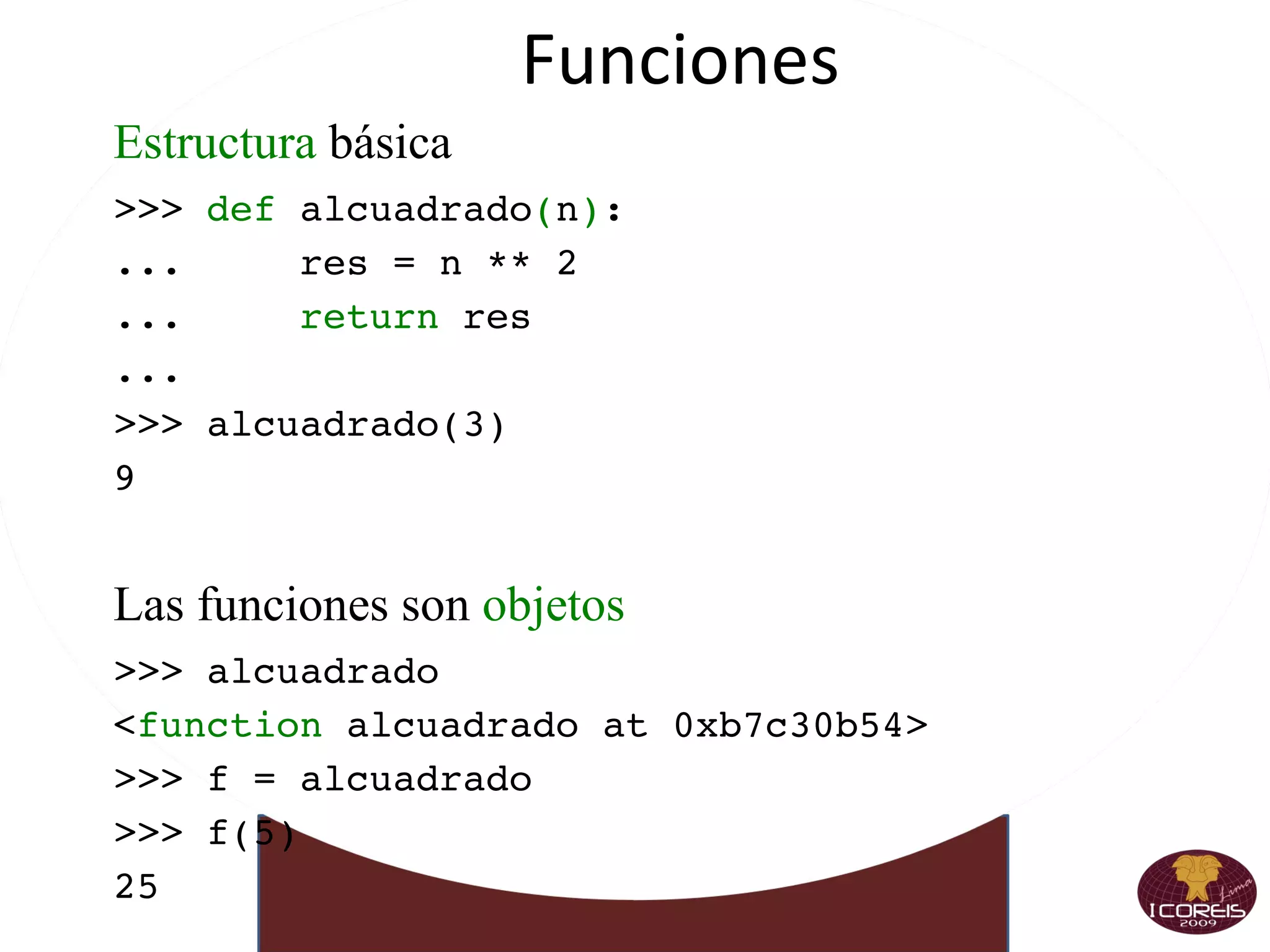
Funciones Estructura  básica >>>  def  alcuadrado ( n ) : ...  res = n ** 2 ...  return  res ... >>> alcuadrado(3) 9 Las funciones son  objetos >>> alcuadrado < function  alcuadrado at 0xb7c30b54> >>> f = alcuadrado >>> f(5) 25
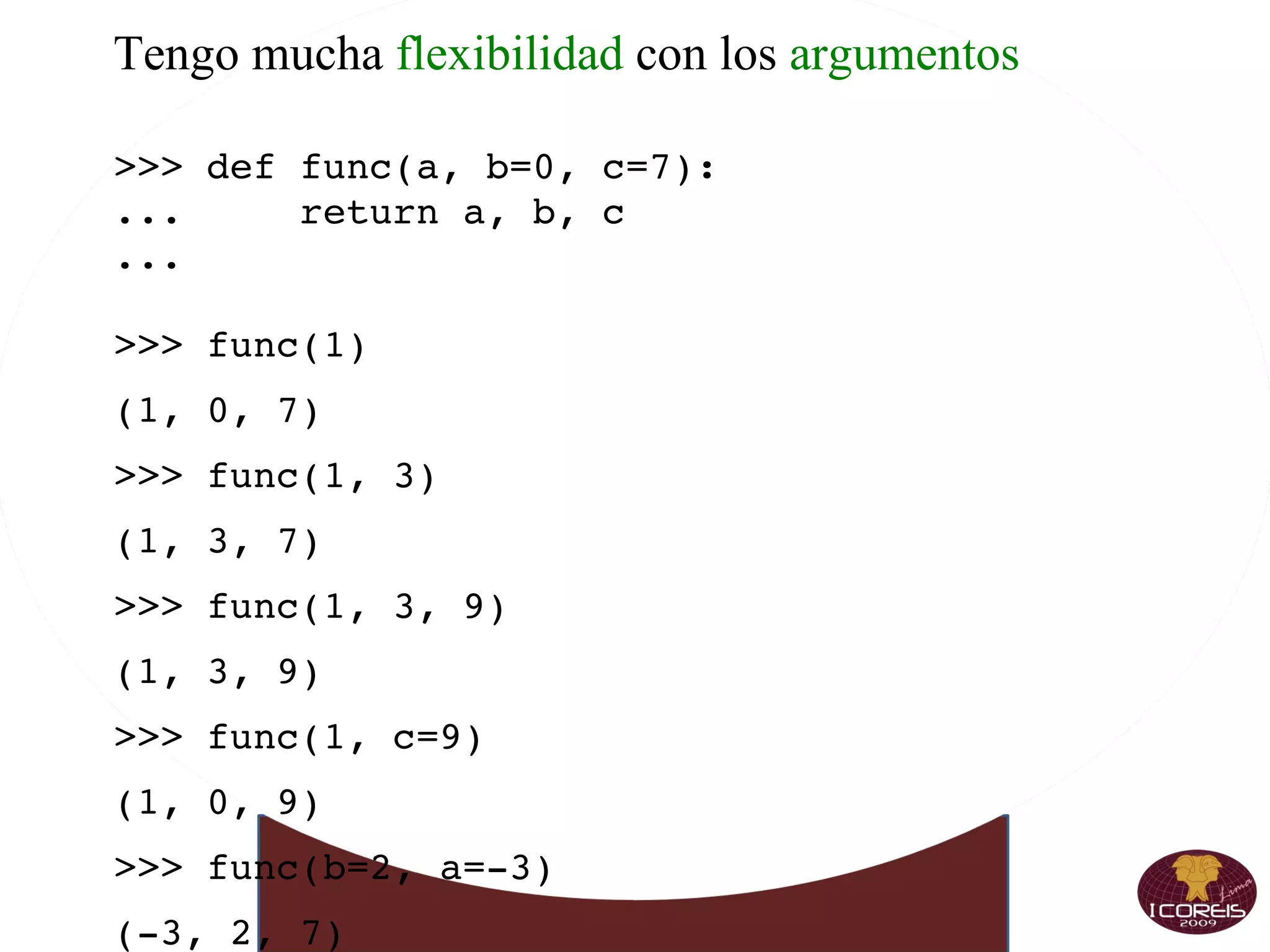
Tengo mucha  flexibilidad  con los  argumentos >>> def func(a, b=0, c=7): ...  return a, b, c ... >>> func(1) (1, 0, 7) >>> func(1, 3) (1, 3, 7) >>> func(1, 3, 9) (1, 3, 9) >>> func(1, c=9) (1, 0, 9) >>> func(b=2, a=-3) (-3, 2, 7)
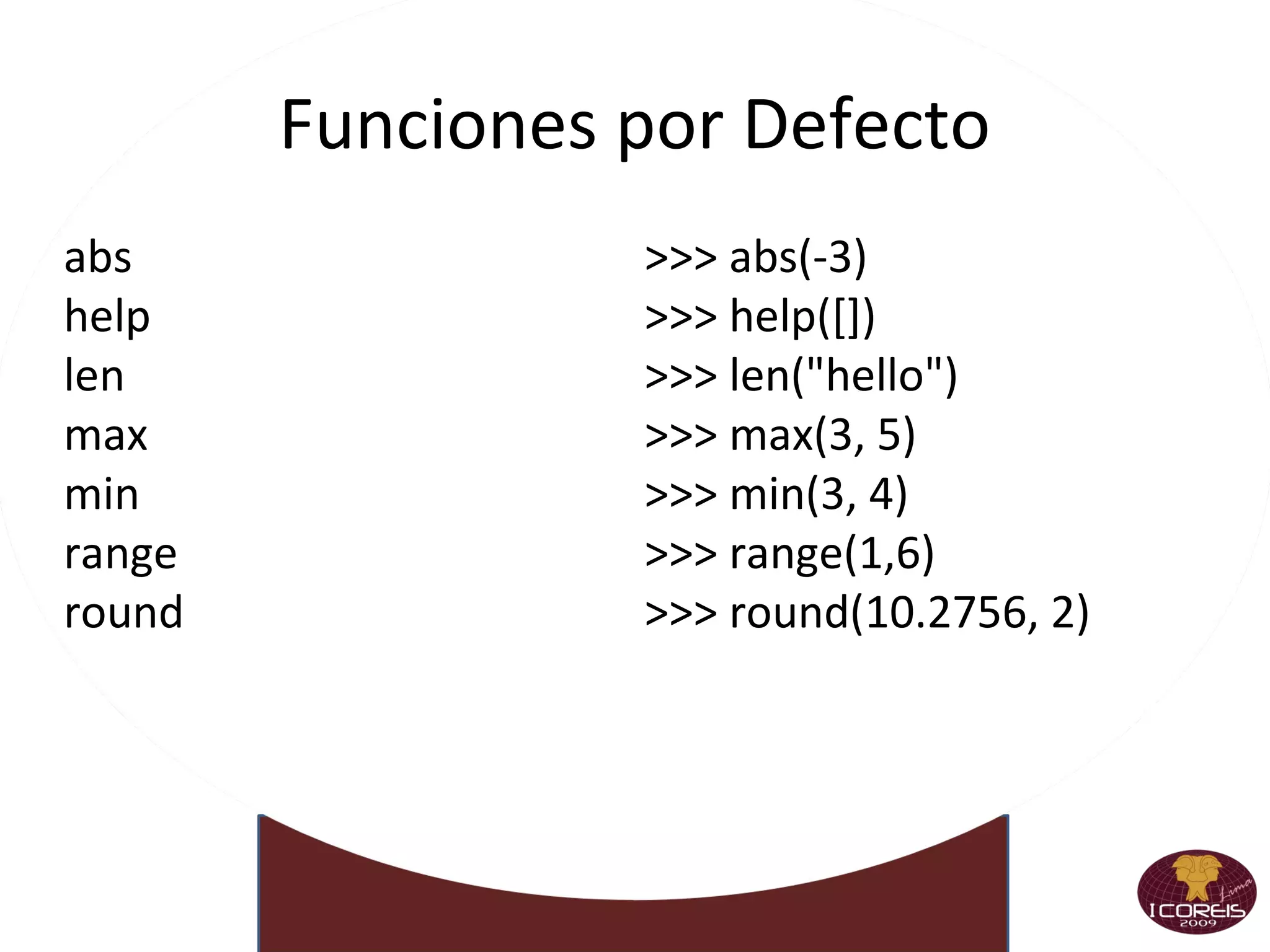
Funciones por Defecto abs
help
len
max
min
range
round  >>> abs(-3) >>> help([]) >>> len(&quot;hello&quot;) >>> max(3, 5) >>> min(3, 4) >>> range(1,6) >>> round(10.2756, 2)
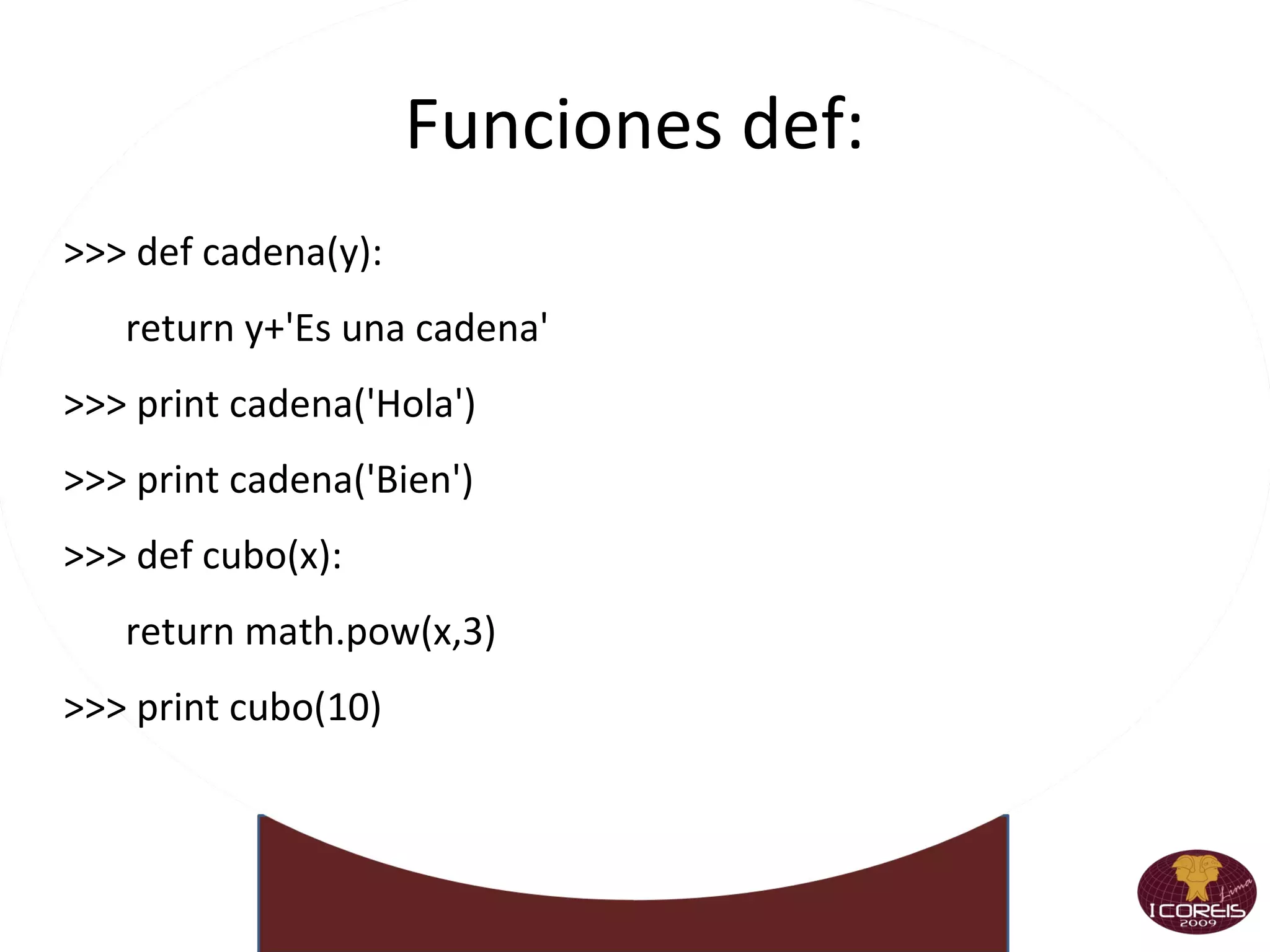
Funciones def: >>> def cadena(y): return y+'Es una cadena' >>> print cadena('Hola') >>> print cadena('Bien') >>> def cubo(x): return math.pow(x,3) >>> print cubo(10)
Parametros por Defecto >>> def nombres(nombre, apepa,apema): print &quot;%s %s %s&quot; % (nombre, apepa,apema) >>> def nombres(nombre='NN',  apepa='NN',apema='NN'): print &quot;%s %s %s&quot; % (nombre, apepa,apema)
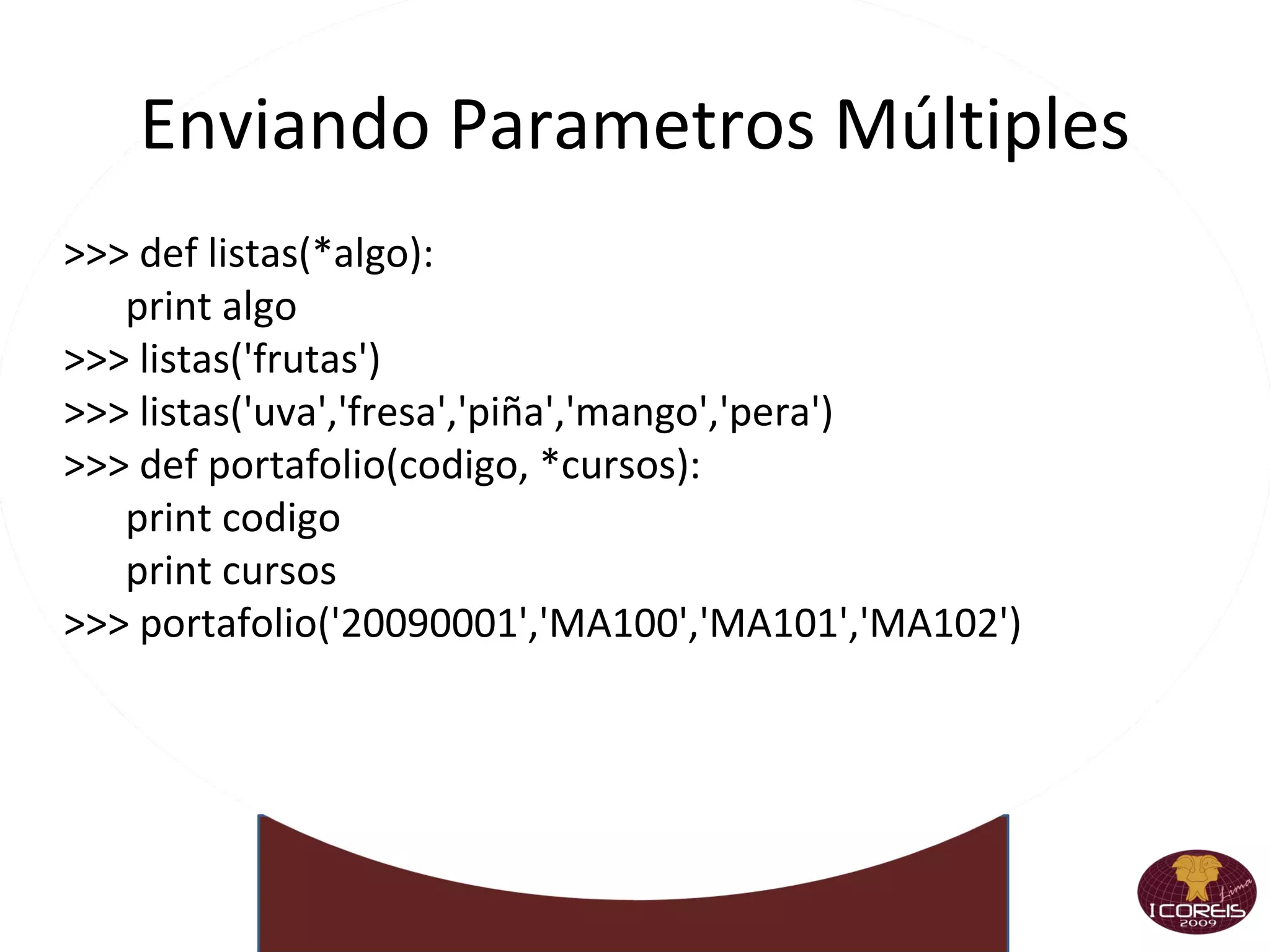
Enviando Parametros Múltiples >>> def listas(*algo): print algo >>> listas('frutas') >>> listas('uva','fresa','piña','mango','pera') >>> def portafolio(codigo, *cursos): print codigo print cursos >>> portafolio('20090001','MA100','MA101','MA102')
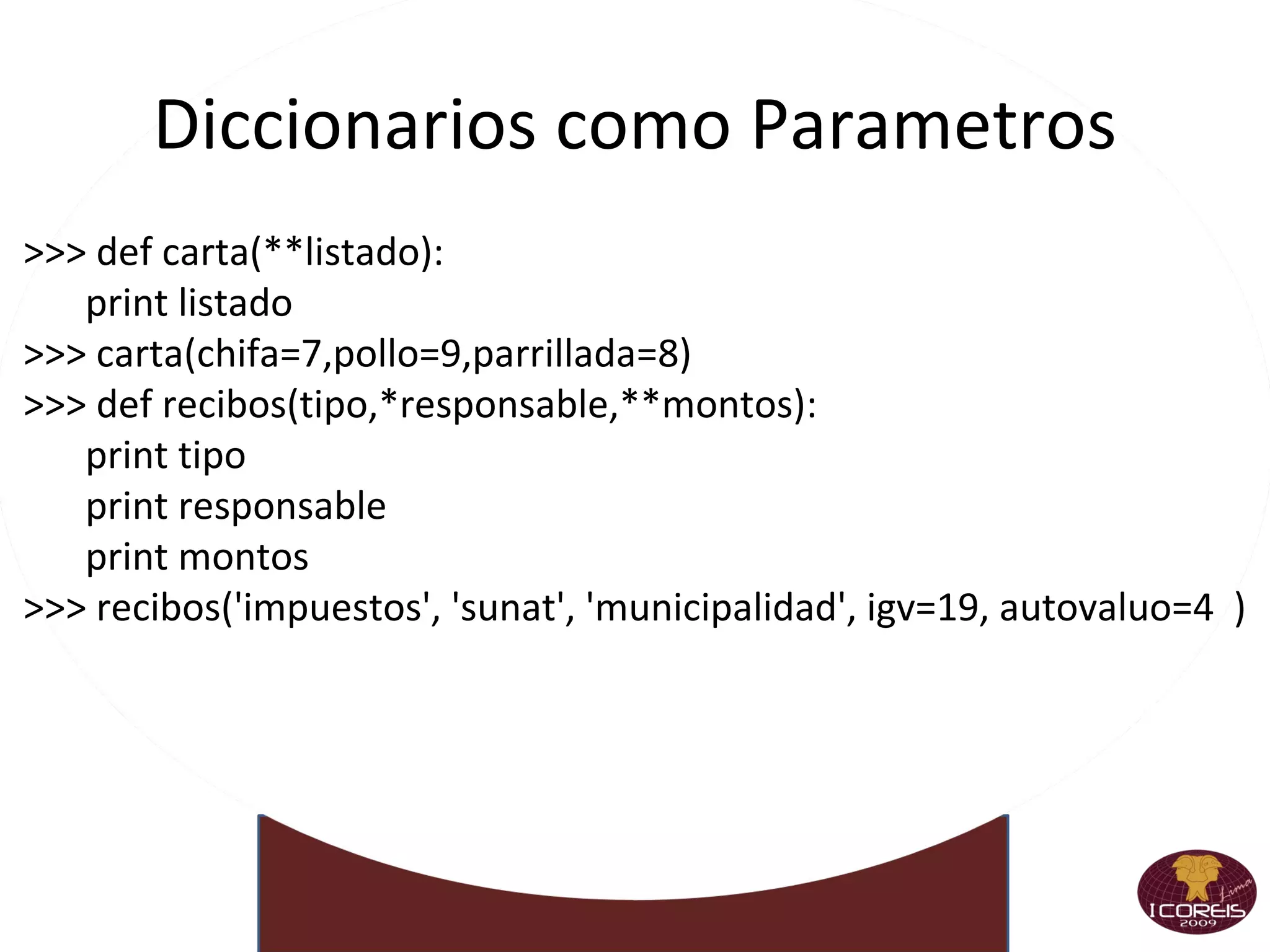
Diccionarios como Parametros >>> def carta(**listado): print listado >>> carta(chifa=7,pollo=9,parrillada=8) >>> def recibos(tipo,*responsable,**montos): print tipo print responsable print montos >>> recibos('impuestos', 'sunat', 'municipalidad', igv=19, autovaluo=4  )
Tuplas como Parametros >>> def calificacion(a,b,c): if a+b+c=&quot;10&quot;: return 'Buena Nota'  else: return 'desparobado' >>> puntos=(5,5,0) >>> calificacion(*puntos) >>> def familia(**habi): print habi >>> padres={'mama'=45, 'papa'=48} >>> familia(**padres)
Mas listas >>> l1=['host=local','id=user','pass=word','db=data'] >>> s=&quot;;&quot;.join(li) >>> s >>> s.split(&quot;;&quot;) >>> s.split(&quot;;&quot;,1 )
Suceden cuando algo se  escapa de lo normal >>> 14 / 2 7 >>> 14 / 0 Traceback  (most recent call last): File &quot;<stdin>&quot;, line 1, in <module> ZeroDivisionError : integer division or modulo by zero Podemos  capturarlas >>> try: ...  print 14 / 0 ... except  ZeroDivisionError : ...  print &quot;error!&quot; ...  error!
Es muy versátil try : Acá va el bloque de código que queremos supervisar
except : Atrapa todo, o sólo lo que se le especifique
else : Si  no hubo  una excepción, se ejecuta esto
finally : Lo que esta acá se ejecuta  siempre
Se pueden  combinar  de cualquier manera Y podemos  generar  excepciones >>>  raise  ValueError(&quot;Aca contamos que pasó&quot;) Traceback (most recent call last): File &quot;<stdin>&quot;, line 1, in <module> ValueError: Aca contamos que pasó
Programación Orientada a Objetos  >>> class clasePython: ojos=&quot;negros&quot; edad=&quot;21&quot; def thisMethod(self): return 'Hey eres tú’ >>> clasePython >>> claseObject=clasePython() >>> claseObject.edad >>> claseObject.ojos >>> claseObject.thisMethod()
Clases Armando  una clase >>>  class  MiClase: ...  x = 3 ...  def f(self): ...  return 'Hola mundo' ... >>> c = MiClase() >>> c.x 3 >>> c.f() 'Hola mundo Heredando >>> class MiClase(ClasePadre): >>> class MiClase(ClasePadre, ClaseTio):
Python: Clases y Objetos •  Python está completamente orientado a objetos: puede definir sus propias clases, heredar de las que usted defina o de las incorporadas en el lenguaje, e instanciar las clases que haya definido. •  En Python las clases se definen mediante la palabra reservada class seguida del nombre de la clase, dos puntos (:) y a continuación, indentado, el cuerpo de la clase.
Las clases de Python no tienen constructores o destructores explícitos. Las clases de Python tienen algo similar a un constructor: el método __init__.
Clase Imaginaria
#include <stdio.h> int main(int argc, char **argv) { FILE *in, *out; int c; in = fopen(&quot;input.txt&quot;, &quot;r&quot;); out = fopen(&quot;output.txt&quot;, &quot;w&quot;); while ((c = fgetc(in)) != EOF) { fputc(c, out); } fclose(out); fclose(in); }
Copia de archivo en Python in=open(&quot;input.txt&quot;) out=open(&quot;output.txt&quot;, &quot;w&quot;) out.writelines(in)
Importando Mas Módulos Creados Por Nosotros #Nueva Ventana #testmodulos.py def testmod(): print &quot;Este es un Test&quot; En la Terminal  >>> import testmodulos >>> testmodulos.testmod()
Recargando Módulos #Nueva Ventana #modulomio.py def testmod(): print &quot;Este es un Test“ En la Terminal  >>> import modulomio >>> holas= modulomio.testmod() #Nueva Ventana #modulomio.py def testmod(): print &quot;Este es un NUEVO MODULOS“ En la Terminal  >>> import modulomio >>> holas= modulomio.testmod() >>> reload(modulomio)
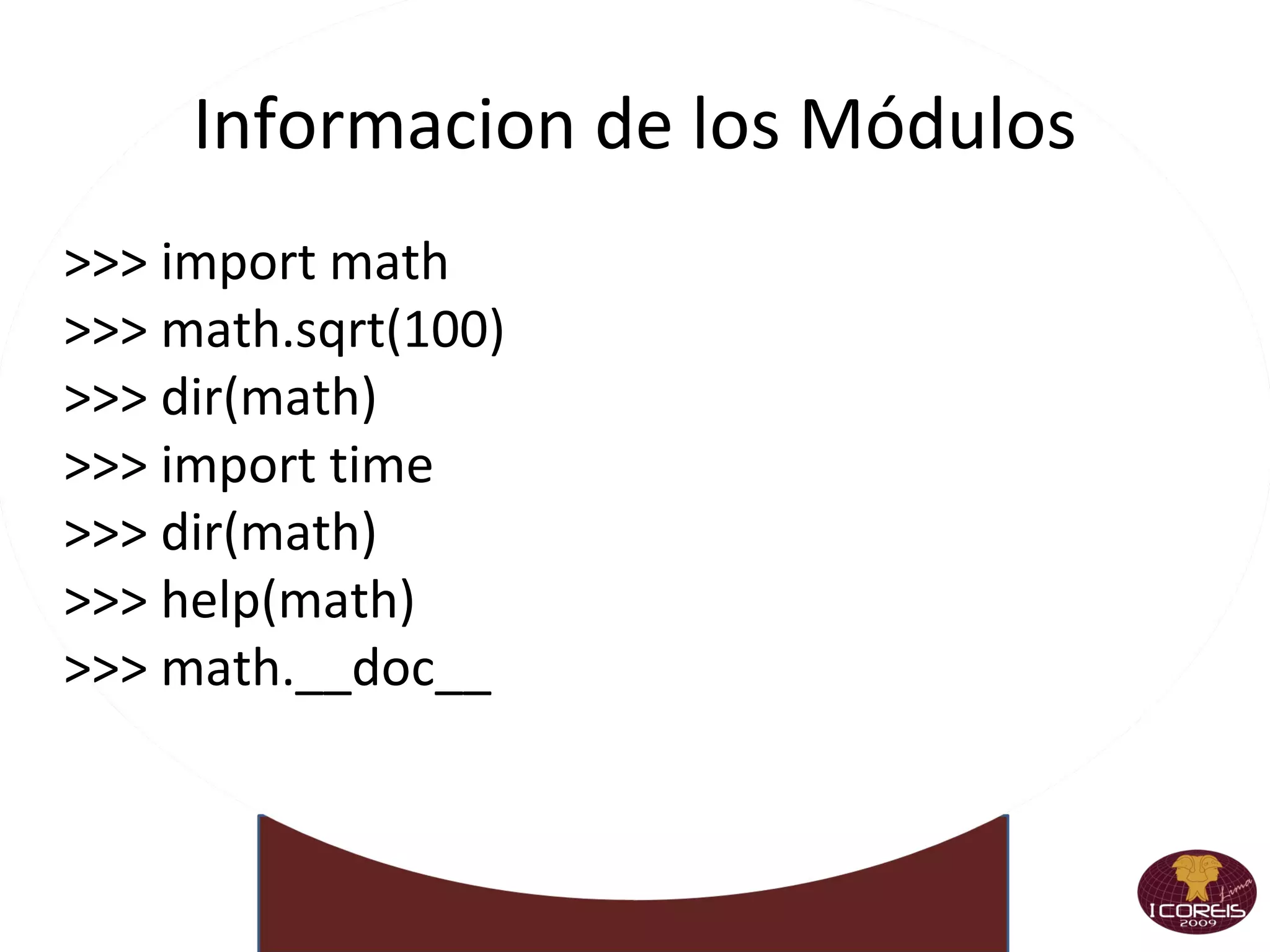
Informacion de los Módulos >>> import math >>> math.sqrt(100) >>> dir(math) >>> import time >>> dir(math) >>> help(math) >>> math.__doc__
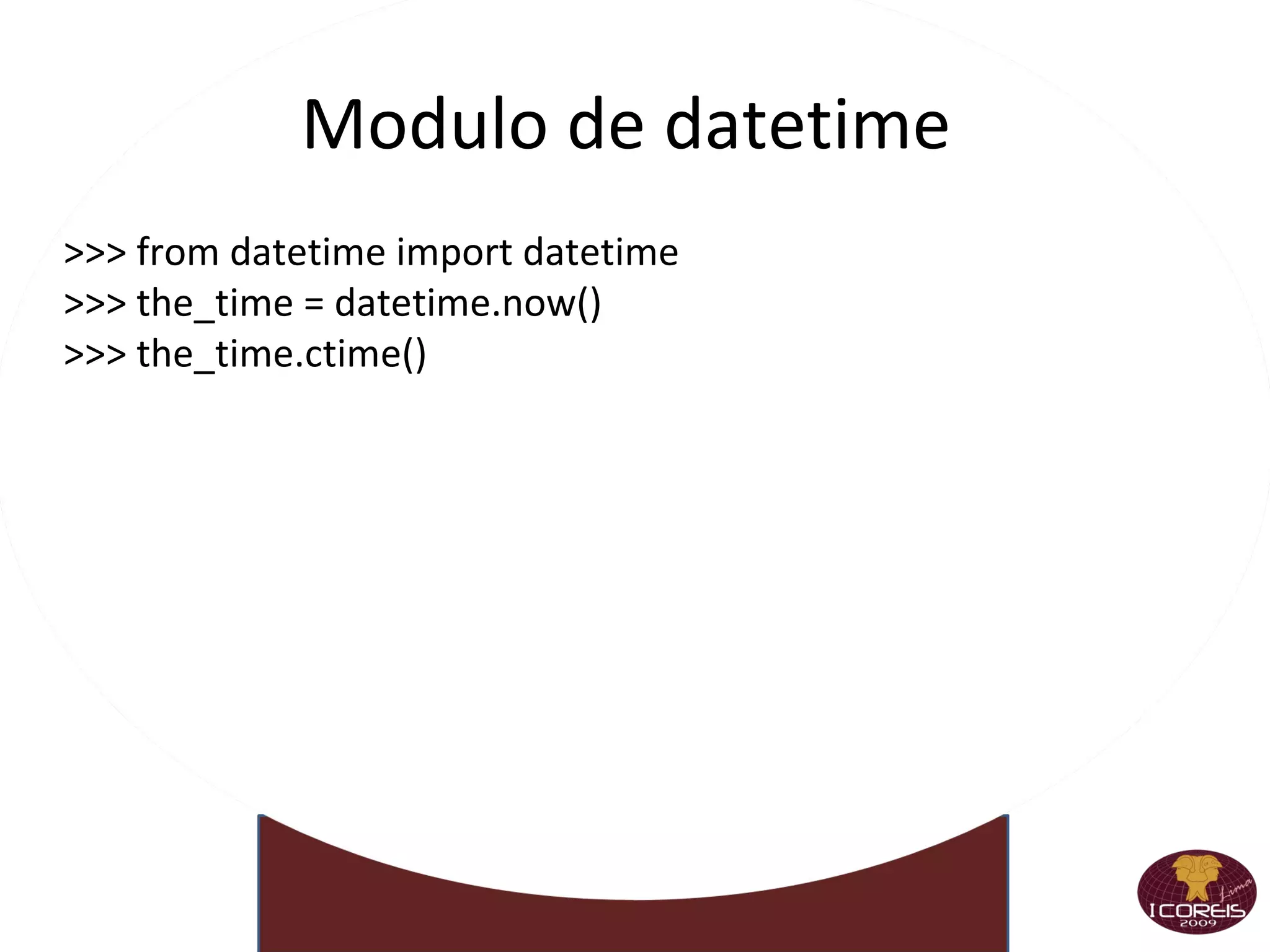
Modulo de datetime  >>> from datetime import datetime >>> the_time = datetime.now() >>> the_time.ctime()
Nuevos Módulos >>> import operator >>> reduce(operator.__mul__,[1,2,3,4,5]) >>> from apihelper import info >>> li=() >>> info(li)
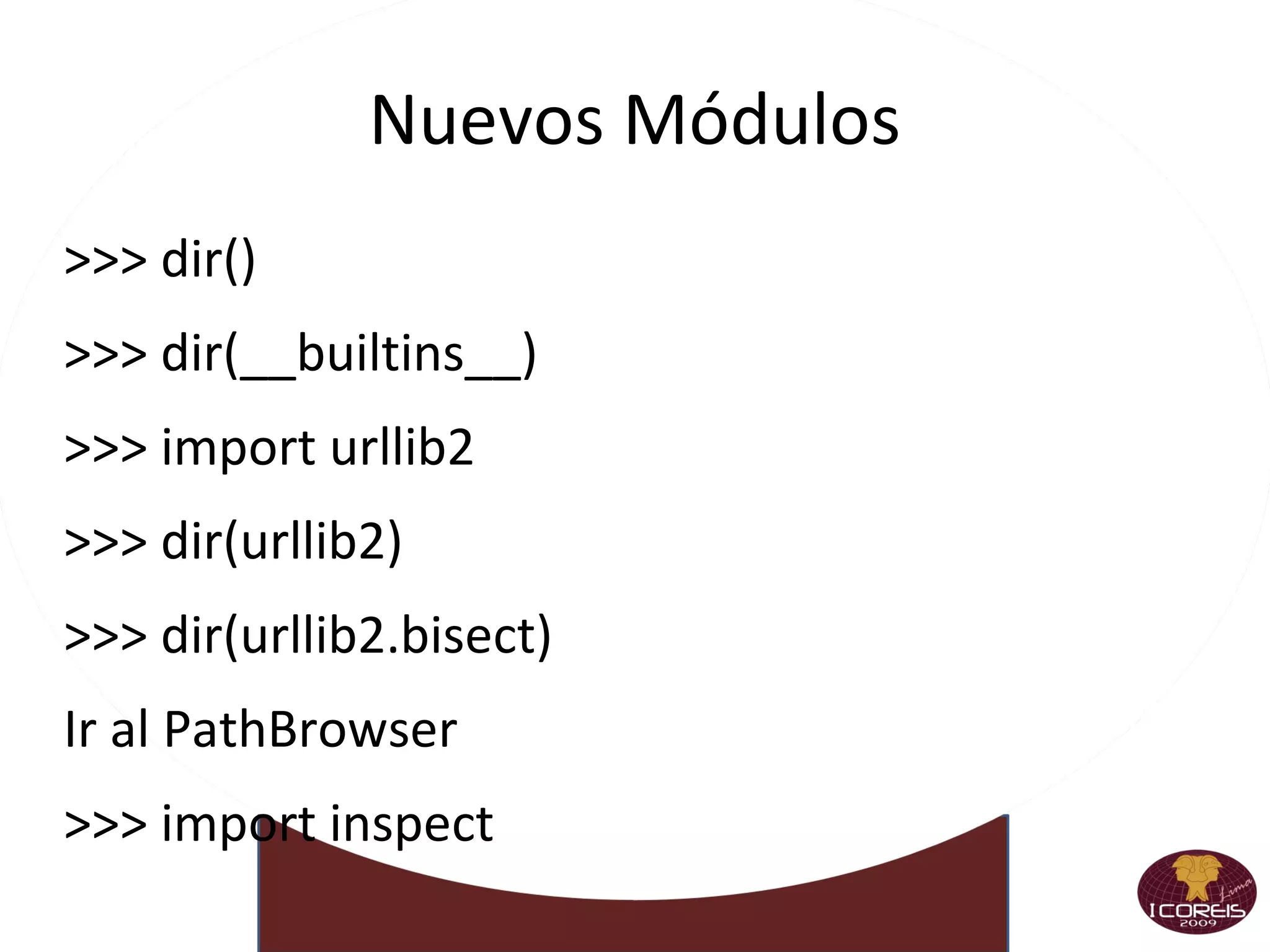
Nuevos Módulos >>> dir()
>>> dir(__builtins__)
>>> import urllib2
>>> dir(urllib2)
>>> dir(urllib2.bisect)
Ir al PathBrowser
>>> import inspect
>>> dir(inspect)
>>> inspect.getsource(inspect.getsource)
>>> print _
>>> see(inspect.getsource)
>>> see(urllib2.urlopen)
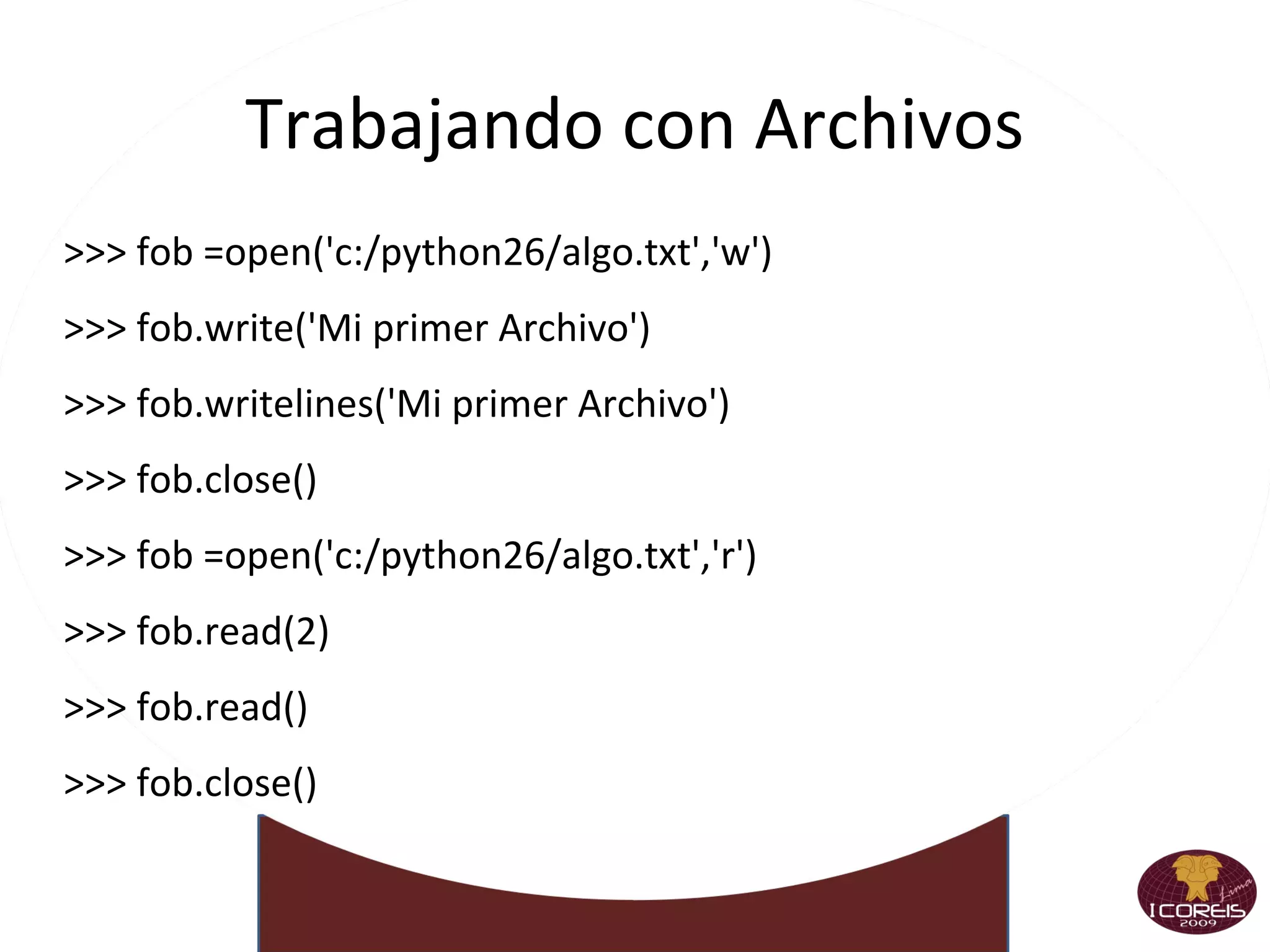
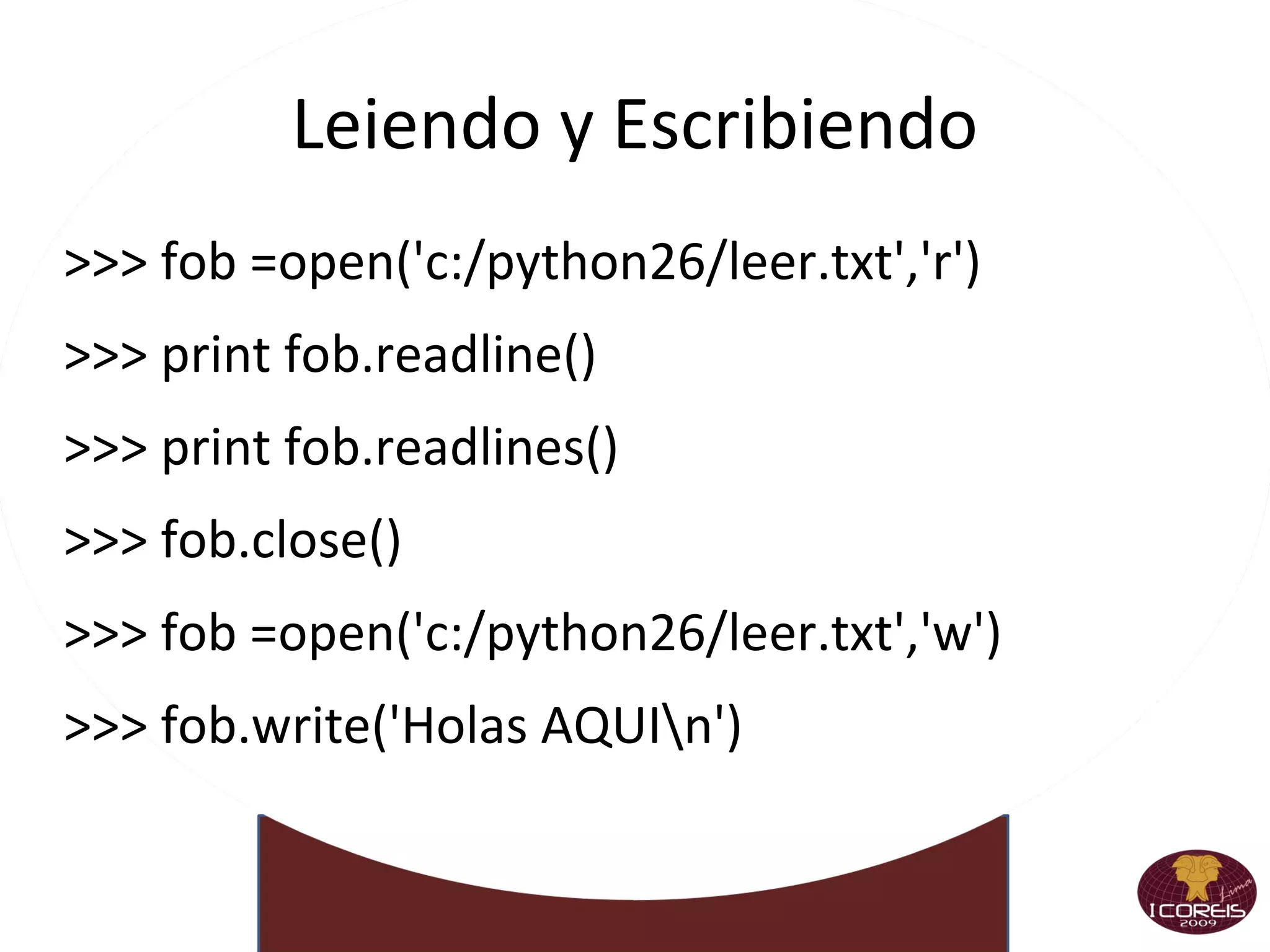
Trabajando con Archivos >>> fob =open('c:/python26/algo.txt','w') >>> fob.write('Mi primer Archivo') >>> fob.writelines('Mi primer Archivo') >>> fob.close() >>> fob =open('c:/python26/algo.txt','r') >>> fob.read(2) >>> fob.read() >>> fob.close()
Leiendo y Escribiendo >>> fob =open('c:/python26/leer.txt','r') >>> print fob.readline() >>> print fob.readlines() >>> fob.close() >>> fob =open('c:/python26/leer.txt','w') >>> fob.write('Holas AQUI\n')
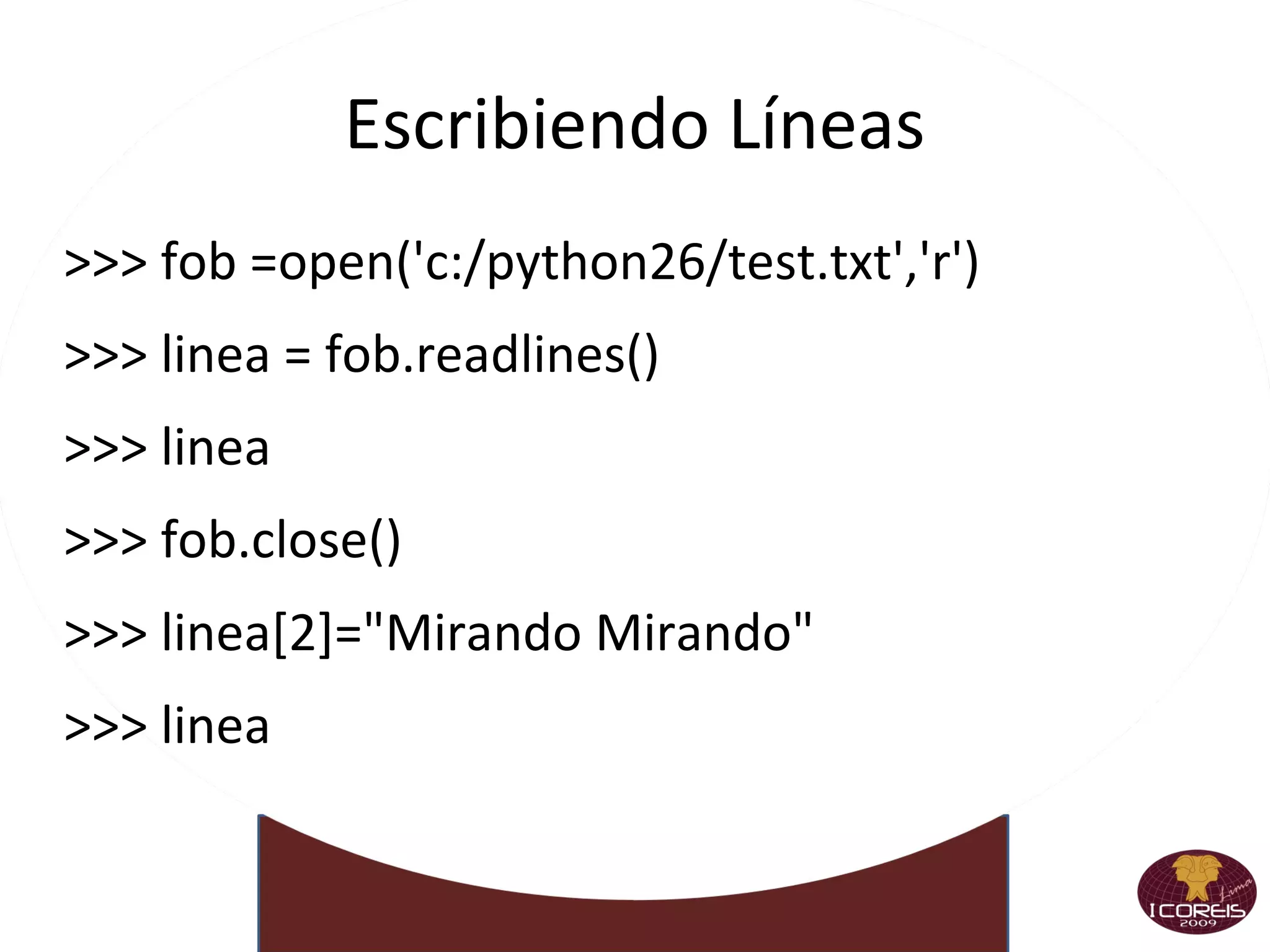
Escribiendo Líneas >>> fob =open('c:/python26/test.txt','r') >>> linea = fob.readlines() >>> linea >>> fob.close() >>> linea[2]=&quot;Mirando Mirando&quot; >>> linea
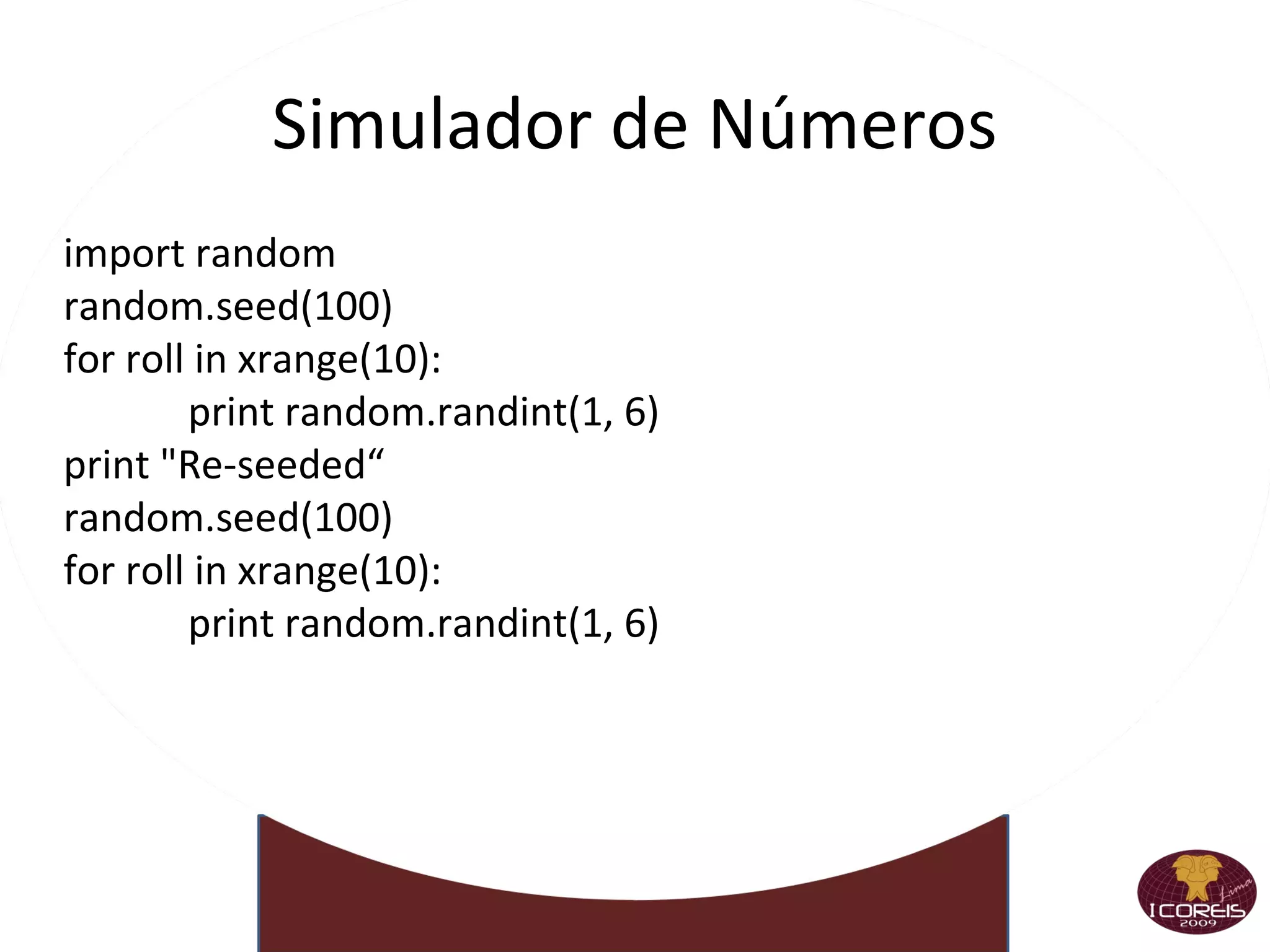
Simulador de Números import random random.seed(100) for roll in xrange(10): print random.randint(1, 6) print &quot;Re-seeded“ random.seed(100) for roll in xrange(10): print random.randint(1, 6)

Taller I Coreis Python 10112009

  • 1.
    Taller I Python Carlos Mauro Cárdenas Fernández http://unimauro.blogspot.com http://www.twitter.com/unimauro [email_address]
  • 2.
  • 3.
  • 4.
  • 5.
  • 6.
  • 7.
  • 8.
  • 9.
  • 10.
  • 11.
  • 12.
  • 13.
    Algunas características Gratis Y Libre Y Open Source, todo por el mismo precio: cero Maduro (+14 años) Diseño elegante y robusto
  • 14.
    Pero evolucionaFácil de aprender Se lee como pseudo-código
  • 15.
    Sintaxis sencillaExtremadamente portable Unix, Windows, Mac, BeOS, Win/CE
  • 16.
    DOS, OS/2, Amiga,VMS, Cray...
  • 17.
    Propiedades del lenguajeCompila a bytecode interpretado La compilación es implícita y automática
  • 18.
    Tipado dinámico, pero fuerte Multi-paradigma Todo son objetos
  • 19.
    Pero puede usarsede manera procedural Módulos, clases, funciones, generadores
  • 20.
    Viene con las baterias incluidas Extensa biblioteca estándar
  • 21.
    Clave en la productividad de Python
  • 22.
  • 23.
    Más propiedades Manejomoderno de errores Por excepciones
  • 24.
    Muy útil detalle de error Tipos de datos de alto nivel Enteros sin límites , strings, flotantes, complejos
  • 25.
    Listas, diccionarios, conjuntos Intérprete interactivo Clave en el bajo conteo de bugs
  • 26.
    Acelera sorprendentementeel tiempo de desarrollo
  • 27.
    Permite explorar, probar e incluso ver la documentación
  • 28.
    Las baterías incluídasLa Biblioteca Estándar ayuda con... Servicios del sistema, fecha y hora, subprocesos, sockets, internacionalización y localización, base de datos, threads, formatos zip, bzip2, gzip, tar, expresiones regulares, XML (DOM y SAX), Unicode, SGML, HTML, XHTML, XML-RPC (cliente y servidor), email, manejo asincrónico de sockets, clientes HTTP, FTP, SMTP, NNTP, POP3, IMAP4, servidores HTTP, SMTP, herramientas MIME, interfaz con el garbage collector, serializador y deserializador de objetos, debugger, profiler, random, curses, logging, compilador, decompilador, CSV, análisis lexicográfico, interfaz gráfica incorporada, matemática real y compleja, criptografía (MD5 y SHA), introspección, unit testing, doc testing, etc., etc...
  • 29.
    Le ponemos máspilas Bases de datos MySQL, PostgresSQL, MS SQL, Informix, DB/2, Sybase Interfaces gráficas Qt, GTK, win32, wxWidgets, Cairo Frameworks Web Django, Turbogears, Zope, Plone, webpy Y un montón más de temas ... Biopython: Manejo de secuencias
  • 30.
    PIL: para trabajarcon imágenes
  • 31.
  • 32.
  • 33.
    Numpy: calculos dealta performance
  • 34.
  • 35.
    Corriendo e interpretandoMenos charla y más acción Python es interpretado
  • 36.
    No hace faltacompilar
  • 37.
  • 38.
    Y encima tenemosel Intérprete Interactivo <o/
  • 39.
  • 40.
    Haciendo números Enteros>>> 2+2 4 >>> (50 - 5*6) / 4 5 >>> 7 / 3 2 >>> 7 % 3 1 >>> 23098742098472039 * 120894739 2792516397223089453702821 Floats >>> 3 * 3.75 / 1.5 7.5 >>> 7 / 2.3 3.0434782608695654
  • 41.
    Más números Complejos>>> 2 + 3j (2+3j) >>> (2+3j * 17) ** (2+5j) (-0.91258832667469336-0.82498333629811516j) >>> (3-4j) ** 2.1 (-10.797386682316887-27.308377455385106j) Recortando los decimales >>> int(12.3) 12 >>> round(2.7526) 3.0 >>> round(2.7526, 2) 2.75
  • 42.
    Usando la CalculadoraPython >>> 13.0/7 >>> 13.0/7. >>> 13.0/7.0 >>> 7%4 >>> 8%2 >>> 9/5 >>> 6*7 >>> 7*7*7*7*7 >>> 7**5 >>> -7**6 >>> -7**5 >>> 8.75%.25
  • 43.
  • 44.
  • 45.
  • 46.
  • 47.
  • 48.
  • 49.
    Asignando Variables enPython >>> a = 19 >>> a * 6 >>> a ** 9 >>> b = 73 >>> b + a >>> c = b * a >>> d = c/2.5 >>> mun1 =input(&quot;Ingrese un numero: &quot;)‏ >>> nun1*d >>> nun1 ** 0.5 >>> mun2 =input(&quot;Ingrese un numero: &quot;)‏ >>> e = nun1 * mun2
  • 50.
    Librerias Matemáticas >>>5**4 >>> pow(5,4)‏ >>> num3 = -150 >>> abs(num3)‏ >>> floor(18.7) ¿Qué sucede? >>> import math >>> math.floor(19.3635)‏ >>> math.sqrt(100)‏ >>> raiz = math.sqrt >>> raiz(121)‏ >>> redondeo = math.floor >>> redondeo(&quot;Algo&quot;)‏
  • 51.
    Trabajando con Cadenas:D >>>&quot;Hola a todos&quot; >>>'Hola a todos' >>>a = &quot;Uno&quot; >>>b = &quot;Dos&quot; >>>a + b >>>a, b >>>mvar='2' >>>mvar >>>int(mvar)‏ >>>mvar_num= in(mvar)‏ >>>mvar_num >>>¿Qué Sale?
  • 52.
    Cadenas Comillas ,apóstrofos, triples >>> 'Una cadena es una secuencia de caracteres' 'Una cadena es una secuencia de caracteres' >>> &quot;Ella dijo: 'si'&quot; &quot;Ella dijo: 'si'&quot; >>> &quot;&quot;&quot;Una linea ... y la otra&quot;&quot;&quot; 'Una linea \n y la otra' Algunas operaciones >>> &quot;Hola&quot; + &quot; mundo&quot; 'Hola mundo' >>> &quot;Eco &quot; * 4 'Eco Eco Eco Eco ' >>> &quot; Hola mundo &quot;.strip() 'Hola mundo' >>> len(&quot;Hola mundo&quot;) 10
  • 53.
    Accediendo a lascadenas Por posición >>> saludo = 'Hola mundo' >>> saludo[0] 'H' >>> saludo[3] 'a' >>> saludo[-2] 'd' Rebanando >>> saludo[2:5] 'la ' >>> saludo[2:8] 'la mun' >>> saludo[:4] 'Hola' >>> saludo[-2:] 'do'
  • 54.
    Cadenas y CaracteresEspeciales >>>&quot;Hi. What's the problem?&quot; >>>'Hi. What\'s the problem?' >>>&quot;Romulo Dijo: &quot;Yó ha hice&quot; &quot; >>>&quot;Romulo Dijo: \&quot;Yó ha hice\. Gracias Hijita &quot; &quot;
  • 55.
    Concatenando Números conCadenas >>> ns = 28 >>> ns + 1 >>> ns >>> print &quot;Hoy!!!. La pasare con &quot; + ns+ &quot; Amigos&quot; >>> num1 = str(40)‏ >>> print &quot;Hoy!!!. La pasare con &quot; + num1 + &quot; Amigos... Somos&quot; >>> num2 = 4 >>> print &quot;El Rector Padilla(\&quot;repite el plato\&quot;) con &quot; +`num2` + &quot; a favor&quot;
  • 56.
    Listas Corchetes ,varios tipos de elementos >>> a = ['harina', 100, 'huevos', 'manteca'] >>> a ['harina', 100, 'huevos', 'manteca'] Accedemos como cualquier secuencia >>> a[0] 'harina' >>> a[-2:] ['huevos', 'manteca'] Concatenamos, reemplazamos >>> a + ['oro', 9] ['harina', 100, 'huevos', 'manteca', 'oro', 9] >>> a[0] = &quot;sal&quot; >>> a ['sal', 100, 'huevos', 'manteca']
  • 57.
    Y dale conlas listas Pueden tener incluso otras listas >>> a ['sal', 100, 'huevos', 'manteca'] >>> a[1] = [&quot;Hola&quot;, 7] >>> a ['sal', ['Hola', 7], 'huevos', 'manteca'] Borramos elementos >>> del a[-1] >>> a ['sal', ['Hola', 7], 'huevos'] Tenemos otros métodos >>> a.index(“huevos”) 2 >>> a.sort() >>> a [['Hola', 7], 'huevos', 'sal']
  • 58.
    Conjuntos Definimos con set() >>> juego = set(&quot;typus pocus&quot;) >>> juego set([' ', 'c', 'o', 'p', 's', 'u', 't', 'y']) >>> hechizo = set([&quot;h&quot;, &quot;o&quot;, &quot;c&quot;, &quot;u&quot;, &quot;s&quot;, &quot; &quot;]) >>> hechizo.update(set(&quot;pocus&quot;)) >>> hechizo set([' ', 'c', 'h', 'o', 'p', 's', 'u']) Operamos >>> hechizo - juego set(['h']) >>> hechizo & juego set([' ', 'c', 'o', 'p', 's', 'u']) >>> hechizo.remove(&quot;h&quot;) >>> hechizo.add(&quot;Merlin&quot;) >>> hechizo set([' ', 'c', 'Merlin', 'o', 'p', 's', 'u'])
  • 59.
    Secuencias y Tuplasfamilia =['ma','pa','tio','abue','herm1','herm2'] familia[2] familia[-2] semana =['lun','mar','mier','jue','vie','sab','dom']
  • 60.
    Extracción de Partesde una Secuencia ejemplo=[0,1,2,3,4,5,6,7,8,9] ejemplo[2:6] ejemplo[-1:-6] ejemplo[:8] ejemplo[:] ejemplo[2:6:8] ejemplo[9:2:-3] ejemplo[::-5]
  • 61.
    Editando secuencias >>>[7,4,5]+[78,45,9,5] >>> 'curso' + 'python' >>> [7,4,5] + 'python' ¿Qué Sucede? >>> 'curso'*5 >>> [18]*7 >>> x1 = 'esternocleudomastoideo' >>> 'no' in x1
  • 62.
    ¡¡¡Más Listas!!! familia=['ma','pa','tio','abue','herm1','herm2'] >>>'ma' in familia >>>len(familia)‏ >>>max(familia)‏ >>>min(familia)‏ >>>numeros =[156,635,0.5,56,895, 98,1,-77] >>>numeros[4]=78 >>>list('Curso de Python')‏ >>>nom= list('Curso de Python')‏ >>> del numeros[4] >>> lista1 = list('VamosBien')‏ >>> lista2 = list('creo')‏ >>> lista1 >>> lista2 >>> lista1[5:]=list('...Anda!!')‏ >>> lista2[2:2]=[25,16,58,63] >>> lista1[1:8]=[]
  • 63.
    Métodos de Listas,Cadenas >>>cuadrado=[10,10,30] >>>cuadrado >>>cuadrado.append(41)‏ >>>cuadrado.count(10)‏ >>>triangulo=[50,30,40] >>>triangulo.extend(cuadrado)‏ >>>triangulo
  • 64.
    Ordenamientos >>>nuevo=[12,3,2,65,55,663,12,5,5] >>>nuevo.sort()‏>>>sorted('Palabras de un Diario')‏ >>>entradas =&quot;Holas %s , tu edad es %d&quot; >>>var=('Jackson', 50)‏ >>>print entradas % var >>>noticia=&quot;El Astro Michael murió a los 50 años&quot; >>>noticia.find('Michael')‏
  • 65.
    Agregando y Formateando>>> familia =['ma','pa','tio','abue','herm1','herm2'] >>> invitamos='herm3' >>> glue.join(familia)‏ >>> oracion=&quot;universidad NACIONAL of ingenieria&quot; >>> oracion.lower()‏ >>> oracion.replace('of','de')‏
  • 66.
    Jugando con Diccionarios>>> libros={'fisica':'ciencia','mate1':'ciencia','odisea':'literatura'} >>> libros['fisica'] >>> libros['odisea'] >>> libros.clear()‏ >>> alumnos={'alum1':'3', 'alum2':'5'} >>> asistencia=alumnos.copy()‏ >>> alumnos.haaas_key('alum1')‏
  • 67.
    Diccionarios Definimos con llaves >>> dias = {&quot;enero&quot;: 31, &quot;junio&quot;: 30, &quot;julio&quot;: 30 } >>> dias {'julio': 30, 'enero': 31, 'junio': 30} >>> dias[&quot;enero&quot;] 31 >>> dias[&quot;agosto&quot;] = 31 >>> dias[&quot;julio&quot;] = 31 >>> dias { 'julio': 31 , 'enero': 31, 'junio': 30, 'agosto': 31} >>> cualquiercosa = {34: [2,3], (2, 3): {3: 4}} Borrando >>> del dias[&quot;julio&quot;] >>> dias {'enero': 31, 'junio': 30, 'agosto': 31}
  • 68.
    Más diccionarios Viendo qué hay >>> &quot;marzo&quot; in dias False >>> dias.keys() ['enero', 'junio', 'agosto'] >>> dias.values() [31, 30, 31] Otros métodos >>> dias.get(&quot;agosto&quot;, &quot;No tenemos ese mes&quot;) 31 >>> dias.get(&quot;mayo&quot;, &quot;No tenemos ese mes&quot;) 'No tenemos ese mes' >>> dias.pop(&quot;agosto&quot;) 31 >>> dias {'enero': 31, 'junio': 30}
  • 69.
    if else elif#001.py animal=raw_input(&quot;Escribe en nombre de un animal de casa: &quot;) if animal==&quot;perro&quot;: print 'Es un animal' elif animal==&quot;gato&quot;: print 'Es un animal' elif animal==&quot;canario&quot;: print &quot;Es un animal&quot; else print &quot;No lo es&quot;
  • 70.
    Sentencias de ControlAnidadas accion1=&quot;Correr&quot; accion2=&quot;Parar“ if accion1==&quot;Correr&quot;: if accion2==&quot;Parar&quot;: print &quot;Avanzo 2 espacios&quot; elif: print &quot;Sigue avanzando&quot; else: print &quot;Permanece parado&quot;
  • 71.
    Comparaciones >>> 9<7>>> 9<=9 >>> 9!=10 >>> one = [21,22,23] >>> two = [&quot;sol&quot;,&quot;luna&quot;] >>> astro =&quot;sol&quot; >>> astro in two >>> 's' in astro >>> three = one >>> one is three <
  • 72.
  • 73.
  • 74.
  • 75.
  • 76.
  • 77.
    and y or>>> &quot;perro&quot; < &quot;gato&quot; >>> num1 = &quot;5&quot; >>> if num1 > 3 and num1 < 10: print &quot; Claro que lo es :D &quot; >>> num2 = int(raw_input(&quot;Nuevo Numero: &quot;)) >>> if num2 > 3 or num2 < 10: print &quot; Claro que lo es :D &quot; print num2
  • 78.
    for and whileRepeticiones o Loop >>> >>> b = 1 >>> while b <=10: print b b +=1 >>> cocina=[&quot;olla&quot;,&quot;sarten&quot;,&quot;cocina&quot;,&quot;tazon&quot;] >>> cocina >>> for instrumento in cocina: print &quot;Yo tengo en mi cocina 1: &quot;+ instrumento
  • 79.
    for and while>>> alumnos={'Alumno1'=19.'Alumno2'=21,'Alumno3'=22} >>> alumnos >>> for edad in alumnos: print edad >>> for edad in alumnos: print edad, alumnos[edad]
  • 80.
    For For >>>compras=['fugu', 'ramen', 'sake', 'shiitake mushrooms', 'soy sauce', 'wasabi'] >>> prices={'fugu':100.0, 'ramen':5.0, 'sake':45.0, 'shiitake mushrooms':3.5,➥ 'soy sauce':7.50, 'wasabi':10.0} >>> total=0.00 >>> for item in compras: ... total+= prices[item] >>> total
  • 81.
    Repeticiones infinitas yel Break >>> while 1: name = raw_input(&quot;Escribe tu Codigo : &quot;) if name == &quot;Quit&quot;: break >>> while 1: name = raw_input(&quot;Escribe tu Codigo : &quot;) opcion = raw_input(&quot;Para Continuar presione \&quot;S\&quot; y Salir \&quot;N\&quot; : &quot;) if opcion == &quot;S&quot;: continue else: break
  • 82.
    Funciones Estructura básica >>> def alcuadrado ( n ) : ... res = n ** 2 ... return res ... >>> alcuadrado(3) 9 Las funciones son objetos >>> alcuadrado < function alcuadrado at 0xb7c30b54> >>> f = alcuadrado >>> f(5) 25
  • 83.
    Tengo mucha flexibilidad con los argumentos >>> def func(a, b=0, c=7): ... return a, b, c ... >>> func(1) (1, 0, 7) >>> func(1, 3) (1, 3, 7) >>> func(1, 3, 9) (1, 3, 9) >>> func(1, c=9) (1, 0, 9) >>> func(b=2, a=-3) (-3, 2, 7)
  • 84.
  • 85.
  • 86.
  • 87.
  • 88.
  • 89.
  • 90.
    round >>>abs(-3) >>> help([]) >>> len(&quot;hello&quot;) >>> max(3, 5) >>> min(3, 4) >>> range(1,6) >>> round(10.2756, 2)
  • 91.
    Funciones def: >>>def cadena(y): return y+'Es una cadena' >>> print cadena('Hola') >>> print cadena('Bien') >>> def cubo(x): return math.pow(x,3) >>> print cubo(10)
  • 92.
    Parametros por Defecto>>> def nombres(nombre, apepa,apema): print &quot;%s %s %s&quot; % (nombre, apepa,apema) >>> def nombres(nombre='NN', apepa='NN',apema='NN'): print &quot;%s %s %s&quot; % (nombre, apepa,apema)
  • 93.
    Enviando Parametros Múltiples>>> def listas(*algo): print algo >>> listas('frutas') >>> listas('uva','fresa','piña','mango','pera') >>> def portafolio(codigo, *cursos): print codigo print cursos >>> portafolio('20090001','MA100','MA101','MA102')
  • 94.
    Diccionarios como Parametros>>> def carta(**listado): print listado >>> carta(chifa=7,pollo=9,parrillada=8) >>> def recibos(tipo,*responsable,**montos): print tipo print responsable print montos >>> recibos('impuestos', 'sunat', 'municipalidad', igv=19, autovaluo=4 )
  • 95.
    Tuplas como Parametros>>> def calificacion(a,b,c): if a+b+c=&quot;10&quot;: return 'Buena Nota' else: return 'desparobado' >>> puntos=(5,5,0) >>> calificacion(*puntos) >>> def familia(**habi): print habi >>> padres={'mama'=45, 'papa'=48} >>> familia(**padres)
  • 96.
    Mas listas >>>l1=['host=local','id=user','pass=word','db=data'] >>> s=&quot;;&quot;.join(li) >>> s >>> s.split(&quot;;&quot;) >>> s.split(&quot;;&quot;,1 )
  • 97.
    Suceden cuando algose escapa de lo normal >>> 14 / 2 7 >>> 14 / 0 Traceback (most recent call last): File &quot;<stdin>&quot;, line 1, in <module> ZeroDivisionError : integer division or modulo by zero Podemos capturarlas >>> try: ... print 14 / 0 ... except ZeroDivisionError : ... print &quot;error!&quot; ... error!
  • 98.
    Es muy versátiltry : Acá va el bloque de código que queremos supervisar
  • 99.
    except : Atrapatodo, o sólo lo que se le especifique
  • 100.
    else : Si no hubo una excepción, se ejecuta esto
  • 101.
    finally : Loque esta acá se ejecuta siempre
  • 102.
    Se pueden combinar de cualquier manera Y podemos generar excepciones >>> raise ValueError(&quot;Aca contamos que pasó&quot;) Traceback (most recent call last): File &quot;<stdin>&quot;, line 1, in <module> ValueError: Aca contamos que pasó
  • 103.
    Programación Orientada aObjetos >>> class clasePython: ojos=&quot;negros&quot; edad=&quot;21&quot; def thisMethod(self): return 'Hey eres tú’ >>> clasePython >>> claseObject=clasePython() >>> claseObject.edad >>> claseObject.ojos >>> claseObject.thisMethod()
  • 104.
    Clases Armando una clase >>> class MiClase: ... x = 3 ... def f(self): ... return 'Hola mundo' ... >>> c = MiClase() >>> c.x 3 >>> c.f() 'Hola mundo Heredando >>> class MiClase(ClasePadre): >>> class MiClase(ClasePadre, ClaseTio):
  • 105.
    Python: Clases yObjetos • Python está completamente orientado a objetos: puede definir sus propias clases, heredar de las que usted defina o de las incorporadas en el lenguaje, e instanciar las clases que haya definido. • En Python las clases se definen mediante la palabra reservada class seguida del nombre de la clase, dos puntos (:) y a continuación, indentado, el cuerpo de la clase.
  • 106.
    Las clases dePython no tienen constructores o destructores explícitos. Las clases de Python tienen algo similar a un constructor: el método __init__.
  • 107.
  • 108.
    #include <stdio.h> intmain(int argc, char **argv) { FILE *in, *out; int c; in = fopen(&quot;input.txt&quot;, &quot;r&quot;); out = fopen(&quot;output.txt&quot;, &quot;w&quot;); while ((c = fgetc(in)) != EOF) { fputc(c, out); } fclose(out); fclose(in); }
  • 109.
    Copia de archivoen Python in=open(&quot;input.txt&quot;) out=open(&quot;output.txt&quot;, &quot;w&quot;) out.writelines(in)
  • 110.
    Importando Mas MódulosCreados Por Nosotros #Nueva Ventana #testmodulos.py def testmod(): print &quot;Este es un Test&quot; En la Terminal >>> import testmodulos >>> testmodulos.testmod()
  • 111.
    Recargando Módulos #NuevaVentana #modulomio.py def testmod(): print &quot;Este es un Test“ En la Terminal >>> import modulomio >>> holas= modulomio.testmod() #Nueva Ventana #modulomio.py def testmod(): print &quot;Este es un NUEVO MODULOS“ En la Terminal >>> import modulomio >>> holas= modulomio.testmod() >>> reload(modulomio)
  • 112.
    Informacion de losMódulos >>> import math >>> math.sqrt(100) >>> dir(math) >>> import time >>> dir(math) >>> help(math) >>> math.__doc__
  • 113.
    Modulo de datetime >>> from datetime import datetime >>> the_time = datetime.now() >>> the_time.ctime()
  • 114.
    Nuevos Módulos >>>import operator >>> reduce(operator.__mul__,[1,2,3,4,5]) >>> from apihelper import info >>> li=() >>> info(li)
  • 115.
  • 116.
  • 117.
  • 118.
  • 119.
  • 120.
  • 121.
  • 122.
  • 123.
  • 124.
  • 125.
  • 126.
  • 127.
    Trabajando con Archivos>>> fob =open('c:/python26/algo.txt','w') >>> fob.write('Mi primer Archivo') >>> fob.writelines('Mi primer Archivo') >>> fob.close() >>> fob =open('c:/python26/algo.txt','r') >>> fob.read(2) >>> fob.read() >>> fob.close()
  • 128.
    Leiendo y Escribiendo>>> fob =open('c:/python26/leer.txt','r') >>> print fob.readline() >>> print fob.readlines() >>> fob.close() >>> fob =open('c:/python26/leer.txt','w') >>> fob.write('Holas AQUI\n')
  • 129.
    Escribiendo Líneas >>>fob =open('c:/python26/test.txt','r') >>> linea = fob.readlines() >>> linea >>> fob.close() >>> linea[2]=&quot;Mirando Mirando&quot; >>> linea
  • 130.
    Simulador de Númerosimport random random.seed(100) for roll in xrange(10): print random.randint(1, 6) print &quot;Re-seeded“ random.seed(100) for roll in xrange(10): print random.randint(1, 6)
  • 131.
  • 132.
    Widgets en TkinterWidget ->Descripción
  • 133.
    Button ->Botones
  • 134.
    Canvas -> Area para Dibujos y Gráficos
  • 135.
    Checkbutton ->Una Caja clickeable
  • 136.
    Entry ->Entrada Simple de Texto
  • 137.
    Frame ->Un Contenedor de Widget
  • 138.
    Label ->Etiqueta para colocar texto dentro de la Ventana
  • 139.
    Listbox ->Una Lista desplegable
  • 140.
    Menu -> Un Menu Desplegable
  • 141.
    Message -> Un Mensaje de Alerta con texto
  • 142.
    Menubutton -> Botón dentro del Menu
  • 143.
    Text A multiline -> Texto de multiples líneas
  • 144.
    TopLevel -> Una Ventana Adicional
  • 145.
    01Tkinter.py from Tkinterimport * window = Tk() label = Label(window, text=&quot;La Primera Etiqueta.&quot;) label.pack()
  • 146.
    02Tkinter.py from Tkinterimport * import time window = Tk() label = Label(window, text=&quot;Primera Etiqueta.&quot;) label.pack() time.sleep(2) label.config(text=&quot;Segunda Etiqueta.&quot;)
  • 147.
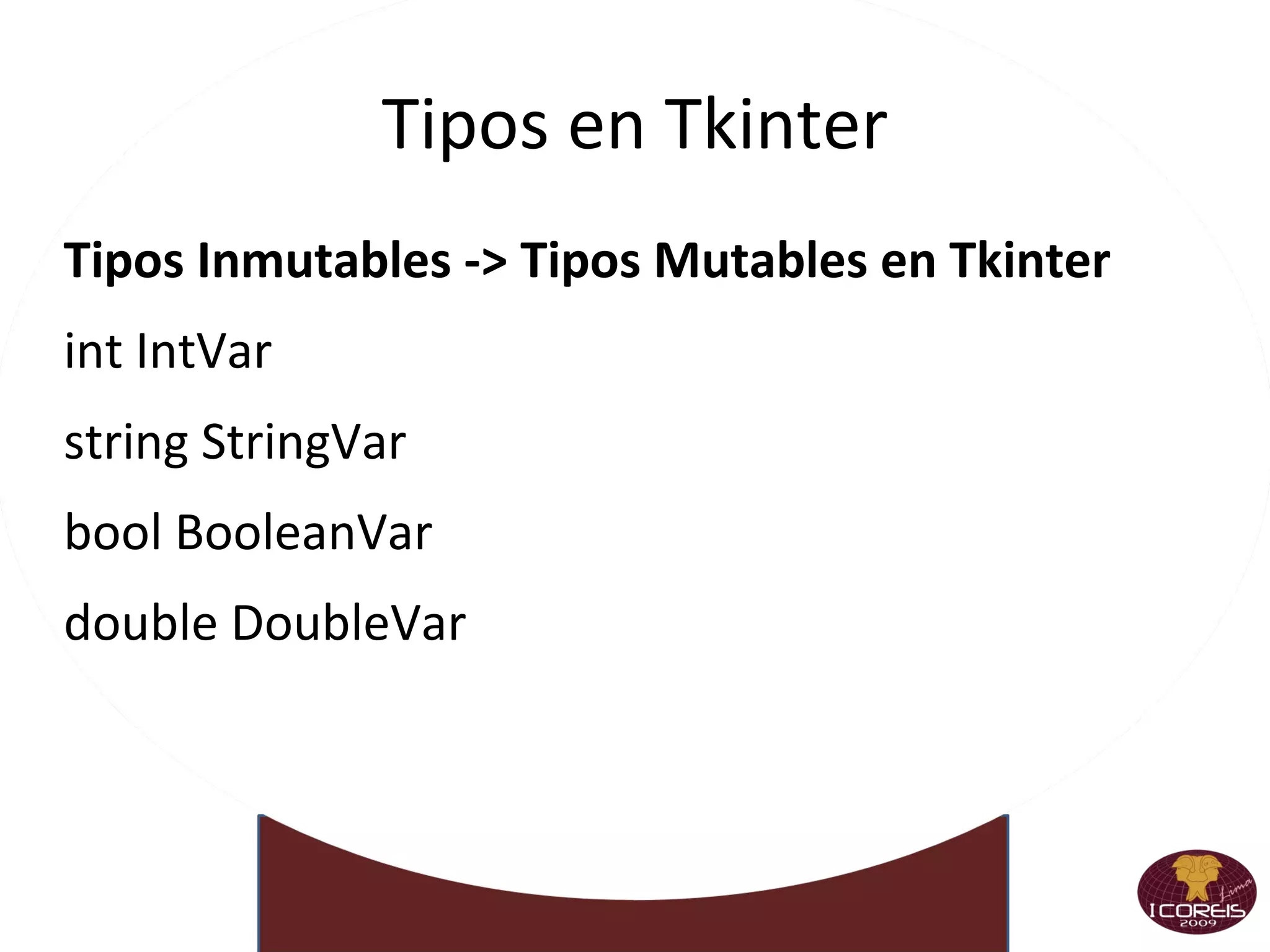
    Tipos en TkinterTipos Inmutables -> Tipos Mutables en Tkinter int IntVar
  • 148.
  • 149.
  • 150.
  • 151.
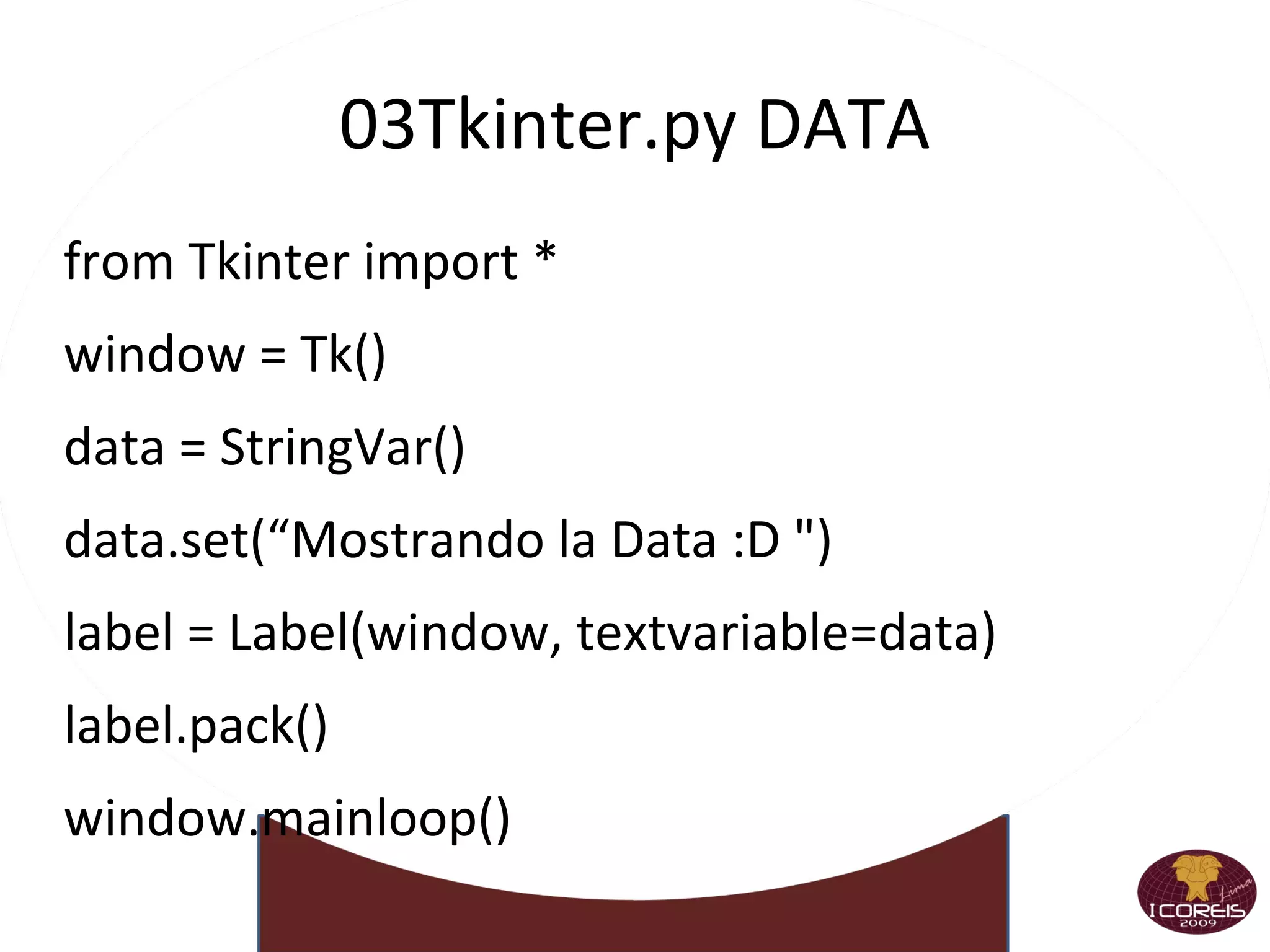
    03Tkinter.py DATA fromTkinter import * window = Tk() data = StringVar() data.set(“Mostrando la Data :D &quot;) label = Label(window, textvariable=data) label.pack() window.mainloop()
  • 152.
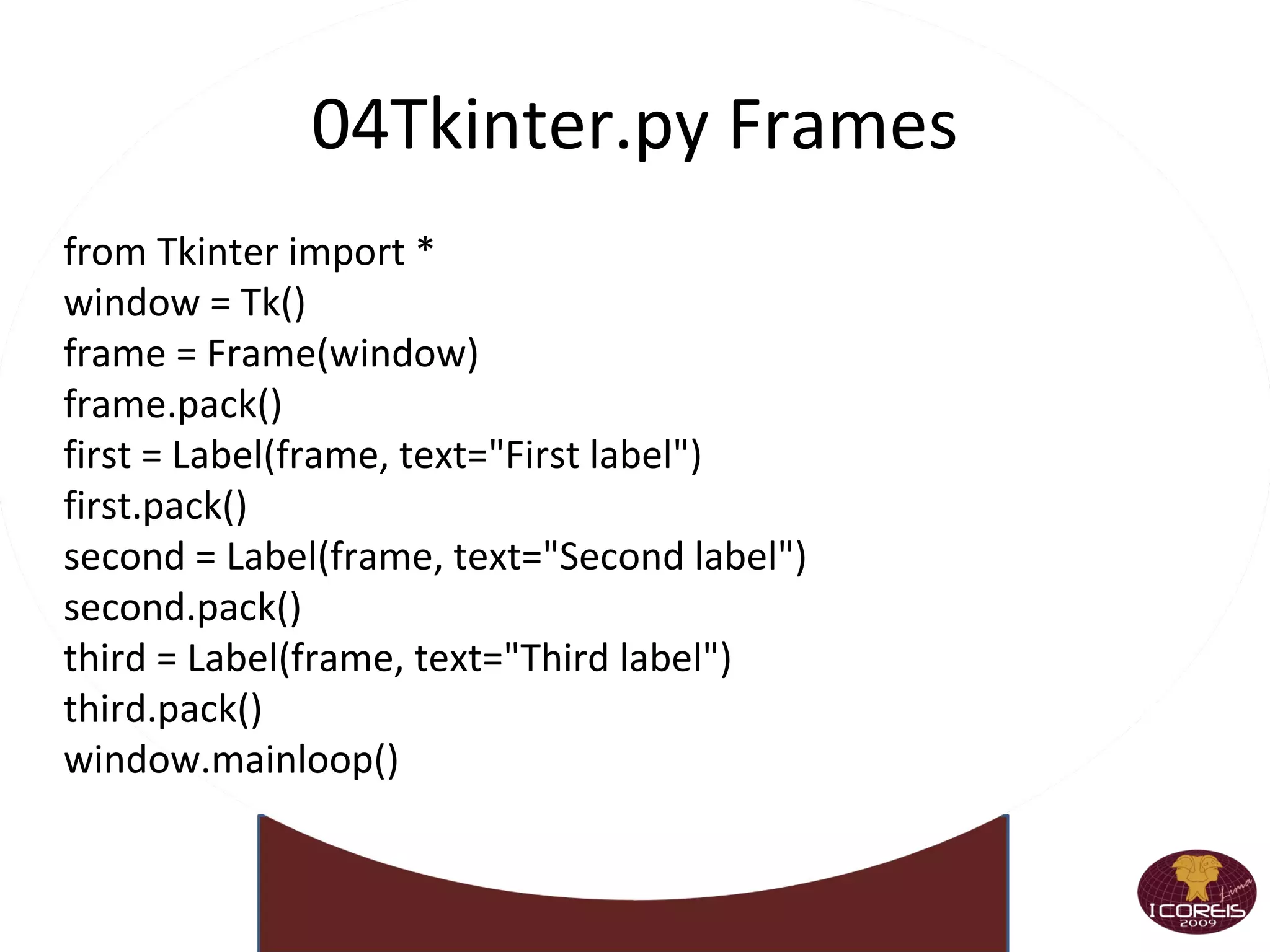
    04Tkinter.py Frames fromTkinter import * window = Tk() frame = Frame(window) frame.pack() first = Label(frame, text=&quot;First label&quot;) first.pack() second = Label(frame, text=&quot;Second label&quot;) second.pack() third = Label(frame, text=&quot;Third label&quot;) third.pack() window.mainloop()
  • 153.
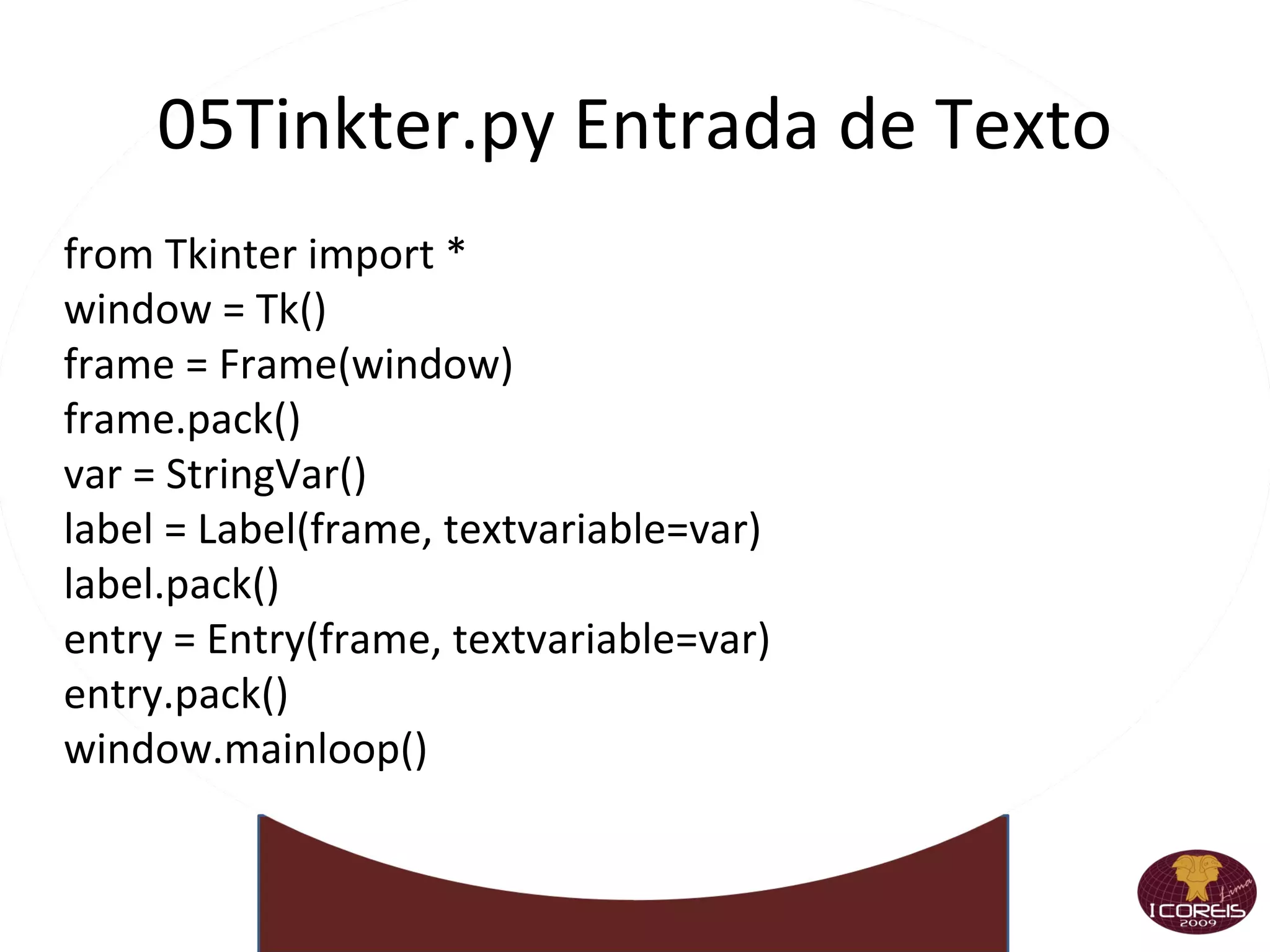
    05Tinkter.py Entrada deTexto from Tkinter import * window = Tk() frame = Frame(window) frame.pack() var = StringVar() label = Label(frame, textvariable=var) label.pack() entry = Entry(frame, textvariable=var) entry.pack() window.mainloop()
  • 154.
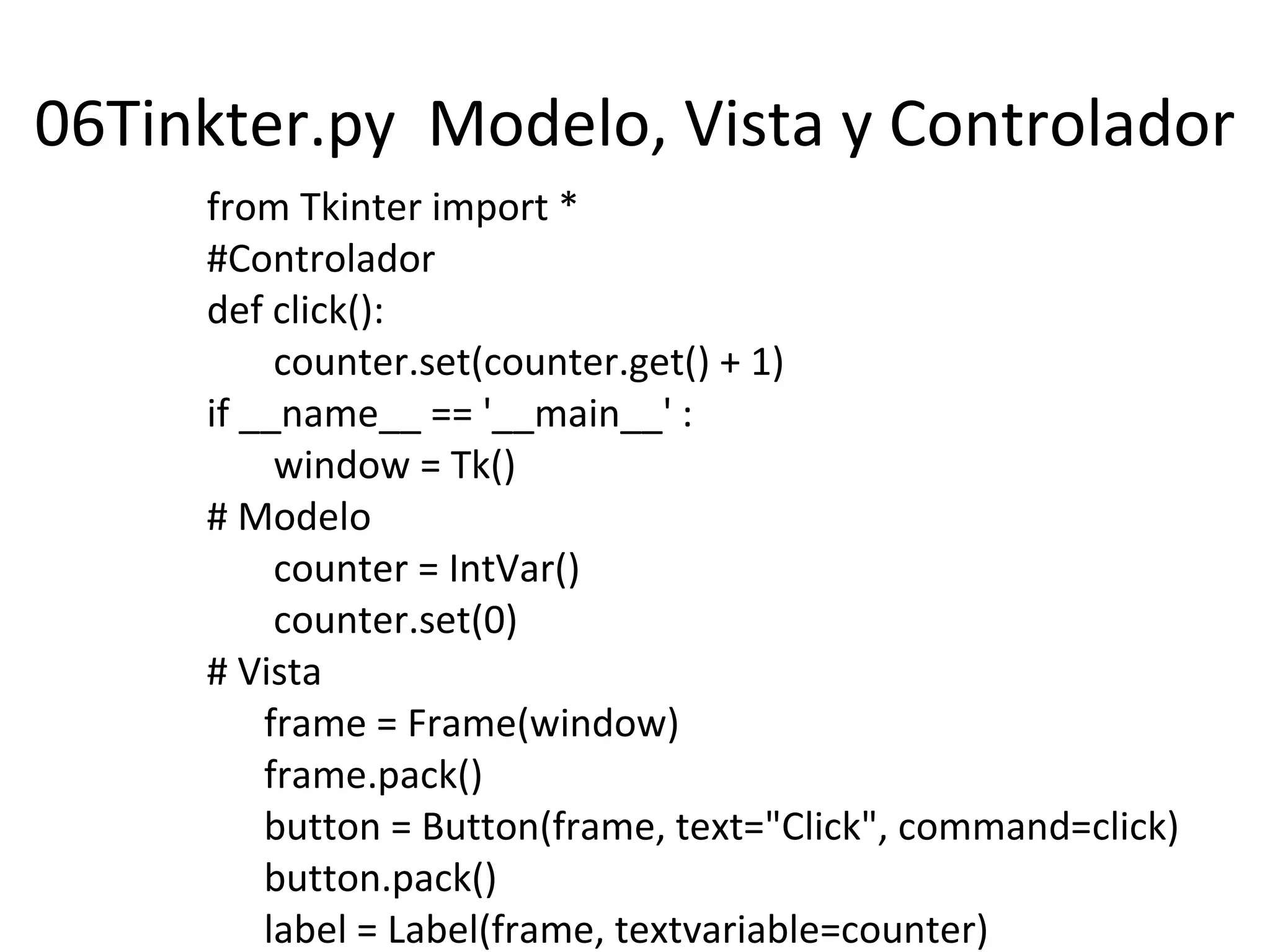
    06Tinkter.py Modelo,Vista y Controlador from Tkinter import * #Controlador def click(): counter.set(counter.get() + 1) if __name__ == '__main__' : window = Tk() # Modelo counter = IntVar() counter.set(0) # Vista frame = Frame(window) frame.pack() button = Button(frame, text=&quot;Click&quot;, command=click) button.pack() label = Label(frame, textvariable=counter) label.pack() window.mainloop()
  • 155.
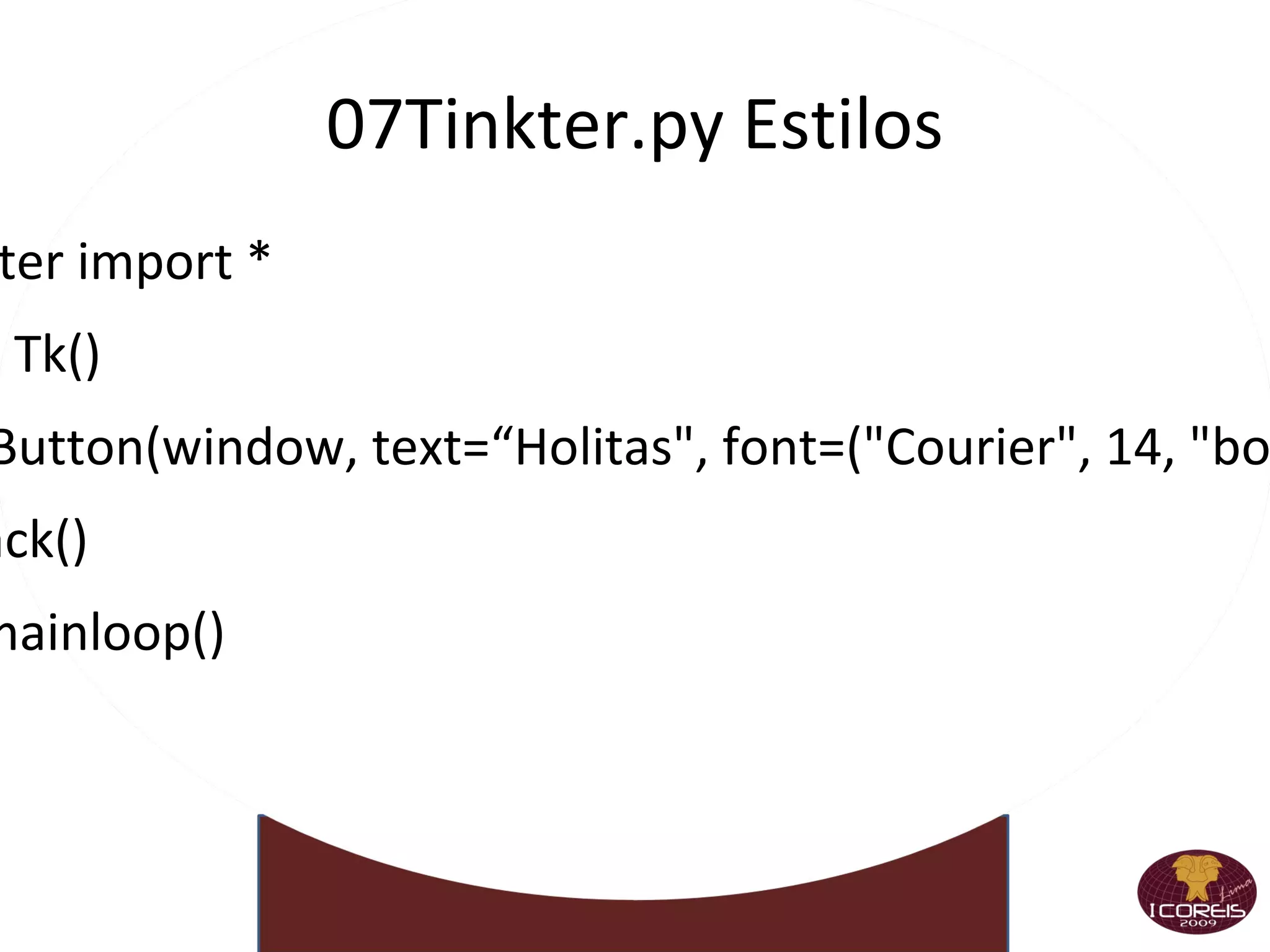
    07Tinkter.py Estilos fromTkinter import * window = Tk() button = Button(window, text=“Holitas&quot;, font=(&quot;Courier&quot;, 14, &quot;bold italic&quot;)) button.pack() window.mainloop()
  • 156.
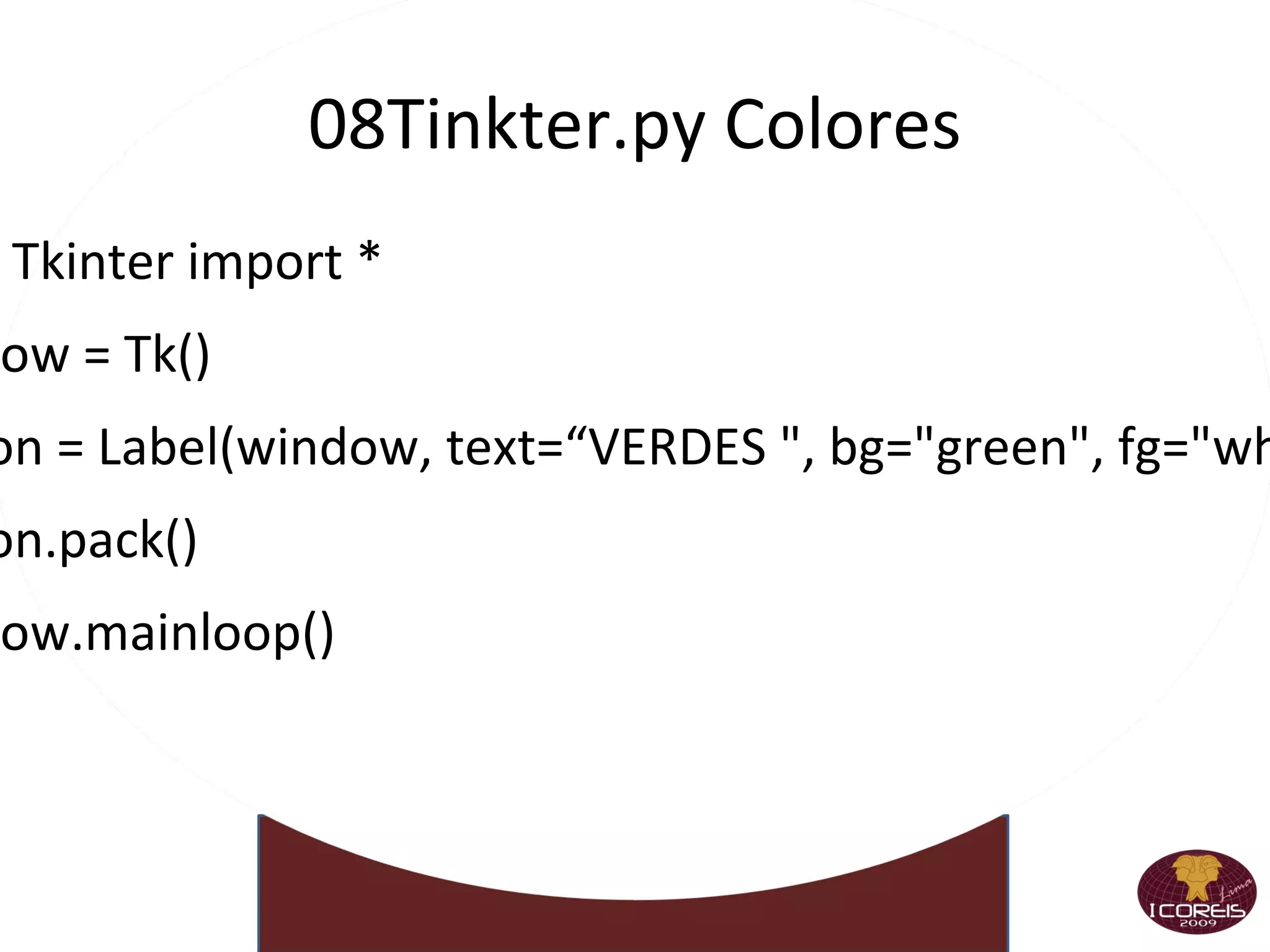
    08Tinkter.py Colores fromTkinter import *
  • 157.
  • 158.
    button = Label(window,text=“VERDES &quot;, bg=&quot;green&quot;, fg=&quot;white&quot;)
  • 159.
  • 160.
  • 161.
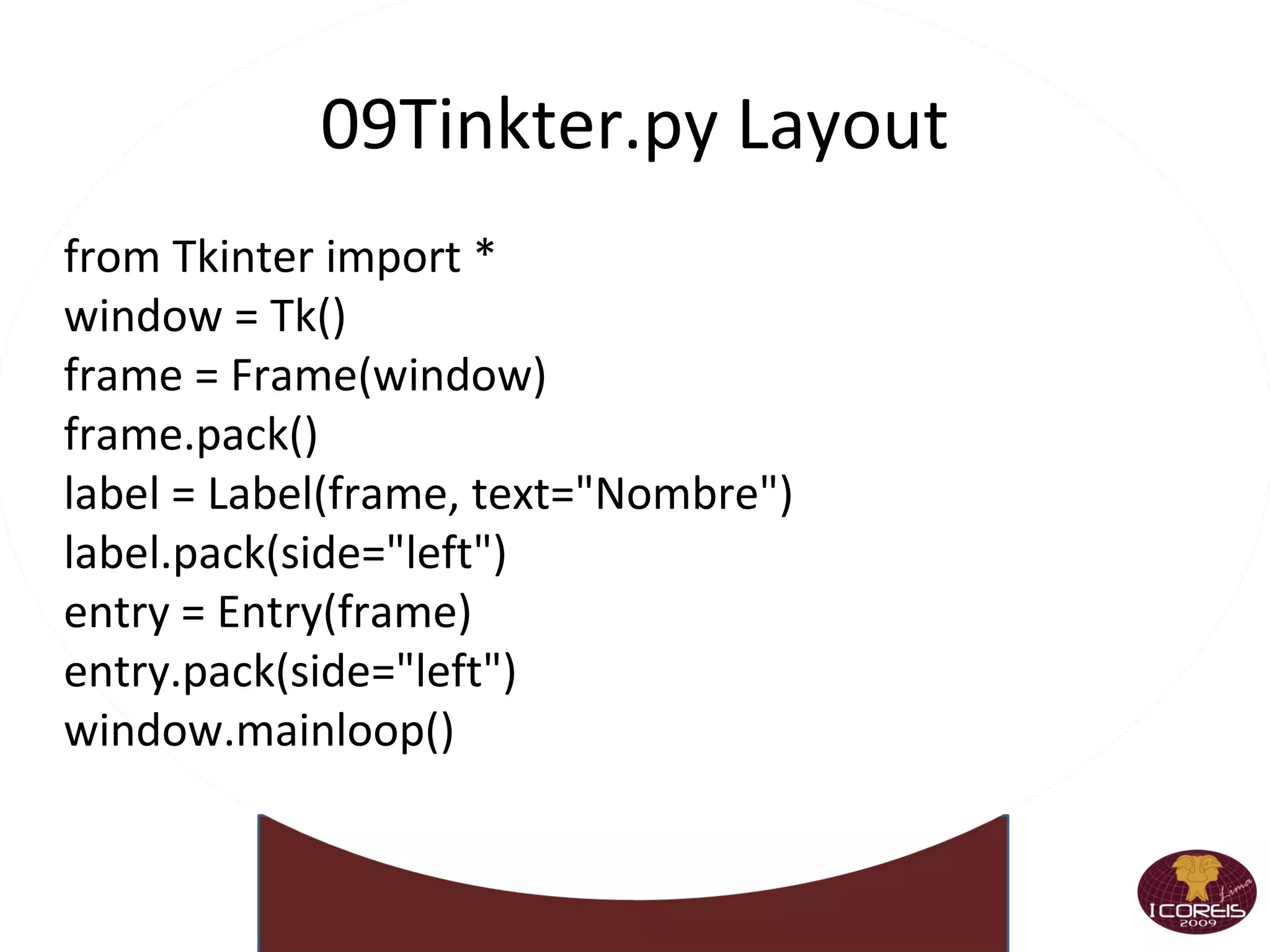
    09Tinkter.py L ayoutfrom Tkinter import * window = Tk() frame = Frame(window) frame.pack() label = Label(frame, text=&quot;Nombre&quot;) label.pack(side=&quot;left&quot;) entry = Entry(frame) entry.pack(side=&quot;left&quot;) window.mainloop()
  • 162.
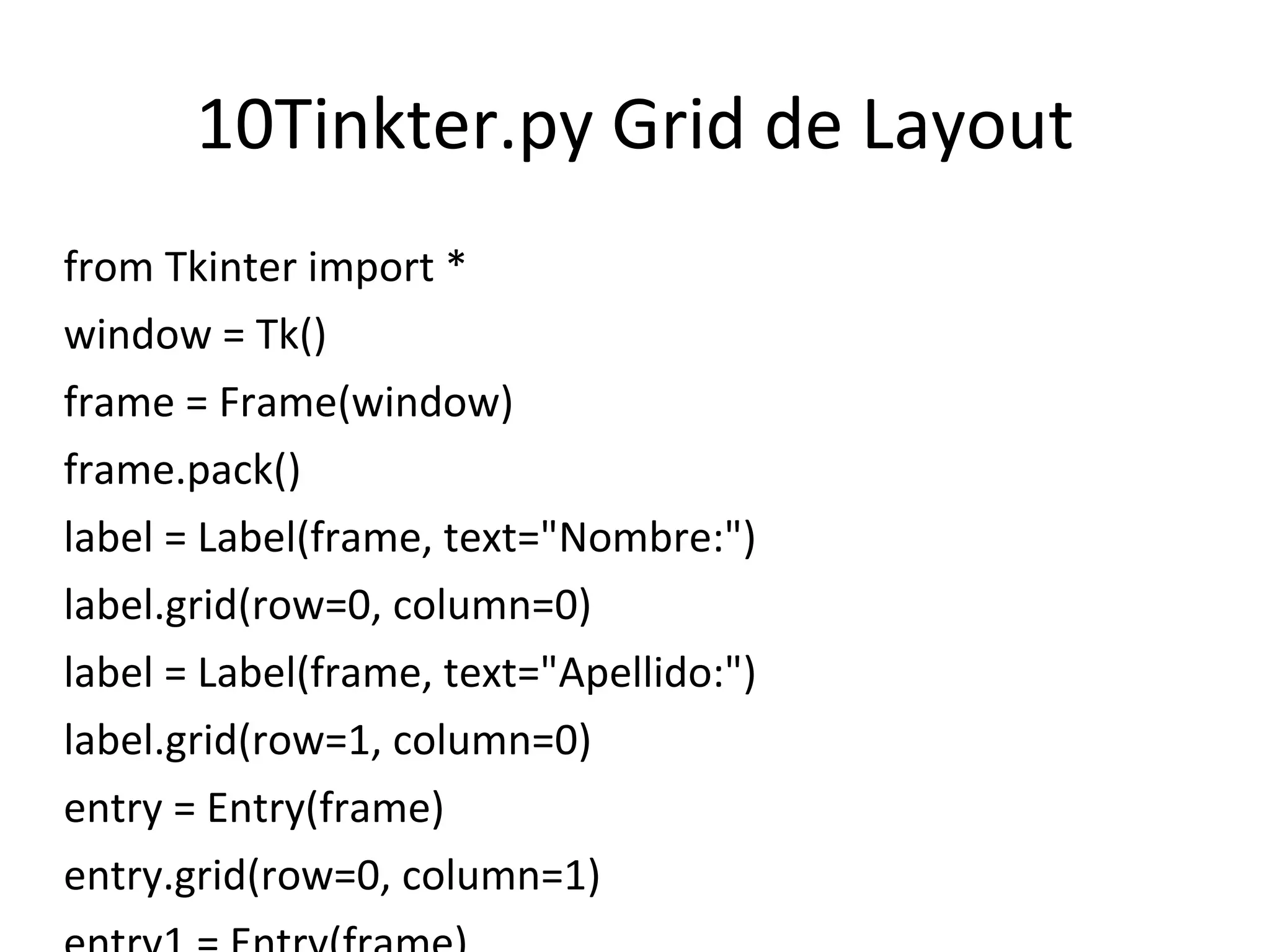
    10Tinkter.py Grid deLayout from Tkinter import * window = Tk() frame = Frame(window) frame.pack() label = Label(frame, text=&quot;Nombre:&quot;) label.grid(row=0, column=0) label = Label(frame, text=&quot;Apellido:&quot;) label.grid(row=1, column=0) entry = Entry(frame) entry.grid(row=0, column=1) entry1 = Entry(frame) entry1.grid(row=1, column=1) window.mainloop()
  • 163.
    Parametros del GridParameter Description
  • 164.
    row -> Fila,comienza en 0.
  • 165.
    column -> Columna,comienza en 0.
  • 166.
    rowspan -> Elnúmero de filas que ocupa, por defecto 1
  • 167.
    columnspan -> Elnúmero de columnas que ocupa por defecto es 0
  • 168.
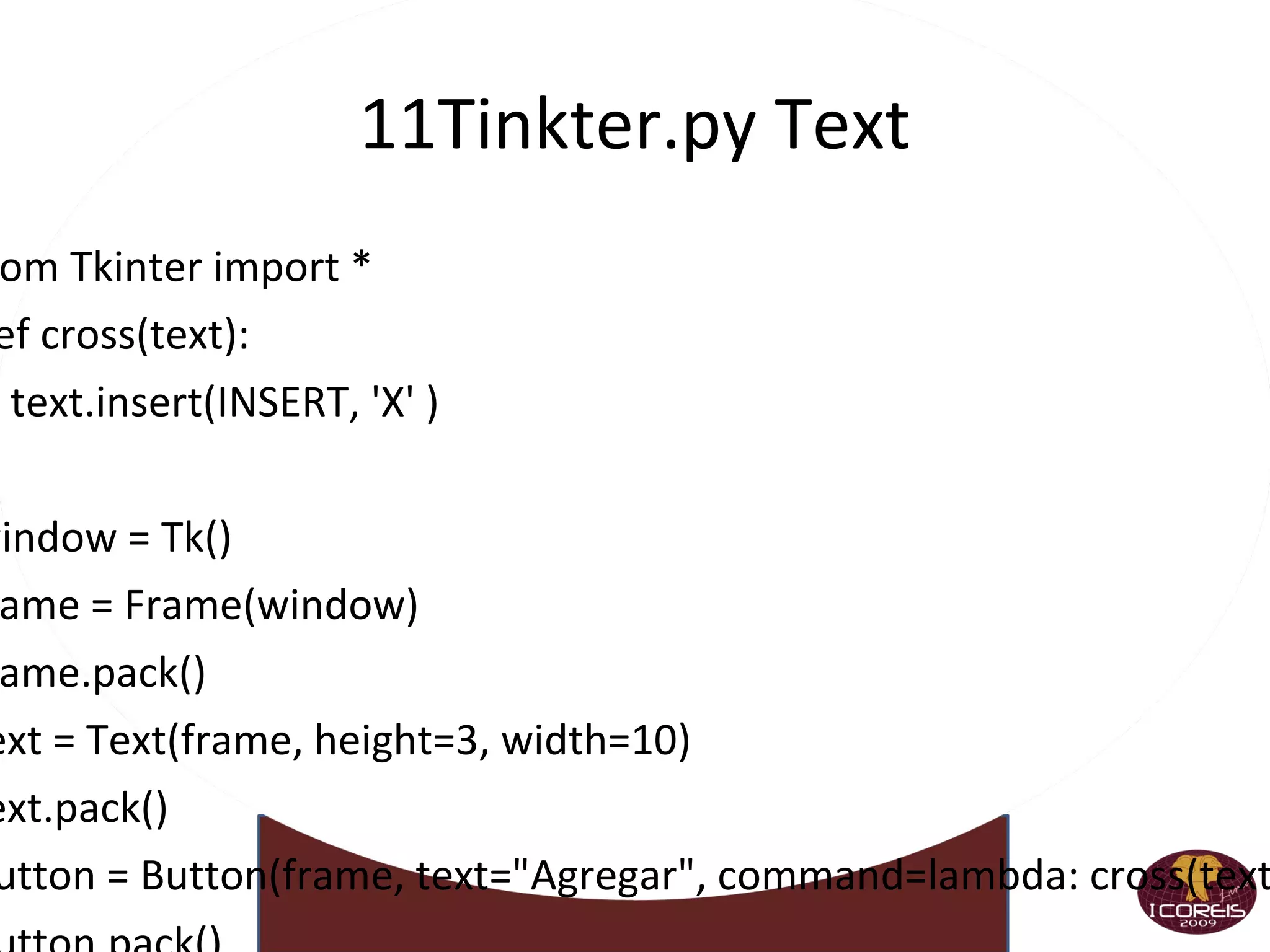
    11Tinkter.py Text fromTkinter import * def cross(text): text.insert(INSERT, 'X' ) window = Tk() frame = Frame(window) frame.pack() text = Text(frame, height=3, width=10) text.pack() button = Button(frame, text=&quot;Agregar&quot;, command=lambda: cross(text)) button.pack() window.mainloop()
  • 169.
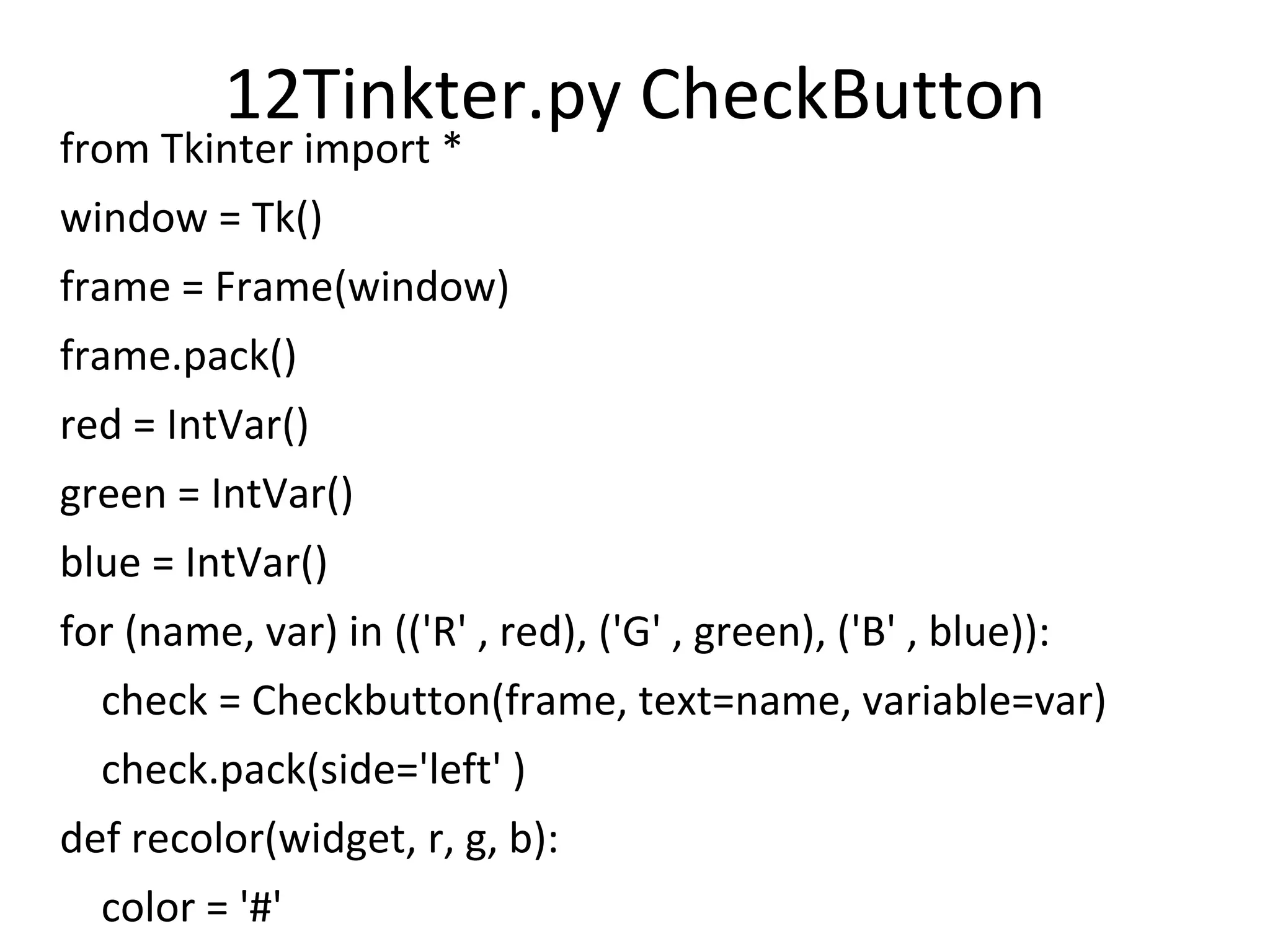
    12Tinkter.py CheckButton fromTkinter import * window = Tk() frame = Frame(window) frame.pack() red = IntVar() green = IntVar() blue = IntVar() for (name, var) in (('R' , red), ('G' , green), ('B' , blue)): check = Checkbutton(frame, text=name, variable=var) check.pack(side='left' ) def recolor(widget, r, g, b): color = '#' for var in (r, g, b): color += 'FF' if var.get() else '00' widget.config(bg=color) label = Label(frame, text='[ ]' ) button = Button(frame, text='Actualizar' , command=lambda: recolor(label, red, green, blue)) button.pack(side='left' ) label.pack(side='left' ) window.mainloop()
  • 170.
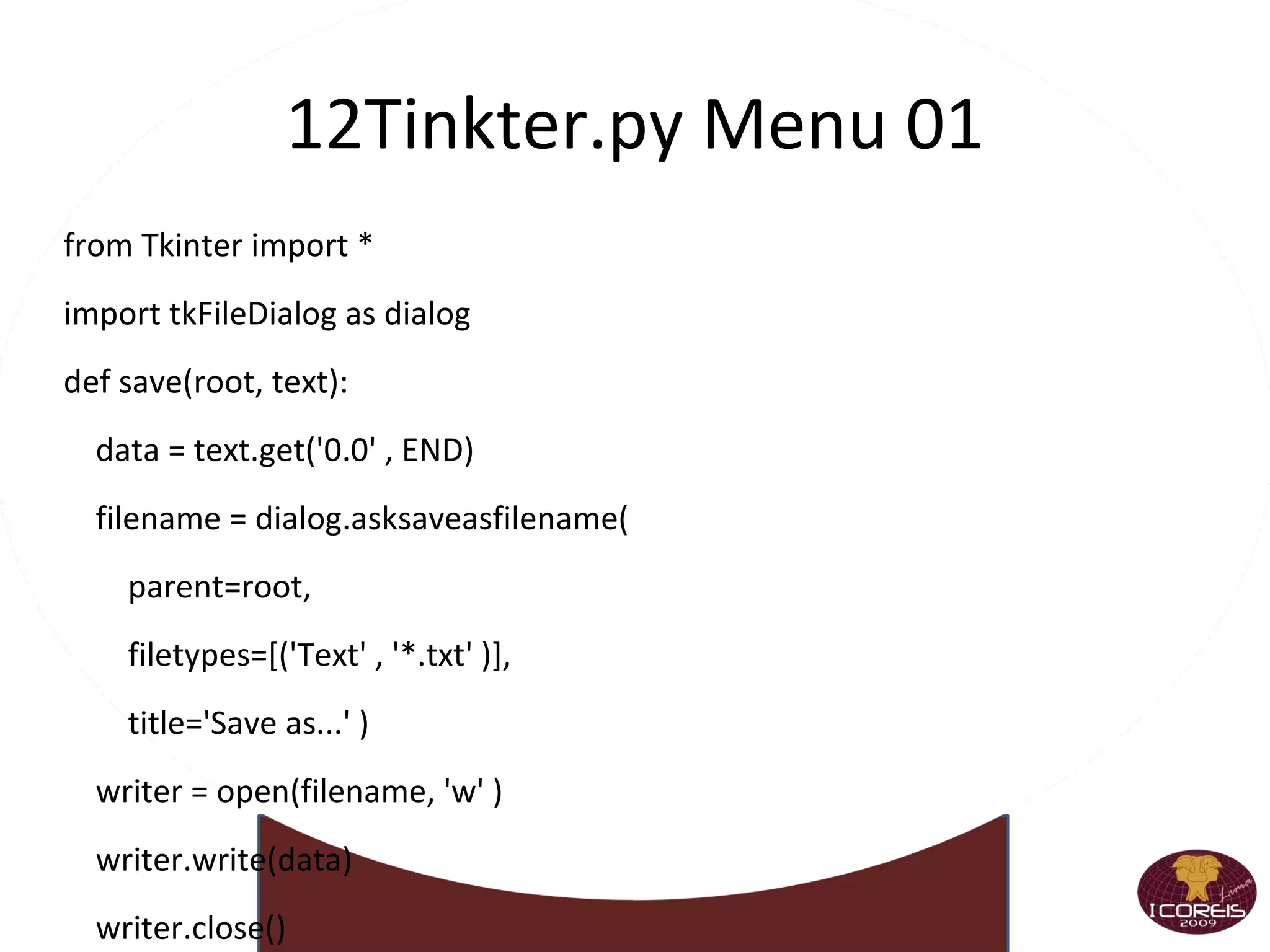
    12Tinkter.py Menu 01from Tkinter import * import tkFileDialog as dialog def save(root, text): data = text.get('0.0' , END) filename = dialog.asksaveasfilename( parent=root, filetypes=[('Text' , '*.txt' )], title='Save as...' ) writer = open(filename, 'w' ) writer.write(data) writer.close() def quit(root): root.destroy() window = Tk() text = Text(window) text.pack() menubar = Menu(window) filemenu = Menu(menubar) filemenu.add_command(label='Save' , command=lambda : save(window, text)) filemenu.add_command(label='Quit' , command=lambda : quit(window)) menubar.add_cascade(label = 'File' , menu=filemenu) window.config(menu=menubar) window.mainloop()
  • 171.
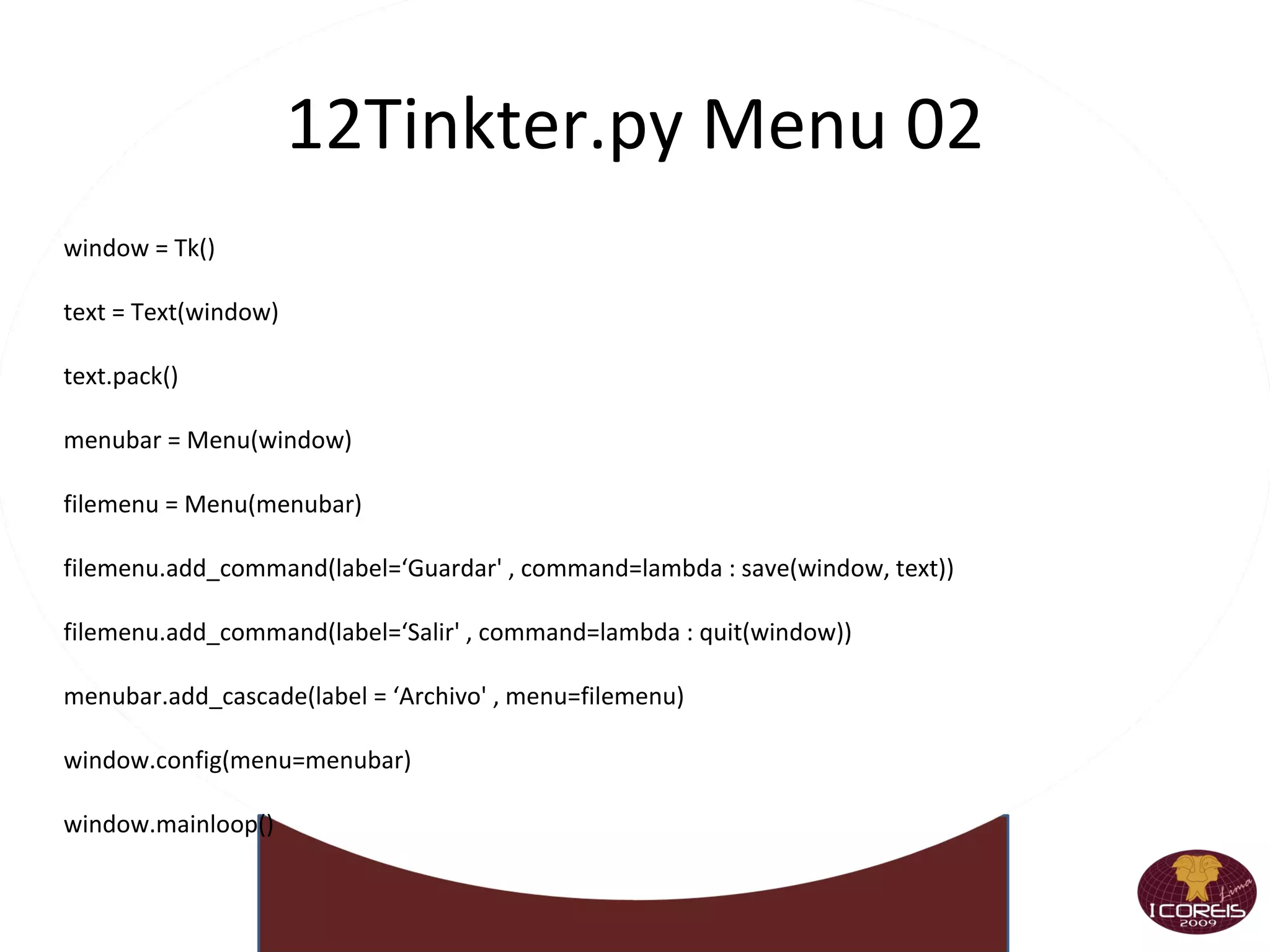
    12Tinkter.py Menu 02window = Tk() text = Text(window) text.pack() menubar = Menu(window) filemenu = Menu(menubar) filemenu.add_command(label=‘Guardar' , command=lambda : save(window, text)) filemenu.add_command(label=‘Salir' , command=lambda : quit(window)) menubar.add_cascade(label = ‘Archivo' , menu=filemenu) window.config(menu=menubar) window.mainloop()
  • 172.
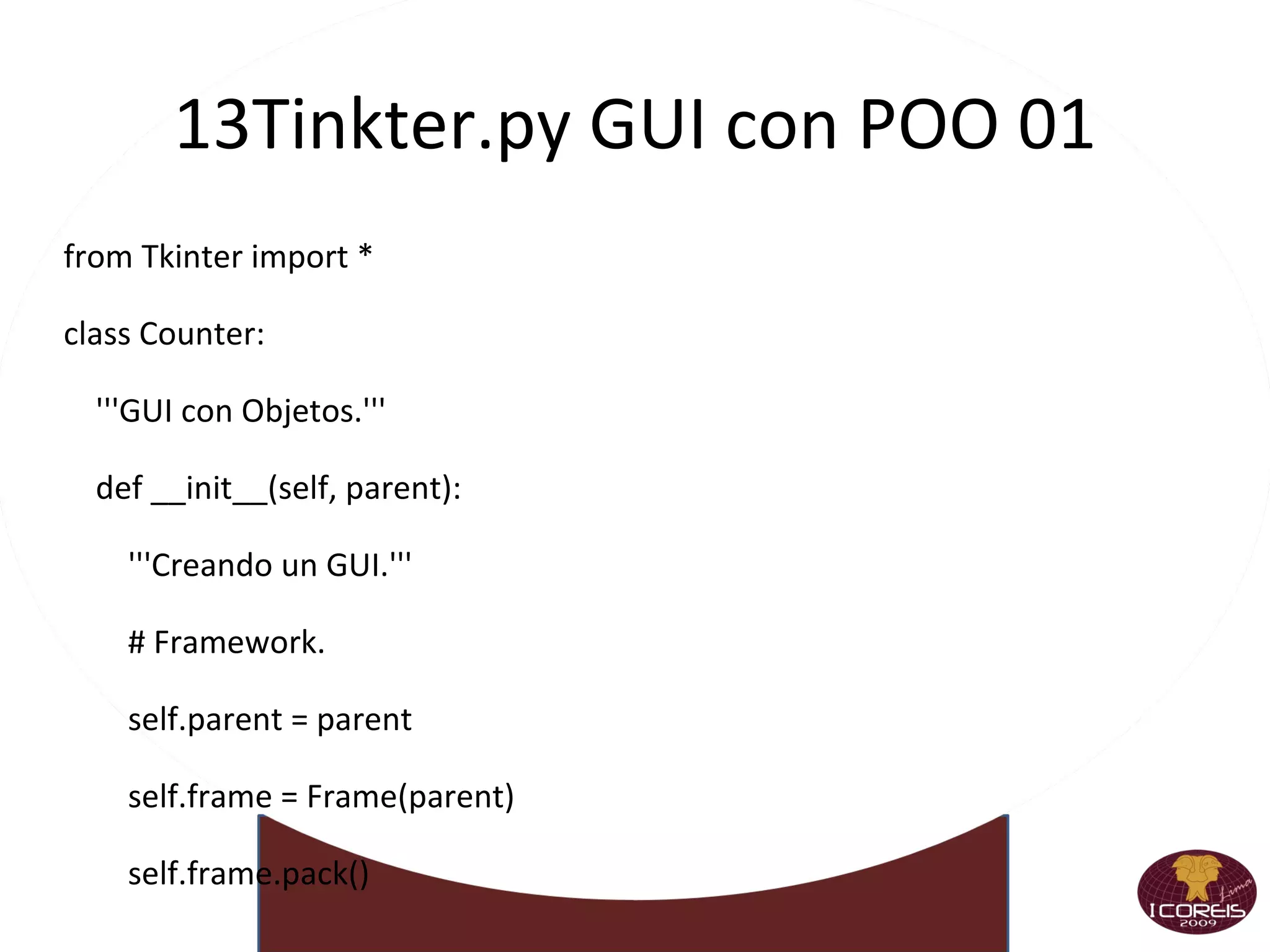
    13Tinkter.py GUI conPOO 01 from Tkinter import * class Counter: '''GUI con Objetos.''' def __init__(self, parent): '''Creando un GUI.''' # Framework. self.parent = parent self.frame = Frame(parent) self.frame.pack()
  • 173.
    13Tinkter.py GUI conPOO 02 # Modelo. self.state = IntVar() self.state.set(1) # Mostrando una Etiqueta que cambiará. self.label = Label(self.frame, textvariable=self.state) self.label.pack() # Botones de la Aplicación. self.up = Button(self.frame, text='mas' , command=self.upClick) self.up.pack(side='left' ) self.up = Button(self.frame, text='menos' , command=self.downClick) self.up.pack(side='left' ) self.right = Button(self.frame, text='Salir' , command=self.quitClick) self.right.pack(side='left' )
  • 174.
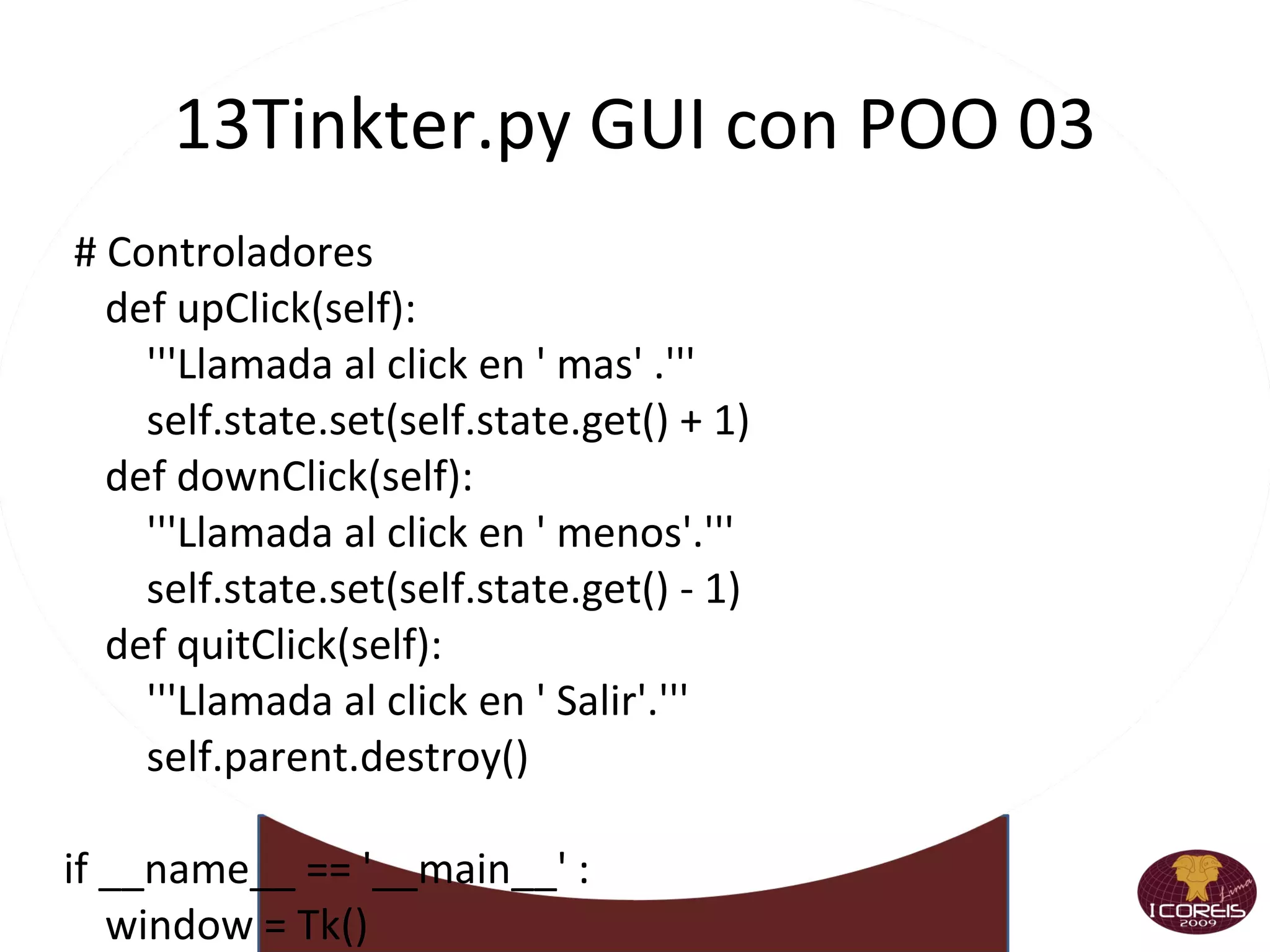
    13Tinkter.py GUI conPOO 03 # Controladores def upClick(self): '''Llamada al click en ' mas' .''' self.state.set(self.state.get() + 1) def downClick(self): '''Llamada al click en ' menos'.''' self.state.set(self.state.get() - 1) def quitClick(self): '''Llamada al click en ' Salir'.''' self.parent.destroy() if __name__ == '__main__' : window = Tk() myapp = Counter(window) window.mainloop()
  • 175.
  • 176.
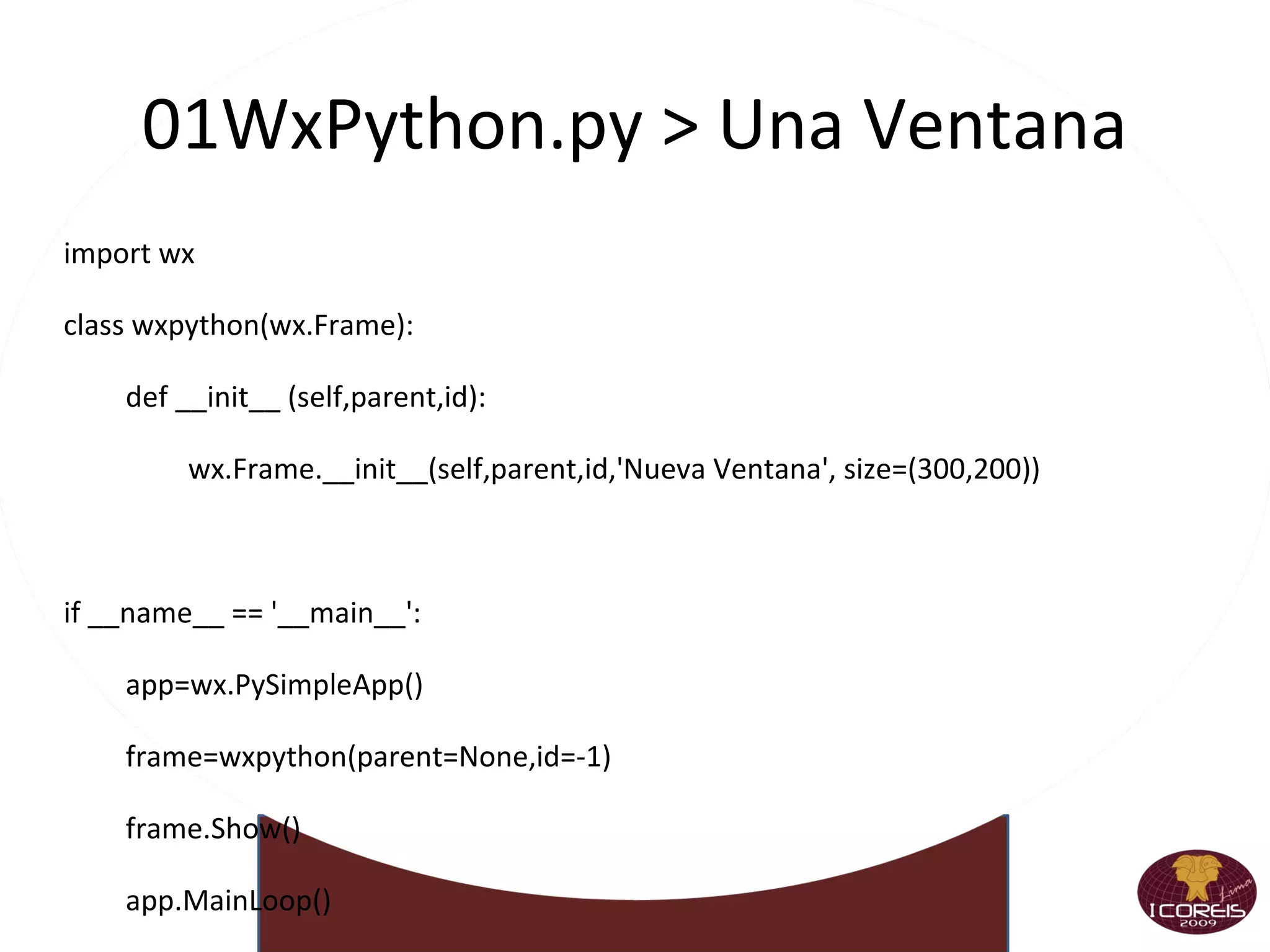
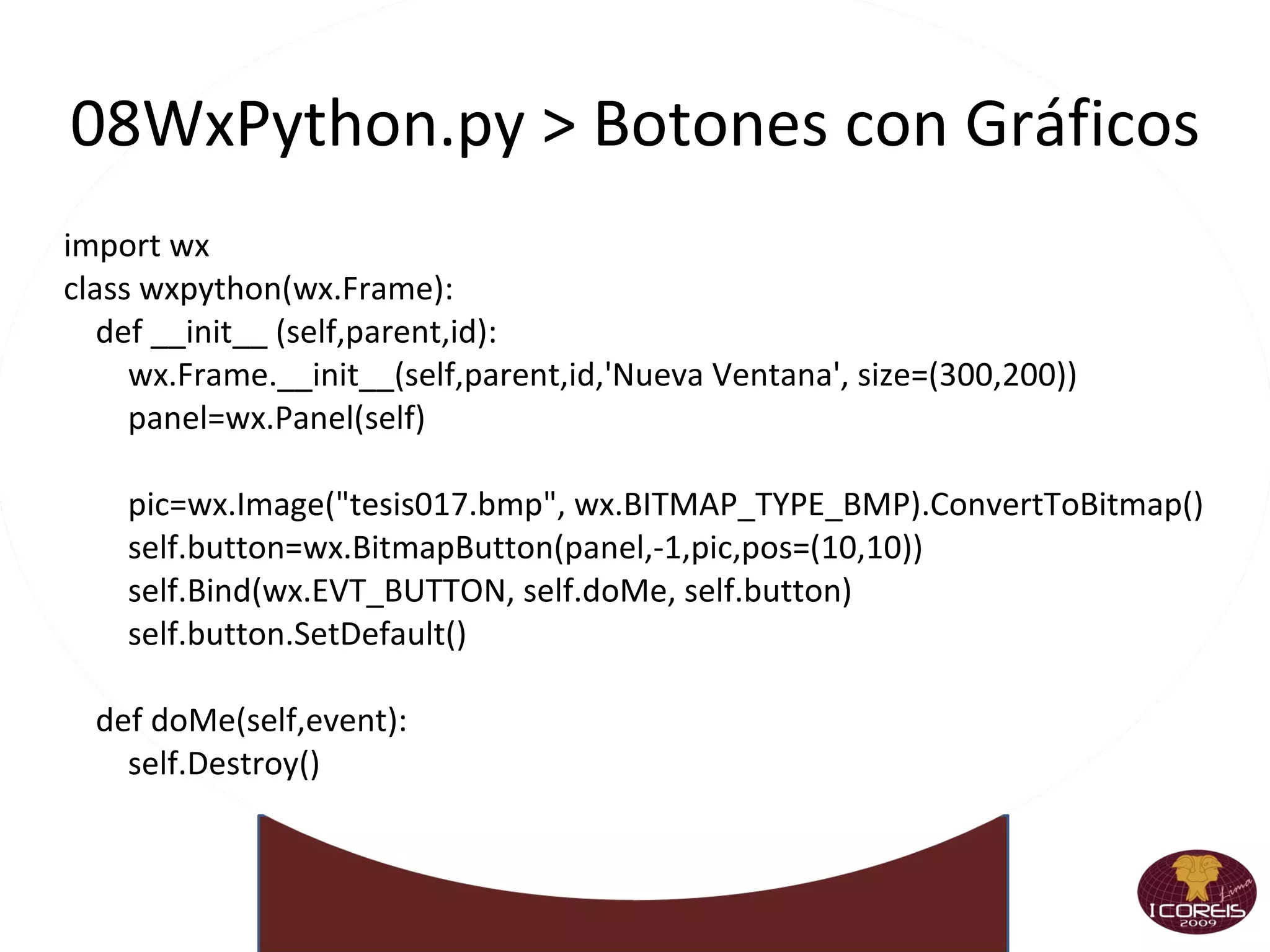
    01WxPython.py > UnaVentana import wx class wxpython(wx.Frame): def __init__ (self,parent,id): wx.Frame.__init__(self,parent,id,'Nueva Ventana', size=(300,200)) if __name__ == '__main__': app=wx.PySimpleApp() frame=wxpython(parent=None,id=-1) frame.Show() app.MainLoop()
  • 177.
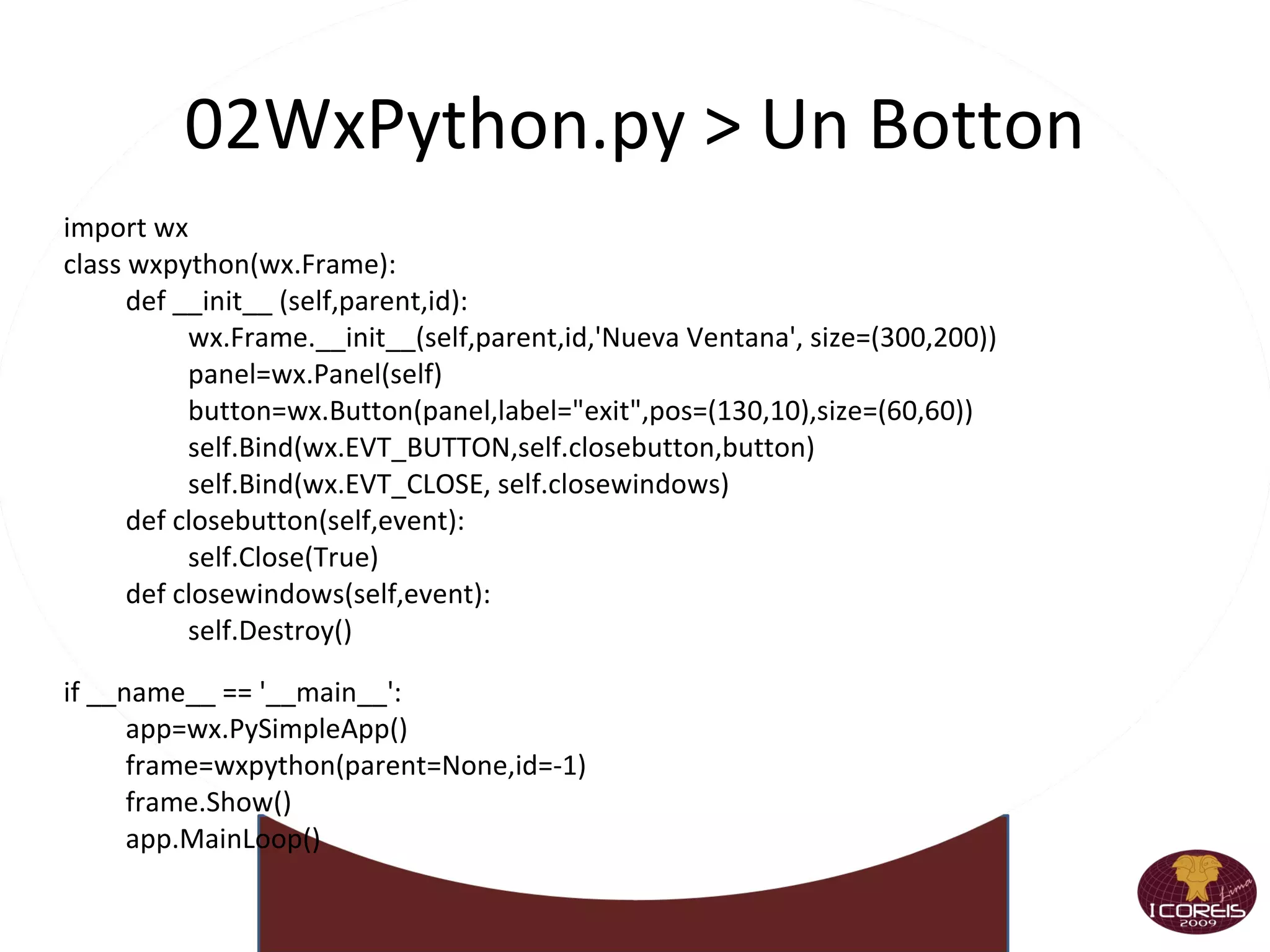
    02WxPython.py > UnBotton import wx class wxpython(wx.Frame): def __init__ (self,parent,id): wx.Frame.__init__(self,parent,id,'Nueva Ventana', size=(300,200)) panel=wx.Panel(self) button=wx.Button(panel,label=&quot;exit&quot;,pos=(130,10),size=(60,60)) self.Bind(wx.EVT_BUTTON,self.closebutton,button) self.Bind(wx.EVT_CLOSE, self.closewindows) def closebutton(self,event): self.Close(True) def closewindows(self,event): self.Destroy() if __name__ == '__main__': app=wx.PySimpleApp() frame=wxpython(parent=None,id=-1) frame.Show() app.MainLoop()
  • 178.
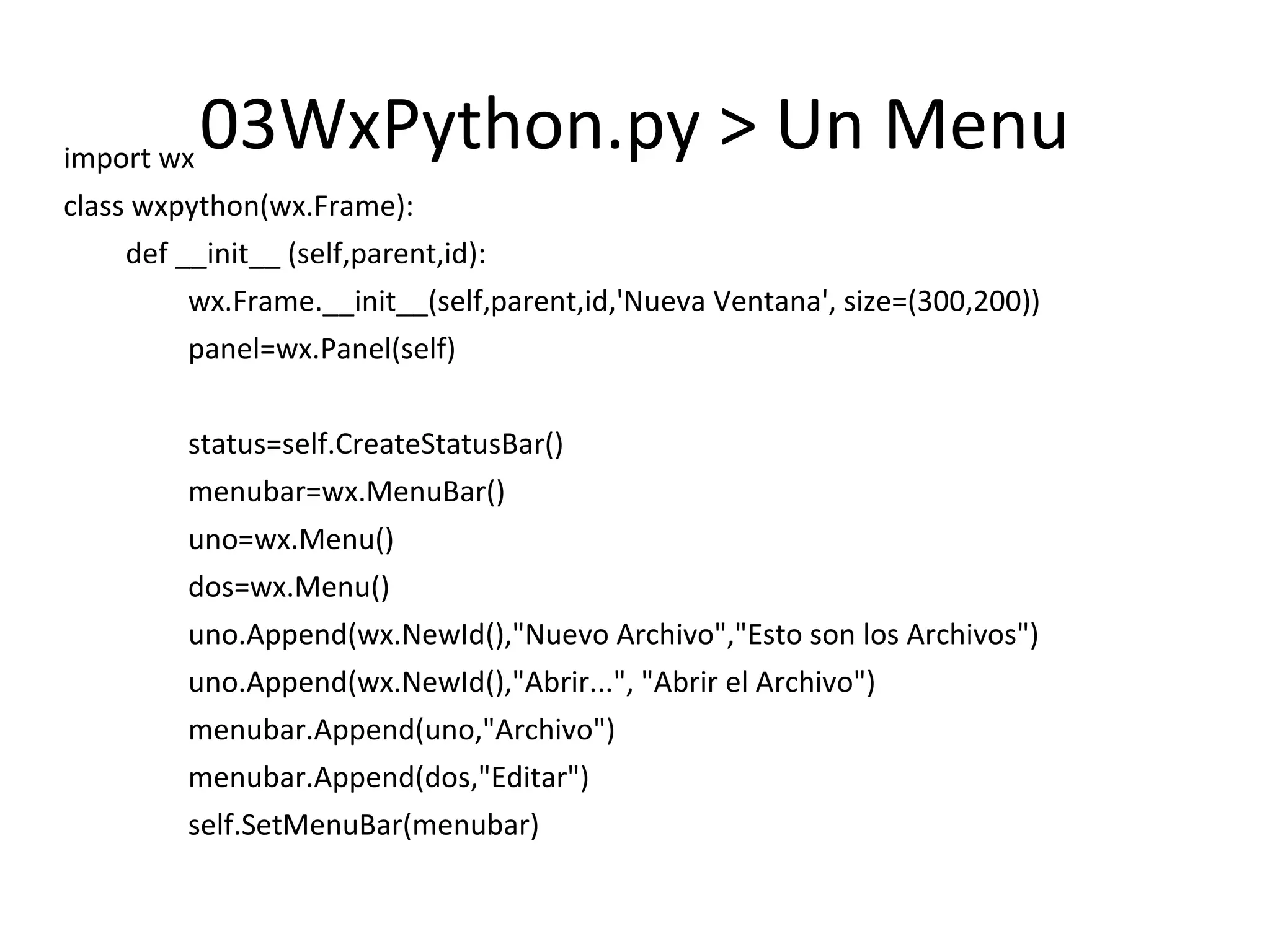
    03WxPython.py > UnMenu import wx class wxpython(wx.Frame): def __init__ (self,parent,id): wx.Frame.__init__(self,parent,id,'Nueva Ventana', size=(300,200)) panel=wx.Panel(self) status=self.CreateStatusBar() menubar=wx.MenuBar() uno=wx.Menu() dos=wx.Menu() uno.Append(wx.NewId(),&quot;Nuevo Archivo&quot;,&quot;Esto son los Archivos&quot;) uno.Append(wx.NewId(),&quot;Abrir...&quot;, &quot;Abrir el Archivo&quot;) menubar.Append(uno,&quot;Archivo&quot;) menubar.Append(dos,&quot;Editar&quot;) self.SetMenuBar(menubar)
  • 179.
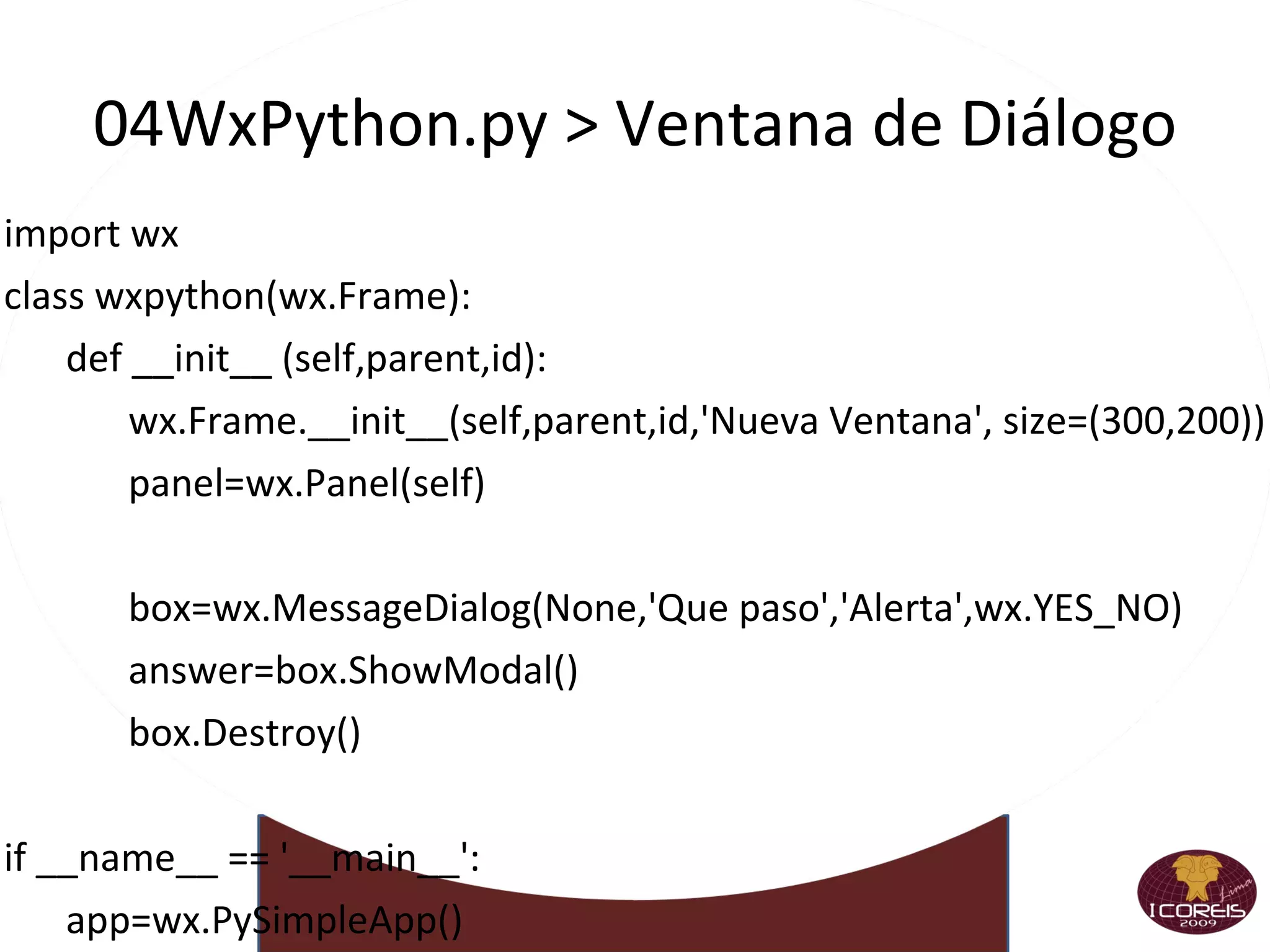
    04WxPython.py > Ventanade Diálogo import wx class wxpython(wx.Frame): def __init__ (self,parent,id): wx.Frame.__init__(self,parent,id,'Nueva Ventana', size=(300,200)) panel=wx.Panel(self) box=wx.MessageDialog(None,'Que paso','Alerta',wx.YES_NO) answer=box.ShowModal() box.Destroy() if __name__ == '__main__': app=wx.PySimpleApp() frame=wxpython(parent=None,id=-1) frame.Show() app.MainLoop()
  • 180.
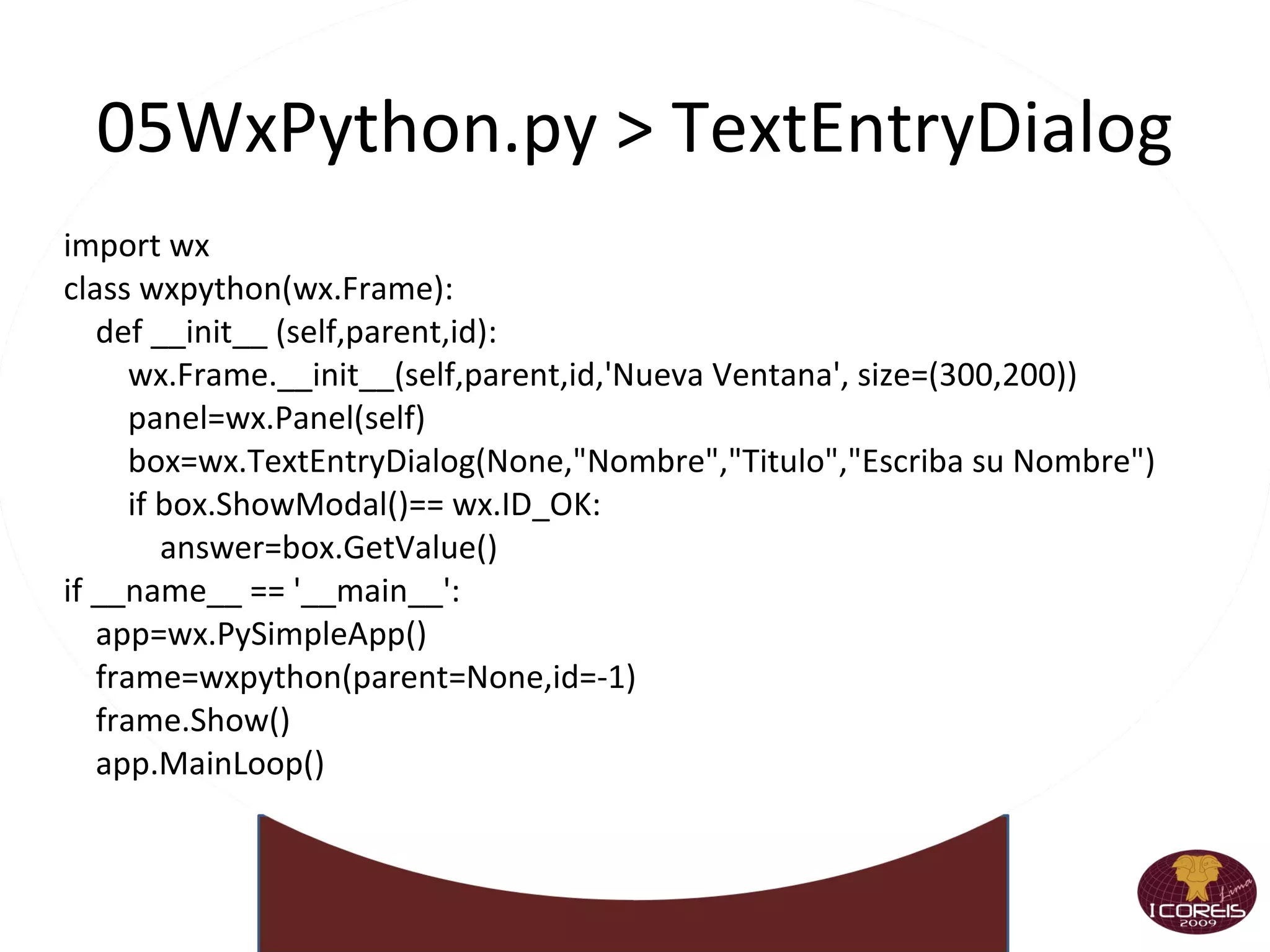
    05WxPython.py > TextEntryDialogimport wx class wxpython(wx.Frame): def __init__ (self,parent,id): wx.Frame.__init__(self,parent,id,'Nueva Ventana', size=(300,200)) panel=wx.Panel(self) box=wx.TextEntryDialog(None,&quot;Nombre&quot;,&quot;Titulo&quot;,&quot;Escriba su Nombre&quot;) if box.ShowModal()== wx.ID_OK: answer=box.GetValue() if __name__ == '__main__': app=wx.PySimpleApp() frame=wxpython(parent=None,id=-1) frame.Show() app.MainLoop()
  • 181.
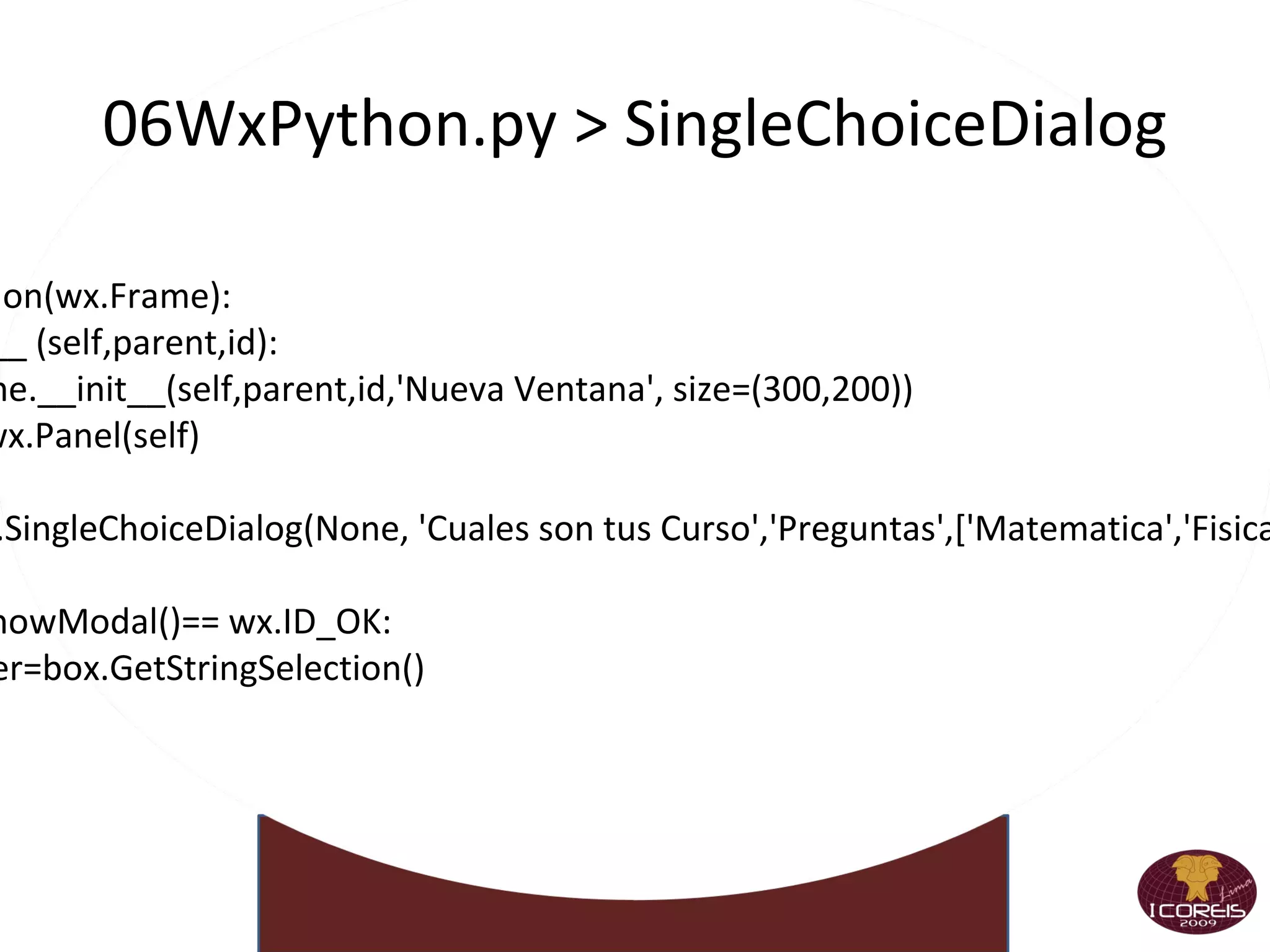
    06WxPython.py > SingleChoiceDialog import wx class wxpython(wx.Frame): def __init__ (self,parent,id): wx.Frame.__init__(self,parent,id,'Nueva Ventana', size=(300,200)) panel=wx.Panel(self) box=wx.SingleChoiceDialog(None, 'Cuales son tus Curso','Preguntas',['Matematica','Fisica','Quimica']) if box.ShowModal()== wx.ID_OK: answer=box.GetStringSelection()
  • 182.
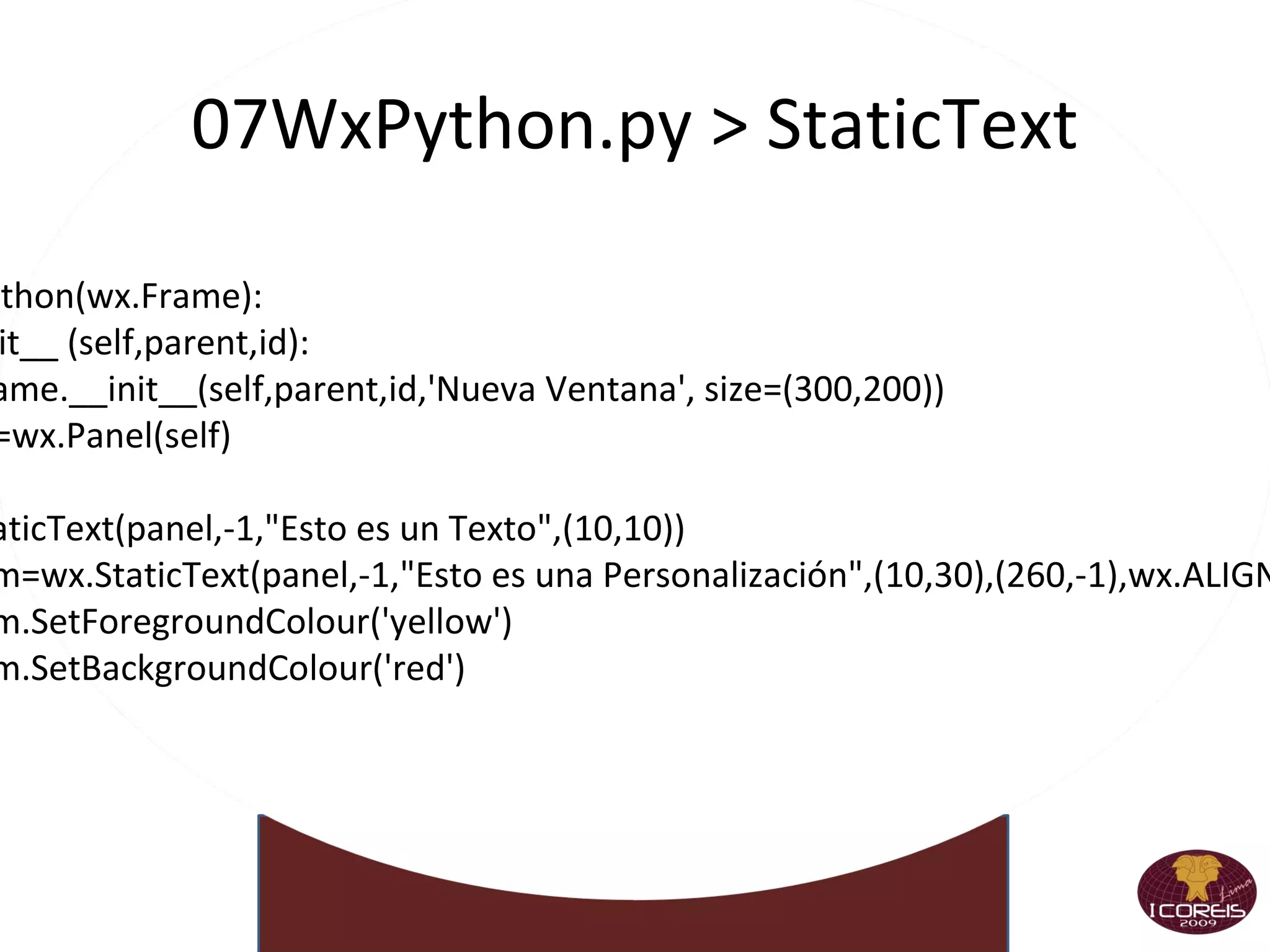
    07WxPython.py > StaticText import wx class wxpython(wx.Frame): def __init__ (self,parent,id): wx.Frame.__init__(self,parent,id,'Nueva Ventana', size=(300,200)) panel=wx.Panel(self) wx.StaticText(panel,-1,&quot;Esto es un Texto&quot;,(10,10)) custom=wx.StaticText(panel,-1,&quot;Esto es una Personalización&quot;,(10,30),(260,-1),wx.ALIGN_CENTER) custom.SetForegroundColour('yellow') custom.SetBackgroundColour('red')
  • 183.
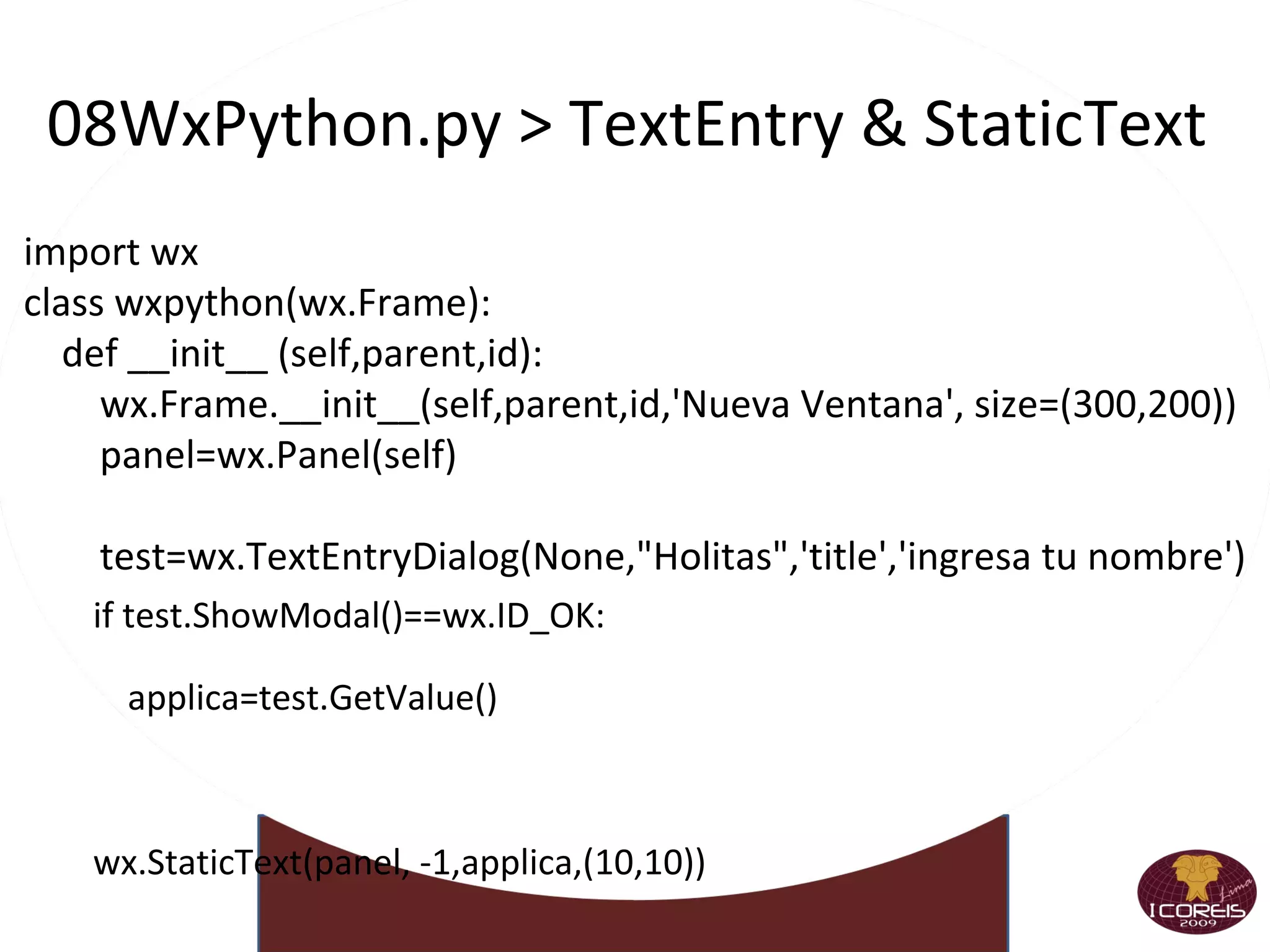
    08WxPython.py > TextEntry& StaticText import wx class wxpython(wx.Frame): def __init__ (self,parent,id): wx.Frame.__init__(self,parent,id,'Nueva Ventana', size=(300,200)) panel=wx.Panel(self) test=wx.TextEntryDialog(None,&quot;Holitas&quot;,'title','ingresa tu nombre') if test.ShowModal()==wx.ID_OK: applica=test.GetValue() wx.StaticText(panel, -1,applica,(10,10))
  • 184.
    08WxPython.py > Botonescon Gráficos import wx class wxpython(wx.Frame): def __init__ (self,parent,id): wx.Frame.__init__(self,parent,id,'Nueva Ventana', size=(300,200)) panel=wx.Panel(self) pic=wx.Image(&quot;tesis017.bmp&quot;, wx.BITMAP_TYPE_BMP).ConvertToBitmap() self.button=wx.BitmapButton(panel,-1,pic,pos=(10,10)) self.Bind(wx.EVT_BUTTON, self.doMe, self.button) self.button.SetDefault() def doMe(self,event): self.Destroy()
  • 185.
  • 186.
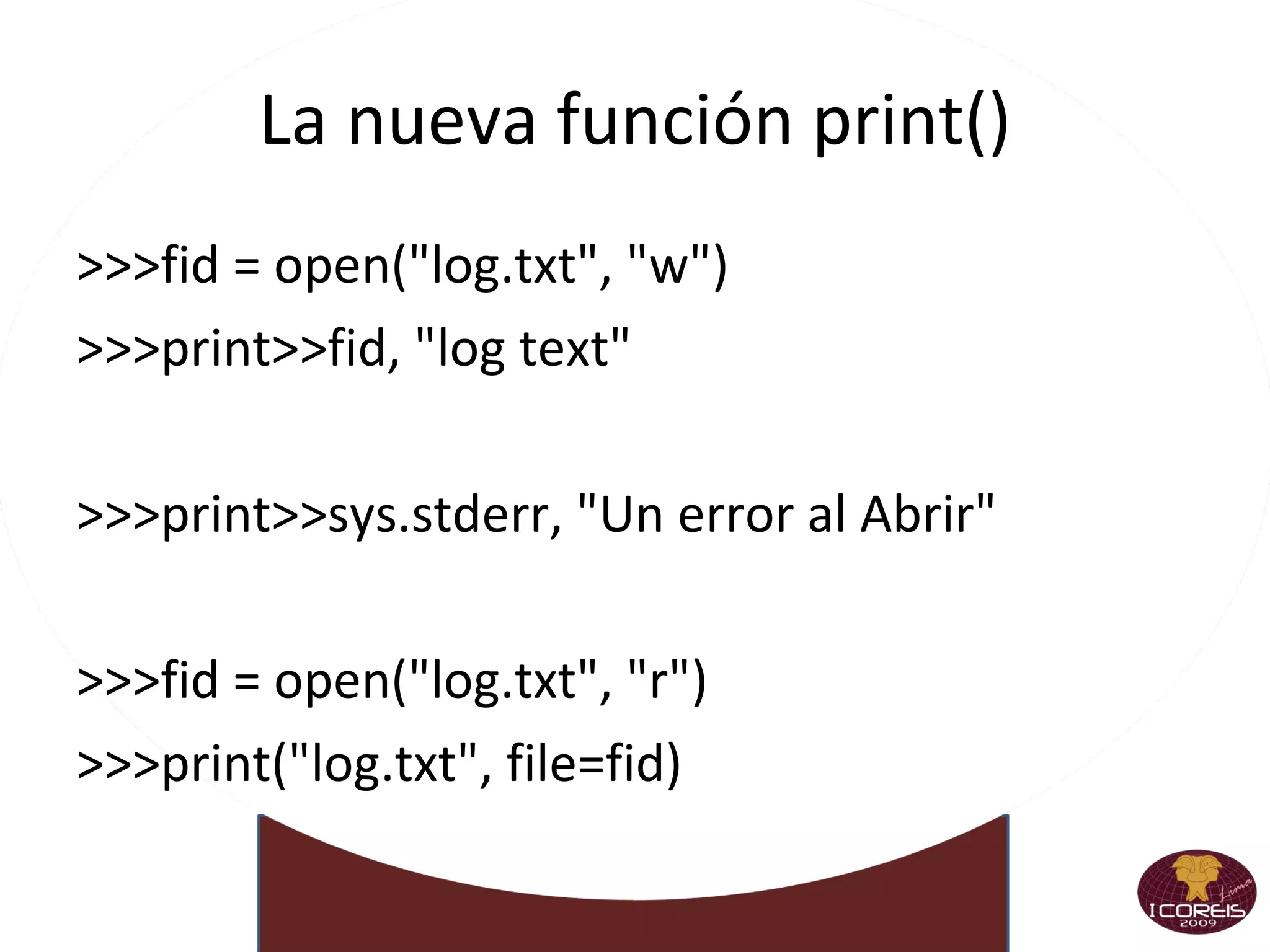
    La nueva funciónprint() >>>fid = open(&quot;log.txt&quot;, &quot;w&quot;) >>>print>>fid, &quot;log text&quot; >>>print>>sys.stderr, &quot;Un error al Abrir&quot; >>>fid = open(&quot;log.txt&quot;, &quot;r&quot;) >>>print(&quot;log.txt&quot;, file=fid) >>>print(&quot;Foo&quot;, &quot;Bar&quot;, sep=&quot;%&quot;) >>>Foo%Bar
  • 187.
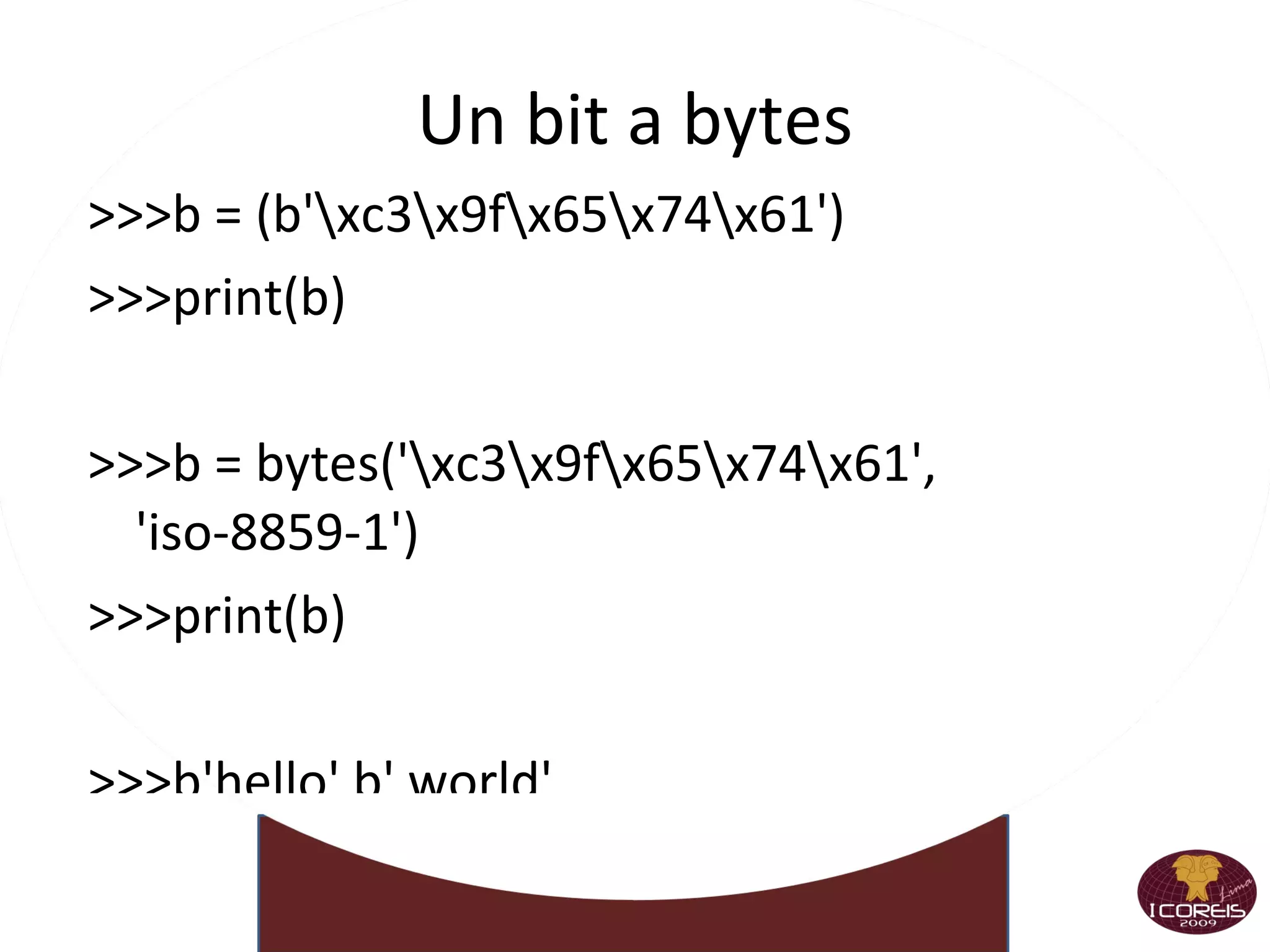
    Un bit abytes >>>b = (b'\xc3\x9f\x65\x74\x61') >>>print(b) >>>b = bytes('\xc3\x9f\x65\x74\x61', 'iso-8859-1') >>>print(b) >>>b'hello' b' world' >>>b'\xc3\x9f\x65\x74\x61'.decode() >>>data = open('dat.txt', 'rb').read() >>>print(data)
  • 188.
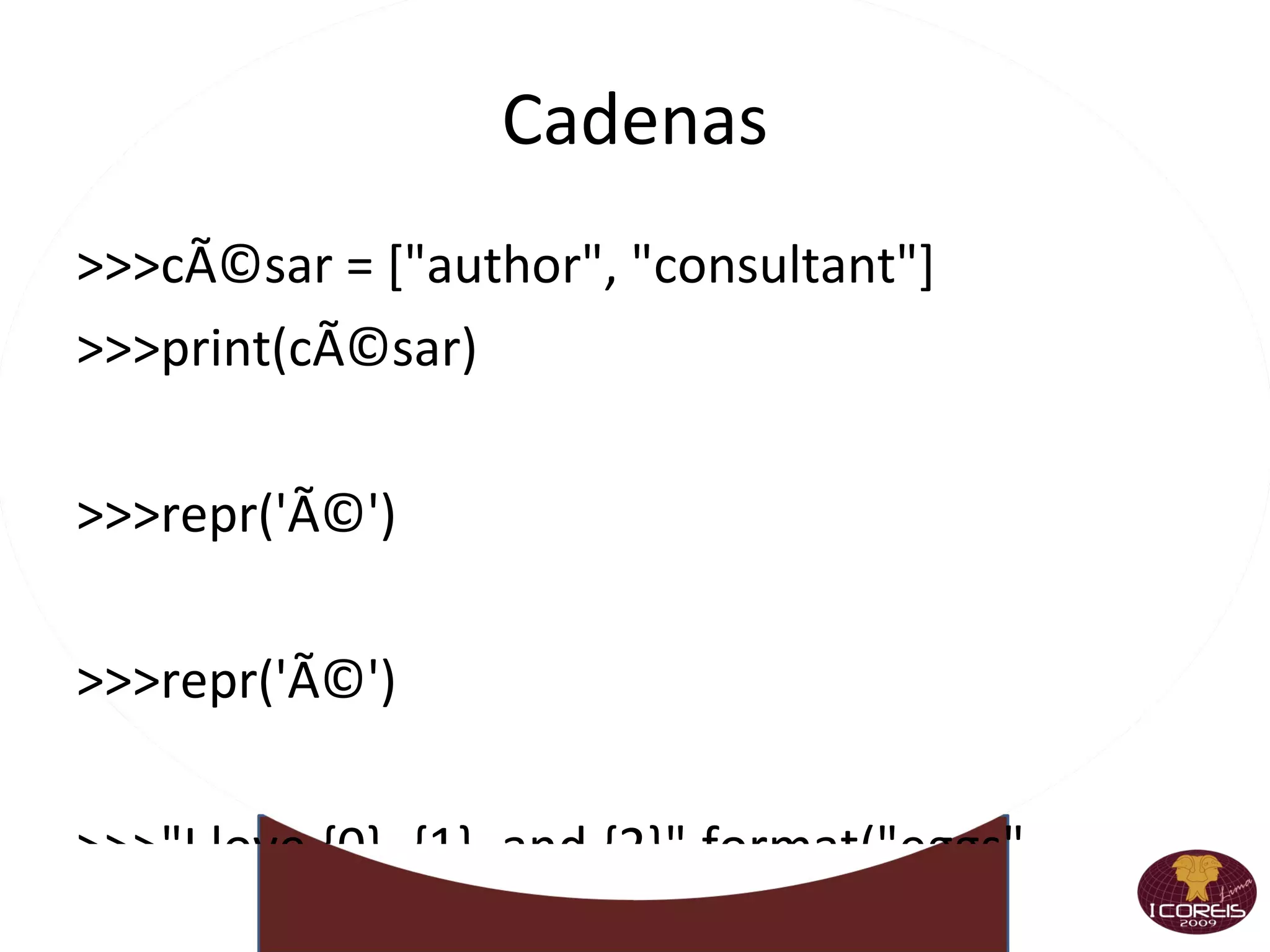
    Cadenas >>>césar =[&quot;author&quot;, &quot;consultant&quot;] >>>print(césar) >>>repr('é') >>>repr('é') >>>&quot;I love {0}, {1}, and {2}&quot;.format(&quot;eggs&quot;, &quot;bacon&quot;, &quot;sausage&quot;) >>>&quot;I love {a}, {b}, and {c}&quot;.format(a=&quot;eggs&quot;, b=&quot;bacon&quot;, c=&quot;sausage&quot;) >>>&quot;I love {0}, {1}, and {param}&quot;.format(&quot;eggs&quot;, &quot;bacon&quot;, param=&quot;sausage&quot;) >>>&quot;{{0}}&quot;.format(&quot;can't see me&quot;) >>>print(format(10.0, &quot;7.3g&quot;))
  • 189.
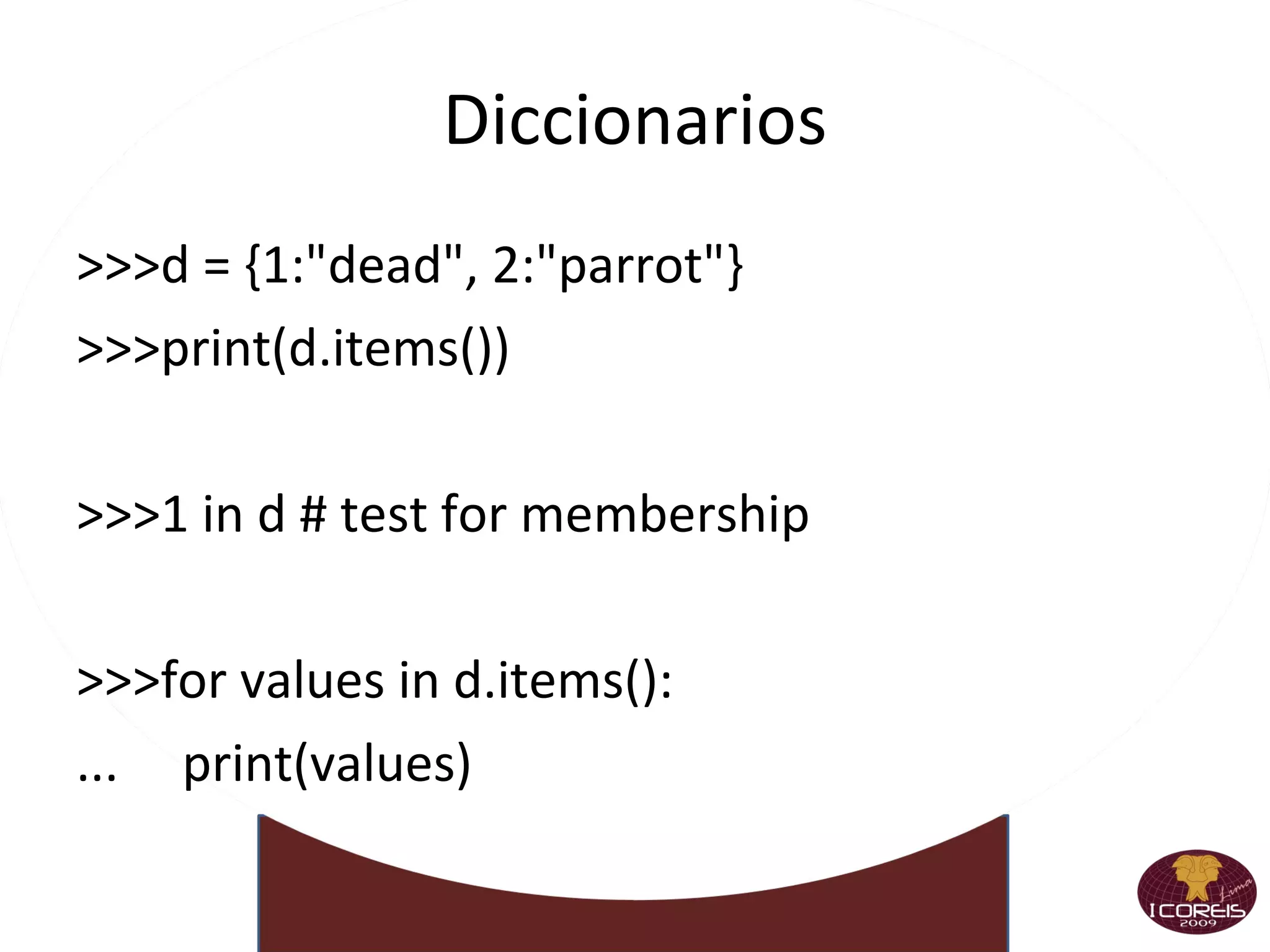
    Diccionarios >>>d ={1:&quot;dead&quot;, 2:&quot;parrot&quot;} >>>print(d.items()) >>>1 in d # test for membership >>>for values in d.items(): ... print(values) ... >>>keys = list(d.keys()) >>>print(keys)
  • 190.
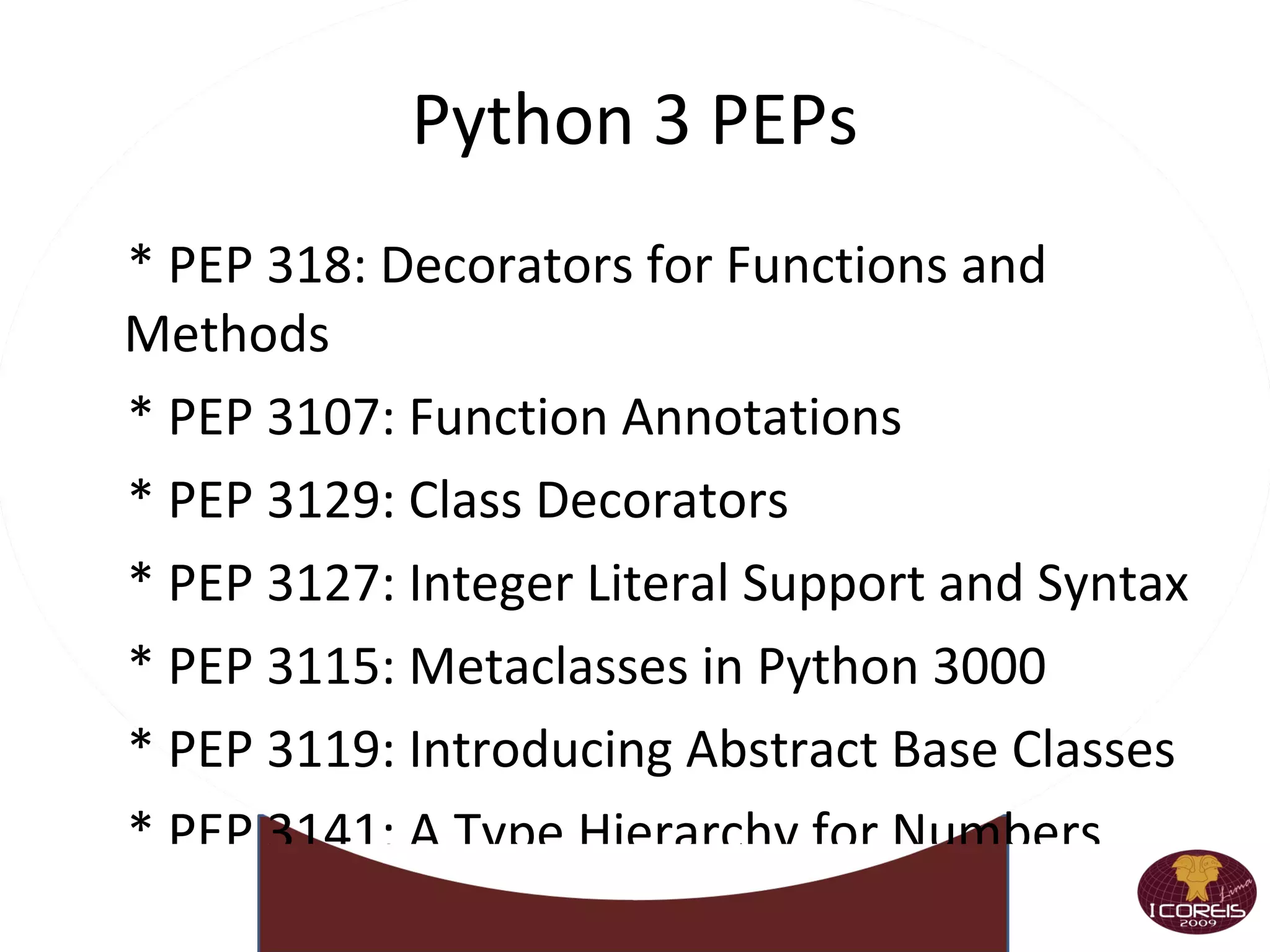
    Python 3 PEPs* PEP 318: Decorators for Functions and Methods * PEP 3107: Function Annotations * PEP 3129: Class Decorators * PEP 3127: Integer Literal Support and Syntax * PEP 3115: Metaclasses in Python 3000 * PEP 3119: Introducing Abstract Base Classes * PEP 3141: A Type Hierarchy for Numbers * PEP 3109: Raising Exceptions in Python 3000 * PEP 3110: Catching Exceptions in Python 3000 * PEP 3102: Keyword-Only Arguments
  • 191.
  • 192.
  • 193.
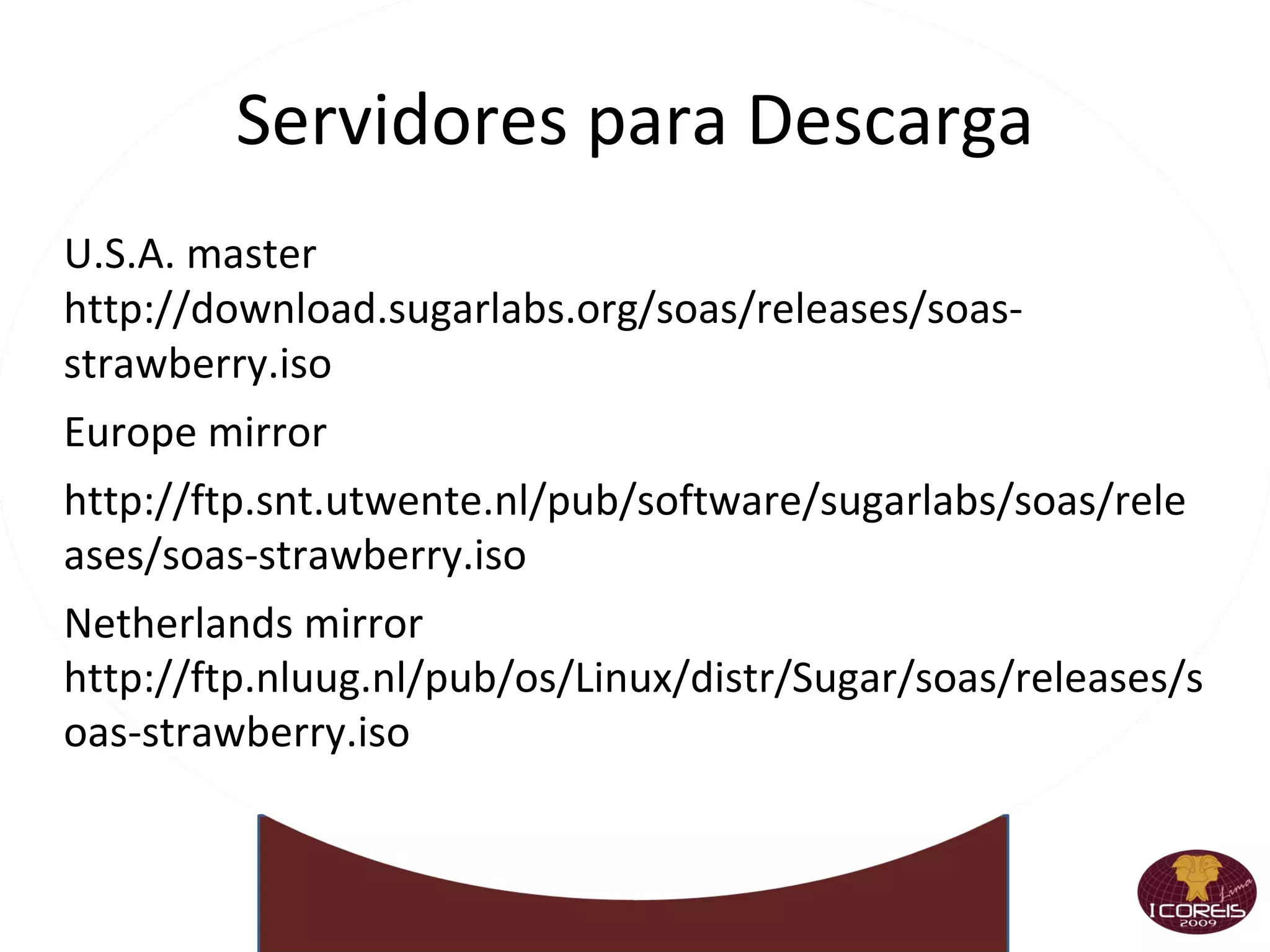
    Servidores para DescargaU.S.A. master http://download.sugarlabs.org/soas/releases/soas-strawberry.iso
  • 194.
  • 195.
  • 196.
    Netherlands mirror http://ftp.nluug.nl/pub/os/Linux/distr/Sugar/soas/releases/soas-strawberry.iso
  • 197.
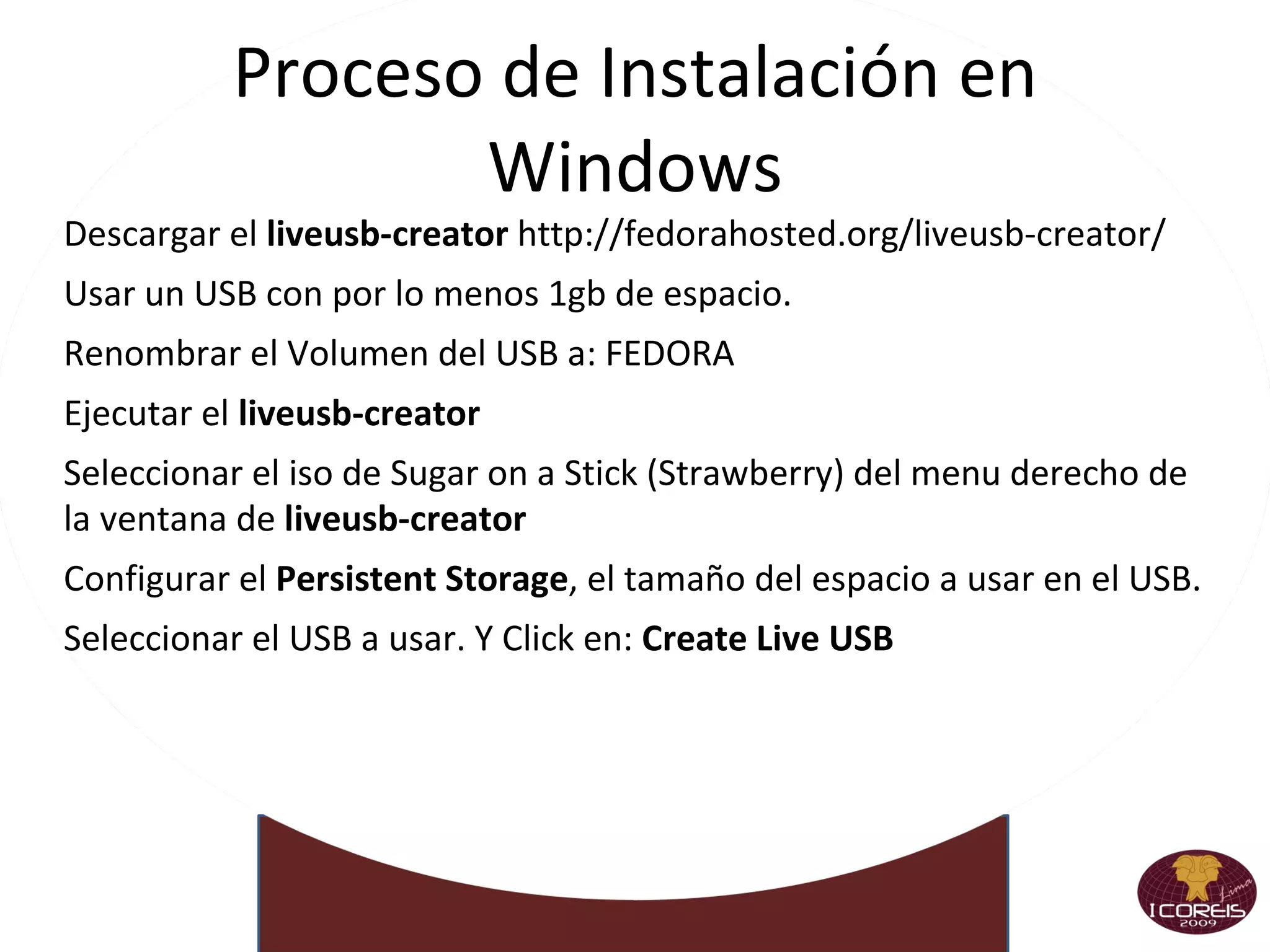
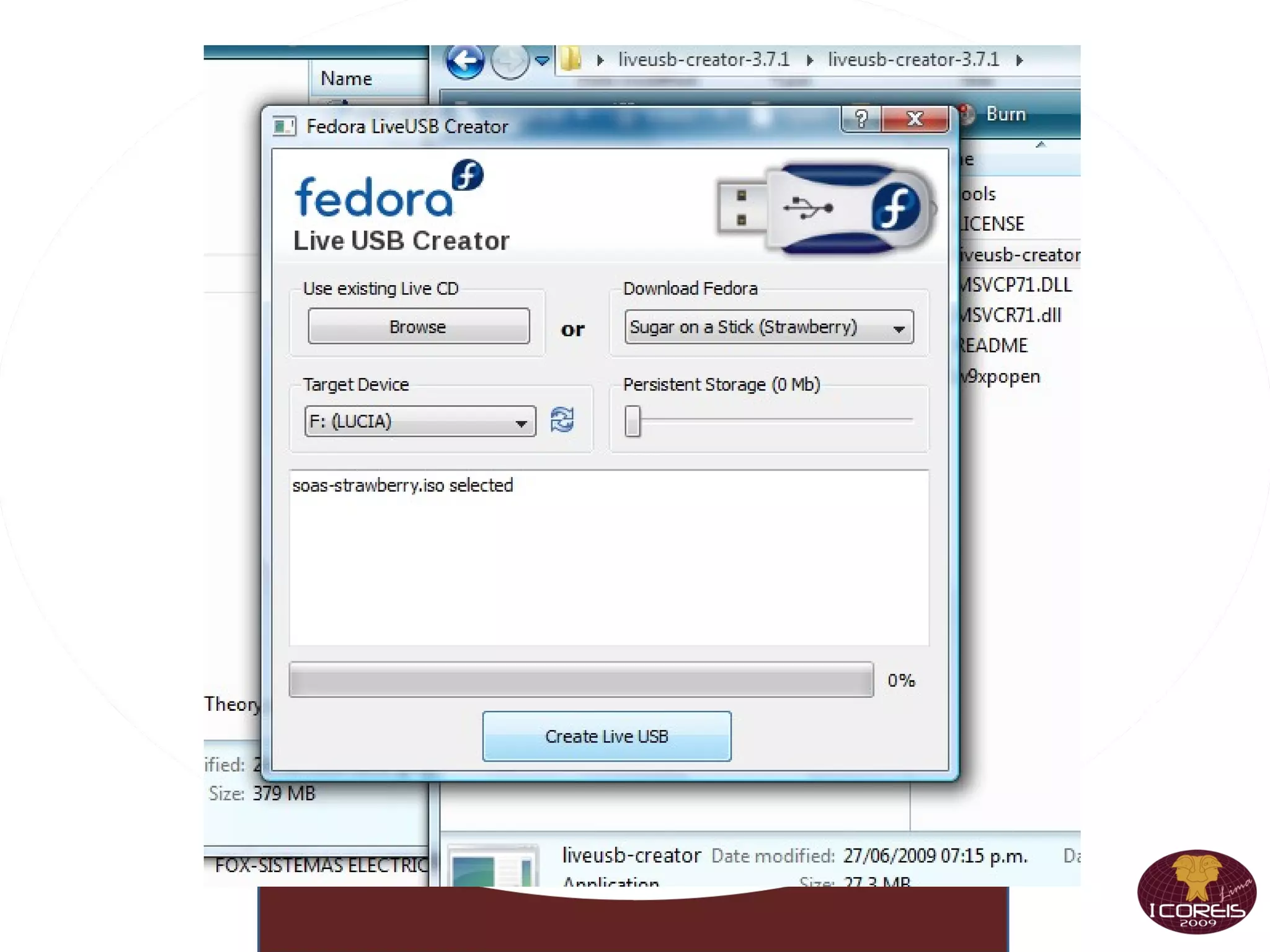
    Proceso de Instalaciónen Windows Descargar el liveusb-creator http://fedorahosted.org/liveusb-creator/
  • 198.
    Usar un USBcon por lo menos 1gb de espacio.
  • 199.
    Renombrar el Volumendel USB a: FEDORA
  • 200.
    Ejecutar el liveusb-creator
  • 201.
    Seleccionar el isode Sugar on a Stick (Strawberry) del menu derecho de la ventana de liveusb-creator
  • 202.
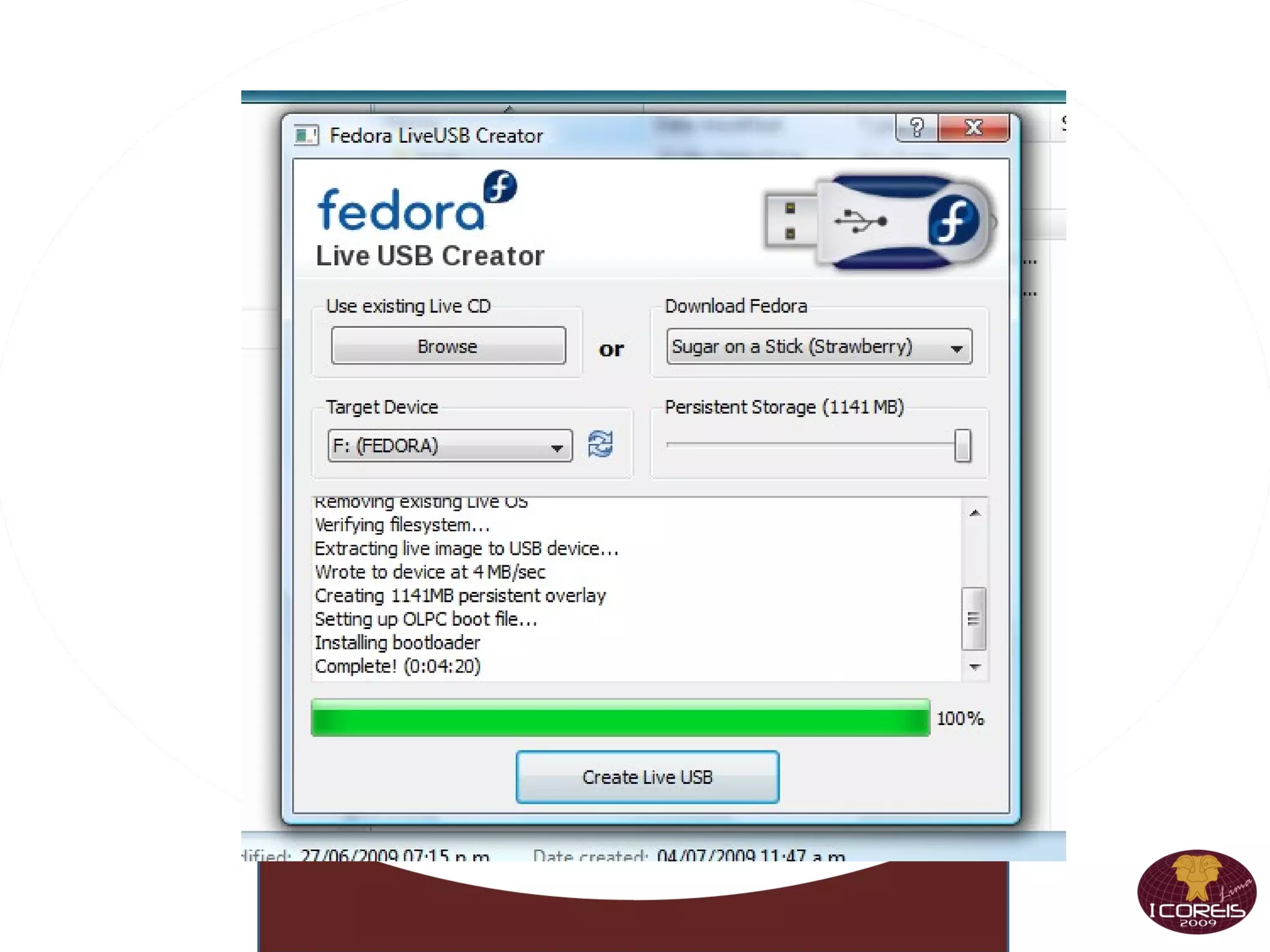
    Configurar el Persistent Storage , el tamaño del espacio a usar en el USB.
  • 203.
    Seleccionar el USBa usar. Y Click en: Create Live USB
  • 204.
  • 205.
  • 206.
  • 207.
  • 208.
  • 209.
  • 210.
  • 211.
  • 212.
  • 213.
  • 214.
  • 215.
  • 216.
    Carlos Mauro CárdenasFernández http://unimauro.blogspot.com http://www.twitter.com/unimauro [email_address]

Notas del editor

  • #10 Inexact : &gt;&gt;&gt; getcontext() Context(..., flags=[Rounded, Inexact], ...) Rounded : This signal is used to detect loss of significant digits. &gt;&gt;&gt; getcontext() Context(..., flags=[Rounded], ...)
  • #11 Inexact : &gt;&gt;&gt; getcontext() Context(..., flags=[Rounded, Inexact], ...) Rounded : This signal is used to detect loss of significant digits. &gt;&gt;&gt; getcontext() Context(..., flags=[Rounded], ...)
  • #13 Inexact : &gt;&gt;&gt; getcontext() Context(..., flags=[Rounded, Inexact], ...) Rounded : This signal is used to detect loss of significant digits. &gt;&gt;&gt; getcontext() Context(..., flags=[Rounded], ...)
  • #14 Inexact : &gt;&gt;&gt; getcontext() Context(..., flags=[Rounded, Inexact], ...) Rounded : This signal is used to detect loss of significant digits. &gt;&gt;&gt; getcontext() Context(..., flags=[Rounded], ...)
  • #15 Inexact : &gt;&gt;&gt; getcontext() Context(..., flags=[Rounded, Inexact], ...) Rounded : This signal is used to detect loss of significant digits. &gt;&gt;&gt; getcontext() Context(..., flags=[Rounded], ...)
  • #16 Inexact : &gt;&gt;&gt; getcontext() Context(..., flags=[Rounded, Inexact], ...) Rounded : This signal is used to detect loss of significant digits. &gt;&gt;&gt; getcontext() Context(..., flags=[Rounded], ...)
  • #18 Inexact : &gt;&gt;&gt; getcontext() Context(..., flags=[Rounded, Inexact], ...) Rounded : This signal is used to detect loss of significant digits. &gt;&gt;&gt; getcontext() Context(..., flags=[Rounded], ...)
  • #19 Inexact : &gt;&gt;&gt; getcontext() Context(..., flags=[Rounded, Inexact], ...) Rounded : This signal is used to detect loss of significant digits. &gt;&gt;&gt; getcontext() Context(..., flags=[Rounded], ...)
  • #25 Inexact : &gt;&gt;&gt; getcontext() Context(..., flags=[Rounded, Inexact], ...) Rounded : This signal is used to detect loss of significant digits. &gt;&gt;&gt; getcontext() Context(..., flags=[Rounded], ...)
  • #26 Inexact : &gt;&gt;&gt; getcontext() Context(..., flags=[Rounded, Inexact], ...) Rounded : This signal is used to detect loss of significant digits. &gt;&gt;&gt; getcontext() Context(..., flags=[Rounded], ...)
  • #29 Inexact : &gt;&gt;&gt; getcontext() Context(..., flags=[Rounded, Inexact], ...) Rounded : This signal is used to detect loss of significant digits. &gt;&gt;&gt; getcontext() Context(..., flags=[Rounded], ...)
  • #30 Inexact : &gt;&gt;&gt; getcontext() Context(..., flags=[Rounded, Inexact], ...) Rounded : This signal is used to detect loss of significant digits. &gt;&gt;&gt; getcontext() Context(..., flags=[Rounded], ...)
  • #31 Inexact : &gt;&gt;&gt; getcontext() Context(..., flags=[Rounded, Inexact], ...) Rounded : This signal is used to detect loss of significant digits. &gt;&gt;&gt; getcontext() Context(..., flags=[Rounded], ...)
  • #40 Inexact : &gt;&gt;&gt; getcontext() Context(..., flags=[Rounded, Inexact], ...) Rounded : This signal is used to detect loss of significant digits. &gt;&gt;&gt; getcontext() Context(..., flags=[Rounded], ...)
  • #41 Inexact : &gt;&gt;&gt; getcontext() Context(..., flags=[Rounded, Inexact], ...) Rounded : This signal is used to detect loss of significant digits. &gt;&gt;&gt; getcontext() Context(..., flags=[Rounded], ...)
  • #50 Inexact : &gt;&gt;&gt; getcontext() Context(..., flags=[Rounded, Inexact], ...) Rounded : This signal is used to detect loss of significant digits. &gt;&gt;&gt; getcontext() Context(..., flags=[Rounded], ...)
  • #51 Inexact : &gt;&gt;&gt; getcontext() Context(..., flags=[Rounded, Inexact], ...) Rounded : This signal is used to detect loss of significant digits. &gt;&gt;&gt; getcontext() Context(..., flags=[Rounded], ...)
  • #59 Inexact : &gt;&gt;&gt; getcontext() Context(..., flags=[Rounded, Inexact], ...) Rounded : This signal is used to detect loss of significant digits. &gt;&gt;&gt; getcontext() Context(..., flags=[Rounded], ...)
  • #60 Inexact : &gt;&gt;&gt; getcontext() Context(..., flags=[Rounded, Inexact], ...) Rounded : This signal is used to detect loss of significant digits. &gt;&gt;&gt; getcontext() Context(..., flags=[Rounded], ...)
  • #62 Inexact : &gt;&gt;&gt; getcontext() Context(..., flags=[Rounded, Inexact], ...) Rounded : This signal is used to detect loss of significant digits. &gt;&gt;&gt; getcontext() Context(..., flags=[Rounded], ...)