Configure a Switch   LAN Switching and Wireless   – Chapter 2
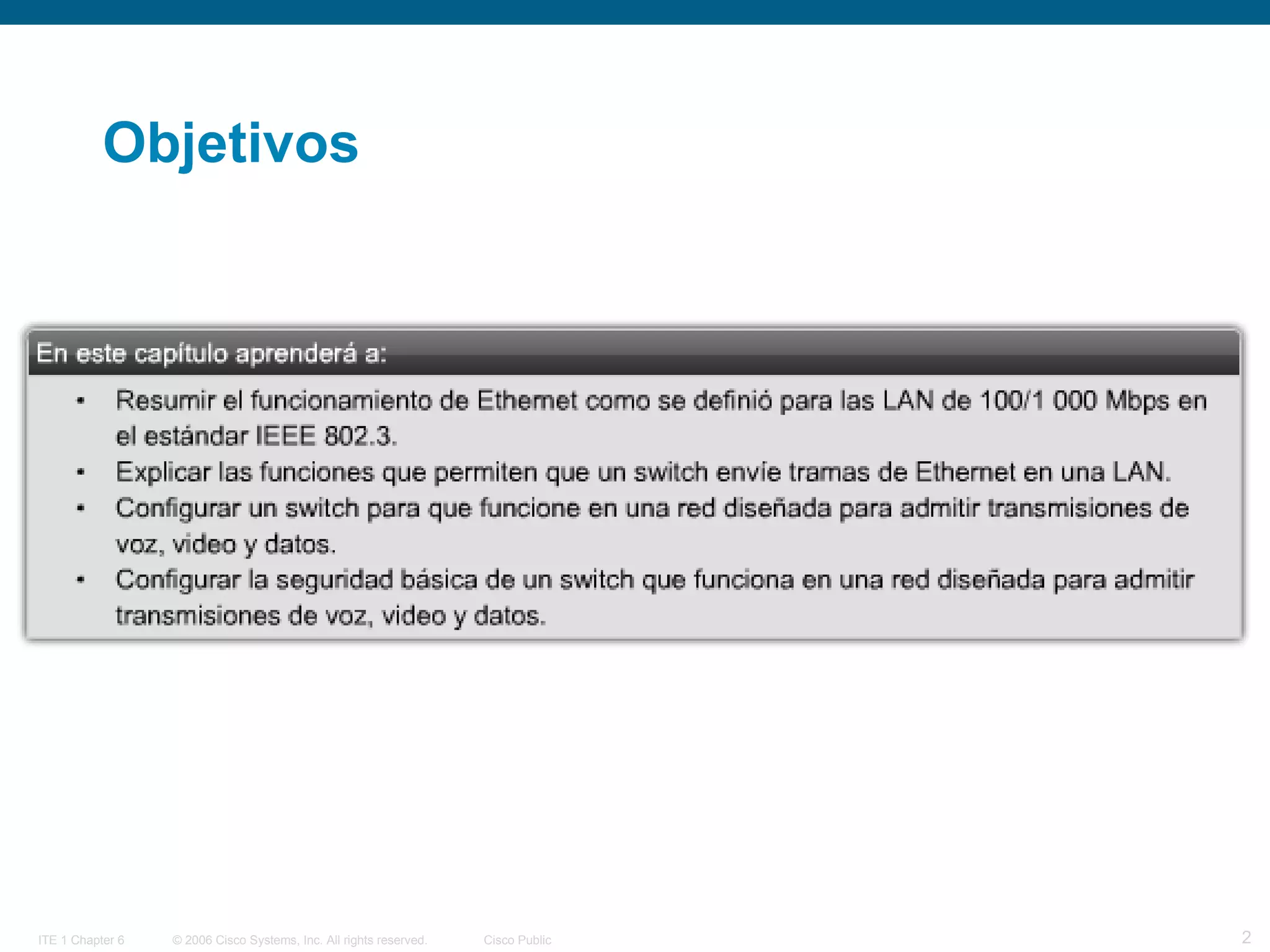
Objetivos
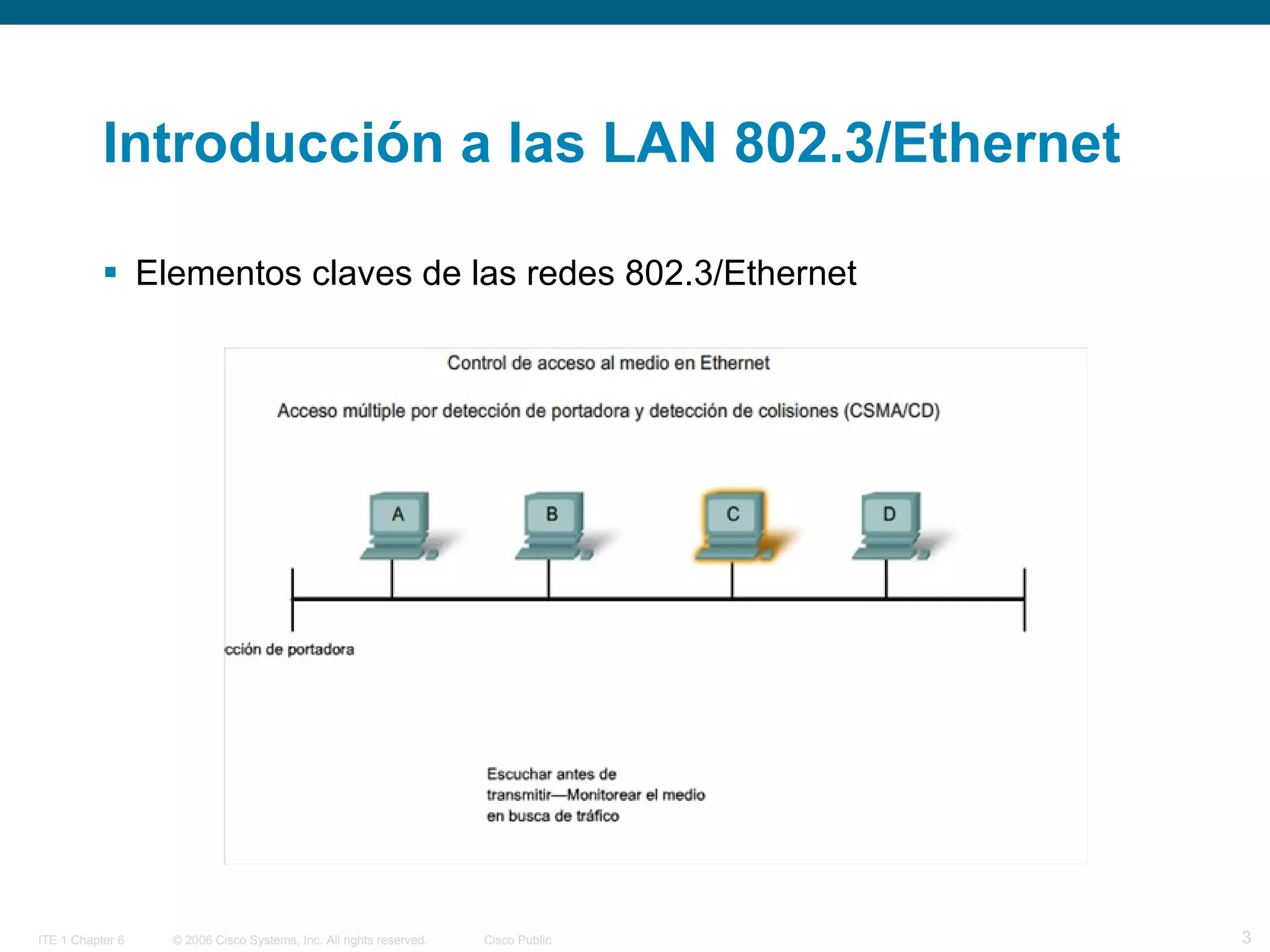
Introducción a las LAN 802.3/Ethernet  Elementos claves de las redes 802.3/Ethernet
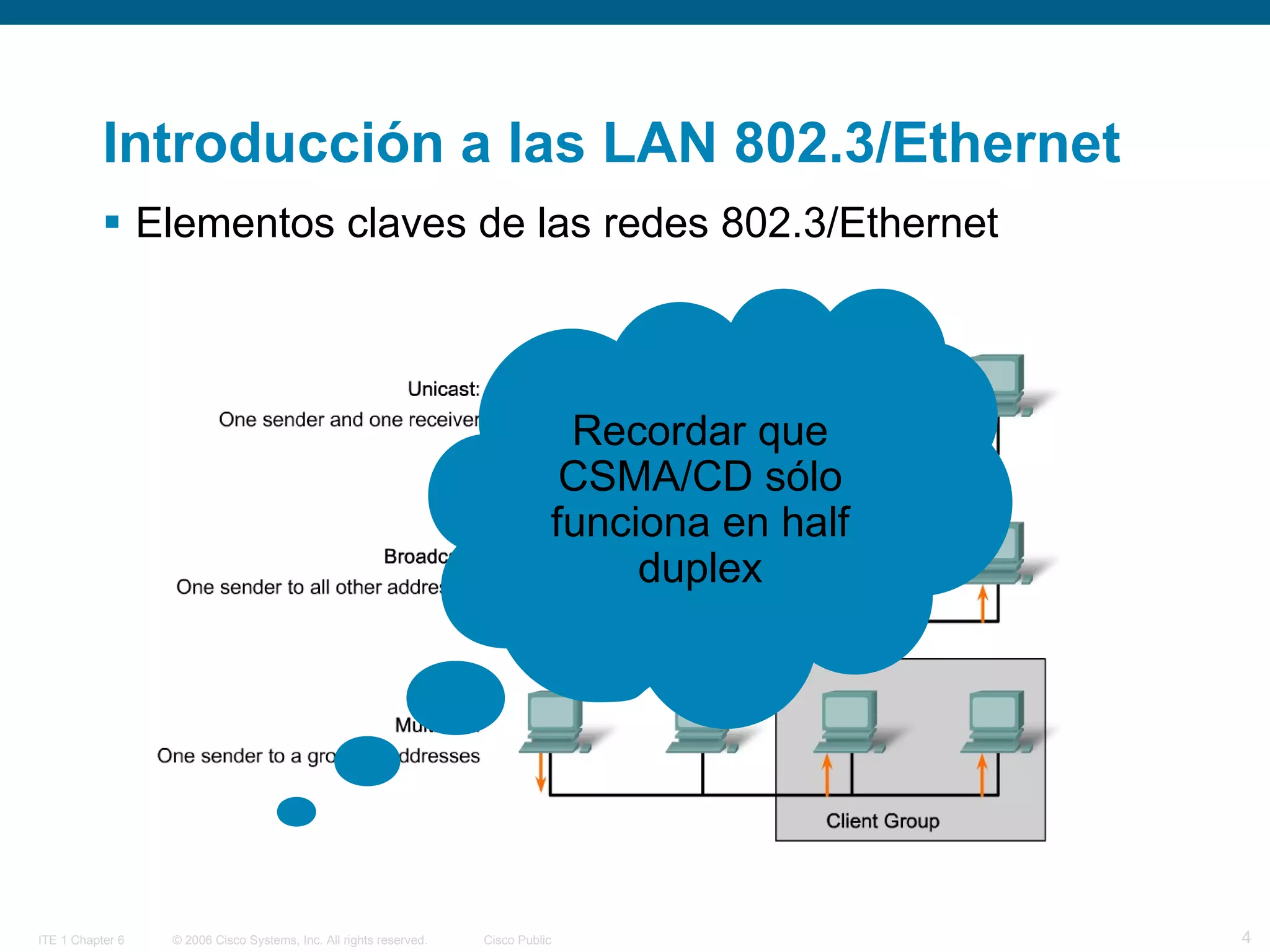
Introducción a las LAN 802.3/Ethernet  Elementos claves de las redes 802.3/Ethernet  Recordar que CSMA/CD sólo funciona en half duplex
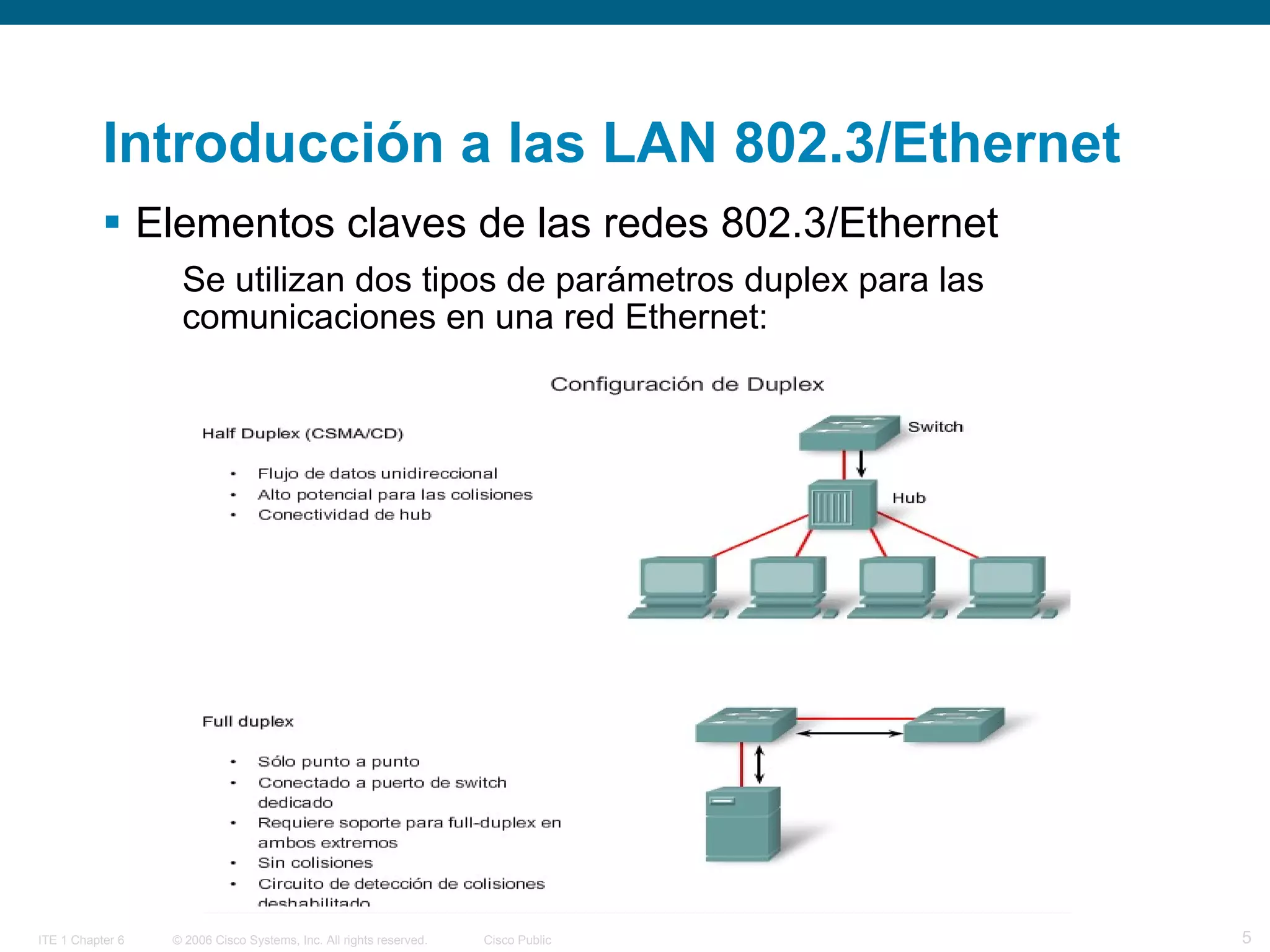
Introducción a las LAN 802.3/Ethernet  Elementos claves de las redes 802.3/Ethernet  Se utilizan dos tipos de parámetros duplex para las comunicaciones en una red Ethernet:
Introducción a las LAN 802.3/Ethernet  Configuración del puerto del switch:  Los switches Cisco Catalyst cuentan con tres parámetros: La opción auto establece el modo autonegociación de duplex. Cuando este modo se encuentra habilitado, los dos puertos se comunican para decidir el mejor modo de funcionamiento.  La opción full establece el modo full-duplex.  La opción half establece el modo half-duplex. Nota:  Al tener half-duplex en un extremo y full-duplex en el otro, pueden producirse colisiones tardías en el extremo de half-duplex  Al habilitar la función auto-MDIX, se puede utilizar un cable de conexión directa o cruzada para realizar la conexión con un puerto 10/100/1000 de cobre situado en el switch, independientemente del tipo de dispositivo que se encuentre en el otro extremo de la conexión.
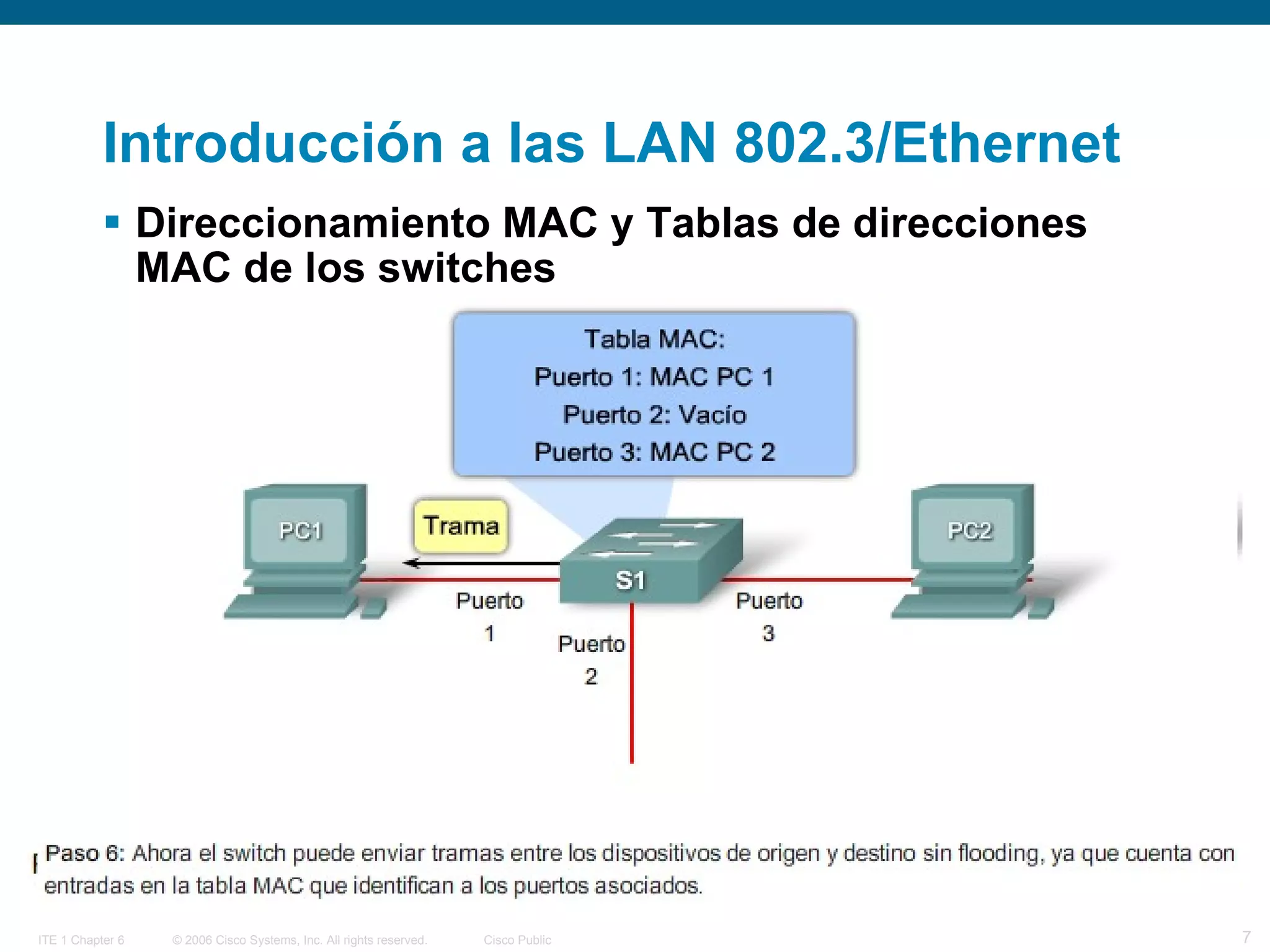
Introducción a las LAN 802.3/Ethernet  Direccionamiento MAC y Tablas de direcciones MAC de los switches
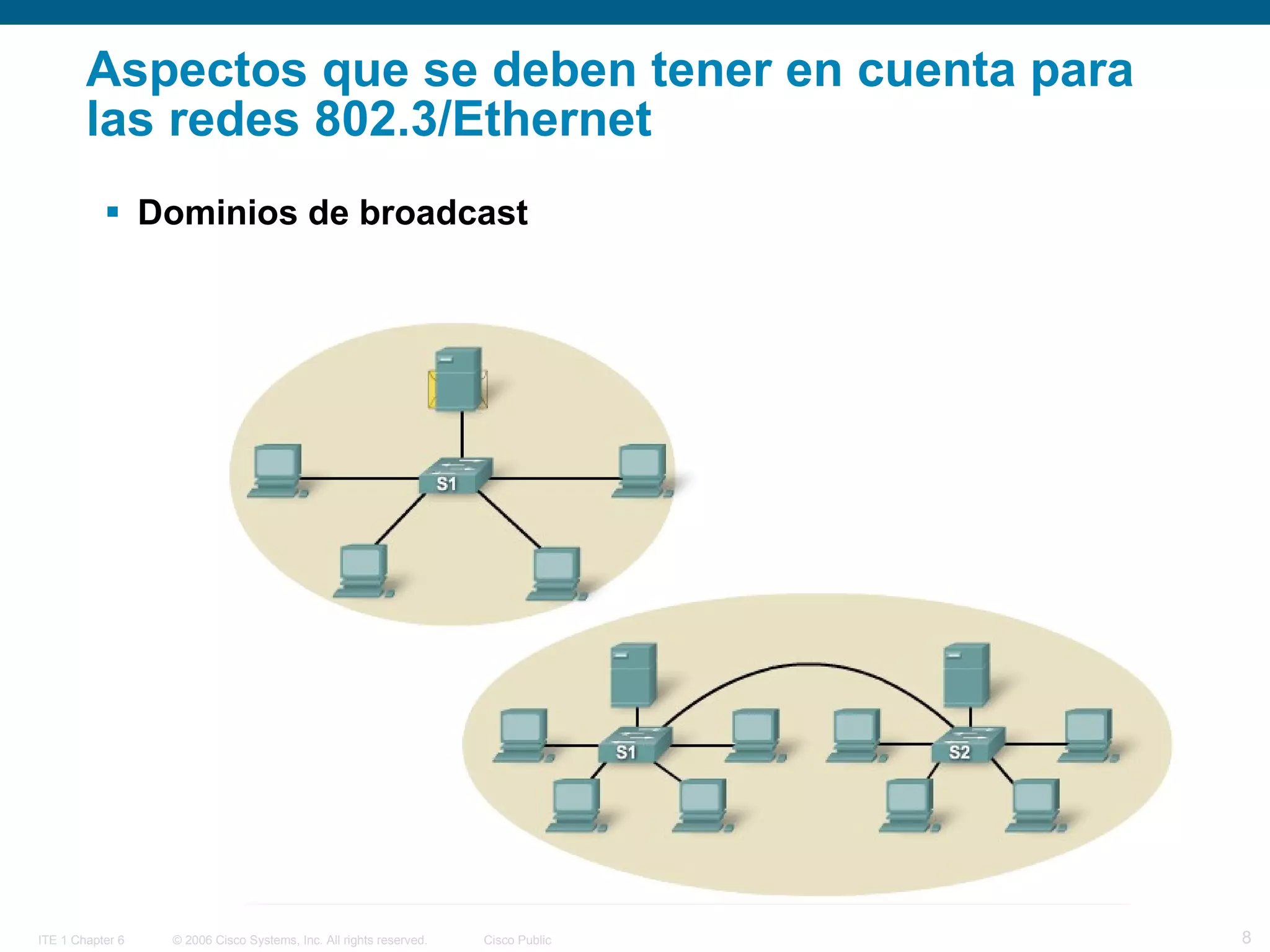
Aspectos que se deben tener en cuenta para las redes 802.3/Ethernet Dominios de broadcast
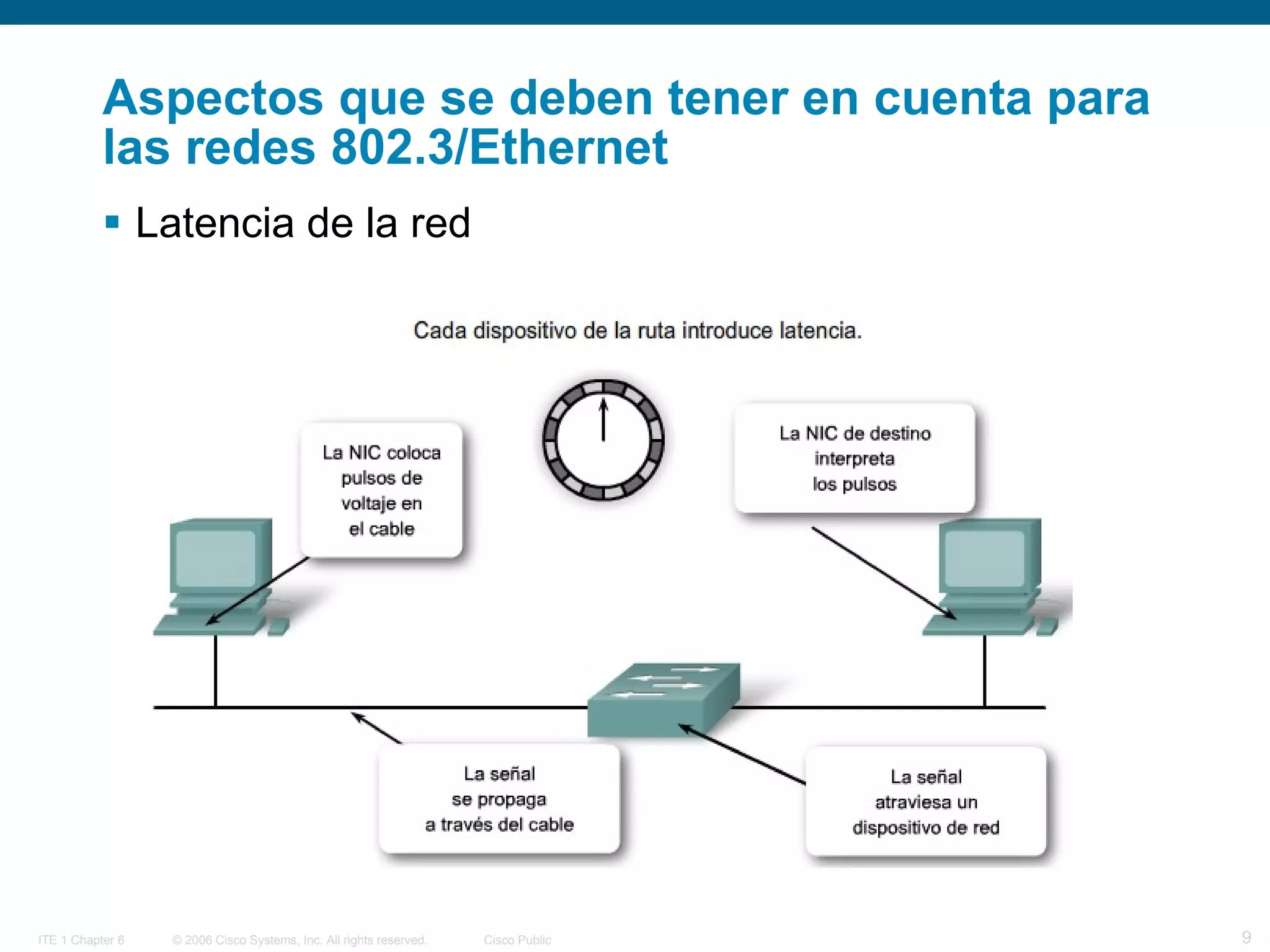
Aspectos que se deben tener en cuenta para las redes 802.3/Ethernet Latencia de la red
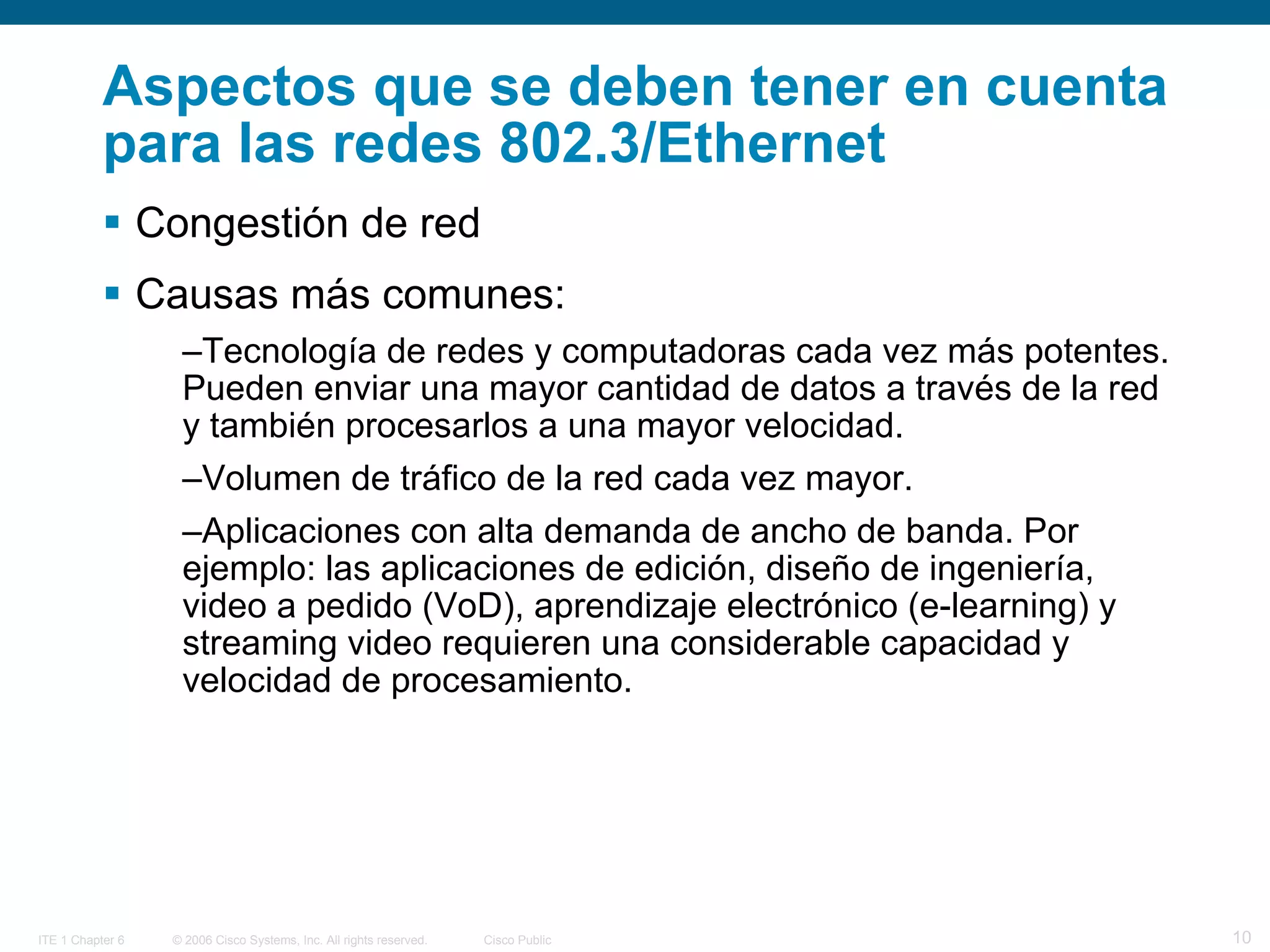
Aspectos que se deben tener en cuenta para las redes 802.3/Ethernet Congestión de red Causas más comunes: Tecnología de redes y computadoras cada vez más potentes. Pueden enviar una mayor cantidad de datos a través de la red y también procesarlos a una mayor velocidad. Volumen de tráfico de la red cada vez mayor.  Aplicaciones con alta demanda de ancho de banda. Por ejemplo: las aplicaciones de edición, diseño de ingeniería, video a pedido (VoD), aprendizaje electrónico (e-learning) y streaming video requieren una considerable capacidad y velocidad de procesamiento.
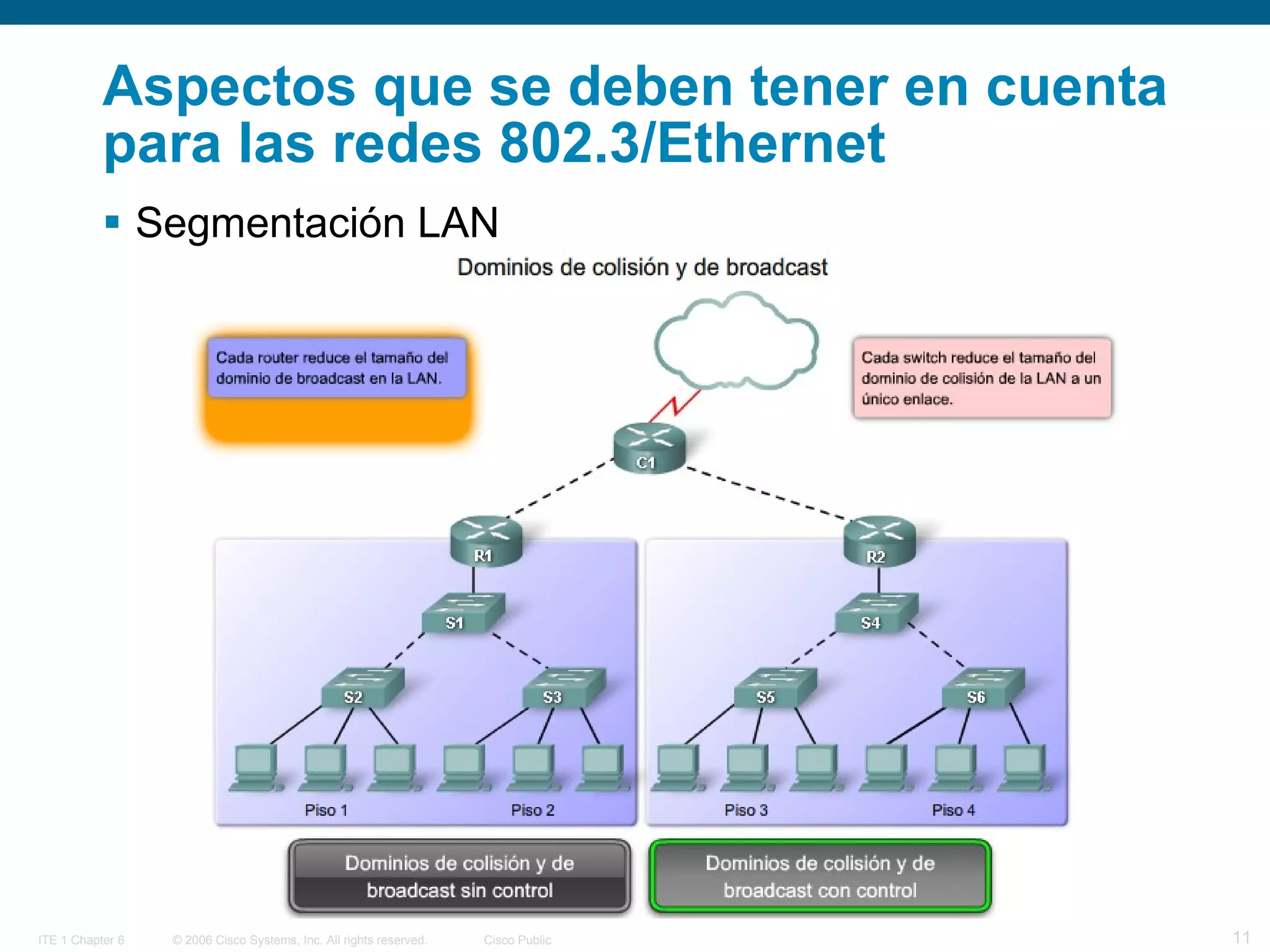
Aspectos que se deben tener en cuenta para las redes 802.3/Ethernet Segmentación LAN
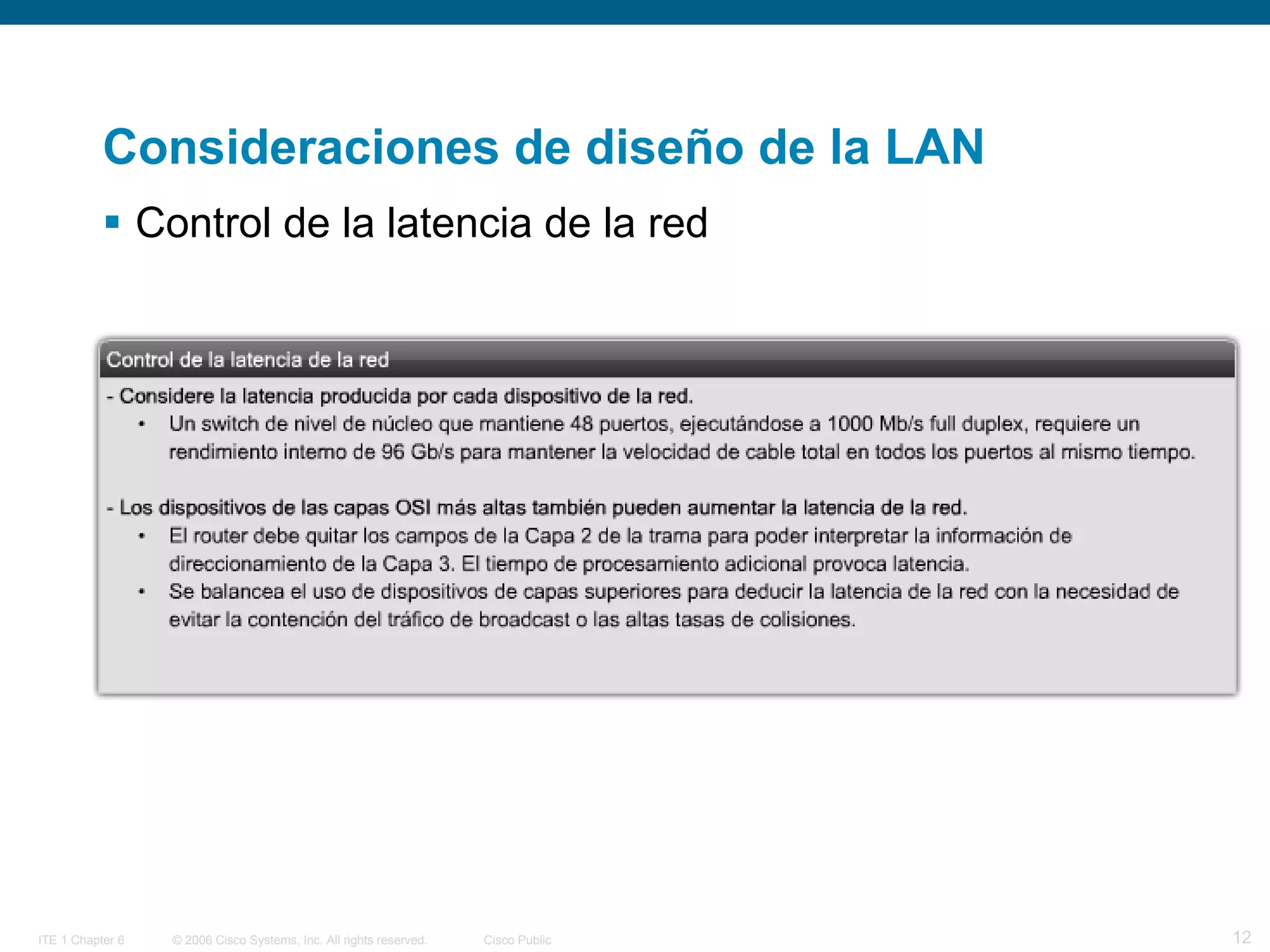
Consideraciones de diseño de la LAN Control de la latencia de la red
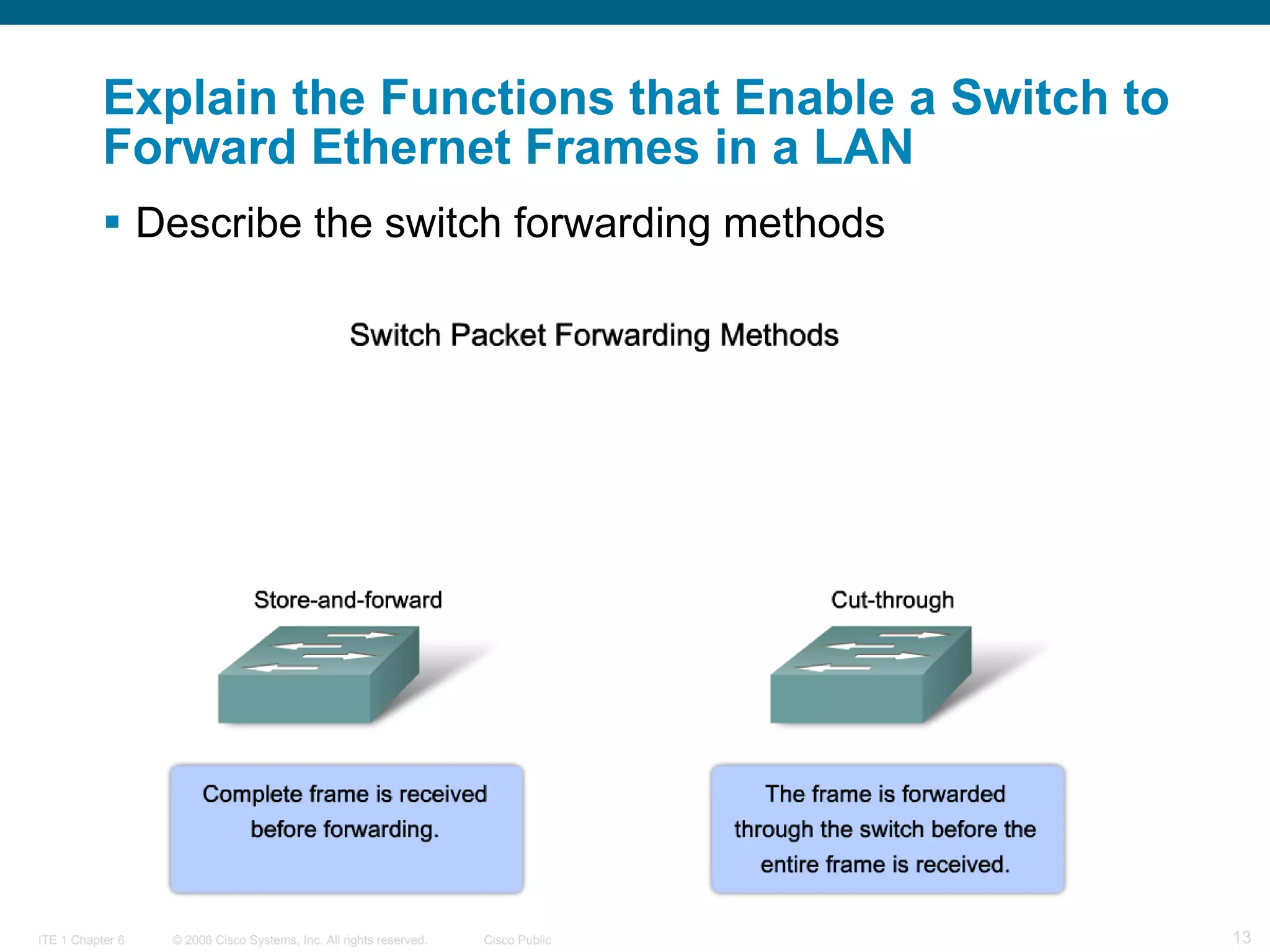
Describe the switch forwarding methods   Explain the Functions that Enable a Switch to Forward Ethernet Frames in a LAN
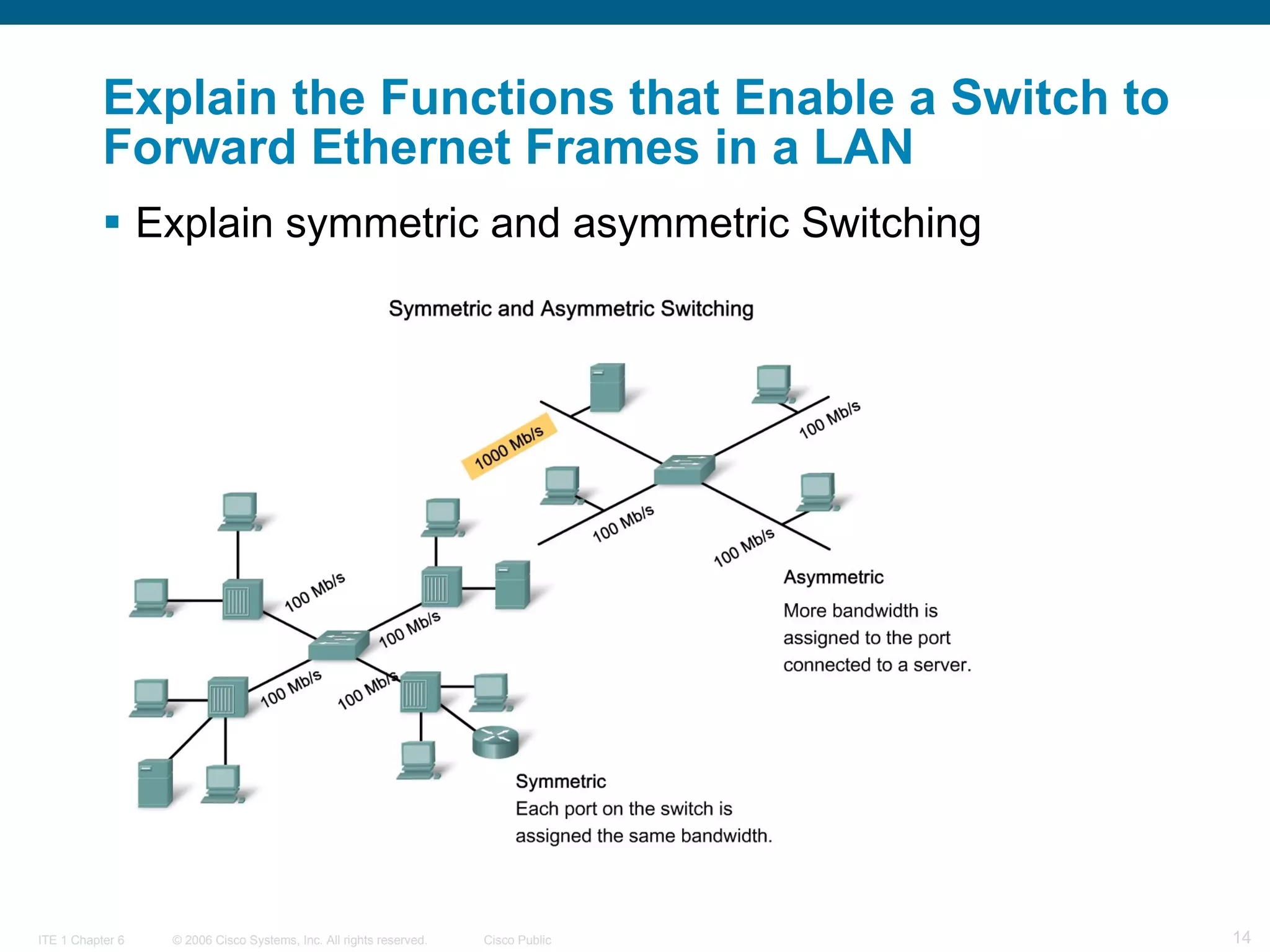
Explain the Functions that Enable a Switch to Forward Ethernet Frames in a LAN Explain symmetric and asymmetric Switching
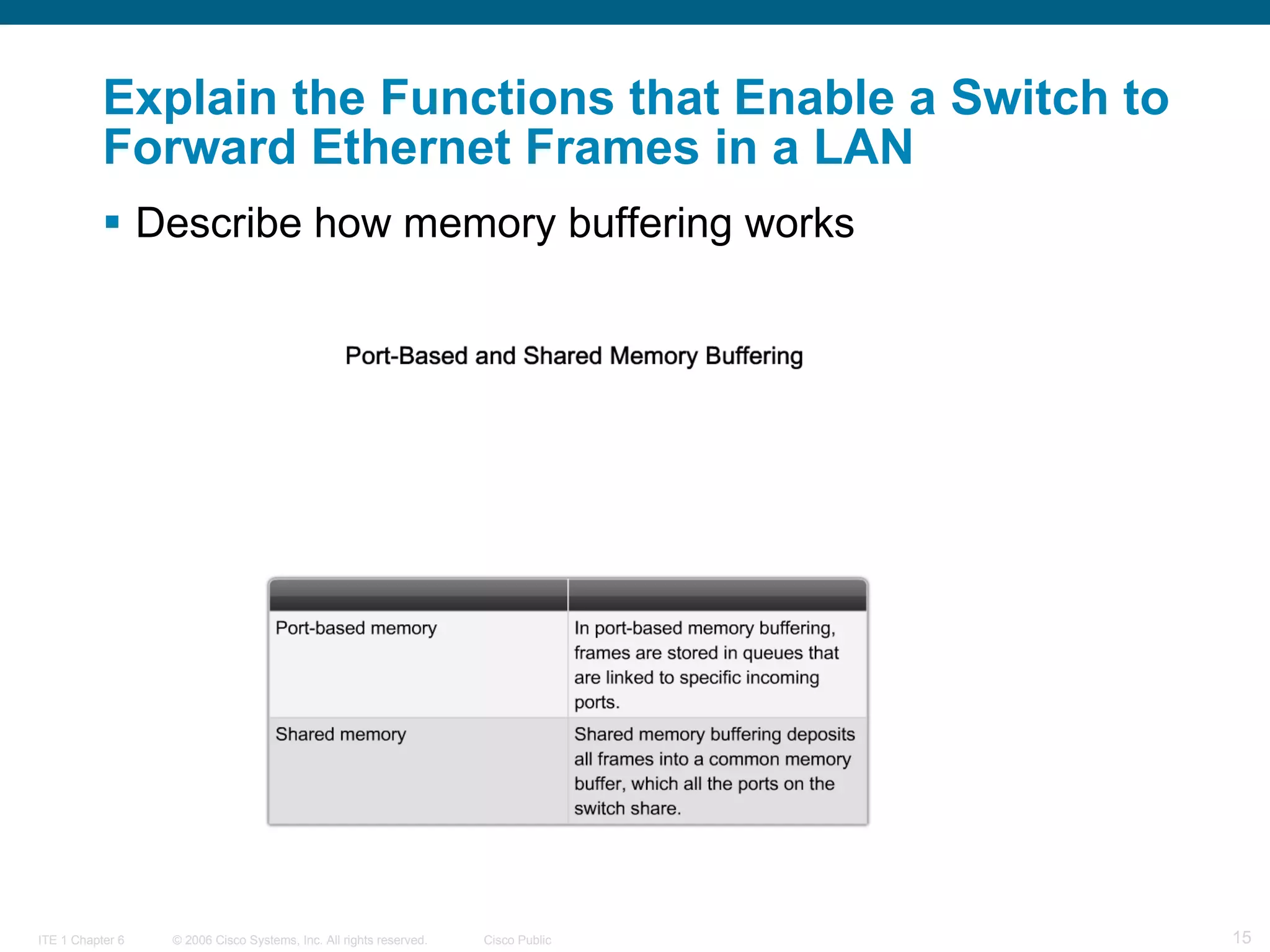
Explain the Functions that Enable a Switch to Forward Ethernet Frames in a LAN Describe how memory buffering works
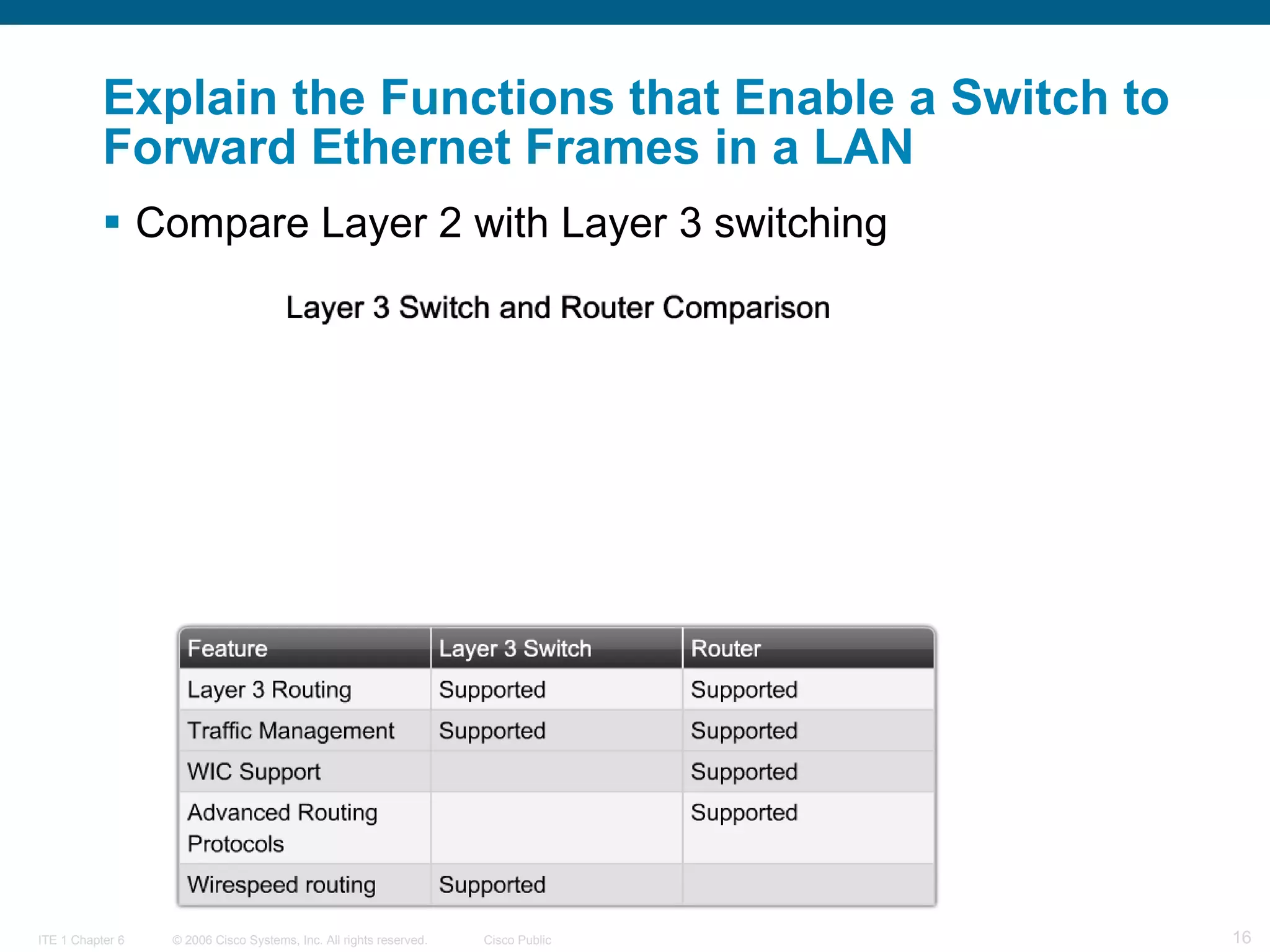
Explain the Functions that Enable a Switch to Forward Ethernet Frames in a LAN Compare Layer 2 with Layer 3 switching
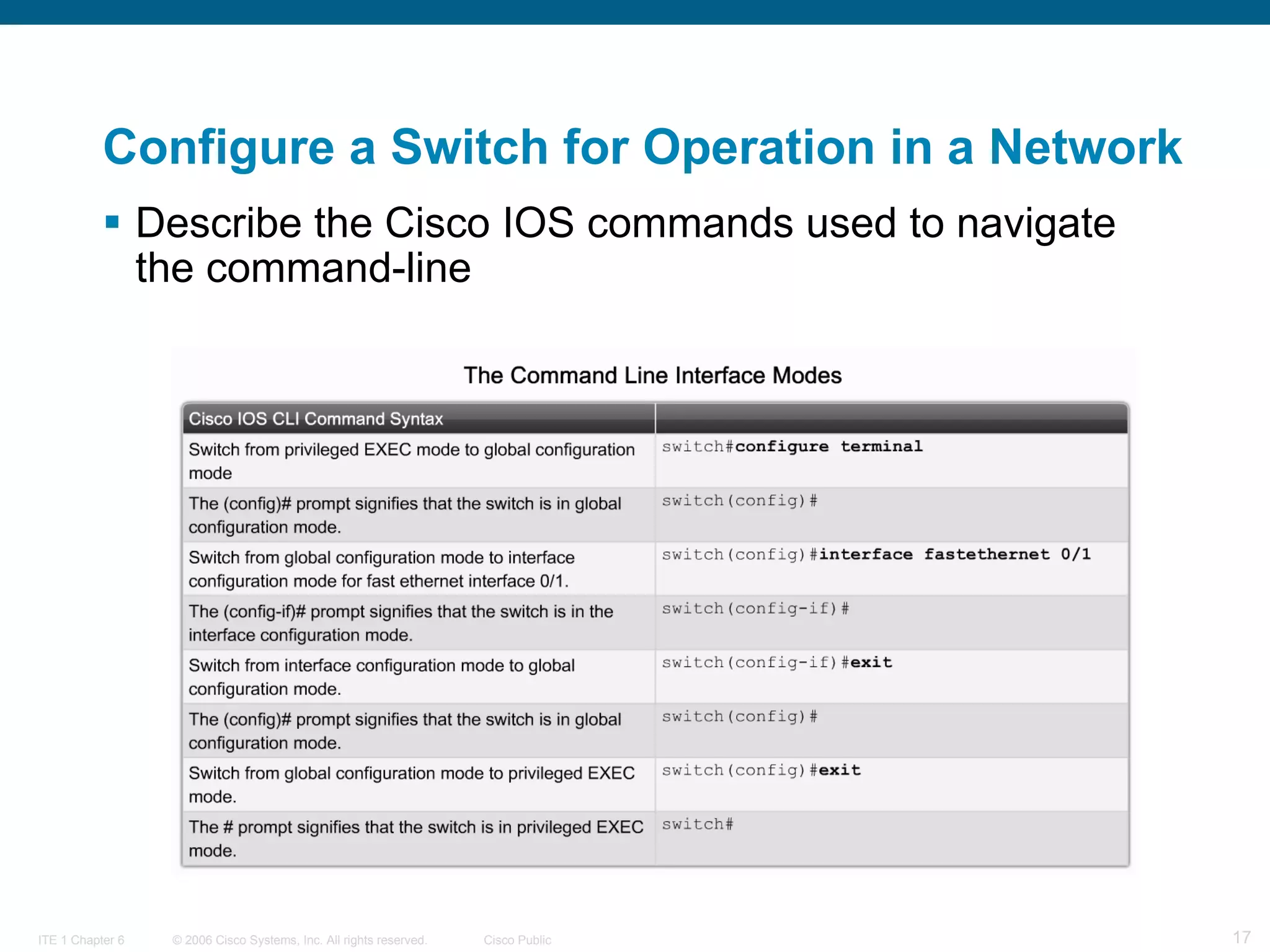
Configure a Switch for Operation in a Network Describe the Cisco IOS commands used to navigate the command-line
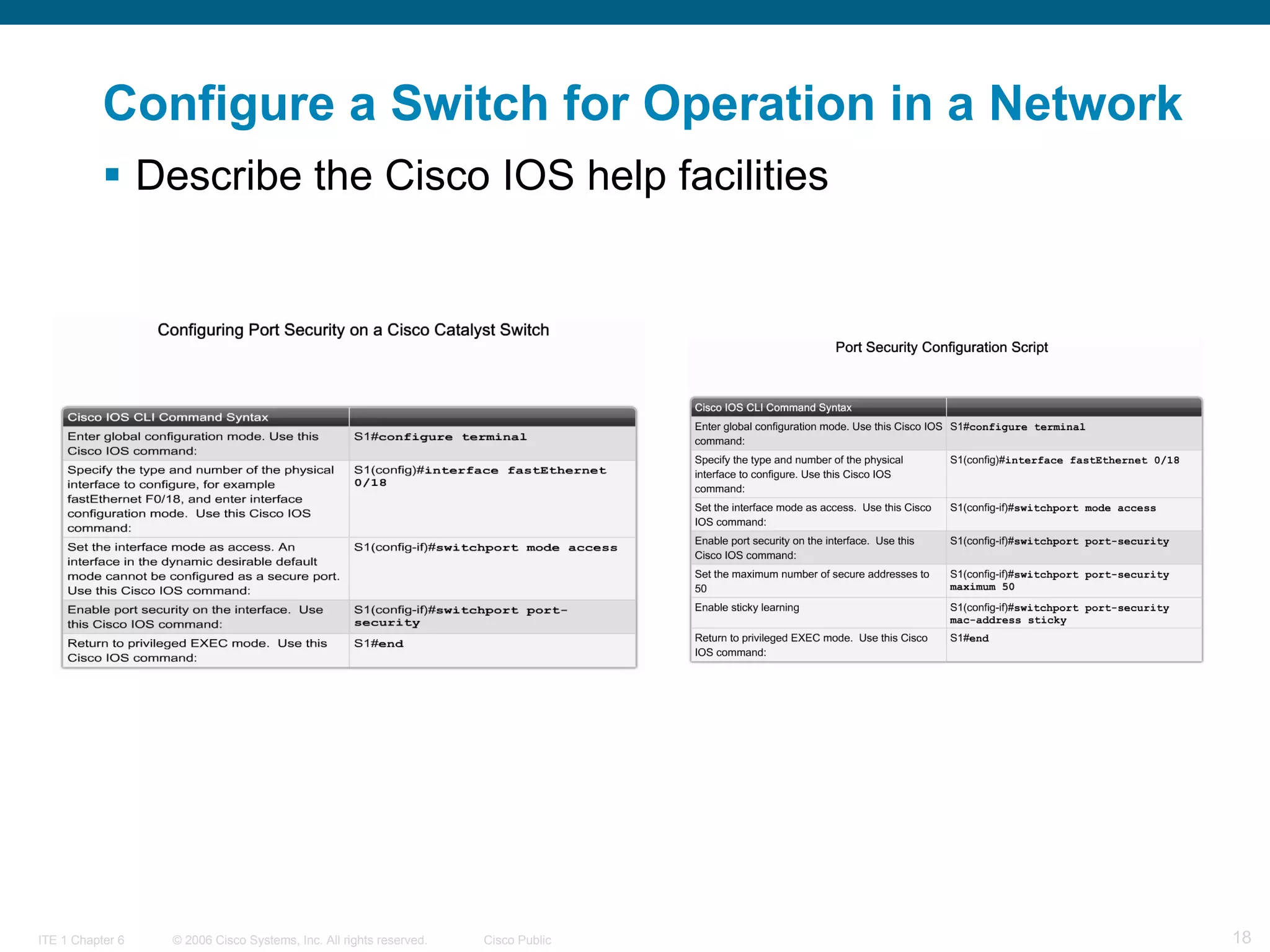
Configure a Switch for Operation in a Network Describe the Cisco IOS help facilities
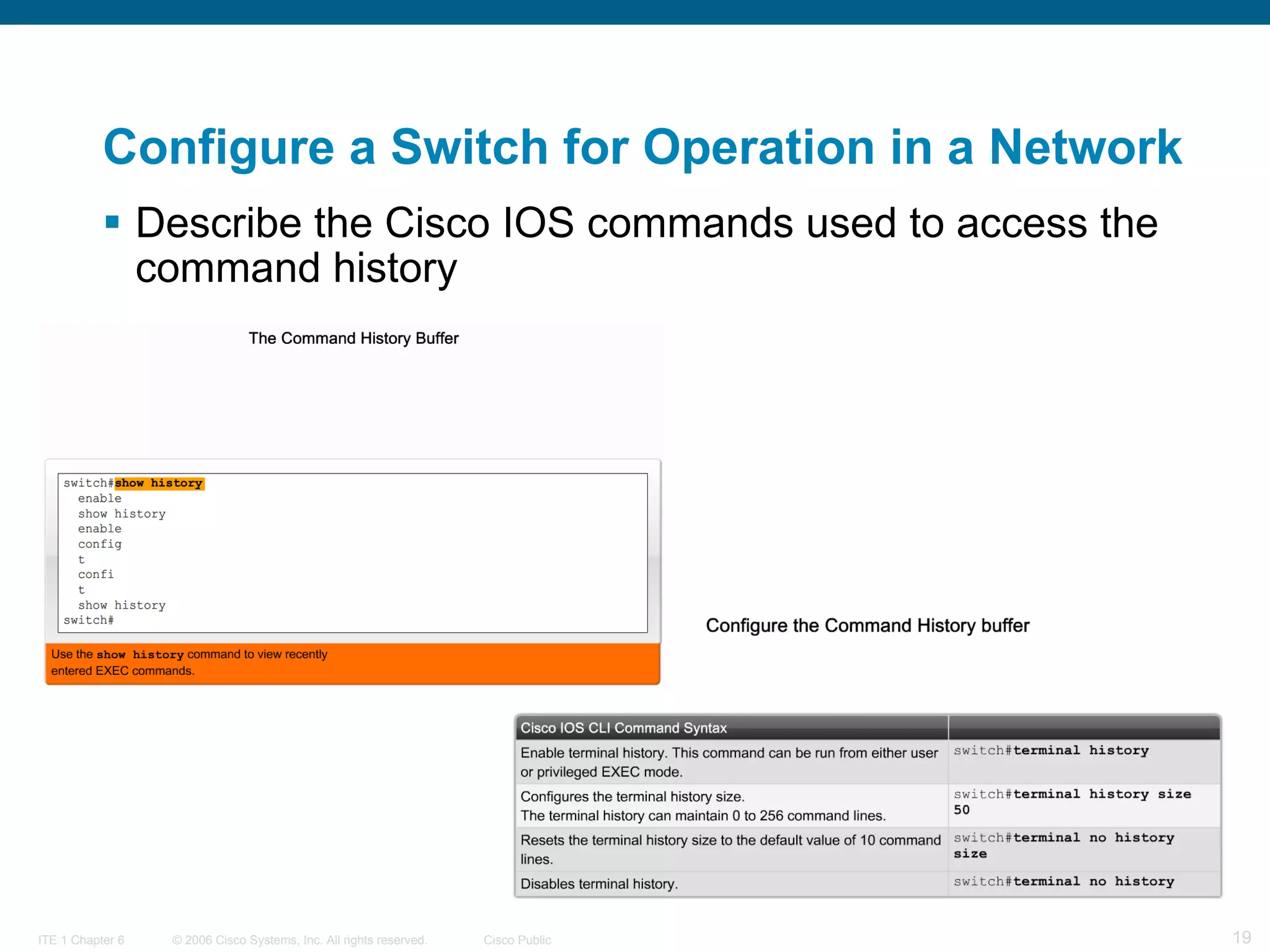
Configure a Switch for Operation in a Network Describe the Cisco IOS commands used to access the command history
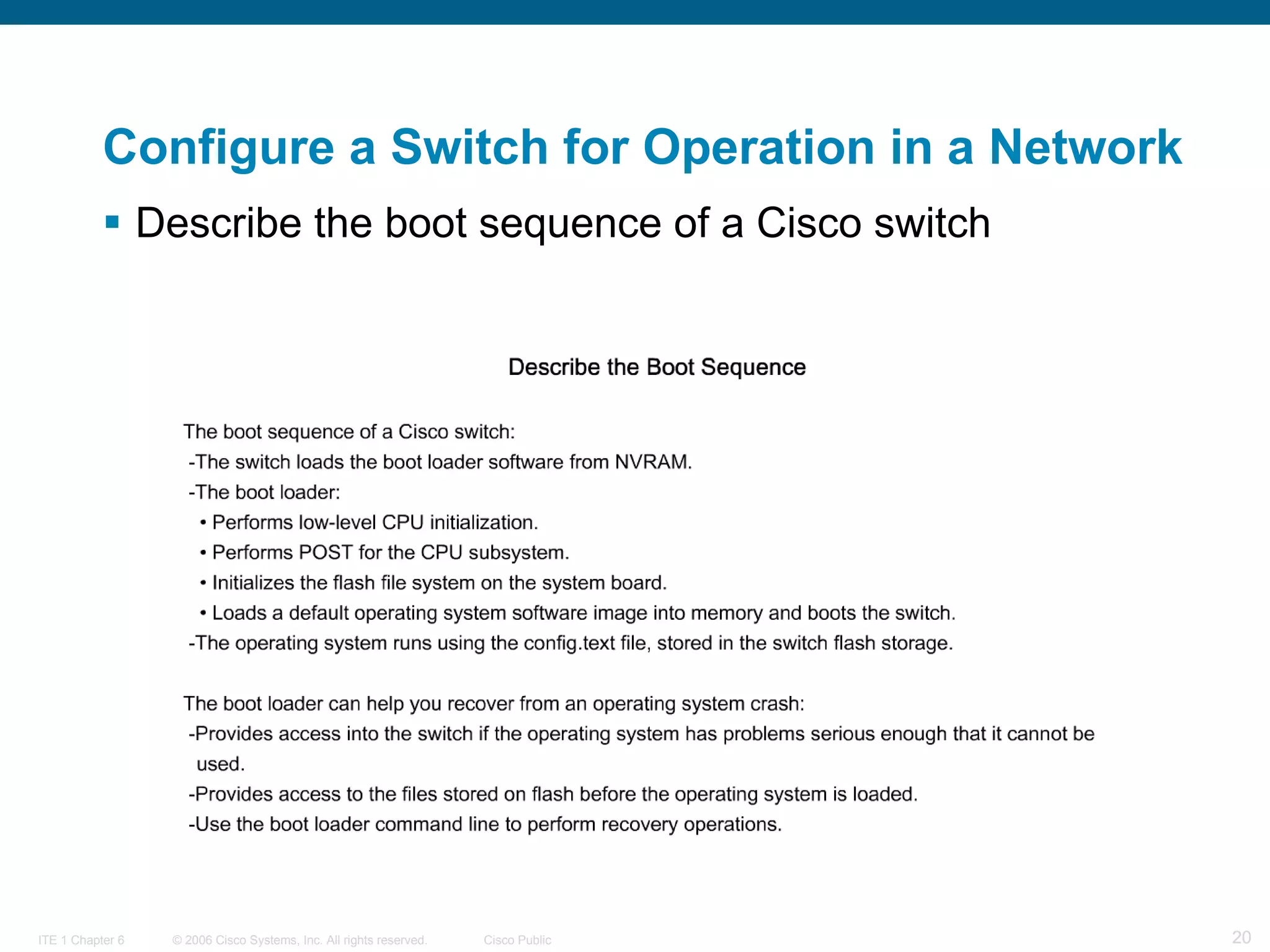
Configure a Switch for Operation in a Network Describe the boot sequence of a Cisco switch
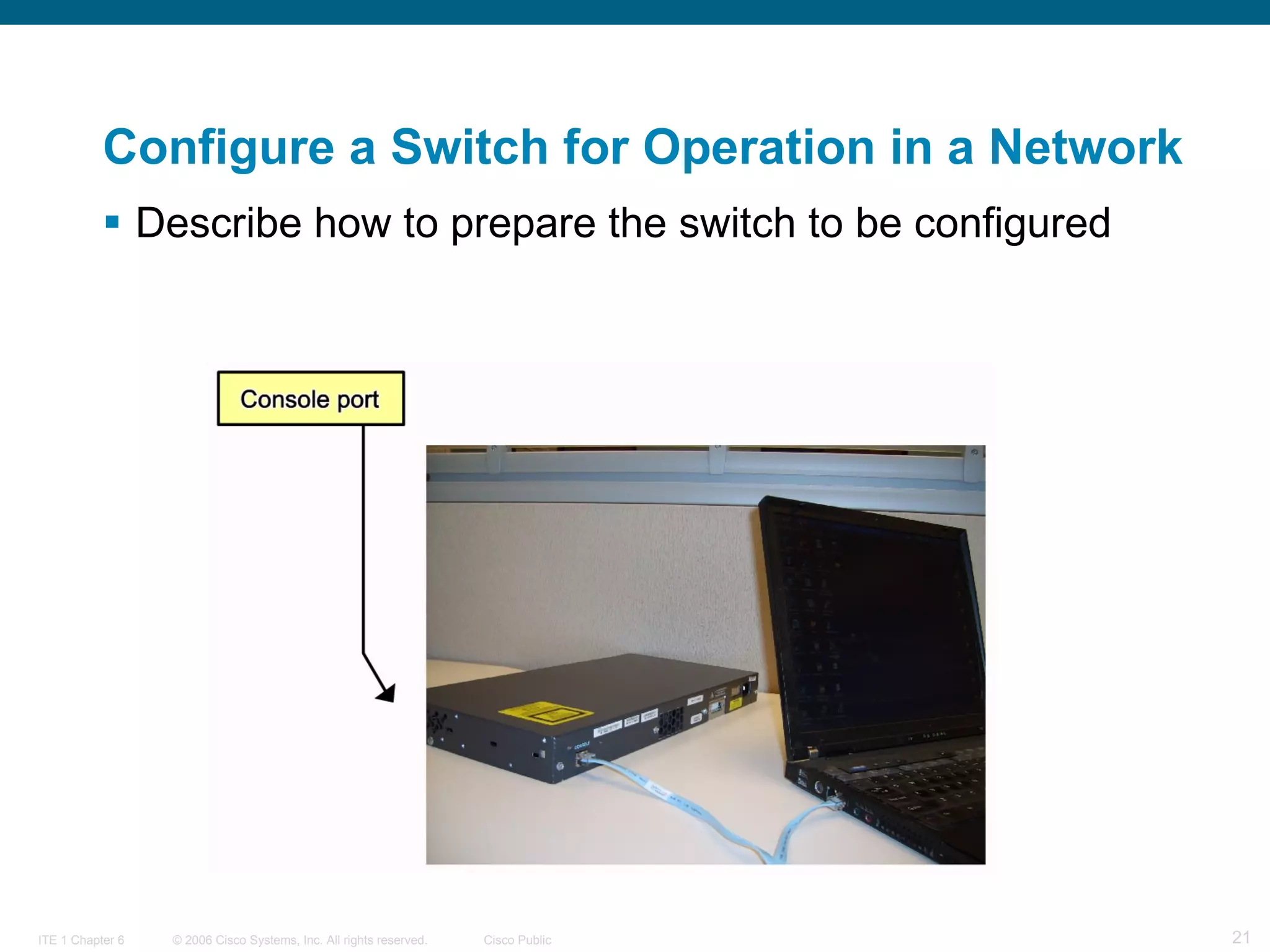
Configure a Switch for Operation in a Network Describe how to prepare the switch to be configured
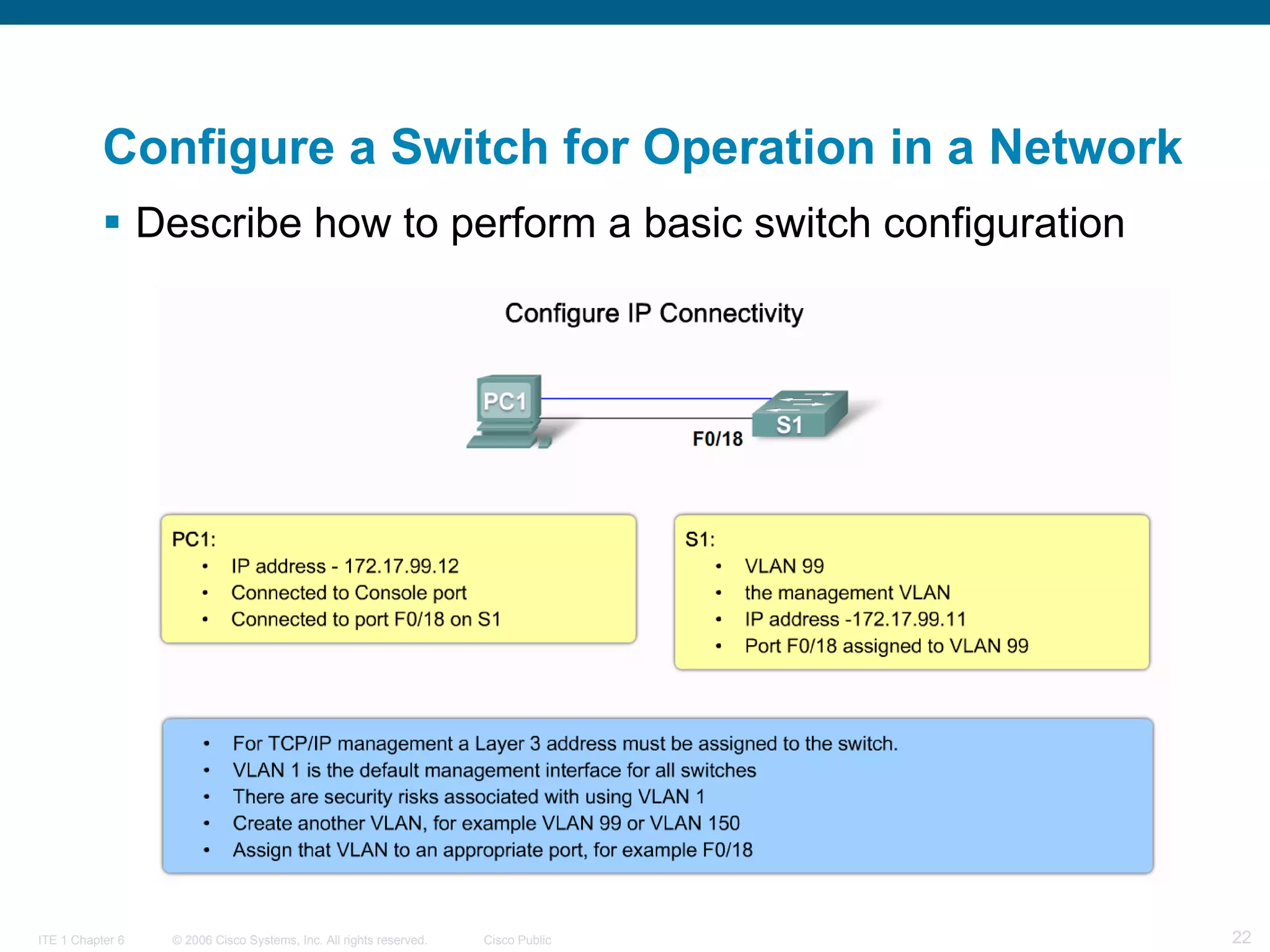
Configure a Switch for Operation in a Network Describe how to perform a basic switch configuration
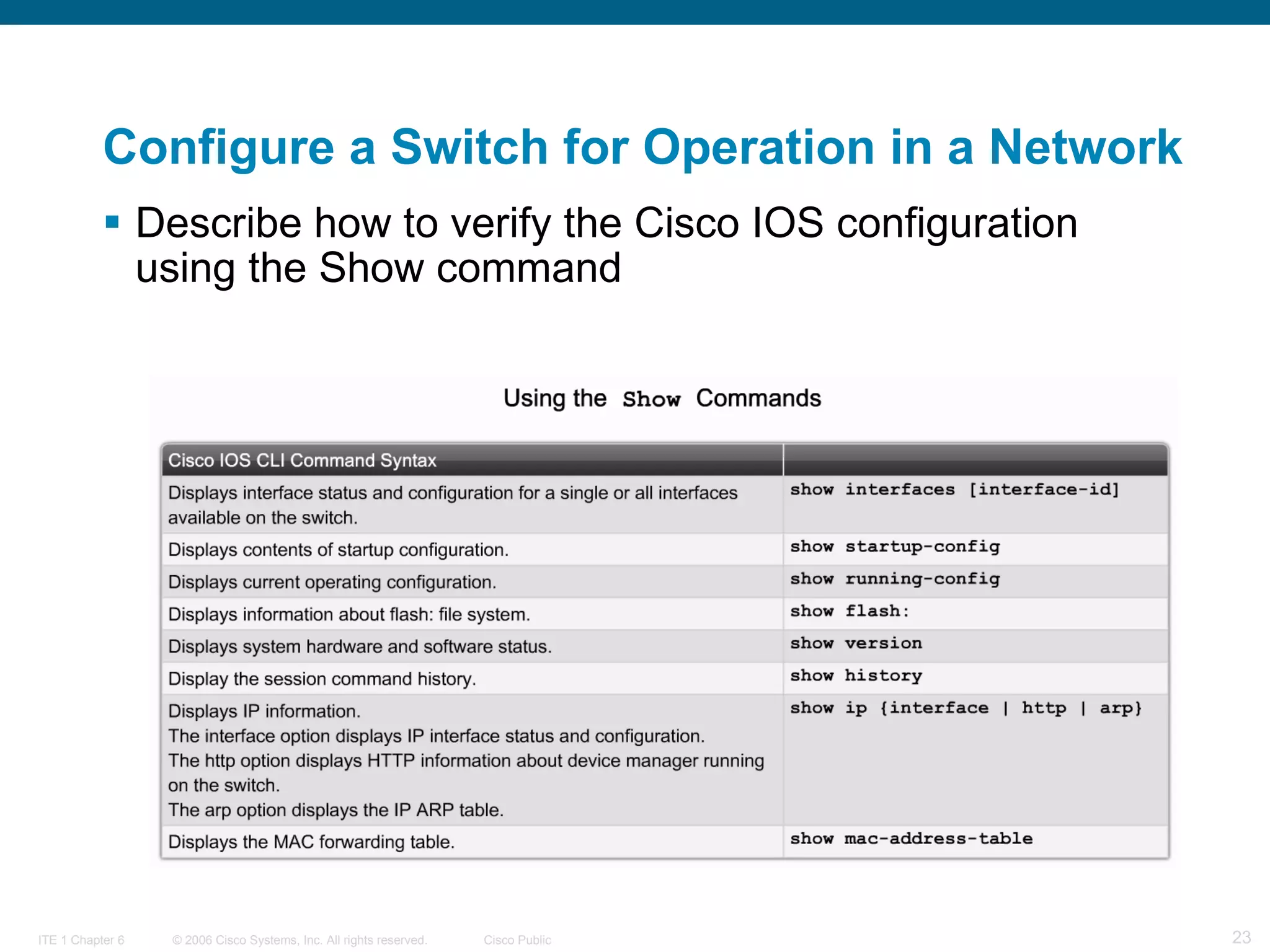
Configure a Switch for Operation in a Network Describe how to verify the Cisco IOS configuration using the Show command
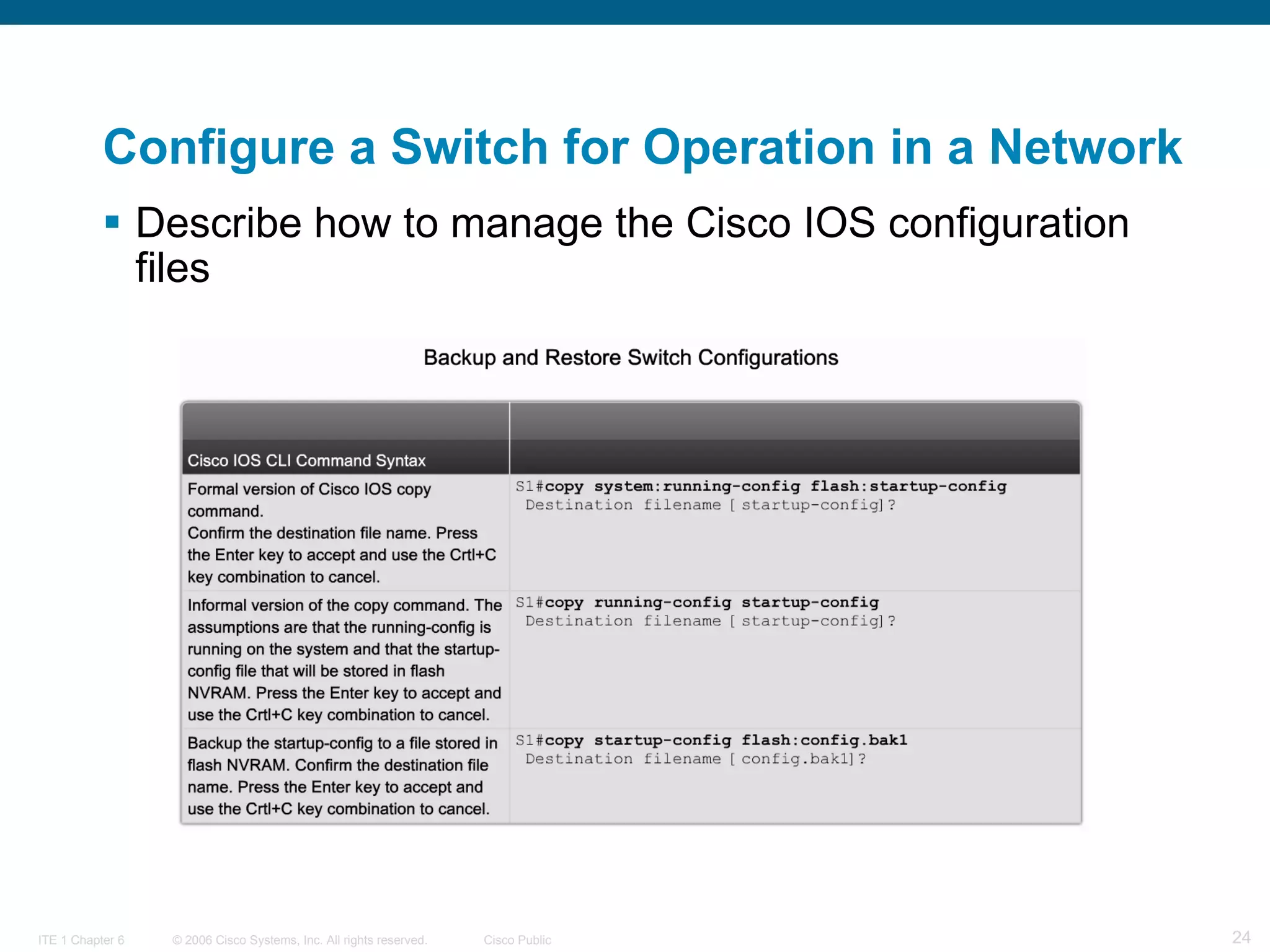
Configure a Switch for Operation in a Network Describe how to manage the Cisco IOS configuration files
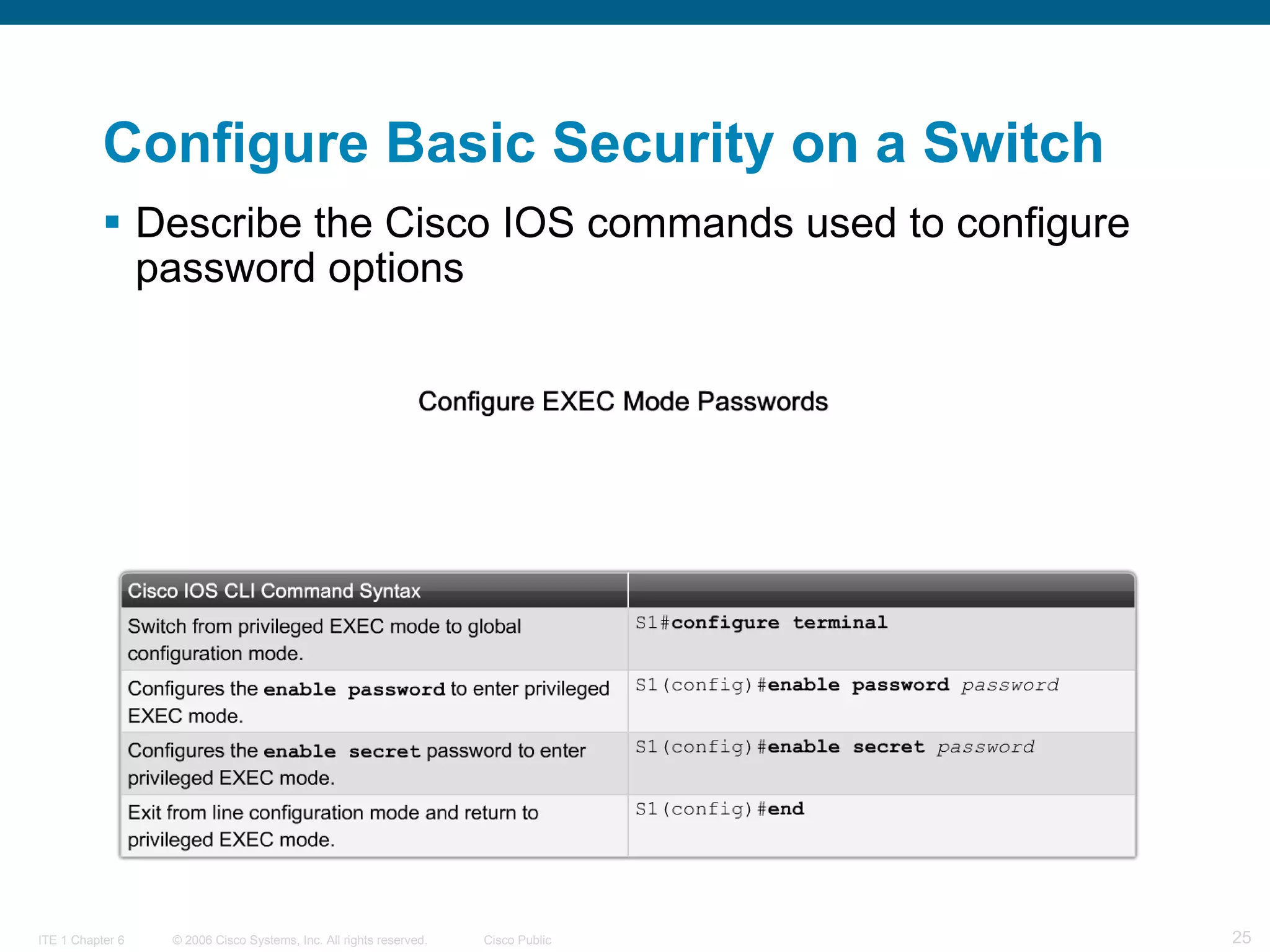
Configure Basic Security on a Switch Describe the Cisco IOS commands used to configure password options
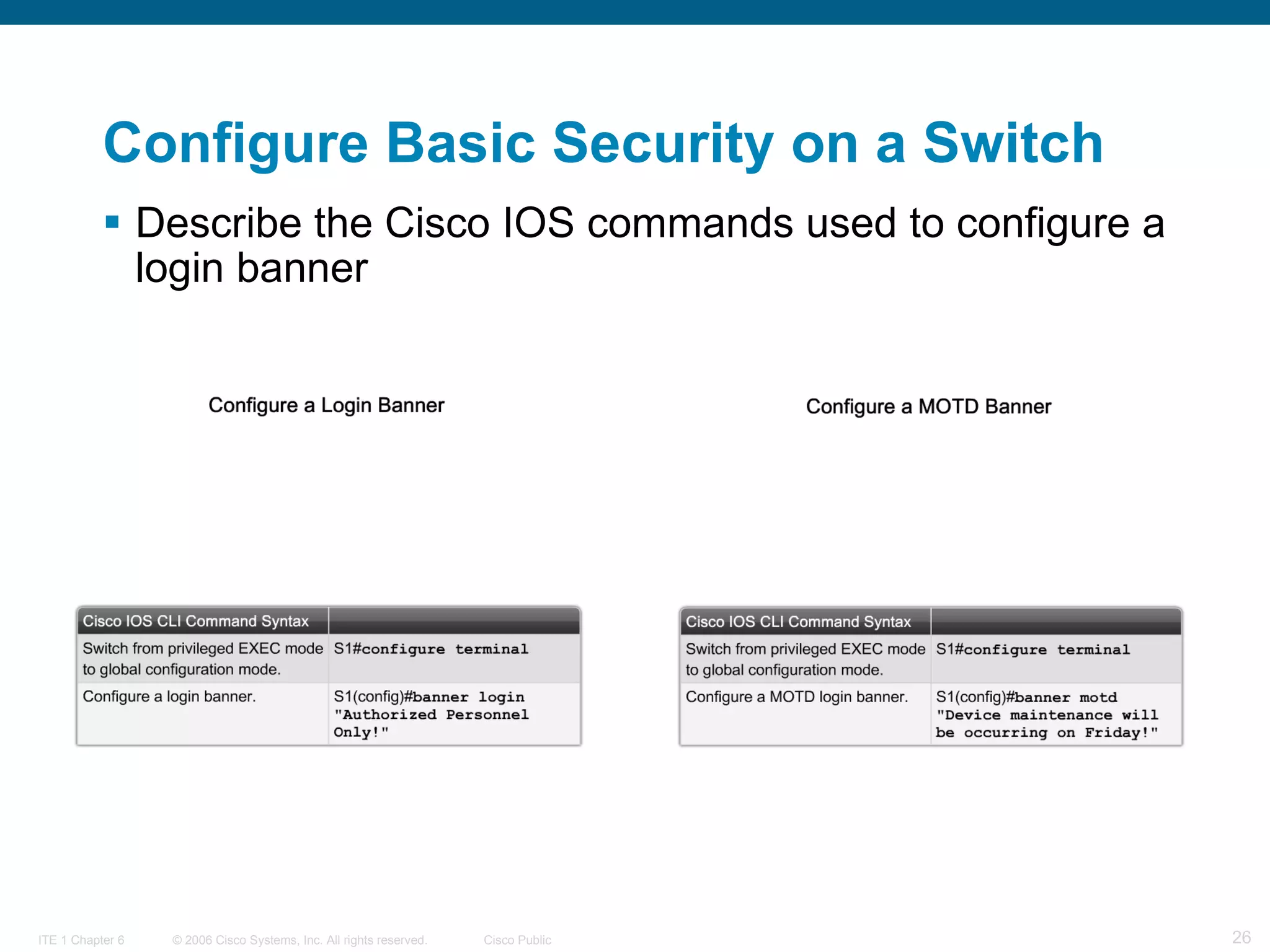
Describe the Cisco IOS commands used to configure a login banner   Configure Basic Security on a Switch
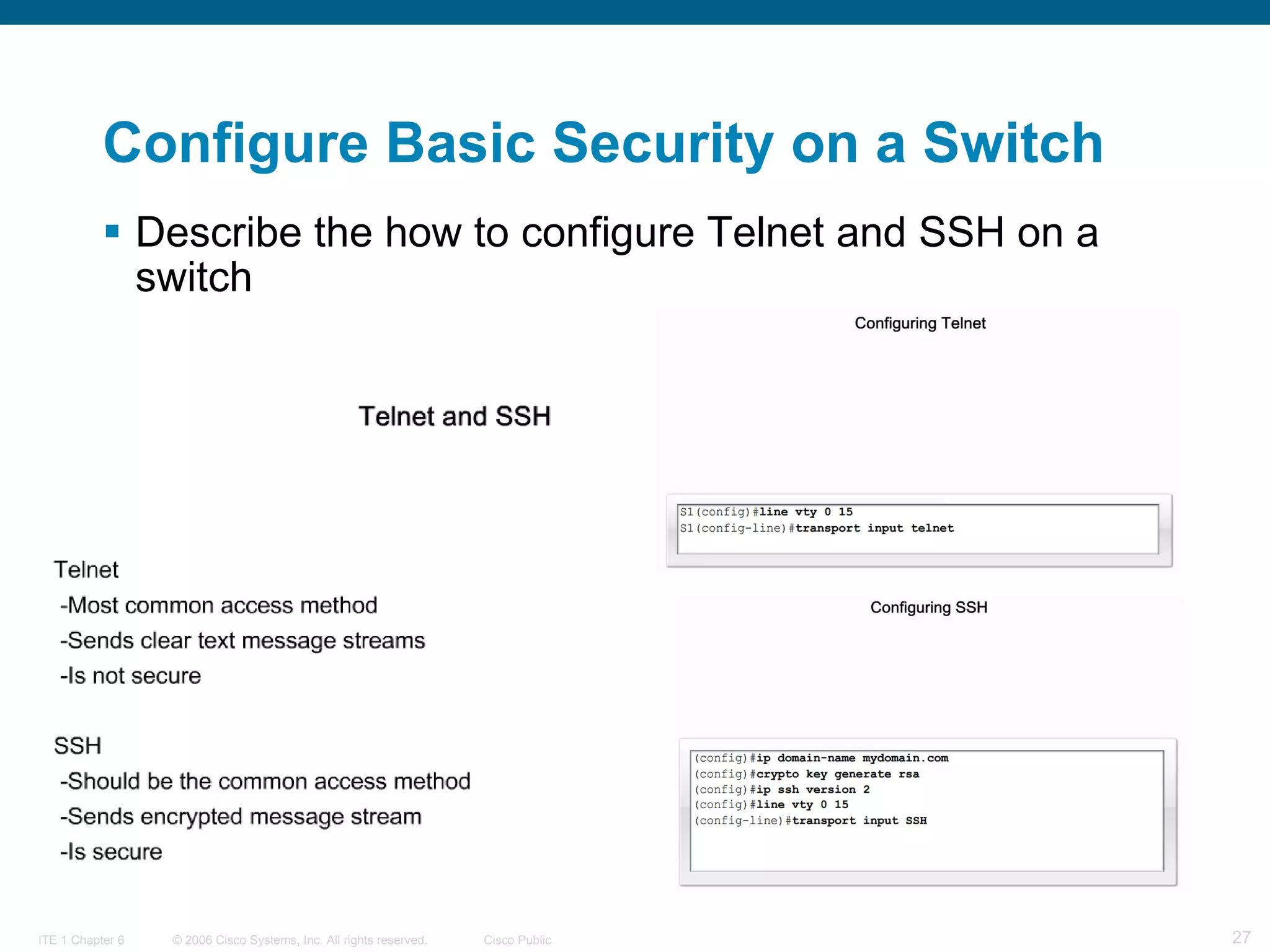
Describe the how to configure Telnet and SSH on a switch   Configure Basic Security on a Switch
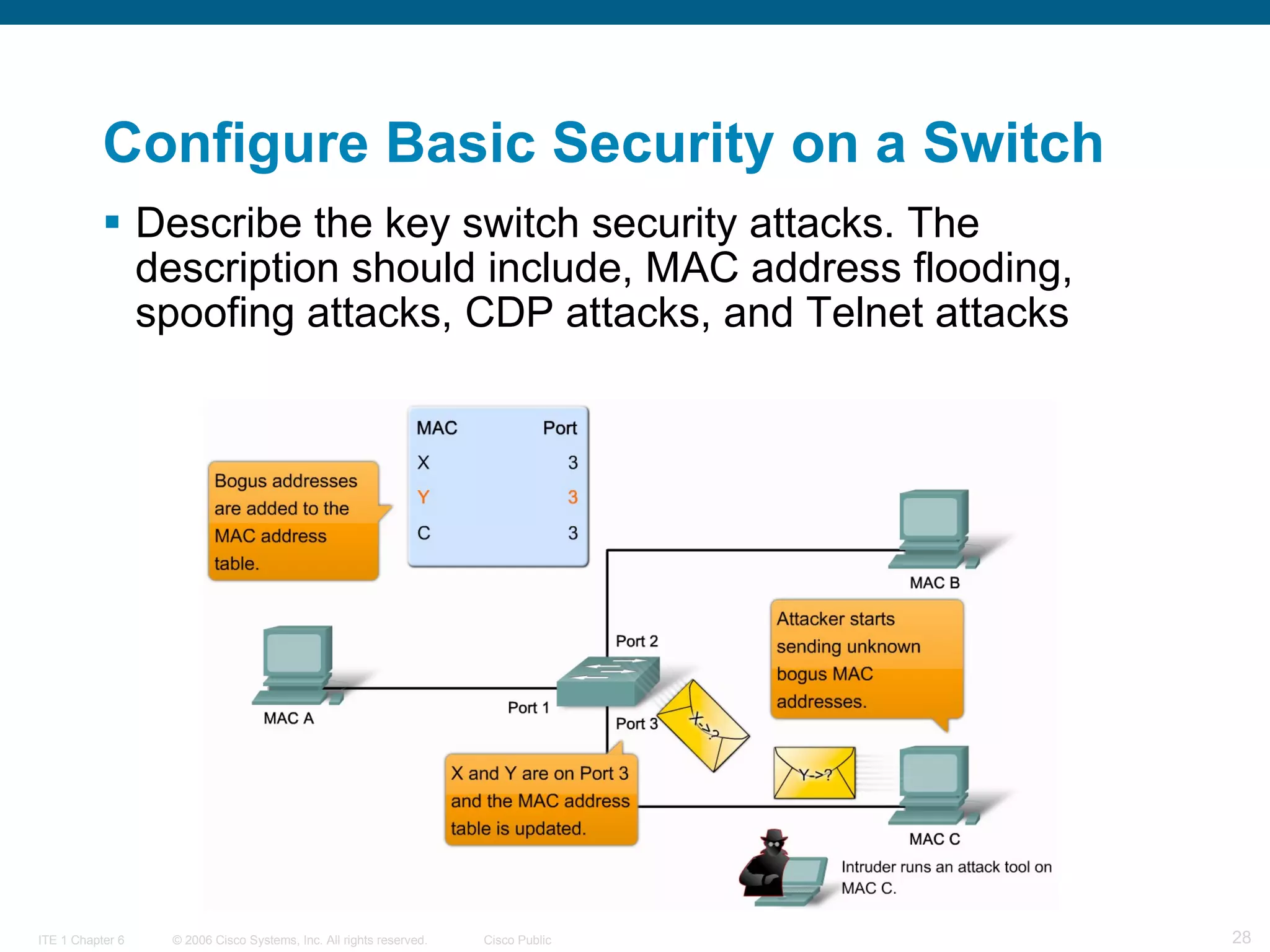
Describe the key switch security attacks. The description should include, MAC address flooding, spoofing attacks, CDP attacks, and Telnet attacks Configure Basic Security on a Switch
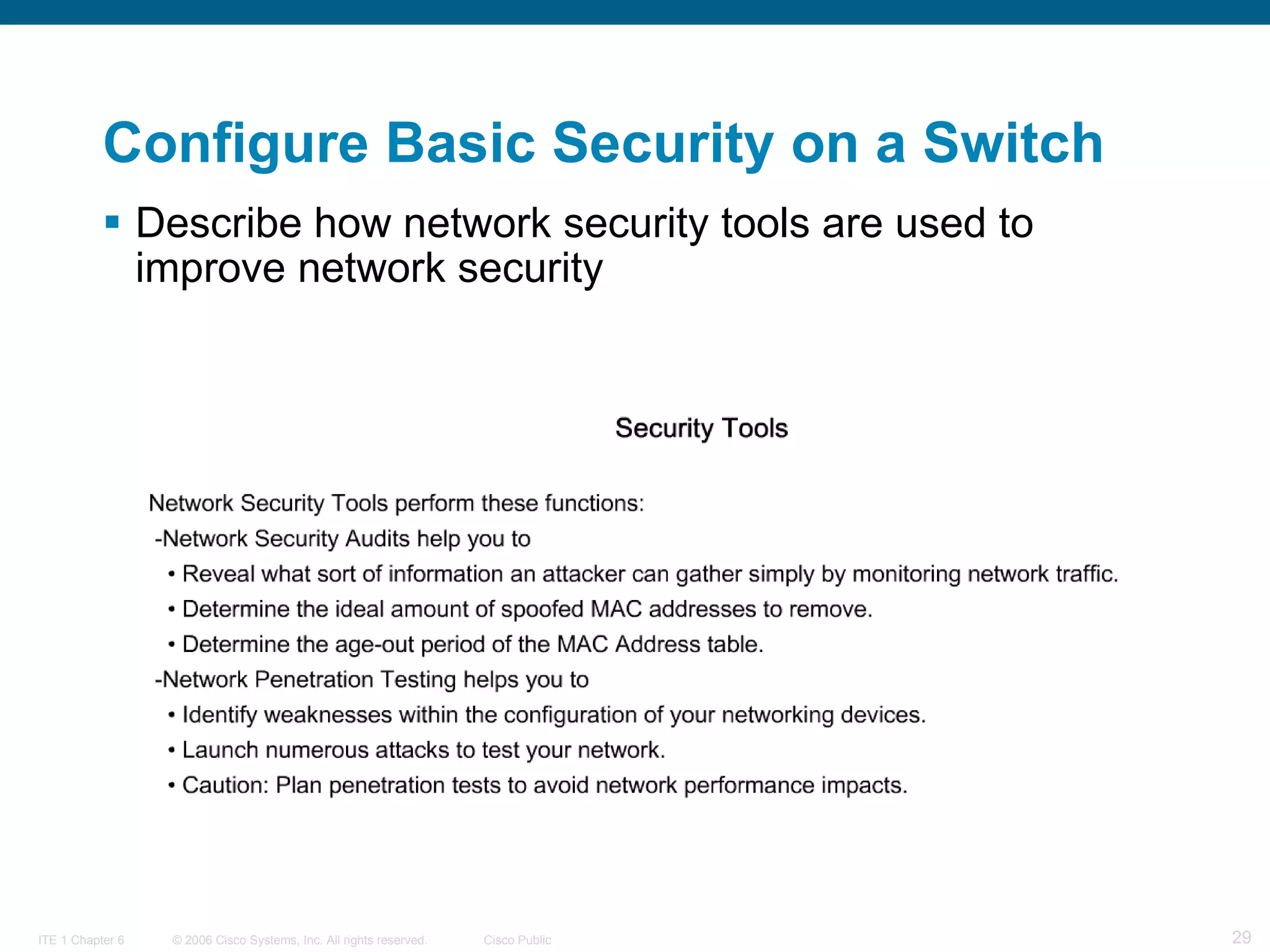
Describe how network security tools are used to improve network security Configure Basic Security on a Switch
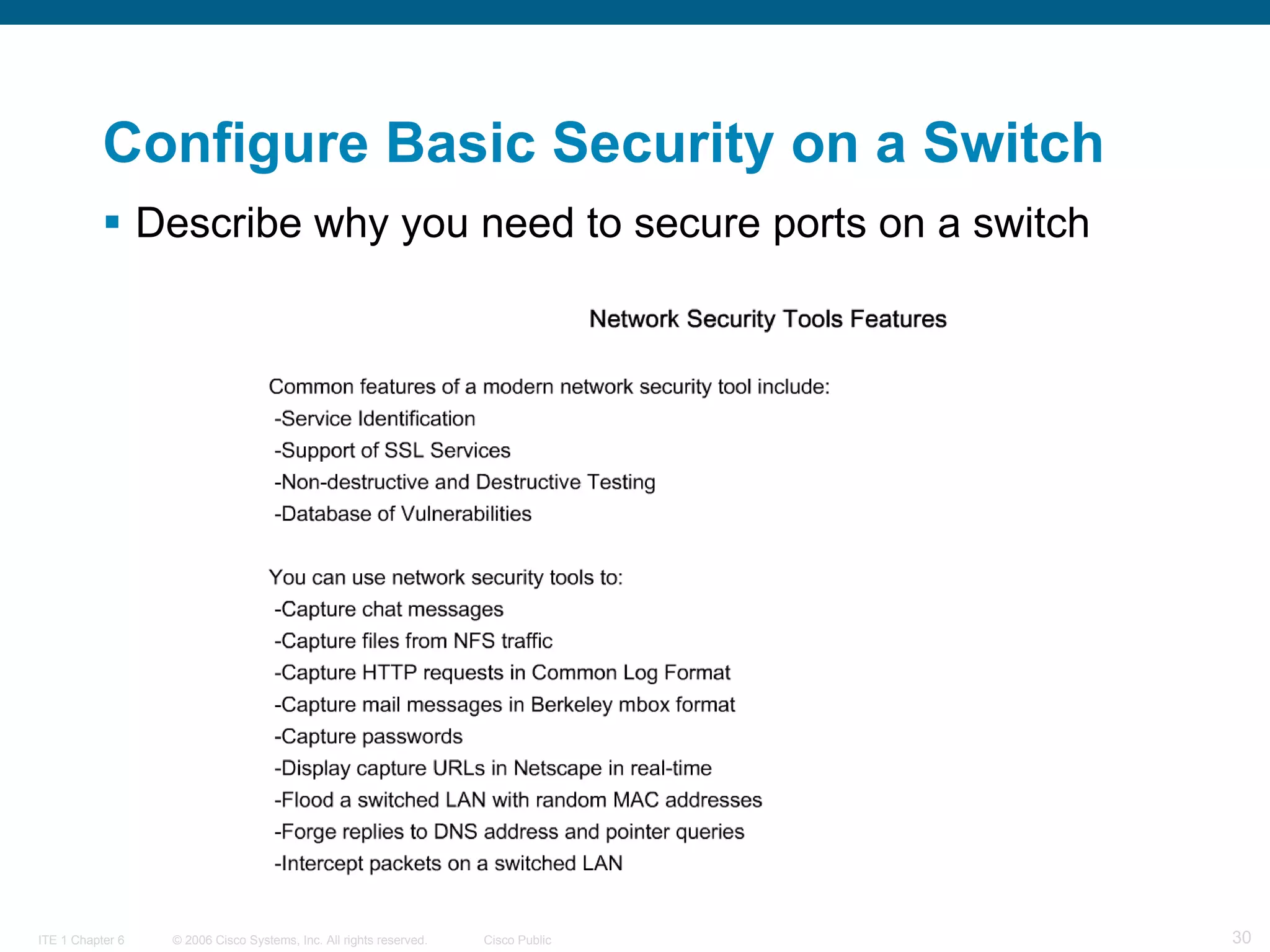
Describe why you need to secure ports on a switch Configure Basic Security on a Switch
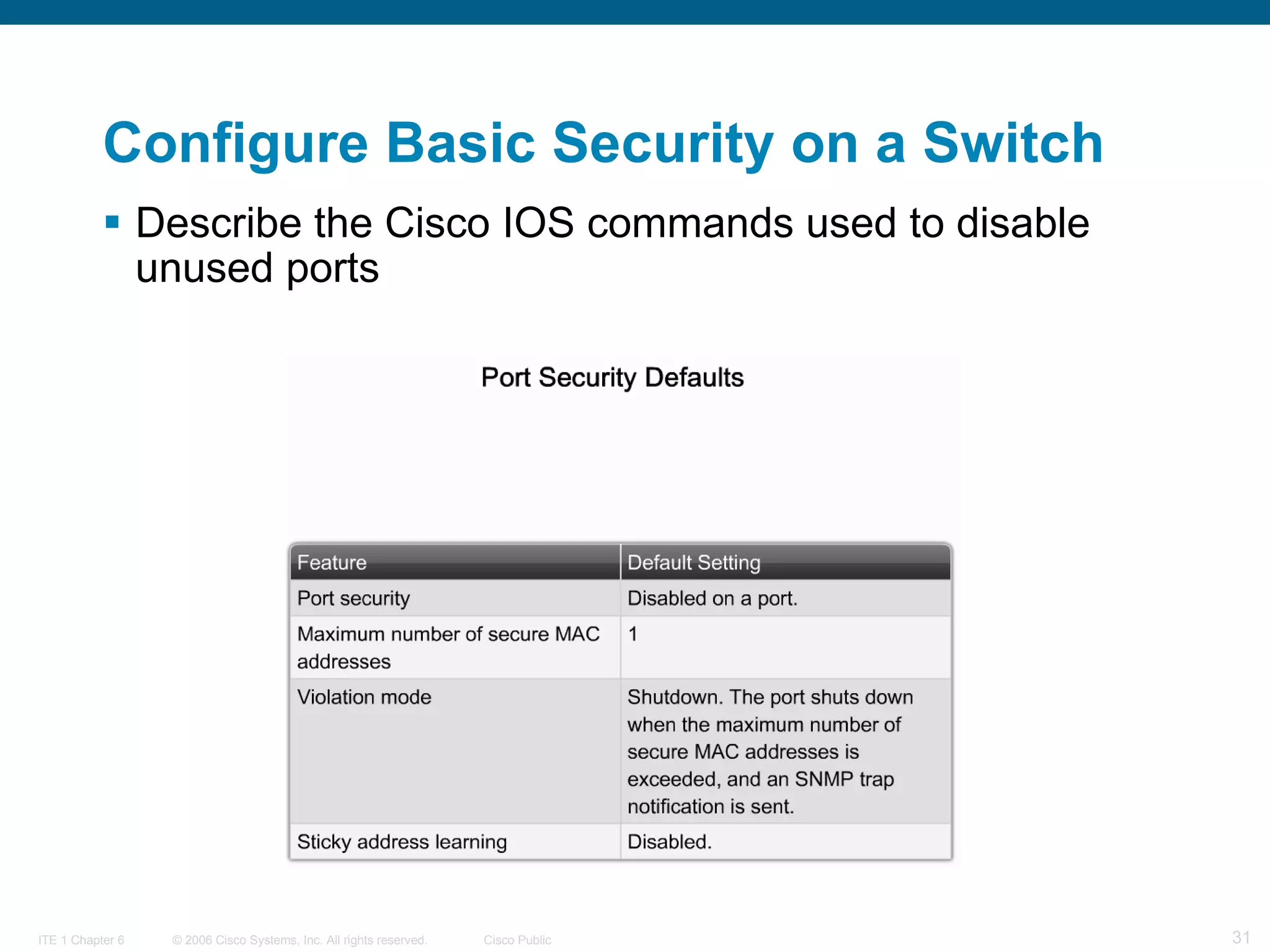
Describe the Cisco IOS commands used to disable unused ports   Configure Basic Security on a Switch
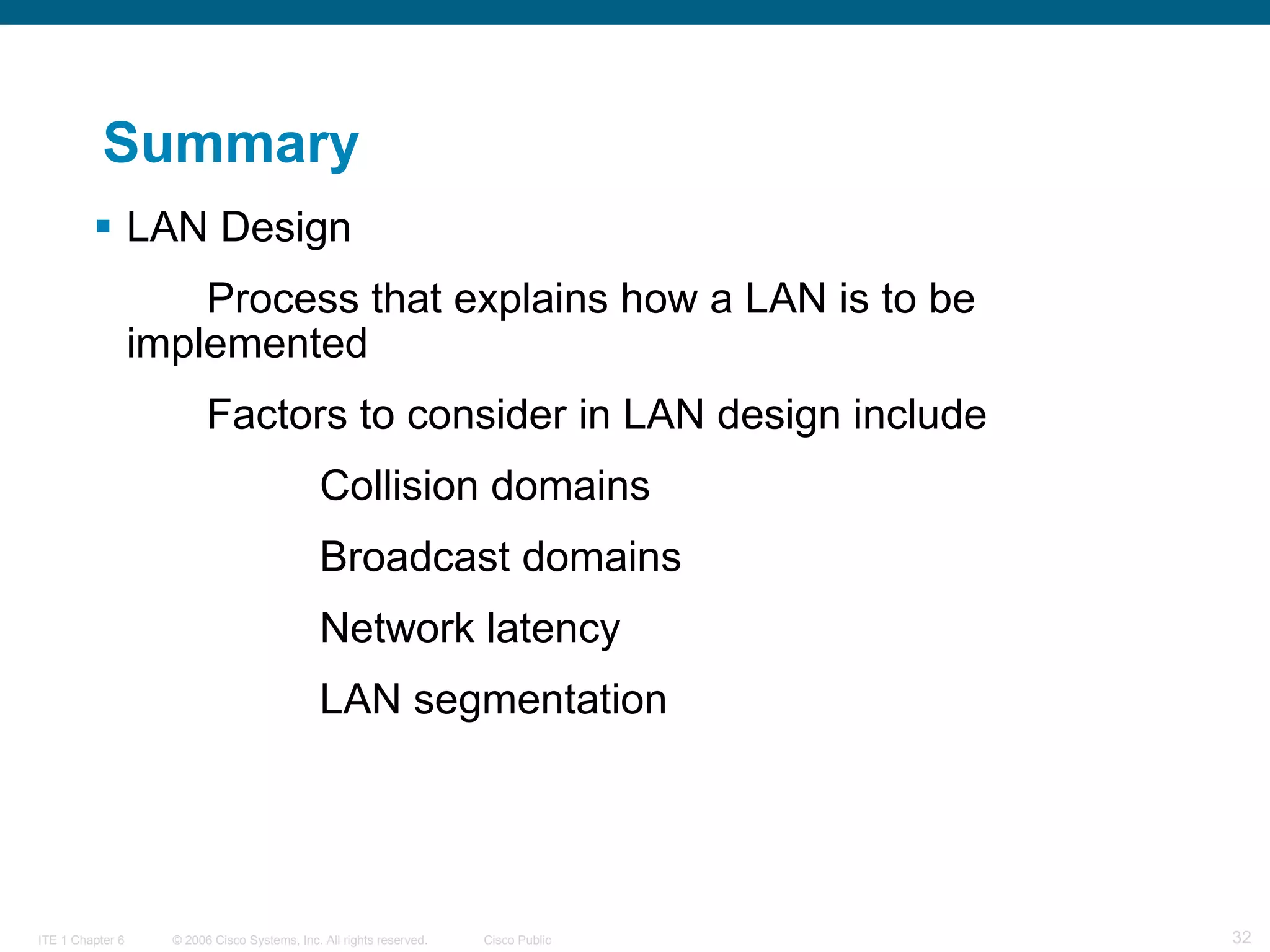
Summary LAN Design Process that explains how a LAN is to be  implemented Factors to consider in LAN design include Collision domains Broadcast domains Network latency LAN segmentation
Summary Switch forwarding methods Store & forward – used by Cisco Catalyst switches Cut through – 2 types Cut through Fast forwarding
Summary Symmetric switching Switching is conducted between ports that have the  same bandwidth Asymmetric switching Switching is conducted between ports that have  unlike bandwidth
Summary CISCO IOS CLI includes the following features Built in help  Command history/options Switch security Password protection Use of SSH for remote access Port security
 

Exploration lan switching_chapter2

  • 1.
    Configure a Switch LAN Switching and Wireless – Chapter 2
  • 2.
  • 3.
    Introducción a lasLAN 802.3/Ethernet Elementos claves de las redes 802.3/Ethernet
  • 4.
    Introducción a lasLAN 802.3/Ethernet Elementos claves de las redes 802.3/Ethernet Recordar que CSMA/CD sólo funciona en half duplex
  • 5.
    Introducción a lasLAN 802.3/Ethernet Elementos claves de las redes 802.3/Ethernet Se utilizan dos tipos de parámetros duplex para las comunicaciones en una red Ethernet:
  • 6.
    Introducción a lasLAN 802.3/Ethernet Configuración del puerto del switch: Los switches Cisco Catalyst cuentan con tres parámetros: La opción auto establece el modo autonegociación de duplex. Cuando este modo se encuentra habilitado, los dos puertos se comunican para decidir el mejor modo de funcionamiento. La opción full establece el modo full-duplex. La opción half establece el modo half-duplex. Nota: Al tener half-duplex en un extremo y full-duplex en el otro, pueden producirse colisiones tardías en el extremo de half-duplex Al habilitar la función auto-MDIX, se puede utilizar un cable de conexión directa o cruzada para realizar la conexión con un puerto 10/100/1000 de cobre situado en el switch, independientemente del tipo de dispositivo que se encuentre en el otro extremo de la conexión.
  • 7.
    Introducción a lasLAN 802.3/Ethernet Direccionamiento MAC y Tablas de direcciones MAC de los switches
  • 8.
    Aspectos que sedeben tener en cuenta para las redes 802.3/Ethernet Dominios de broadcast
  • 9.
    Aspectos que sedeben tener en cuenta para las redes 802.3/Ethernet Latencia de la red
  • 10.
    Aspectos que sedeben tener en cuenta para las redes 802.3/Ethernet Congestión de red Causas más comunes: Tecnología de redes y computadoras cada vez más potentes. Pueden enviar una mayor cantidad de datos a través de la red y también procesarlos a una mayor velocidad. Volumen de tráfico de la red cada vez mayor. Aplicaciones con alta demanda de ancho de banda. Por ejemplo: las aplicaciones de edición, diseño de ingeniería, video a pedido (VoD), aprendizaje electrónico (e-learning) y streaming video requieren una considerable capacidad y velocidad de procesamiento.
  • 11.
    Aspectos que sedeben tener en cuenta para las redes 802.3/Ethernet Segmentación LAN
  • 12.
    Consideraciones de diseñode la LAN Control de la latencia de la red
  • 13.
    Describe the switchforwarding methods Explain the Functions that Enable a Switch to Forward Ethernet Frames in a LAN
  • 14.
    Explain the Functionsthat Enable a Switch to Forward Ethernet Frames in a LAN Explain symmetric and asymmetric Switching
  • 15.
    Explain the Functionsthat Enable a Switch to Forward Ethernet Frames in a LAN Describe how memory buffering works
  • 16.
    Explain the Functionsthat Enable a Switch to Forward Ethernet Frames in a LAN Compare Layer 2 with Layer 3 switching
  • 17.
    Configure a Switchfor Operation in a Network Describe the Cisco IOS commands used to navigate the command-line
  • 18.
    Configure a Switchfor Operation in a Network Describe the Cisco IOS help facilities
  • 19.
    Configure a Switchfor Operation in a Network Describe the Cisco IOS commands used to access the command history
  • 20.
    Configure a Switchfor Operation in a Network Describe the boot sequence of a Cisco switch
  • 21.
    Configure a Switchfor Operation in a Network Describe how to prepare the switch to be configured
  • 22.
    Configure a Switchfor Operation in a Network Describe how to perform a basic switch configuration
  • 23.
    Configure a Switchfor Operation in a Network Describe how to verify the Cisco IOS configuration using the Show command
  • 24.
    Configure a Switchfor Operation in a Network Describe how to manage the Cisco IOS configuration files
  • 25.
    Configure Basic Securityon a Switch Describe the Cisco IOS commands used to configure password options
  • 26.
    Describe the CiscoIOS commands used to configure a login banner Configure Basic Security on a Switch
  • 27.
    Describe the howto configure Telnet and SSH on a switch Configure Basic Security on a Switch
  • 28.
    Describe the keyswitch security attacks. The description should include, MAC address flooding, spoofing attacks, CDP attacks, and Telnet attacks Configure Basic Security on a Switch
  • 29.
    Describe how networksecurity tools are used to improve network security Configure Basic Security on a Switch
  • 30.
    Describe why youneed to secure ports on a switch Configure Basic Security on a Switch
  • 31.
    Describe the CiscoIOS commands used to disable unused ports Configure Basic Security on a Switch
  • 32.
    Summary LAN DesignProcess that explains how a LAN is to be implemented Factors to consider in LAN design include Collision domains Broadcast domains Network latency LAN segmentation
  • 33.
    Summary Switch forwardingmethods Store & forward – used by Cisco Catalyst switches Cut through – 2 types Cut through Fast forwarding
  • 34.
    Summary Symmetric switchingSwitching is conducted between ports that have the same bandwidth Asymmetric switching Switching is conducted between ports that have unlike bandwidth
  • 35.
    Summary CISCO IOSCLI includes the following features Built in help Command history/options Switch security Password protection Use of SSH for remote access Port security
  • 36.

Notas del editor

  • #4 Graphics 2.1.1.1, 2..1.1.2, 2.1.1.3, 2.1.1.4
  • #5 Graphics 2.1.1.1, 2..1.1.2, 2.1.1.3, 2.1.1.4
  • #6 Graphics 2.1.1.1, 2..1.1.2, 2.1.1.3, 2.1.1.4
  • #7 Graphics 2.1.1.1, 2..1.1.2, 2.1.1.3, 2.1.1.4
  • #8 Graphics 2.1.1.1, 2..1.1.2, 2.1.1.3, 2.1.1.4
  • #9 Graphics 2.1.1.1, 2..1.1.2, 2.1.1.3, 2.1.1.4
  • #10 Graphic 2.1.2.2, 2.1.2.3
  • #11 Graphic 2.1.2.2, 2.1.2.3
  • #12 Graphic 2.1.2.2, 2.1.2.3
  • #13 Graphic 2.1.3.1, 2.1.3.2 (pick some of these maybe one or 2 – whatever will fit in)
  • #14 Graphic 2.2.1.1
  • #15 Graphic 2.2.2.1
  • #16 Graphic 2.2.3..1
  • #17 Graphic 2.2.4.2
  • #18 Graphic 2.3.1.1
  • #19 Graphics 2.3.2.1 & 2.3.2.2
  • #20 Graphic 2.3.3.1 & 2.3.3.2
  • #21 Graphic 2.3.4.1
  • #22 Graphic 2.3.5.1
  • #23 Graphic 2.3.6.1
  • #24 Graphic 2.3.7.1
  • #25 Graphics 2.3.8.1 & 2.3.8.2
  • #26 All graphics for 2.4.1 pages 1 through 4
  • #27 Graphic 2.4.2.1 & 2.4.2.2
  • #28 Graphics 2.4.3.1, 2.4.3.2, 2.4.3.3
  • #29 All graphics in section 2.4.4
  • #30 Graphic 2.4.5.1
  • #31 Graphic 2.4.5.2
  • #32 Graphic 2.4.6.2