


















contacto@soreygarcia.com | @soreygarcia | blog.soreygarcia.me
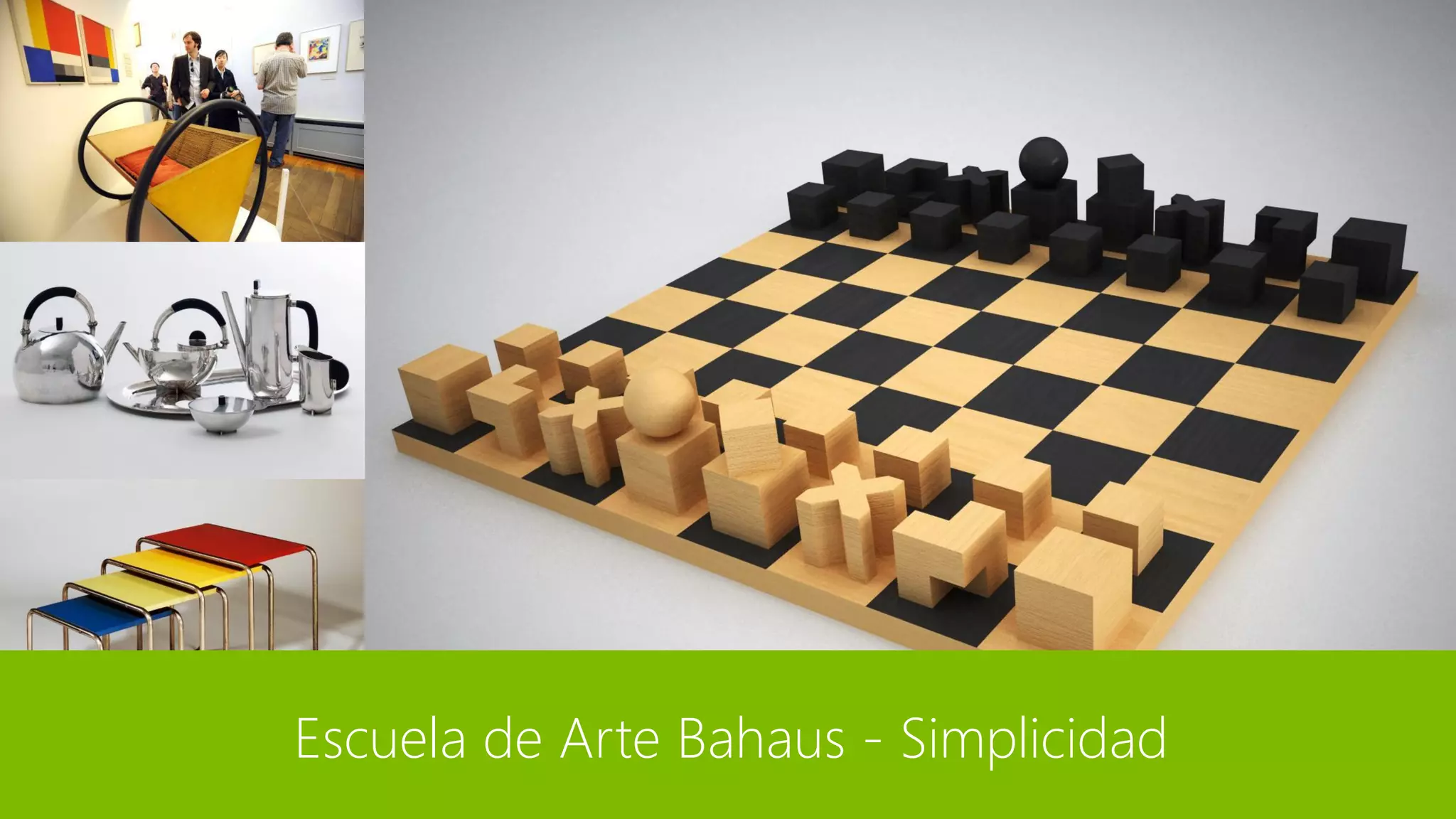
Escuela de Arte Bahaus - Simplicidad
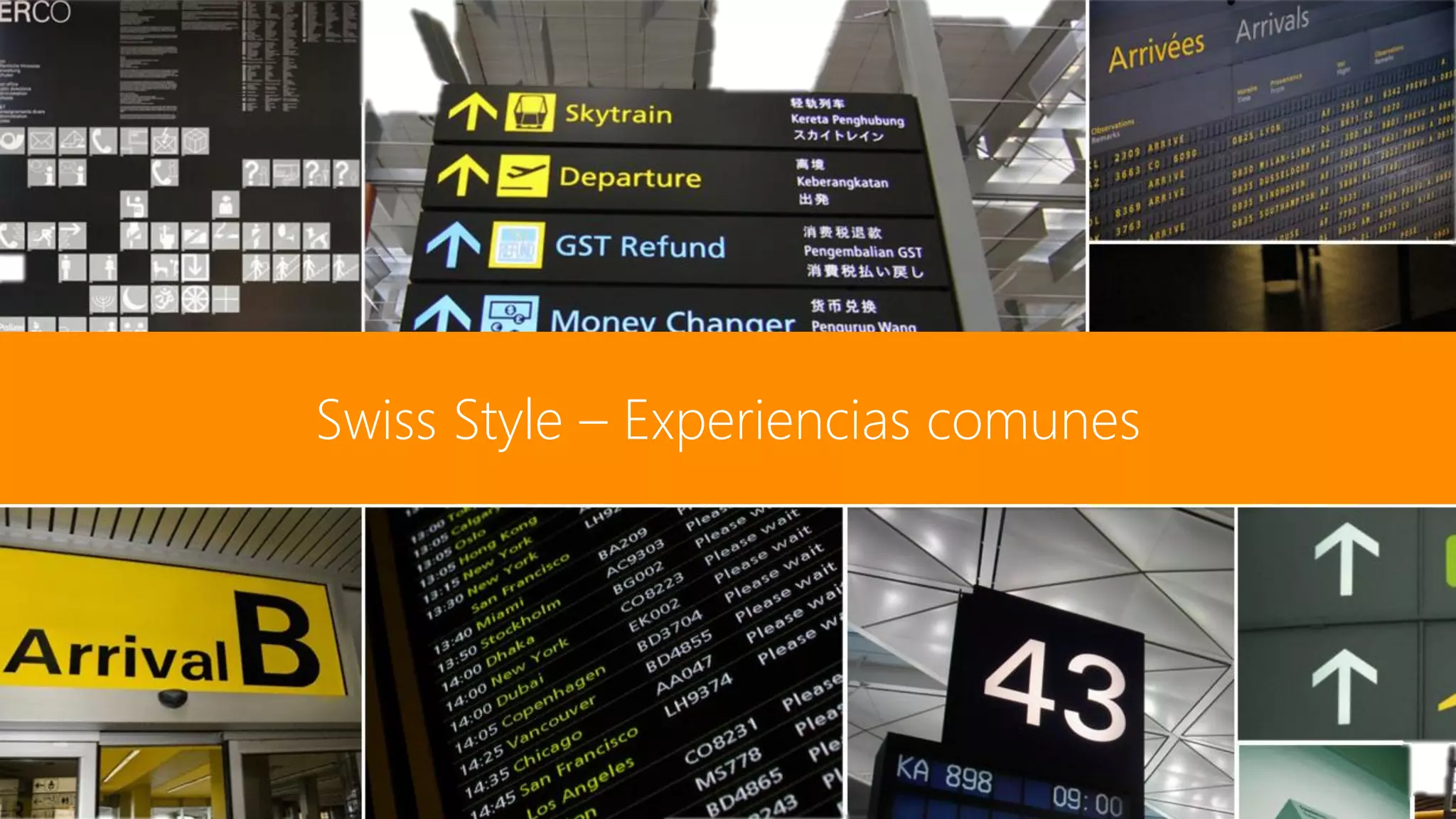
Swiss Style – Experiencias comunes
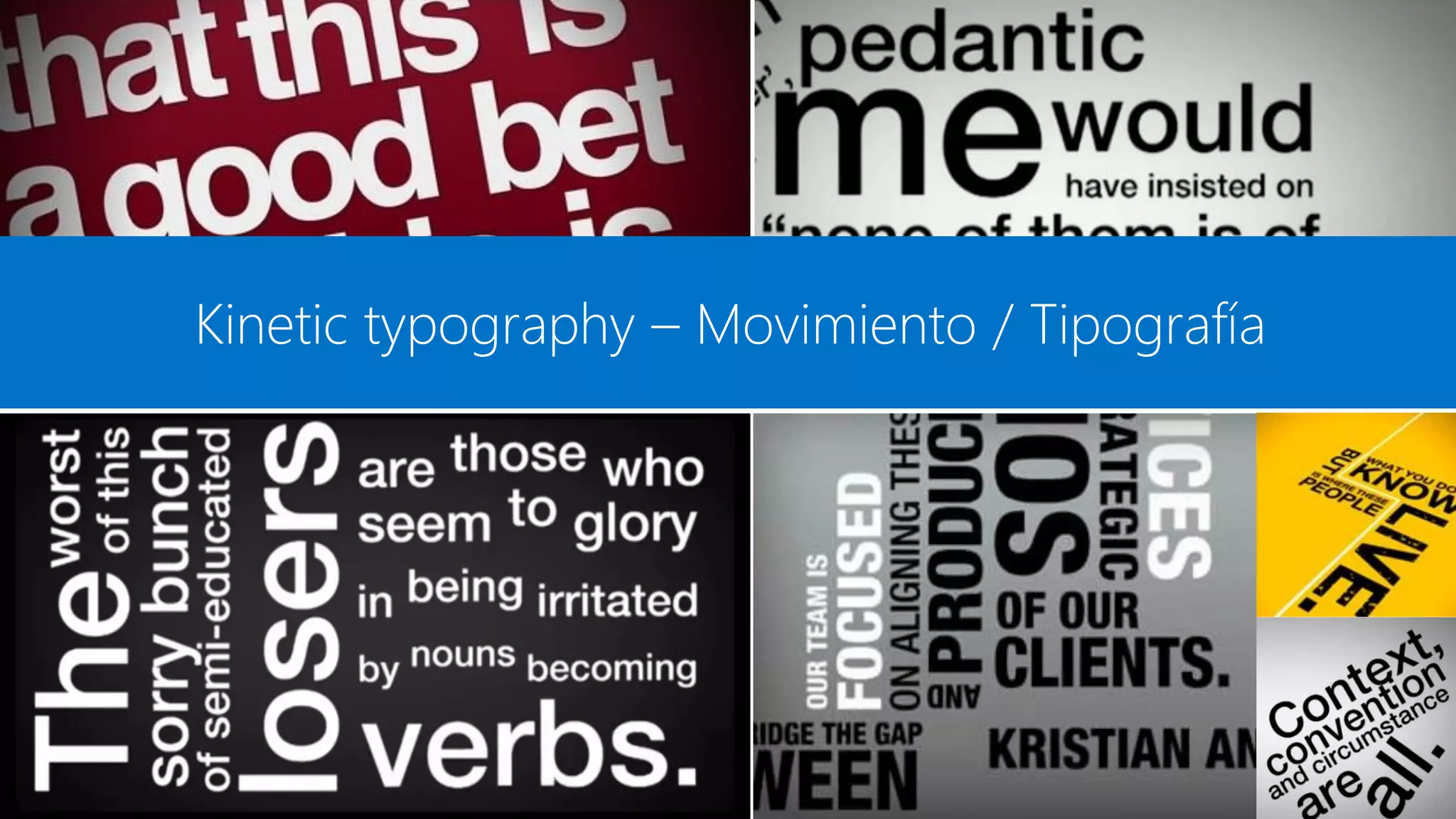
Kinetic typography – Movimiento / Tipografía
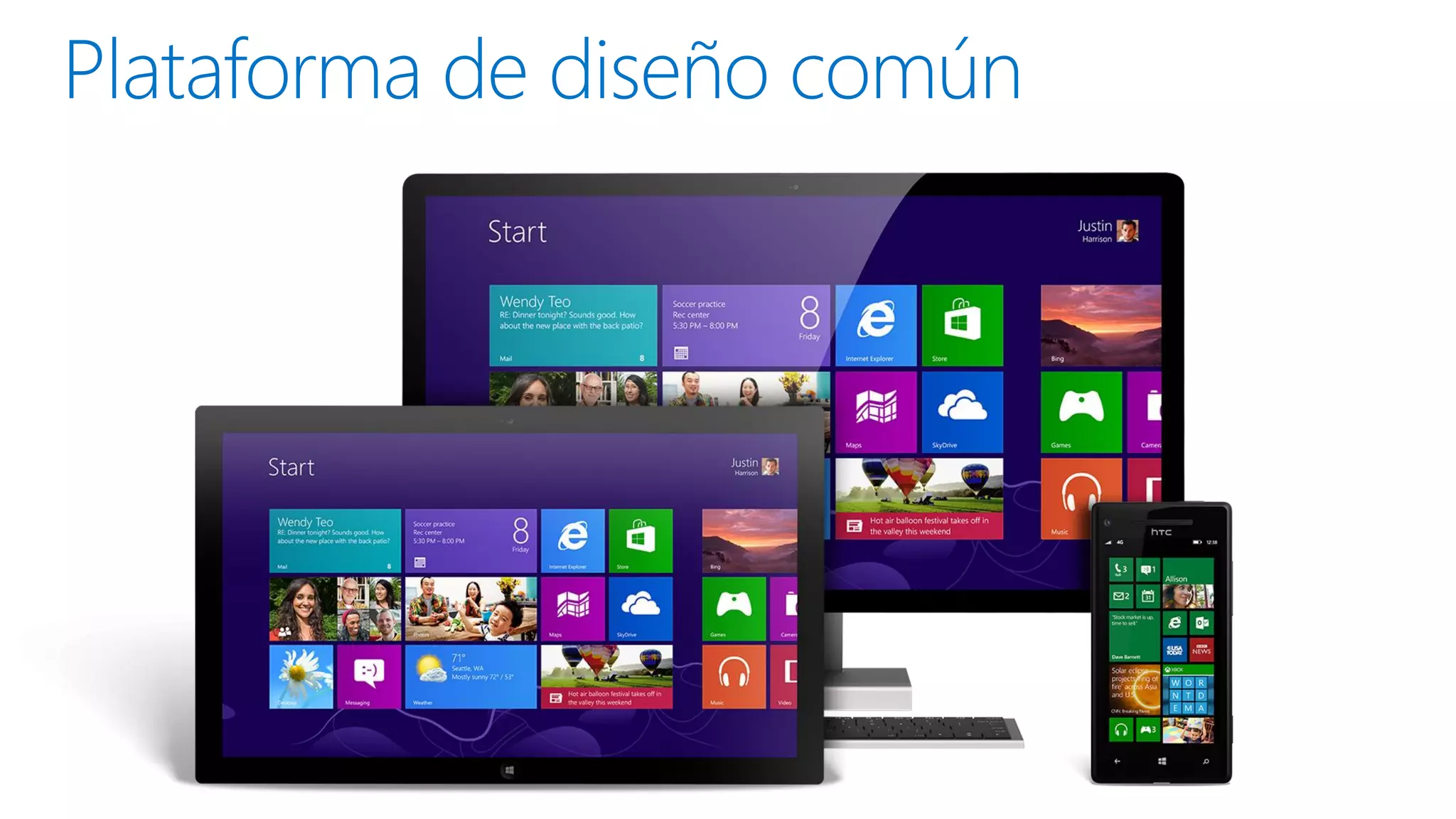
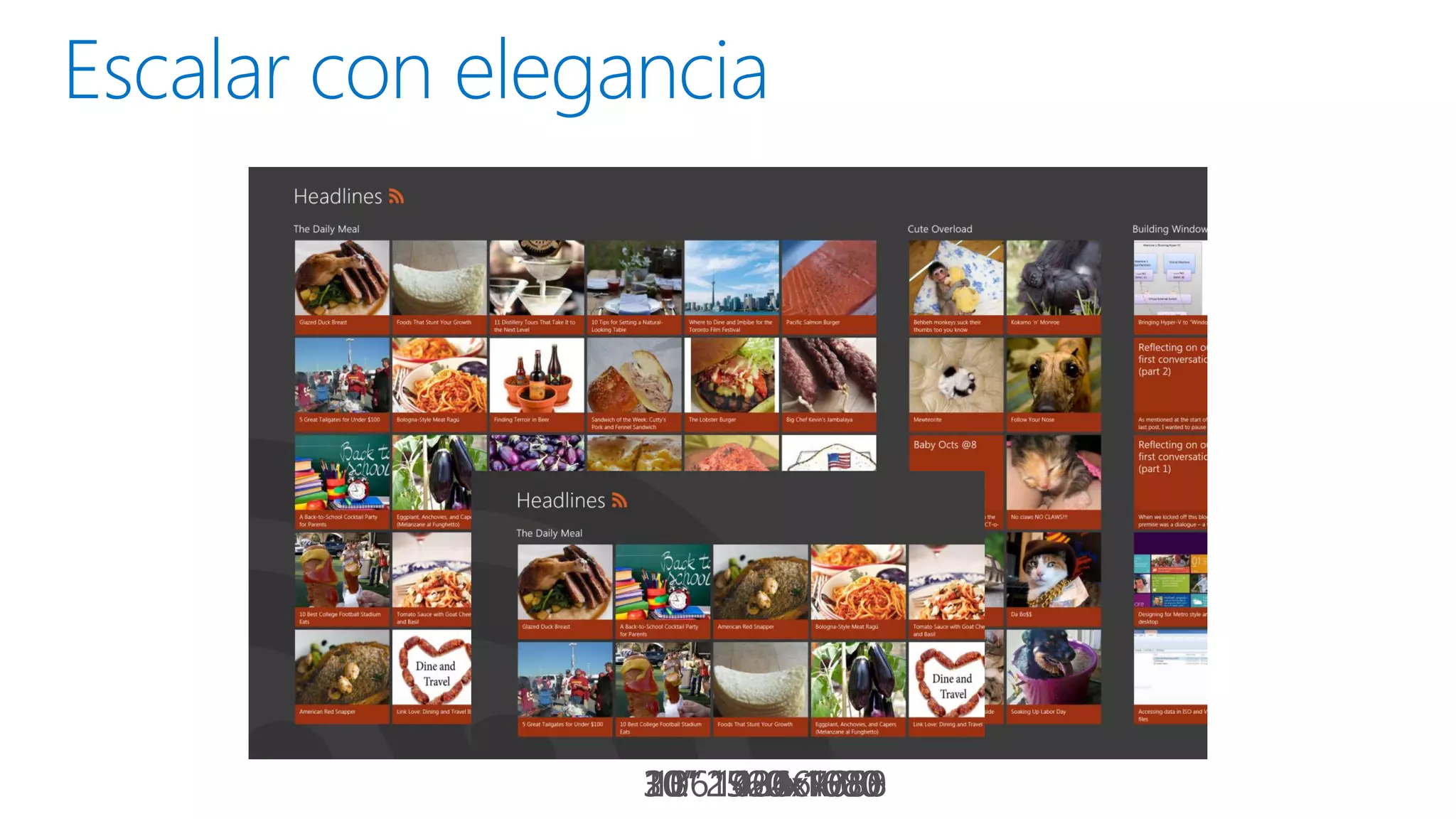
11.6” 1366x768
30” 2560x1600
20” 1920x1080
13” 1400x1050
10” 1024x768
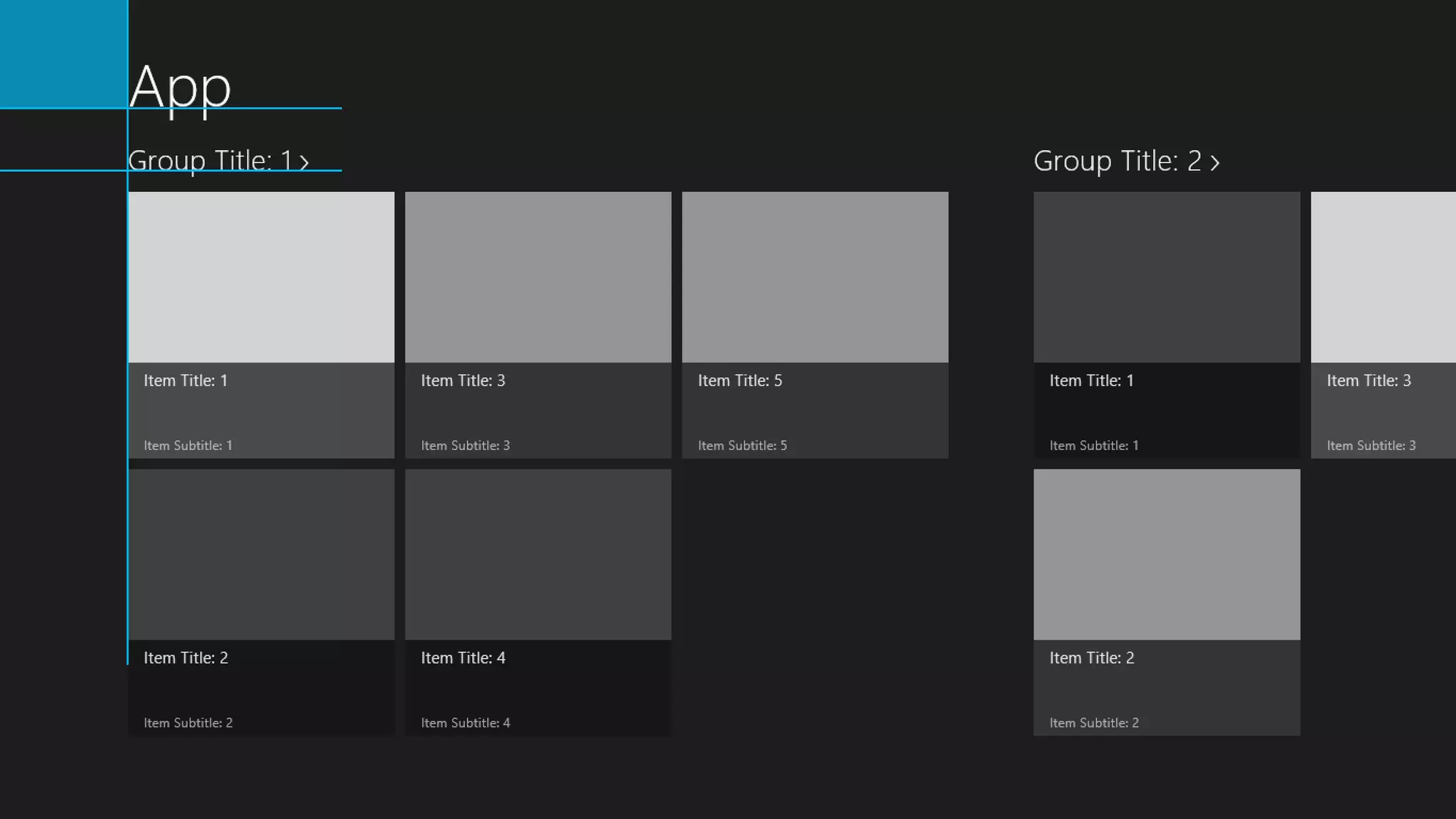
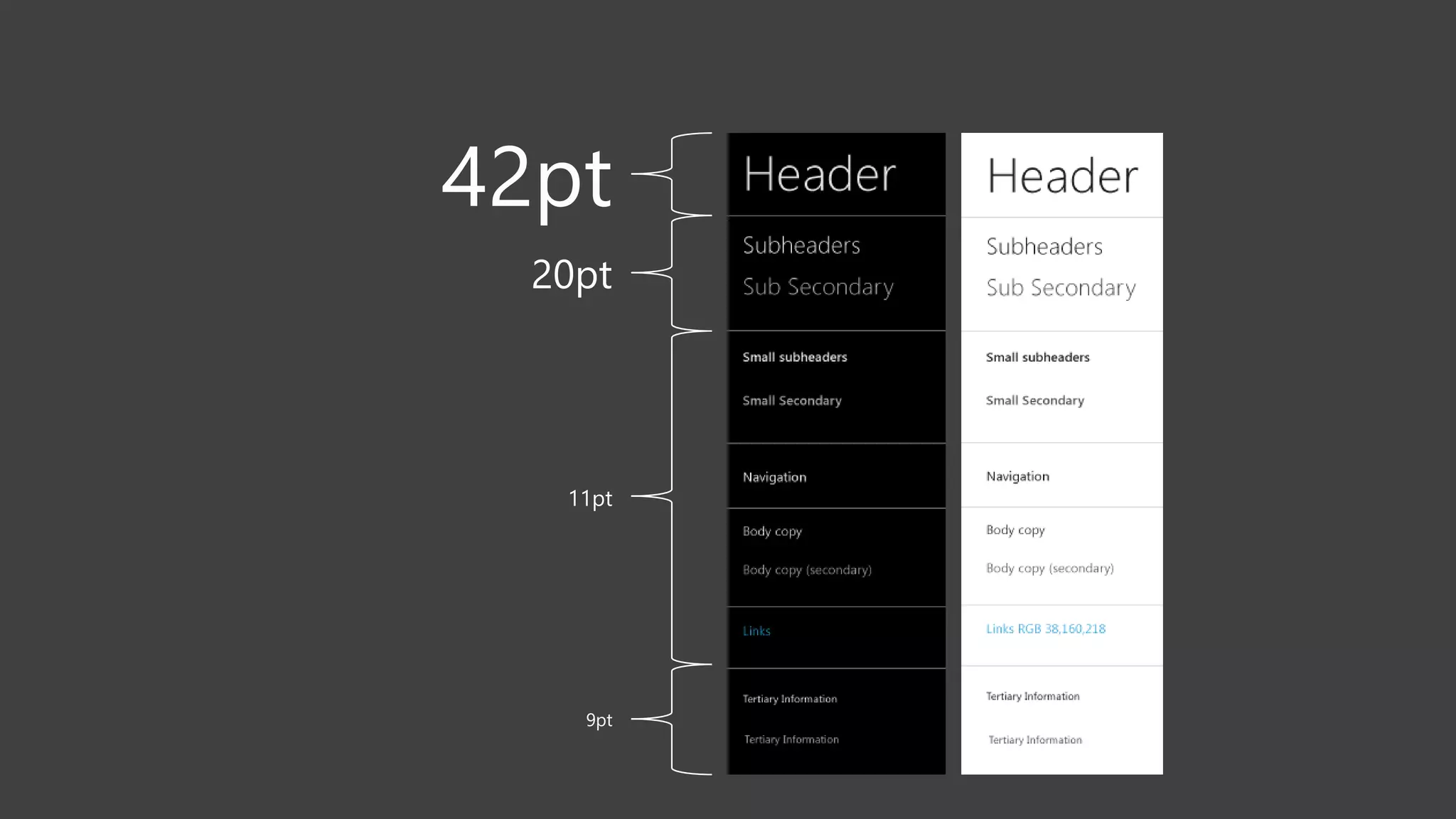
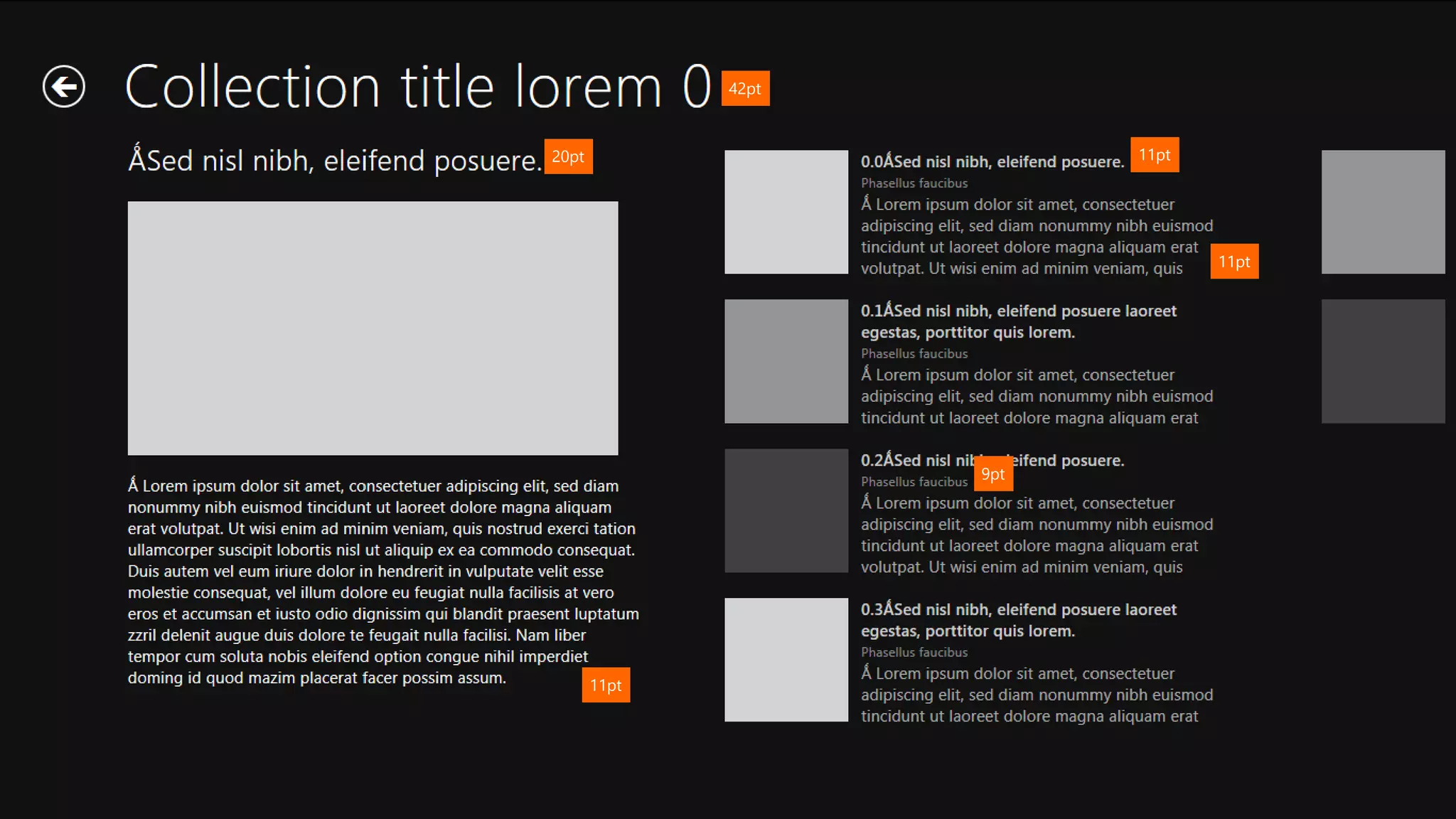
42pt

11pt

20pt

11pt

9pt

11pt
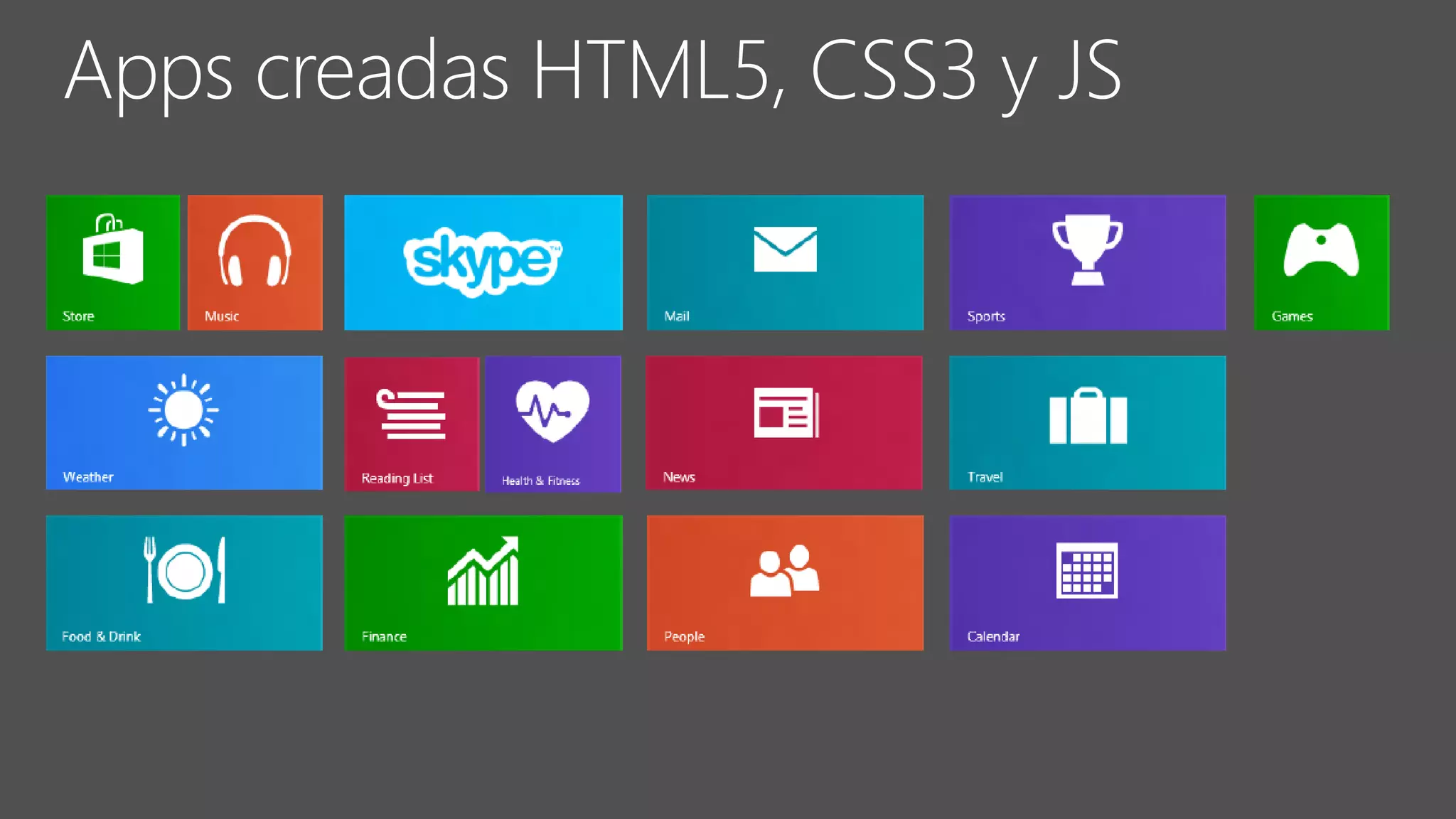
HTML5, CSS3 y JS
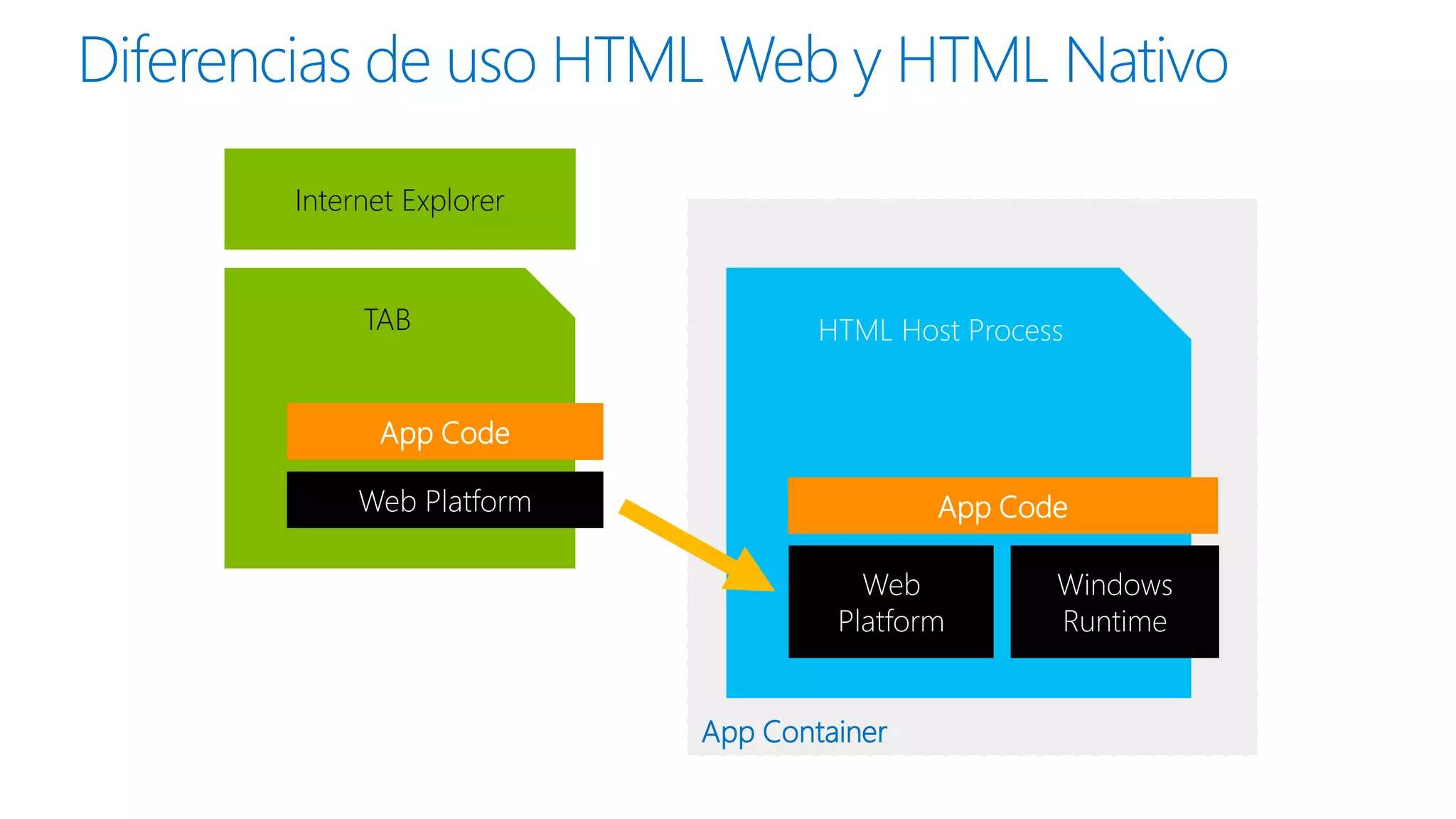
Diferencias de uso HTML Web y HTML Nativo
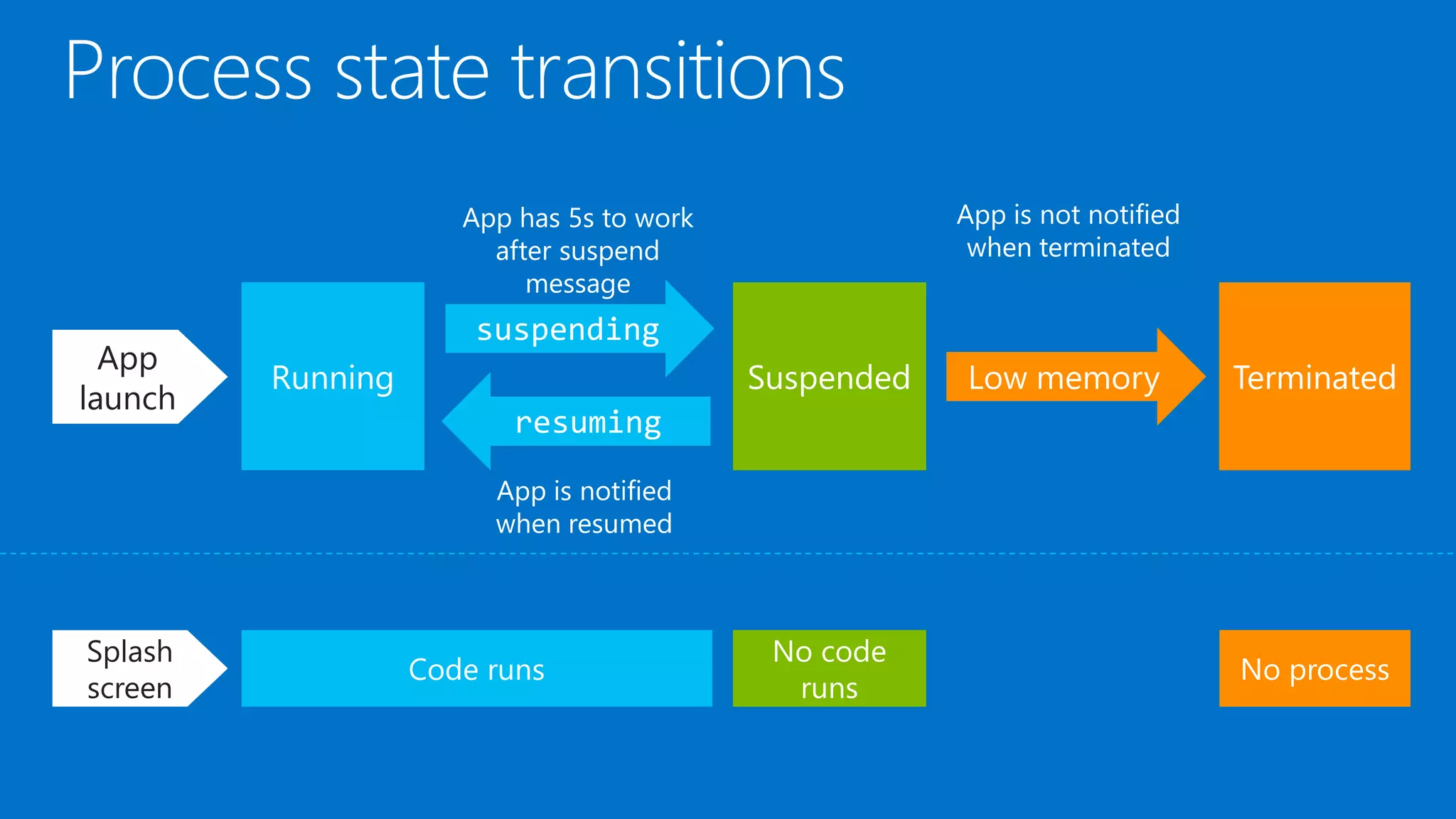
Internet Explorer

TAB

HTML Host Process

App Code
Web Platform

App Code

Web
Platform
App Container

Windows
Runtime
Running app

Windows
Runtime
Running app

Windows
Runtime
Running app
HTML App Host Process
App Code
Web Platform

App Container

Windows
Runtime
Running app
HTML App Host Process
App Code
Web Platform

App Container

Windows Runtime
App
launch

Splash
screen
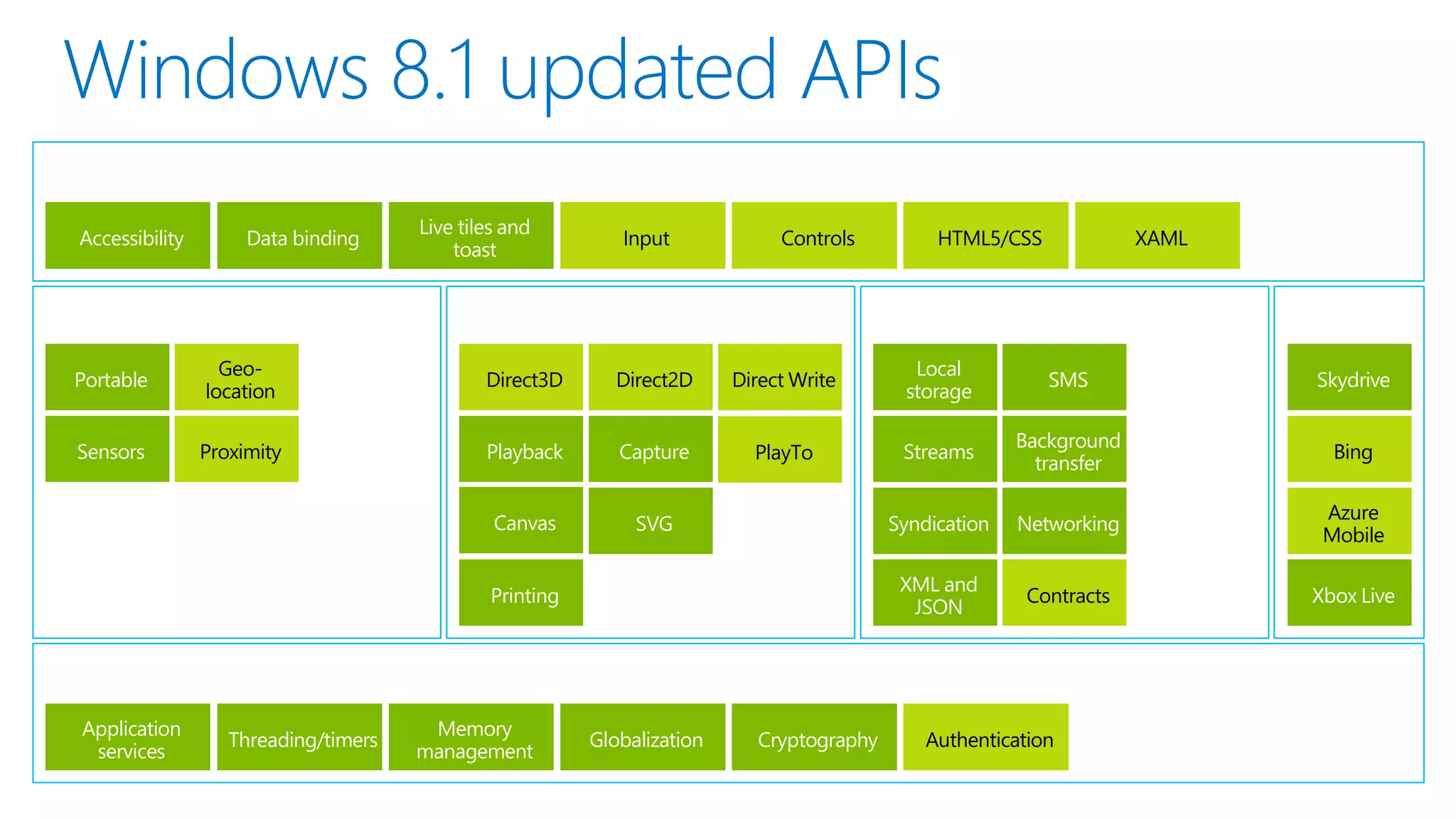
¿Windows 8.1?
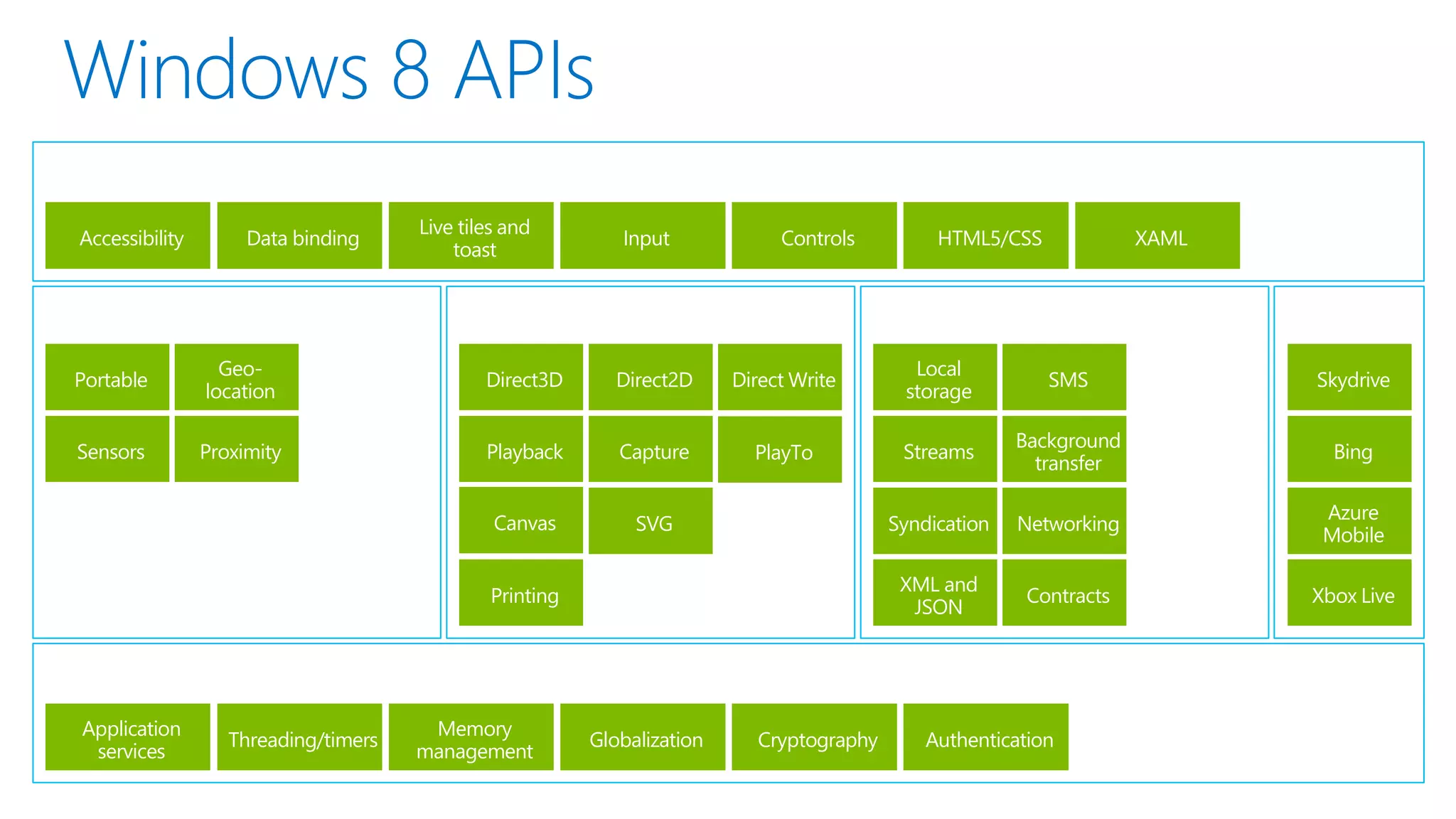
Accessibility

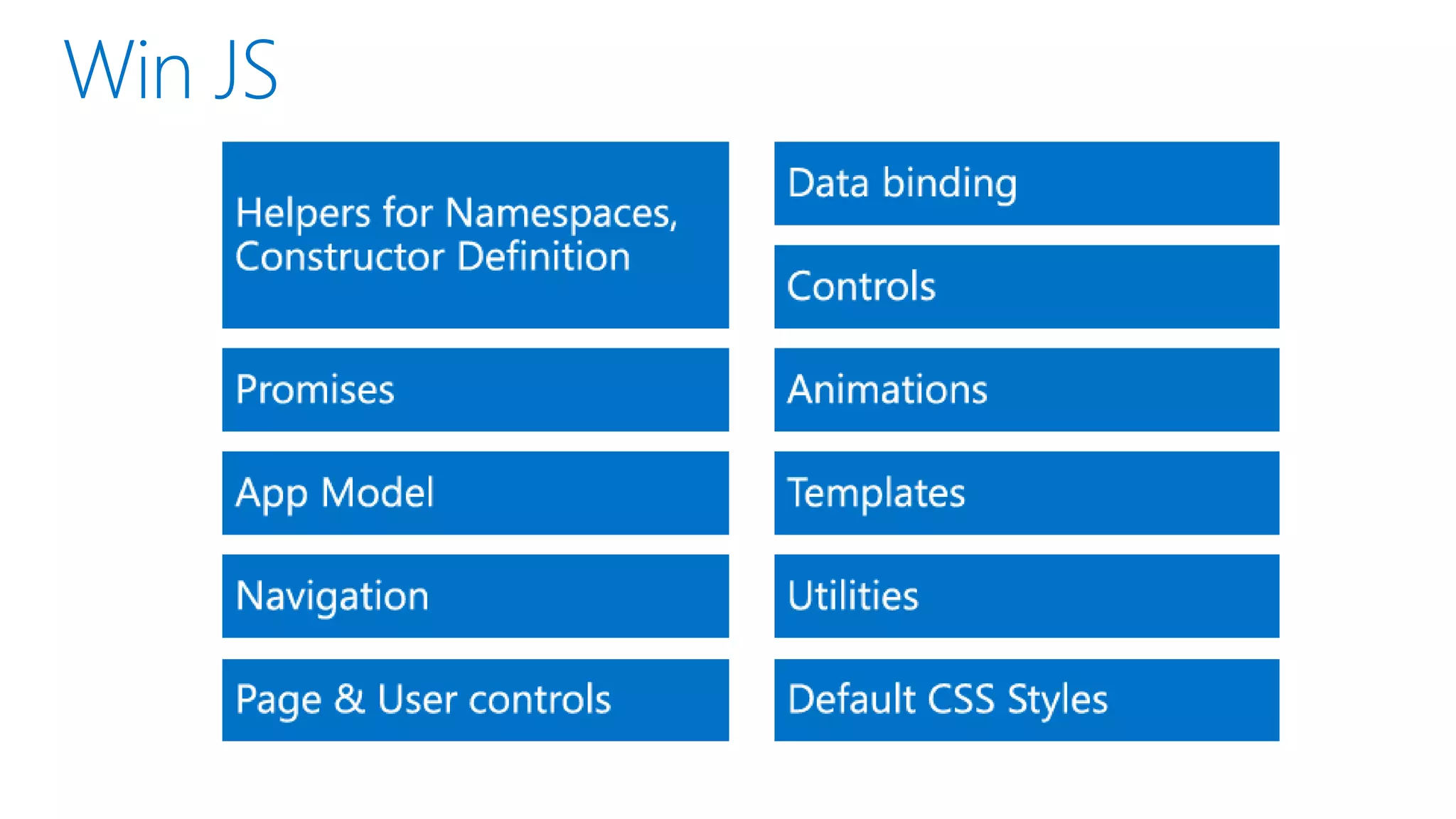
Data binding

Live tiles and
toast

Input

Controls

HTML5/CSS

XAML

Portable

Geolocation

Direct3D

Direct2D

Direct Write

Local
storage

SMS

Skydrive

Sensors

Proximity

Playback

Capture

PlayTo

Streams

Background
transfer

Bing

Canvas

SVG

Syndication

Networking

Azure
Mobile

XML and
JSON

Contracts

Xbox Live

Printing

Application
services

Threading/timers

Memory
management

Globalization

Cryptography

Authentication
Accessibility

Data binding

Live tiles and
toast

Input

Controls

HTML5/CSS

XAML

Portable

Geolocation

Direct3D

Direct2D

Direct Write

Local
storage

SMS

Skydrive

Sensors

Proximity

Playback

Capture

PlayTo

Streams

Background
transfer

Bing

Canvas

SVG

Syndication

Networking

Azure
Mobile

XML and
JSON

Contracts

Xbox Live

Printing

Application
services

Threading/timers

Memory
management

Globalization

Cryptography

Authentication
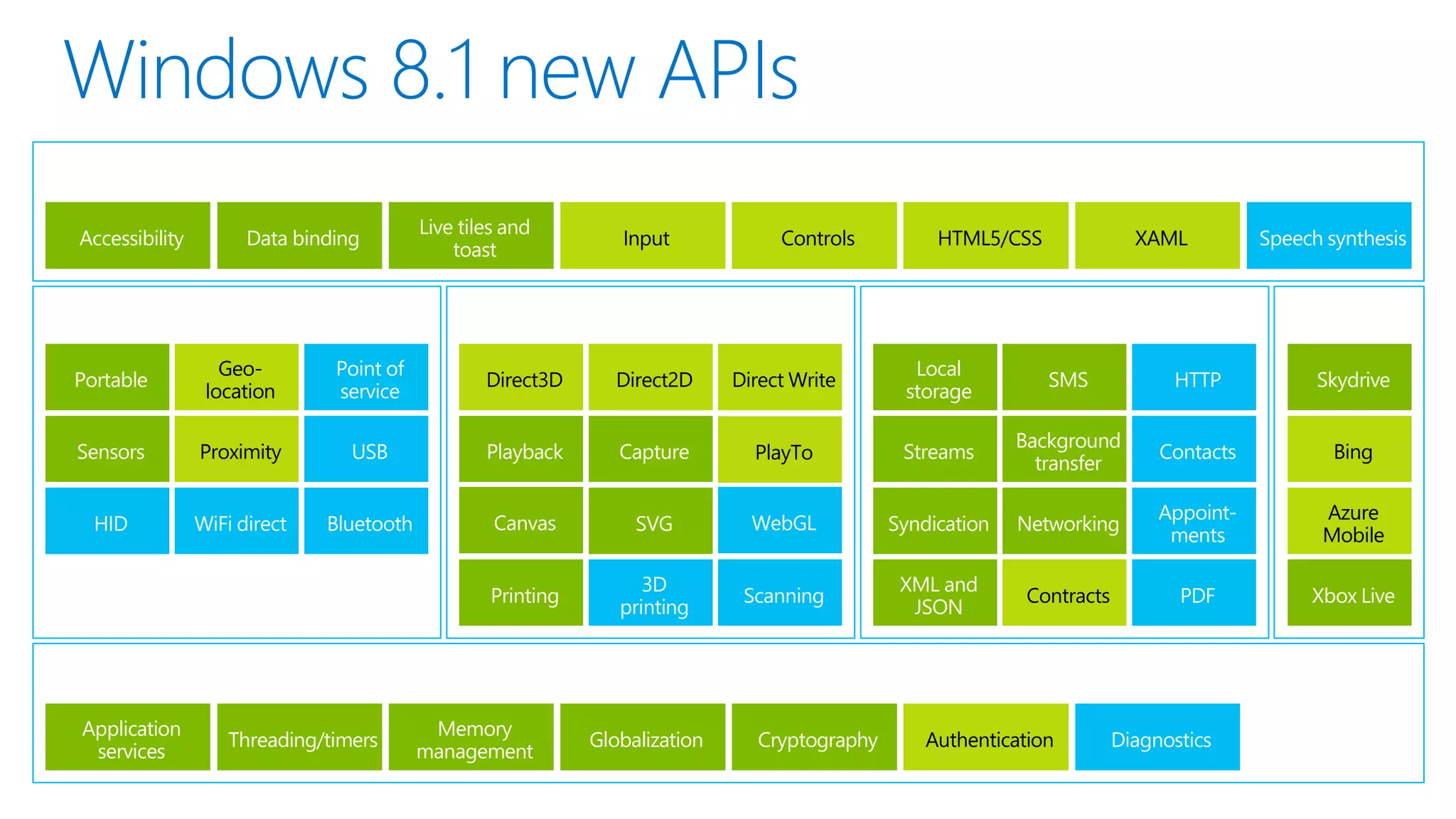
Accessibility

Data binding

Live tiles and
toast

Input

Controls

HTML5/CSS

XAML

Speech synthesis

Portable

Geolocation

Point of
service

Direct3D

Direct2D

Direct Write

Local
storage

SMS

HTTP

Skydrive

Sensors

Proximity

USB

Playback

Capture

PlayTo

Streams

Background
transfer

Contacts

Bing

HID

WiFi direct

Bluetooth

Canvas

SVG

WebGL

Syndication

Networking

Appointments

Azure
Mobile

Printing

3D
printing

Scanning

XML and
JSON

Contracts

PDF

Xbox Live

Application
services

Threading/timers

Memory
management

Globalization

Cryptography

Authentication

Diagnostics
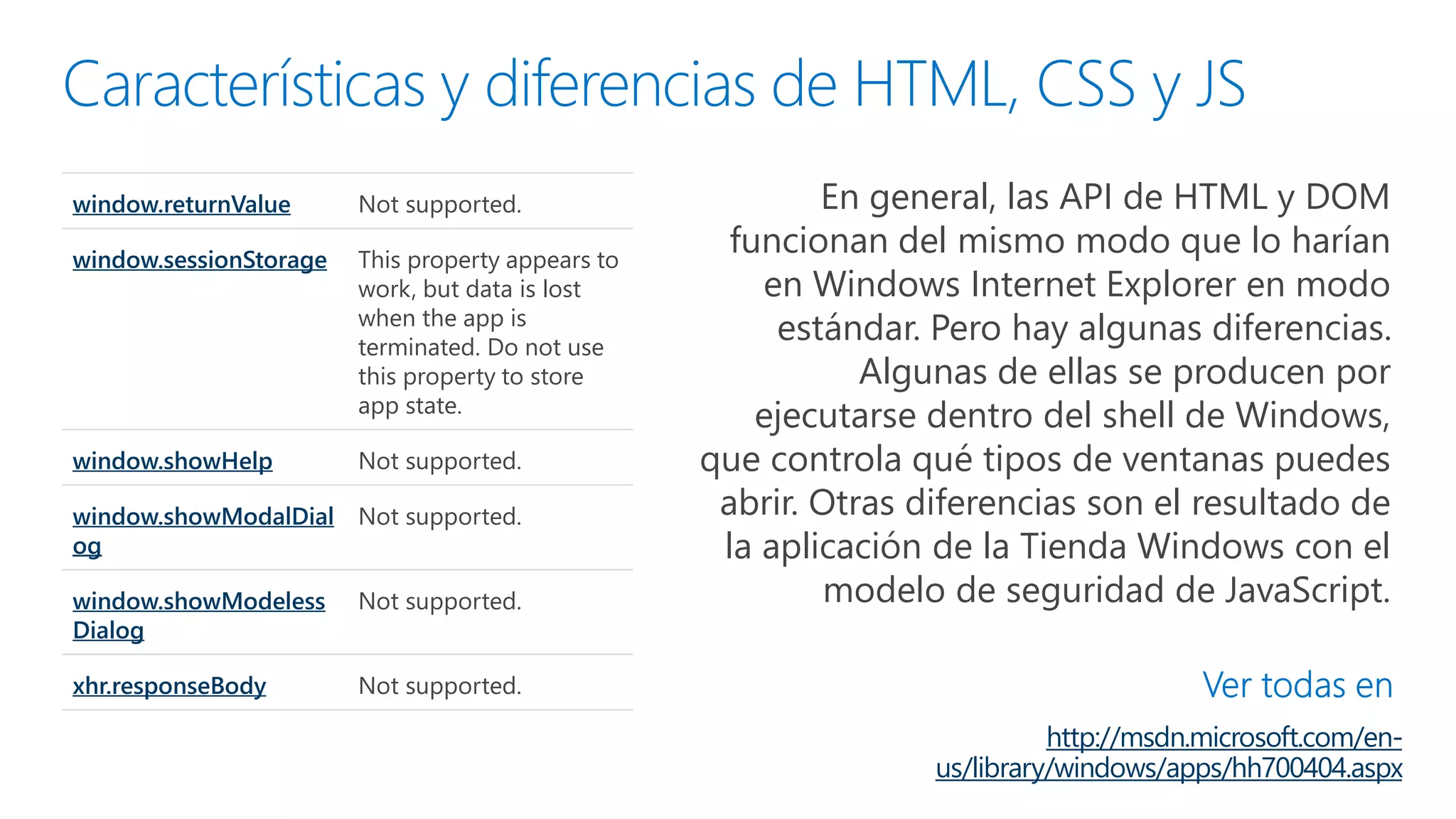
window.returnValue

Not supported.

window.sessionStorage

This property appears to
work, but data is lost
when the app is
terminated. Do not use
this property to store
app state.

window.showHelp

Not supported.

window.showModalDial Not supported.
og
window.showModeless
Dialog

Not supported.

xhr.responseBody

En general, las API de HTML y DOM
funcionan del mismo modo que lo harían
en Windows Internet Explorer en modo
estándar. Pero hay algunas diferencias.
Algunas de ellas se producen por
ejecutarse dentro del shell de Windows,
que controla qué tipos de ventanas puedes
abrir. Otras diferencias son el resultado de
la aplicación de la Tienda Windows con el
modelo de seguridad de JavaScript.

Not supported.

http://msdn.microsoft.com/enus/library/windows/apps/hh700404.aspx
// Omitted code

Hace que sea más sencillo evitar conflictos
de nomenclatura o situaciones donde
accidentalmente modifiques un valor que
no tenías intención de modificar.
Además, mantiene a los identificadores
innecesarios lejos del espacio de nombres
global, lo que ayuda al rendimiento.
http://msdn.microsoft.com/eses/library/windows/apps/br230269.aspx
Puedes dividir la aplicación en varios
archivos; pero en lugar de desplazarse de
página a página, la aplicación carga otros
documentos en la página principal. Dado
que la página principal de la aplicación
nunca se descarga, los scripts tampoco lo
hacen y eso facilita la administración del
estado, las transiciones y las animaciones.
Para ayudar a crear aplicaciones que usan
el modelo de navegación de una página, la
biblioteca de Windows para JavaScript
proporciona el objeto
WinJS.UI.Pages.PageControl.
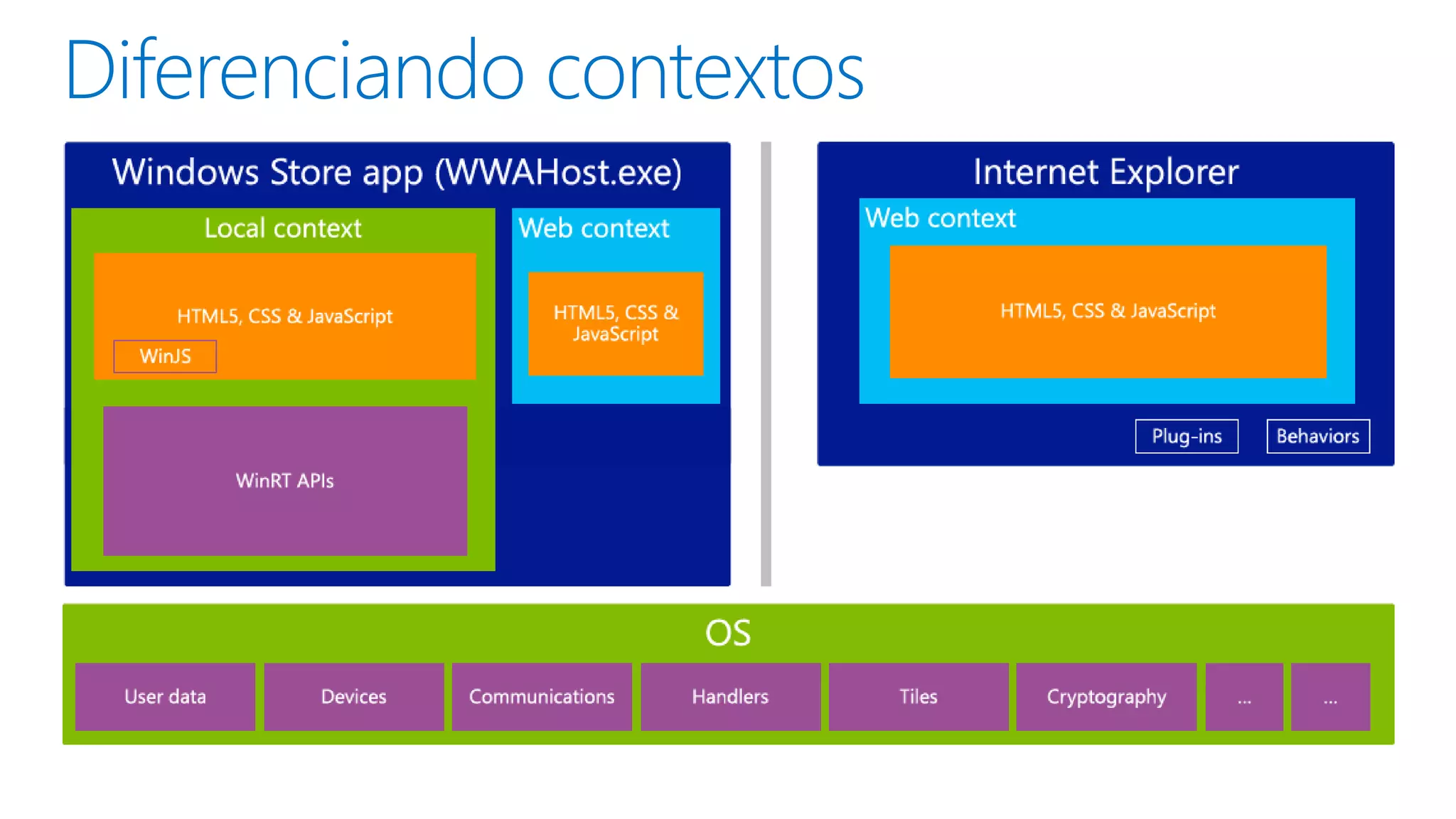
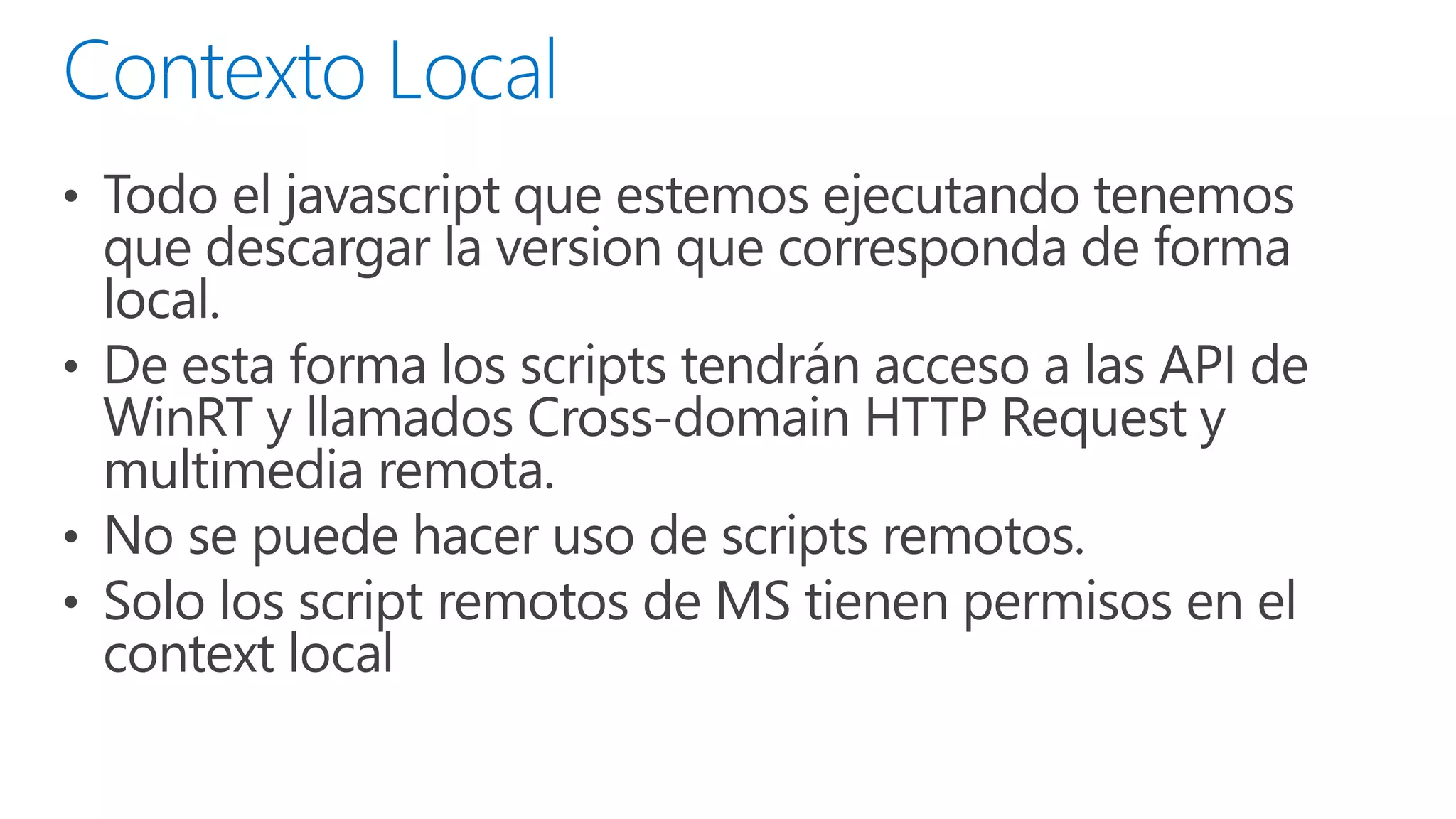
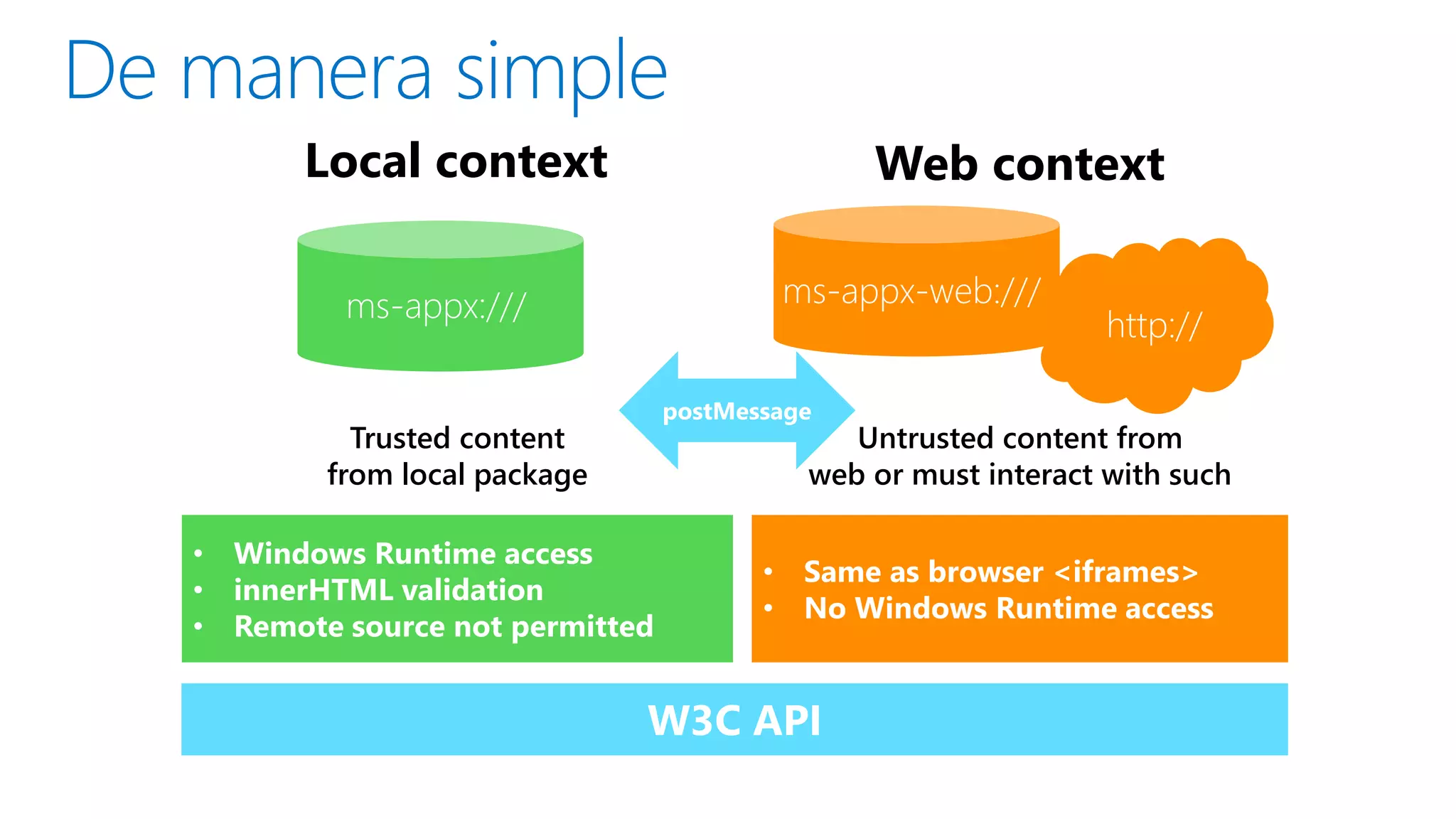
Local context
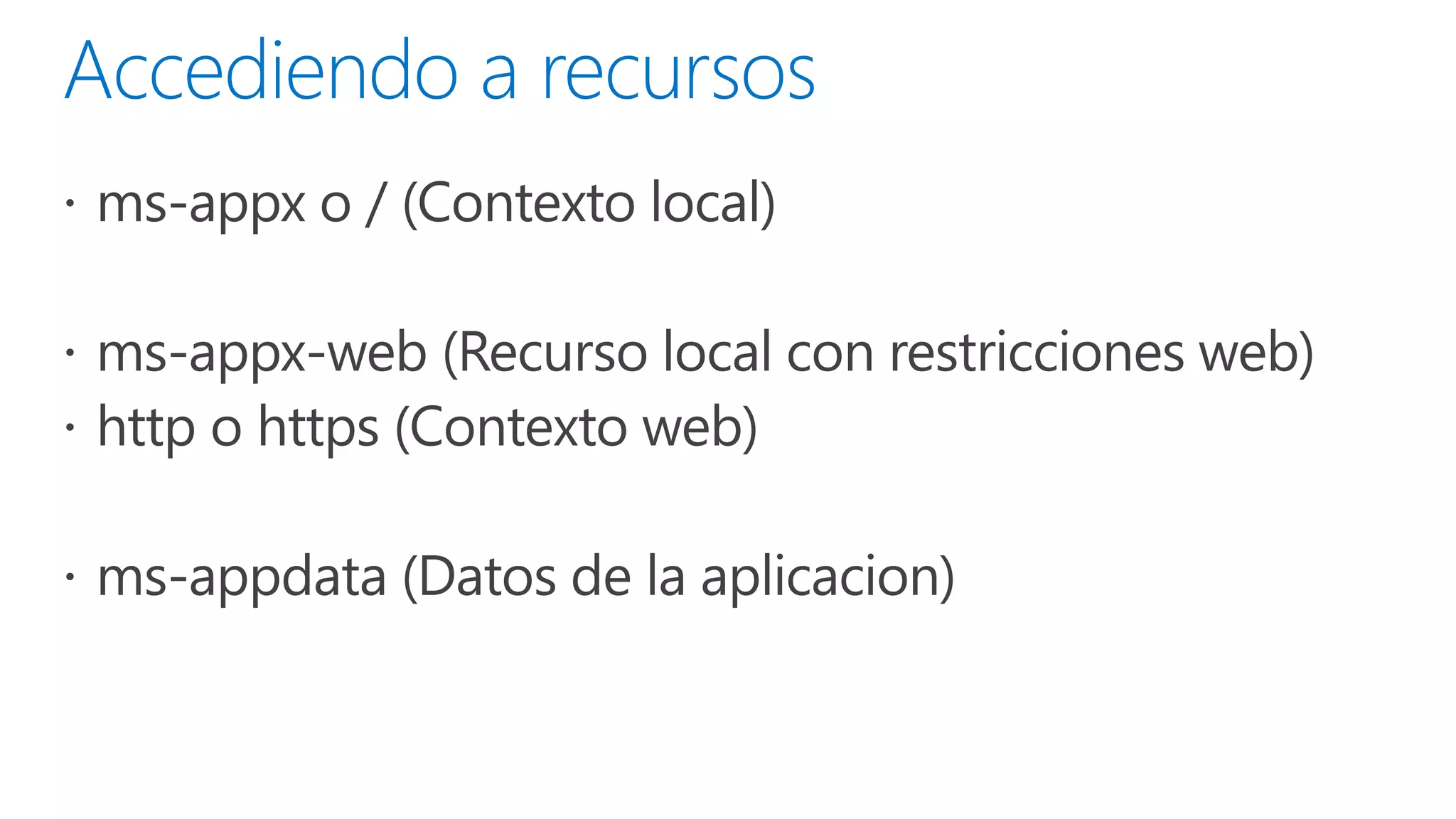
ms-appx:///
Trusted content
from local package

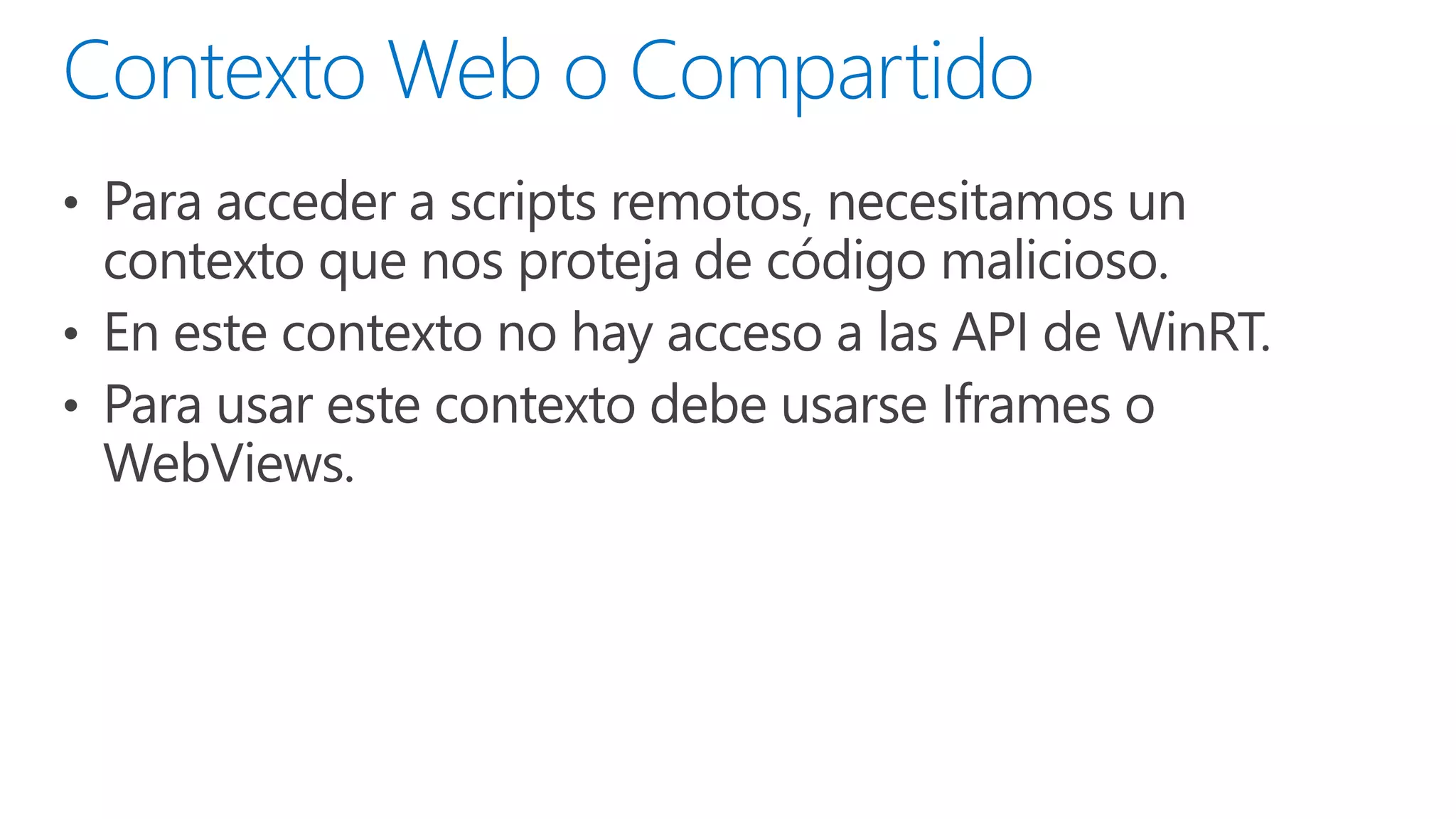
Web context
ms-appx-web:///
http://

http://

Untrusted content from
web or must interact with such
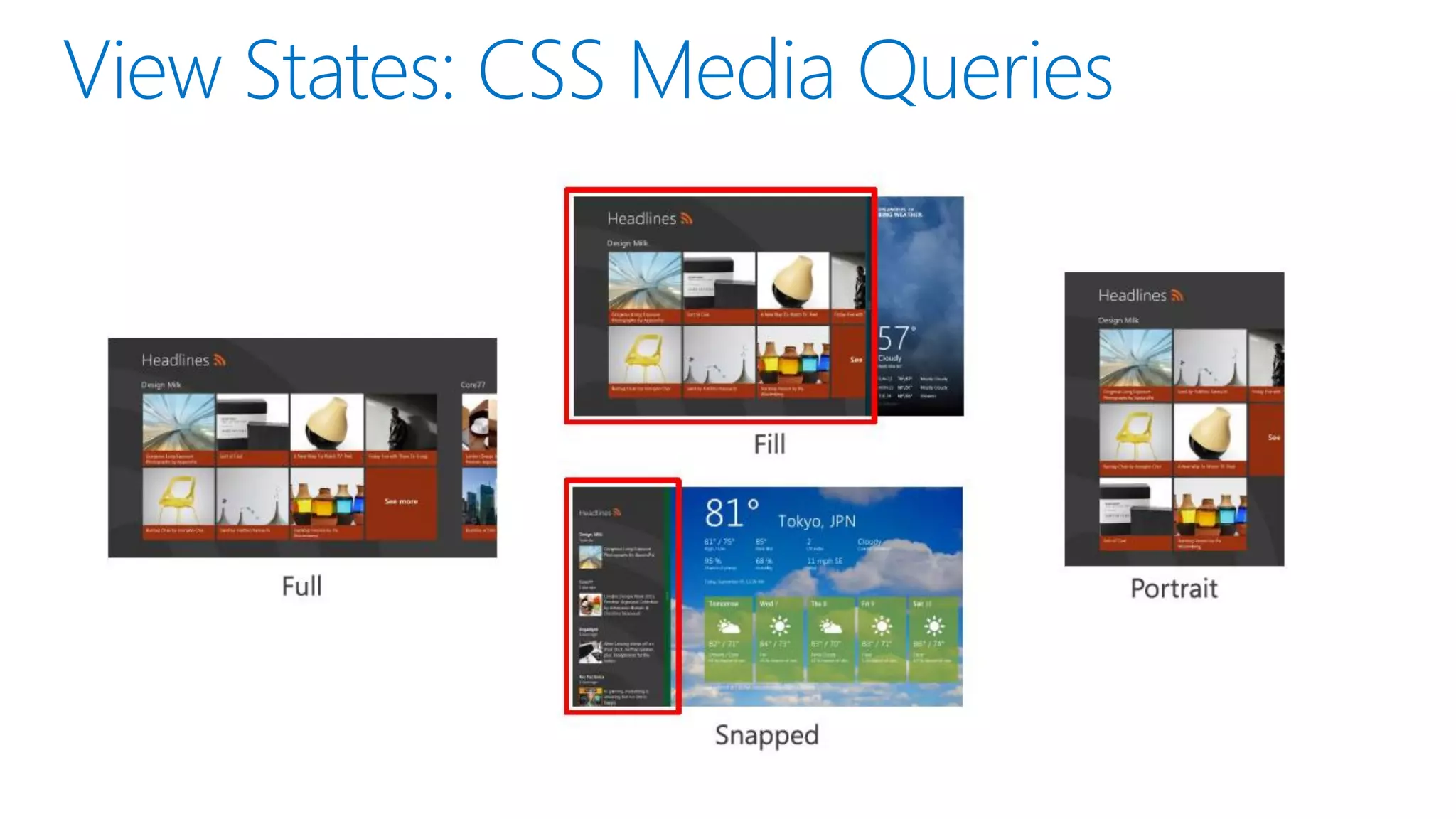
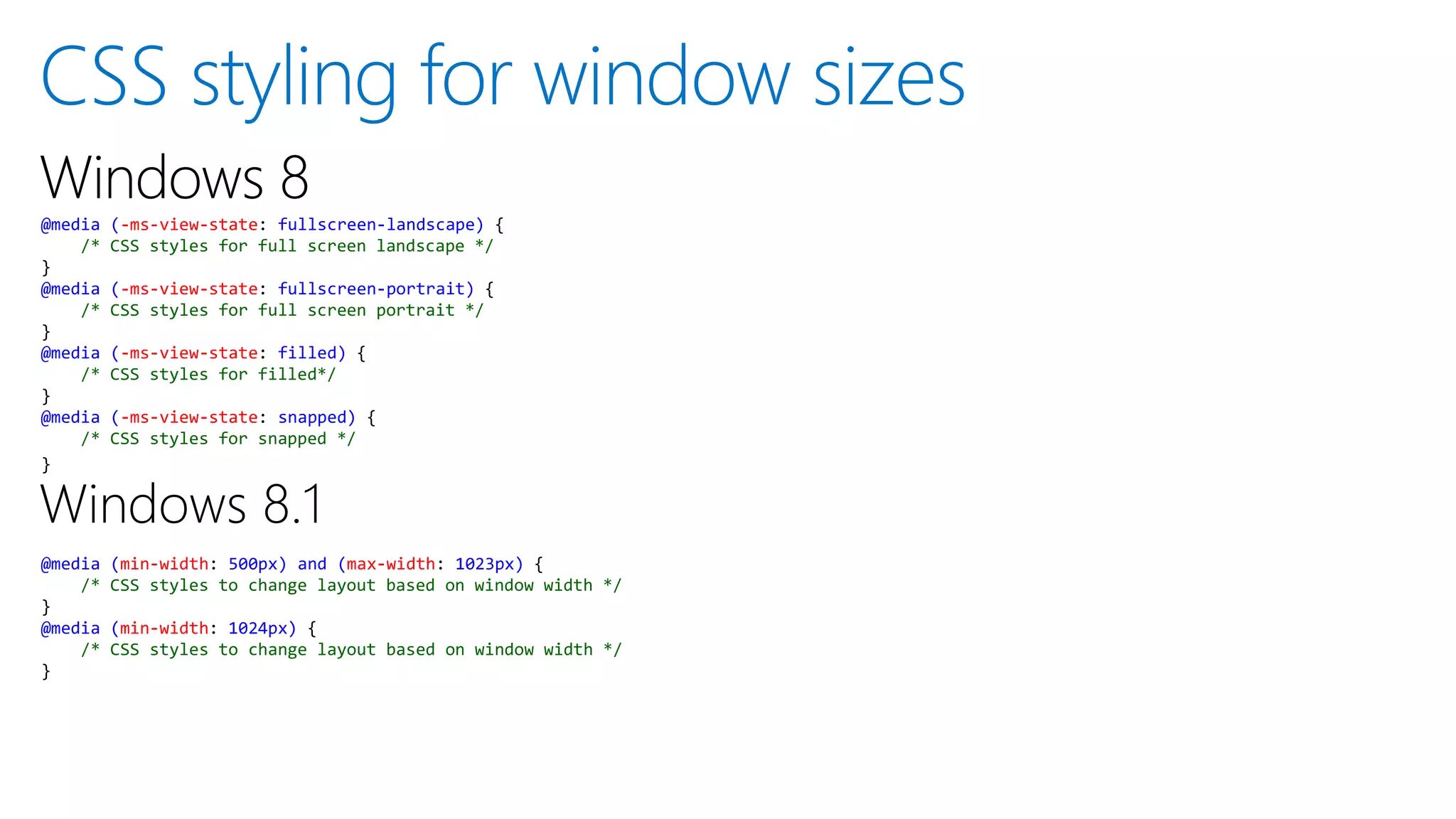
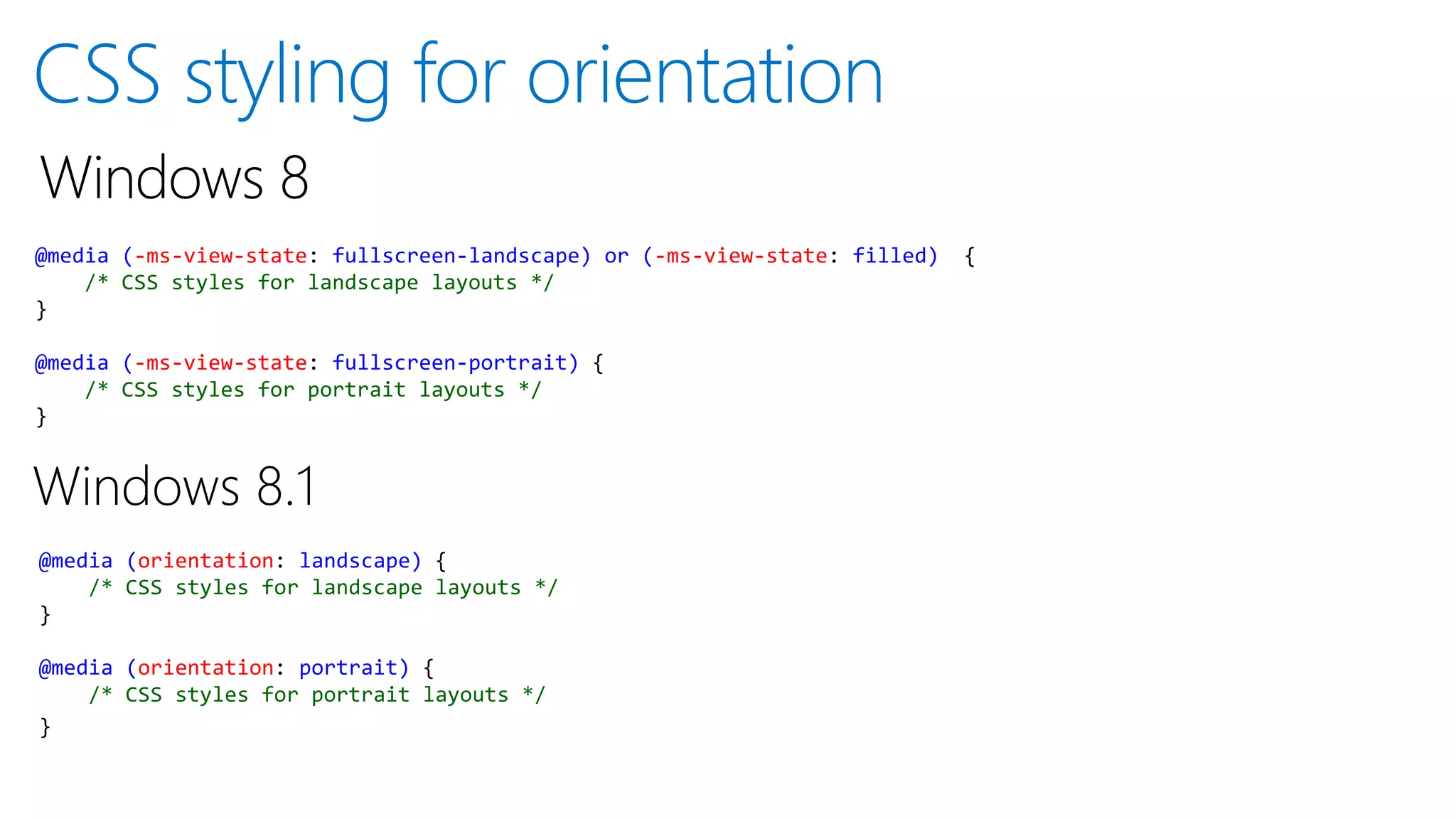
@media
/*
}
@media
/*
}

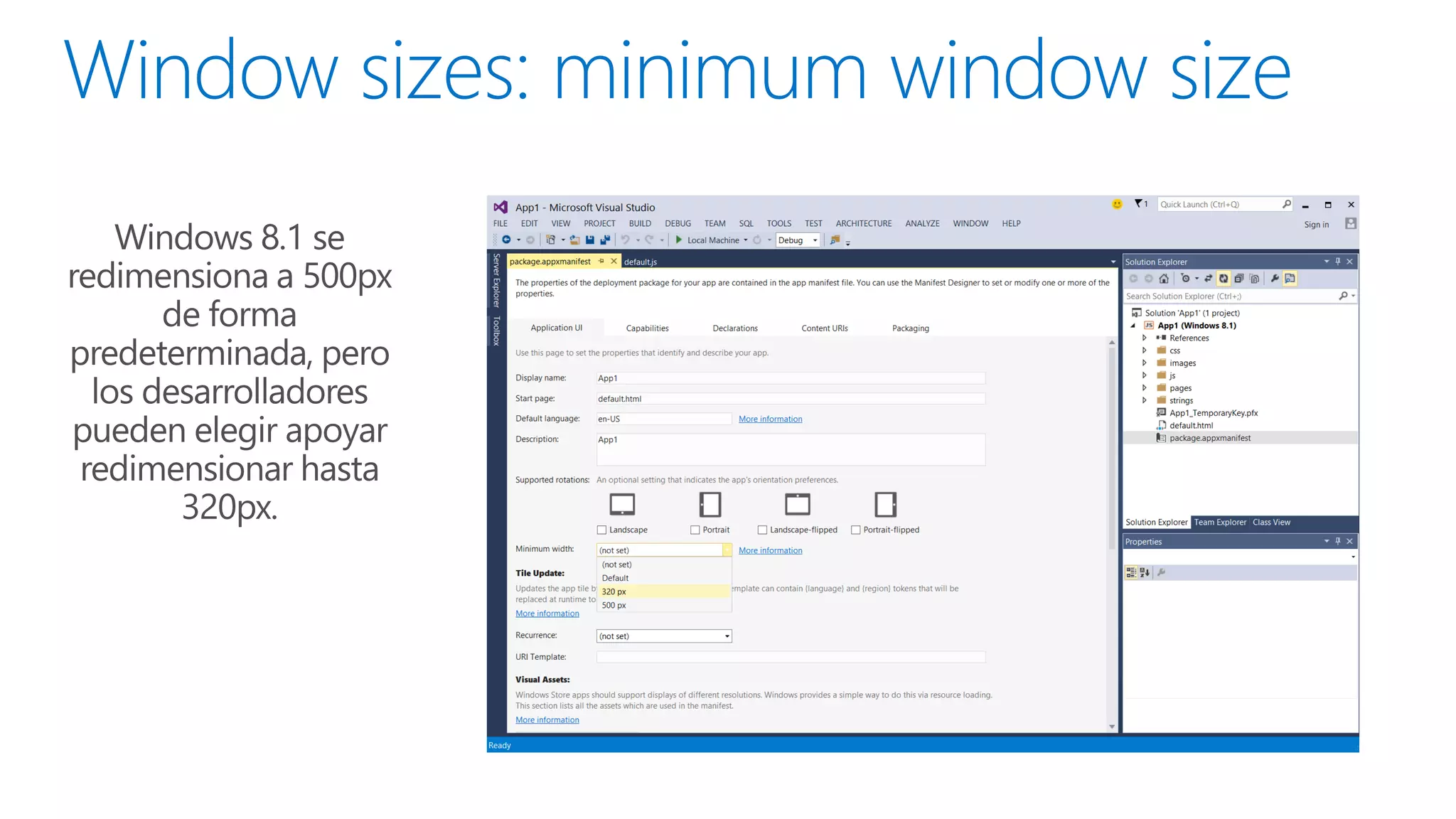
(min-width: 500px) and (max-width: 1023px) {
CSS styles to change layout based on window width */
(min-width: 1024px) {
CSS styles to change layout based on window width */
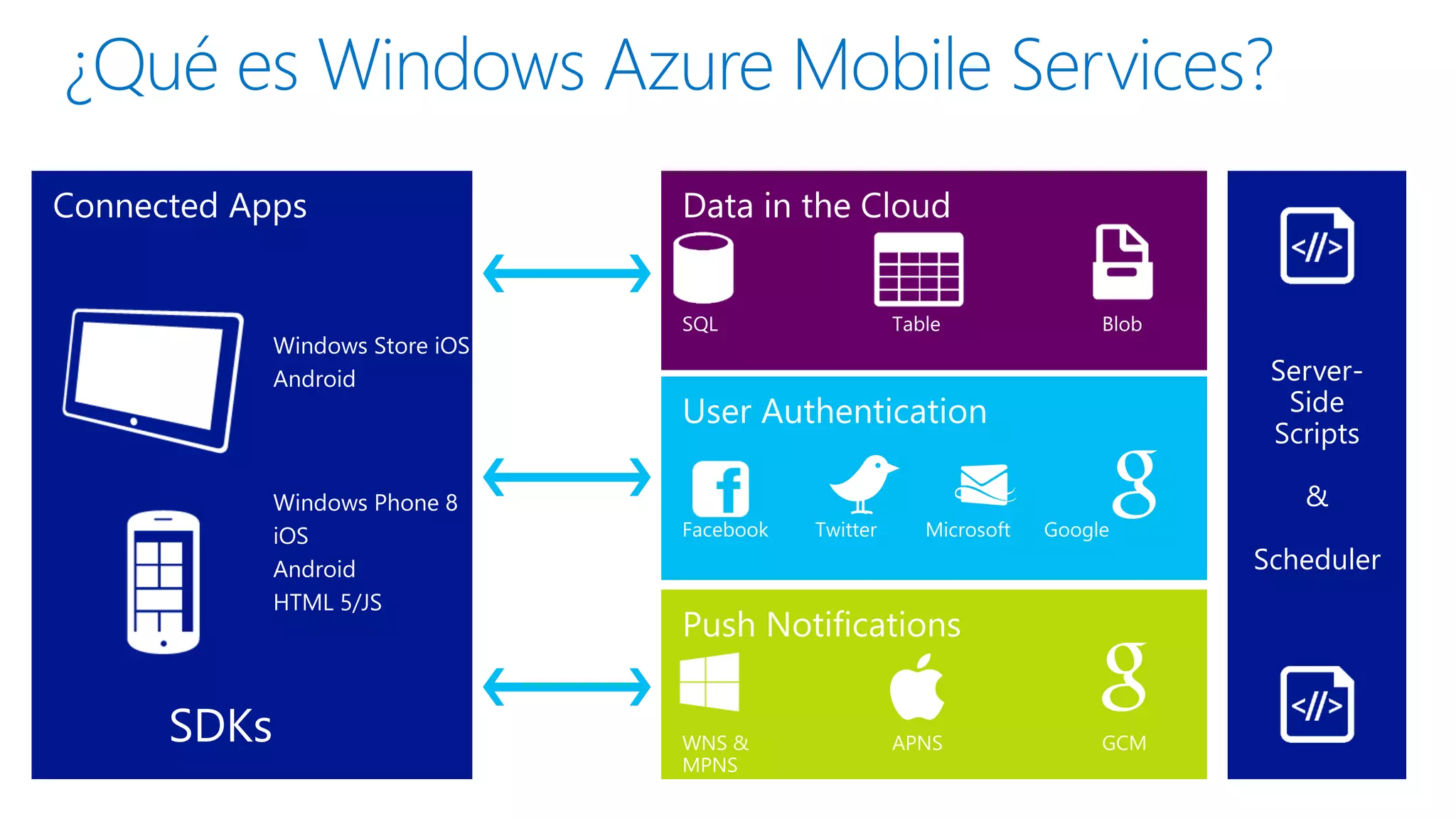
Azure Mobile Services
Windows Store iOS
Android

Windows Phone 8
iOS
Android
HTML 5/JS

SDKs

ServerSide
Scripts
&
Scheduler
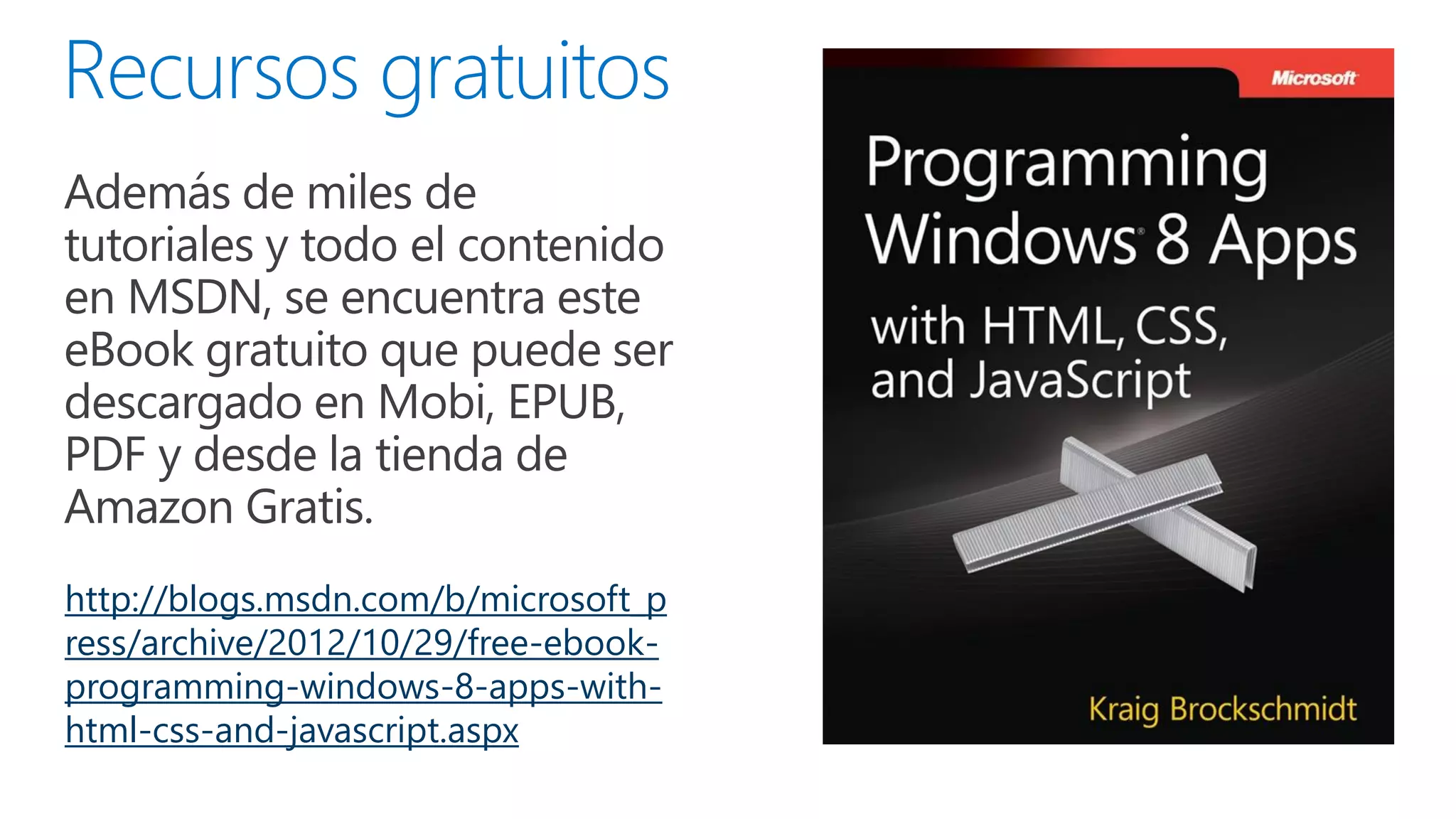
 Además de miles de

tutoriales y todo el contenido
en MSDN, se encuentra este
eBook gratuito que puede ser
descargado en Mobi, EPUB,
PDF y desde la tienda de
Amazon Gratis.
http://blogs.msdn.com/b/microsoft_p
ress/archive/2012/10/29/free-ebookprogramming-windows-8-apps-withhtml-css-and-javascript.aspx
Gracias
@soreygarcia

JSConfCo: Desarrollo de Aplicaciones para Windows Store con HTML5 y Javascript

  • 1.
  • 6.
    Escuela de ArteBahaus - Simplicidad
  • 7.
    Swiss Style –Experiencias comunes
  • 8.
    Kinetic typography –Movimiento / Tipografía
  • 19.
    11.6” 1366x768 30” 2560x1600 20”1920x1080 13” 1400x1050 10” 1024x768
  • 27.
  • 58.
  • 63.
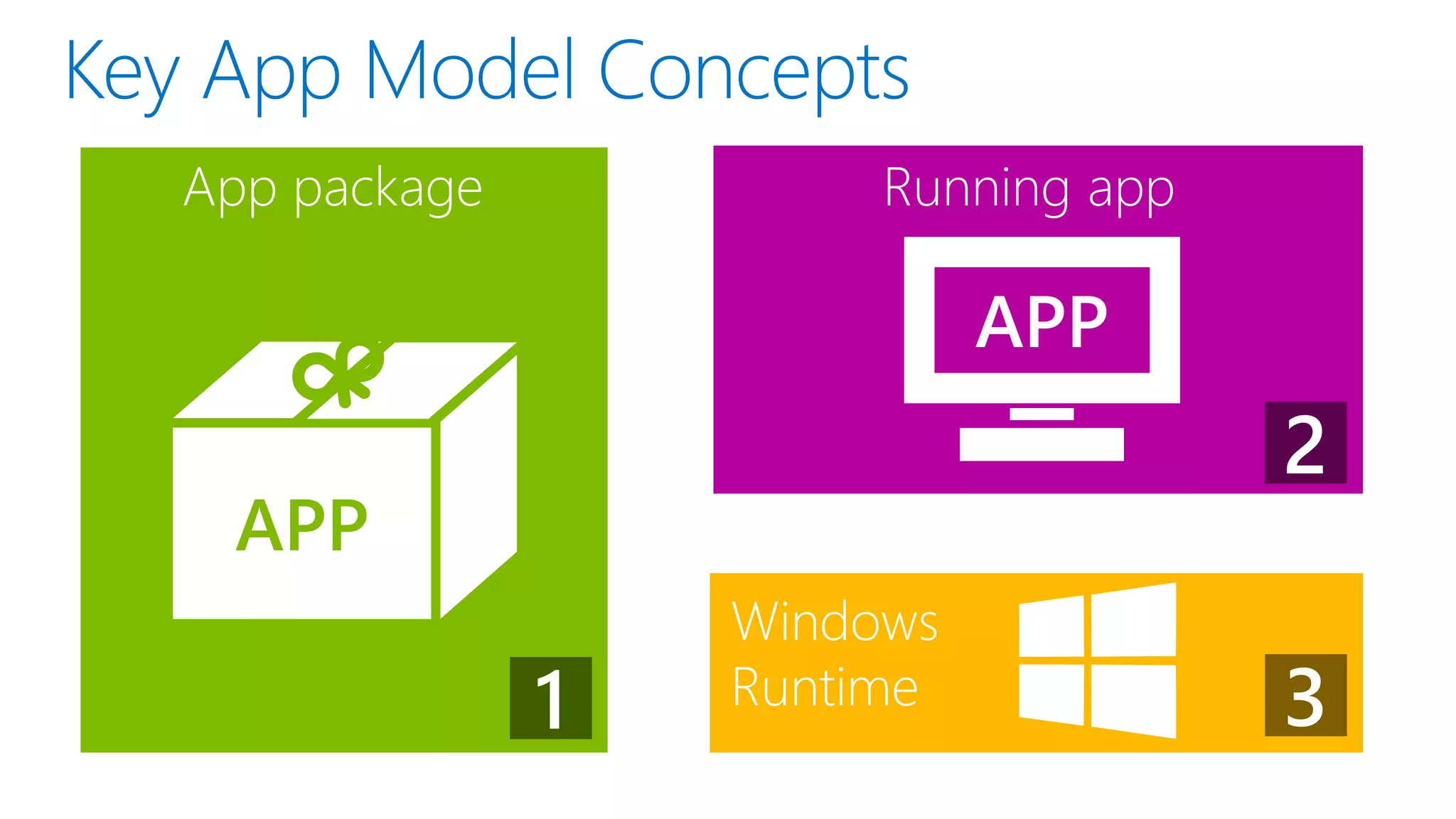
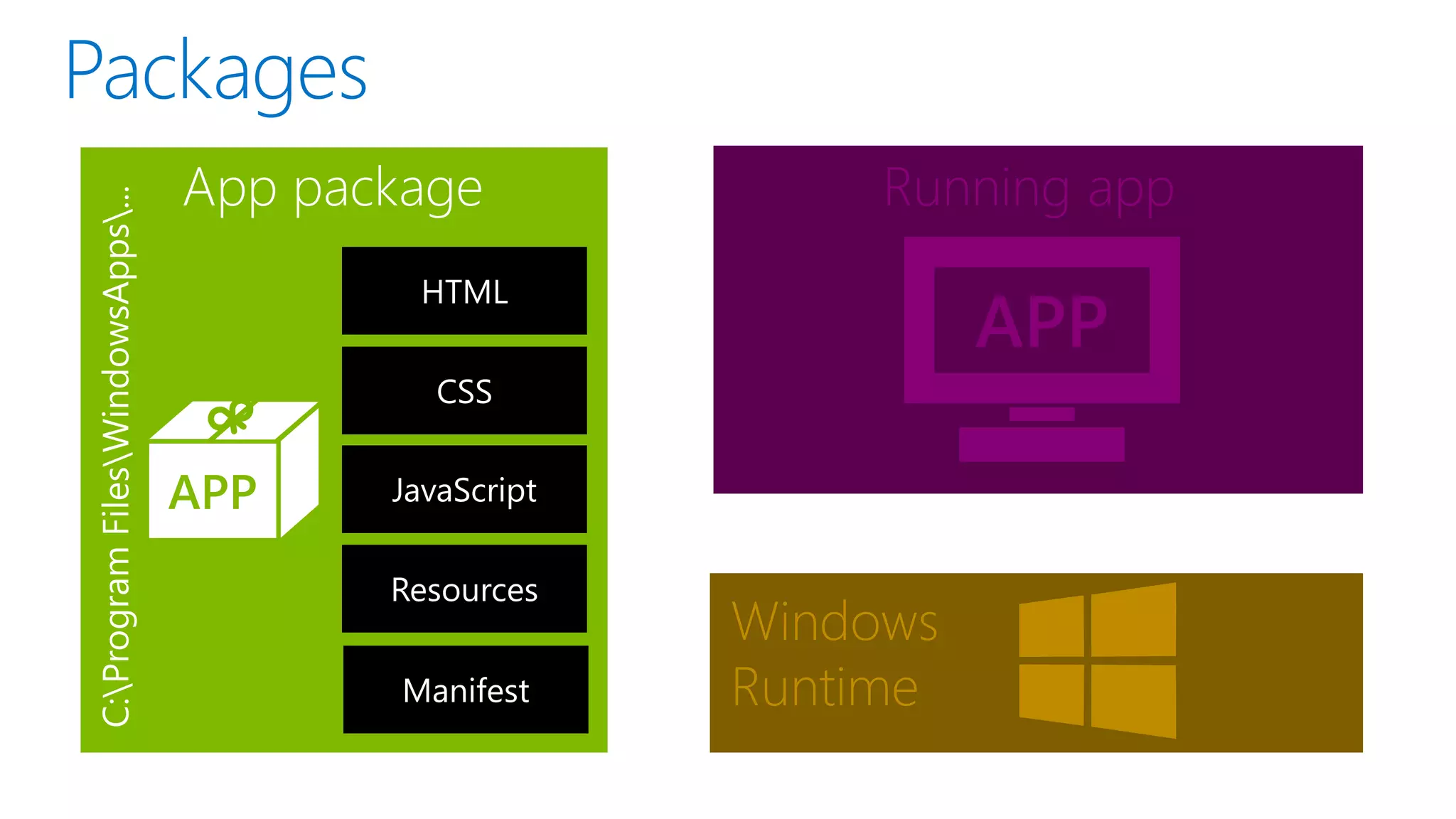
    Diferencias de usoHTML Web y HTML Nativo Internet Explorer TAB HTML Host Process App Code Web Platform App Code Web Platform App Container Windows Runtime
  • 64.
  • 65.
  • 66.
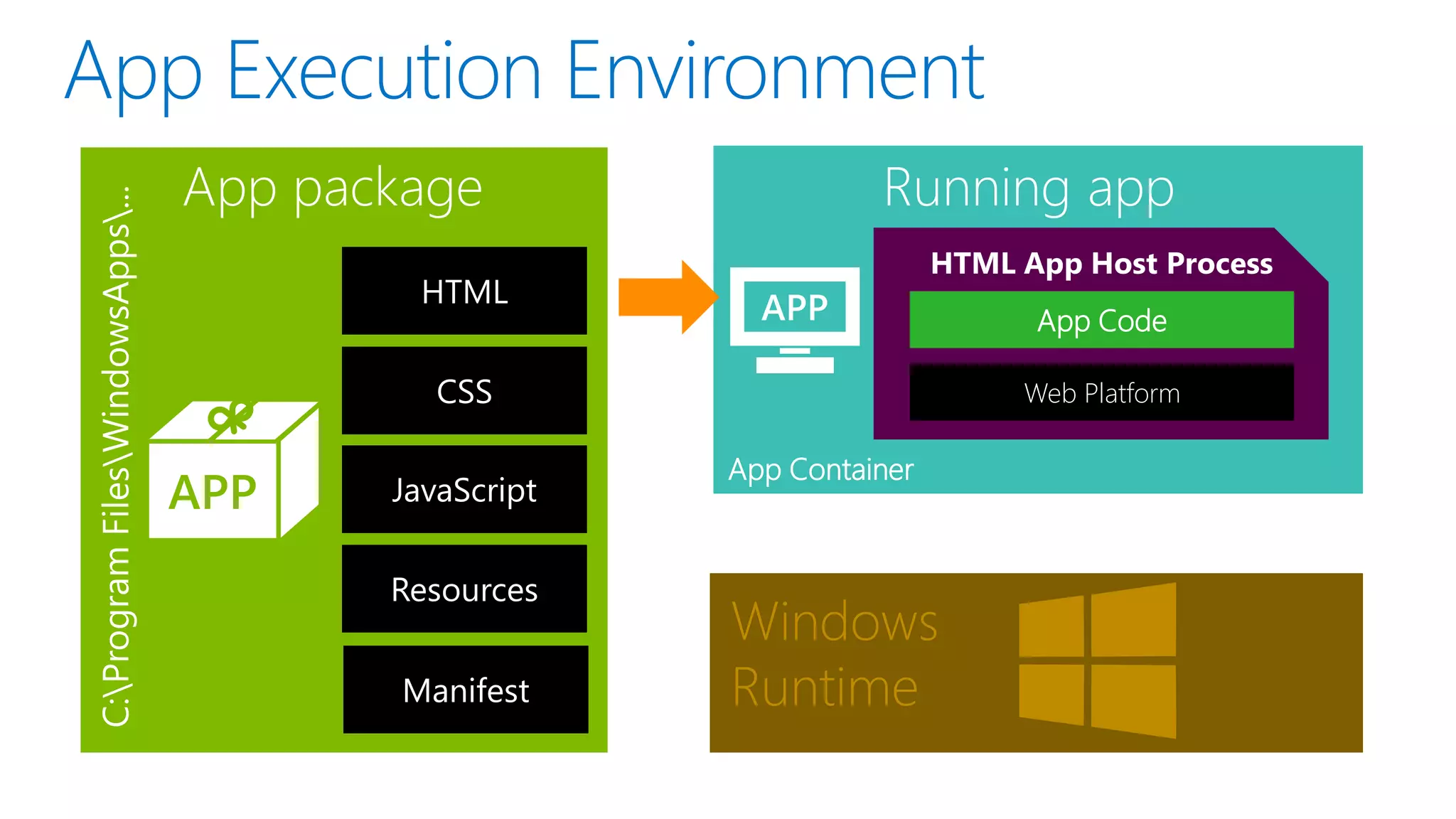
    Running app HTML AppHost Process App Code Web Platform App Container Windows Runtime
  • 67.
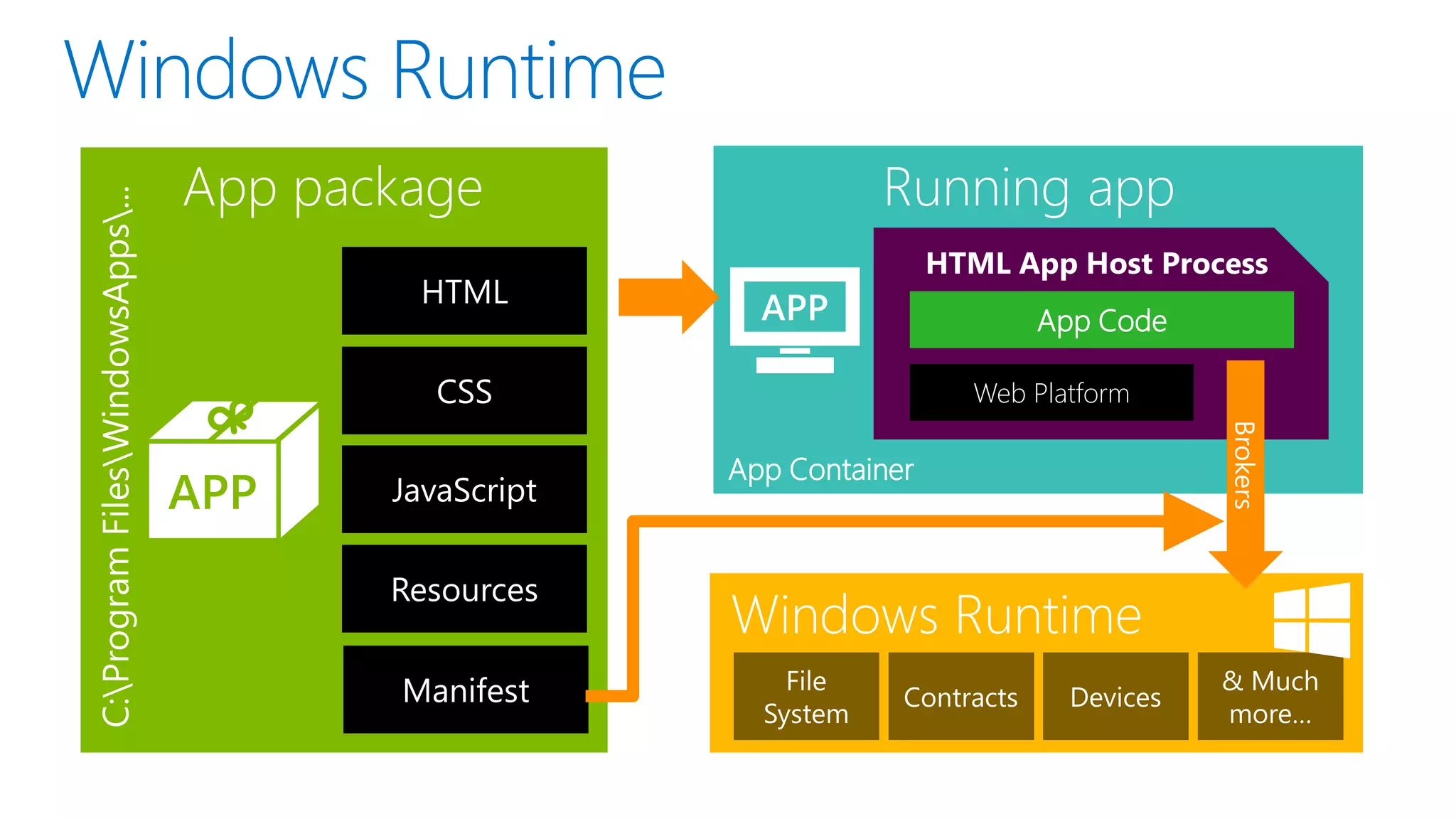
    Running app HTML AppHost Process App Code Web Platform App Container Windows Runtime
  • 68.
  • 70.
  • 71.
    Accessibility Data binding Live tilesand toast Input Controls HTML5/CSS XAML Portable Geolocation Direct3D Direct2D Direct Write Local storage SMS Skydrive Sensors Proximity Playback Capture PlayTo Streams Background transfer Bing Canvas SVG Syndication Networking Azure Mobile XML and JSON Contracts Xbox Live Printing Application services Threading/timers Memory management Globalization Cryptography Authentication
  • 72.
    Accessibility Data binding Live tilesand toast Input Controls HTML5/CSS XAML Portable Geolocation Direct3D Direct2D Direct Write Local storage SMS Skydrive Sensors Proximity Playback Capture PlayTo Streams Background transfer Bing Canvas SVG Syndication Networking Azure Mobile XML and JSON Contracts Xbox Live Printing Application services Threading/timers Memory management Globalization Cryptography Authentication
  • 73.
    Accessibility Data binding Live tilesand toast Input Controls HTML5/CSS XAML Speech synthesis Portable Geolocation Point of service Direct3D Direct2D Direct Write Local storage SMS HTTP Skydrive Sensors Proximity USB Playback Capture PlayTo Streams Background transfer Contacts Bing HID WiFi direct Bluetooth Canvas SVG WebGL Syndication Networking Appointments Azure Mobile Printing 3D printing Scanning XML and JSON Contracts PDF Xbox Live Application services Threading/timers Memory management Globalization Cryptography Authentication Diagnostics
  • 79.
    window.returnValue Not supported. window.sessionStorage This propertyappears to work, but data is lost when the app is terminated. Do not use this property to store app state. window.showHelp Not supported. window.showModalDial Not supported. og window.showModeless Dialog Not supported. xhr.responseBody En general, las API de HTML y DOM funcionan del mismo modo que lo harían en Windows Internet Explorer en modo estándar. Pero hay algunas diferencias. Algunas de ellas se producen por ejecutarse dentro del shell de Windows, que controla qué tipos de ventanas puedes abrir. Otras diferencias son el resultado de la aplicación de la Tienda Windows con el modelo de seguridad de JavaScript. Not supported. http://msdn.microsoft.com/enus/library/windows/apps/hh700404.aspx
  • 81.
    // Omitted code Haceque sea más sencillo evitar conflictos de nomenclatura o situaciones donde accidentalmente modifiques un valor que no tenías intención de modificar. Además, mantiene a los identificadores innecesarios lejos del espacio de nombres global, lo que ayuda al rendimiento. http://msdn.microsoft.com/eses/library/windows/apps/br230269.aspx
  • 88.
    Puedes dividir laaplicación en varios archivos; pero en lugar de desplazarse de página a página, la aplicación carga otros documentos en la página principal. Dado que la página principal de la aplicación nunca se descarga, los scripts tampoco lo hacen y eso facilita la administración del estado, las transiciones y las animaciones. Para ayudar a crear aplicaciones que usan el modelo de navegación de una página, la biblioteca de Windows para JavaScript proporciona el objeto WinJS.UI.Pages.PageControl.
  • 97.
    Local context ms-appx:/// Trusted content fromlocal package Web context ms-appx-web:/// http:// http:// Untrusted content from web or must interact with such
  • 99.
    @media /* } @media /* } (min-width: 500px) and(max-width: 1023px) { CSS styles to change layout based on window width */ (min-width: 1024px) { CSS styles to change layout based on window width */
  • 101.
  • 102.
    Windows Store iOS Android WindowsPhone 8 iOS Android HTML 5/JS SDKs ServerSide Scripts & Scheduler
  • 104.
     Además demiles de tutoriales y todo el contenido en MSDN, se encuentra este eBook gratuito que puede ser descargado en Mobi, EPUB, PDF y desde la tienda de Amazon Gratis. http://blogs.msdn.com/b/microsoft_p ress/archive/2012/10/29/free-ebookprogramming-windows-8-apps-withhtml-css-and-javascript.aspx
  • 105.

Notas del editor

  • #5 Devices fodder:A recent survey found that in 88% of companies, employees were using their own technology at work. (Avanade, 2012)Information workers “report using an average of 4 consumer devices and multiple third-party applications, such as social networking sites, in the course of their day.” (Unisys/IDC)The technology adoption curves for the enterprise are being re-written by the usersServices fodder:Any interesting client experience these days has a service on the back end – even gamesCloud compute usage, across the industry, is doubling every 6 months. (MSFT – azure insights/internal)Cloud spending will reach $60B in 2012, growing at 26% (IDC) – roughly 4x the rate of growth for IT overallOver 80% of new apps will be distributed/deployed on clouds (IDC)
  • #29  Use the default stylesheetto get the styling in a pre-defined type ramp with the Segoe UI font A Typographic ramp is used to establish a sense of hierarchy for the content.Only a fixed set of sizes (4) to convey hierarchical information – and each level is proportionally larger than the previous (42pt = 80px, 20pt = 40px). The proportions allow users to really easily establish an understanding of the structure of the content. Beyond this size granularity, users will not be able to differentiate where a piece of content fits within the overall hierarchy
  • #30 HeaderSubheaderBody copyItem titleItem subtitleItem body