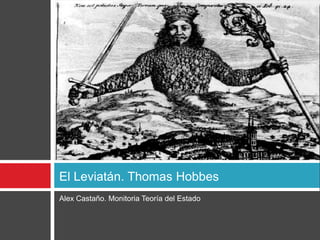
El Leviatán. Thomas Hobbes
Alex Castaño. Monitoria Teoría del Estado
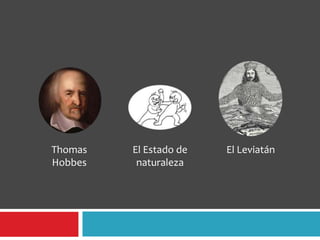
Thomas   El Estado de   El Leviatán
Hobbes    naturaleza
Thomas Hobbes
   Nace el 5 de abril de 1588 en Westport cerca
    de Malmesbury, Reino de Inglaterra y muere
    el 4 de diciembre de 1679.
   Filósofo inglés.
   Algunas obras:
     ElLeviatán
     Elementos del derecho

     Tratado sobre el ciudadano
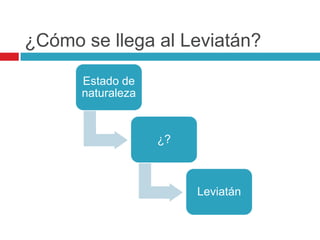
¿Cómo se llega al Leviatán?

      Estado de
      naturaleza


                   ¿?


                        Leviatán
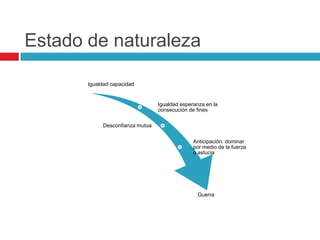
Estado de naturaleza

       Igualdad capacidad


                                 Igualdad esperanza en la
                                 consecución de fines

            Desconfianza mutua


                                               Anticipación: dominar
                                               por medio de la fuerza
                                               o astucia


                                                 Guerra
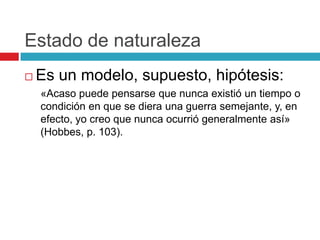
Estado de naturaleza
   Es un modelo, supuesto, hipótesis:
    «Acaso puede pensarse que nunca existió un tiempo o
    condición en que se diera una guerra semejante, y, en
    efecto, yo creo que nunca ocurrió generalmente así»
    (Hobbes, p. 103).
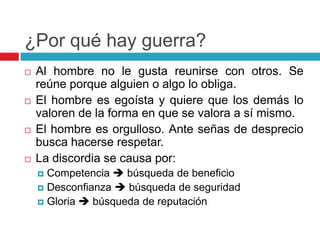
¿Por qué hay guerra?
   Al hombre no le gusta reunirse con otros. Se
    reúne porque alguien o algo lo obliga.
   El hombre es egoísta y quiere que los demás lo
    valoren de la forma en que se valora a sí mismo.
   El hombre es orgulloso. Ante señas de desprecio
    busca hacerse respetar.
   La discordia se causa por:
     Competencia  búsqueda de beneficio
     Desconfianza  búsqueda de seguridad
     Gloria  búsqueda de reputación
¿Por qué hay guerra?
   Al hombre no le gusta reunirse con otros. Se
    reúne porque alguien o algo lo obliga.
   El hombre es egoísta y quiere que los demás lo
    valoren de la forma en que se valora a sí mismo.
   El hombre es orgulloso. Ante señas de desprecio
    busca hacerse respetar.
   La discordia se causa por:
     Competencia  búsqueda de beneficio
     Desconfianza  búsqueda de seguridad
     Gloria  búsqueda de reputación
Estado de naturaleza
   Es un estado de guerra: todos contra todos.
   No debe entenderse como una situación efectiva de
    guerra, sino como una situación en la que hay
    voluntad de batallar.
   En el estado de guerra no hay oportunidad para la
    industria.
   Existe continuo temor y peligro de muerte violenta.
   No hay seguridad para nadie
   Vida                   del                   hombre:
    solitaria, pobre, embrutecida, breve, tosca.
Estado de naturaleza
   Nada es injusto:
     No existe el derecho
     No existe la ilegalidad

     No existe la injusticia

     No existe ley

   Virtudes de la guerra: la fuerza y el fraude.
   No existe la propiedad ni el dominio.
   Es un estado de miseria.
   Pero el hombre tiene pasiones que lo
    inclinan a la paz:
     Temor a la muerte (proteger la vida y tener seguridad)
     Deseo de las cosas que son necesarias para una vida
      confortable
     Y el deseo de obtenerlas por medio del trabajo
      (proteger la propiedad)
Leyes de la naturaleza
   Son preceptos de la razón
   Son normas de paz
   Se puede llegar a ellas por mutuo consenso
   Derecho de naturaleza (ius naturale): libertad
    de hacer lo que se quiera para proteger la
    vida.
       Libertad: ausencia de impedimentos externos (definición
        negativa de libertad)
       Derecho (ius) ≠ ley (lex)
         Derecho: libertad de hacer u omitir algo
         Ley: obliga a hacer u omitir
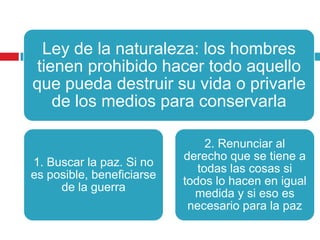
Ley de la naturaleza: los hombres
tienen prohibido hacer todo aquello
que pueda destruir su vida o privarle
   de los medios para conservarla

                                2. Renunciar al
                           derecho que se tiene a
1. Buscar la paz. Si no
                              todas las cosas si
es posible, beneficiarse
                           todos lo hacen en igual
     de la guerra
                             medida y si eso es
                            necesario para la paz
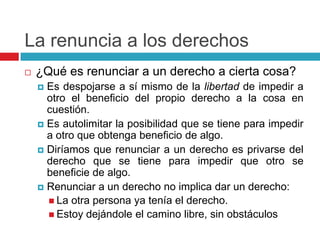
La renuncia a los derechos
   ¿Qué es renunciar a un derecho a cierta cosa?
     Es despojarse a sí mismo de la libertad de impedir a
      otro el beneficio del propio derecho a la cosa en
      cuestión.
     Es autolimitar la posibilidad que se tiene para impedir
      a otro que obtenga beneficio de algo.
     Diríamos que renunciar a un derecho es privarse del
      derecho que se tiene para impedir que otro se
      beneficie de algo.
     Renunciar a un derecho no implica dar un derecho:
       La otra persona ya tenía el derecho.
       Estoy dejándole el camino libre, sin obstáculos
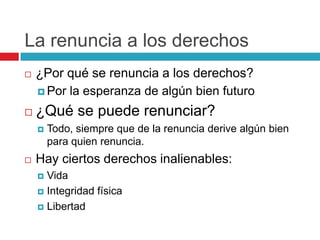
La renuncia a los derechos
   ¿Por qué se renuncia a los derechos?
     Por la esperanza de algún bien futuro

   ¿Qué se puede renunciar?
       Todo, siempre que de la renuncia derive algún bien
        para quien renuncia.
   Hay ciertos derechos inalienables:
     Vida
     Integridad física

     Libertad
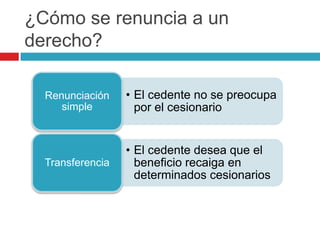
¿Cómo se renuncia a un
derecho?

  Renunciación    • El cedente no se preocupa
     simple         por el cesionario


                  • El cedente desea que el
  Transferencia     beneficio recaiga en
                    determinados cesionarios
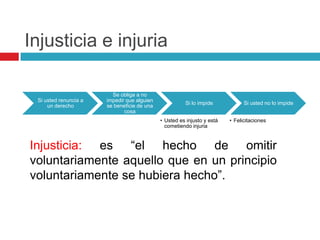
Injusticia e injuria

                         Se obliga a no
 Si usted renuncia a   impedir que alguien
                                                       Si lo impide            Si usted no lo impide
     un derecho        se beneficie de una
                              cosa
                                             • Usted es injusto y está   • Felicitaciones
                                               cometiendo injuria


Injusticia: es “el hecho de omitir
voluntariamente aquello que en un principio
voluntariamente se hubiera hecho”.
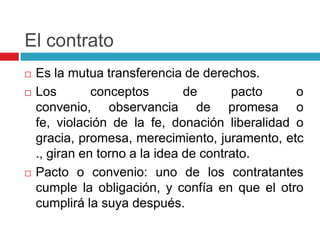
El contrato
   Es la mutua transferencia de derechos.
   Los        conceptos        de      pacto    o
    convenio, observancia de promesa o
    fe, violación de la fe, donación liberalidad o
    gracia, promesa, merecimiento, juramento, etc
    ., giran en torno a la idea de contrato.
   Pacto o convenio: uno de los contratantes
    cumple la obligación, y confía en que el otro
    cumplirá la suya después.
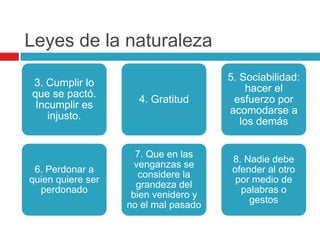
Leyes de la naturaleza
                                      5. Sociabilidad:
3. Cumplir lo
                                           hacer el
que se pactó.
                     4. Gratitud       esfuerzo por
 Incumplir es
                                      acomodarse a
    injusto.
                                         los demás


                     7. Que en las
                                       8. Nadie debe
                     venganzas se
 6. Perdonar a                         ofender al otro
                      considere la
quien quiere ser                        por medio de
                     grandeza del
  perdonado                              palabras o
                    bien venidero y
                                           gestos
                   no el mal pasado
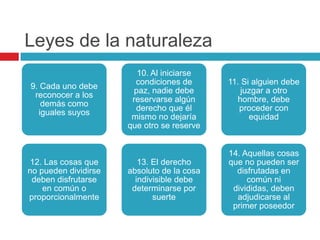
Leyes de la naturaleza
                        10. Al iniciarse
                        condiciones de      11. Si alguien debe
9. Cada uno debe
                       paz, nadie debe          juzgar a otro
 reconocer a los
                       reservarse algún       hombre, debe
   demás como
                        derecho que él         proceder con
  iguales suyos
                       mismo no dejaría           equidad
                      que otro se reserve


                                            14. Aquellas cosas
12. Las cosas que        13. El derecho     que no pueden ser
no pueden dividirse   absoluto de la cosa     disfrutadas en
 deben disfrutarse      indivisible debe         común ni
    en común o         determinarse por      divididas, deben
proporcionalmente            suerte           adjudicarse al
                                             primer poseedor
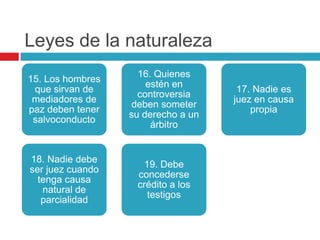
Leyes de la naturaleza
                    16. Quienes
15. Los hombres
                      estén en
 que sirvan de                       17. Nadie es
                    controversia
 mediadores de                      juez en causa
                   deben someter
paz deben tener                         propia
                  su derecho a un
 salvoconducto
                       árbitro


18. Nadie debe
                    19. Debe
ser juez cuando
                   concederse
  tenga causa
                   crédito a los
   natural de
                     testigos
   parcialidad
Leyes de la naturaleza
   No hagas a los otros lo que no querrías que te
    hicieran a ti
   Las leyes de la naturaleza son como una
    dieta: “obligan a un deseo y esfuerzo, a juicio
    mío un esfuerzo genuino y constante, [por
    eso] resultan fáciles de ser observadas”
    (Hobbes, p. 130).
   Son leyes inmutables y eternas.
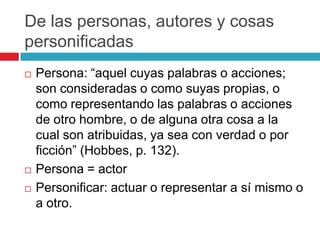
De las personas, autores y cosas
personificadas
   Persona: “aquel cuyas palabras o acciones;
    son consideradas o como suyas propias, o
    como representando las palabras o acciones
    de otro hombre, o de alguna otra cosa a la
    cual son atribuidas, ya sea con verdad o por
    ficción” (Hobbes, p. 132).
   Persona = actor
   Personificar: actuar o representar a sí mismo o
    a otro.
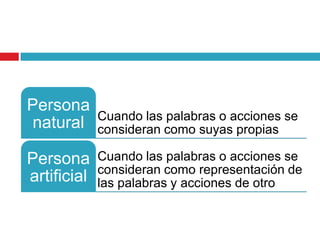
Persona
             Cuando las palabras o acciones se
 natural     consideran como suyas propias

Persona      Cuando las palabras o acciones se
             consideran como representación de
artificial   las palabras y acciones de otro
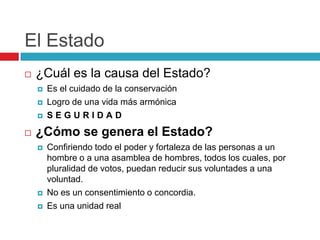
El Estado
   ¿Cuál es la causa del Estado?
       Es el cuidado de la conservación
       Logro de una vida más armónica
       SEGURIDAD
   ¿Cómo se genera el Estado?
       Confiriendo todo el poder y fortaleza de las personas a un
        hombre o a una asamblea de hombres, todos los cuales, por
        pluralidad de votos, puedan reducir sus voluntades a una
        voluntad.
       No es un consentimiento o concordia.
       Es una unidad real
El Estado
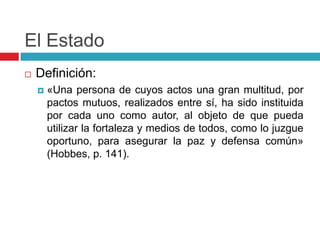
   Definición:
       «Una persona de cuyos actos una gran multitud, por
        pactos mutuos, realizados entre sí, ha sido instituida
        por cada uno como autor, al objeto de que pueda
        utilizar la fortaleza y medios de todos, como lo juzgue
        oportuno, para asegurar la paz y defensa común»
        (Hobbes, p. 141).
Bibliografía
   HOBBES, Thomas. El Leviatán.

El Leviatán. Thomas Hobbes

  • 1.
    El Leviatán. ThomasHobbes Alex Castaño. Monitoria Teoría del Estado
  • 2.
    Thomas El Estado de El Leviatán Hobbes naturaleza
  • 3.
    Thomas Hobbes  Nace el 5 de abril de 1588 en Westport cerca de Malmesbury, Reino de Inglaterra y muere el 4 de diciembre de 1679.  Filósofo inglés.  Algunas obras:  ElLeviatán  Elementos del derecho  Tratado sobre el ciudadano
  • 4.
    ¿Cómo se llegaal Leviatán? Estado de naturaleza ¿? Leviatán
  • 5.
    Estado de naturaleza Igualdad capacidad Igualdad esperanza en la consecución de fines Desconfianza mutua Anticipación: dominar por medio de la fuerza o astucia Guerra
  • 6.
    Estado de naturaleza  Es un modelo, supuesto, hipótesis: «Acaso puede pensarse que nunca existió un tiempo o condición en que se diera una guerra semejante, y, en efecto, yo creo que nunca ocurrió generalmente así» (Hobbes, p. 103).
  • 7.
    ¿Por qué hayguerra?  Al hombre no le gusta reunirse con otros. Se reúne porque alguien o algo lo obliga.  El hombre es egoísta y quiere que los demás lo valoren de la forma en que se valora a sí mismo.  El hombre es orgulloso. Ante señas de desprecio busca hacerse respetar.  La discordia se causa por:  Competencia  búsqueda de beneficio  Desconfianza  búsqueda de seguridad  Gloria  búsqueda de reputación
  • 8.
    ¿Por qué hayguerra?  Al hombre no le gusta reunirse con otros. Se reúne porque alguien o algo lo obliga.  El hombre es egoísta y quiere que los demás lo valoren de la forma en que se valora a sí mismo.  El hombre es orgulloso. Ante señas de desprecio busca hacerse respetar.  La discordia se causa por:  Competencia  búsqueda de beneficio  Desconfianza  búsqueda de seguridad  Gloria  búsqueda de reputación
  • 9.
    Estado de naturaleza  Es un estado de guerra: todos contra todos.  No debe entenderse como una situación efectiva de guerra, sino como una situación en la que hay voluntad de batallar.  En el estado de guerra no hay oportunidad para la industria.  Existe continuo temor y peligro de muerte violenta.  No hay seguridad para nadie  Vida del hombre: solitaria, pobre, embrutecida, breve, tosca.
  • 10.
    Estado de naturaleza  Nada es injusto:  No existe el derecho  No existe la ilegalidad  No existe la injusticia  No existe ley  Virtudes de la guerra: la fuerza y el fraude.  No existe la propiedad ni el dominio.  Es un estado de miseria.
  • 11.
    Pero el hombre tiene pasiones que lo inclinan a la paz:  Temor a la muerte (proteger la vida y tener seguridad)  Deseo de las cosas que son necesarias para una vida confortable  Y el deseo de obtenerlas por medio del trabajo (proteger la propiedad)
  • 12.
    Leyes de lanaturaleza  Son preceptos de la razón  Son normas de paz  Se puede llegar a ellas por mutuo consenso  Derecho de naturaleza (ius naturale): libertad de hacer lo que se quiera para proteger la vida.  Libertad: ausencia de impedimentos externos (definición negativa de libertad)  Derecho (ius) ≠ ley (lex)  Derecho: libertad de hacer u omitir algo  Ley: obliga a hacer u omitir
  • 13.
    Ley de lanaturaleza: los hombres tienen prohibido hacer todo aquello que pueda destruir su vida o privarle de los medios para conservarla 2. Renunciar al derecho que se tiene a 1. Buscar la paz. Si no todas las cosas si es posible, beneficiarse todos lo hacen en igual de la guerra medida y si eso es necesario para la paz
  • 14.
    La renuncia alos derechos  ¿Qué es renunciar a un derecho a cierta cosa?  Es despojarse a sí mismo de la libertad de impedir a otro el beneficio del propio derecho a la cosa en cuestión.  Es autolimitar la posibilidad que se tiene para impedir a otro que obtenga beneficio de algo.  Diríamos que renunciar a un derecho es privarse del derecho que se tiene para impedir que otro se beneficie de algo.  Renunciar a un derecho no implica dar un derecho:  La otra persona ya tenía el derecho.  Estoy dejándole el camino libre, sin obstáculos
  • 15.
    La renuncia alos derechos  ¿Por qué se renuncia a los derechos?  Por la esperanza de algún bien futuro  ¿Qué se puede renunciar?  Todo, siempre que de la renuncia derive algún bien para quien renuncia.  Hay ciertos derechos inalienables:  Vida  Integridad física  Libertad
  • 16.
    ¿Cómo se renunciaa un derecho? Renunciación • El cedente no se preocupa simple por el cesionario • El cedente desea que el Transferencia beneficio recaiga en determinados cesionarios
  • 17.
    Injusticia e injuria Se obliga a no Si usted renuncia a impedir que alguien Si lo impide Si usted no lo impide un derecho se beneficie de una cosa • Usted es injusto y está • Felicitaciones cometiendo injuria Injusticia: es “el hecho de omitir voluntariamente aquello que en un principio voluntariamente se hubiera hecho”.
  • 18.
    El contrato  Es la mutua transferencia de derechos.  Los conceptos de pacto o convenio, observancia de promesa o fe, violación de la fe, donación liberalidad o gracia, promesa, merecimiento, juramento, etc ., giran en torno a la idea de contrato.  Pacto o convenio: uno de los contratantes cumple la obligación, y confía en que el otro cumplirá la suya después.
  • 19.
    Leyes de lanaturaleza 5. Sociabilidad: 3. Cumplir lo hacer el que se pactó. 4. Gratitud esfuerzo por Incumplir es acomodarse a injusto. los demás 7. Que en las 8. Nadie debe venganzas se 6. Perdonar a ofender al otro considere la quien quiere ser por medio de grandeza del perdonado palabras o bien venidero y gestos no el mal pasado
  • 20.
    Leyes de lanaturaleza 10. Al iniciarse condiciones de 11. Si alguien debe 9. Cada uno debe paz, nadie debe juzgar a otro reconocer a los reservarse algún hombre, debe demás como derecho que él proceder con iguales suyos mismo no dejaría equidad que otro se reserve 14. Aquellas cosas 12. Las cosas que 13. El derecho que no pueden ser no pueden dividirse absoluto de la cosa disfrutadas en deben disfrutarse indivisible debe común ni en común o determinarse por divididas, deben proporcionalmente suerte adjudicarse al primer poseedor
  • 21.
    Leyes de lanaturaleza 16. Quienes 15. Los hombres estén en que sirvan de 17. Nadie es controversia mediadores de juez en causa deben someter paz deben tener propia su derecho a un salvoconducto árbitro 18. Nadie debe 19. Debe ser juez cuando concederse tenga causa crédito a los natural de testigos parcialidad
  • 22.
    Leyes de lanaturaleza  No hagas a los otros lo que no querrías que te hicieran a ti  Las leyes de la naturaleza son como una dieta: “obligan a un deseo y esfuerzo, a juicio mío un esfuerzo genuino y constante, [por eso] resultan fáciles de ser observadas” (Hobbes, p. 130).  Son leyes inmutables y eternas.
  • 23.
    De las personas,autores y cosas personificadas  Persona: “aquel cuyas palabras o acciones; son consideradas o como suyas propias, o como representando las palabras o acciones de otro hombre, o de alguna otra cosa a la cual son atribuidas, ya sea con verdad o por ficción” (Hobbes, p. 132).  Persona = actor  Personificar: actuar o representar a sí mismo o a otro.
  • 24.
    Persona Cuando las palabras o acciones se natural consideran como suyas propias Persona Cuando las palabras o acciones se consideran como representación de artificial las palabras y acciones de otro
  • 25.
    El Estado  ¿Cuál es la causa del Estado?  Es el cuidado de la conservación  Logro de una vida más armónica  SEGURIDAD  ¿Cómo se genera el Estado?  Confiriendo todo el poder y fortaleza de las personas a un hombre o a una asamblea de hombres, todos los cuales, por pluralidad de votos, puedan reducir sus voluntades a una voluntad.  No es un consentimiento o concordia.  Es una unidad real
  • 26.
    El Estado  Definición:  «Una persona de cuyos actos una gran multitud, por pactos mutuos, realizados entre sí, ha sido instituida por cada uno como autor, al objeto de que pueda utilizar la fortaleza y medios de todos, como lo juzgue oportuno, para asegurar la paz y defensa común» (Hobbes, p. 141).
  • 27.
    Bibliografía  HOBBES, Thomas. El Leviatán.

Notas del editor

  • #3 Animated color pictures shrink onto slide(Intermediate)Tip: This slide design includes three large, circle-shaped pictures. Each picture has a 12” diameter and is larger than the slide. You will want to use drawing guides to reproduce the effects on this slide.To display and set the drawing guides, do the following:On the Home tab, in the Slides group, click Layout, and then clickBlank. On the View tab, in the Show group, select Ruler. Right-click the slide background and select Grid and Guides.In the Grid and Guides dialog box, under Guidesettings, selectDisplaydrawingguideson screen. (Note: One horizontal and one vertical guide will display on the slide at 0.00, the default position. As you drag the guides, the cursor will display the new position.) On the slide, do the following:Press and hold CTRL, select the vertical guide, and then drag it left to the 2.83 position. Press and hold CTRL, select the vertical guide, and then drag it right to the 2.83 position.Press and hold CTRL, select the horizontal guide, and then drag it upto the 0.83 position.To reproduce the first animated picture effect on this slide, do the following:On the Insert tab, in the Images group, click Picture. In the Insert Picture dialog box, select a picture and then click Insert.On the slide, select the picture. Under Picture Tools, on the Format tab, in the Size group, click the down arrow under Crop, and then click Crop to Shape. Under Basic Shapes, click Oval (first row, first option from the left).Select the oval picture. Under Picture Tools, on the Format tab, in the Size group, click the Size and Position dialog box launcher. In the Format Picture dialog box, on the Size tab, resize or crop the picture as needed so that under Size and rotate, the Height box is set to 12” and the Width box is set to 12”. Resize the picture under Size and rotate by entering values into the Height and Width boxes. Crop the picture under Crop from by entering values into the Left, Right, Top, and Bottom boxes. On the Home tab, in the Drawing group, click Arrange, point to Align, and then do the following:Click Align to Slide.Click AlignCenter.Click AlignMiddle. On the slide, select the picture. On the Animations tab, in theAdvancedAnimation group, click Animation Pane. Add a Fade effect to the picture:In the Advanced Animations group, click Add Animation, and then, under Entrance, click Fade. The Fade effect appears in the Animation Pane.In the Animation Pane, click the arrow on the Fade effect, and then click Effect Options.In the Fade dialog box, in the Timing tab, set the following options:Start: With PreviousDelay: 0 secondsDuration: 2 seconds (Medium)Repeat: (none)Add a Shrink effect to the picture:In the Advanced Animation group, click Add Animation, and then, under Emphasis, click Grow/Shrink. The Grow/Shrink effect appears in the Animation Pane.In the Animation Pane, click the arrow on the Grow/Shrink effect, and then click Effect Options.In the Grow/Shrink dialog box, in the Effect tab, set the Size option to Custom: 20%.In the Grow/Shrink dialog box, in the Timing tab, set the following options:Start: After PreviousDelay: 0 secondsDuration: 2 seconds (Medium)Repeat: (none)Add a Motion Path effect to the picture:In the Advanced Animation group, click Add Animation, and then, under Motion Paths, click Lines. The Lines Motion Path effect appears in the Animation Pane.In the Animation Pane, click the arrow on the Lines Motion Path effect, and then click Effect Options.In the Down dialog box, in the Timing tab, set the following options:Start: After PreviousDelay: 0 secondsDuration: 2 seconds (Medium)Repeat: (none)In the picture, the motion path is visible as a two-headed arrow. Drag the red endpoint of the arrow to the intersection of the drawing guides in the upper left area of the slide (2.83 vertical left and 0.83 horizontal top).To reproduce the second animated picture effect on this slide, do the following:On the Insert tab, in the Images group, click Picture. In the Insert Picture dialog box, select a picture and then click Insert.On the slide, select the picture. Under Picture Tools, on the Format tab, in the Size group, click the down arrow under Crop, and then click Crop to Shape. Under Basic Shapes, click Oval (first row, first option from the left).Select the oval picture. Under Picture Tools, on the Format tab, in the Size group, click the Size and Position dialog box launcher. In the Format Picture dialog box, on the Size tab, resize or crop the picture as needed so that under Size and rotate, the Height box is set to 12” and the Width box is set to 12”. Resize the picture under Size and rotate by entering values into the Height and Width boxes. Crop the picture under Crop from by entering values into the Left, Right, Top, and Bottom boxes. On the Home tab, in the Drawing group, click Arrange, point to Align, and then do the following:Click Align to Slide.Click AlignCenter.Click AlignMiddle. On the slide, select the picture. On the Animations tab, in theAdvancedAnimation group, click Animation Pane. Add a Fade effect to the picture:In the Advanced Animations group, click Add Animation, and then, under Entrance, click Fade. The Fade effect appears in the Animation Pane.In the Animation Pane, click the arrow on the Fade effect, and then click Effect Options.In the Fade dialog box, in the Timing tab, set the following options:Start: With PreviousDelay: 0 secondsDuration: 2 seconds (Medium)Repeat: (none)Add a Shrink effect to the picture:In the Advanced Animation group, click Add Animation, and then, under Emphasis, click Grow/Shrink. The Grow/Shrink effect appears in the Animation Pane.In the Animation Pane, click the arrow on the Grow/Shrink effect, and then click Effect Options.In the Grow/Shrink dialog box, in the Effect tab, set the Size option to Custom: 20%.In the Grow/Shrink dialog box, in the Timing tab, set the following options:Start: After PreviousDelay: 0 secondsDuration: 2 seconds (Medium)Repeat: (none)Add a Motion Path effect to the picture:In the Advanced Animation group, click Add Animation, and then, under Motion Paths, click Lines. The Lines Motion Path effect appears in the Animation Pane.In the Animation Pane, click the arrow on the Lines Motion Path effect, and then click Effect Options.In the Down dialog box, in the Timing tab, set the following options:Start: After PreviousDelay: 0 secondsDuration: 2 seconds (Medium)Repeat: (none)In the picture, the motion path is visible as a two-headed arrow. Drag the red endpoint of the arrow to the intersection of the drawing guides in the upper middle area of the slide (0.00 vertical and 0.83 horizontal top). To reproduce the third animated picture effect on this slide, do the following:On the Insert tab, in the Images group, click Picture. In the Insert Picture dialog box, select a picture and then click Insert.On the slide, select the picture. Under Picture Tools, on the Format tab, in the Size group, click the down arrow under Crop, and then click Crop to Shape. Under Basic Shapes, click Oval (first row, first option from the left).Select the oval picture. Under Picture Tools, on the Format tab, in the Size group, click the Size and Position dialog box launcher. In the Format Picture dialog box, on the Size tab, resize or crop the picture as needed so that under Size and rotate, the Height box is set to 12” and the Width box is set to 12”. Resize the picture under Size and rotate by entering values into the Height and Width boxes. Crop the picture under Crop from by entering values into the Left, Right, Top, and Bottom boxes. On the Home tab, in the Drawing group, click Arrange, point to Align, and then do the following:Click Align to Slide.Click AlignCenter.Click AlignMiddle. On the slide, select the picture. On the Animations tab, in theAdvancedAnimation group, click Animation Pane. Add a Fade effect to the picture:In the Advanced Animations group, click Add Animation, and then, under Entrance, click Fade. The Fade effect appears in the Animation Pane.In the Animation Pane, click the arrow on the Fade effect, and then click Effect Options.In the Fade dialog box, in the Timing tab, set the following options:Start: With PreviousDelay: 0 secondsDuration: 2 seconds (Medium)Repeat: (none)Add a Shrink effect to the picture:In the Advanced Animation group, click Add Animation, and then, under Emphasis, click Grow/Shrink. The Grow/Shrink effect appears in the Animation Pane.In the Animation Pane, click the arrow on the Grow/Shrink effect, and then click Effect Options.In the Grow/Shrink dialog box, in the Effect tab, set the Size option to Custom: 20%.In the Grow/Shrink dialog box, in the Timing tab, set the following options:Start: After PreviousDelay: 0 secondsDuration: 2 seconds (Medium)Repeat: (none)Add a Motion Path effect to the picture:In the Advanced Animation group, click Add Animation, and then, under Motion Paths, click Lines. The Lines Motion Path effect appears in the Animation Pane.In the Animation Pane, click the arrow on the Lines Motion Path effect, and then click Effect Options.In the Down dialog box, in the Timing tab, set the following options:Start: After PreviousDelay: 0 secondsDuration: 2 seconds (Medium)Repeat: (none)In the picture, the motion path is visible as a two-headed arrow. Drag the red endpoint of the arrow to the intersection of the drawing guides in the upper right area of the slide (0.83 horizontal top and 2.83 vertical right).To reproduce the animated text effects on this slide, do the following:On the Insert tab, in the Text group, click TextBox. On the slide, drag to draw a text box.Enter text in the text box, and then select the text. Format the text in the textbox using the following steps:On the Home tab, in the Font group, choose the Candarafont and a font size of24.Click the arrow next to Font Color, and then under Theme Colors click White, Background 1 (first row, first option from the left).In the Paragraph group, click Center.Make three copies of the text box using the following steps:Select the text box.On the Home tab, in the Clipboard group, click the arrow next to Copy, and then click Duplicate. Repeat this step to create a total of three identical text boxes.Position the text boxes using the following steps:Drag a text boxso that it is centered on the left vertical drawing guide at 2.83 and below the horizontal drawing guide at 0.00.Choose a different text box, and then drag it so that it is centered on the vertical drawing guide at 0.00 and below the horizontal drawing guide at 0.00.Choose the remaining text box, and then drag it so that it is centered on the right vertical drawing guide at 2.83 and below the horizontal drawing guide at 0.00.Select the text inside each text box and change it to the caption text you want.Select the first (left)text box, and then do the following:In the Advanced Animation group, click Add Animation, and then click More Entrance Effects.In the Add Entrance Effect dialog box, under Moderate, click Float Down, and then click OK. In the Animation Pane, click the arrow on the Float Down effect, and then click Effect Options.In the Float Down dialog box, in the Timing tab, set the following options:Start: With PreviousDelay: 2 secondsDuration: 1 seconds (Fast)Repeat: (none)Select the second (middle)text box, and then do the following:In the Advanced Animation group, click Add Animation, and then click More Entrance Effects.In the Add Entrance Effect dialog box, under Moderate, click Float Down, and then click OK. In the Animation Pane, click the arrow on the Float Down effect, and then click Effect Options.In the Float Down dialog box, in the Timing tab, set the following options:Start: With PreviousDelay: 3 secondsDuration: 1 seconds (Fast)Repeat: (none)Select the third (right)text box, and then do the following:In the Advanced Animation group, click Add Animation, and then click More Entrance Effects.In the Add Entrance Effect dialog box, under Moderate, click Float Down, and then click OK. In the Animation Pane, click the arrow on the Float Down effect, and then click Effect Options.In the Float Down dialog box, in the Timing tab, set the following options:Start: With PreviousDelay: 4 secondsDuration: 1 seconds (Fast)Repeat: (none)To reproduce the background effects on this slide, do the following:On the Design tab, in the Background group, click the FormatBackground dialog box launcher. In the FormatBackground dialog box, in the left pane, click Fill. In the Fill pane, click Picture or text fill, and then, under InsertFrom, click File. In the Insert Picture dialog box, select a picture and then click Insert.Also the FormatBackground dialog box, in the left pane, click Picture Color. In the Picture Color pane, in the Recolor section, click the button for Presets, and then click Grayscale(second option from the left).